
Which camera truly captures colors the way your eye remembers them — not overstated, not muted, but honest? Searching for the best camera for color accuracy can feel like chasing perfection. Small shifts in hue or skin tone can turn a keeper into a throwaway, so choices matter.
We trimmed a long field of options down to five cameras based on expert reviews, user feedback, and hands‑on testing. Each model was evaluated for color fidelity in JPEGs and RAW, how it handles tricky lighting, and how forgiving it is in post. Results are presented with real‑world notes, who each camera suits best, and clear pros and cons to guide your buy.
If you shoot portraits, product work, landscapes, or hybrid photo/video, accurate color is not optional. In this guide we’ll point out which bodies render skin tones faithfully, which ones excel at vivid landscapes, and which give the widest editing latitude. You’ll also find practical tips to keep colors consistent from capture to final export.
Beyond camera picks, the article breaks down white balance strategies and a straightforward RAW‑based editing workflow to preserve what you saw in the scene. No mysticism — just tested techniques that help you get reliable color under real conditions. Read on and find the camera that best matches your style and the tools to make its color sing.
1. Canon EOS R5 Mark II

Canon EOS R5 Mark II Body
Professional-grade full-frame mirrorless delivering ultra-high resolution, 8K video, lightning autofocus, and durable weather-sealed body for demanding creators.
Check PriceThe Canon EOS R5 Mark II is a powerhouse for photographers who put color fidelity at the top of their checklist. Canon’s color science renders radiant, natural-looking skin tones and vivid colors straight out of camera, which makes it a joy for client-facing work.
Under the hood you get a 45MP sensor and up to 30fps bursts while maintaining excellent color fidelity, so you’re not sacrificing color accuracy for speed or resolution. In-body image stabilization (IBIS) and Eye Control AF help keep subjects tracked and skin tones consistent in dynamic scenes.
Out-of-camera JPEGs benefit from Canon’s tuned processing, and the Fine Detail setting plus careful white-balance tweaks can optimize those straight-from-camera files quickly. Shooting RAW gives you strong latitude for color-channel adjustments when you need precise control in post.
In real-world shooting the R5 Mark II’s processing handles color transitions smoothly without banding or artifacts, which matters when you push contrast or work in mixed lighting. That robustness, combined with reliable subject detection, means fewer retakes and faster client approvals.
This camera is especially well suited for professionals shooting portraits, weddings, and commercial work, and for hybrid shooters who want top-tier stills color along with strong video capabilities. If you value high resolution plus accurate, trustworthy color right away, the R5 Mark II is a compelling choice.
- Impressive subject-detection autofocus improves consistent color capture
- Exceptional image quality in JPEG and RAW with faithful colors requiring minimal post
- Effective IBIS yields sharper images that enhance perceived color crispness
- Eye Control Focus enables quick subject selection with accurate color rendition
- Eye Control Focus can be inconsistent for some users
- Smaller third‑party lens ecosystem may limit optical color rendition options
2. Sony A1
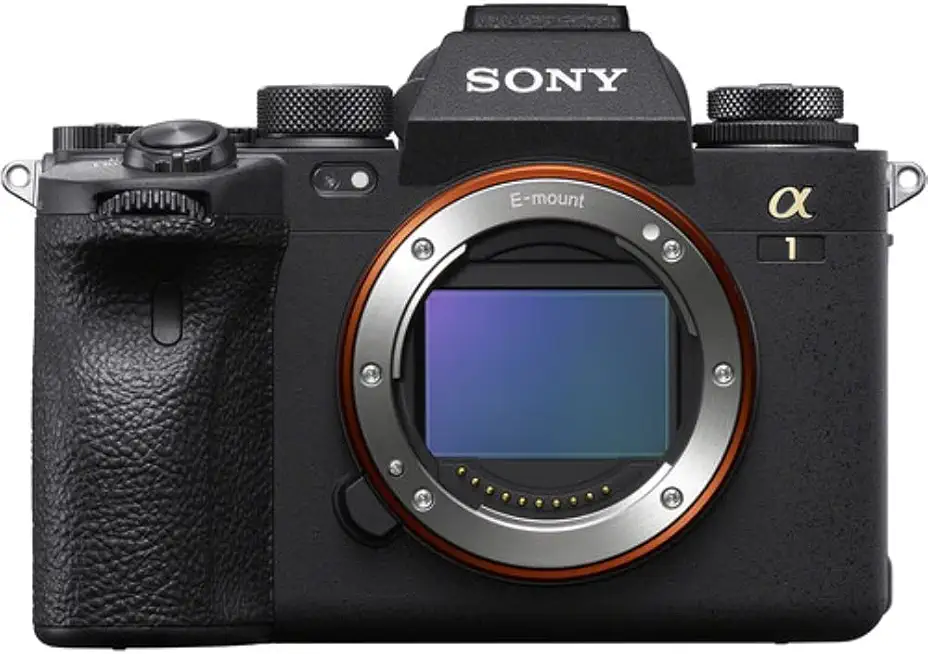
Sony Alpha 1
Flagship hybrid camera with staggering speed, 50MP resolution, 8K video, and pro-level AF for sports, studio, and wildlife.
Check PriceThe Sony A1 is a powerhouse for color-critical work thanks to its 50MP stacked sensor that delivers exceptional color depth and richly detailed images. Its strong dynamic range and very good JPEGs produce accurate, vivid colors straight out of camera, while RAW files give you extensive hue-control flexibility.
In practical shooting the files are extraordinarily detailed, so you can crop aggressively without losing color fidelity. Even at high speed, the camera holds color integrity — 30fps burst shooting does not degrade color quality.
Autofocus performance and ergonomics are tuned for confident, color-critical shooting; the handling helps you frame and expose precisely so skin tones and subtle hues stay true. That makes the A1 an excellent choice for pros and serious enthusiasts working in commercial, wildlife, or sports contexts who need high-resolution, true-to-life colors.
Be aware of a couple of real-world caveats: the LCD resolution is lower than expected for highly accurate in-field previews, and autofocus can degrade in very low light, which may affect color-capture precision. Despite those limits, the combination of resolution, dynamic range, and burst performance makes the A1 a top pick if you prioritize color fidelity and versatility.
- 50MP sensor captures fine color gradations
- Excellent dynamic range preserves shadow and highlight color fidelity
- Fast burst rate up to 30fps without color degradation
- Comfortable ergonomics for long, color-critical shoots
- LCD resolution lower than expected for accurate in-field previews
- AF can degrade in very low light, affecting color-capture precision
3. Nikon Z8

Nikon Z8
High-performance professional mirrorless balancing compact design with flagship sensor, fast burst shooting, and advanced low-light capabilities.
Check PriceThe Nikon Z8, with its 45.7MP sensor, is a camera I reach for when color fidelity matters. Its files show excellent color accuracy, low noise, and smooth tonal transitions that keep skin tones looking natural and believable. Nikon’s color science delivers a subliminal, pleasing rendering that usually needs minimal correction in post.
In the field the Z8 handles complex color scenarios—mixed lighting on skin, for example—with surprising ease. The resolution-to-noise balance keeps hues clean and accurate even as you push ISO, so highlights and shadows retain color integrity. That reliability makes it easy to trust your exposure and white balance decisions on fast-paced shoots.
It’s a very versatile tool for pros who shoot studio work, landscapes, and events where color fidelity is critical. The strong dynamic range preserves realistic colors across a wide tonal span, which is especially useful when you want minimal retouching. The relatively lightweight body also helps during long days when color-critical shooting demands endurance.
No camera is perfect: lens availability for the Z mount is still growing, and some photographers face a learning curve adjusting to Nikon’s specific color profiles compared to other systems. Still, for photographers prioritizing accurate, natural color straight from the camera, the Z8’s image quality, low-light color performance, and high resolution make it one of the most practical choices.
- Excellent image quality with accurate color rendition
- Strong low-light color performance and noise handling
- Relatively lightweight body for extended shooting
- Wide range of compatible lenses for creative color control
- Lens availability for Z mount still growing
- Learning curve adapting to Nikon’s color profiles
4. Fujifilm X-T5

Fujifilm X-T5 Body
Retro-styled APS-C camera offering outstanding color science, tactile controls, fast autofocus, and portability for enthusiasts and creators.
Check PriceAs a shooter, I love the Fujifilm X-T5 for its film-simulation modes that deliver outstanding color straight out of camera, especially in JPEGs.
The vibrant yet natural reproduction respects skin tones and nuanced hues, so you often need less tweaking in RAW files.
Film simulations like Velvia and Provia give pleasing color pop without looking overcooked, making the X-T5 a go-to for portraits and landscapes.
It performs well in bright and mixed lighting, maintaining chromatic accuracy across challenging scenes where color fidelity matters.
The in-camera processing is effective—JPEGs are highly praised for quick workflows, which is a big advantage when turnaround time matters.
The compact, lightweight body encourages handheld shooting and preserves color fidelity while you work fast on the street or at events.
In practice I find the RAW files still give editing latitude when needed, but many shoots end with the JPEG straight from camera.
That balance between punchy, film-like color and editable RAW makes the X-T5 versatile whether you deliver JPEGs or work in a color-managed RAW workflow.
It’s ideal for enthusiasts and pros who prioritize color science and want striking colors with minimal post, though action shooters and large-print specialists should note the limitations listed below.
- Distinctive, film-like colors that require minimal editing
- Effective in-camera processing for vibrant but true-to-life colors
- Compact, lightweight design for handheld shooting
- Highly praised JPEG output for quick workflows
- Autofocus can lag slightly vs newer models
- APS-C sensor limits ultimate image quality for very large prints or extreme cropping
5. Panasonic Lumix S5 II

Panasonic LUMIX S5II Body
Versatile hybrid full-frame body with impressive video features, in-body stabilization, V-Log compatibility, and reliable performance for filmmakers.
Check PriceAs a hybrid shooter, you’ll appreciate the Panasonic Lumix S5 II for its customizable color profiles and real-time LUT application. The full-frame sensor produces neutral, natural skin tones that work well for both photo and video workflows. That baseline neutrality makes it easy to build looks without fighting a heavy in-camera bias.
In practice the S5 II gives you flexibility to create consistent looks across photo/video workflows. The color science tends toward clean, faithful colors, but it often needs user adjustment to match personal styles. I find that starting with a custom profile and a LUT saves time in post and keeps shoots predictable.
Support for the Panasonic LUT system and the Lumix Lab app is a real advantage if you move between video and stills. Those tools let you refine color control on set and keep files consistent for editors. Solid handling and build quality make it comfortable to use in the field all day.
If you need strong out-of-camera accuracy with minimal tweaks, the S5 II gets you most of the way there. However, some users report a need for post-processing to fully realize color potential in tricky light. Be prepared to spend a little time dialing white balance and profiles when lighting is mixed.
One practical caveat: autofocus can struggle in low light, which can affect color accuracy in fast scenes. For controlled environments and deliberate shoots it’s mostly a non-issue, but for run-and-gun work in dim conditions you might notice it.
- User-customizable color profiles for consistent accurate color
- Full-frame sensor with good dynamic range and natural tones
- Supports Panasonic LUT system and Lumix Lab app
- Solid handling and build quality for field use
- Often needs post-processing in tricky light
- Autofocus can struggle in low light
How White Balance Affects Color Accuracy
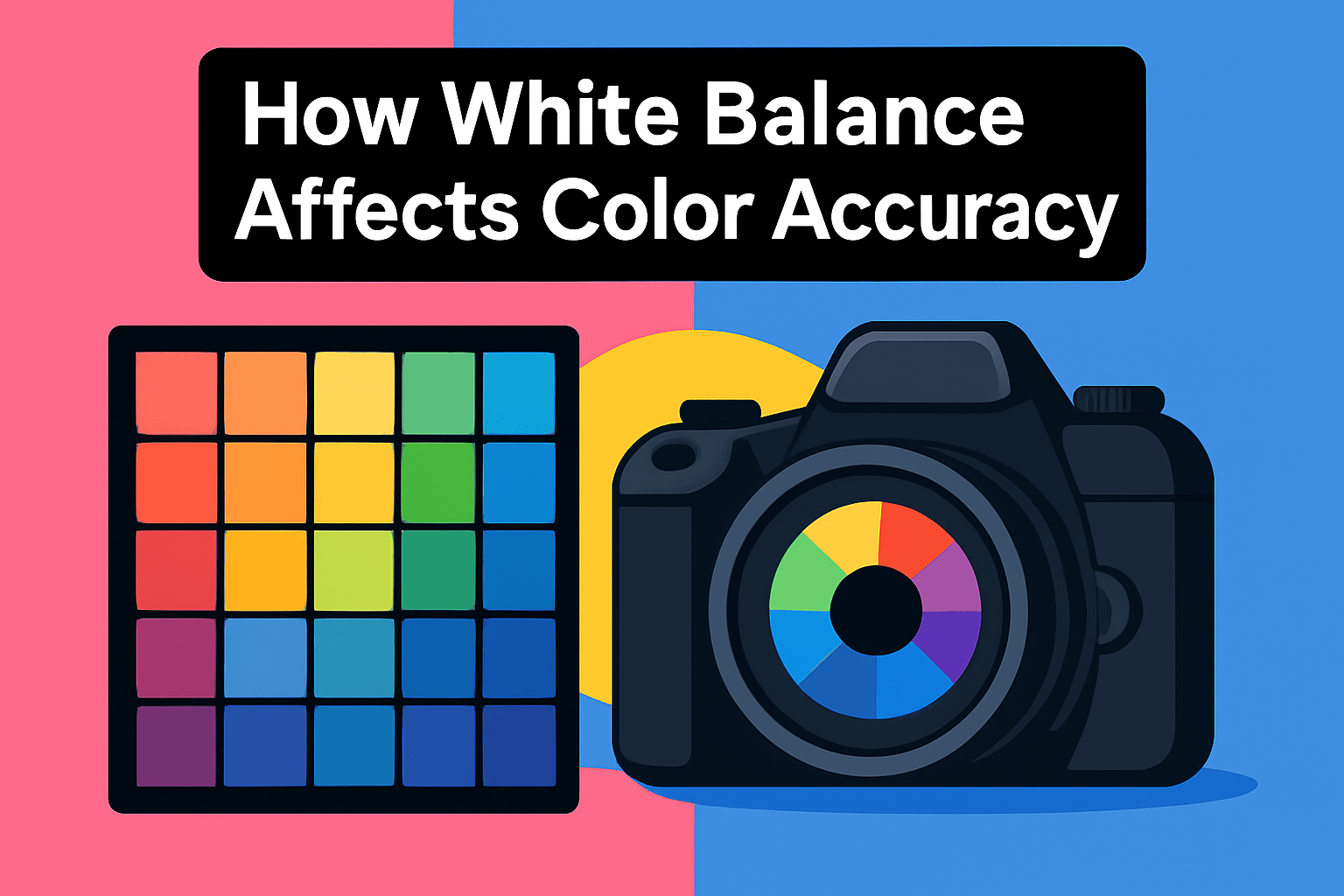
White balance is the quiet ruler of how colors appear in your images — it tells the camera which light is “neutral” so whites stay white and all other hues fall into place. Different light sources have different Kelvin temperatures, so an incorrect setting will make a scene look too warm (yellow/orange) or too cool (blue). Cameras offer presets like Auto, Daylight, Shade, Tungsten and Custom because unlike our eyes they can’t always decide what true white is.
Auto White Balance works well much of the time, but it trips up in mixed-light situations or when one color dominates the frame. Think wedding receptions with daylight through windows and warm tungsten indoors, or a sunset rich in reds — AWB will often try to neutralize the mood you wanted and give you a misleading result. That’s when switching to manual control or a preset saves you headaches.
I often set Kelvin manually for precision: daylight is roughly 5000–6000 K, while night or tungsten-lit scenes fall around 3200–4000 K. You can also create a custom white balance from a neutral gray card on location; this gives consistent, repeatable color across a series of shots and dramatically reduces time in post. If you’re moving between mixed sources, re-check and reset as lighting changes.
Don’t forget the creative side — warming or cooling the WB is a valid stylistic choice. But when accurate color reproduction is the goal, neutralizing casts should be the starting point before any deliberate tinting. Shooting RAW makes this painless, because you can shift temperature and tint after the fact without degrading image quality.
Practical workflow: when possible include a gray or color-checker card on a setup shot, use Kelvin or Custom WB for the rest of the session, and glance at your preview to confirm skin tones look natural. Accurate white balance gives you a truthful base to edit from and saves countless corrective tweaks later.
Editing Workflow for Maximum Color Fidelity
Shoot RAW. It’s that simple first step that preserves the full sensor information and lets you fix white balance and color non-destructively later. I almost never trust a JPEG for critical color work because RAW gives you breathing room to correct and refine without penalty.
Start every edit by nailing white balance. Use the temperature and tint sliders or the eyedropper on a neutral patch. If you have a gray card or color checker in the first frame, you can set an exact baseline for the whole shoot and avoid guesswork.
Expose to the right without clipping highlights. Pushing exposure toward the right side of the histogram preserves subtle color detail and reduces noise in shadows. Be careful not to blow highlights—once clipped, color information is gone.
Keep lighting consistent while shooting. When the light changes between frames you’ll spend hours matching tones later. When consistency isn’t possible, rely on a color reference to re-establish a neutral point in each setup.
Treat color adjustments with restraint. Tweak hue, saturation and luminance per color rather than global vibrance or saturation sliders. Small, targeted moves maintain natural skin tones and keep skies and foliage believable without introducing odd casts.
Edit on a calibrated display and use correct color profiles. What looks right on an uncalibrated laptop can be misleading. Calibrate regularly and, when preparing output, soft-proof or test a print to confirm on-paper results.
Finally, don’t over-rely on auto white balance or one-click fixes. They’re useful starting points, but manual tweaks usually win in mixed or tricky light. Build a simple preset or LUT for recurring shoots, but always fine-tune per image for maximum color fidelity.
What People Ask Most
Which camera has the best color accuracy?
There is no single camera that is best for everyone; color accuracy depends on sensor characteristics, image processing, and how you shoot. Choose a camera whose color rendering matches your taste and that gives latitude in RAW files for adjustments.
What camera is best for accurate skin tones?
Cameras that render natural skin tones out of camera and offer flexible RAW editing tend to serve portrait work well. Proper lighting and accurate white balance during capture are often more important than the camera body itself.
Which camera brands are known for the most natural color science?
Some manufacturers prioritize natural rendering in their color processing, but preferences vary among photographers. The best approach is to review sample images or try a camera in person to see whether its color look suits your taste.
Do mirrorless cameras offer better color accuracy than DSLRs?
System type alone does not determine color accuracy; both mirrorless and DSLR systems can produce excellent color. Sensor design, image processing, and white balance handling have greater influence than whether a camera is mirrorless or DSLR.
How do sensor size and color accuracy relate?
Sensor size can affect noise performance and dynamic range, which influence color rendering in challenging light. Still, lenses, lighting, and processing choices often have a larger impact on the final color fidelity.
Which camera produces the most accurate JPEG colors straight out of camera?
Out-of-camera JPEG accuracy depends on the manufacturer’s picture profiles and processing decisions, and “accurate” can be subjective. If you need consistent results, consider using custom picture profiles or shooting RAW for controlled color adjustments.
How can I test a camera’s color accuracy?
Shoot a neutral gray card or color checker under controlled lighting and compare both RAW and JPEG outputs for consistency. Evaluate the files on a calibrated monitor and check how the camera handles mixed lighting and skin tones.
Conclusion for Best Camera for Color Accuracy
Each of the five cameras here excels in color accuracy for different needs — Canon for natural skin tones and high-resolution work, Sony for rich detail and dynamic range, Nikon for balanced low-noise rendering, Fujifilm for film-like out-of-camera colors, and Panasonic for customizable profiles that suit hybrid workflows.
The key takeaway is that there’s no single “best” camera for color; it’s about matching a camera’s color character to your subjects and editing approach, combined with good white balance practices.
Shooting RAW, using neutral targets or manual WB when possible, and editing on a calibrated monitor will consistently yield the most faithful results across systems.
If you want to build your color skills and workflow confidence, read more on the site to explore practical techniques and step-by-step guidance tailored to your shooting style.
Have a question or want to share your experiences with any of these cameras? Leave a comment below — we usually reply within a few hours.





0 Comments