
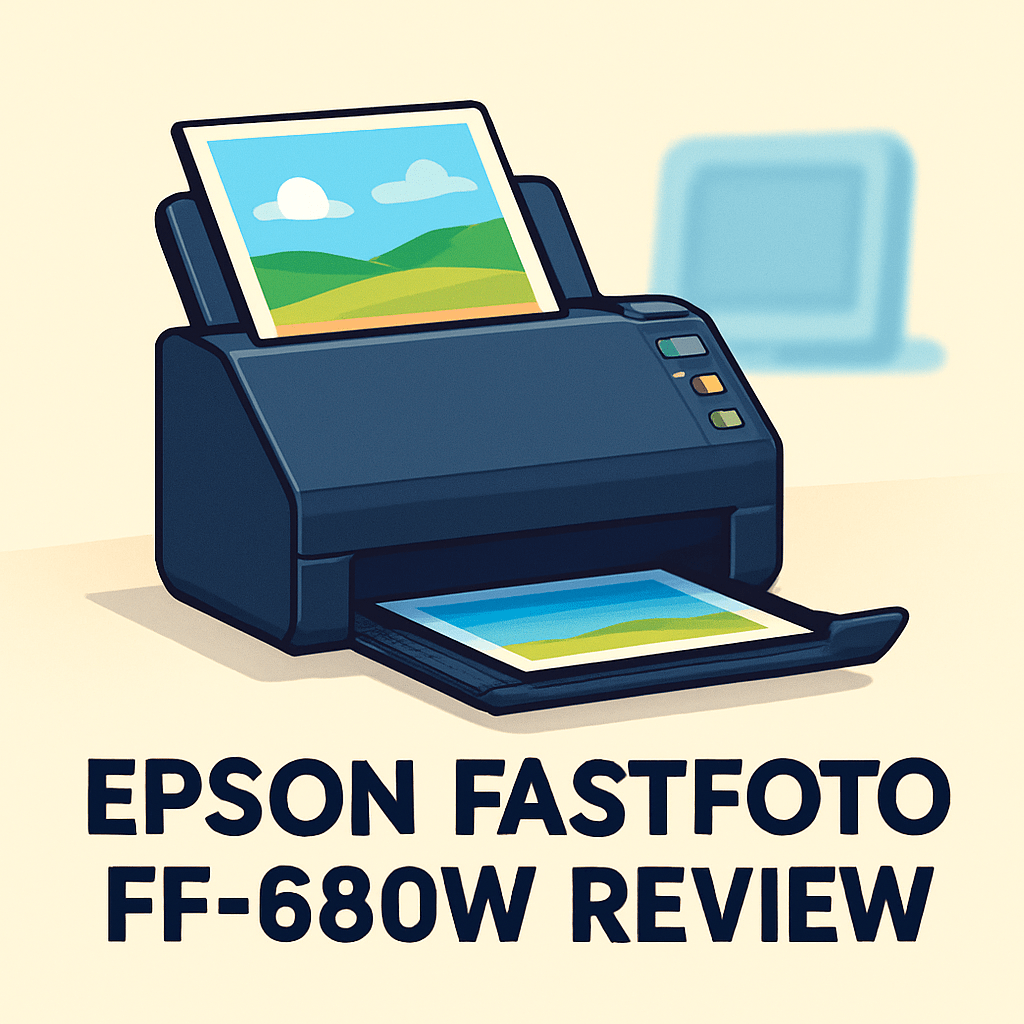
Want to finally digitize that shoebox of prints without a week of tinkering?
This epson fastfoto ff-680w review comes from a photographer’s perspective and aims to show whether the FastFoto workflow actually saves you time and hassle.
The FF-680W is a dedicated sheet-fed scanner for fast batch work — up to 1 photo per second, a 30-photo ADF, and Wi‑Fi/USB, with Epson’s FastFoto software and automatic color and dust correction.
If you’ve got boxes of lab prints, mixed documents, or client proofs, you’ll want a practical, consistent workflow.
I took it into the field to see how it handles day-to-day scanning — make sure to read the entire review as I unpack the results; keep reading.

Epson FastFoto FF-680W Scanner
Ultra-fast photo digitizing with one-touch wireless convenience. Batch-feed imaging, automatic color restoration and cropping, and intuitive software make preserving prints effortless for albums, frames, and archival projects.
Check PriceThe Numbers You Need
| Spec | Value |
|---|---|
| Scanner Type | Dedicated photo and document scanner |
| Scan Speed | Up to 1 photo per second |
| Maximum Scan Width | 8.5 inches (fits standard photo sizes) |
| Optical Resolution | 600 dpi |
| Color Depth | 48-bit color input |
| Color Output | 24-bit color |
| Connectivity | Wireless (Wi‑Fi) and USB |
| File Formats | JPEG, PDF, TIFF |
| Automatic Image Enhancement | Yes (color restoration, dust removal, red-eye removal) |
| Paper Feeder Capacity | Up to 30 photos per batch |
| Supported Media | Photos, documents, plastic ID cards, varying thicknesses |
| Software Included | Epson FastFoto software for organizing and restoring photos |
| Dimensions | Approximately 8.7 x 11.8 x 3.9 inches |
| Weight | Around 7 pounds |
| Compatibility | Windows and MacOS |
How It’s Built
In my testing the Epson FastFoto FF-680W Scanner feels like a purpose-built tool for anyone finally tackling boxes of prints. It’s compact enough to sit on a small desk without taking over, so you can keep it in a home office or studio and pull it out when a scanning session starts.
The automatic feeder is the heart of the design and it handles standard photos, documents, and even plastic ID cards without much fuss. I found mixed stacks usually feed well, but older curled or fragile prints still need gentle prep—flattening and dusting makes a big difference.
Setup is straightforward and beginner-friendly with both Wi‑Fi and USB options. In my workflow I liked using Wi‑Fi for quick checks and USB when I wanted rock-solid connectivity for long runs, so you can pick what fits your editing setup.
Overall the build feels solid for family archiving and light studio use, with a clean feed path and easy access for clearing jams. What I really liked was the simple, logical control layout; what could be better is a little more forgiveness for delicate, warped prints if you’re scanning lots of vintage material.
In Your Hands
In hands-on use the Epson FastFoto FF-680W Scanner delivers scans tuned for photographs rather than paperwork. Small prints and lab snapshots keep good edge detail and natural color, while faded vintage photos gain a noticeable lift from the automatic restoration without looking oversaturated. For archival needs I still save a cleaner file before heavy correction, but for most family albums the output is immediately usable.
The sheet-fed mechanism is built for batch work but benefits from basic prep like dusting and grouping by size. Curling or fragile prints may need gentle flattening or single feeding, and very thick cards are best run separately. It generally feels more forgiving than typical document feeders, though careful feeding speeds a big job.
Epson’s FastFoto software moves you from load to export with automatic cropping, smart file naming and straightforward folder export that keeps projects tidy. Choosing JPEGs for quick sharing or higher-quality formats for archiving is simple and built into the workflow.
Wireless scanning to a laptop is convenient for studio setups, though tethering by USB feels more stable for long sessions. Mixing prints, documents and a few plastic IDs in one workflow is handy for photographers juggling releases, receipts and prints.
The Good and Bad
- Fast photo throughput: up to 1 photo per second
- Efficient batching: up to 30 photos per batch
- Photo-centric automation: color restoration, dust removal, red-eye removal
- Strong software integration: Epson FastFoto for organizing and restoring photos
- Optical resolution capped at 600 dpi — may be limiting for ultra-detailed archival needs or large reprints
- Maximum scan width 8.5 inches — no support for larger prints beyond that width
Ideal Buyer
If you’re staring at boxes of standard 4×6 and 5×7 prints that need to be digitized quickly, the Epson FastFoto FF-680W is built for you. It turns batches into usable files with minimal babysitting, and the FastFoto software organizes and names files as it goes. Families and small studios appreciate the speed and consistency.
Archivists who want automated fixes, like color restoration, dust removal, and simple file naming, will save hours. Photographers who also handle release forms, receipts, and ID cards like that it doubles as a document scanner. Wi-Fi and USB keep it flexible for studio or home workflows.
It’s ideal when you want uniform, good-looking JPEGs or TIFFs without intensive manual editing. Its 30-sheet feeder and photo-centric software make large but finite projects feel manageable. The included pipeline is a big time-saver for ongoing cataloging, and the color pipeline preserves midtones well.
Do not buy it if you need ultra-high archival scans above 600 dpi or want to scan oversize prints wider than 8.5 inches. Very large archives will still require multiple loads or a higher-res flatbed. For fast, routine bulk digitizing of standard prints, it’s hard to beat.
Better Alternatives?
We’ve already gone through the Epson FastFoto FF-680W review and seen where it shines: fast batches of prints, photo-focused software, and easy, consistent results for boxes of family photos. That gives you a clear idea of what the FastFoto is built to do for a photographer or a small studio.
If your needs tilt away from bulk print scanning — for example you need better document workflows, or you’re working with slides and negatives — there are a few practical alternatives worth considering. Below I’ll walk through three options I’ve used, how they compare to the FF-680W in real life, and who each one suits best.
Alternative 1:

Fujitsu ScanSnap iX1600 Scanner
Sleek touchscreen document capture that streamlines workflows with fast duplex scanning, reliable automatic feeding, cloud integration, and smart software for searchable PDFs—perfect for home offices and busy workgroups.
Check PriceI’ve used the Fujitsu ScanSnap iX1600 a lot when I needed to move paperwork and photo release forms through a workflow quickly. Its feeding and duplex scanning are rock solid — it will chew through stacks of invoices, contracts, and printed pages much more reliably than the FF-680W. The touchscreen and ScanSnap Home software make saving searchable PDFs and sending scans to cloud folders simple, which is a big plus if you mix documents with photo jobs.
Where it falls short compared to the Epson FastFoto is with delicate photo prints. The iX1600 isn’t tuned for photo restoration or gentle handling of curled, thin, or very old prints. Color and image cleanup feel more geared to documents than to preserving subtle photo tones, so you’ll often need to do extra editing afterward. In short: better for paperwork, not as good as the FF-680W for batch photo archiving.
If you’re a photographer who spends as much time on contracts, receipts, and client paperwork as you do on prints — or you run a small office that needs dependable duplex scanning and OCR — the Fujitsu is the better fit. If your main job is bulk photo archiving with built-in color restoration, stick with the Epson.
Alternative 2:
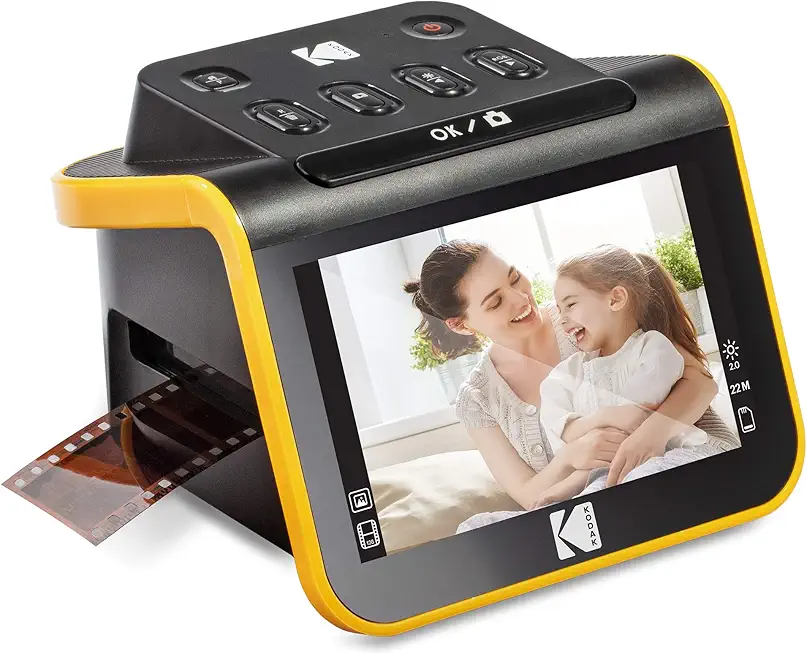
Kodak Slide N Scan Film Scanner
Convert slides and negatives into vibrant high-resolution digital files with easy USB connectivity, color correction and dust-removal tools, simple software, and quick batch scanning for archiving family memories.
Check PriceThe Kodak Slide N Scan is a different animal — it’s built to digitize slides and film, not stacks of prints. I used it for a box of old 35mm slides and was impressed with how quickly it converts frames into decent digital files. The color correction and dust-removal tools work well for getting usable images without spending hours in Photoshop.
Compared to the FF-680W, the Kodak is much better at handling actual film. The Epson is optimized for prints and documents, and it won’t help you with slides or negatives at all. On the flip side, the Kodak isn’t designed for fast, large-scale print batches — feeding prints, making consistent scans across a big pile, and handling mixed-size prints are all areas the FF-680W handles more naturally.
Choose the Kodak Slide N Scan if your priority is converting vintage slides or negatives into digital images and you want a straightforward, film-focused workflow. If you’re scanning cartons of prints and need speed and batch restoration, the Epson remains the smarter pick.
Alternative 3:
Kodak Slide N Scan Film Scanner
Effortless film-to-digital conversion for enthusiasts: quick preview, adjustable resolution, built-in dust and scratch reduction, and user-friendly controls let you preserve vintage slides with accurate color and detail.
Check PriceUsing the Kodak unit again for a second run of older family slides showed its strengths: the preview and adjustment steps let me dial in color and exposure before committing to a full batch. The built-in dust and scratch reduction saved a lot of time when I had hundreds of frames with minor defects. For film work at home, it’s a very approachable tool.
That said, the Kodak won’t replace a photo-centric document feeder like the FF-680W for print shoots. It’s slower for scan throughput on prints, has a different handling method that isn’t suited to mixed paper stacks, and the software is focused on single-frame film fixes rather than batch photo restoration. So it’s excellent at what it’s made for, but limited outside that use.
If you’re an enthusiast or photographer who has a trunk of slides or negatives that you want to preserve with good color and minimal fuss, the Slide N Scan is a great choice. If your work is mainly scanning prints, receipts, or mixed media in large numbers, the Epson FastFoto will still give you the best balance of speed and photo-oriented results.
What People Ask Most
Is the Epson FastFoto FF-680W worth buying?
Yes — it’s a great buy if you need fast, batch scanning of prints with decent auto-restoration and wireless convenience, but it’s not for archival-level detail or film scanning.
How fast is the Epson FastFoto FF-680W scanner?
It can scan a 4×6 photo in about one second in batch mode at typical settings, though speed slows at higher resolutions or with PDF/TIFF output.
What resolution and file formats does the FF-680W support?
It scans prints up to about 600 dpi and saves to common formats like JPEG, TIFF and searchable PDF files.
Can the Epson FastFoto FF-680W scan multiple photos at once and restore old photos?
Yes — its automatic feeder lets you batch-scan many prints at once and the included software offers color restoration, dust removal and basic repair tools.
Does the FF-680W scan negatives and slides?
No — the FastFoto is designed for printed photos only and does not support film negatives or slides.
How does the image quality of the Epson FastFoto FF-680W compare to flatbed scanners?
The FastFoto gives excellent color and speed for prints but a good flatbed will deliver finer detail, better dynamic range and more control for delicate or high-resolution archival work.
Conclusion
After hands-on testing, the Epson FastFoto FF-680W Scanner makes a clear promise: fast, photo-focused batch digitization with automated restoration and tidy organization. It’s a purpose-built tool that streamlines turning boxes of prints into usable digital archives.
Its strengths are obvious in use: rapid batch throughput, a dedicated ADF, wireless and USB options, and software that automates color correction, dust removal and file naming. The workflow is consistent and forgiving, turning varied print stacks into neat JPEG/PDF/TIFF exports with minimal babysitting. For families and studios that value time and uniform output, it’s a huge time-saver.
But it’s not a perfect substitute for a flatbed or a high-end archival scanner. The optical ceiling, maximum width and modest batch capacity mean it won’t satisfy users who need ultra-high dpi, oversized scans or single-pass huge archives. Expect trade-offs between speed and ultimate archival headroom.
If you’re digitizing standard-size prints and want consistent, efficient results without heavy manual editing, the FF-680W is a strong, pragmatic choice. If your work skews toward document-heavy offices or budget occasional snapshots, consider alternatives better tuned to those needs. As a photographer I found it hits the sweet spot for routine studio and home digitization.
Epson FastFoto FF-680W Scanner
Ultra-fast photo digitizing with one-touch wireless convenience. Batch-feed imaging, automatic color restoration and cropping, and intuitive software make preserving prints effortless for albums, frames, and archival projects.
Check Price

0 Comments