
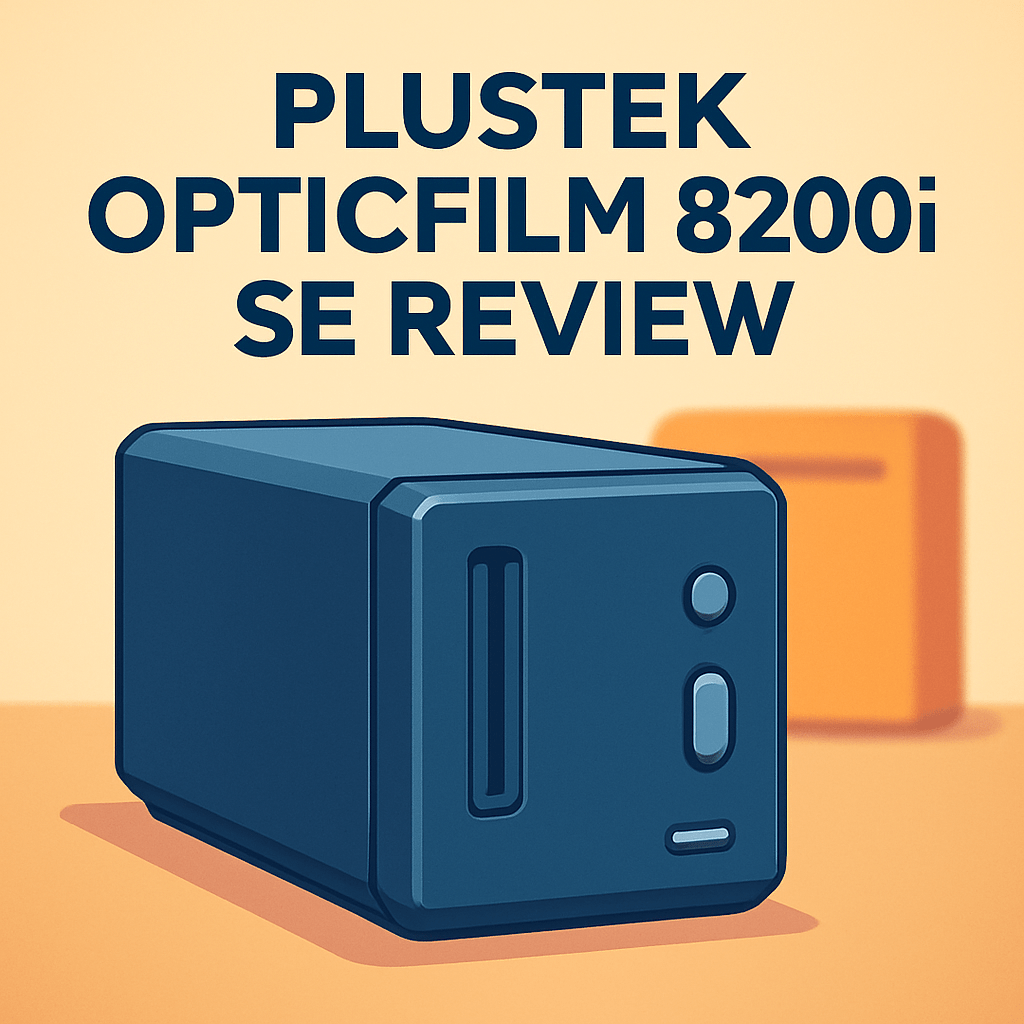
Want to squeeze more detail from your 35mm negatives and finally stop blaming your scans? This hands-on look at the Plustek OpticFilm 8200i SE Film Scanner asks whether it’s the tool serious shooters need.
I ran color negatives, black-and-white, and slides through it in a dust-controlled, calibrated workflow, so you’ll get real-world impressions rather than spec-sheet noise.
If you’re deciding between a dedicated 35mm scanner and a flatbed all‑rounder, this review matters; the 8200i SE promises stronger micro-detail, color fidelity, and tonal range than many multipurpose options.
I’ll walk through speed, image quality, dust and scratch handling, and how it stacks up against popular rivals — practical takeaways you can use today. Make sure to read the entire review as I dig into image quality, workflow, and how it stacks up — keep reading.

Plustek OpticFilm 8200i SE Film Scanner
High-resolution 7200dpi film scanning for 35mm slides and negatives, delivering rich color and fine-grain detail. Built-in infrared dust-and-scratch removal and intuitive software streamline digitization for pros and enthusiasts.
Check PriceThe Numbers You Need
| Spec | Value |
|---|
How It’s Built
In my testing the Plustek OpticFilm 8200i SE is a true 35mm‑only unit and it needs a small dedicated spot on your desk. It’s not a flatbed, so it won’t replace a multipurpose scanner. For photographers who shoot lots of 35mm this focus is a win; for mixed jobs it’s a trade‑off.
It feels solid and well put together even though much of it is plastic. It runs quietly and warms a bit during long sessions but never enough to affect scans. That means you can do long batches without worrying about noise or drift.
The film holders keep frames flat and aligned, which I really liked because flat film equals sharper scans. They’re a bit fiddly at first, which could be better for beginners. After a few rolls loading became quick and repeatable with no light leaks or wobble.
Controls and connectors are simple and everything you need comes in the box, so you can get started right away. The unit sits stable with almost no vibration and cable routing is tidy. Cleaning is straightforward, but treat the plastic holders gently as they’re the part most likely to wear.
In Your Hands
Out of the box the Plustek OpticFilm 8200i SE settled into my workflow with steady, predictable behavior; drivers and the bundled scanning software were familiar to anyone who’s used dedicated film tools, and initial calibration felt straightforward in a controlled dust environment. First-time setup needed a little patience to dial exposure previews and profiles, but once established the scanner returned consistent results without repeated re-calibration. On modern systems I experienced reliable connectivity and no surprise driver crashes during typical jobs.
Throughput is best described as deliberate rather than frantic: the unit encourages a frame-by-frame approach where image quality settings and any IR-based dust cleanup noticeably increase scan time. If you prioritize top-end tonal control and multi-exposure passes, expect slower per-frame turnaround and more preview iterations; for routine single-pass work it stays reasonably efficient. Loading film holders is uncomplicated, though the real bottleneck for long rolls is the cadence of previews and fine exposure corrections, not mechanical feeding.
Over extended sessions the scanner remained mechanically steady with virtually no alignment drift and very few misfeeds, making it dependable for multi-roll projects. Thermal and acoustic behavior is benign—quiet enough to work beside without distraction and cool-running enough that I didn’t see performance sag during long batches. Sensor consistency held up, delivering repeatable images across dozens of frames.
In practice this scanner feels like a dedicated, detail-first tool: it consistently extracts fine 35mm detail better than general-purpose flatbed alternatives, yet it is not the fastest dedicated model on the market. The trade-off is clear—you gain image fidelity and control at the expense of raw throughput and sometimes extra manual dust cleanup when negatives are difficult. For photographers who value per-frame quality and repeatability, that balance will often favor the 8200i SE.
The Good and Bad
- Dedicated 35mm design typically delivers higher perceived sharpness and micro-detail than flatbeds like Epson V600 and Canon 9000F Mark II
- Generally better usable dynamic range on dense and high-contrast negatives than many flatbeds
- Mature Plustek + SilverFast ecosystem with strong out-of-the-box color fidelity
- Consistent, frame-by-frame workflow suited to serious 35mm film work
- Slower throughput than some modern dedicated competitors such as the Pacific Image PrimeFilm XE
- Workflow may involve more manual dust and scratch cleanup on tricky negatives compared to flatbeds with effective ICE automation
Ideal Buyer
If you prize micro‑detail, tonal depth and faithful color from 35mm negatives, the Plustek OpticFilm 8200i SE is built for you. It squeezes more grain‑level resolution and usable Dmax out of a single frame than most flatbeds. It rewards fine‑grain stocks and slide positives with palpable microcontrast.
This is the scanner for photographers running steady 35mm projects who want a predictable, frame‑by‑frame workflow. You’ll appreciate the mature Plustek + SilverFast ecosystem and out‑of‑box color handling. Expect to trade a bit of speed for consistency and control.
If your work mixes prints, documents, or high‑volume quick batches, look elsewhere. Flatbeds or newer dedicated units like the PrimeFilm XE or an Epson V600 may be faster and more versatile. The 8200i SE shines when you care about each frame, not when you need throughput.
Ideal buyers are advanced hobbyists, archival shooters, and small studios that prioritize ultimate image quality over convenience. They value manual cleanup, calibration and are comfortable with SilverFast’s learning curve. If you’re willing to invest time in calibration and occasional manual dust work, this is a sensible long‑term tool.
Better Alternatives?
We’ve gone through the Plustek OpticFilm 8200i SE in detail — where it shines, where it slows down, and who it really suits. If you want the very best fine-grain detail and tone from 35mm negatives, that scanner is hard to beat. But not everyone needs a single-purpose machine or the same tradeoffs it makes.
Below are a few real alternatives I’ve used in the field. Each one trades a bit of what the Plustek offers for other strengths like versatility, speed, or easier dust removal. I’ll tell you what they do better and worse, and who I’d recommend each for.
Alternative 1:

Epson Perfection V600 Photo Scanner
Versatile flatbed captures photos, documents, and film with impressive detail up to 6400dpi. Includes holders and restoration tools for color correction, dust removal, and quick archiving of treasured prints.
Check PriceI’ve used the Epson V600 when I needed to scan a mixed job: prints, documents, and the occasional strip of negatives. What it does best versus the Plustek is versatility — you can lay down prints or odd-sized media and it handles them fine. The digital ICE dust and scratch removal often saves me time because many frames come back cleaner straight out of the scan, which is great when you don’t want to spend hours on clean-up.
Where it falls short compared to the 8200i SE is fine 35mm detail and deep tonal handling. On very fine-grain film or really dense slides, the Plustek pulls a little more micro-detail and holds shadow tone better. I also noticed the V600’s scans can feel a touch softer and the dynamic range isn’t as forgiving on very contrasty negatives.
If you mostly scan family prints, odd jobs, and only scan film occasionally, the V600 is a good, practical pick. Hobbyists and people who want an all-in-one scanner — and who value cleaner scans with less manual dust work — will prefer the Epson. If you need the ultimate 35mm detail and tone for critical work, stick with the Plustek.
Alternative 2:

Pacific Image PrimeFilm XE Plus Film Scanner
Designed for fast, high-quality 35mm slide and negative scanning, delivering vibrant color and sharp detail. Batch-capable workflow, advanced dust/scratch removal, and efficient software for digitizing large archives.
Check PriceThe PrimeFilm XE Plus is a modern dedicated film scanner I reached for when I needed speed. In real shoots it feels snappier than the Plustek — previews come faster, batch scanning moves along with less fiddling, and that higher throughput matters when you’re processing full rolls. The scanner often gives you very sharp files that stand up well for web and print use.
Compared to the 8200i SE, the XE Plus trades some out-of-the-box color fidelity and the mature SilverFast workflow for raw speed and a newer sensor. That means you may spend a little more time tweaking color or exposure to match your taste. I’ve also seen it struggle slightly on weirdly dense negatives or when you try very long exposure tricks — a few users notice banding or noise in those extreme cases, though for normal work it’s fine.
If your main goal is fast, modern scanning of lots of 35mm slides and negatives, the XE Plus is a solid choice. I’d recommend it to photographers with big archives who want good quality without the slower frame-by-frame process of some older dedicated units. If you want the most faithful, plug-and-play color and the last bit of shadow detail, the Plustek still has the edge.
Alternative 3:

Pacific Image PrimeFilm XAs Film Scanner
Compact yet powerful scanner optimized for 35mm film and slides, delivering consistent high-resolution scans. Enhanced color management and user-friendly software make archiving, restoration, and sharing simple for photographers.
Check PriceThe PrimeFilm XAs is the compact, simpler sibling I grabbed for quick archiving and when desk space was tight. In real use it gives consistent scans that look clean and accurate without a lot of setup fuss. Its software is straightforward, so I could get usable files fast and move on — useful when you’re scanning batches to share or to back up negatives.
Compared with the Plustek 8200i SE, the XAs is easier to live with day-to-day but doesn’t quite match the 8200i SE’s ultimate tonal depth and micro-detail on the very finest negatives. The XAs often produces pleasing colors and solid sharpness, but if you’re pushing for the absolute best shadow detail or the finest grain performance, the Plustek will usually win.
I’d point buyers who want a friendly, compact dedicated film scanner toward the XAs — people who want good scans quickly and don’t want to wrestle with complex software. If you want the cleanest possible 35mm scans for gallery prints or heavy retouching, the Plustek remains the better tool; if you want solid results fast with less fuss, choose the XAs.
What People Ask Most
Is the Plustek OpticFilm 8200i SE a good film scanner?
Yes — it’s a well-regarded dedicated 35mm film scanner that delivers higher detail and cleaner results than most flatbed scanners at the price point.
Does the Plustek OpticFilm 8200i SE scan 35mm slides and negatives?
Yes, it is designed specifically for 35mm slides and negatives and includes holders for mounted slides and strips of film.
What resolution and dynamic range (Dmax) does the Plustek OpticFilm 8200i SE offer?
It advertises up to 7200 dpi optical resolution and a Dmax around 3.6, which lets you capture fine grain and a good tonal range for analog film.
How does the Plustek OpticFilm 8200i SE compare to the Epson Perfection V600?
The 8200i SE outperforms the V600 for 35mm film detail and tonal range because it’s a dedicated film scanner, while the V600 is a more versatile but lower-detail flatbed solution.
Does the Plustek OpticFilm 8200i SE include SilverFast or work with VueScan?
It typically ships with a SilverFast SE version and works well with SilverFast for film-specific tools, and it is also compatible with VueScan for broader driver and workflow support.
Is the Plustek OpticFilm 8200i SE compatible with Windows 10/11 and macOS?
Yes, it can run on modern Windows and macOS systems using Plustek drivers or third-party software like VueScan if needed for newer OS versions.
Conclusion
The Plustek OpticFilm 8200i SE is a focused, no-nonsense tool that consistently pulls fine 35mm detail, robust tonality and reliable color straight out of the gate. Its dedicated film-first design rewards shooters who demand grain-level resolution and wider usable shadow/highlight handling. For pure 35mm image quality it remains hard to beat at its price and workflow.
That single-mindedness carries tradeoffs: throughput is measured rather than blistering, and you won’t get the print-and-document versatility of a flatbed. Dust and scratch remediation can require hands-on cleanup in some cases, which lengthens sessions. If you prize speed or all-around utility, expect to compromise.
I’d point small-batch pros and serious archivists toward it without hesitation, especially when consistency and color fidelity matter more than raw speed. If you scan rolls occasionally or need to digitize prints, a flatbed like an Epson or an alternative dedicated scanner that emphasizes throughput makes more sense. The Pacific Image XE is a sensible swap for anyone chasing faster batch work.
In short, buy the Plustek OpticFilm 8200i SE if your priority is maximum 35mm detail, tonal nuance and a mature scanning ecosystem. Skip it if you need top speed or a do‑everything scanner.
Plustek OpticFilm 8200i SE Film Scanner
High-resolution 7200dpi film scanning for 35mm slides and negatives, delivering rich color and fine-grain detail. Built-in infrared dust-and-scratch removal and intuitive software streamline digitization for pros and enthusiasts.
Check Price



0 Comments