
What is camera gain, and can it rescue your low‑light shots?
It’s the electronic boost that makes a camera’s image brighter when there isn’t enough light. This article explains the idea in plain, simple words.
You’ll learn a clear definition and see where gain sits in the sensor chain — from photons to pixels. I will also explain dB, stops, ISO, and the difference between analog and digital gain.
We’ll cover types of gain, how it affects noise and dynamic range, and when to use it. Read on for step‑by‑step setup tips, before/after images, and a quick cheat sheet to help you make better exposure choices.
How Camera Gain Works
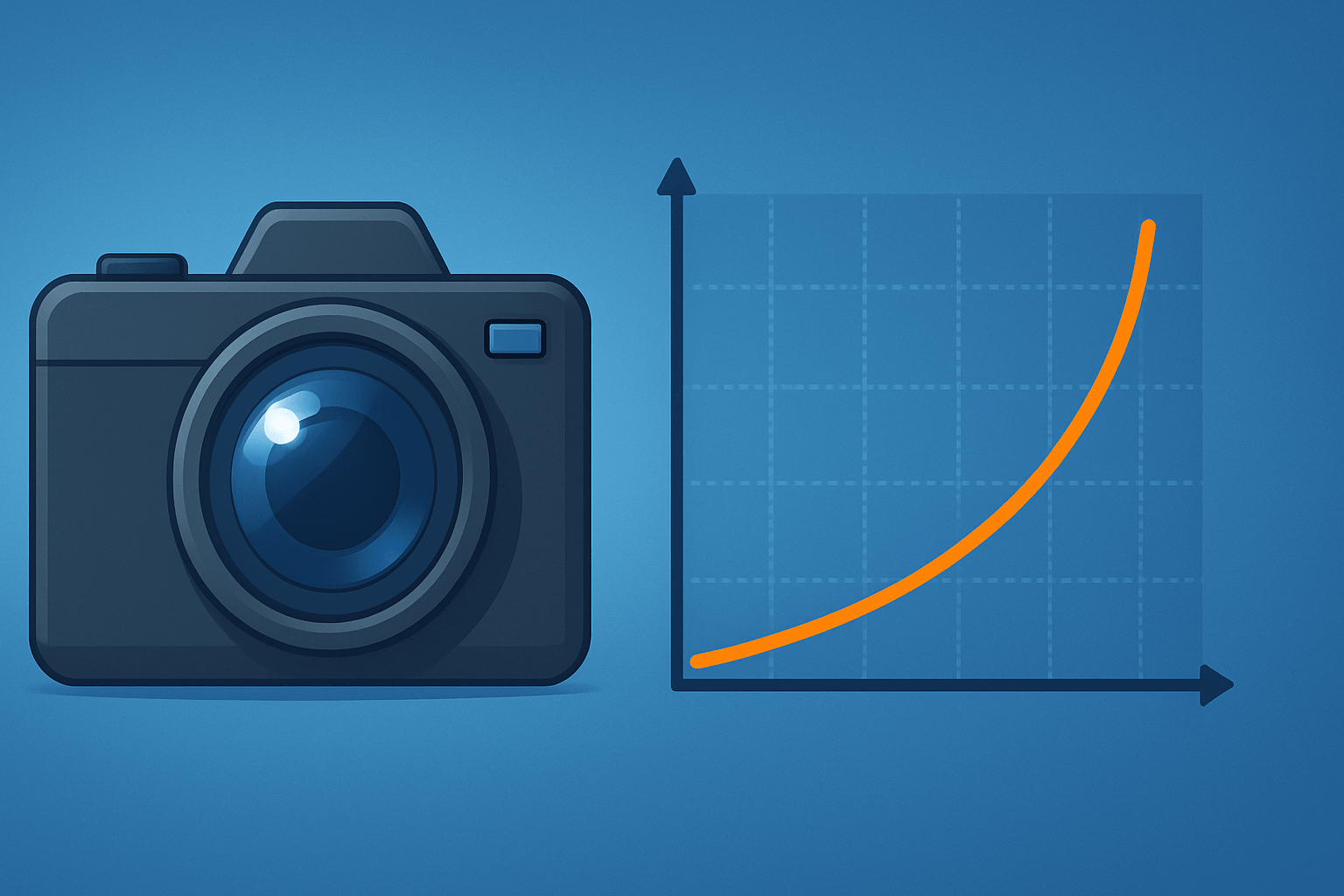
Camera gain is the electronic amplification applied to the sensor’s signal to increase image brightness. If you are wondering what is camera gain in simple terms, it is a boost applied either before conversion to digital numbers (analog gain) or after conversion inside the processor (digital gain). You use it to brighten the image when you cannot change shutter speed or aperture.
Inside the camera, light becomes a signal in a clear chain. Photons hit the sensor and turn into electrons, which are measured as charge and then turned into a voltage. A tiny preamp applies analog gain, the analog-to-digital converter turns that voltage into numbers, and the image signal processor can apply digital gain and other processing.
Gain is usually shown in decibels or ISO, and both scales relate to stops of light. A handy mapping is that +6 dB roughly doubles the signal and equals one exposure stop, while +12 dB is about two stops. Some cameras show numeric gain steps, others show ISO values, but the effect is the same: more gain equals a brighter image and more noise.
Analog gain sits before the ADC, so it boosts the real signal coming off the pixels. Digital gain sits after the ADC, so it multiplies the recorded numbers, much like brightening in software. The placement matters, because boosting earlier can improve how the signal rises above certain noise sources in the electronics.
Many cameras also offer automatic gain control, which changes gain on the fly to keep exposure steady. AGC can be useful for streaming or surveillance, but it can also cause exposure pumping when the scene brightness shifts. If smooth exposure changes matter to you, consider locking gain or setting limits.
If you like visuals, imagine a simple block diagram that reads: light to electrons, electrons to voltage, preamp and analog gain, ADC, then digital gain in the ISP. A small caption near the diagram could state “+6 dB ≈ ×2 signal ≈ 1 stop,” so you can translate gain changes at a glance.
Types of Camera Gain
Analog gain and digital gain do the same job in different places, and the consequences are not equal. Analog gain lifts the sensor signal before conversion, while digital gain multiplies digital values later in the pipeline. For an approachable overview of this path, you can skim camera gain basics to see how manufacturers describe it.
Because analog gain comes first, it can raise the useful signal above some electronic noise introduced during readout. Digital gain cannot do that, since it only scales what has already been recorded, along with any noise and quantization artifacts. In practice, analog gain is usually the cleaner choice when extra brightness is essential.
Dynamic or automatic gain control is the camera adjusting gain for you based on a target brightness. It is common in action cams, phones, webcams, and security systems where the scene changes rapidly. The upside is hands-off exposure; the downside is visible steps or pumping when lighting or framing shifts mid-shot.
Each camera family implements gain differently. In most interchangeable-lens cameras, ISO primarily maps to analog gain, especially around the “native ISO” where the sensor performs best. Phones rely more on digital multipliers blended with multi-frame noise reduction, while many industrial and scientific cameras show gain directly in dB with fine step control.
You can often tell which gain you are changing by reading the manual or menu notes. If the setting is called ISO and supported in RAW capture, it is typically analog gain up to the camera’s native or base ISO. If you see “digital gain” or a post-processing brightness boost, it usually applies after the ADC and is less desirable for RAW work.
A useful visual test is to shoot two identical frames, one using analog gain and one using a digital boost, and compare shadow texture and banding. Side-by-side crops will show cleaner shadows and fewer artifacts where analog gain did the heavy lifting.
Gain and Image Quality
Noise is the first thing people notice when gain goes up. You will meet three main flavors: shot noise, read noise, and quantization noise, and gain interacts with each in a different way. Shot noise grows with the amount of light, while read noise and quantization noise are tied to the electronics and conversion step.
Analog gain amplifies both signal and noise, but it can lift the signal above read noise when the scene is very dim. This is why a modest bump in analog gain can make shadows look cleaner even though the image is “noisier” overall. Digital gain does not improve that relationship, because it multiplies the recorded noise and signal equally.
Signal-to-noise ratio behaves differently depending on what is limiting you. If the sensor sees so little light that read noise dominates, early amplification can improve perceived SNR and reveal detail. Once shot noise dominates or the signal is already well above read noise, extra gain mainly makes the noise more visible without adding real information.
Dynamic range shrinks as gain rises. That is because highlights hit the top of the ADC scale sooner, leaving less room for bright details. At high gain, highlights clip earlier, and you can lose specular texture or sky gradients even while shadows look brighter.
Color fidelity often suffers at high gain, especially in the deep shadows. Chroma noise increases, subtle hues can skew, and fixed pattern noise or banding may become visible. This is more noticeable in underexposed areas where per-channel amplification exaggerates differences between the color filters.
Sharpness can appear to fall after heavy gain, but it is usually the side effect of noise reduction. To control the extra grain, cameras or editors smooth the image, and that can erase fine detail and micro-contrast. The result looks softer, even if the lens and focus were perfect.
For a clean visual, use three comparative crops labeled base gain, moderate gain, and high gain from the same scene. Add histogram overlays that reveal how the curve shifts right with gain while pushing the right tail into clipping. Those quick visuals will anchor the tradeoffs better than numbers on a spec sheet.
If you want to dig deeper into this tradeoff, this primer on gain and image quality explains why you see more grain yet sometimes more usable detail after a careful analog boost. It also shows how color noise and banding become the real limiting factors at extreme settings.
Technical note: engineers describe gain in dB, where 20·log10(multiplier) gives you the number. A doubling of signal is +6 dB and roughly equals one exposure stop, so +12 dB is two stops and +18 dB is three. You do not need the math day to day, but it helps you translate menus into expected brightness changes.
When to Use Camera Gain
Start with a simple flow: add light if you can, slow the shutter if motion allows, open the aperture if depth permits, and raise gain last. This order keeps image quality as high as possible while still getting the shot. If none of those are an option, use modest analog gain and watch your highlights.
Indoor sports is a classic case where gain earns its keep. You often need a fast shutter and a certain aperture for depth of field, so you raise analog gain to hit proper exposure without blur, then tame the noise in post. This is exactly the kind of scene where one stop of extra gain can turn unusable shadows into crisp detail.
Live video and streaming benefit from stable, predictable exposure. Lock gain when lighting is stable, or enable AGC but set tight limits to avoid pumping as people move or slides change. If your background brightness varies, practice transitions so the audience does not see abrupt jumps.
In microscopy or low-light scientific imaging, a controlled dose of analog gain can help lift signal above read noise. Avoid digital gain if you plan to analyze the data, because it makes quantization artifacts more obvious and can bias measurements. Calibrated illumination or longer exposures are still better when possible.
Security cameras have different priorities, and AGC often wins there. The goal is to see something useful in changing light, so a little pumping is an acceptable tradeoff. If faces are critical, set a cap on maximum gain and favor a slower shutter to prevent ghosting and smearing.
If you still wonder what is camera gain good for, think of it as your last-resort brightness lever when time and aperture are fixed. It keeps the frame alive when the light falls, but it asks you to accept more noise and less headroom.
How to Set Gain Properly
Step 1 is to start at your camera’s base or native gain, which is the lowest setting with full dynamic range. Set the shutter speed and aperture for the motion blur and depth you want, then evaluate the histogram. If the midtones slump left and shadows are crushed, prepare to increase gain.
Step 2 is to raise gain only as much as needed, and prefer analog gain or ISO when shooting RAW. Avoid digital gain in-camera if you plan to edit, because you can apply the same multiplication later with better control. Keep changes small so you can judge when noise begins to dominate.
Step 3 is to use exposure tools instead of guessing. Watch zebras on faces and bright highlights so you do not clip, and use the RAW histogram when possible because JPEG previews can mislead. If highlights are safe but shadows are buried, add a little analog gain to lift the floor.
Step 4 is to test before it matters. Shoot a short series at base, +6 dB, and +12 dB, and examine shadows, skin, and fine textures at your delivery size. Bracket a few frames and decide where the balance of motion sharpness and noise looks best for your project.
If read noise dominates your shadows, a modest analog bump can reveal hidden detail without ruining highlights. If highlights start to clip, back off gain and look for ways to add light or lengthen exposure. For video, lock gain or set AGC limits to avoid visible pumping during cuts or pans.
To clean up images after using gain, shoot RAW and apply targeted denoising on chroma first, then luma. Avoid over-softening, because aggressive NR can erase hair, fabric weave, and foliage detail. A light hand with sharpening can restore crispness after denoise.
For scientific or industrial work, add calibration to your routine. Capture dark or bias frames at the same gain, record gain and exposure metadata, and measure conversion gain if your software reports electrons per ADU. This makes results repeatable and keeps analysis honest.
A simple quick-reference helps under pressure: raise gain when you cannot change shutter or aperture and noise is better than blur; do not raise gain when dynamic range or color accuracy matters most. Include before-and-after frames, small histograms, and a one-paragraph “how I tested this” so viewers trust your comparisons. A tiny glossary with terms like gain, dB, SNR, ADC, full well, and native ISO will help beginners follow along.
If you want a refresher on camera controls that interact with gain, skim this guide to digital camera settings and tie it back to your exposure decisions. Once you link gain to shutter and aperture, the exposure triangle stops feeling mysterious.
Troubleshooting is straightforward when you name the symptom and the likely fix. If you see banding in shadows, lower gain a stop or try flat-field or dark-frame correction. If color speckle appears, reduce chroma noise or step down gain and lift in post; if highlights block up, cut gain and protect the right side of the histogram.
By now, what is camera gain should feel less abstract and more like a practical control in your toolkit. Treat it with respect, prefer analog when you must use it, and always check the histogram before you press record or the shutter. Master that rhythm, and you will get the shot without sacrificing more image quality than you have to.
What People Ask Most
What is camera gain?
Camera gain is an electronic boost applied to the sensor signal to make an image appear brighter, but it also increases visible noise.
How does camera gain affect image brightness and noise?
Increasing gain brightens dark scenes but introduces more grainy noise, while lowering gain keeps images cleaner but darker.
When should I increase camera gain instead of changing shutter or aperture?
Increase gain when you can’t open the aperture or slow the shutter further, such as to avoid motion blur or keep depth of field, but use it sparingly.
Can camera gain replace adding light to a scene?
No—gain makes the image brighter electronically but doesn’t improve true image quality the way adding real light does.
Is camera gain the same as ISO?
They produce similar effects on brightness and noise, but gain is the sensor’s electronic boost while ISO is a standardized sensitivity setting.
Will raising camera gain affect color or dynamic range?
Yes—higher gain can reduce dynamic range and sometimes shift or wash out colors, especially in very bright or very dark areas.
What common mistakes should beginners avoid when using camera gain?
Avoid cranking gain to fix exposure; instead balance lighting, shutter, and aperture first and only use the minimum gain needed.
Final Thoughts on Camera Gain
We opened by asking what is camera gain and answered simply: it’s the electronic amplification that boosts a sensor’s signal so you can use faster shutters or smaller apertures in low light. If you remember one reference from the examples — 270 — think of it as the sample set used to show base, +6 dB and +12 dB crops. For shooters who can’t add light, this guide showed when and how to lift the signal without guessing.
Used wisely, gain gives practical control so you can hold motion or depth-of-field, but it isn’t magic — expect more noise, reduced dynamic range, and possible exposure pumping if AGC is in play. That makes action shooters, live-video creators, and scientific imagers the biggest beneficiaries, while anyone chasing the cleanest color and widest highlights should be cautious.
We closed the loop by showing where gain sits in the readout chain, how analog and digital boosts behave, and a simple testing workflow that prevents surprise noise or clipping. With those checks and comparisons, you’ll soon feel confident managing gain for the shots you want, and your edits will have cleaner shadows to work with.




0 Comments