
Ever wanted to compress weeks of patient green growth into a few cinematic seconds? Time-lapse photography turns slow botanical motion into mesmerizing movies that reveal hidden rhythms and tiny miracles.
This guide zeroes in on helping you find the best time lapse camera for plants, whether you’re tracking seedlings on a sunny sill or monitoring an outdoor plot across seasons. We evaluated tools with plant projects in mind, focusing on real-world use rather than marketing hype.
Inside you’ll find a side-by-side comparison of five cameras tested in plant-focused scenarios, paired with honest user feedback and clear pros and cons. We keep explanations practical and accessible, so you can pick the right tool without getting bogged down in jargon.
Beyond recommendations, the guide includes a straightforward setup checklist and troubleshooting notes to help you capture consistent, high-quality time-lapses with minimal fuss. The goal is reliable, repeatable results you can reproduce for classrooms, studies, or personal projects.
You’ll learn how to match camera choice to your project — from short classroom demos to months-long outdoor monitoring. We translate common user experiences into practical buying sense so your investment actually works for your plants.
If you want stunning plant time-lapses without wasted time or failed shoots, read on. By the end you’ll know what to look for, what to avoid, and how to get started shooting your own botanical stories.
1. Brinno BCC5000 Time-Lapse Bundle Overview

Brinno BCC5000 4K WiFi Time Lapse Camera Bundle
Capture stunning ultra-high-resolution time-lapses with wireless control, long battery life, and versatile mounting for professional construction or creative projects.
Check PriceIf you need a camera built for long-term plant observation, the Brinno BCC5000 Time‑Lapse Bundle is a strong candidate. It’s designed for multi‑month or multi‑year monitoring and is commonly used in outdoor plant projects and biological studies. The housing stands up to rain, dust and extreme temperatures, so you can leave it running unattended.
Image quality is impressive for a dedicated time‑lapse unit — it produces high‑quality 4K footage suitable for professional documentation. It also captures both day and night footage, which makes it great for following diurnal cycles and subtle growth changes. The long battery life supports months of continuous recording, so you won’t be swapping cells every week.
As a photographer I appreciate simple, reliable tools in field work, and this Brinno fits that need. Setup is straightforward and the controls are intentionally simple, making it accessible for non‑technical users and students. Users report minimal maintenance, which is ideal when the camera is mounted in a greenhouse or an exposed outdoor site.
One caveat: if you need seamless remote control, know the BCC5000’s Bluetooth and Wi‑Fi connectivity can be unreliable in remote locations. The browser‑based remote interface is also considered unintuitive compared with dedicated apps, so plan on occasional on‑site visits for configuration. Overall, it’s mostly a workhorse for long‑duration plant projects where ruggedness and endurance matter most.
- Extremely durable and weather‑resistant
- Long battery life for months of continuous recording
- Simple controls and accessible setup for non‑technical users
- Produces high‑quality 4K footage suitable for professional documentation
- Bluetooth and Wi‑Fi unreliable in remote locations
- Browser‑based remote interface unintuitive
2. ATLI ATL4500G 4K Construction Time-Lapse Camera Overview

ATLI ATL4500 4K Time Lapse Camera with 512GB Memory Card
Shoot extended 4K sequences with massive onboard storage, rugged build, interval scheduling, and plug-and-play simplicity for long-term projects.
Check PriceThe ATLI ATL4500G 4K construction time‑lapse camera is a solid choice if your plant project needs remote, long‑term observation. Users report it being used for plant growth studies, construction projects and biological research, so it’s built for extended, real‑world monitoring.
What stands out is the mobile‑app control that lets you adjust focus and settings without touching the unit. As a photographer, I appreciate being able to fine‑tune focus remotely to keep close shots crisp as plants move or as you change framing.
If you need to check progress from afar, the 4G LTE version provides true remote access for long‑term monitoring. That capability is invaluable for outdoor installations or greenhouse setups where frequent physical access is impractical.
Image quality is another big plus: users report excellent 4K output day and night with accurate transitions between lighting conditions. Combine that with praise for reliable, consistent performance in varied weather, and you’ve got a camera that works well for outdoor plant time‑lapses where temperature and moisture fluctuate.
Keep a couple of caveats in mind. The mobile app can be slow or glitchy in areas with poor network coverage, so remote features depend on connection quality. Also, the camera’s size and mounting options may be less flexible for tight indoor spaces, so plan your mounting early if you’re working in a small grow tent or compact lab.
- Full control via mobile app, including focusing and settings adjustments.
- Reliable in diverse weather — suitable for outdoor monitoring.
- High‑quality 4K video output.
- Remote access allows monitoring without physical access.
- App can be slow or glitchy with poor network coverage.
- Size and mounting options may be less flexible for tight spaces.
3. ATLI EON Time-Lapse Expert Bundle Overview

ATLI 1080P WiFi Time Lapse Camera
Stream and control high-definition time-lapses remotely via WiFi, compact form, easy setup, ideal for home and travel recording.
Check PriceThe ATLI EON Time Lapse Expert Bundle is built with plant growth and biological studies in mind, and it shows in the results. It captures detailed footage over extended periods with seamless transitions between day and night modes, so you get continuous, clean documentation of development stages without harsh jumps in exposure. As a photographer, I appreciate that consistency — it saves hours in post when compiling final sequences.
The bundle itself includes practical mounting hardware, notably a stainless steel clamp and ball head for versatile mounting options. Those extras make it easy to secure the camera in tight greenhouse rigs or on irregular stands outdoors. Remote access is supported, so you can monitor and adjust settings without disturbing sensitive plants — a real advantage for long-term experiments or time-sensitive growth observations.
In short, this rig leans toward the serious user: it’s recommended for biological studies and plant growth monitoring and offers durable construction suitable for outdoor use. Be aware that initial setup can be complex if you’re unfamiliar with more advanced systems, and occasional remote access issues can occur in weak network areas. If you need reliable, high-detail long-term capture and don’t mind a bit of upfront configuration, the ATLI EON bundle is a strong, practical choice.
- Comprehensive accessories for flexible installation.
- Excellent image quality and reliable lighting performance.
- Remote access enables real‑time monitoring and adjustments.
- Durable construction for outdoor use.
- Initial setup can be complex for users unfamiliar with advanced systems.
- Occasional remote access issues in weak network areas.
4. Brinno TLC 2026 Camera Overview

Brinno Empower TLC2026 Time Lapse Camera with ATH1000
Empower creative workflows with precision interval control, superior low-light capture, modular accessories, and intuitive app-driven management.
Check PriceAs a professional photographer who shoots plant time-lapses, I find the Brinno TLC 2026 an excellent entry-level tool for short-term projects and indoor monitoring. It’s popular for classroom demos and personal projects because it’s small, simple and gets the job done without fuss.
The camera is compact, lightweight and praised for ease of mountability, so you can position it close to a pot or tuck it into a small grow space without bulky rigs. Setup is straightforward and the simple controls make it quick to start a shoot — ideal when you don’t want to wrestle with complex menus.
One of its strongest practical features is the long battery life and simple maintenance, which means you can leave it running for extended recording sessions without constant attention. That reliability is why many educators and hobbyists pick it for week-long projects or classroom demonstrations.
Image quality is described as sufficient for documentation but below higher‑end models, so expect good time‑lapse motion but not fine-detail resolution suitable for scientific publications or high-end commercial work. For garden diaries, teaching, and visual journaling of growth, the output is perfectly acceptable.
If you need remote access or advanced controls, this model is limited — there’s no remote monitoring or sophisticated connectivity. For hands-on, local setups where convenience and battery life matter more than ultra-high resolution, the TLC 2026 is mostly a smart choice.
In short: pick the Brinno TLC 2026 if you want a reliable, easy-to-use camera for short-term plant time-lapses and indoor projects; avoid it if you need razor-sharp detail or remote monitoring features.
- Compact, lightweight and easy to install
- Long battery life for extended recording
- Simple controls suitable for beginners
- Reliable performance indoors and outdoors
- Image not as sharp or detailed as higher‑end models
- Limited connectivity; no remote access or advanced controls
5. PlantCam Camera Overview
Reliable outdoor-ready recorder offering weatherproof housing, long-term battery life, simple scheduling, and crisp imaging for construction or nature projects.
Check PricePlantCam is built specifically for plant growth monitoring and biological studies, and that focus shows in day‑to‑day use. It captures detailed footage of plant development over time, which makes it a dependable choice when you need clarity on subtle changes like leaf unfurling or stem elongation.
Setup is straightforward; both beginners and experienced users report it as easy to set up and reliable in varied environmental conditions. For classroom projects or hobbyist benches where time and simplicity matter, PlantCam gets you recording quickly without a steep learning curve.
One feature I appreciate as a photographer is the remote monitoring capability. Remote monitoring is especially valued for long‑term studies because you can observe progress without disturbing the plants or returning to the site constantly.
PlantCam is frequently used in education and by hobbyists, so it’s well suited for projects that prioritize consistency and ease over advanced customization. If your work requires heavy customization or unusual mounting solutions, note that some users reported limited mounting options.
Overall, PlantCam is mostly a win for anyone focused on reliable, plant‑centric timelapses—teachers, students, hobbyists and researchers running extended observations. It offers detailed footage and remote access while minimizing setup friction, but double‑check mounting needs and network reliability before committing.
- Tailored for plant monitoring with detailed, accurate footage.
- Easy setup for beginners and experienced users.
- Reliable in diverse weather conditions.
- Remote monitoring enables observation without disturbing plants.
- Limited mounting options reported by some users.
- App interface can be slow or unresponsive in poor network coverage.
Setting Up Plant Time-Lapse Cameras
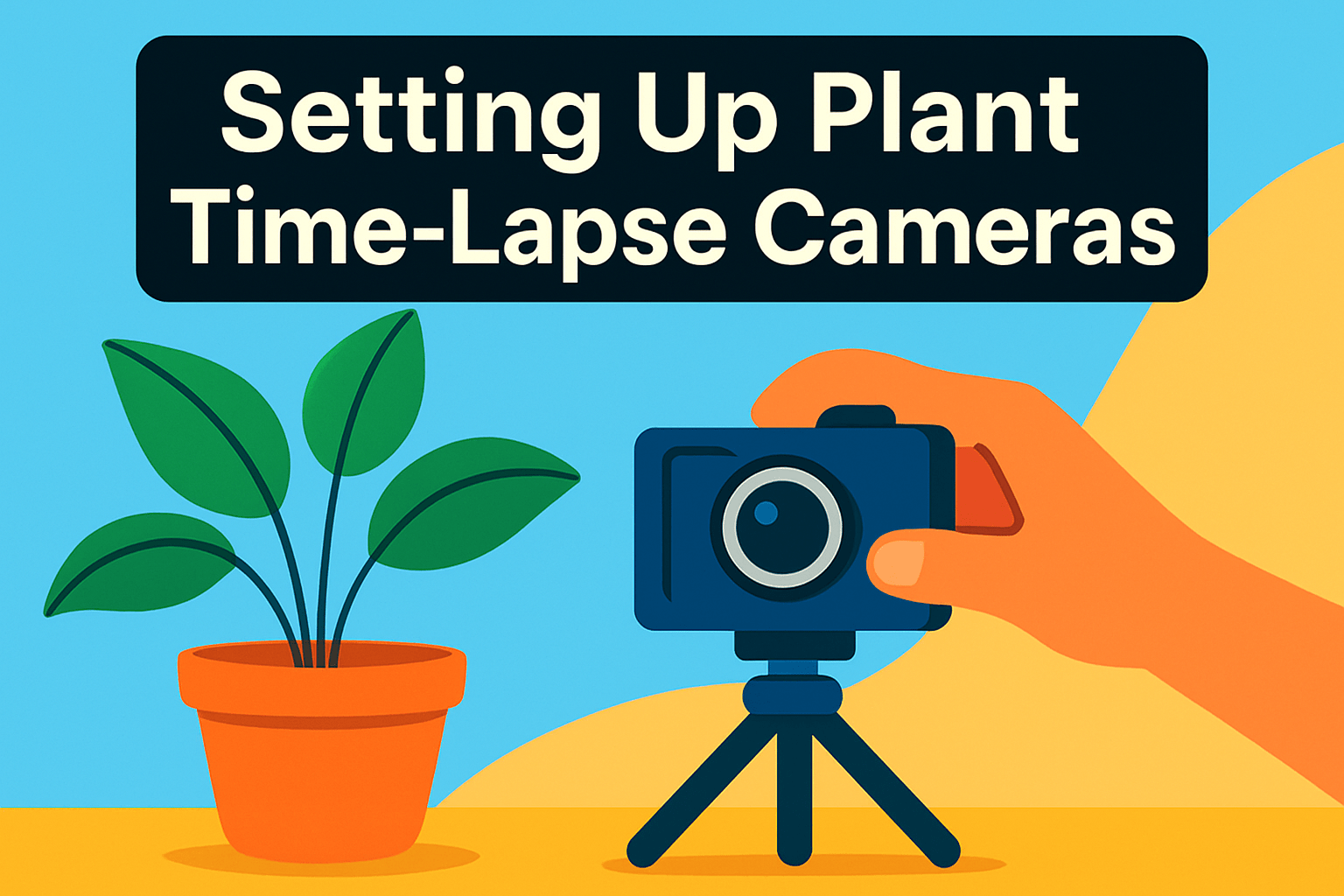
Start by choosing a stable, controlled spot — a small room or bench indoors will give you predictable light and temperature, which makes for much cleaner time-lapses. Outdoor shoots are possible, but expect to manage changing sunlight and weather more carefully.
Mount the camera solidly on a tripod or heavy base; any tiny shift ruins the illusion of continuous growth. Clamp heads and stainless mounts are lifesavers for awkward angles, and always secure the plant pot so the subject doesn’t wobble in a breeze.
Set exposure and focus manually to prevent flicker and hunting between frames. If your camera insists on autofocus, lock it on the first frame then switch to manual; use macro mode for close-ups of unfolding leaves or buds.
Use an intervalometer — built‑in or external — and pick an interval based on the plant’s pace: 2–5 minutes for fast changes, 10–20 minutes for slow growth. Start with a shorter interval during tests, then lengthen once you know how much change you’ll capture.
Consistent lighting is everything. LED grow lights mounted above the plant keep color and shadow stable without heat stress, while outdoors you’ll want to diffuse harsh sun and avoid shifting shadows from clouds.
Plan for continuous power with a DC adapter where possible and check storage regularly; swapping or offloading SD cards prevents an unexpected stop. I always schedule quick inspections every few days to confirm everything is running smoothly.
Account for day/night transitions by adjusting ISO or using a camera with seamless day/night modes to avoid jarring exposure jumps. If you need both, test the transitions in advance to fine-tune settings.
Choose a plain background (white, black, or a neutral matte) to keep attention on the plant and simplify post-production. Frame with extra space in the direction of growth so you don’t crop off important parts later.
Do a short test run and calculate your final clip length before committing. For example, one photo every 20 minutes for 16 days yields roughly 1,100 frames — about 46 seconds at 24 fps. Patience and a few dry runs are the photographer’s secret to a satisfying plant time-lapse.
Tips for Better Plant Time-Lapses
I always start a plant time‑lapse with a short test run. A few hours or a couple of days of trial shots will reveal framing, exposure and motion issues before you commit to weeks or months of shooting.
Stability is non‑negotiable. Use a solid tripod or a clamp mount and anchor the plant pot so wind or accidental nudges can’t shift the scene and ruin the sequence.
Lock your focus and exposure manually once you have the look you want. Autofocus and auto‑exposure will hunt and flicker over long periods; a fixed aperture and shutter speed keep frames consistent.
Lighting makes or breaks a plant time‑lapse. Indoors, use LED grow lights or daylight‑balanced fixtures and diffuse them to avoid harsh shadows. Outdoors, avoid direct sun changes by shooting in shade or using a diffuser to minimize dramatic shifts from clouds.
Pick your interval with the plant’s pace in mind. Fast changes like seedlings need 2–5 minute gaps, while slow growers are fine at 10–20 minutes. Do the math up front so you know how many frames you’ll end up with and roughly how long the final clip will be.
Power and storage are practical constraints. Use continuous power where possible and oversized storage cards so you aren’t swapping cards mid‑project. Back up files periodically to prevent catastrophic loss.
Keep the background simple and consistent. A plain, neutral backdrop helps viewers focus on growth and makes post‑production much cleaner when color grading or stabilizing.
Check in regularly but minimally. Quick inspections for condensation, lens dirt or loose mounts keep the project healthy without disturbing the plant’s environment.
Finally, expect to do a little post work. Stabilize any tiny shifts, apply gentle deflicker if needed, and trim or speed up segments to emphasize key moments. Small adjustments in editing will make your time‑lapse feel professional and satisfying.
What People Ask Most
What is the best camera to shoot time-lapse videos of plants?
There is no single best camera; choose one that matches your project needs such as duration, durability, remote access and image quality. Consider whether you need outdoor weather resistance or simple indoor ease of use.
Can I use a smartphone to create time-lapse videos of plant growth?
Yes, smartphones can work well for short-term or indoor projects and are easy to set up. For long-term outdoor monitoring or the highest image quality, dedicated time-lapse cameras or cameras with weatherproofing and remote access are often preferable.
What interval should I set between shots for a plant time-lapse?
Choose intervals based on how quickly the plant changes; faster processes need shorter intervals while slow growth can use longer gaps. Start with test shoots and adjust the interval until the motion looks smooth and informative.
How long should I record to capture plant growth in a time-lapse?
Record for as long as it takes to show meaningful change in the plant while ensuring you have reliable power and storage. Regularly check the setup to avoid dropped frames or interruptions during the capture period.
Do I need a DSLR or mirrorless camera for plant time-lapse photography?
No, a DSLR or mirrorless is not required for good results; many dedicated time-lapse cameras and smartphones are sufficient for most projects. Interchangeable lens cameras do offer more control and higher image fidelity if you need advanced flexibility.
What camera settings (aperture, shutter speed, ISO) are best for plant time-lapse?
Use manual exposure and manual focus to prevent flicker and shifting focus, and keep settings consistent throughout the shoot. Maintain steady, controlled lighting so you can lock exposure without frequent adjustments.
How do I set up lighting and stability for successful plant time-lapses?
Use consistent lighting such as LED grow lights positioned above the plant and avoid changing the light setup during capture. Secure the camera on a tripod or stable base and stabilize the plant pot to prevent movement that will ruin the final video.
Conclusion for Best Time-Lapse Camera for Plants
The best plant time‑lapses come from matching your camera choice to the project requirements—duration, outdoor durability, remote monitoring, image quality and mounting flexibility—and then applying a reliable setup checklist.
Following core tips like locking focus, using manual exposure, choosing appropriate intervals, securing a stable mount, and keeping power and storage consistent will greatly reduce flicker and interruptions.
Begin with short test shoots to refine interval, framing and lighting, then scale up once the settings deliver the smooth, informative results you want.
For more techniques, troubleshooting and creative ideas to improve your skills, read more articles on the site to build on what you’ve learned here.
Have a question or want feedback on your setup? Leave a comment below and we usually reply within a few hours.





0 Comments