
Ever wondered which drone will make your feed stop the scroll? A single, well-shot aerial clip can turn casual viewers into loyal followers. But not every drone performs the same once you leave the showroom floor.
We cut through marketing noise to compare options that matter to creators. Portability, camera quality, stabilization, subject tracking, and safety are all on the checklist. Our aim is practical: real-world performance over glossy specs.
This guide leans on hands-on testing and user feedback from creators who fly regularly. You’ll get frank pros and cons that reflect travel shoots, action sports, city timelapses, and livestream setups. Expect observations about ease of use, battery life in real conditions, and how reliably tracking and avoidance systems behave.
Whether you’re creating quick vertical Reels or longform travel pieces, the right drone will depend on your priorities. Some creators prize pocketable gear and instant setup. Others need cinematic control, expanded lenses, and advanced automation.
Throughout this guide we’ll outline the trade-offs so you can match features to your shooting style and skill level. We also weave safety and real-world shooting tips into the comparisons. Ready to find the best drone for your social media feed and fly with more confidence?
1. DJI Mini 4 Pro Highlights
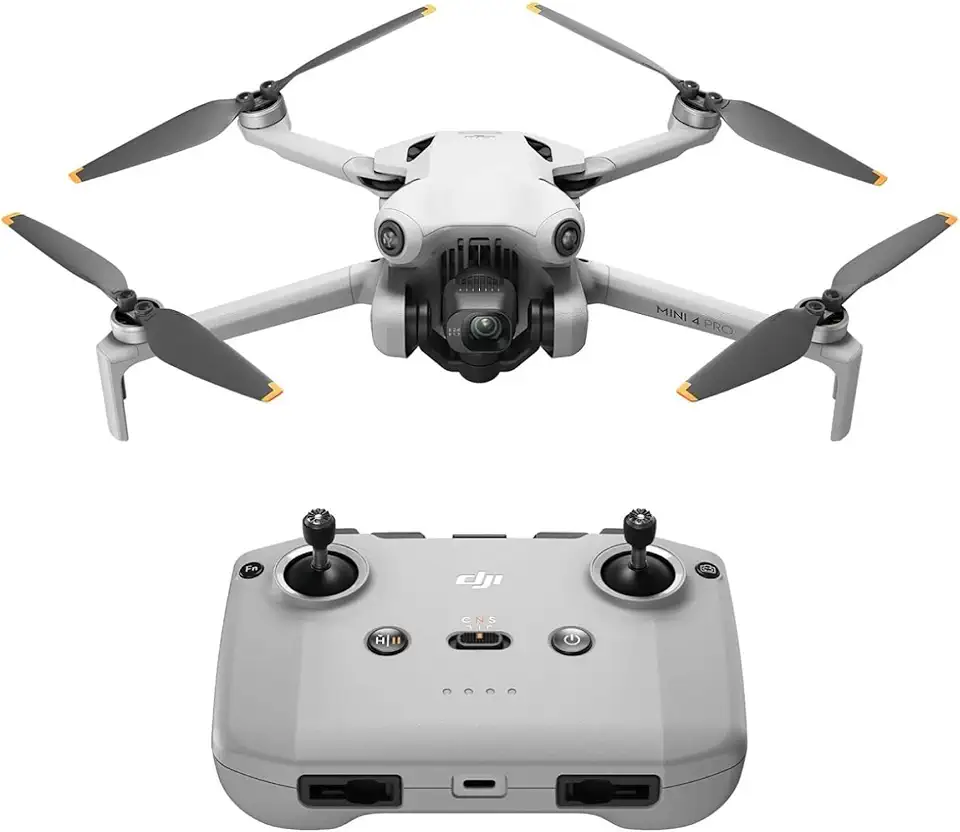
DJI Mini 4 Pro (DJI RC-N2)
Ultra light aerial imaging with 4K clarity, advanced obstacle sensing and extended flight time for effortless adventures.
Check PriceAs a photographer who shoots for Instagram and TikTok, the DJI Mini 4 Pro feels like the best compromise between image quality and portability. Its 1/1.3-inch CMOS sensor delivers 48MP stills and 4K/60fps HDR video, so your clips look crisp and color-rich without needing a bigger rig.
What really sells it for social creators is how light and compact it is. At under 250 g it literally fits in a pocket, so I carry it everywhere and grab vertical shots easily — it’s optimized for Instagram Stories and TikTok vertical formats.
Flying it is confidence-inspiring thanks to comprehensive obstacle avoidance sensors and Intelligent Flight Modes like ActiveTrack. The connection and live transmission are reliable, so you can frame moving subjects and stream with minimal dropouts.
In practical use it’s quiet and smooth, producing professional-looking footage that stands up on feeds. That said, you should be aware of two real-world trade-offs: it sits at a higher price point than entry-level drones, and its battery life runs around ~31–38 minutes per battery, which can limit long shooting sessions unless you carry spares.
- 48MP photos + 4K/60fps HDR video
- Under 250 g — pocketable for daily carry
- Comprehensive obstacle avoidance for safer flights
- Quiet, stable flight — professional-looking results
- Expensive relative to entry-level drones
- Battery life ~31–38 minutes
2. DJI Flip Highlights
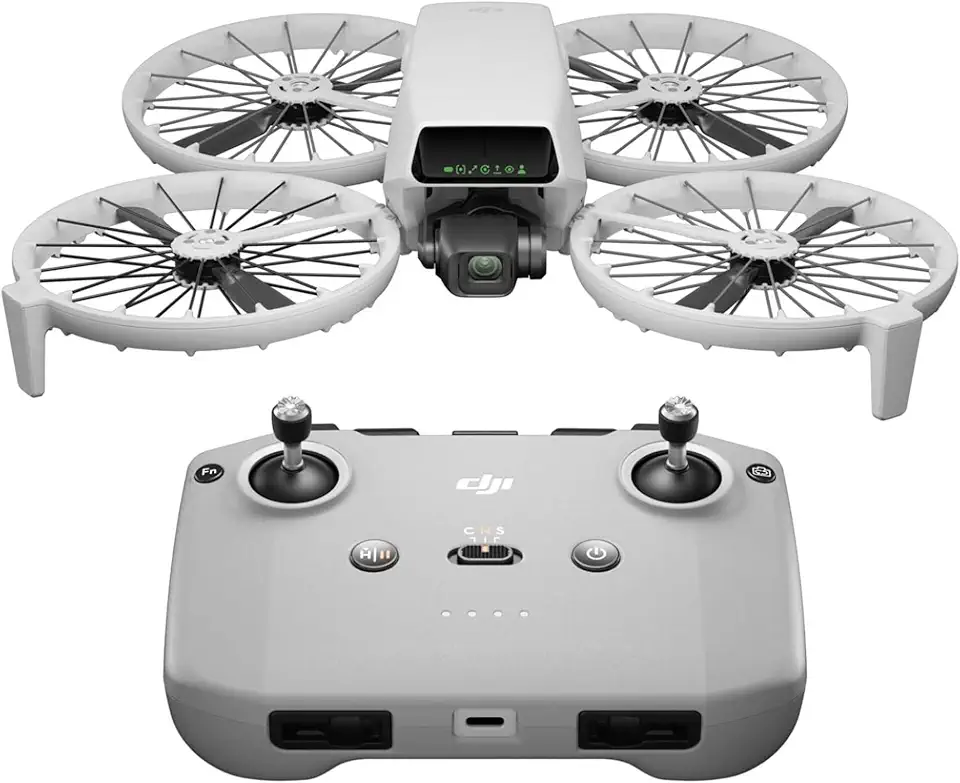
DJI Flip (RC-N3)
Compact foldable controller offering intuitive controls, responsive performance, seamless pairing and comfortable handling for on-the-go pilots.
Check PriceThe DJI Flip packs the same 1/1.3-inch CMOS sensor as the Mini 4 Pro, shooting 48MP stills and 4K/60fps HDR video, which means your social feeds get the same sharp, high-detail imagery without the higher price. As a photographer, I appreciate that image quality doesn’t have to be sacrificed for budget—colors and detail remain impressive for posts and short-form video.
It weighs less than 250 g, so it’s regulation-friendly and easy to toss into a backpack for travel shoots. That portability makes it great for creators who move fast and want a reliable camera that won’t complicate logistics.
The Flip is optimized for vertical video, so it’s tuned to Instagram Stories, Reels, and TikTok formats right out of the box. Combined with the camera specs, that makes it a real contender if your feed is mostly vertical short-form content.
However, it lacks obstacle avoidance sensors, which is a meaningful trade-off compared with more advanced models. The propeller guards help with beginner safety, but you’ll need to be deliberate with flight paths in crowded or complex environments.
Users report the flight feel is less intuitive or enjoyable than the Mini 4 Pro, so if piloting comfort and smooth handling are priorities, expect some compromises. For travelers and budget-minded creators who accept fewer safety and handling refinements, the Flip delivers excellent image quality and portability.
Bottom line: If you want top-tier stills and 4K vertical video in a sub-250 g package and can live without advanced obstacle avoidance or premium flight feel, the DJI Flip is a smart, wallet-friendly choice for social-first creators.
- Same excellent camera quality as Mini 4 Pro at lower cost
- Lightweight and easy to carry
- Propeller guards improve beginner safety
- Good for quick vertical shots for social apps
- No obstacle avoidance increases crash risk
- Flight feel less intuitive/enjoyable compared to advanced drones
3. DJI Air 3S Highlights

DJI Air 3S (RC-N3)
Dual-camera system with pro-grade imaging, long-range transmission and intelligent flight features delivering stable, cinematic aerial footage.
Check PriceAs a photographer who shoots for feeds and reels, the DJI Air 3S feels like a serious upgrade in image-making flexibility. Its dual-camera system with wide-angle and mid-telephoto 48MP sensors gives you framing options that go well beyond a single sensor — wide for landscapes and mid-tele for flattering subject compression.
The drone records 10-bit video and includes D-Log M, which means you can push colors and retain highlight and shadow detail during grading. If you like to color-grade your clips for a cohesive social media look, this is a pro-level tool that won’t hold you back.
Low-light performance is notably strong thanks to both the sensor and exposure balancing, so golden-hour shots and dim indoor scenes come out cleaner. The obstacle avoidance system also functions in low light, which makes confident night and dusk flying more realistic.
Battery life exceeding 40 minutes under optimal conditions translates to fewer battery swaps and longer uninterrupted shooting sessions. That endurance is invaluable when you’re running through multiple setups or waiting for the right light.
Vertical video mode fully utilizes the sensor, so you won’t be cropping awkwardly for Instagram Stories or TikTok; the framing is native. For creators who prioritize cinematic footage and versatility over ultimate pocketability, this drone is a very compelling option.
Do keep in mind it’s bulkier than the smallest consumer models and comes at a higher price, so it’s best for creators who will use its advanced features regularly. If you need lightweight portability above all else or are on a tight budget, this might be more drone than you need.
- Dual 48MP cameras
- 10-bit video & D-Log M
- Flight time exceeds 40 minutes
- Advanced obstacle avoidance in low light
- Bulkier; less portable than Mini series
- Higher price; not ideal for budget users
4. Skydio 2+ Highlights

Potensic ATOM 2 Fly More Combo
Complete beginner-friendly kit including extra batteries, prop guards and carrying case for extended flight time and safer learning.
Check PriceSkydio 2+ is a dream for creators who want hands-off, action-ready footage. It shoots 12.3MP stills and 4K/60fps video, which is plenty sharp for Instagram and TikTok clips when you value motion over micro-detail.
What really sets it apart is the 360° collision avoidance system — honestly best-in-class — and the drone’s exceptional automated flight and subject tracking for moving subjects. I’ve used it on fast bike runs and it keeps the subject framed without constant input.
Control options are flexible: use the smartphone app, add an optional extra controller, or use the Beacon device for simple positioning. The transmission range is around ~6 km, so you’ve got room to roam while keeping a solid link to your footage.
Skydio 2+ excels at autonomous, dynamic footage with minimal pilot skill, which makes it ideal for solo creators, sports shooters, and travel vloggers who don’t want to pilot and film at the same time. Build quality feels solid and the connection is reliable, so you can trust it in active shooting situations.
One caveat: the camera sensor is less detailed than DJI models, so if your priority is absolute image sharpness for large-format crops or cinematic color grading, this might not be the top pick. But if you prioritize worry-free tracking and safety, Skydio 2+ is a highly practical choice.
- Industry-leading obstacle avoidance
- Excellent automated tracking for sports/action
- Intuitive controls (app, controller, Beacon)
- Solid build and reliable connection
- Camera less detailed than DJI models
- Range and versatility somewhat limited
5. DJI Mavic 4 Pro Highlights

DJI Mavic 4 Pro (DJI RC 2)
Professional-grade imaging with long-range transmission, omnidirectional sensing and powerful flight performance tailored for filmmakers and aerial creators.
Check PriceAs a working photographer, the DJI Mavic 4 Pro feels like a compact cinema rig that happens to fly. Its professional-grade camera shoots up to 6K/60fps and the triple-camera system (wide, mid-telephoto, long telephoto) gives you framing flexibility that’s rare in a portable drone.
The adjustable aperture from f/2 to f/11 gives real creative control — think shallow depth of field or sun stars without ND filters for every shot. Image quality and flight precision have been widely praised, so your social feed can look more cinematic with less time in post.
Tracking and obstacle avoidance are exceptional in complex environments, which means you can confidently film moving subjects in urban or wooded settings. That reliability turns risky Follow-Me shots into usable content more often than with lesser systems.
Built-in storage options up to 512GB make a big practical difference when you’re recording high-bitrate footage; you won’t be swapping cards mid-shoot as often. The durable, thoughtfully designed body and features like fast charging keep you shooting through a full day of content creation.
Be aware this is not a pocket drone and it’s heavier than the ultra-portables, so it’s less convenient for spontaneous street or travel work. It also rewards practice — the advanced feature set needs a pilot who can exploit it to get consistently great results.
- 6K/60fps cinematic quality
- Triple-camera versatility (wide, mid, long telephoto)
- Adjustable aperture f/2–f/11 for creative control
- Built-in storage up to 512GB for high-bitrate recording
- Heavier and less pocketable
- Requires more piloting skill/practice
Using Follow-Me for Engaging Social Content
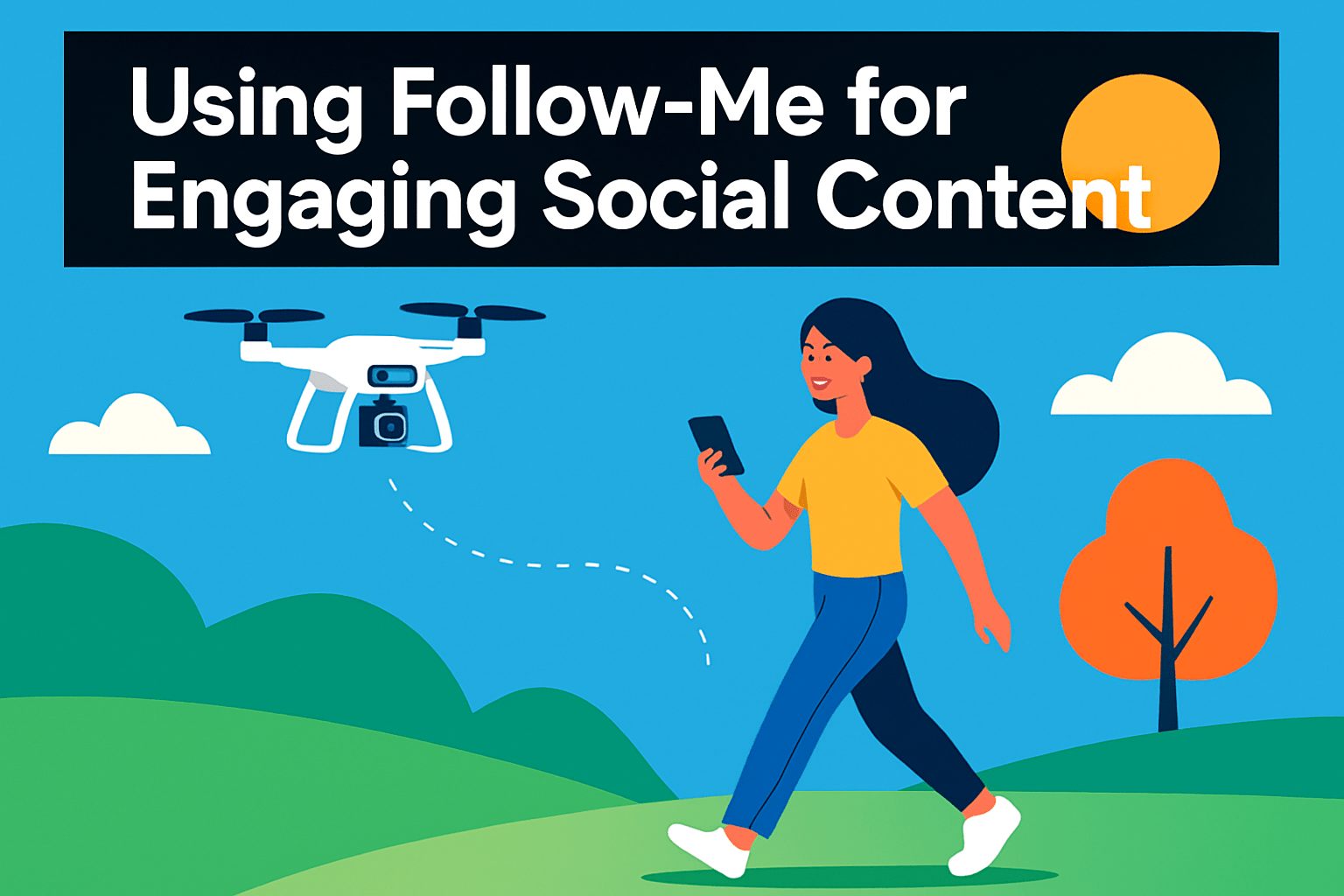
Follow-Me mode is one of my favorite tools for storytelling — it frees you from piloting and lets you concentrate on movement and expression. When it’s dialed in, you get cinematic, hands-free sequences that feel alive: trailing a runner through a trail, circling a cyclist, or drifting above a couple exploring a city.
Pick a drone with dependable tracking and obstacle avoidance; that stability is what turns good footage into great footage. Reliable vision systems keep the subject framed and the gimbal steady, so you don’t spend hours fixing jerky motion in post.
Plan the shot like you would a handheld scene. Choose wide, uncluttered environments with solid light to help the vision sensors, and decide if you want a straight chase, an orbit, or alternating elevation. I often start with a neutral chase, then add a slow arc or a rising reveal to give the edit more options.
Framing matters: give your subject lead room, especially when they’re moving toward the edge of frame, and consider vertical compositions for TikTok and Instagram Stories. Use the gimbal and smooth tracking to keep horizons level and motion organic; abrupt speed changes are the quickest way to kill immersion.
Practice different speeds and angles before you commit to a final take. Begin slow so the drone can reacquire and avoid obstacles, then increase pace as confidence grows. Keep battery life in mind and shoot slightly longer clips so you have breathing space to cut and pace your edits. Follow-Me is a creative shortcut — treat it like another camera on set and it will consistently deliver engaging, effortless content.
Obstacle Avoidance Safety Tips for Moving Shots
Moving shots sell motion and story, but they also raise the risk of collisions. Treat obstacle avoidance as your co-pilot rather than a magic shield. Understand what the system can and cannot do before you trust it with a live take.
Most drones use a mix of ultrasonic, infrared, time-of-flight and stereo-vision sensors plus AI/SLAM to detect obstacles. These systems are excellent in many situations but they struggle with thin objects, reflective surfaces, and sudden lighting changes. Keep avoidance engaged for routine shoots to prevent surprise crashes.
Preflight planning is your best safety habit. Walk the route and mark likely hazards — tree limbs, power lines, signage and glass facades. Give yourself an altitude and lateral buffer so the drone has room to react if something appears in its path.
When you shoot moving subjects, slow your speed in complex environments. Reduced velocity gives avoidance systems time to recognize and respond. Smooth, deliberate control inputs also make the drone’s reactions less jarring and keep footage usable.
Sensor health matters. Wipe lenses and sensor windows before takeoff and avoid flying directly into bright glare or stark shadow contrasts that can confuse vision systems. Low light and heavy rain degrade detection, so plan shoots for cleaner conditions whenever possible.
Know your drone’s avoidance settings and practice them. Try simulators or low-stakes test flights to learn where avoidance helps and when it interferes with creative moves. Only disable avoidance intentionally and re-enable it immediately after the maneuver.
Use reactive avoidance modes as a last line of defense when an unexpected obstacle appears. They won’t replace good planning, but they can save a shot from turning into a crash. Keep an eye on telemetry and be ready to take manual control.
Finally, include weather checks and practice runs in your routine. Strong winds and poor visibility degrade sensor accuracy and pilot judgment. With preparation and respect for the tech’s limits, your moving shots will be safer and far more reliable.
What People Ask Most
What is the best drone for social media content creation?
The best drone depends on your priorities such as portability, camera quality, stabilization, and tracking. Choose a model that balances the features you value most for your style of content.
Which drones do influencers use for Instagram and TikTok?
Influencers often favor compact, lightweight drones that are optimized for vertical video and deliver clean, stabilized footage. Portability and easy setup help capture trend-driven short-form content on the go.
What drone has the best camera quality for social media posts?
Look for drones with larger, higher-quality sensors and flexible video profiles for good dynamic range and color. Camera quality is most effective when paired with steady stabilization and reliable flight control.
What is the best drone for vlogging and online videos?
For vlogging, prioritize reliable subject tracking, smooth gimbal stabilization, and a form factor you can carry easily during shoots. A drone that balances image quality with user-friendly flight modes will streamline content creation.
What drones are easiest to fly for beginners who want to create social media content?
Beginner-friendly drones offer stable flight, intuitive controls, and safety features like obstacle avoidance and propeller guards. Simple automated modes for tracking and cinematic shots reduce the learning curve.
What drone features matter most for social media (camera, stabilization, portability)?
Key features include camera image quality, gimbal stabilization, reliable tracking, and portability for quick setup and travel. Good obstacle avoidance and intuitive app controls also improve shoot reliability.
Can drones stream live to social media platforms?
Many drones support live transmission to a connected device and can feed that stream into social platforms via the manufacturer app or third-party software. Check app compatibility and local regulations before broadcasting live.
Conclusion for Best Drone for Social Media
Choosing the right drone for social media comes down to your priorities—whether you need pocketable convenience, the highest image quality, rock-solid tracking, or professional features for cinematic work—and matching those strengths to your typical shooting scenarios and comfort with piloting.
The real-world pros and cons, together with practical tips on Follow‑Me shooting and obstacle avoidance, are meant to help you pick a tool that fits your creative goals while keeping flights safe and reliable.
Think about how often you travel, how much time you want to spend learning to fly, and the types of shots you post most often, then use that to weigh portability versus capability.
If you want to keep improving your footage and flight craft, read more articles on our site to sharpen your shooting decisions, creative techniques, and safety habits.
Please leave a comment with your questions or experiences—we usually reply within a few hours and welcome hearing how these options work for your content.




0 Comments