
Ever wondered which gimbal will unlock the cinematic potential of your Sony A7III and let you shoot buttery-smooth footage without a camera crew? The A7III is a versatile full-frame workhorse loved by hybrid shooters, but lens choices and rigging can quickly complicate stabilization. Choosing the right stabilizer changes not just how steady your clips are, but how you move, frame, and tell stories.
This guide rounds up five top gimbals chosen from user reviews, expert opinions, and hands-on real-world use across a wide range of shooting scenarios. We weighed practical factors—build quality, balancing ease, ergonomics, and day-to-day reliability—rather than focusing on dense spec sheets. That means you’ll see options suited to lightweight travel setups, agile run-and-gun rigs, and more demanding lens-heavy configurations.
You won’t find technical overload here; just clear product breakdowns that highlight real benefits and trade-offs. The article also walks you through straightforward balancing steps, simple maintenance routines, and troubleshooting tips that save time on set. An FAQ answers the common A7III-specific questions shooters ask when pairing full-frame gear with handheld stabilizers.
By the end you’ll be able to match your A7III, favorite lenses, and shooting cadence to a stabilizer that fits your budget and workflow. You’ll also pick up quick balancing habits and care tips that keep motors healthy and footage smooth during long days. Ready to leave shaky clips behind and shoot with the smooth confidence of seasoned filmmakers?
1. DJI RS 3 Pro Highlights

DJI RS 3 Pro 3-Axis Gimbal (4.5 kg payload) LiDAR Focus
Professional stabilizer supporting up to 4.5 kg with LiDAR autofocus for pinpoint subject tracking and ultra-smooth cinematic motion.
Check PriceAs a working photographer, I reach for the DJI RS 3 Pro when I need rock-solid stabilization for heavy full-frame setups. It offers a very high payload capacity—up to 10 pounds—so you can mount A7III with large lenses and accessories without worrying about motor strain.
The RS 3 Pro uses three-axis stabilization and delivers buttery-smooth motion that translates to cinematic footage with minimal horizontal or vertical misalignment. In practice this means fewer stabilization fixes in post and more usable clips straight out of the camera.
I appreciate the angled motor arm design because it keeps the camera’s screen visible while rigged, which speeds framing and focus checks on the fly. The gimbal’s three-latch locking system also makes transport simple and prevents unintended movement during travel.
Build and motor strength are clearly aimed at pro use; the robust construction and strong motors handle heavier lens combinations reliably. That sturdiness comes through in long shoots where consistency matters most.
There’s an intuitive smartphone app for remote fine-tuning and battery-saving adjustments, which is handy when you’re working solo or need to tweak settings from a distance. Focusing control is precise, so pairing it with manual or AF lenses yields repeatable, clean pulls.
Be aware this is not the lightest tool—its capability to carry heavy rigs makes it heavier for portable use. Also, setup and balancing take a bit more practice because of the payload complexity, so plan for some bench time before a shoot.
- Up to 10 pounds payload
- Buttery-smooth three-axis stabilization
- Angled motor arm for screen visibility
- Three-latch locking system for secure transport
- Heavier to carry
- Balancing requires practice
2. Zhiyun Weebill S Highlights
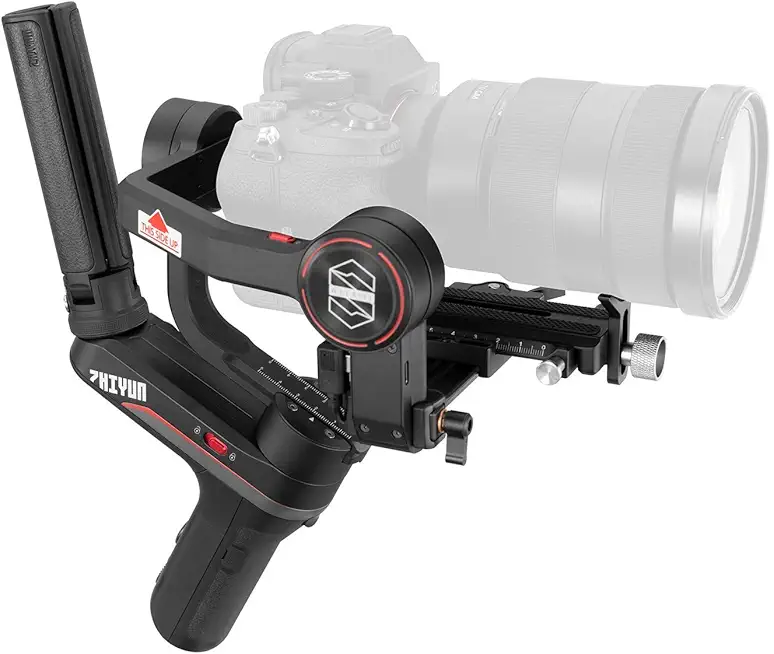
ZHIYUN Weebill S 3-Axis Gimbal Stabilizer
Compact, balanced handheld stabilizer delivering silky-smooth footage, responsive motors, and long runtime for run-and-gun filmmakers.
Check PriceThe Zhiyun Weebill S is a mid-weight gimbal built around a roughly 6.6 pound payload, and it’s highly rated for mirrorless cameras like the Sony A7III. In the field I’ve found it strikes a sweet spot between power and portability — you can run handheld for long takes without getting beat up.
Its compact, well-balanced design makes it easy to handle for extended shoots, and the comfortable grips feel thoughtful when you’re changing angles repeatedly. Stabilization is smooth and reliable, and the gimbal’s versatile modes let you craft creative moves without fighting the hardware.
Battery life is impressive at about 14 hours, so it will comfortably last a full day of shooting without frequent swaps. The included mobile app is user-friendly and gives useful remote control features for fine-tuning settings or dialing in motion from a short distance.
Rebalancing and quick adjustments on location are straightforward, which matters when you’re switching lenses or working fast; that said, the payload is just sufficient for an A7III with medium lenses, so very large telephotos may push the motors. Also, switching modes can sometimes require a quick rebalance, which can slow a busy workflow.
- Approx. 6.6 lb payload — good for A7III with medium lenses
- Compact, well-balanced and comfortable grips
- Battery life ~14 hours — great for all-day shoots
- User-friendly mobile app with remote control
- Large telephoto lenses may challenge the motors
- Mode switching can require rebalancing, slowing workflow
3. DJI RS 2 Combo Highlights

DJI RS 2 Combo 3-Axis Gimbal (10 lb payload) 1.4-inch touchscreen
Carbon-fiber stabilizer with 1.4-inch touchscreen, robust 10 lb capacity, advanced controls for effortless professional gimbal operation.
Check PriceAs a working photographer, the DJI RS 2 Combo quickly became my go-to when I needed a gimbal that can actually handle heavier setups without compromise. Its 10-pound payload means I can use the A7III with larger lenses and still retain smooth, reliable stabilization.
The built-in touchscreen LCD is genuinely useful in the field. It simplifies balancing adjustments and mode switching in real time, so I spend less time fiddling and more time shooting.
Battery life is solid at around ~12-hour per charge, which easily covers long event days or extended run-and-gun sessions. That endurance, paired with the RS 2’s smooth pan/tilt/roll stabilization, keeps footage cinematic across long shoots.
Mechanically the gimbal feels robust and well-built, which matters when you’re moving between locations or working in a busy studio. The strong, precise motors handle full-frame Sony bodies with heavier lenses comfortably, reducing motor strain and vibration concerns.
For me the RS 2 strikes a practical balance between portability and power. It’s not the lightest rig to carry, but for professional shoots where reliability and performance matter, it’s a small trade-off for consistent results.
If you’re a hobbyist who shoots light or wants maximum portability, the RS 2 may be more than you need—the size and complexity can feel like overkill. But if you prioritize payload, battery life, and real-time control, the RS 2 Combo is mostly a win.
- 10-pound payload capacity
- Touchscreen LCD for quick adjustments
- ~12-hour battery life
- Smooth pan/tilt/roll stabilization
- Bulkier than lighter models
- Price and complexity may overwhelm hobbyists
4. Moza AirCross 2 Highlights

DJI RS 3 Mini 3-Axis Gimbal (2 kg payload) Vertical Shooting
Ultra-light stabilizer for vertical and horizontal shooting, quick setup, ideal for creators and travel videography.
Check PriceThe Moza AirCross 2 is a mid-range gimbal built for mirrorless shooters, offering a 7-pound payload and standard 3-axis stabilization. It does not have a built-in LCD screen, so you’ll rely on the app and manual checks for tweaks and balancing.
In the field it delivers smooth footage and reliable motor performance with the Sony A7III and common lens choices. The app provides some control, but the lack of a display can slow down balancing and mode changes when you’re under time pressure.
It’s appreciated for a compact size and solid build quality that makes it comfortable to carry on longer shoots. The follow modes are stable for dynamic filming, though the overall feature set is a step below the most advanced stabilizers.
Battery life runs about ~12 hours, which is excellent for extended outdoor work or long shooting days without swapping batteries. Motors are strong and quiet for its class, and versatile mounting options let you adapt the rig for handheld, low-angle, or cage-mounted setups.
If you need a compact gimbal that handles a fuller mirrorless kit without the bulk, the AirCross 2 is mostly a very good choice. If you prioritize an on-gimbal display for instant setting changes or you frequently use heavy or unusual lens combos, expect a fiddly setup and slower adjustments.
- 7-pound payload for its size
- Good battery life (~12 hours)
- Strong, quiet motors
- Versatile mounting options
- No LCD screen for quick changes
- Setup can be fiddly with heavy/unusual lenses
5. Zhiyun Crane M2 Highlights

ZHIYUN Crane-M2 3-in-1 3-Axis Gimbal (smartphone/action/mirrorless)
Versatile 3-in-1 stabilizer switching between smartphone, action, and mirrorless use; pocketable, user-friendly, perfect for hybrid shooters.
Check PriceI often reach for the Zhiyun Crane M2 when I need a truly pocketable gimbal for quick shoots and travel. It’s a lightweight, compact stabilizer with a maximum payload of 1.58 pounds, so it’s built for small mirrorless setups and primes rather than heavy glass.
In practice the Crane M2 shines for solo run-and-gun work and casual shooting. Its portability and quick setup make it ideal for street work, vlogs, or a day out when you don’t want the bulk of pro rigs.
Stabilization is solid for light lens combinations and small rigs; you’ll get smooth footage without fighting heavy motors. That said, users report the motors struggle with anything but the lightest lenses on an A7III body, so don’t expect pro-level performance with larger lenses.
Battery life sits around 7 hours, which covers most short shoots and travel days but may be tight for long productions. Overall it’s a very approachable, budget-friendly option that’s versatile enough to handle cameras and smartphones for casual to enthusiast use.
If you want a compact gimbal that stays out of your way and helps you shoot stable footage quickly, the Crane M2 is a strong contender. If your kit includes heavier lenses or you need sustained professional-grade motor power, look elsewhere—this one prefers lighter, simpler setups.
- Extremely compact and lightweight
- Quick setup and intuitive operation
- Decent stabilization for light lens combos
- Budget-friendly and versatile for small rigs
- Max payload only 1.58 pounds
- Motor strength and battery not for heavy professional use
Sony A7III Gimbal Balancing Guide
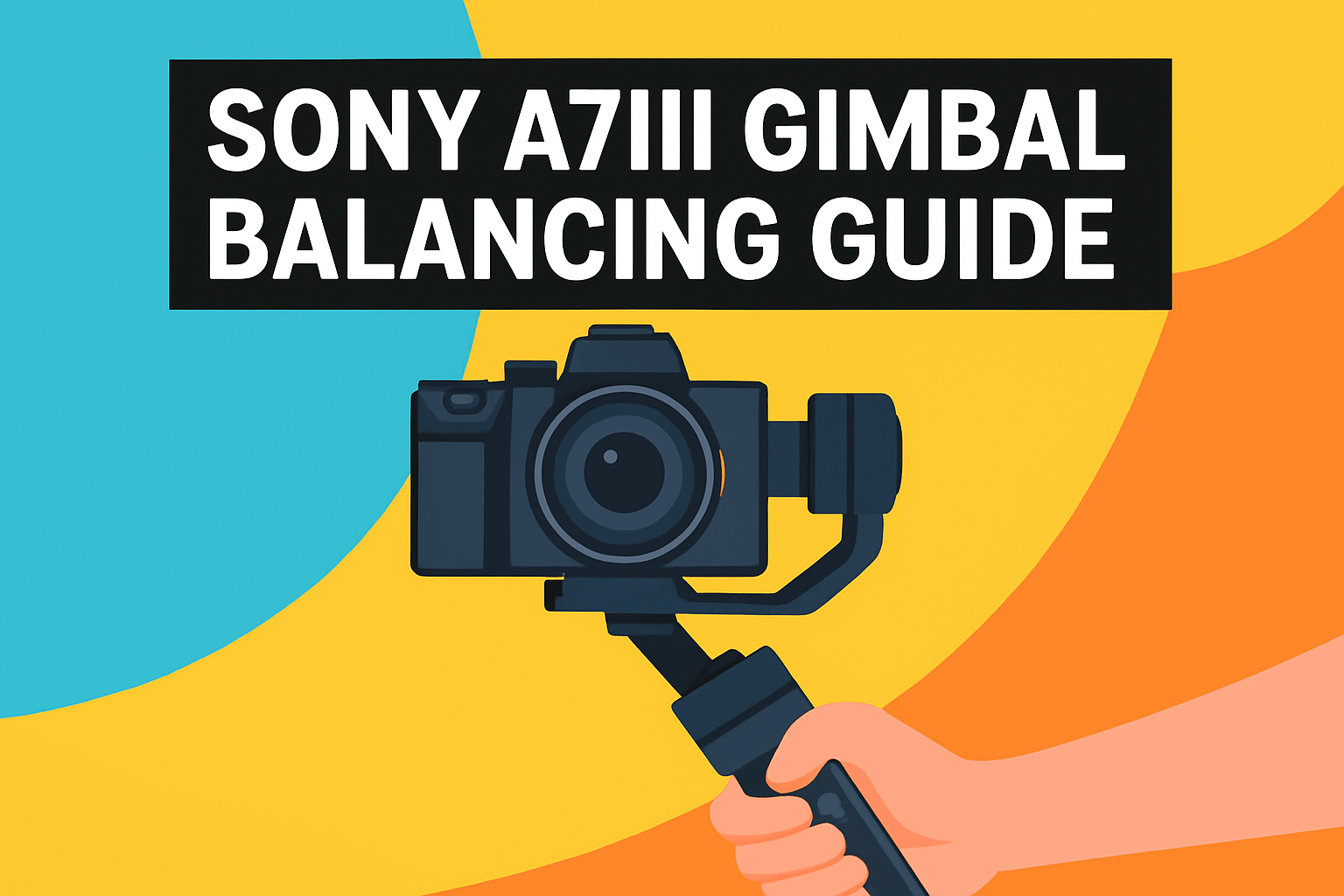
Balancing your A7III properly is the difference between buttery footage and motors screaming for mercy. Start by stripping the camera of all non-essential bits — straps, extra cables, mics and filters — then mount it with the lens and accessories you actually plan to shoot with.
Use the gimbal’s quick‑release plate and aim to pre‑balance each lens at home. Note or mark the plate position with a dab of tape; that small habit shaves minutes on location and keeps you consistent when swapping glass.
Work axis by axis. Tilt first: slide the camera forward or backward until it neither falls nose‑down nor pushes up. You want neutral gravity there so the motors aren’t compensating all the time.
Next, balance the roll by shifting the camera left or right on the plate until it sits level and won’t roll to either side. Take your time here — a tiny slide can make a big difference in motor load.
Pan is last: unlock and position the arm so the whole setup stays put when you tilt the camera; there should be no slow drifting when the gimbal is released. Make micro‑adjustments until the camera holds its position without leaning.
If your lens hits the quick‑release base, use a small camera riser to gain clearance and improve leverage. After you lock the axes, power the gimbal on and run its calibration or use the app for fine tuning; small electronic trims fix residual bias.
Treat balancing like part of your workflow. A practiced routine takes 5–10 minutes, and rebalancing whenever you change lenses, batteries, or add accessories prevents motor overheating, premature wear, battery drain, and unstable footage.
Finally, avoid powering the gimbal without a camera mounted and keep a notebook or phone photo of plate positions for each lens. Those tiny details save time and keep your A7III running smooth all day on set.
Gimbal Care and Maintenance Tips
Treat your gimbal like the precision tool it is. After a shoot I always power it off, remove the camera, and give the exterior a quick wipe with a microfiber cloth to remove fingerprints, sweat and dust—do this before anything gets a chance to grind into moving parts.
For textured grips and crevices, a soft brush does wonders; use compressed air or a gentle brush around motor axes and joints to clear grit. Never douse the motors or electronics with liquids—moisture is the enemy—so keep rain covers handy when you’re shooting in damp conditions.
Periodically check and tighten the small screws and bolts. A loose mount or arm will introduce wobble and stress motors; catching them early keeps mechanical wear to a minimum and avoids that sinking feeling of jittery footage halfway through a job.
Keep firmware up to date and run regular calibrations per the manufacturer’s instructions. Software tweaks and calibrations keep the sensors and motors talking cleanly to each other, and they’re often the simplest cure for odd behavior or drift.
Store your gimbal in a padded case between jobs and lock the axes for transport when available; this prevents bangs and inadvertent movement that can misalign internals. Also, resist the temptation to power the gimbal on without the camera mounted—running motors unloaded can shorten motor life and waste battery cycles.
Watch for warning signs: unusual noises, jittery or uneven movement, or a drop in stabilization quality. When those show up, stop pushing it—clean ports and buttons with dry cotton swabs, and if problems persist, get professional servicing rather than letting small issues become expensive repairs.
What People Ask Most
What gimbal is best for the Sony A7 III?
The best gimbal depends on your shooting style, lens choices, and how portable you need the setup to be. Pick a model with motor strength and features that match your typical kit and workflow.
Will the Sony A7 III work with a handheld gimbal?
Yes, the A7 III can be used on handheld gimbals that can support its weight and be properly balanced. Correct mounting and balancing are important to ensure reliable stabilization and to avoid motor strain.
What is the best 3-axis gimbal for the Sony A7 III?
The ideal 3-axis gimbal balances smooth stabilization, sufficient motor capability, and ergonomic controls for your shooting needs. Look for reliable build quality and user-friendly features that fit how you work.
How do I balance a Sony A7 III on a gimbal?
Mount the camera with the lens you intend to use and remove extra accessories, then adjust the tilt, roll, and pan axes until the camera holds level without drifting. Lock the axes, power on the gimbal, and perform fine-tuning with the onboard controls or app.
Which gimbal supports full-frame cameras like the Sony A7 III?
Choose gimbals that specify compatibility with full-frame mirrorless cameras and that have adequate motor capability for heavier lenses. Verify compatibility through manufacturer guidance and user experiences with similar setups.
Do I need to calibrate a gimbal for the Sony A7 III?
Regular calibration helps maintain accurate sensor alignment and motor performance, especially after major setup changes or firmware updates. Follow the manufacturer’s calibration procedure to keep stabilization consistent.
What accessories are recommended for using a gimbal with the Sony A7 III?
Handy accessories include a dependable quick-release plate, lens support or riser for clearance, extra power solutions, and weather protection for outdoor shoots. Consider monitoring and control accessories that streamline balancing and improve on-set workflow.
Conclusion for Best Gimbal for A7III
If you need a quick decision, think by use case: the DJI RS 3 Pro and RS 2 suit heavy-duty full-frame kits, the Zhiyun Weebill S and Moza AirCross 2 are strong mid-weight choices for most mirrorless setups, and the Zhiyun Crane M2 is ideal when extreme portability matters.
Whichever gimbal you choose, rebalancing whenever you change lenses or accessories and following basic maintenance will keep motors healthy and footage steady over time.
Simple habits—regular cleaning, firmware updates, periodic calibration, and storing gear safely—go a long way toward preserving performance and avoiding surprises on shoots.
If you want to build skills and confidence with gimbals and stabilisation, explore more guides and gear roundups on the site to refine your workflow and setup choices.
Have questions or experiences to share? Leave a comment below and we usually reply within a few hours.


0 Comments