
How to clean sensor without ruining your camera or your shots? This short guide shows safe, easy steps that work for both DSLRs and mirrorless cameras.
We give a clear step‑by‑step workflow: auto‑clean, blower, dry tools, then wet swab only if needed. You will also learn how to check for dust with a reference shot before you start.
You will learn dry tools (blower, anti‑static brush, gel) and the safe wet cleaning method with sensor swabs and approved fluid. We also cover simple safety rules, prevention tips, and when to call a pro.
There is a printable quick checklist and a tools list you can use. Read on for photos, easy steps, and clear safety tips so you can clean with confidence.
How to Clean your Camera Sensor
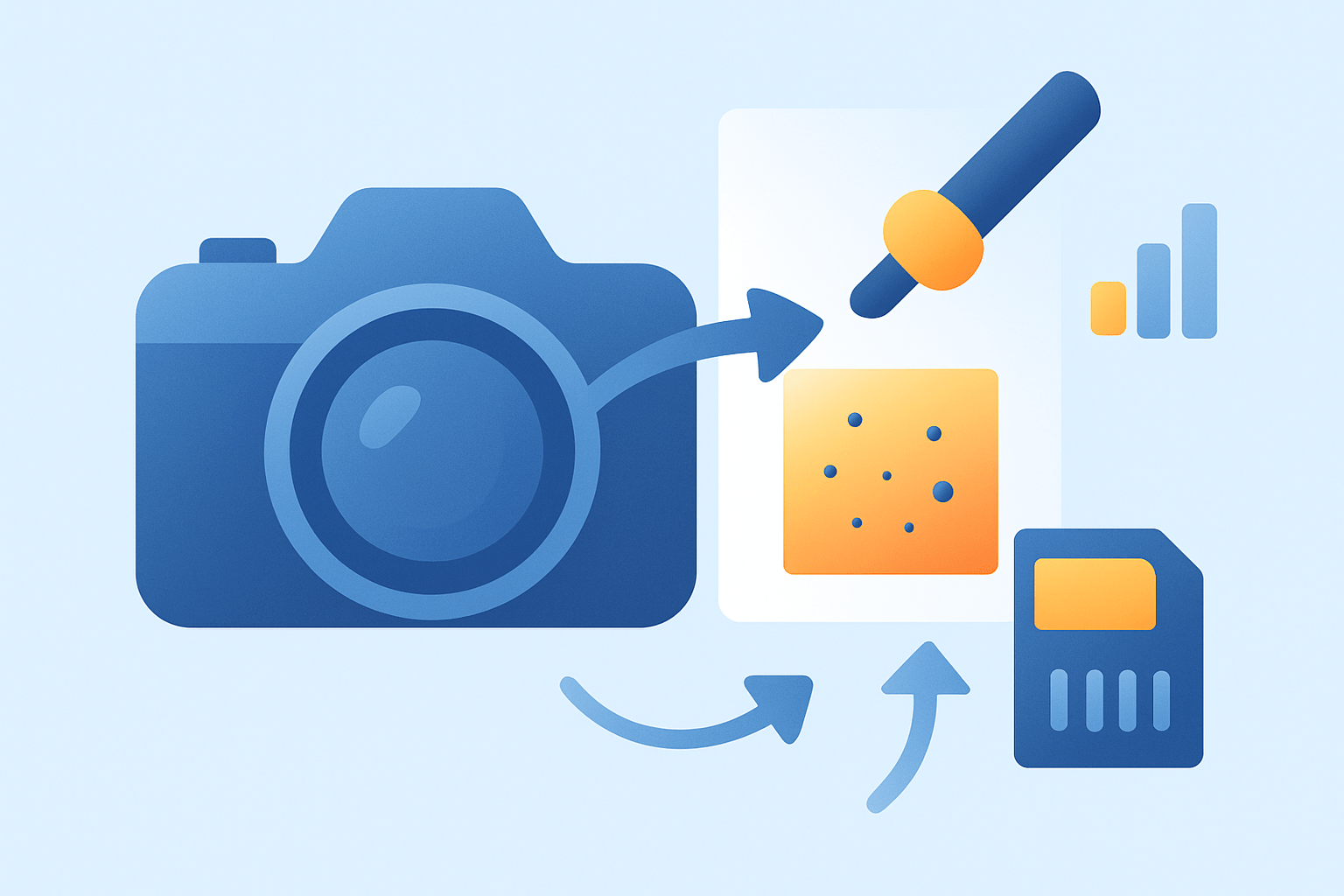
If you want the simplest answer on how to clean sensor safely, follow this order every time. Run the camera’s auto-clean, use a rocket blower, then try a dry brush or gel stick, and only finish with a wet swab if needed. This order removes loose dust first, tackles stuck particles second, and handles smudges last with the least risk.
1. Prepare your setup before touching anything. Charge the battery fully, clean your workspace, turn off in-body image stabilization, and set the camera to the sensor-access mode in the menu so the shutter stays open and the IBIS parks safely.
2. Take a test shot to confirm the problem and to map the spots. Use a plain wall or bright sky at a small aperture, as described in the Check first section below, and keep that file for comparison after each step.
3. Run the camera’s built-in auto-clean cycle. It vibrates the filter stack to shake off fine dust, and it often clears minor debris, but it will not remove sticky particles or oil marks.
4. Use a rocket blower with the camera facing down. Fire short bursts to lift and drop particles out of the mount, and never let the nozzle touch the sensor or surrounding frame.
5. If spots remain, use a dry tool designed for sensors. An anti-static brush is great for fine, dry dust across a wide area, while a gel stick works well for isolated specks that resist the blower.
6. If you see smears, streaks, or oily marks, move to wet cleaning with sensor swabs and approved fluid. Use the correct size swab for your sensor, apply only a drop or two of fluid, and make one gentle pass.
7. Retest with the same small-aperture reference shot after each step. Compare at 100% view so you can see if spots moved, faded, or vanished before repeating anything.
8. Know when to stop and hand it to a pro. If you still see oil after a careful wet pass, or you feel unsure at any point, book a service appointment to avoid making things worse.
Mirrorless cameras expose the sensor as soon as you remove the lens, so enable the menu option that locks the shutter open or parks IBIS before cleaning. DSLRs hide the sensor behind the mirror and shutter, so use mirror lock-up or the dedicated sensor-cleaning mode to open the shutter safely. In both cases, keep the camera face-down during cleaning so gravity helps you.
The full process usually takes five to twenty minutes, depending on how dirty the sensor is. Plan to clean only when tests show spots, not on a fixed schedule, because unnecessary cleanings increase risk with no benefit.
If you want a printable shortcut, think of it as a small ladder. Start with auto-clean, then blower, then a light dry method, and save the wet swab for last and only once.
A second reminder for your cheat sheet is camera orientation. Always keep the mount pointing down when blowing or brushing, because dust should fall out, not deeper into the body.
Your third reminder is pressure. Whether you brush or swab, use the lightest touch and a single direction, and resist any urge to scrub.
Your fourth reminder is reuse. Dry brushes are reusable if kept clean, but gel sticks must be dabbed onto their cleaning pad frequently, and wet swabs are single-use only.
Your final reminder is patience. Shoot a test after each step and only escalate if you still see the same mapped spots in the same places.
Before you start, gather a modest sensor cleaning kit. A rocket blower, properly sized sensor swabs, approved sensor fluid, an anti-static brush, a gel stick, and a small loupe or inspection light form a complete set for both dry and wet cleaning.
As you work, think about what you are trying to remove with each step. Loose dust lifts with air, light dust sweeps with a charged brush, stubborn specks lift with gel, and smudges need fluid to dissolve and carry them away.
If you like cross-checking before you begin, you can also read a complementary, neutral resource for confidence. This detailed guide walks through similar steps and reinforces the same safe order.
A short word on confidence. If this is your first time, practice the motions on a spare filter or a cheap UV filter so you feel the light pressure and smooth stroke before touching the real sensor stack.
One last point about the term sensor. You aren’t touching the silicon itself but the protective filter stack in front of it, yet it is just as sensitive, so treat it as if it were the bare sensor.
Check first — how to tell if the sensor is dirty
Checking first saves time and reduces risk because you avoid wet cleaning when a simple air blast is enough. It also helps you diagnose if the problem is on the lens instead of the sensor.
Set your camera on a tripod or hold it steady and pick a small aperture like f/16 to f/22. Aim at a blank surface such as a blue sky, a white wall, or a clean sheet of paper filling the frame, switch to manual focus, and focus far off so the subject is blurred.
Take a few frames while panning slightly between shots to average out any texture. Use a mid-range prime if you have one, because zooms can vary across focal lengths and make comparisons harder.
Import the files and view them at 100% on a computer. Dust looks like small, dark, circular or slightly fuzzy spots that remain in the same place across photos, while oil or smears look softer, larger, and sometimes show streaks that do not change with aperture.
To isolate lens versus sensor dust, try another lens or clean the rear element of your current lens and reshoot. If spots move when you change lenses or focal lengths, the issue is likely the lens; if they stay locked to the frame, it is on the sensor stack.
For a closer look, use live view magnification or a small sensor loupe with gentle light, but expose the sensor only briefly. Close the shutter or reattach a lens promptly to keep new dust out during inspection.
If you want more handholding for this test shot approach, this concise sensor cleaning guide shows reference examples of dust versus smears that you can compare against your files.
Dry cleaning methods and tools (blower, anti‑static brush, gel stick)
Dry cleaning is the safest path after auto-clean because nothing touches the surface with liquid. It deals with the majority of dust and sand grains that drift onto the filter stack during lens changes.
The rocket blower is the first tool to reach for and the one you will use most often. It is just a hand-squeezed rubber bulb that pushes clean air without propellants or oil.
An anti-static sensor brush is a lightweight, soft brush designed for coated glass. Its static charge lifts fine particles, and a gentle sweep collects them without scraping.
A gel stick or sensor-safe putty is for individual specks that refuse to leave. You press it down gently on the particle and lift straight up so the speck sticks to the gel.
A sensor loupe or small inspection light helps you see what you are doing. Lint-free gloves or finger cots keep natural oils off the swab or sensor frame, and a clean mat keeps your tools dust-free between steps.
To use a blower properly, enter the camera’s sensor-access mode so the shutter stays open. Hold the camera face-down, bring the blower tip close but never touching, and fire several short bursts while rotating the camera slightly to shake different corners.
After blowing, mount a lens and shoot your reference again at a small aperture. If the spots are gone, you are done; if a few remain, proceed to a dry sweep or gel lift.
For the anti-static brush, make sure the bristles are clean by running the brush across its charging pad or by spinning it under clean air if the maker recommends it. Touch the bristles down very lightly at one edge and sweep in one smooth motion to the opposite edge without pressing.
Do not go back and forth with the brush. Lift off, inspect, and if needed, make one more light pass from the other side to catch anything left near the frame.
If you choose a gel stick, dab it on the included cleaning pad first to freshen the tacky surface. Gently press vertically on the speck for a moment and lift straight up without smearing or sliding across the glass.
Gel is only for particulate matter. If you see a streak or halo after a gel dab, it is not the right tool and you should stop and switch to wet cleaning later.
There are some strict don’ts with dry methods that keep you safe. Do not use canned compressed air because it can spit propellant onto the sensor, and never blow with your mouth because moisture and saliva cause smears.
Also avoid touching the filter with the blower tip or your fingers, even briefly. Excessive brushing or rubbing adds static and can grind grit into the surface, so keep your touches minimal and light.
Wet cleaning: sensor swabs, cleaning fluid and safe technique
Wet cleaning is the last resort when dry steps fail, and it is the only way to remove oil, pollen glue, or greasy smudges. For many photographers, one careful wet pass a year or after a messy trip is all they ever need.
The tools are simple but specific. Use single-use sensor swabs that match your sensor size, an approved sensor cleaning fluid, gloves or finger cots, and a clean disposable surface to open and handle swabs.
1. Begin with a full battery and the camera set to sensor-access mode, and work indoors away from fans and open windows. Remove the lens and point the mount down if possible to reduce falling dust.
2. Open a fresh swab without touching the tip, then add one or two very small drops of the approved fluid to the edge. Do not soak the swab, and follow the instructions if your kit includes pre-wet swabs.
3. Place the swab flat on the sensor at one edge and make a single, smooth stroke across to the other side with very light, even pressure. Keep the swab square to the frame and avoid stopping mid-stroke.
4. Flip to the clean side or open a new swab and make one return stroke if needed. Do not scrub back and forth because repeated friction creates streaks and static.
5. If you see streaks, open a new swab, add a tiny drop, and make one more single pass. Never reuse a swab that has already touched the sensor because it can re-deposit grit.
6. Let the fluid evaporate for a minute, remount a lens, and reshoot your reference test at a small aperture. Check at 100% to confirm the results before deciding to repeat.
There are a few key technique notes that prevent trouble. Do not over-wet, do not mix different fluids, and never use household glass cleaners or generic isopropyl alcohol unless the sensor fluid maker says it is safe for your coating.
If stubborn oil smears persist after one or two careful wet passes, stop. Continuing to chase them risks haze and micro-scratches, and that is the moment to hand the camera to a professional service.
Safety, dos & don’ts, prevention and when to seek professional cleaning
Safety starts before you open the shutter. Always work with a fully charged battery, turn off stabilization, and enable the correct sensor-access or mirror lock-up mode so nothing moves while you clean.
Never blow with your breath or use canned air near the sensor. Use only sensor-specific tools such as proper-size swabs, approved fluid, anti-static brushes, and a quality blower designed for camera gear.
Skip microfiber cloths, lens tissues, and household cleaners inside the mount. Keep your motions gentle and one-directional, then wait a minute for any fluid to evaporate before testing.
Prevention saves you cleanings in the long run. Change lenses quickly with the camera facing down, avoid windy or dusty spots, and keep the rear lens elements and the body mount wiped with a blower before mounting.
Store your gear in sealed bags or cases, cap lenses promptly, and run the camera’s auto-clean at startup or shutdown if your model supports it. A quick burst from the blower on the body and lens mount before shooting keeps dust at bay.
Know when to stop and seek help. If you see oil that refuses to lift, if you feel anxious about applying a wet swab, or if your camera is under warranty, choose an authorized service or a trusted shop for sensor cleaning.
Costs and turnaround times vary by brand and region. Check your maker’s policies and warranty notes, and review any model-specific camera care tips so you stay aligned with official guidance.
If you still see spots after these steps, revisit the basics. Recheck the lens elements, reshoot your reference at a small aperture, try one clean wet pass if you only used dry methods, and stop if oil persists.
If you came here looking for how to clean sensor in the fastest safe way, remember the simple rule. Dry first, wet last, and test between each step so you only do what is necessary.
Whether you search for how to clean DSLR sensor or mirrorless, the process is the same in spirit, with only access steps changing. When in doubt, follow the order and use a complete sensor cleaning kit, and your photos will reward you.
If you’re unsure or camera is under warranty, seek professional service.
What People Ask Most
How to clean sensor safely?
Turn off the camera, use a hand air blower to remove loose dust, and only use sensor swabs with approved cleaning fluid for stubborn spots to avoid scratches.
How to clean sensor on a camera without damaging it?
Start with a blower and inspect under bright light; if debris stays, use a single-pass wet swab made for sensors and follow the swab maker’s instructions carefully.
How often should I clean sensor?
Clean the sensor only when you notice spots or marks in your images, since frequent cleaning increases risk of problems; hobby users often clean a few times a year.
What tools do I need to learn how to clean sensor?
Basic tools are a rubber hand blower, sensor swabs sized for your sensor, and sensor cleaning solution, plus good light and a loupe or magnifier to check spots.
Can I use canned air to learn how to clean sensor?
No — canned air can spray liquid or create too much pressure, so use a gentle hand blower instead to remove dust safely.
Will cleaning sensor void my warranty or damage it?
Minor cleaning usually won’t void a warranty, but heavy damage from improper cleaning can, so check your warranty and consider professional service if unsure.
Should I hire a pro or learn how to clean sensor myself?
Try cleaning yourself with a blower for light dust, but hire a professional if you’re uncomfortable, see stubborn stains, or own expensive gear to avoid risk.
Final Thoughts on How to Clean Your Camera Sensor
Cleaning your sensor the right way gets you sharp, spot-free images with less time in editing; think of routine checks, targeted dry work and careful wet swabs as small, dependable habits. Treat the steps like a 270-second checklist: quick prep, blower, dry tools, then a single wet pass when needed — that sequence keeps dust from becoming damage and saves time. Hobbyists and enthusiast photographers will get the most value from learning these simple routines.
If you started wondering whether it’s really safe to clean your own sensor, this guide answered that: yes, if you follow the order, use sensor-specific tools, and stop when you hit oil or uncertainty. The realistic caution is simple—don’t keep scrubbing or reusing swabs; persistent smears or anything that feels risky are reasons to hand it to a pro.
You came here worried about spots and risk, and you leave knowing a clear, step-by-step workflow to try at home plus boundaries where service centers belong. Take that confidence forward and let cleaner images be your reward.





0 Comments