
How to print wedding photos so they look amazing and last a lifetime? This guide shows you exactly what to do in plain, simple steps.
Follow a clear workflow: pick images, prepare print‑ready files, choose a vendor and paper, order proofs, and finish with framing or albums. You’ll also get timing and budget tips to avoid surprises.
We cover the technical basics like resolution, color profiles, sharpening, cropping, and soft‑proofing so prints match your screen. Plus you’ll see the pros and cons of pro labs, photographer prints, online services, and specialty materials.
Finally, find sizing, framing, gallery layout, and preservation advice. You’ll get a printable “Before You Order” checklist and sample messages to request high‑res files and order proofs.
How to Print Wedding Photos: Step‑by‑Step Workflow
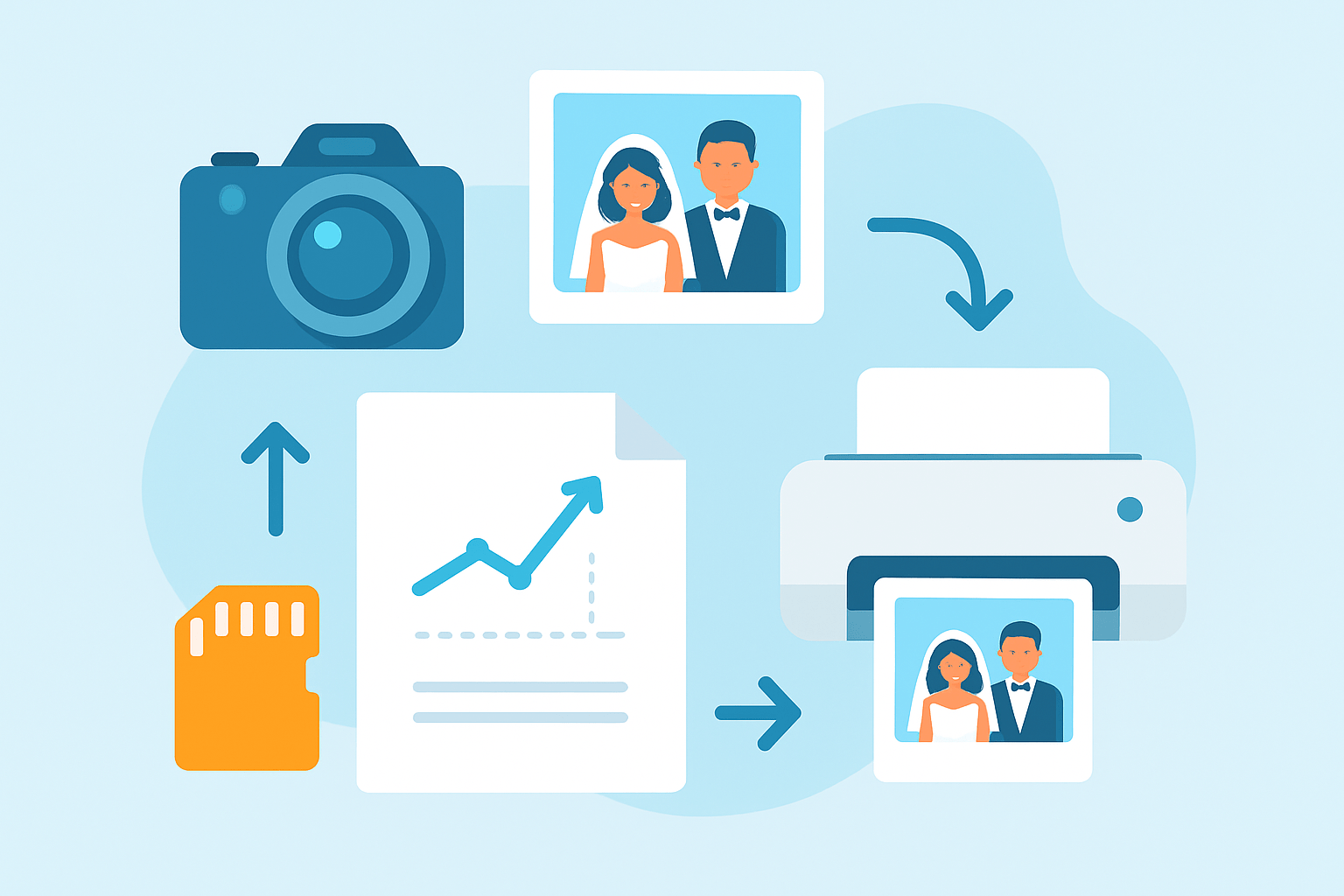
Printing wedding photos is simple when you follow this flow: pick images → prepare files → choose vendor and paper → order proofs → finalize prints and finishes. If you are wondering how to print wedding photos without headaches, this is the safest route. It protects color, cropping, and money.
Step 1 is selection. Start by culling for story, emotion, and technical quality. Keep images that carry a moment and that will hold up in print.
Make a short list for different uses. Choose hero frames for the wall, sequences for the album, and a handful for gifts and thank-you cards. Tag or folder them so you do not lose track.
Step 2 is to decide purpose and size. Assign each image a size like 8×10, 11×14, 16×20, 20×30, or a statement 30×40. Note the aspect ratio so you know how much cropping a standard frame will need.
Think about viewing distance and the room. Big spaces want larger prints, and small rooms tend to feel balanced with 11×14 to 16×20. If you plan a gallery wall, keep sizes consistent or set a clear theme.
Step 3 is to edit and prepare files. Do your color, density, and cleanup edits, then sharpen for print size. Save a separate print‑ready master so you never overwrite your originals, and see the Editing section below for details.
If you want to compare your process with a full walkthrough, this print wedding photos guide mirrors the same steps with clear examples. It’s a good cross‑check before you export. Keep notes on settings you like so you can repeat them later.
Step 4 is to choose a printing vendor and paper. Match the lab to the job: pro labs for wall art, consumer services for quick gifts, and your photographer if you want perfect consistency. Pick a paper finish that fits the image mood and where it will hang.
Step 5 is to order test proofs. Always proof on the exact paper and at the final size or a scaled equivalent. This is the cheapest insurance you can buy when learning how to print wedding photos the right way.
Step 6 is inspection. Check color balance, skin tones, shadow detail, sharpness, and cropping. Make notes on every issue and send them to the lab when requesting changes.
Step 7 is to place the final order and choose finishing. Decide on framing, matting, mounting, canvas wraps, or albums. Ask the framer about glass options and lead times.
Plan your schedule before you start. Pro labs can take a week or two with proofs and framing, and holidays can add more. Build in extra time for reprints and delivery.
Budget for more than the paper. Frames, mats, and glass can cost as much as the print, especially for large sizes. Order a couple of extra small prints for parents and gifts to save future shipping costs.
Before you hit Order, run this quick checklist. Confirm the size and PPI, confirm the crop, embed the color profile, note the paper finish and border, add order notes for bleed, and confirm the shipping address and deadline. Place a proof order for the critical images first.
Editing & Preparing Files for Print
Great prints start with a calibrated monitor. Use a hardware calibrator and set a neutral white point and brightness to match a print viewing light. If your screen is too bright, your prints will come out dark.
Resolution is simple: aim for 300 PPI at the final size. A 16×20 needs roughly 4800 by 6000 pixels, an 11×14 around 3300 by 4200, and an 8×10 about 2400 by 3000.
Large wall prints can run at 200–240 PPI because they are viewed from farther away. This can save you from over‑upscaling. Always zoom to 100% and check eyes, fabric, and fine textures.
File format depends on the lab. If they accept TIFF, send a 16‑bit TIFF with no compression for maximum quality. If they require JPEG, export the highest quality JPEG with baseline standard and low compression.
Color space matters. Consumer labs often expect sRGB, while pro labs may accept Adobe RGB or provide a custom profile. When in doubt, use sRGB for most consumer services and ask pro labs for their ICC profile.
Soft proofing helps you preview how the paper and printer will render the image. In Lightroom or Photoshop, enable soft proofing, choose the lab’s ICC profile, and simulate paper color. Make subtle tweaks to bring back delicate skin tones and shadows before you export.
Sharpening should be targeted to size and paper. Glossy and luster papers can take a little more crispness, while matte needs a gentler hand. Avoid aggressive noise reduction that wipes away hair and fabric detail.
Plan your crop and bleed early. Many labs trim a bit off the edges, so leave 1/8 to 1/4 inch breathing room and keep faces and hands safely inside. If you are framing with a mat, consider a small border or a slightly smaller print size.
Resizing and upscaling can be safe when done carefully. Photoshop’s Preserve Details 2.0 is excellent for moderate enlargements, and specialized tools can help for very large jumps. Inspect edges and fine lines to avoid halos and plastic skin.
Your export checklist is short and clear. Lock the final inches and PPI, pick TIFF or max‑quality JPEG, embed the correct ICC profile, apply output sharpening for the paper, and name files clearly with size and paper in the filename. Include order notes that repeat the crop, border, and any color instructions.
If your photographer holds the files, ask for print‑ready images. Write something like, “Could you provide high‑res files for printing, ideally 16‑bit TIFF or high‑quality JPEG with the embedded color profile, plus permission to print for personal use?”
When ordering proofs from a lab, be specific. Say, “Please print at 16×20 on luster with a 1/4 inch border, use the attached sRGB files, no auto color corrections, and follow the included crops and safe margins.” Clear notes reduce back‑and‑forth and keep timelines intact.
Where to Print Wedding Photos: Pros, Cons & How to Choose
One reliable option is to order through your photographer. They have already tuned color to the edited images, so you get consistency and minimal surprises. Communication is easy because they know the files and the lab.
Professional photo labs are the gold standard for wall art. Names like Bay Photo, Nations Photo Lab, White House Custom Colour, and similar shops offer archival inks and a wide paper selection. They are ideal for fine art looks and large statement prints.
Online consumer services excel at convenience. They are user‑friendly and quick for albums and gift prints, but color fidelity can vary. Always turn off auto corrections if that setting is offered.
Local print shops and framers provide personal service. You can see papers in person and discuss framing in one place. Quality ranges widely, so ask to see sample prints before you commit.
Retail and pharmacy counters are the fastest. Same‑day prints are great for casual frames or thank‑you notes. For your hero images, consider a pro lab instead.
Specialty printers deliver unique looks. Metal, acrylic face‑mounts, and large canvas wraps create a modern, gallery feel. They cost more but can be stunning for select images.
Choose by priority. If quality and longevity matter most, pick a pro lab and archival papers. If speed or budget is top, use consumer services for small sizes and save big pieces for a premium lab.
Always ask for a paper sample pack or order a small test on your preferred paper. Read recent customer reviews and look at real photos of delivered work. Request the lab’s ICC profile and any gamut notes before you export.
Place the order with clear crop and bleed instructions. Send files at final size and profile, and disable auto color unless you trust their correction. Keep your proof next to the final print to compare.
If color is off, document the issue with photos in daylight and list the differences you see. Reference your order ID and ask for a reprint or color adjustment. Good labs will fix it without fuss.
If you want product ideas and inspiration for albums and prints, browse wedding albums before you finalize sizes. Seeing page spreads can clarify which images belong on the wall versus in a book. It also helps you plan a cohesive set.
Choosing Paper, Finish & Printing Techniques
Paper choice can transform the same photo. It shapes contrast, color, texture, and glare. Think of paper as part of your editing.
Luster or satin is the safe, balanced pick for weddings. It holds color and contrast well and flatters skin tones with minimal reflections. Many portrait photographers use luster as their default.
Glossy delivers punch and deep contrast. Colors pop, but reflections and fingerprints can be a nuisance. Glossy works well if the print will sit behind anti‑reflective glass.
Matte and fine art cotton rag feel elegant and tactile. They reduce glare and add a painterly texture that suits film‑inspired and moody images. Expect slightly softer blacks and lower contrast.
Baryta papers mimic classic darkroom fiber prints. They show rich blacks and smooth tonal transitions, especially for black and white. They are a premium option for timeless portraits.
Metallic papers add a luminous sheen. Colors and highlights feel almost three‑dimensional, which can be stunning for night scenes and details. Use metallic with restraint for images that want extra sparkle.
Canvas changes the mood with texture and wrapped edges. It softens fine detail but looks excellent at large sizes. It is a great choice when you want a frameless, ready‑to‑hang piece.
Metal and acrylic face‑mounts create a modern, gallery finish. Metal via dye‑sublimation is durable and glossy; acrylic face‑mounts add depth and clarity. Both are premium and best for hero pieces.
Printing technologies also differ. Pigment or giclée inkjet on fine art papers offers archival longevity and a huge paper range. Chromogenic lab prints are classic photo paper prints with smooth tones, while dye‑sublimation is used for metal and some specialty materials.
Match paper to the image style. Luster is excellent for portraits and skin, matte suits filmic edits and soft light, and metallic or glossy amplifies vibrant scenes. The best paper for wedding photos is the one that complements your edit and your display light.
Ask about archival specs. Look for acid‑free papers, pigment inks, and higher GSM for a sturdy feel. Labs can share projected longevity claims under proper display conditions.
Test before you commit. Order a swatch pack and print one hero image on two or three papers side by side. Seeing them in your room light beats guessing on a screen.
Sizing, Framing, Display & Preservation
Choose sizes that fit the space and the story. Common sizes include 5×7, 8×10, 11×14, 16×20, 20×30, 24×36, and 30×40. As a rule, the viewing distance in feet roughly matches the print’s longest side in inches divided by six.
Scale the print to the wall, not the frame you already own. Over a sofa, 24×36 or wider feels right; in a hallway, 11×14 or 16×20 keeps balance. Tape paper templates to the wall to preview the look.
Mind aspect ratios when cropping. A 2:3 image fits 8×12 or 20×30 without trimming, while 8×10 and 16×20 will crop off the sides. Keep heads, hands, and dress details away from the edges.
Framing choices add polish and protection. Matting gives breathing room, with 6‑ply or 8‑ply adding depth, while float mounts show the paper edge. Canvas wraps skip frames entirely for a clean, modern look.
Glass matters more than most think. Standard glass is affordable but reflective, while anti‑reflective glass keeps contrast and visibility in bright rooms. UV‑protective glass helps guard against fading over time.
Save on cost by using standard frame sizes when possible. Custom frames are beautiful, but standard sizes like 16×20 or 20×30 simplify everything. Ask your framer how a slight size change could avoid custom cuts.
Spacing and height make gallery walls feel professional. Keep two to three inches between frames and center the arrangement at about 57 to 60 inches from the floor. Use paper mockups or a digital room planner to test layouts.
When choosing finishes, lean on experience and clear advice. For quick guidance that matches real‑world framing decisions, these concise framing tips echo what I tell clients every week. The right frame can elevate a simple print into a centerpiece.
Albums and keepsakes preserve the full story. Lay‑flat books on luster or matte papers keep images seamless across the gutter and are ideal for sequences. Start the album layout while you review proofs so timelines stay on track.
Keep prints safe once they arrive. Use archival sleeves and acid‑free boxes for loose prints, and store them in a cool, dry place away from direct sunlight. Avoid humidity and extreme heat, and clean framed glass with a soft cloth and light pressure.
If a print arrives with banding, color shifts, or unexpected crops, act quickly. Photograph the issue in daylight, include your order number, and describe what differs from the proof. Most labs will reprint when you provide clear evidence.
As you refine your decisions, you will learn how to print wedding photos with confidence. The process becomes repeatable and stress‑free. Your files, your lab, and your display plan will work as a single system.
What People Ask Most
How to print wedding photos at home?
Choose high-quality edited files, use photo paper, select the best print settings on your printer, and do a test print first.
What file type should I use when learning how to print wedding photos?
Use high-resolution JPEGs or TIFFs from your photographer so prints look sharp and clear.
Which paper finish is best for printed wedding photos?
Glossy paper gives vibrant colors and shine, while matte reduces glare and works well for albums and frames.
Can I print wedding photos from my phone or should I use a computer?
You can print from your phone, but transferring images to a computer often gives better control over quality and sizing.
How many copies of each wedding photo should I print?
Print extra copies of favorite shots for family, an album, and a backup, but focus on quality over quantity.
How do I print wedding photos for an album or frame without stretching or cutting off faces?
Choose the correct crop and size before printing and preview the image to keep important parts inside the frame.
What common mistakes should beginners avoid when they print wedding photos?
Avoid using low-resolution files, skipping test prints, and printing on the wrong paper or poor print settings.
Final Thoughts on Printing Wedding Photos
If you were wondering how to turn digital wedding files into framed keepsakes, this guide gives a clear, step-by-step workflow that makes printing less mysterious. Think of it as your 270-point view of the process: select images, prep print‑ready files, pick vendor and paper, proof at size, and finish with framing or albums for lasting results. You’ll get consistent, heirloom‑quality prints when you follow the workflow and technical prep we covered.
One realistic caution: colors and sharpness can still vary between screens and labs, so always proof at the final size and expect a little back‑and‑forth. This approach is best for photographers and couples who want archival, well‑matched prints rather than quick snapshots.
We started with the “how to print” checklist and then laid out file prep, vendor choices, paper types, and sizing so you’d know exactly what to do next. With those steps in hand, you’ll be more confident choosing papers, ordering proofs, and creating framed pieces that will be cherished for years.





0 Comments