
Want to capture cinematic landscapes but unsure which drone to buy?
Aerial photography opens fresh creative doors for beginner shooters.
This guide helps new photographers find the best beginner drone for photography.
It focuses on models that balance image quality with simple, forgiving flight.
You’ll get plainspoken comparisons that emphasize real-world ease of use.
No technical fluff, just the facts that matter to someone learning to fly.
We look at how a drone performs where it counts: stable flight, reliable controls, and usable image results.
Portability, safety features, and value also help shape a smart first choice.
Expect honest trade-offs so you can match gear to your shooting style and budget.
Small, light aircraft can make stunning daytime shots but have limits in low light and complex scenes.
If you want travel-friendly gear, easy setup, or room to grow, this guide will point you in the right direction.
Think practical buying advice, not sales hype.
By the end you’ll know what qualities to prioritize and why they matter for real shoots.
Ready to lift off and explore the sky from a photographer’s perspective?

Potensic Atom 2 Standard Kit, 4K HDR Camera, 8K Photo, 249 g, 32-min Flight
1. DJI Mini 5 Pro Overview

DJI Mini 5 Pro Fly More Combo, DJI RC 2, 1-inch CMOS 4K, 3 Batteries
Professional aerial imaging with 1-inch sensor, extended runtime via three batteries, intuitive remote, and comprehensive accessories for long, reliable shooting.
Check PriceThe DJI Mini 5 Pro is the kind of drone I reach for when I want high-quality aerial frames without the hassle of a big rig. Widely regarded as the best lightweight drone for photography in 2026, its sub-250g class means it often flies without special registration in many regions — a real relief for travel shoots.
Image quality punches above its weight, especially in daylight and moderate lighting, so you’ll get sharp, usable photos straight out of the camera. The omnidirectional obstacle sensing and ActiveTrack 360 give you confidence around trees and architecture, and Return to Home works reliably when things get tense.
Practically, the Mini 5 Pro’s improved wind resistance over previous Mini models makes it more stable on breezy days, though it can still feel sluggish in very strong gusts. The 42GB built-in storage is a small but meaningful convenience for longer sessions where swapping cards is a pain.
As a starter platform for photographers, it’s mostly a win: compact, easy to fly, and feature-rich enough to learn composition and motion without overwhelming complexity. If your work frequently demands extreme dynamic range or late‑hour low‑light performance, you’ll eventually want a larger-sensor drone, and for marathon shoots bring spare batteries because battery life is only slightly better than previous models.
- Excellent image quality in daylight/moderate light
- Omnidirectional obstacle sensing
- Improved wind resistance vs previous Mini models
- 42GB built-in storage
- 1‑inch sensor limits dynamic range/low‑light
- Battery life only slightly better; need extras
2. DJI Air 3S Overview

DJI Air 3S RC-N3, Dual-Camera 1-inch CMOS 4K/60fps, 45-min Flight
Versatile dual-camera system with large 1-inch sensor, smooth 4K/60fps capture and impressive 45-minute endurance for cinematic, high-altitude storytelling.
Check PriceAs a working photographer who shoots landscapes and events, I find the DJI Air 3S to be the best all‑rounder for beginners who want real creative flexibility without lugging a pro rig. Its dual‑camera system (wide + telephoto) and a 1‑inch main sensor are a noticeable step up from smaller models, giving you the tools to vary composition and reach without changing drones.
What makes it especially beginner‑friendly is the improved obstacle avoidance — LiDAR‑based sensing feels far more confident in complex environments, so you can focus on framing instead of worrying about trees and poles. The extended battery life (45+ minutes) is a practical win: you get longer continuous shooting windows and fewer battery swaps during a golden‑hour session.
For video work the Ocusync 4 feed is smooth and reliable, which means less dropped frames and more accurate framing on the controller screen. Wind resistance is also excellent, so shots remain stable even when conditions get breezy—huge when you’re learning to trust a drone’s movement.
There are tradeoffs: the camera is a 12‑megapixel sensor, so if you need huge prints or heavy cropping for commercial work you’ll feel the limit. Also, the battery charging dock is on the bulky side, which makes long travels a little less streamlined.
- Dual‑camera system (wide + telephoto)
- LiDAR obstacle avoidance
- Extended battery life (45+ minutes)
- Excellent wind resistance
- 12‑megapixel sensor limits resolution for large prints/heavy cropping
- Battery charging dock is bulky and not very portable
3. DJI Mini 4 Pro Overview
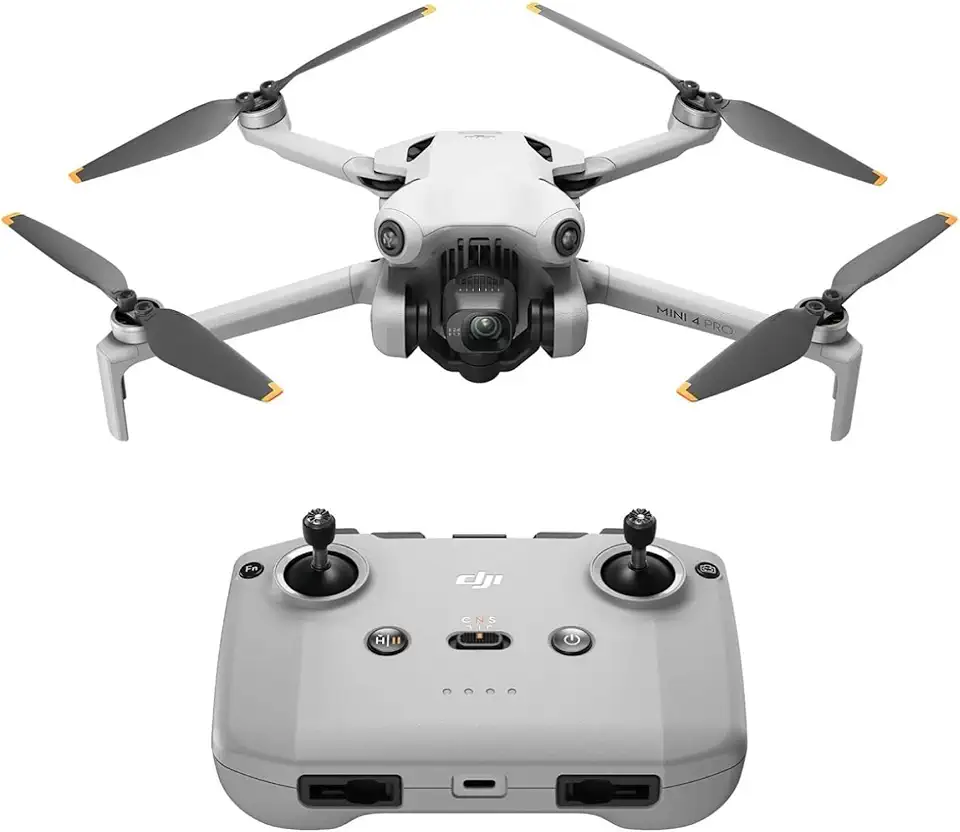
DJI Mini 4 Pro RC-N2, 4K, 249 g, 34-min Flight
Ultra-lightweight sub-250g design delivering crisp 4K footage, intelligent safety features, and agile 34-minute flight for effortless travel shooting.
Check PriceAs a travel-ready tool, the DJI Mini 4 Pro feels like the camera you bring when you need consistent, usable images without hauling heavy gear. It’s compact and easy to fly, which makes it perfect for beginners who care about composition and getting the shot quickly.
The Mini 4 Pro’s 360° obstacle avoidance gives you confidence to frame tighter scenes and push creative angles without constantly worrying about crashes. Improved wind resistance helps keep the gimbal steady for cleaner images and smoother video when shooting outdoors.
For my workflow, D‑Log M and RAW capture on the Mini 4 Pro are the real wins — they give enough latitude for color grading and recovery in post, so you can produce polished stills and cinema‑style footage from a tiny rig. The gimbal’s ability to rotate 90° for true vertical video is excellent for social formats; you get full vertical framing with no cropping, which saves time in post and keeps resolution high.
Be realistic about low‑light work: the sensor is smaller than larger prosumer models, so you’ll notice less dynamic range and weaker performance at dusk or indoors. Also plan on extra power: battery life is good but not exceptional, so bring spare batteries for extended shoots or long travel days.
- 360° obstacle avoidance
- Improved wind resistance
- D‑Log M and RAW capture
- Gimbal can rotate 90° for true vertical video
- Sensor smaller than Air 3S or Mavic 3 Pro; lower low‑light performance and dynamic range
- Battery life good but not exceptional; extended shoots need extra batteries
4. DJI Flip Overview
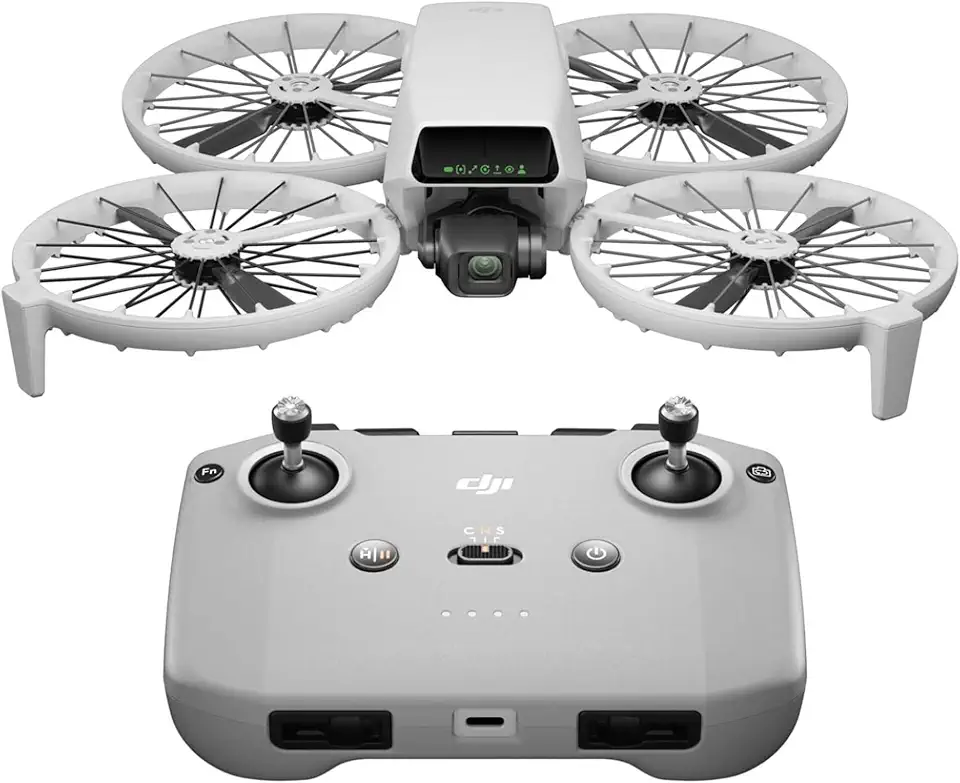
DJI Flip RC-N3, 4K, 249 g, 3-Axis Gimbal, 31-min Flight
Compact foldable craft under 250g with stabilized 3-axis gimbal, 4K capture, and nimble 31-minute flight for on-the-go creators.
Check PriceAs a photographer who travels light, I appreciate how the DJI Flip prioritizes portability and safety. Users consistently praise its hand‑launch and hand‑land capability for quick shots and tight spaces, which makes it a go‑to when I need to move fast.
The camera is surprising for such a compact platform. It shoots 48MP RAW images that give excellent detail and real post‑processing flexibility for color and exposure tweaks.
Safety features are solid for beginners. Forward‑facing obstacle avoidance and built‑in prop guards reduce the anxiety of flying in cluttered or unfamiliar environments.
Know its limits before you plan a serious shoot. The Flip can feel clunky or awkward to fly compared with more traditional models, and its wind resistance is weaker than peers, so breezy days make framing and stability harder.
In short, if you prioritize travel convenience and want high‑resolution RAW files without hauling a larger rig, the DJI Flip is a very good compromise. If you need multi‑lens creative flexibility or plan to shoot in windy conditions, you might find it restrictive.
- Hand‑launch and hand‑land for quick shots and tight spaces
- Forward‑facing obstacle avoidance and prop guards for safety
- 48MP RAW images for excellent detail and post‑processing
- Very portable and easy to carry—good for travel photography
- Can feel clunky or awkward to fly vs traditional models
- Wind resistance weaker than peers; can struggle in breezy conditions
5. Potensic Atom 2 Overview
Potensic Atom 2 Standard Kit, 4K HDR Camera, 8K Photo, 249 g, 32-min Flight
Feature-packed lightweight quadcopter with HDR 4K video, high-resolution 8K photo capability, and steady 32-minute flight for stunning imagery.
Check PriceAs a photographer who often recommends gear to beginners, the Potensic Atom 2 stands out as a popular budget alternative to DJI. It packs advanced features that are rare at this price point, so you get a lot of capability without a steep investment.
The Atom 2’s 3‑axis gimbal and stabilized 4K video are the real selling points — footage is smooth and usable straight out of the camera, which saves time in editing. Subject tracking and QuickShots simplify dynamic shots; they let you lock onto moving subjects or run cinematic presets without complex piloting skills.
If you like creative timelapses, the interval timer is a nice addition that makes long, progressive sequences easy to capture. In practice this drone is ideal for travel or hobby photographers who want polished-looking video and automated shot tools on a tight budget.
There are trade-offs: the Atom 2 lacks RAW capture, so heavy color grading and recovery from tricky exposure are limited. Battery life is described as average, so plan on bringing spare batteries for extended shoots.
- 3‑axis gimbal — smooth stabilized 4K footage
- Subject tracking & QuickShots — easy dynamic shots
- Interval timer — good for timelapses
- Very affordable — great budget alternative
- Lacks RAW capture
- Average battery life — needs extra batteries
Takeoff and Landing Tips for Beginners
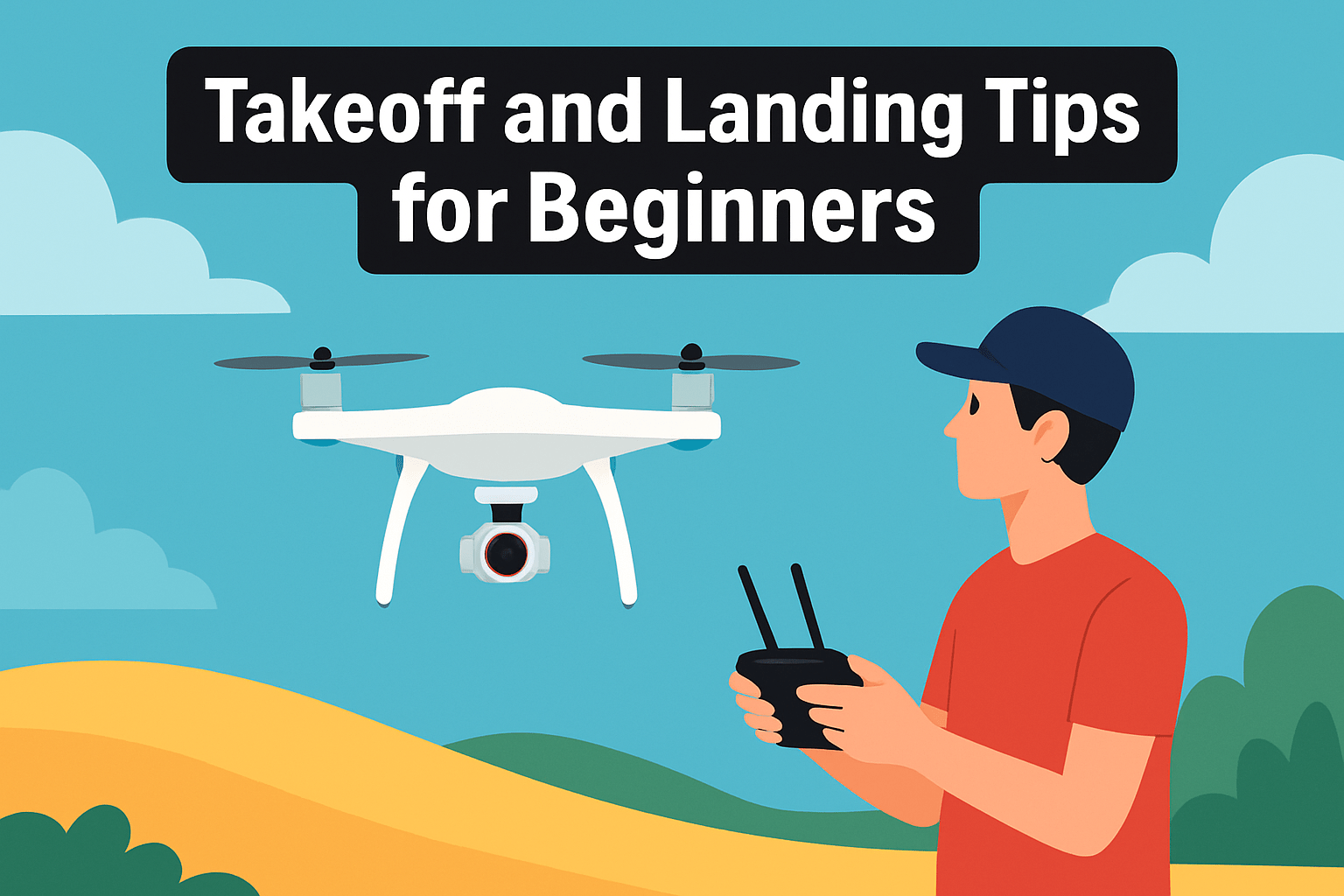
On your first flights pick a flat, obstacle‑free patch—short grass or a small portable landing pad works perfectly to protect motors and propellers. A clear visual target makes every landing more precise and reduces the chance of nicking a prop on rocks or uneven ground.
Respect ground effect: when you lift off, climb straight up a few feet before settling into a stable hover. Staying low invites turbulent rotor wash that can make the drone drift unpredictably and spoil your framing before you even start shooting.
If your model has GPS‑assisted takeoff, use the automatic takeoff to get a smooth, level liftoff and a reliable initial hover. For manual takeoffs, slowly climb to about 3–6 feet and hold the hover until you feel comfortable with stick inputs and orientation.
Approach landings like a slow photo composition: reduce speed and descend gently, hover 5–15 cm above the surface to check alignment, then ease power down until the drone touches. Only disarm or turn motors off after touchdown and when you’re sure the craft is stable and props have stopped.
Hand‑catching is handy in tight spots but can be risky. If your drone recommends turning off landing sensors for a catch, do so and use a soft, two‑handed scoop near the rear of the aircraft; never grab the motors or gimbal, and avoid any sudden jerks that can damage the camera or sticks.
Finally, practice over forgiving surfaces like grass in calm conditions and treat each takeoff and landing as part of your craft. Use a landing pad as a consistent visual target, and don’t rush—repetition builds the muscle memory that separates jittery footage from clean, professional aerial images.
Practice Using Pre-Programmed Flight Modes
Pre-programmed flight modes are where beginners can get cinematic-looking results without having to be expert pilots. Start by getting comfortable with GPS‑stabilized hover and Position Hold; these modes let you focus on composition while the drone stays steady. Spend several short flights practicing hovering, gentle lateral moves and smooth altitude changes until small stick inputs produce predictable responses.
Once you’re steady, try Waypoints and automated flight paths. I use waypoint missions to lock in a framing, altitude and speed, then let the drone repeat the pass while I tweak camera settings. This is invaluable for bracketing, timelapses and repeatable orbit shots — instead of fighting the sticks, you can concentrate on exposure and lens settings.
Map common modes to controller switches and test those mappings on the ground. Confirm which switch triggers Return to Home, which engages automated missions, and how to cancel them. A quick thumbs‑up on the bench prevents panicked fumbling in the field.
Practice safety maneuvers too. Set your RTH altitude higher than any nearby trees or buildings and test RTH in an open area so you know how the drone behaves. Simulate a signal loss or low‑battery scenario once, from a safe distance, to build confidence in automated recovery.
Avoid jumping into Manual or Acro modes until you’ve logged many hours in assisted flight. Those modes remove the computer’s safety nets and require instinctive control. Gradual progression keeps crashes minimal and learning steady.
Finally, use the manual and reputable video tutorials to learn model‑specific quirks. Every drone has its own timing, obstacle sensing limits and mission planner behavior. Small rehearsals in wide, obstacle‑free spaces will make your first real shoots calm, repeatable and far more creative.
What People Ask Most
What is the best drone for beginner photographers?
There isn’t a single best option for everyone; the right choice depends on your priorities like portability, image quality, safety features, and budget. Pick a model that feels comfortable to fly and offers features that match how you plan to shoot.
What features should I look for in a beginner photography drone?
Look for stability, reliable obstacle sensing, easy-to-use flight modes, and a camera that supports RAW or log capture for editing. Portability and a dependable video link are also helpful for travel and framing shots.
Are beginner drones good enough for aerial photography?
Many beginner drones produce excellent photos and videos suitable for web use, social media, and everyday projects. For very demanding professional work or extreme low-light conditions, higher-end equipment may offer advantages.
Is it hard to learn to fly a drone for photography?
Learning is generally manageable thanks to assisted flight modes and built-in safety features that reduce the learning curve. Start in an open area, practice basic maneuvers, and gradually try more advanced shots as you gain confidence.
What camera specs matter for drone photography beginners?
Sensor size and the ability to capture RAW or log profiles are important for image quality and post-processing flexibility. Stabilization, lens field of view, and dynamic range also affect how your photos and videos look.
Can I use a beginner drone for professional photography?
Beginner drones can be suitable for many commercial tasks, content creation, and client work that doesn’t demand extreme detail or large print sizes. Assess the project requirements and client expectations before relying on a basic model.
How do I choose the best beginner drone for photography?
Prioritize the features that matter most to you, compare models, and read real-user feedback to see how they perform in practice. Whenever possible, try a demo or start with a trusted brand and build flying and editing skills over time.
Conclusion for Best Beginner Drone Photography
This guide was designed to help beginner photographers compare common beginner drones, learn safe takeoff and landing techniques, and pick a model that fits their shooting needs.
By focusing on real‑world use, strengths and tradeoffs, and practical practice tips, you can match portability, image quality and flight features to your style and skill level.
Use the takeoff, landing and flight‑mode advice as a foundation for regular practice so your confidence and results improve quickly.
If you want to sharpen your skills and discover more tips, please read more articles on our site to expand your techniques and safety knowledge.
Have a question or need help choosing a drone? Leave a comment below — we usually reply within a few hours.




0 Comments