
How to photograph Jupiter? Want to capture its cloud bands, the Great Red Spot, and tiny moons?
This guide explains how to photograph jupiter with clear steps and a simple night-before checklist. You will learn setup, focus, exposure, and which capture method to pick.
It gives exact settings for planetary cameras, DSLRs, and smartphone afocal shots. You will get pixel-scale rules, histogram tips, and practical exposure examples to try.
We also walk through processing: frame extraction, stacking, sharpening, and combining exposures for faint moons. Follow these steps and avoid common mistakes to improve every session.
How to Photograph Jupiter, Saturn, and Their Moons
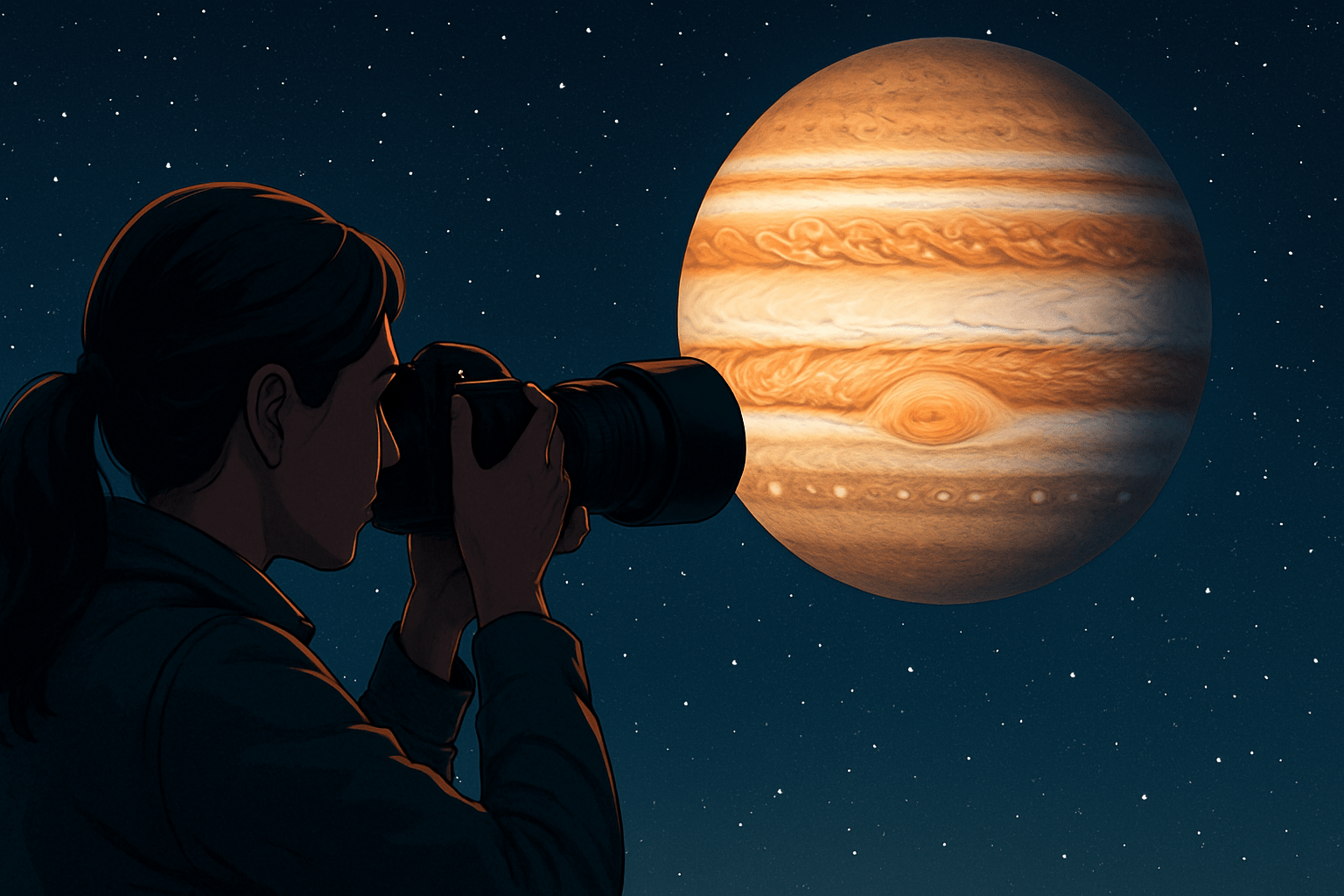
If you have ever wondered how to photograph Jupiter in a simple, reliable way, start here. This is the practical, step-by-step plan I use for Jupiter, Saturn, and their moons on real nights with real conditions.
Begin by checking when Jupiter and Saturn rise, transit, and set for your location. Use a planetarium app like Stellarium or SkySafari and plan to shoot near the transit time, when each planet is highest and the air is steadiest.
Look at two forecast metrics: seeing and transparency. Good seeing makes planetary detail sharp, while transparency affects how bright the image looks and how well moons show up.
Altitude matters more than you might think. The higher the planet in the sky, the less atmospheric turbulence and dispersion you fight, so aim for shots near the zenith when possible.
Check the Moon phase if you want the Galilean moons or Saturn’s fainter family. Jupiter itself is bright enough even with a full Moon, but darker skies make moons easier to record and process.
Allow your telescope to reach the outdoor temperature before imaging. This can take 30 to 60 minutes for a refractor and longer for SCTs, and it helps prevent tube currents that blur detail.
Manage dew before it appears by powering a dew heater or using a shield. Once dew softens your image, you lose time to recovery and risk fogging your optics again.
Set up your mount early and keep everything balanced. If you have a tracking mount, do a quick polar alignment so the planet stays centered during videos and you keep the highest possible frame rate without constant nudging.
Frame the night with a simple capture checklist. Charge batteries, clear storage, verify cables, and set a timer or note to re-check focus during the session as temperatures drop.
Choose your capture method before nightfall. Planetary cameras give the best detail, DSLRs and mirrorless bodies are flexible, and afocal with a smartphone is the most accessible if you are just getting started.
If you want a second opinion to compare against this plan, the BBC Sky at Night’s concise guide to Jupiter is a useful cross-check when you are packing gear and settings.
With the mount tracking, center Jupiter using a low-power eyepiece or the live feed from your camera. Swap to your imaging train, then refine centering with slow slews to keep the planet on the sensor.
Focus at high magnification using live view or capture software. Rock past focus and come back in tiny steps, and look for the crispest belt edges and the smallest, sharpest moons.
Keep exposure control in manual mode, never auto. Aim for a histogram peak around the mid-right without clipping the brightest zones or the polar hoods, and let gain or ISO do the lifting before lengthening exposure.
Record short videos or rapid bursts rather than single stills. Jupiter’s disk is bright, so you can run fast frame rates that freeze moments of steady air and give you thousands of frames to sort and stack.
Limit each video to avoid rotation blur. For a one-shot color camera on Jupiter, keep clips to about 60–120 seconds; for Saturn you can push a little longer because it rotates more slowly.
As you grow, learn WinJUPOS for derotation. It lets you combine multiple short clips into a longer dataset without smearing, so you gain signal without losing delicate festoons and fine ring detail.
Save capture files in raw or lossless formats such as SER or uncompressed AVI. Keep notes of your focal length, Barlow factor, exposure, gain or ISO, and frame rate so you can learn what worked when you review.
Pre-process with PIPP to center, crop, and quality-rank frames. This step also reduces file size and prepares clean, planet-centered videos that stackers can register more reliably.
Stack in AutoStakkert! and select the best five to twenty percent of frames depending on seeing. Use multiple alignment points across the disk and let the software do the heavy lifting.
Sharpen in RegiStax with wavelets or use your favorite deconvolution tool. Work slowly, zooming in and out, and stop before halos and ringing appear around the limb or along belt edges.
Finish with gentle color balance and contrast. Set a neutral white on Jupiter’s zones, preserve the off-white hue of the Great Red Spot, and avoid over-saturating the rings or planet.
To include moons and the planet in one image, shoot two exposure sets. Use short exposures for the planet’s detail, then longer exposures for faint moons, and combine them later with careful masking.
Keep the composition natural by aligning layers on the planet’s center. Tasteful blending protects the bright disk and reveals the Galilean moons, Rhea and Dione near Saturn, and the faint outer companions on the best nights.
Common beginner mistakes are easy to avoid. Do not over-magnify with too much Barlow power, because oversampling kills your signal-to-noise and makes sharpening harsh.
Resist the urge to crank wavelets to eleven. Over-sharpening creates crunchy textures and ringing that look dramatic at first but erase the very detail you worked to capture.
Avoid long clips on Jupiter unless you will derotate later. Rotation smears belt details in minutes, so short, frequent captures beat one marathon video for most beginners.
Turn off auto exposure and auto gain. Auto modes react to seeing changes and can flicker your brightness mid-clip, complicating stacking and color balancing.
Consider making a simple capture log with times, settings, seeing notes, and quick thumbnails. Over weeks, this habit shows you why a certain ISO or frame rate worked and helps you refine how to photograph Jupiter in your exact conditions.
Focusing and camera settings for photographing Jupiter and Saturn
Sharp focus is the single biggest upgrade you can make. Even with perfect settings, soft focus hides the belts, festoons, and delicate ring divisions you are trying to reveal.
Use high-magnification live view for focus, not the small camera screen. On a planetary camera, use FireCapture or SharpCap, zoom in, and watch the contrast edges pulse as you adjust the focuser.
Software metrics can help when seeing is unsteady. Look for maximum contrast, or if your tool supports it, use a FWHM or edge strength readout to land focus in a repeatable way.
A Bahtinov mask can be handy if you struggle on the planet itself. Place it over the scope, focus on a nearby star until the spikes cross perfectly, then remove the mask and nudge focus slightly if needed on the planet.
Check focus again every twenty to thirty minutes and after large slews. As the air cools and your telescope contracts, the focus point moves, and tiny shifts matter at high focal length.
Planetary cameras thrive on short exposures and high frame rates. Keep exposures to a few milliseconds to a few tens of milliseconds, and push 30–200 frames per second depending on your camera and region of interest.
Set gain so the live histogram peaks around sixty to eighty percent. This keeps the bright zones safe from clipping while giving you enough midtones to sharpen later.
If you shoot mono with filters, capture R, G, and B as separate sequences. Exposures and gain may differ per filter, and you may refocus per channel for the sharpest result.
DSLR and mirrorless users should set manual exposure and RAW output. Use the highest continuous video frame rate your camera offers, or shoot rapid still bursts if your video mode compresses too much.
Expect shutter speeds in the range of 1/60 to 1/250 second for stills on a 2000–3000 mm telescope, and ISO between 400 and 3200 depending on aperture and seeing. Favor shorter exposures and more frames rather than fewer long ones.
Afocal and smartphone shooters should use manual control if available. Set a fast shutter, lock focus and exposure, and use the highest frame rate your phone can sustain.
Think about sampling before you choose a Barlow. Pixel scale in arcseconds per pixel equals 206.265 times your pixel size in microns divided by the focal length in millimeters.
Try to land between about 0.2 and 0.8 arcseconds per pixel for Jupiter and Saturn. That range puts you near Nyquist sampling in typical seeing without starving your signal or wasting resolution.
Watch the histogram while you experiment. If the highlights reach the right edge, reduce gain or shorten exposure, and only lengthen exposure after you have exhausted reasonable gain increases.
Here is a practical starting point for a 2500 mm setup with a modern color planetary camera. Try exposures of 6–12 milliseconds, frame rates around 80–150 fps, and gain set so the histogram sits near seventy percent.
For a DSLR at 2000 mm with a 2× Barlow, start around 1/100 second at ISO 1600 in video or burst mode. Adjust ISO first if you need a brighter image, and keep shutter fast enough to freeze seeing.
Safety matters, even at night. Never point any optical instrument near the Sun without proper solar filters, and never test daytime focus on a bright target near the Sun’s path.
Photograph Jupiter with a planetary camera
A dedicated planetary camera is the most efficient route to fine detail. These cameras offer high frame rates, low read noise, small pixels, and formats built for stacking like SER and FITS.
Both color and mono models work well on Jupiter. A popular example is a small-pixel color camera such as the ASI462MC, which delivers strong sensitivity and high-speed readout at a friendly price.
Plan your focal ratio to match your pixel size and seeing. A 2× to 3× Barlow often gets you into the right sampling zone, but avoid going higher just to make the planet look larger on screen.
If the planet is low in the sky, use an atmospheric dispersion corrector. An ADC realigns colors that the atmosphere spreads into a vertical smear and can dramatically improve sharpness and color balance.
Frame the planet with a tight region of interest. Keep Jupiter’s disk comfortably inside the ROI with a bit of padding, which bumps your frame rate without sacrificing alignment accuracy.
Choose exposures that allow speed. Aim for 50–150 frames per second when the seeing supports it, and adjust gain to keep the histogram healthy without clipping the brightest parts of the disk.
Record several short videos instead of one long marathon. For a color camera on Jupiter, 60–120 second captures are a good start, and you can collect a few back-to-back to improve your odds.
If you want to combine longer sequences, learn derotation. WinJUPOS lets you align and merge clips captured over many minutes to improve signal while preserving small-scale structure.
Mono shooters can separate detail and color for even more control. Capture a luminance or IR channel longer for structure, then shorter R, G, and B clips for color, and combine in processing.
Pre-process in PIPP, stack in AutoStakkert!, and sharpen in RegiStax. Start with conservative wavelets, correct the color cast, and finish with a light touch in Photoshop or GIMP for contrast and noise.
Keep a simple capture log so you can learn faster. Note seeing, ADC settings, gain, and best stack percentages, and compare outcomes over several sessions to guide your next choices as you refine how to photograph Jupiter.
If you want another hands-on walkthrough, this AstroBackyard tutorial on how to photograph the planet pairs nicely with the workflow above when you are practicing at the scope.
Photograph Jupiter with afocal imaging
Afocal imaging is the simplest entry point. You place a camera or phone behind an eyepiece so the telescope forms the image that your lens captures.
A sturdy phone-to-eyepiece adapter is worth its weight in gold. It keeps the camera aligned with the eyepiece and frees your hands so you can focus and control the mount without losing the planet.
Choose eyepieces that behave well for this method. Simple Plossls and orthos with decent eye relief and a flat field tend to produce a cleaner, easier image for the phone to record.
Avoid digital zoom on the phone. Let the telescope and eyepiece set the magnification, and keep optical zoom only if you have a compact camera with a true zoom lens.
Switch to manual exposure and focus if your camera app allows it. Lock focus once you have a crisp edge on the planetary disk and lock exposure once the histogram sits around the mid-right.
Use video at the highest frame rate and resolution your phone can sustain. Record several 30–180 second clips to beat the seeing and give your stacker plenty of frames to work with.
Troubleshooting is part of the fun. If you see vignetting, re-center and adjust spacing, if the image is tilted or rotating slowly, square the adapter and keep the planet centered, and if reflections appear, block stray light and dim the phone’s screen.
Process afocal videos like any planetary clip. Run PIPP to center and crop, stack the best percentage in AutoStakkert!, and sharpen gently in RegiStax before final noise cleanup in your editor.
This method shines during wide-field planetary events. A phone on a small telescope can capture Jupiter and Saturn together, and NASA’s overview on photographing the conjunction has tips that translate well to simple afocal rigs.
Tips if using a DSLR camera
DSLRs and mirrorless cameras offer two solid approaches. You can shoot prime focus through the telescope, or keep things flexible with high-speed video or rapid burst stills.
Prime focus replaces your lens with the telescope, which becomes the lens. This gives you direct, sharp optics but demands steady tracking because the magnification is high.
For prime focus, you need a T-ring for your camera and a T-adapter that fits your focuser. A 2× Barlow or tele-extender helps reach the sampling you need for small planetary disks.
Reduce vibration with mirror lock-up or an electronic first curtain shutter if your camera supports it. Trigger the shutter with a remote or self-timer so you are not touching the scope during capture.
Use manual exposure and record in RAW if you shoot stills and in the least compressed video mode you can. For still bursts, aim around 1/60 to 1/250 second, and pick ISO between 400 and 3200 based on aperture and seeing.
Favor shorter exposures and more frames, not one long exposure. Planetary detail emerges from stacking many sharp moments, and even a modest mount can handle short bursts if you keep the planet centered.
Focus with magnified live view on the planet, and re-check often. Lock the lens to manual focus if you are shooting with a telephoto rather than through a telescope.
To capture moons and a detailed disk, take two sets. Use short exposures for Jupiter’s belts and the Great Red Spot, then longer exposures for the faint outer moons, and blend them carefully in post.
For processing, you can convert RAW stills to TIFF or FITS if your stacking software prefers it. PIPP can sort and crop frames, AutoStakkert! will stack, and RegiStax or deconvolution will enhance the fine structure.
Consider dark frames only if you push longer exposures or higher ISOs for the moons. Planetary exposures are short, so thermal noise is usually less of a concern than for deep-sky images.
If your video frame rate is low, shoot many quick bursts and stack the best. Mirrorless cameras often have higher live-view frame rates and avoid mirror slap, which is a quiet advantage at high magnification.
A practical starting point with an 8-inch SCT at 2000–3000 mm and a 2× Barlow is 1/100 second at ISO 1600 in video mode. Record 60–120 second clips, keep the histogram under the clipping point, and stack the top ten to twenty percent of frames.
Finally, carry the same discipline into DSLR work that you use with dedicated planetary cameras. Keep a capture log, test one variable at a time, and refine your personal method for how to photograph Jupiter as your local seeing allows.
What People Ask Most
How do I start learning how to photograph Jupiter?
Begin by practicing with a camera and a steady tripod, find Jupiter in the night sky, and take many short exposures to build experience. Learn simple editing to stack and enhance images for better results.
What time is best to photograph Jupiter?
Shoot when Jupiter is highest above the horizon on clear, stable nights and away from bright moonlight or city light pollution. This reduces atmospheric blur and improves image clarity.
Do I need a telescope to photograph Jupiter?
A telescope or long telephoto lens helps a lot, but you can start with a DSLR or mirrorless camera and a stable mount. The key is steady tracking and taking multiple frames to combine later.
How important is focus when photographing Jupiter?
Critical—Jupiter must be sharply focused to show details, so use live view, focus aids, or manual focusing and check results often. Small focus errors will blur the planet’s bands and storms.
Can beginners capture Jupiter’s colors and bands without advanced gear?
Yes, basic gear and good technique can reveal visible bands and color; careful exposure and simple stacking will improve what you see. More advanced processing can bring out finer details later.
What common mistakes should I avoid when photographing Jupiter?
Avoid overexposing the planet, using an unstable setup, and shooting through thick atmosphere or heat sources that cause blurring. Also, don’t rely on a single frame—capture many short exposures instead.
How does image stacking help when photographing Jupiter?
Stacking combines many short exposures to reduce noise and sharpen fine features, making Jupiter’s bands and storms clearer. It’s a simple way to get better detail without expensive gear.
Final Thoughts on Photographing Jupiter and Saturn
Whether you’re shooting with a planetary camera, DSLR, or a phone, this guide turns intimidating gear and settings into a simple, repeatable plan — I even included a sample capture log (270) to show how notes translate to better results. The core benefit is a practical workflow that helps you get sharp, well-exposed planetary images without guessing at every step, and it’s aimed at beginners to intermediate hobbyists who want faster progress. You’ll find the mix of quick checklists, camera‑specific settings, and processing recipes makes evening sessions less frustrating and more productive.
Be realistic: atmospheric seeing and tracking limits will often be the biggest barrier, so expect varied results and plan for short videos and many attempts rather than instant perfection. The article answered the opening question — how to photograph Jupiter — by laying out pre‑session checks, focusing techniques, exposure rules, and concrete capture/processing steps so you can follow along under the sky. Keep experimenting and logging what works — each clear night will teach you something new, and your next best shot is closer than you think.





0 Comments