
What is gamma in photography? Could a simple curve be the reason your midtones look flat or your colors change on screen?
This guide answers what is gamma in photography in plain language. You will get a short technical overview, clear visual examples, and simple editing steps for RAW, Photoshop and Lightroom.
By the end, you’ll know when to edit in linear light and when to nudge gamma for better display results. Try the quick experiments and tips in the article to see gamma work on your own photos.
What is gamma in photography?
Gamma is the non‑linear curve that determines how real‑world light is mapped into and back out of image files — it especially controls midtones. If you have ever asked what is gamma in photography, this one line is the clearest answer.
Light in a scene is linear, meaning twice the light equals twice the energy. The pixel values you see in a file are usually gamma‑encoded, so they no longer scale linearly with the scene’s light, and that is by design.
Think of gamma as reshaping the middle of the tonal curve rather than simply brightening everything. A small change bends the midtones to look right to your eyes, while shadows and highlights move more gently.
You will hear several names for the same idea: gamma correction, gamma encoding, and gamma decoding. Encoding applies the curve to store the image efficiently, and decoding reverses it so the display shows the intended brightness.
In practice, most photos for the web target sRGB, which behaves like a gamma around 2.2. Video in dim rooms often aims near 2.4, a value associated with Rec.709 and Rec.1886 display behavior.
Understanding this curve helps you place tones exactly where you want them. It is the quiet step that makes midtones look natural and keeps detail alive without flattening contrast. For a deeper primer, see Understanding gamma.
How gamma encoding and decoding work (simple technical explanation)
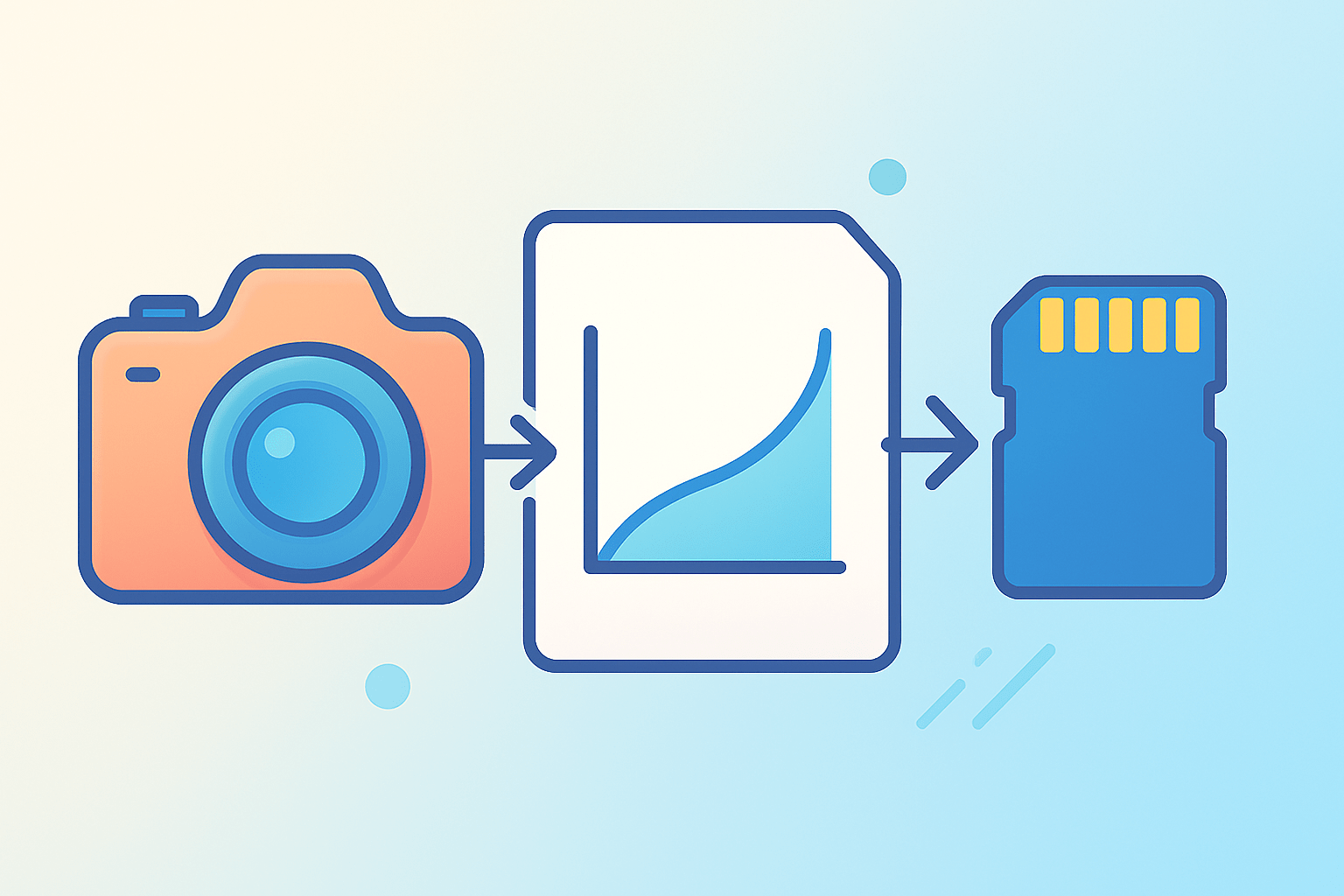
The pipeline is simple if you read it from the scene to the screen. Light from the scene is captured linearly, then the file is encoded with a curve, and finally your software and display decode it so it looks correct.
The core idea can be shown with a small formula. To store an image, the encoder writes encoded ≈ linear^(1/γ), and your display brings it back with brightness ≈ encoded^γ.
If γ is about 2.2, the storage step looks like y = x^(1/2.2), and the display step looks like y = x^2.2. The two steps form an inverse pair, so what you see should match the intended tones.
sRGB does not use a pure power law for the whole range. It acts like about 2.2 overall but has a short linear toe near black, which helps avoid harsh steps in the darkest values.
We encode nonlinearly because human vision is not linear. Your eyes can see many more steps in the darks than the brights, so gamma allocates more code values where you notice changes and uses bits more efficiently.
Picture a graph with input light on the x‑axis and stored value on the y‑axis. A straight diagonal is linear, while a gamma curve bows upward, lifting midtones so they are represented with more usable steps and lower noise.
How gamma affects brightness, contrast, midtones and color
Gamma changes the brightness you perceive in the middle of the tonal range most strongly. A slight reduction in gamma lifts midtones without blowing out highlights or crushing delicate shadow detail.
Brightness sliders usually add or subtract a fixed amount everywhere. Gamma is different because it redistributes tones nonlinearly, so it shifts the middle more than the ends.
Contrast stretches or compresses the range around a midpoint. Gamma vs contrast is not the same fight, because contrast manipulates separation while gamma sets where the bulk of tones sit.
The classic 18% gray card shows why this matters. In linear light 0.18 raised to the power of 1/2.2 becomes roughly 0.46, which is why 18% gray looks close to mid‑gray on a normal sRGB screen.
Open a photo and watch the histogram as you tweak the gamma or the middle slider in Levels. The midtone peak moves left or right, yet the extremes do not slam into the walls as quickly as a big brightness push would.
Be careful when adjusting per channel, because unequal gamma moves can shift saturation and hue. A safer approach is to apply curves on luminosity so you steer tone without repainting color.
If you want a concise reference for the concept behind these changes, read about Gamma correction. Knowing this makes “what is gamma in photography” more than a definition, because you see how it shapes real pixels.
When and how to adjust gamma — practical workflows for photographers
RAW files record linear sensor data, and gamma is applied when your raw developer renders the image to a working space and again on export. JPEGs already carry a gamma curve, so extra gamma edits can stack up quickly.
In Photoshop, the Levels middle input is a gamma control, and Curves lets you simulate gamma by nudging the center of the line. If you wonder how to change gamma in Photoshop/Lightroom, use the Levels mid slider or the Tone Curve in parametric mode for small moves.
Try a quick experiment to feel the effect. Step 1: open a portrait, note the histogram and sample a cheek highlight and a midtone. Step 2: move the Levels middle slider from 1.00 to about 0.90 and check skin and histogram; then try 1.10 in the other direction.
For the web, export to sRGB with the profile embedded and review on a calibrated display. A hardware‑calibrated monitor keeps your preview honest and avoids chasing phantom shifts.
Avoid repeated gamma tweaks on 8‑bit JPEGs, since banding can appear in the shadows. Do major tonal work in 16‑bit, and do compositing in linear light, then view through a gamma‑encoded preview before final export to 2.2.
Why gamma matters — perception, bit depth, standards and common misconceptions
Gamma is efficient because it allocates more of your limited digital steps to darker tones where your eyes are picky. This reduces visible banding and hides quantization noise, especially when bit depth is tight.
Historically, CRT displays were nonlinear, and early standards baked that curve into the system. Modern flat panels emulate a similar response so old content and new content both look right.
Use sRGB around 2.2 for general web work, and follow Rec.709 or Rec.2026 for video pipelines that target specific rooms and devices. Work in linear for blending and lighting math, then encode for display at the end.
Do not confuse gamma vs exposure, because exposure captures more or less light, while gamma remaps tone after capture. More gamma is not always better, and pushing curves can shove colors outside your target gamut, so watch for clipping on saturated areas.
If you still wonder what is gamma in photography in day‑to‑day terms, it is the curve that lets you show midtones honestly on ordinary screens. For a glossary‑level refresher, see what is gamma, then keep a simple rule of thumb: edit carefully, preview in sRGB 2.2, and export with the profile embedded.
What People Ask Most
What is gamma in photography?
Gamma in photography describes how midtones are mapped between shadows and highlights, affecting the overall tonal balance of an image.
How does gamma affect my photos?
Gamma brightens or darkens midtones without changing pure black or white, so it can make images look punchier or flatter.
When should I adjust gamma in editing?
Adjust gamma when midtones look too dark, too light, or when you want a different mood or more detail in those tones.
Can wrong gamma ruin my image?
Yes, incorrect gamma can make photos look muddy or overly contrasty, but it is usually correctable in post-processing.
Is gamma the same as brightness or contrast?
No, brightness shifts all tones and contrast changes differences between tones, while gamma mainly changes how midtones appear.
How do I preview gamma changes on my camera or monitor?
Use your camera’s display, a calibrated monitor, and compare before-and-after views to check how midtones shift.
Does gamma affect printing or web display?
Yes, different devices and file formats can alter gamma, so check proofs or test exports to keep tones consistent online and in print.
Final Thoughts on Gamma in Photography
When we asked “what is gamma in photography” at the start, we said gamma is the non-linear curve that maps real-world light into and back out of files, with the biggest effect on midtones — this guide showed how that mapping reshapes perceived detail and tonal balance. Think of it as reallocating tonal steps—if you imagine splitting the visible midtone range into 270 small increments, gamma dictates where most of those increments fall so subtle texture and skin detail stay visible. Photographers who wrestle with skin tones, low‑light detail, or compositing will benefit most because gamma moves midtones without globally blowing highlights or crushing shadows.
Practically, that means you can fine‑tune perceived brightness and texture without resorting to blunt exposure or contrast moves. A realistic caution: avoid repeated gamma operations on 8‑bit JPEGs and always preview in the target profile, because working in the wrong color space or bit depth can introduce banding and color shifts. If you shoot RAW, composite, or spend time on skin and shadows, you’ll find these ideas especially useful — so experiment gently and keep learning; the next image will thank you.



0 Comments