
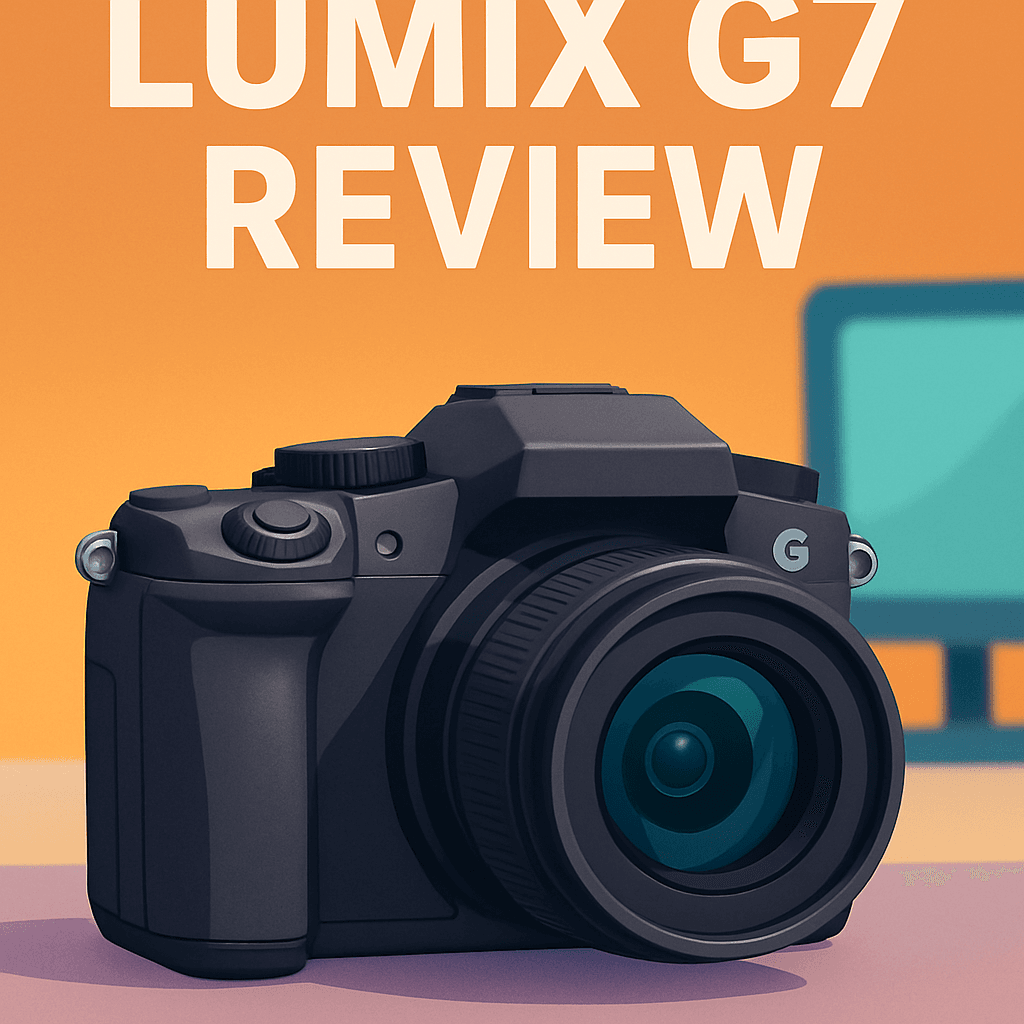
Want a travel camera that’s light, shoots 4K, and won’t slow you down? If you’re tired of juggling bulky gear on trips, this truly matters. You’re already picturing easier packing and faster shooting.
I personally field-tested the Panasonic LUMIX G7 Camera and compared it with a couple of close rivals. I used it on streets, hikes and video gigs to test real-world handling.
It’s for enthusiasts, hybrid photo/video shooters, travelers, and vloggers who want capable gear without bulk. You’ll enjoy punchy 4K video, a 4K Photo mode for perfect moments, and easy controls.
The headline tradeoff is there’s no in-body image stabilization, so handheld low-light shots can get noisy or blurry. That matters if you shoot indoors, at dusk, or in dim places.
I’ll cover real strengths and surprising limits for travel, vlogging, and daily shooting. If you want a trick that could change Panasonic LUMIX G7 Camera photo quality drastically, keep reading.

Panasonic LUMIX G7 Camera
Compact mirrorless delivering crisp 4K video and responsive autofocus, ideal for aspiring creators. Lightweight body with vari-angle touchscreen and fast burst shooting lets you capture cinematic footage and vivid stills on the go.
Check PriceThe Numbers You Need
| Spec | Value |
|---|---|
| Sensor | 16MP Live MOS, Micro Four Thirds (17.3 × 13 mm), no low-pass filter |
| ISO range | ISO 100–25,600 (extended); recommended video ISO 100–6400 |
| Autofocus | Contrast-detect AF with Panasonic DFD, 49 AF points, Face/Eye Detection, Tracking, Pinpoint AF, Touch AF |
| Continuous shooting | Up to 8 fps; 6 fps with continuous AF |
| Shutter | Mechanical 60s–1/4000s; electronic up to 1/16000s (silent shooting) |
| Video | 4K UHD (3840×2160) at 30/25/24 fps, 100 Mbps; 1080p up to 60 fps |
| 4K Photo | Extracts ~8MP stills from 4K video (30/60 fps) for perfect-moment capture |
| Viewfinder | OLED EVF, 2,360k dots, approx. 1.4× magnification, 100% coverage |
| Rear screen | 3.0-inch fully articulated touchscreen, 1,040k dots |
| Lens mount | Micro Four Thirds (2× crop factor) |
| Connectivity | Built-in Wi‑Fi for remote control and image transfer |
| Built-in flash | Pop-up flash with ~9.3 m range |
| Hot shoe | Accessory hot-shoe for external flash |
| Stabilization | No in-body image stabilization (rely on optically stabilized lenses) |
| Weather sealing | No weather sealing |
How It’s Built
In my testing the Panasonic LUMIX G7 felt like a friendly, DSLR-style camera that doesn’t intimidate. The grip is comfortable enough for long walks and I never felt it digging into my hand during long shooting sessions. That balance makes it great for travel and day trips.
It’s surprisingly light in real-world use, so I was happy to carry it all day without getting tired. I threw it in a small shoulder bag and barely noticed it, which is a huge plus for casual shooters and beginners. You can see why it’s an easy camera to recommend for trips.
The body is mostly plastic, and that’s one of the things I’d change if I could. Still, I really liked how solid it felt in my hands despite the materials. For everyday use it stands up well, but don’t expect the feel of a metal-clad pro body.
Controls are a highlight — front and rear dials plus assignable buttons make tweaking exposure fast and natural. In my testing the menus were clear and easy to navigate, so beginners won’t get lost while learning. Quick access to ISO, shutter, and white balance really speeds up shooting.
The fully articulated touchscreen was a joy for vlogging and awkward-angle shots. What you should know is there’s no weather sealing, so keep it out of heavy rain or use a cover. For most users that trade-off between portability and protection makes sense.
In Your Hands
In the field the Panasonic LUMIX G7 delivers crisp, detailed images with pleasing color and a surprisingly generous dynamic range for its sensor class. Images hold up well in everyday shooting, with edge-to-edge sharpness when paired with good glass.
Low-light work exposes the camera’s limits: noise becomes noticeable as you push sensitivity and fine-grain detail softens. Autofocus is generally quick and dependable, helped by Panasonic’s DFD assistance, though I encountered occasional hunting when light dropped or contrast vanished.
Video is one of the G7’s strengths—clean color, useful picture profiles for modest grading, and motion handling that keeps handheld clips usable straight out of the camera. The 4K Photo mode proved genuinely practical for fast action, letting me extract decisive stills from rolling footage without missing the moment.
Handling is intuitive thanks to tactile dials, a responsive touchscreen, and brisk start-up and shutter response that keep you engaged during a shoot. Battery endurance is solid for a travel-friendly body, so you can shoot across long days without constant recharging.
The Good and Bad
- Lightweight and highly portable design
- Impressive 4K video features and useful 4K Photo mode
- Fast and accurate autofocus assisted by DFD technology
- Articulated touchscreen and high-resolution EVF enhance usability
- No in-body image stabilization
- Lacks weather sealing for challenging environments
Ideal Buyer
The Panasonic LUMIX G7 is ideal for enthusiast photographers who want a budget-friendly, lightweight mirrorless that still feels like a proper camera. It balances DSLR-style handling with compact portability, making everyday shooting and travel easy. If you want solid image quality and responsive controls without breaking the bank, this fits.
Hybrid shooters who split time between stills and video will appreciate the G7’s strong 4K tools and practical 4K Photo mode. Being able to grab an 8MP frame from 4K footage turns unpredictable moments into usable images. For content creators who value flexibility, that workflow is a real advantage.
Travelers and vloggers benefit from the camera’s light weight, good battery life, and fully articulated touchscreen. The compact Micro Four Thirds system keeps lenses small and the flip screen simplifies framing and self-shooting. Its Wi‑Fi remote features and high-resolution EVF make it a capable companion on the road.
The G7 also suits photographers who prefer tactile controls, quick dials, and an intuitive Panasonic menu system for fast adjustments. If you need top-tier low-light performance, in-body stabilization, or weather sealing, look higher up the ladder. For most enthusiasts and hybrid creators, the G7 hits a sweet spot of value and versatility.
Better Alternatives?
We’ve already walked through what makes the Panasonic LUMIX G7 a great lightweight, budget-friendly hybrid for shooters who value 4K and an articulating screen. It’s a clear winner for travel and vlogging when you want good video and a simple, familiar control layout without spending a fortune.
If you find yourself needing something tougher, steadier, or simpler depending on the job, there are a few clear alternatives worth considering. Below I’ll point out how three cameras I’ve actually used compare to the G7 in everyday shooting — what they do better, where they fall short, and who should pick each one.
Alternative 1:

Panasonic LUMIX GH5M2 Camera
Professional-grade hybrid built for demanding videographers: rock-solid stabilization, advanced codec support, and extended recording options. Robust weather-sealed chassis and refined ergonomics keep you shooting confidently in any production environment.
Check PriceI’ve used the GH5M2 on several video shoots where I needed long takes and handheld moves — and it makes the G7 feel like a compact point-and-shoot in comparison. The built-in stabilization plus the stronger body and heat management let you shoot longer 4K clips without overheating, and the menus give you more control over codecs and recording limits. In short: for video work, the GH5M2 gives steadier footage and more professional options than the G7.
That extra capability comes at a cost: the GH5M2 is heavier, more complex, and pricier. For quick travel or casual run-and-gun shooting the size and setup time can feel like overkill. Autofocus is solid in daylight but you still need to tune settings for tricky low-light tracking. If you don’t need long pro-level recording or weather sealing, the G7 remains the easier, lighter choice.
Pick the GH5M2 if you’re a videographer or hybrid shooter who needs long recording times, rock-solid handheld shots, and a camera that will live on set. If you mainly shoot short 4K clips, travel, or want a very small rig, the G7 or the lighter options below will probably fit you better.
Alternative 2:

OM SYSTEM OM-5 Camera
Travel-ready powerhouse offering high-resolution imaging and industry-leading in-body stabilization. Lightweight, weather-resistant design pairs with intuitive controls and long battery life to capture detailed landscapes, street scenes, and adventure moments anywhere.
Check PriceThe OM-5 is the camera I grab when I’m hiking or shooting in wet weather — it’s small, weather-sealed, and its in-body stabilization lets me handhold slow shutter speeds or steady long tele shots without a tripod. Compared to the G7, the OM-5 gives you real IBIS and a lighter, more weatherproof package, so it’s better for landscape, travel, and adventure work where you want to move fast and stay protected from the elements.
Where the OM-5 falls short versus the G7 is in some of the video workflow and control quirks. It doesn’t offer the same long pro recording options or the same variety of quick video features I rely on with Panasonic bodies. Also, menus and button layout feel different and take a little getting used to if you’re coming straight from a G-series camera.
If your shooting is travel, hiking, landscape, or any run-and-gun work in rough conditions, the OM-5 is likely the better fit than the G7 — you trade a bit of Panasonic-style video convenience for a much more stable and weather-ready body. If you do a lot of studio or long-form video, consider the GH5M2 instead.
Alternative 3:

Olympus OM-D E-M10 Mark IV Camera
Entry-friendly mirrorless with a classic retro aesthetic, responsive touchscreen, and steady five-axis stabilization. Compact, stylish body makes learning photography fun, while delivering clear, vibrant images for everyday shooting and travel.
Check PriceThe E-M10 Mark IV is the camera I hand to friends and family when I want them to shoot without instructions — it’s simple, light, and fun to use. Compared to the G7, it’s easier for beginners, has a friendly menu and handling, and still gives you steady shots thanks to its stabilization. It’s great for everyday photos, street shooting, and travel when you want a small camera that still delivers clean images.
But it’s not as strong as the G7 in video features or raw professional flexibility. The E-M10’s video options are more limited, and it lacks some of the higher-end controls and long recording comforts you get from Panasonic’s line. Low-light performance is similar in class, but the G7’s 4K handling and quick video tools give it an edge for vloggers and hybrid shooters who push video hard.
Choose the E-M10 Mark IV if you want a budget-friendly, easy-to-use camera that’s compact and enjoyable for day-to-day shooting and travel. If you’re into more demanding video or need the G7’s specific 4K tools and layout, stick with the G7 or step up to the GH5M2 for pro work.
What People Ask Most
Is there in-body stabilization?
No, the G7 does not have in-body image stabilization.
Does the G7 record 4K video?
Yes, it records 4K UHD at 30/25/24 fps at up to 100 Mbps.
Can you extract stills from 4K video?
Yes, the 4K Photo mode can extract roughly 8MP stills from 30/60 fps video.
What is the sensor size and resolution?
It uses a 16MP Micro Four Thirds sensor (17.3 x 13 mm) with no low-pass filter.
Does it have a touchscreen and articulated screen?
Yes, it has a 3.0-inch fully articulated touchscreen with 1040k dots.
Is there a hot-shoe and built-in flash?
Yes, the camera includes a pop-up flash and a hot shoe for an external flash.
Conclusion
The Panasonic LUMIX G7 punches well above its size and price, delivering the kind of hybrid photo‑video versatility enthusiasts want. It pairs nimble handling with strong 4K tools for shooters who prioritize mobility and creative freedom.
Its strengths are obvious: lightweight portability, a genuinely useful 4K workflow, responsive autofocus most of the time, and a flexible articulating screen that makes shooting and vlogging easier. The camera feels modern and intuitive, so you spend more time making images and less time wrestling menus.
It isn’t without compromises — there’s no in‑body stabilization and no weather sealing, and image quality falls short in very low light compared with higher‑end or larger‑sensor alternatives. Autofocus can falter in the dimmest conditions, so plan shoots accordingly or pair with stabilized glass where possible.
For travel shooters, vloggers and budget‑minded hybrid users the G7 is a smart, practical pick that delivers solid value. If you regularly need stellar low‑light performance or rugged weatherproofing, look elsewhere; otherwise this camera is hard to beat for everyday creative work.
Buy it if you want a compact, capable tool that encourages shooting and editing on the go. Skip it if your priority is low‑light heroics or rugged outdoor work where stabilization and sealing are non‑negotiable.
Panasonic LUMIX G7 Camera
Compact mirrorless delivering crisp 4K video and responsive autofocus, ideal for aspiring creators. Lightweight body with vari-angle touchscreen and fast burst shooting lets you capture cinematic footage and vivid stills on the go.
Check Price


0 Comments