
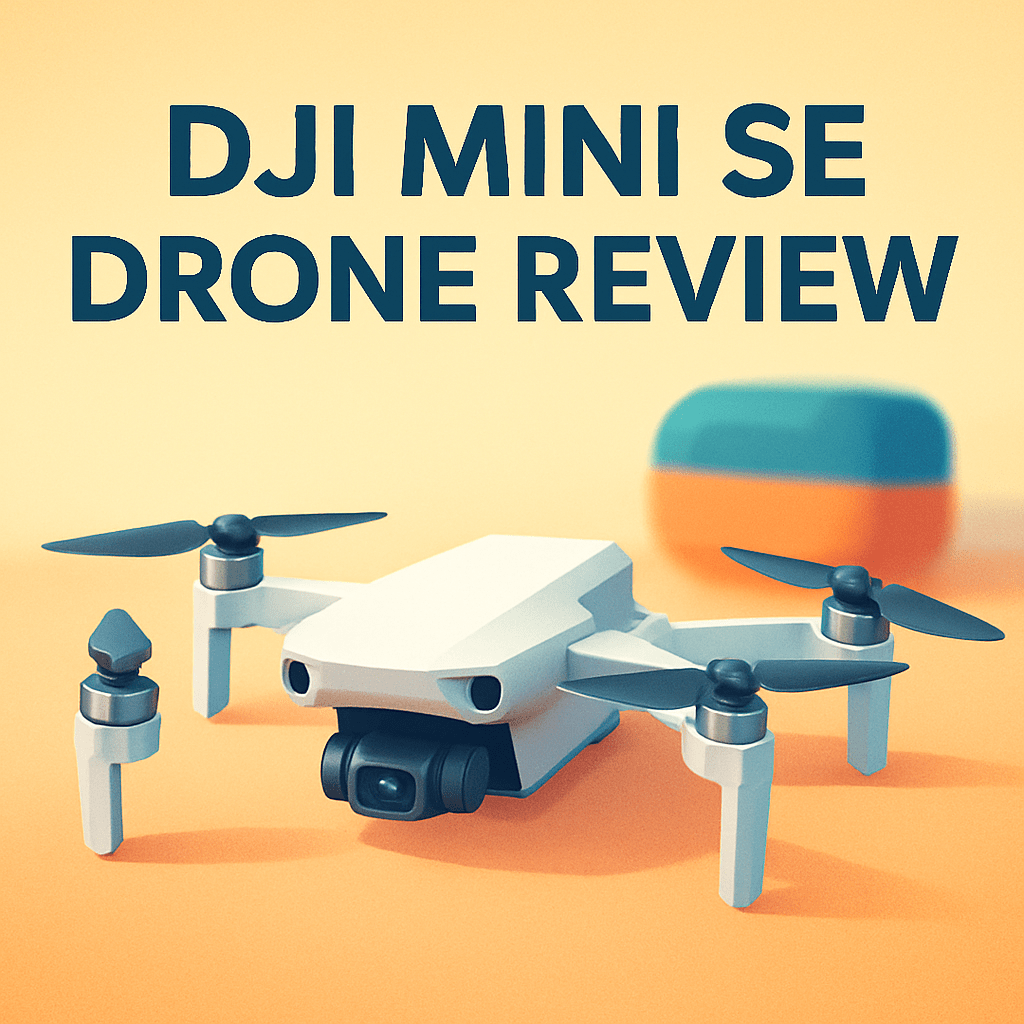
Want to know if a dji mini se drone review will tell you if it’s the right tiny flyer for your adventures?
Having flown many minis, I took the DJI Mini 2 SE Drone into real shoots to see how portability and steady gimbal footage translate on location.
If you’re after an always-in-the-bag sub-250 g shooter that gives simple, reliable aerial clips, you’ll want the practical takeaways I gathered—keep reading.

DJI Mini 2 SE Drone
Ultra-light travel companion delivering smooth aerial video and crisp photos in a compact package. Easy-to-fly controls, reliable wind resistance, and long battery life make it ideal for beginners and adventurers.
Check PriceThe Numbers You Need
| Spec | Value |
|---|---|
| Sensor | 12 MP CMOS |
| Gimbal | 3-axis mechanical |
| Video | 2.7K, 30 fps |
| Photo | 12 MP JPG |
| Weight | <250 g |
| Battery life | Up to 30 minutes |
| Dimensions (folded) | 138 x 82 x 58 mm |
| Dimensions (unfolded) | 159 x 202 x 58 mm |
| Max wind resistance | 29 kph (Level 5) |
| Max speed | 13 m/s (S mode) |
| Max ascent/descent speed | 4 m/s (S mode) |
| Operating temperature | 0° to 40° C |
| Remote | 2.4 GHz, supports mobile device |
| Stabilization | Downward vision system (hovering only) |
| Obstacle avoidance | None (no obstacle sensors) |
How It’s Built
In my testing the DJI Mini 2 SE Drone felt unbelievably light and easy to toss in my day bag, so I actually grabbed it on more shoots than my larger drones. Folded it disappears into a small pouch, but once you add the controller and spare batteries it isn’t exactly pocket-size anymore. For beginners that means it’s simple to carry everywhere, but plan a tiny case if you want to keep things tidy on travel days.
The build feels solid for how small it is and the mechanical gimbal does a great job keeping the horizon level and footage smooth. I liked how usable the stabilization was straight out of the box — you get cinematic-looking clips without having to be a pro pilot. That translates to less time fixing shaky footage in editing and more time shooting.
There are trade-offs though: the drone only uses downward sensing to help hover and it lacks obstacle avoidance, which I noticed makes close-up flying more stressful. New pilots should fly defensively, map a clear route, and keep a steady line of sight rather than expecting the drone to dodge trees. Slow, deliberate stick inputs go a long way to avoid trouble.
The remote works fine with a phone, but cable fit and cable routing can be fiddly in the field and could be better. Also, avoid very cold or very hot days since battery feel and responsiveness change. Overall I loved the always-with-me convenience, but the phone workflow and lack of automatic sensors are the main things to watch for.
In Your Hands
On location the DJI Mini 2 SE typically gives you a solid single-battery window for scouting and a handful of cinematic passes, so I plan shoots in short, purposeful segments and rotate batteries on active days. Making battery swaps part of the rhythm—keeping spares warm in pockets in cool weather and prioritizing a shot list—keeps the day moving without frantic recharges.
In light to moderate breezes the little airframe holds position admirably, with the gimbal and downward vision helping produce steady low-altitude framing over textured terrain. That system struggles over uniform surfaces like open water or fresh snow, and in gustier conditions you’ll notice the platform working harder to stay put, so choose sheltered launch points for cleaner results.
The drone’s top-end responsiveness is useful for quick repositioning between compositions and for following slow-moving subjects without fuss, while its vertical control lets you pull smooth reveals as light changes. For the smoothest footage, favor gentle stick inputs, straight-line moves and restrained pans rather than aggressive, high-speed turns.
The phone-plus-remote workflow is simple but benefits from a few routines: crank screen brightness for sunny days, stow and label cables for quick hookups, and secure your phone clamp before flight. Above all, fly defensively—previsualize routes, keep clear lines of sight, and avoid confined or cluttered environments since there’s no proximity sensing to rescue you.
The Good and Bad
- Ultra-lightweight: <250 g, easy to carry everywhere.
- Compact folded size: 138 x 82 x 58 mm — highly packable.
- 3-axis mechanical gimbal — stable, cinematic movement base.
- Battery: up to 30 minutes — solid endurance for short sessions.
- No obstacle avoidance sensors — requires conservative flying.
- Photo limited to 12 MP JPG — no RAW capture flexibility.
Ideal Buyer
If you’re a photographer or content creator who treats kit weight as sacrosanct, the DJI Mini 2 SE Drone is built for you. Sub-250 g portability and a genuine 3-axis gimbal make it the camera you’ll actually carry on trips and hikes. It’s an always-with-you tool for quick aerials and travel storytelling.
The imaging pipeline — 12 MP JPGs and 2.7K/30p video — suits social, travel blogs, real estate thumbnails, and editorial b-roll where turnaround matters more than pixel peeking. Battery life that can reach around 30 minutes means you can plan several short sorties rather than full-day aerial ops. If you prioritize simplicity, quick setup with a phone, and stabilized clips for web and social, this is a sensible, budget-friendly pick.
This isn’t for shooters who demand 4K, RAW files, or cinematic flexibility in post. It also isn’t the right choice for pilots who need obstacle sensing or who regularly work in gusty, exposed environments. Professional assignments, heavy post‑production workflows, and high‑risk urban flights are better served by higher‑end models.
Think of the Mini 2 SE as a pocketable backup or a first aerial camera that gets you off the ground without a steep learning curve. Buy it if you want a compact, competent drone for fair-weather creative work; pass if your brief calls for pro-level capture or maximum safety automation.
Better Alternatives?
We covered the dji mini se drone review and looked at what that little bird does well: it’s light, easy to carry, gives steady shots with a 3‑axis gimbal, and is great for quick social clips when you don’t want to haul a big setup. But as I mentioned in the review, its 2.7K video and JPG‑only photos mean there are clear limits when you want crisper footage or more editing room.
If you’re thinking about stepping up from the Mini SE’s simple, grab‑and‑go tool, there are a few solid alternatives that change the tradeoffs — more detail, better low‑light handling, smarter safety, or just smoother links back to your phone. Below are three options I’ve flown and used in real shoots, with what each does better and where it falls short versus the DJI Mini 2 SE Drone.
Alternative 1:

DJI Mini 4K Drone
Capture stunning 4K footage with cinematic stabilization and smart shooting modes that simplify complex shots. Pocketable build and responsive controls let creators film professional-quality video while traveling light.
Check PriceThe Mini 4K is the most obvious jump if you want sharper video right away. In the field I found the extra resolution makes a clear difference when I crop or stabilize clips in post — landscapes and architecture look cleaner than the Mini SE’s 2.7K footage. If you’re delivering client work or want nicer-looking travel reels, that extra detail shows up on larger screens.
Compared to the DJI Mini 2 SE Drone, the Mini 4K also gives a more “finished” look straight out of the camera, which saves time in editing. The downside is file sizes and battery strain — 4K eats cards and you’ll swap batteries more often during a long day. It also feels a touch more work to manage media on location versus the lighter, simpler workflow of the Mini SE.
If you regularly need higher quality video for clients or plan to edit heavily, the Mini 4K is the better pick. If you mostly want something tiny and utterly fuss‑free for social clips, the Mini SE still wins for simplicity and low baggage.
Alternative 2:

DJI Mini 3 Drone
Advanced imaging delivers rich colors and low-light clarity from a featherweight airframe. Intuitive automated modes, precise gimbal control, and extended flight time unlock effortless cinematic perspectives for photographers.
Check PriceThe Mini 3 felt like a real step up for handheld shooters who need nicer photos and better low‑light behavior. On golden hour runs I noticed cleaner shadows and richer colors — shots that needed less correction back at the computer compared with what I got from the DJI Mini 2 SE Drone. The gimbal felt a bit more refined too, which helps when I’m doing slow reveal moves.
Where the Mini 3 is better, it’s also a bit more demanding: it encourages you to take more deliberate shots and process more files, whereas the Mini SE is about instant, no‑fuss clips. In my experience the Mini 3 also tends to give a little more usable flight time in real shooting conditions, but you’ll pay more for that convenience.
This is the drone I’d pick if I want a lightweight unit that can actually serve small client jobs or nicer travel galleries without hauling pro gear. If you just want the cheapest possible “always in the bag” option, stick with the Mini SE; if you want better images while staying super portable, go Mini 3.
Alternative 3:
DJI Mini 3 Drone
Smart safety features, obstacle avoidance, and return-to-home give confidence in every flight. One-touch QuickShots and seamless mobile editing accelerate content creation for social feeds and travel memories.
Check PriceFlying the Mini 3 with safety‑first settings made a big difference on busy shoots. The extra helpers like return‑to‑home and automated QuickShots let me capture repeatable clips without worrying as much about tree branches or tight corridors — a big comfort upgrade over the DJI Mini 2 SE Drone, which asks you to be more cautious around obstacles.
That said, safety features don’t replace thinking through a shot. In tight conditions the Mini 3 gives more margin for error, but it also invites you to push into trickier angles — and you still need to watch battery and wind. Compared with the Mini SE, the Mini 3 feels more forgiving and faster to get usable social clips from, but it’s not a magic shield against every pilot mistake.
Choose this setup if you fly in crowded parks, around buildings, or you want one‑button shots for quick social posts without risking your gear. If you prefer the absolute smallest, simplest option and fly mostly in wide, open spaces, the Mini SE retains its appeal for being light and easy.
What People Ask Most
Is the DJI Mini SE worth buying?
Yes—it’s a great budget, lightweight drone for hobbyists and travel with solid flight time and image quality for the price; skip it if you need 4K or advanced transmission features.
How long does the DJI Mini SE battery last?
DJI rates it up to 30 minutes, but expect about 20–28 minutes in real-world flying depending on wind and how aggressively you fly.
How good is the camera/video quality on the DJI Mini SE?
It shoots 12MP photos and 2.7K/30fps video that look great for social and travel use, but it’s not a replacement for 4K-capable drones for professional work.
What are the main differences between the DJI Mini SE and the DJI Mini 2?
The Mini 2 adds 4K video, OcuSync 2.0 for longer, more reliable range and better wind handling, while the SE is the cheaper option with the same airframe but lower video resolution and older transmission tech.
Is the DJI Mini SE good for beginners?
Yes—its sub-250 g weight, simple controls, built-in safety features and automated shots make it very beginner-friendly.
Do you need to register the DJI Mini SE with aviation authorities?
Often no in countries that exempt sub-250 g drones, but rules vary by country and some places still require registration or remote ID—check your local regulations before flying.
Conclusion
The DJI Mini 2 SE Drone is an unabashedly pragmatic little flyer — ultra‑portable, easy to operate and built around a three‑axis gimbal with modestly capable video and stills. It isn’t trying to win technical awards; it’s designed to be the camera you actually take with you when the moment arrives.
In everyday use its strengths are obvious: it’s simple to set up, slips into a bag without fuss, and delivers steady, cinematic-looking clips in fair conditions. The streamlined workflow keeps distractions to a minimum, so you can focus on composition and timing rather than menus and formats.
That simplicity comes with trade-offs you should respect. The absence of obstacle sensing, JPG-only photos, a resolution ceiling and only moderate wind tolerance limit how far you can push it on professional jobs or in tricky environments. If you ask too much of it you’ll feel those compromises quickly.
If your priority is portability and straightforward results for social, travel and casual b‑roll, this drone is a smart, budget‑friendly choice. If you need 4K, RAW capture, stronger link reliability or built‑in sensing, plan to step up to the Mini 2, Mini 3 or rival sub‑250g models — they solve the Mini 2 SE’s biggest friction points. For its intended audience it’s a likable, practical compromise; just buy it with clear expectations.
DJI Mini 2 SE Drone
Ultra-light travel companion delivering smooth aerial video and crisp photos in a compact package. Easy-to-fly controls, reliable wind resistance, and long battery life make it ideal for beginners and adventurers.
Check Price

0 Comments