

Can a modern digital camera truly capture the warmth, grain, and emotional depth of classic film?
This guide walks you through the best ways to get that film-like look from digital gear, emphasizing tone, texture, and mood.
We spotlight five cameras selected for their color rendering, JPEG engines, tactile controls, and versatility across stills and video workflows.
These picks are meant to help photographers chase film aesthetics without the time and cost of shooting actual film.
You’ll also find practical in-camera approaches that shape color rendition, highlight rolloff, and grain before you ever open an editor.
Then we outline post-processing strategies to add realistic grain, soft tonal curves, and subtle color shifts for a more analog feel.
Whether you shoot stills, motion, or a mix of both, you’ll find options that favor nostalgia, cinematic tones, or gritty documentary textures.
Real-world use notes will help you match a camera’s handling and image character to your creative workflow.
No spec-heavy jargon. Just hands-on advice, workflow tips, and clear steps to move from sharp pixels to evocative, film-like images.
Dive in, test the simulations and edits we discuss, and find the look that feels most like the film you love.
This is a creative primer, not a technical manual.
Expect tips that respect authenticity while embracing the conveniences of modern digital cameras.
1. Fujifilm X-T5 Highlights

Fujifilm X-T5 (body)
Compact mirrorless powerhouse delivering high-resolution images, fast performance, and versatile controls for photographers seeking portability and professional quality.
Check PriceAs a working photographer who loves the look of film, the Fujifilm X-T5 quickly became a go-to when I want that analog aesthetic without the scanning and darkroom time. Its 40MP APS-C sensor delivers super-sharp, detailed files that hold up beautifully for cropping or large prints, while the 19 built-in film simulations (Classic Chrome, Nostalgic Neg among them) give you authentic film-inspired color straight out of camera.
The camera’s IBIS, rated up to 7 stops, makes handheld low-light shooting genuinely usable — I’ve rescued evening and interior shots I would have otherwise tripod-mounted. Handling is a joy: old-school controls with dedicated ISO, shutter speed, and exposure compensation dials force you to think like a film shooter and speed up capture decisions.
Build quality is reassuring in the field; the magnesium alloy body with weather sealing feels compact yet solid in hand and is ideal for travel and everyday use. The three-way tilt LCD helps with low and high-angle framing, and autofocus is reliable for general use, so you’re not sacrificing usability for style.
There are a couple caveats to be aware of. The menu system can feel complex at first, so expect a learning curve before you dial in your favorite simulations and custom settings. Also, it’s not the camera I’d pick for high-speed action or very high-frame-rate work — it’s optimized for quality, tactility, and cinematic stills rather than sports shooting.
- 40MP APS-C sensor — very detailed files
- 19 built-in film simulations (Classic Chrome, Nostalgic Neg)
- IBIS up to 7 stops — excellent handheld low-light
- Tactile dials and solid magnesium alloy, weather-sealed body
- Menu system can be complex
- Not ideal for high-speed or high-frame-rate shooting
2. Fujifilm X-Pro3 Highlights

Fujifilm X-Pro3 (body only)
Rangefinder-style camera offering discreet shooting, durable build, hybrid optical/electronic viewfinder, and film-simulation colors for street and documentary photographers.
Check PriceThe Fujifilm X-Pro3 is a camera that feels built around the ritual of photography. Its 26.1MP APS-C X-Trans CMOS 4 sensor delivers detailed files, while the hybrid OVF/EVF gives you the choice to frame like a rangefinder or work with modern precision.
Where the X-Pro3 truly stands out is in how it shapes the way you shoot. The hidden LCD nudges you toward deliberate, composed frames and the body — titanium with Duratect coating — feels like a tool meant to last, not a disposable gadget.
Fujifilm’s 18 built-in film simulations (including Classic Neg and Acros) are excellent and allow you to get film-like color and tonality straight out of camera. As a street or documentary photographer, you can lean on those JPEGs to produce images that already feel like they belong on film.
Autofocus on the X-Pro3 is fast and accurate thanks to phase-detection, so you won’t lose shots in everyday situations. That said, the camera isn’t pitched at high-speed action or high-frame-rate work; it’s designed for an analog-inspired workflow rather than sports or continuous-burst situations.
If you want a camera that encourages a slower, more intentional approach and gives you beautiful, film-like in-camera results, the X-Pro3 is a very strong choice. It’s especially well suited to street and documentary shooters who value tactile controls, premium build, and a film-like shooting experience.
- Encourages a slower, intentional shooting style
- Premium titanium body with Duratect coating
- Beautiful in-camera film simulations (18, incl. Classic Neg, Acros)
- Fast, accurate phase-detection AF
- Hidden LCD may be limiting for some users
- Not ideal for high-speed or high-frame-rate shooting
3. Nikon Z6 II Highlights
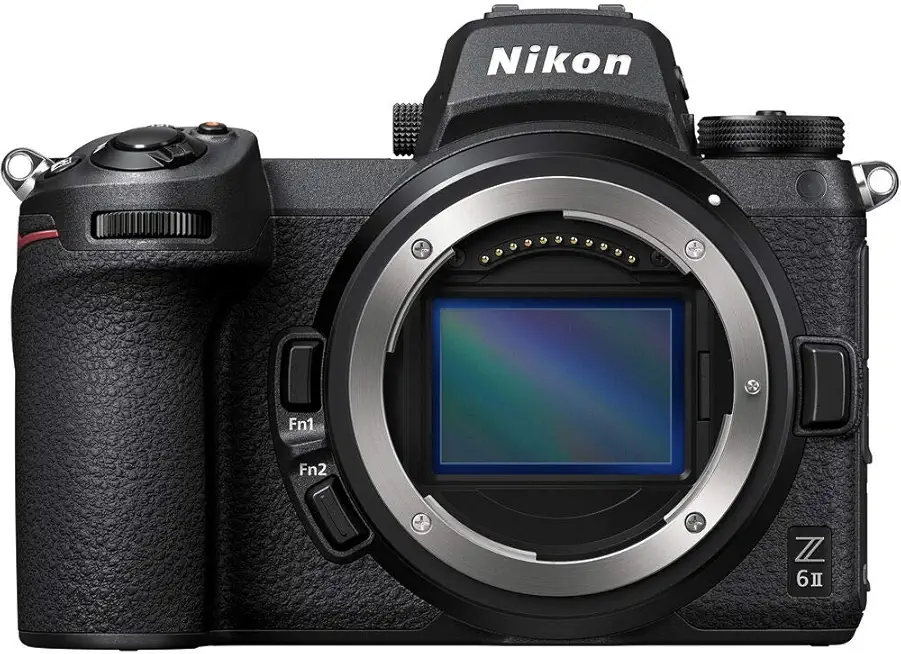
Nikon Z 6II
Versatile full-frame hybrid for high-quality stills and smooth 4K video, with improved autofocus and robust performance for demanding creators.
Check PriceThe Nikon Z6 II is a seriously practical choice if you want a film-like aesthetic without sacrificing modern performance. Its 24.5MP full-frame sensor delivers the tonal range and low-light latitude that help emulate that film character in-camera.
What sets this camera apart for me is Nikon’s Picture Control system. You can fine‑tune color, contrast, and curve behavior to build your own film-like presets, so you get consistent JPEGs straight out of the camera when you need them.
Autofocus and low‑light performance are excellent, making it reliable for handheld shooting in tricky light. Dual SD card slots add real-world flexibility — use one for backup, one for overflow, or separate RAW and JPEG for different workflows.
This body is best for photographers who want deep control over image rendering and who don’t mind spending a little time dialing in their look. There’s a learning curve: the menu system can be complex, and it has fewer built-in film simulations compared to Fujifilm, so expect to craft your own signature profiles rather than relying on many one‑click film presets.
- 24.5MP full-frame image quality
- Customizable Picture Control for film-like looks
- Excellent autofocus and low-light performance
- Dual SD card slots for backup/overflow
- Menu system can be complex
- Fewer built-in film simulations compared to Fujifilm
4. Panasonic Lumix S9 Highlights

Panasonic LUMIX S9 (body)
Lightweight full-frame mirrorless with advanced image stabilization, cinematic video features, and fast autofocus for run-and-gun creators.
Check PriceThe Panasonic Lumix S9 is a compact yet capable full-frame option that surprised me with its balance of stills and video features. It uses a 24MP full-frame sensor and offers excellent video capabilities, including 6K recording, which makes it attractive for hybrid shooters.
For stills work the S9 delivers solid results thanks to good autofocus and low-light performance. I often found the JPEGs can be surprisingly close to film-like results straight out of camera, which is great when you want a finished look without heavy editing.
If you shoot video, the 6K capability is a real advantage. The strong video performance makes the S9 a serious contender for anyone who needs cinematic footage alongside reliable stills.
That said, the film-simulation workflow can feel less intuitive for some users. Panasonic hasn’t had the same long history of in-camera film simulations as other brands, so dialing in a classic film aesthetic may take more experimentation.
In practice the S9 is ideal for videographers who also need strong stills performance and for photographers who value usable, film-leaning JPEGs without a long post process. It’s mostly a good pick if you prioritize hybrid work and want a camera that’s capable in low light and fast to focus.
If you need a camera with a deep library of instant film simulations, this might not be the first choice. But if you want 6K video, a full-frame sensor, and JPEGs that can mimic film with some tweaking, the S9 is definitely worth a look.
- 24MP full-frame sensor
- 6K video — strong video performance
- Good autofocus and low-light handling
- JPEGs can be surprisingly close to film-like results
- Film-simulation workflow can feel less intuitive
- Less established as a film-look maker compared to Fujifilm or Nikon
5. Fujifilm X-E5 Highlights
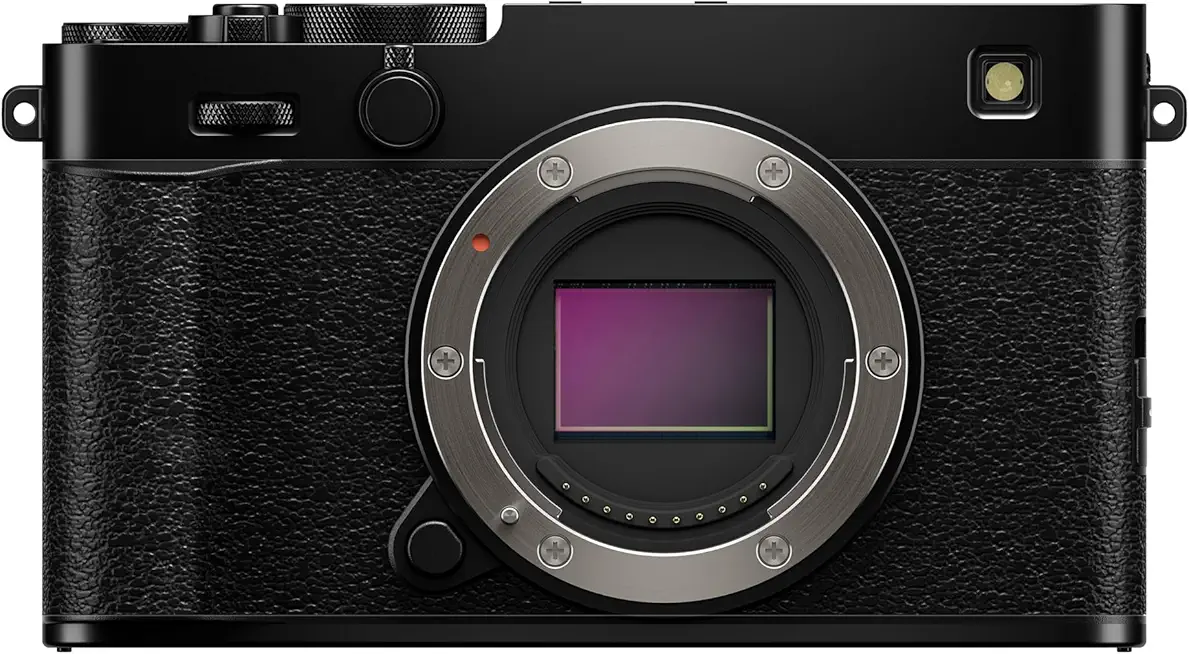
Fujifilm X-E5 (body)
Stylish compact mirrorless offering excellent image quality, intuitive controls, and classic retro design for everyday photography enthusiasts.
Check PriceThe Fujifilm X-E5 is a compact, film-friendly camera built around a 40.2MP APS-C X-Trans sensor that delivers detailed, film-like files straight out of camera. Combined with Custom Film Simulation recipes, it gives you a fast route to that analog color and tonality without spending hours in post.
What really sells the X-E5 for me is how enjoyable it is to shoot. The engaging analogue controls invite a more deliberate pace, which naturally produces more considered, film-like results.
In-body stabilization helps a lot when you want to use slower shutter speeds to mimic the motion blur and feel of classic film stocks, or when shooting handheld in lower light. That means more keepers and less reliance on high ISO noise reduction to fake grain.
Its slim, portable body makes the X-E5 an obvious choice for travel and street photographers who want high-quality images without hauling heavy gear. The camera’s JPEG engine is excellent — you’ll often need minimal editing to achieve the look you’re after.
There are a couple of practical caveats. The body lacks weather sealing, so take care in wet or dusty environments. Also, the viewfinder is fairly small, which can feel limiting if you prefer a large, immersive finder for composition.
If you value a tactile, enjoyable shooting experience and want film-esque JPEGs with little fuss, the X-E5 is a very strong choice — especially for travel shooters who prioritize portability and in-camera character.
- Great JPEG output with minimal editing required
- Slim, portable — well suited to travel photography
- Customizable film simulations
- Tactile controls for enjoyable handling
- No weather sealing
- Fairly small viewfinder
Tips for a Film-Like Look

If you want your digital images to feel like film, start by thinking like a film shooter: limit your options and embrace imperfections. Use cameras with strong film-simulation JPEG engines when you can — Fujifilm’s simulations are an easy shortcut — but always shoot RAW+JPEG so you can tweak the look later.
Expose a little differently than you might for clean digital files. I often underexpose by about -0.75 to -1.0 stops to preserve highlights and get moodier, warmer tones. Then lift the blacks and gently pull down the highlights in-camera or in post to recreate that softer, filmic tonal curve.
Grain matters. Instead of relying solely on software grain, try shooting at film-like ISOs (200–1600) when the light allows; the subtle noise feels more organic. When you do add grain in editing, keep it restrained and concentrated in the shadows for realism.
Lens choice and focus technique are huge contributors. Vintage or manual lenses introduce slight softness, characterful bokeh, and occasional imperfections that our eyes associate with film. Embrace slight focus misses and shallow apertures — they add intimacy and nostalgia.
Use slower shutter speeds where motion blur helps the story. Motion blur mimics the slower reciprocal shutter behavior of older film work and breaks that clinical digital sharpness. Combine this with modest diffusion filters like Black Pro Mist to create halation and soft bloom around highlights.
Color and white balance set the mood. Shift to a slightly warmer WB (cloudy) and nudge tint to taste for the subtle color shifts you see from scanned film. Finally, resist over-sharpening; reduce clarity or sharpness a touch to keep textures organic and pleasing to the eye.
Editing for a Film-Like Look
Editing is where a digital file finally learns to breathe like film. Start gently: lift the blacks and pull down the highlights with your tone curve rather than slamming global contrast. That softens the tonal range and reproduces film’s forgiving midtone roll-off.
Color is the soul of film. Warm your overall white balance slightly and introduce subtle split toning — warm, golden highlights with cooler blue or purple shadows — to mimic film stocks and scanned negatives. Keep the effect low in strength so skin tones stay natural.
Grain must feel organic, not like wallpaper. Use film-grain overlays or a dedicated tool (Exposure X7 is excellent) and apply grain selectively, stronger in shadows and midtones, lighter in highlights. Blend modes and opacity control are your friends.
Soften digital crispness with small reductions in clarity and sharpening. A touch of mid-frequency blur or a local texture adjustment removes that hyper-digital edge while preserving edge definition where it counts.
Halation, glow, and gentle light leaks sell the illusion. Add a faint bloom around highlights or a soft Black Pro Mist–style glow to emulate how film handles bright points. Use masks to keep effects subtle and avoid flattening the image.
Film emulation presets and LUTs jump-start the process but don’t treat them as a final answer. Apply at reduced opacity and tweak color balance and contrast afterward to suit your specific image and lighting.
Work non-destructively with layers and masks so you can dial effects in or out depending on output — web, print, or social. Check your edits at 100% and at intended display size to ensure grain and sharpness read correctly.
Finally, embrace limits. Shoot with restrained ISO and avoid aggressive highlight recovery; editing should enhance intentional choices, not rescue over-processed files. The best film look comes from the combination of thoughtful capture and restrained, artistic editing.
What People Ask Most
What digital cameras give the most film-like image?
Cameras with strong in-camera color rendering and film-simulation or picture profiles tend to produce the most film-like images. Look for models that offer customizable JPEG processing and nuanced tonal control for a film-inspired starting point.
Which mirrorless cameras are best for achieving a cinematic film look?
Mirrorless cameras that provide flexible picture profiles, good low-light performance, and robust video tools make creating a cinematic look easier. Ultimately the camera is only part of the equation; lenses and grading shape the final aesthetic.
How can I make digital footage look like it was shot on film?
Use film-style color profiles or LUTs, reduce contrast slightly, and introduce subtle grain or halation to soften digital clarity. Careful exposure, lens choice, and graded color work together to sell the film-like vibe.
What camera features help achieve a film look (color science, dynamic range, sensor size)?
Color science and tonal response are key, along with wide dynamic range and the ability to fine-tune picture controls. Lens rendering and the camera’s JPEG or video output options also play a major role in the final look.
Do full-frame sensors produce a more film-like image than APS-C or Micro Four Thirds?
Sensor size can affect depth of field and noise characteristics, but it does not alone determine a film-like result. Color rendering, lenses, exposure technique, and post-processing often have a larger influence on achieving a film aesthetic.
Which lenses or lens characteristics help create a film look on digital cameras?
Lenses that offer gentle softness, pleasing bokeh, and organic flare or micro-contrast variations help emulate film. Vintage or fast primes and lenses known for smooth rendering are common choices for this style.
Can digital cameras replicate film grain and the dynamic range of film?
Digital cameras can emulate film grain and mimic film-like dynamic response through in-camera settings or post-processing, but these are approximations rather than exact matches. Combining capture technique with careful grading usually yields the most convincing results.
Conclusion on Best Film-Look Cameras
Choosing a camera that fits your shooting style, experimenting with in-camera film simulations, and refining images in post are the three pillars for achieving a convincing film-like look.
Whether you prefer the tactile controls and built-in simulations of some mirrorless bodies or the latitude of larger sensors, each system offers strengths you can use to get closer to that analog aesthetic.
Practical techniques—deliberate exposure choices, subtle grain, gentle contrast tweaks and split-toning—work hand-in-hand with camera presets to create authentic, film-inspired results.
Give yourself time to test combinations of camera settings, lenses and editing recipes so you can develop a consistent personal style that feels both nostalgic and intentional.
If you want to continue improving your craft, explore more articles on the site for techniques and inspiration, and leave a comment below — we usually reply within a few hours.




0 Comments