
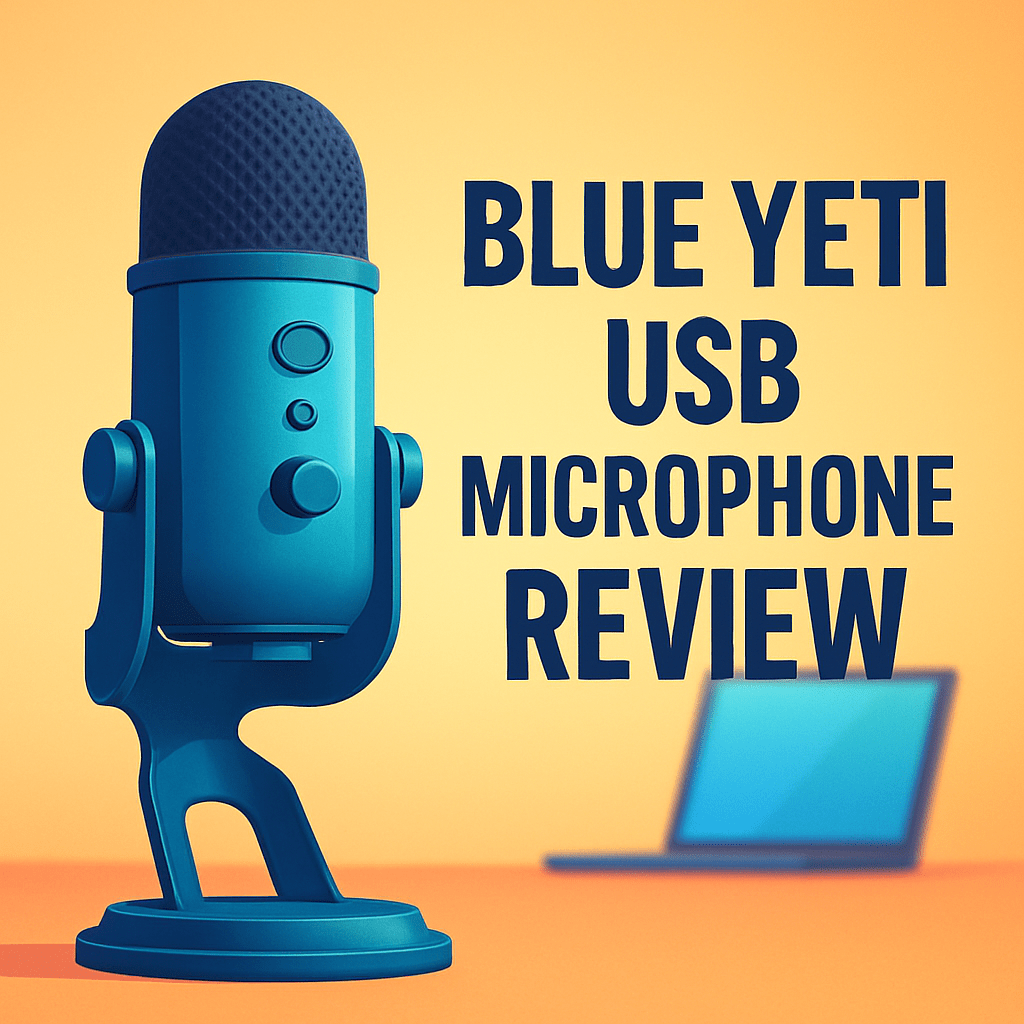
Want clearer voice-overs and livestream audio without wrestling with mixers and drivers?
The Blue Yeti USB Microphone is a multi-pattern USB condenser with onboard gain, mute and zero-latency monitoring that aims to simplify computer-based recording. After field-testing it across shoots and livestreams, I’ve seen who it helps most — creators doing voice-overs, screen recordings, podcast-style interviews and quick ambient captures.
This review walks through design and build, how the polar patterns perform in real rooms, day-to-day usability, strengths and limitations, and practical alternatives you might prefer. Make sure to read the entire review as I unpack how it behaves in real-world setups and when it’s worth your money — keep reading.

Blue Yeti USB Microphone
Versatile desktop microphone delivering studio-grade clarity with multiple pickup patterns, intuitive gain and mute controls, and zero-hassle USB connectivity—perfect for streaming, podcasting, voiceovers, and home recording setups.
Check PriceThe Numbers You Need
| Spec | Value |
|---|---|
| Microphone Type | Condenser |
| Connectivity | USB |
| Pickup Patterns | Cardioid, Stereo, Omnidirectional, Bidirectional |
| Polar Patterns | 4 selectable |
| Sample Rate | 48 kHz |
| Bit Depth | 16-bit |
| Frequency Response | 20 Hz – 20 kHz |
| Gain Control | Onboard knob |
| Mute Button | Yes |
| Headphone Output | 3.5mm, zero-latency |
| Headphone Output Level | Adjustable |
| Direct Monitoring | Yes |
| Mount | Integrated stand |
| Compatibility | Windows, macOS |
| Plug-and-Play | Yes |
How It’s Built
In my testing the Blue Yeti’s USB-only design really lives up to “plug-and-play.” Setup on both Windows and macOS was painless and driver-free, which is perfect if you’re new and don’t want to wrestle with software. For beginners this means you can be recording in minutes without extra gear or confusion.
I found the onboard controls thoughtful and simple. The gain knob turns smoothly and the mute button gives a satisfying click, so you can make quick changes without hunting for software. The front headphone jack with its volume control is handy for zero-latency monitoring and helps with live timing and feedback.
After using it for a while the integrated desktop stand felt both like a strength and a limitation. It’s stable on a desk and easy to tilt, but the footprint takes up space and doesn’t isolate vibration the way a shock mount would. Cable access is straightforward but the cord points straight down, so plan your routing if you use a boom arm.
What I really liked was the straightforward, usable layout — everything you need is on the mic and easy to reach. What could be better is the mounting and isolation options; swapping to a proper boom or adding a shock mount improves results. Overall it’s a friendly, no-nonsense desk mic that gets most creators up and running fast.
In Your Hands
Out of the box the Blue Yeti USB Microphone delivers a clean, natural capture that suits spoken-word work—voice-overs, tutorials, livestreams—with minimal fuss. The zero-latency direct monitoring is a real-time lifesaver: you hear yourself instantly, which helps lock in timing, control dynamics and make confident gain decisions while recording. On-mic gain and mute give you tactile control so you spend less time hunting through software controls during a live take.
Remember that it’s a condenser: sensitivity is a strength and a liability depending on the room. In a quiet, treated space the Yeti translates subtle vocal detail beautifully; in a lively or reflective room you’ll notice more ambience and background noise unless you adapt placement and technique. Keeping the capsule focused on the source and angling slightly off-axis reduces plosives and sibilance without having to over-filter in post.
The selectable patterns are where it shines in practical scenarios: cardioid for close, single-voice work and screen recordings; bidirectional when you’re seated across from a guest; omnidirectional for roundtables or capturing room ambience; and stereo when you want a wider spatial image for instruments or environmental beds. Switching patterns changes the mic’s role more than its tonal color, so it’s easy to tailor the same unit to different shoots.
In day-to-day use, watch your gain to avoid clipping and use the mute button liberally during live sessions or camera setups. The integrated desktop stand makes it quick to deploy on a desk, though a boom arm improves isolation and positioning for more critical work. Altogether the Yeti’s monitoring and physical controls smooth the workflow for creators who record at a computer.
The Good and Bad
- Multi-pattern flexibility: cardioid, stereo, omni, bidirectional
- Plug-and-play USB operation; Windows/macOS compatibility
- On-mic gain control and mute button
- Zero-latency 3.5mm headphone monitoring with adjustable output level
- USB-only; no XLR upgrade path
- Condenser sensitivity can capture room noise in untreated spaces
Ideal Buyer
For creators who want a simple, no-fuss USB mic that covers most desktop audio tasks, the Blue Yeti USB Microphone is a clear fit. It gives solid sound with plug‑and‑play ease and physical controls you can reach without opening software. It balances clarity with a forgiving tonal character.
If you need one microphone to handle solo voice‑overs, screen recordings and podcasted interviews, its four polar patterns make switching roles painless. Use cardioid for focused narration, bidirectional for face‑to‑face chats, omnidirectional for roundtables and stereo for ambience or instruments. It saves you from swapping gear mid‑shoot.
Photographers and filmmakers who record tutorials, behind‑the‑scenes narration or livestreams will appreciate the built‑in stand, on‑mic gain and zero‑latency headphone monitoring. That convenience keeps sessions moving and reduces fiddling with drivers or interfaces. Setup is fast and desk‑friendly.
Do not buy it if you work in very noisy or highly reflective rooms or if you need an XLR upgrade path for a studio rig. In those cases a dynamic USB/XLR mic or an interface with dedicated capsules will serve you better. Or you might prefer a mic with a built‑in shock mount and tactile broadcast controls.
Better Alternatives?
We’ve gone through the Blue Yeti in detail — how it handles different polar patterns, its onboard controls, and where it shines for voice-overs, livestreams, and desk work. The Yeti is a great all-rounder, but it isn’t the perfect fit for every situation.
If you need better room rejection, a path to upgrade to pro gear, a more neutral studio tone, or a smaller travel-friendly mic, here are a few real-world alternatives I’ve used and how they compare to the Yeti.
Alternative 1:

Shure MV7+ Microphone
Broadcast-quality dynamic mic combining USB and XLR flexibility, onboard touch controls, and real-time monitoring for controlled, warm vocal capture; includes software-driven noise reduction and auto-leveling for effortless, professional performances.
Check PriceThe Shure MV7+ is a dynamic mic, so in normal home or busy locations it rejects background noise far better than the Yeti’s condenser capsules. I used it in a small studio and on location for narrated clips — sitting close to the MV7+ gives a punchy, focused voice that cuts through camera noise and room reflections without needing heavy room treatment.
Compared with the Yeti, the MV7+ loses the multi-pattern flexibility — you won’t get stereo or omni options — but you gain an XLR output and a real upgrade path to mixers and preamps. It also feels more “broadcast” out of the box thanks to the onboard touch controls and auto-leveling; the tradeoff is you typically need a boom arm or better mount because the stock stand isn’t as desk-friendly as the Yeti’s built-in stand.
If you work in noisy rooms, need an XLR option, or want a close-up, broadcast-style vocal for tutorials and interviews, the MV7+ is the better pick. If you need multiple pickup patterns or want the simplest desktop setup for ambience or stereo capture, the Yeti will still win.
Alternative 2:

Audio Technica AT2026USB+ USB Microphone
Precision condenser microphone offering clear, balanced sound with a wide frequency response and low self-noise; plug-and-play USB setup, ideal for solo vocalists, podcasters, and detailed instrument recording at home.
Check PriceThe AT2026USB+ gives a more neutral, studio-like sound compared to the Yeti. In my experience recording voice-overs and instrument demos, it captures a natural midrange and smooth highs that translate well in edits and multi-track mixes. It’s a single cardioid condenser, so when you’re close it sounds clean and focused.
Where it beats the Yeti: the tonal accuracy. Where it falls short: you don’t get the Yeti’s multiple patterns or stereo option, and you’ll notice more room noise if your recording space isn’t treated. It also needs a pop filter and proper placement to control plosives the way the Yeti’s different patterns can help in certain setups.
Choose the AT2026USB+ if you want a single, reliable vocal sound for music, podcasts, or VO and you can control your room. If you need multi-person interviews, stereo capture, or plug-and-play pattern switching, the Yeti is more flexible.
Alternative 3:
Audio Technica AT2026USB+ USB Microphone
Compact cardioid condenser designed for reliable, natural capture with robust A/D conversion and low-latency monitoring; USB convenience plus included tripod and cable make it an exceptional, affordable choice for creators.
Check PriceSeen from the kit angle, the AT2026USB+ is compact and comes ready to go with a tripod and cable, which makes it easier to throw into a camera bag than the bulkier Yeti. I’ve taken it on location for quick voice-overs and it handled low-latency monitoring and consistent levels well — you get dependable results with minimal setup.
Compared to the Yeti, this compact AT2026USB+ trades pattern flexibility for portability and neutrality. It’s simpler for single-source recording and less fussy to place in tight shooting situations, but it will pick up room sound more than a dynamic mic and can’t do bidirectional or stereo without a second mic.
This version of the AT2026USB+ is ideal if you need a small, reliable USB mic that fits into a travel kit and gives clean, natural vocals. If your work needs multiple patterns, table interviews, or a large desktop presence for livestreaming, the Yeti’s on-mic versatility may suit you better.
What People Ask Most
Is the Blue Yeti USB microphone worth buying?
Yes — it offers excellent value for creators who want easy USB setup, solid vocal quality, and onboard controls; pro studios may prefer XLR mics for the highest fidelity.
How does the Blue Yeti sound for podcasting and streaming?
It sounds clear and warm for most voices and performs very well for podcasting/streaming, though it can pick up room noise so close placement and a treated room help.
Is the Blue Yeti better than the Audio-Technica AT2026?
The AT2026 (XLR) typically gives cleaner, lower-noise studio sound, while the Yeti is more convenient and feature-rich as a USB plug-and-play mic; choose based on sound needs and whether you want an interface.
Do you need an audio interface for the Blue Yeti?
No — the Yeti is USB and works without an audio interface, but you’ll need an interface if you later switch to XLR microphones or want higher-end preamps.
How do I set up the Blue Yeti on Windows or Mac?
Plug the Yeti into a USB port, select it as the input in your system sound settings and recording software, then adjust gain and pattern on the mic; no drivers are normally required.
What are the different pickup patterns on the Blue Yeti and which one should I use?
The Yeti has cardioid, omnidirectional, bidirectional, and stereo patterns — use cardioid for single-voice streaming, bidirectional for two-person interviews, omnidirectional for group discussions, and stereo for instruments or ambient recordings.
Conclusion
The Blue Yeti USB Microphone is a remarkably versatile, plug‑and‑play tool that delivers immediate, usable sound for creators who record at a desk. Its multi‑pattern options, on‑mic gain and mute, and direct monitoring make it one of the most flexible single‑mic solutions I reach for on shoots and quick sessions.
Where it shines is sheer practicality: one unit covers solo voice‑overs, two‑person interviews, small group captures and ambient stereo beds without swapping gear. Setup is fast and the on‑board controls keep workflow simple during live recordings and tutorials.
It’s not perfect — the condenser capsules are sensitive and will reveal poor room acoustics, and the USB‑only design closes off an easy upgrade path to studio XLR rigs. If you work in noisy, untreated spaces or want a futureproof pro setup, the Yeti demands either careful technique or a different mic choice.
Bottom line: buy the Blue Yeti USB Microphone if you want one dependable, feature‑packed USB mic to cover most content needs with minimal fuss. Pass if you need maximum isolation, XLR expandability, or broadcast‑level hardware conveniences — consult the Alternatives section for those use cases.
Blue Yeti USB Microphone
Versatile desktop microphone delivering studio-grade clarity with multiple pickup patterns, intuitive gain and mute controls, and zero-hassle USB connectivity—perfect for streaming, podcasting, voiceovers, and home recording setups.
Check Price



0 Comments