
Which gimbal will finally make your Sony A7C glide like a movie camera? The A7C’s compact full-frame sensibility gives you cinematic potential, but without the right stabilizer your footage can still look handheld and jittery.
In this guide I distill five standout gimbals that play to the A7C’s strengths—compact size, low-profile rigs, and high-resolution output. Each contender was judged on payload flexibility, ergonomics, battery life, and how naturally it handles lenses and accessories. Whether you shoot quick vlogs on the go, travel-heavy photo/video days, or hybrid narrative work, you’ll see which designs favor portability versus raw power.
I won’t bury you in specs up front; you’ll get clear pros and cons, real-world handling notes, and balancing tips that reduce motor strain and extend runtime. There are practical battery strategies too, plus a concise FAQ addressing compatibility and common set-up headaches.
Expect photos and anecdotal findings from real A7C setups so you can envision each gimbal on your rig. I’ll walk through balancing basics, common pitfalls when pairing heavy glass, and simple tweaks that save battery life during long shoots. Those small adjustments often separate workable setups from ones that constantly fight the motors.
Read on to find the stabilizer that matches your lenses, shooting rhythm, and travel tolerance. Pick the right gimbal and your A7C will feel less like a camera you have to fight and more like a tool that simply captures.
1. DJI RSC 2 for Sony A7C

DJI RSC 2 3-Axis Gimbal Stabilizer (6.6 lb payload)
Compact professional rig delivering rock-steady footage, intuitive controls, and long battery life for run-and-gun filmmaking.
Check PriceThe DJI RSC 2 is a folding 3‑axis gimbal built to support full‑frame mirrorless bodies like the Sony A7C and heavier lens setups. It feels like a pro tool — sturdy, well‑balanced, and designed to handle not just the camera body but heavier glass such as the Sigma 24–70mm f/2.8 plus small accessories.
What I appreciate most as a working photographer is the OLED touchscreen that gives real‑time info and lets you control camera settings like ISO and aperture without fumbling for the camera. That speeds setups and keeps you in the moment during a run‑and‑gun sequence or a controlled interview.
Balancing is made much less painful thanks to the app‑assisted quick balancing that actually notifies you when an axis needs adjustment. The folding design also makes transitions between handheld and tripod work fast, and it collapses neatly for travel.
Be aware it isn’t the lightest rig out there — it’s slightly heavier than ultra‑light gimbals, so for all‑day handheld runs you’ll feel it after a few hours. Also, the app integration and touch controls are powerful but have a learning curve compared with simple physical buttons. If you want a future‑proof, flexible gimbal that can grow with your lens kit and deliver professional control, the RSC 2 is an excellent choice.
- Handles A7C + heavy lenses (e.g., Sigma 24–70mm f/2.8)
- OLED screen with direct ISO/aperture control
- App‑assisted quick balancing with axis notifications
- Folding design for portability and fast tripod transitions
- App/touch controls have a learning curve
- Somewhat heavier than ultra‑light gimbals
2. Zhiyun Weebill 3S for Sony A7C

ZHIYUN Weebill 3S Gimbal Stabilizer
Ultra-balanced handheld unit offering smooth motion, fast setup, and enhanced payload capacity for mirrorless cinema.
Check PriceThe Zhiyun Weebill 3S is a compact, lightweight gimbal built with professional features, and it’s a favorite among Sony A7C users who need maximum portability. It’s designed for creators who move fast and shoot all day without hauling heavy gear.
Practically speaking, its extremely lightweight and compact build makes it easy to carry for long shoots, and the long battery life means you won’t be hunting for chargers between locations. For travel, vlogging, or run‑and‑gun work this combination is golden — you get stability without the bulk.
Its articulated arm opens up creative low and high angles that are hard to pull off handheld, and the onboard LCD plus physical dials give you direct control for focus, zoom, and aperture. That direct control speeds up single‑operator workflows and keeps you in the moment rather than fumbling menus.
Do note the tradeoffs. The Weebill 3S has a limited payload and can struggle with heavier setups and large full‑frame lenses, so it’s best paired with lighter glass and minimal accessories. The lightweight construction also feels less sturdy than bigger gimbals, so if you need to mount heavy monitors or run extensive rigs, consider a beefier option.
- Extremely lightweight and compact—easy to carry for long shoots.
- Long battery life—reliable for all‑day use.
- Articulated arm permits unique low/high shooting angles.
- LCD and physical dials provide direct control for focus, zoom, and aperture.
- Limited payload—can struggle with heavier setups and large full‑frame lenses.
- Lightweight build can feel less sturdy than heavier gimbals.
3. DJI RS 4 for Sony A7C

DJI RS 4 3-Axis Gimbal Stabilizer
High-performance system with precise tracking, quick adjustability, and cinema-grade stabilization for heavy camera rigs.
Check PriceDJI RS 4 is DJI’s pro 3‑axis gimbal built with a robust chassis and advanced controls aimed squarely at hybrid and professional shooters. Its construction feels solid in hand, and the feature set is clearly designed for demanding production work rather than casual run‑and‑gun use.
Where the RS 4 really shines is payload capacity. The gimbal delivers a pro‑level payload that comfortably handles the Sony A7C with the heaviest lenses and accessories, so you can mount long zooms, external monitors, and wireless follow‑focus without stressing the motors.
Control-wise it’s polished: a larger touchscreen, Bluetooth camera control, and precise app integration give you real, on‑set efficiency. The quick release speeds up camera swaps, and broad third‑party accessory compatibility (wireless focus, monitors, remotes) lets you build a full rig without hacking together adapters.
That capability comes with tradeoffs—RS 4 is larger and heavier, so it’s less convenient for travel or very mobile shoots. Its advanced feature set can also overwhelm beginners who just want simple stabilization, so expect a learning curve before you unlock its full potential.
If you’re a professional, indie filmmaker, or advanced amateur who needs maximum flexibility and pro features from a gimbal for the A7C, the RS 4 is a powerful, future‑proof choice. For lightweight travel or quick vlogging setups, you might find it more than you need.
- Pro‑level payload — handles A7C with heavy lenses
- Large touchscreen + Bluetooth camera control
- Quick release for fast attachment/detachment
- Broad third‑party accessory compatibility
- Larger and heavier — not ideal for travel
- Advanced features can overwhelm beginners
4. FeiyuTech SCORP-C for Sony A7C

FeiyuTech SCORP-C Gimbal Stabilizer (5.5 lb payload)
Lightweight, compact tool supporting up to 5.5 lb, delivering steady motion and versatile shooting modes for creators.
Check PriceThe FeiyuTech SCORP-C is a refreshingly simple, ergonomic gimbal that I often recommend to shooters who want reliable stabilization without a steep learning curve. Its comfortable hanging grip really stands out — after hours of handheld work or when shooting low angles, the reduced wrist strain is immediately noticeable.
Setup and balancing are straightforward, which makes this a nice choice for beginners or for quick run‑and‑gun shoots. The SCORP‑C is quick and easy to balance, so you spend less time fiddling and more time shooting.
Battery life is another practical advantage: you get long battery life — hours of continuous operation — which keeps you rolling through day trips or travel shoots without constant recharging. The gimbal also feels solid in the hand and includes a side stand and an AB point feature that let you experiment with creative compositions and easily set a stable resting position between takes.
That said, the SCORP‑C isn’t built for heavy, pro‑level glass. Balancing can be awkward with larger, heavier lenses, so keep your kit light — this gimbal truly shines with smaller full‑frame setups or kit lenses. Also, the manual can be vague; expect to consult online tutorials the first few times you calibrate or try advanced moves.
Bottom line: if you’re a casual shooter or travel creator who values ergonomics, battery longevity, and ease of use for lighter setups, the FeiyuTech SCORP‑C is a very practical, photographer‑friendly option.
- Hanging grip reduces wrist strain
- Quick and easy to balance — good for beginners
- Long battery life — hours of continuous operation
- Sturdy feel with side stand and AB point feature
- Awkward balancing with larger, heavier lenses
- Manual can be vague; need online tutorials
5. Zhiyun Crane M3 for Sony A7C

ZHIYUN Crane M3 Handheld 3-Axis Gimbal Stabilizer
Pocket-friendly handheld offering flawless stabilization, fast balancing, and intuitive controls for vloggers and content creators.
Check PriceThe Zhiyun Crane M3 is built around the idea of balancing portability with real performance for the Sony A7C. It’s designed for compact full‑frame and APS‑C cameras, so you get a small footprint without sacrificing the core features you need for handheld work.
In the hand it feels reassuring: a lightweight aluminum body that still has enough strength to support the A7C and standard lenses. Physical dials and buttons give direct camera control, which makes single‑handed operation practical when you need to adjust settings on the fly.
Mechanically it performs well—responsive motors deliver smooth pans and tilts that translate into cinematic-looking footage during run‑and‑gun shoots. The Crane M3 also supports both horizontal and vertical shooting orientations, which is great for quick switches between social and landscape formats.
There are trade‑offs to consider. It struggles with larger or heavier lenses, so if you frequently run heavy glass the Crane M3 won’t be the most future‑proof choice. Also, the companion app is more basic than some competitors’ offerings, so advanced customization is a bit more limited.
- Lightweight aluminum body — sturdy yet portable
- Direct camera control via dials/buttons for single‑handed use
- Supports horizontal and vertical shooting
- Responsive motors for smooth pans and tilts
- Struggles with larger/heavier lenses
- Companion app is more basic than DJI’s
Sony A7C Gimbal Balancing Tips
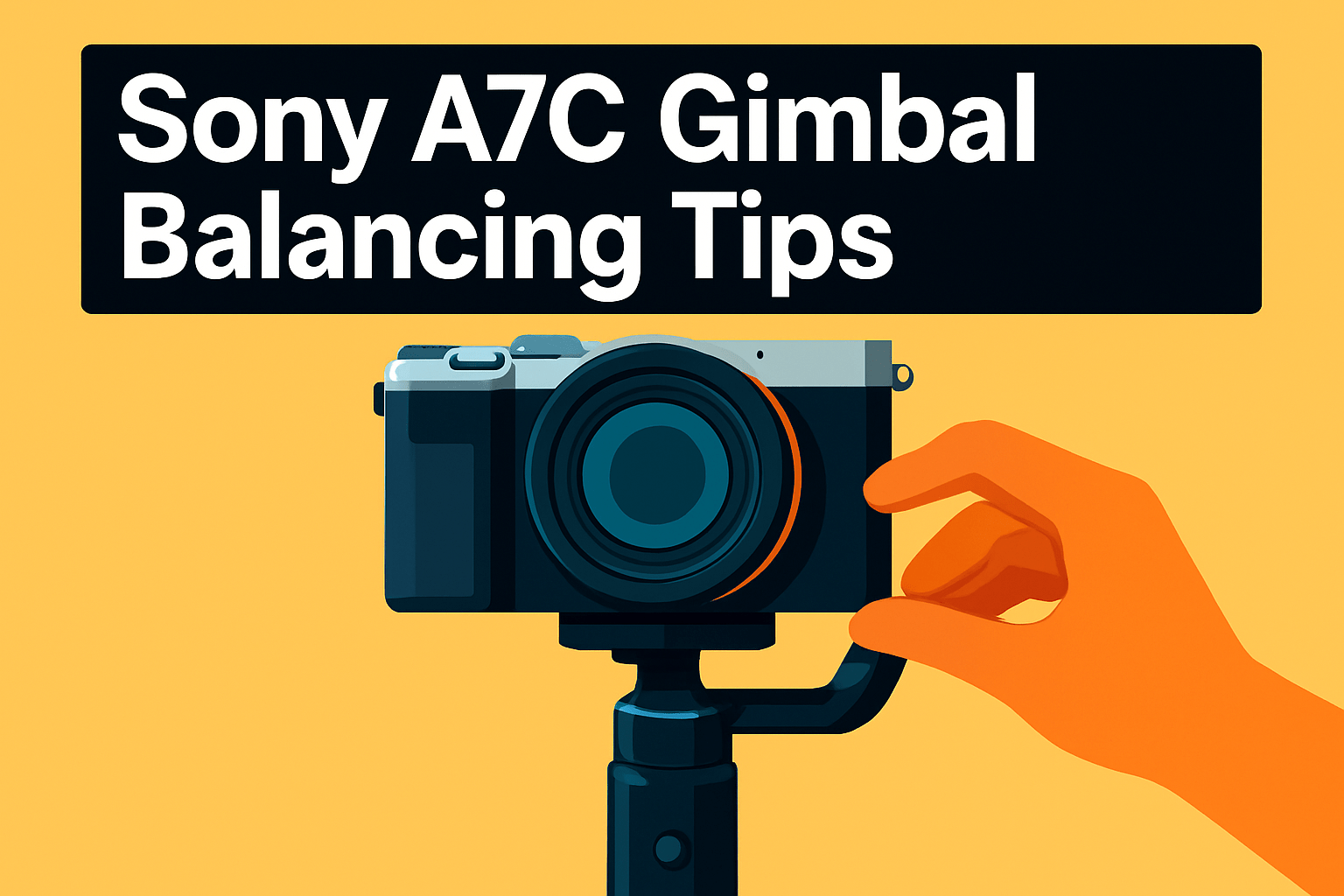
Balancing your A7C properly is one of the easiest ways to get smoother footage and longer run times. Start with a compatible quick‑release or M‑lock plate so the camera sits true on the gimbal and doesn’t twist under load. A good plate saves you a lot of fuss later.
Always balance before powering on. With the camera unlocked, check the tilt first: slide the camera forward or back until it holds its angle when you let go. Then set the roll by sliding left or right until the horizon is level. Finish with pan by locking the other axes and ensuring no unwanted drift.
Make tiny adjustments. Small increments on the sliding arms matter more than brute force. If your A7C drifts when released, keep tweaking until it sits perfectly still—this reduces motor strain and prevents overheating during long takes.
Heavier lenses and accessories change the game. Use counterweights or a lens support when needed, and place them so the mass is evenly distributed. Don’t forget to recheck balance after attaching a monitor, microphone, or battery pack; even a small mic can upset the roll.
Tighten locks securely but don’t overtighten. Snug is enough—overtightening can wear threads or misalign rails. After balancing, run the gimbal’s auto‑tune or calibration routine to let the motors adapt to the final setup.
On set, test balance dynamically. Pan, tilt and move through your typical shot; if the gimbal fights or buzzes, tweak again. Mark your sweet spot with a bit of tape on the slide or plate for repeatable setups, especially useful during multi‑lens shoots.
Finally, re‑check every time you change lenses, add accessories, or transport the kit. A few minutes spent balancing will save you headaches and battery life later—and give you the steady footage every A7C owner wants.
Maximize Gimbal Battery Life
From years on set I’ve learned that battery life often comes down to how hard you make the motors work. The single biggest win is proper balance: if the A7C sits neutral on all three axes the gimbal barely sips power. Always balance before powering on and run auto‑tune when available to keep the motors relaxed.
Weight matters. Lighter lenses and fewer accessories mean longer runtime. If you must carry heavy glass, add small counterweights or use lens support so the motors don’t have to fight gravity every frame.
Use lock mode during breaks or between takes. Letting the gimbal hold position uses far less energy than stabilizing constant movement. Also avoid powering off mid‑motion; give the motors a moment to settle and shut down on a flat surface.
Environmental factors bite battery life. Wind and gusts force continuous corrections, so seek sheltered positions or reduce your working aperture of motion when it’s gusty. Smooth, deliberate moves also keep the gimbal from overcorrecting and burning power.
For long days carry external power. A USB‑C power bank or V‑mount solution lets you run a DJI RS 4 or RSC 2 for hours without swapping batteries. I keep a compact bank in my bag for interviews and long walks when changing batteries isn’t practical.
Treat batteries like camera gear. Store them cool and dry, avoid full discharges, and use the manufacturer charger. Healthy cells hold charge better and reduce the chance of mid‑shoot surprises.
Finally, small habits add up: remove unnecessary accessories, dim screens or disable unused wireless features, and keep a spare battery or power bank handy. Those routine moves turn a day of camera work into a day you never had to hunt for an outlet.
What People Ask Most
What is the best gimbal for the Sony A7C?
The best gimbal depends on your shooting style and gear, such as whether you prioritize portability, payload, or advanced controls. Choose a model that comfortably supports your heaviest lens and offers the features you use most often.
Is the DJI Ronin‑SC compatible with the Sony A7C?
Compatibility depends on the gimbal model and its payload and mounting options. Check the manufacturer’s compatibility list and ensure the camera balances and connects correctly before buying.
Is the Zhiyun Crane series suitable for use with the Sony A7C?
The Crane series can be a good fit for many A7C users, especially those who want a balance of portability and control. Verify that the specific Crane model supports your camera and lens combination for reliable performance.
How do I balance a Sony A7C on a gimbal?
Start by mounting the camera on a compatible quick‑release plate and adjust each axis until the camera holds level when released. Fine‑tune sliding arms and make small adjustments, then run a calibration or auto‑tune sequence for best results.
What gimbal payload capacity do I need for the Sony A7C?
Pick a gimbal with a payload rating that exceeds the combined weight of your camera, heaviest lens, and any accessories. Allow some margin so motors have room to operate without strain.
What gimbal settings are best for stabilizing the Sony A7C?
Adjust motor strength and follow responsiveness to match your payload and movement style, and select the stabilization mode that suits your shot type. Calibrate sensors and fine‑tune responsiveness to reduce unwanted motion.
Do I need counterweights or lens support when using the Sony A7C on a gimbal?
Counterweights or lens support are useful when a lens or accessory causes imbalance or puts strain on the gimbal motors. Use them as needed to achieve proper balance and to protect both the gimbal and camera during use.
Conclusion for Best Gimbal for Sony A7C
From compact run‑and‑gun options to pro‑level rigs, the five gimbals covered here give Sony A7C shooters a clear range of choices along with strengths, trade‑offs, and practical setup advice.
The most important takeaway is to match your gimbal to your typical payload and shooting style, and to follow the balancing and battery tips to keep motors healthy and performance consistent.
Weigh portability and ergonomics against payload capacity and feature complexity so you pick a tool that supports your workflow rather than complicating it.
If you want to sharpen your gimbal technique and broader shooting skills, read more articles on the site for hands‑on guidance and real‑world tips.
Have questions or want to share your setup? Leave a comment below and we usually reply within a few hours to help troubleshoot or recommend adjustments.


0 Comments