
Who’s reading over your shoulder right now on that crowded flight or in the corner café? If you value privacy but hate sacrificing screen clarity, this guide will help you choose, install, and maintain the best privacy screen for your MacBook Pro. Clear, practical advice and real-world tips will keep sensitive work private while preserving color and usability.
We evaluated five leading MacBook Pro privacy screens across fit, attachment method, image quality, and ease of use to surface what matters most for everyday users. You’ll get step-by-step installation guidance, maintenance best practices, and a plain-language comparison of trade-offs so you can match a filter to your workflow. The goal is to simplify a crowded market into clear choices that reflect how you actually work—commuting, collaborating in open offices, or traveling for business.
Expect to weigh attachment types, anti-glare finishes versus brightness, and durability versus portability when choosing a screen. We’ll also flag common headaches and how to avoid them, from installation pitfalls to everyday care that extends a filter’s life. By the end you’ll know which approach fits your routine, how to fit it cleanly on your MacBook Pro, and how to keep it performing like new for years to come.

Magnetic Privacy Screen for MacBook Pro 13-inch (2016-2026, M1, M2) and MacBook Air 13-inch (2018-2026, M1)
1. Belkin TruePrivacy Screen for MacBook Pro

Magnetic Privacy Screen for MacBook Pro 13-inch (2016-2026, M1, M2)
Slim attachable filter that blocks side-viewers, reduces glare, and protects screen from scratches while preserving crisp colors and responsive touch.
Check PriceAs a photographer who often edits and previews work in cafes and on location, I appreciate the Belkin TruePrivacy Screen for its removable, reusable design — flipping privacy on or off is quick and unobtrusive. Users praise that flexibility because it lets you switch between private editing and collaborative review without fuss.
The anti-glare properties are genuinely useful under bright conditions. Whether you’re working near a window or outdoors, the filter reduces reflections and keeps colors more readable, which matters when checking exposure and color balance on the go.
Installation is straightforward and forgiving: many owners report an easy, bubble-free application even the first time. That makes it practical for creatives who swap gear often and don’t want to fuss with precise adhesive placements.
Belkin includes a TruePrivacy Panel for storage, which reviewers appreciate as a protective solution when the filter is not in use. Be mindful, though—the panel can be easily misplaced if you don’t keep it with your laptop; the screen is also case-compatible, so you can leave your MacBook in its case while using the filter.
In short, this is a strong choice if you want a flexible, anti-glare privacy solution that’s easy to apply and works with most cases. If you prioritize absolute, permanent attachment or maximum brightness, be aware there are trade-offs: some users note a slight reduction in screen brightness with the filter applied.
- Removable and reusable
- Anti-glare properties
- Easy, bubble-free application
- Compatible with most MacBook cases
- Storage panel can be easily lost
- Some users report slight reduction in screen brightness
2. Targus Privacy Screen for MacBook Pro 16-Inch

Targus Magnetic Privacy Screen for MacBook Pro/Air 15-inch (2017)
Durable, easy-on/off shield delivering instant confidentiality, clear center viewing, and anti-reflective coating for comfortable long sessions.
Check PriceAs a photographer who often edits on the go, I appreciate the Targus Magnetic Privacy Screen for MacBook Pro 16″ for its quick magnetic attachment that makes installing and removing the filter effortless between shoots. The 4Vu™ Privacy Screen delivers a genuinely narrow viewing angle, so your images and client info stay private in cafes and co-working spaces.
The anti-reflective coating is a practical touch when you’re working under bright lights or near windows; it cuts down glare without adding distracting reflections. That helps when assessing contrast and composition on location, although you should still rely on a calibrated workflow for color-critical work.
Another real-world plus is the antimicrobial protection—handy for frequent-touch users and long days of travel. The build behaves like a typical magnetic screen: thin enough to snap on and get back to work quickly, which I find saves time between client meetings.
Be aware the magnetic strips can attract dust over time, so plan to clean the filter regularly with a microfiber cloth. Also expect a slight reduction in screen brightness when the filter is applied; it’s subtle but worth noting if you often work in dim conditions and need maximum luminance.
Overall, the Targus is a solid choice for photographers and professionals who prioritize quick setup, effective privacy, and reduced glare in public spaces. It balances convenience and protection with a couple of manageable trade-offs.
- Magnetic attachment for quick install/removal
- Effective privacy filter with narrow viewing angle
- Anti-reflective coating reduces glare
- Antimicrobial protection
- Magnetic strips can attract dust, requiring cleaning
- Slight reduction in screen brightness when applied
3. SightPro Magnetic Privacy Screen for MacBook Pro
Magnetic Privacy Screen for MacBook Pro 13-inch (2016-2026, M1, M2) and MacBook Air 13-inch (2018-2026, M1)
Universal 13-inch snap-fit filter offering private viewing, reduced blue light, and scratch resistance without hindering display clarity or trackpad responsiveness.
Check PriceAs a photographer who often works in cafes and on airplanes, I appreciate a privacy screen that is simple to attach and won’t slow me down between shoots. The SightPro Magnetic Privacy Screen snaps on without adhesives, so swapping it on and off is quick and clean — ideal when you need privacy one moment and full display clarity the next.
The filter itself narrows the viewing angle effectively, keeping side glances from reading your screen while you edit photos in public. Image detail and color fidelity remain usable for field work, though some users do note a slight dimming of the display when the filter is applied, so you may need to boost brightness when precise color grading is required.
Durability matters when you travel with camera gear, and SightPro earns praise for its scratch resistance and solid build. That means you can slip your laptop into a bag without fretting over fine abrasions — a real advantage for road warriors who frequently set up on the go.
In daily use the magnetic design makes it friendlier for frequent public-space work: fast attach/removal and a secure fit. Be mindful that magnetic strips can attract dust over time, so keep a microfiber cloth handy to preserve clarity and magnetic contact.
Overall, if you want a traveler-friendly privacy screen that balances protection, durability, and convenience — and you can tolerate a slight brightness dip — the SightPro is a practical choice for photographers and remote workers alike.
- Magnetic attachment for quick install/removal
- Effective privacy filter with narrow viewing angle
- Durable and scratch-resistant
- Easy to use—good for travelers
- Slight dimming of the display when applied
- Magnetic strips can attract dust over time
4. Spigen Privacy Filter for MacBook Pro

Spigen Privacy Filter for MacBook Pro 14-inch (M1-M5)
Precision-cut shield for 14-inch displays providing narrow viewing angles, anti-glare performance, and easy alignment for secure, distraction-free work.
Check PriceAs a photographer who often edits in cafes and on shoots, I appreciate a privacy screen that’s fast to fit and tough enough for travel. The Spigen Privacy Filter for MacBook Pro uses a magnetic attachment that makes installation and removal quick and easy, so you can snap it on between takes or remove it for color-critical work.
The filter delivers an effective privacy filter with a narrow viewing angle, so your client sitting beside you won’t be able to peek at confidential files or cull selections. It’s also durable and scratch-resistant, which matters when your bag is crowded with hard drives, cables, and lenses.
One practical detail: some users note slight gap when lid is closed; sleep mode still supported. In short, the screen can create a small gap at shutdown, yet the MacBook still enters sleep normally with the filter in place. That trade-off is worth it for many, especially if you prioritize quick magnetic setup and rugged protection.
In bright public spaces the Spigen is easy to use in public spaces and offers the privacy I need without cumbersome adhesives. Do expect a slight reduction in screen brightness reported by some users, so for color-critical editing I’d remove it briefly. For everyday tethering, client work, and remote editing, it’s a solid, no-fuss option.
- Magnetic attachment for quick install/removal
- Effective privacy filter with narrow viewing angle
- Durable and scratch-resistant
- Sleep mode supported with filter in place
- Slight gap when the lid is closed
- Some users report slight reduction in screen brightness
5. CASETIFY Magnetic Privacy Screen for MacBook Pro

Magnetic Privacy Screen for MacBook Pro 14-inch (2026-2026, M1-M5, Pro/Max)
Premium snap-on protector that preserves image sharpness while blocking side glances, reducing reflections, and safeguarding against scratches.
Check PriceAs a photographer who often edits and shares images on the go, I appreciate how the CASETIFY Magnetic Privacy Screen snaps on and off quickly — the magnetic design is frequently praised for its instant installation and removal. That fast magnetic attachment makes it easy to switch between private editing and collaborative client reviews without fiddling with adhesives or frames.
The privacy filter itself is effective, offering a narrow viewing angle that keeps side glances from seeing what’s on your screen. It also features two-way landscape privacy, which is particularly useful when you rotate your MacBook to show a client a gallery — they see the work, others don’t.
For touch-heavy workflows, the scratch and smudge-resistant coating is a real benefit; frequent touching during culling or when using on-location client demos won’t leave the screen looking worn or oily as quickly. That durability keeps the display readable and presentable after repeated handling.
Be aware of trade-offs: some users report a slight reduction in screen brightness when the filter is applied. If you do critical color grading that depends on maximum luminance, you may notice the difference, though for most on-the-go adjustments it’s a tolerable compromise.
Another practical note from users is that magnetic strips can attract dust over time, so expect occasional upkeep to keep the attachment clean. Overall, this screen is a solid choice for photographers who prioritize quick attachment, public-space privacy, and a durable, touch-friendly finish.
- Magnetic attachment for quick install/removal
- Effective privacy filter with narrow viewing angle
- Scratch and smudge-resistant coating
- Two-way landscape privacy
- Slight reduction in screen brightness when applied
- Magnetic strips can attract dust over time
Installing a Privacy Screen on MacBook Pro
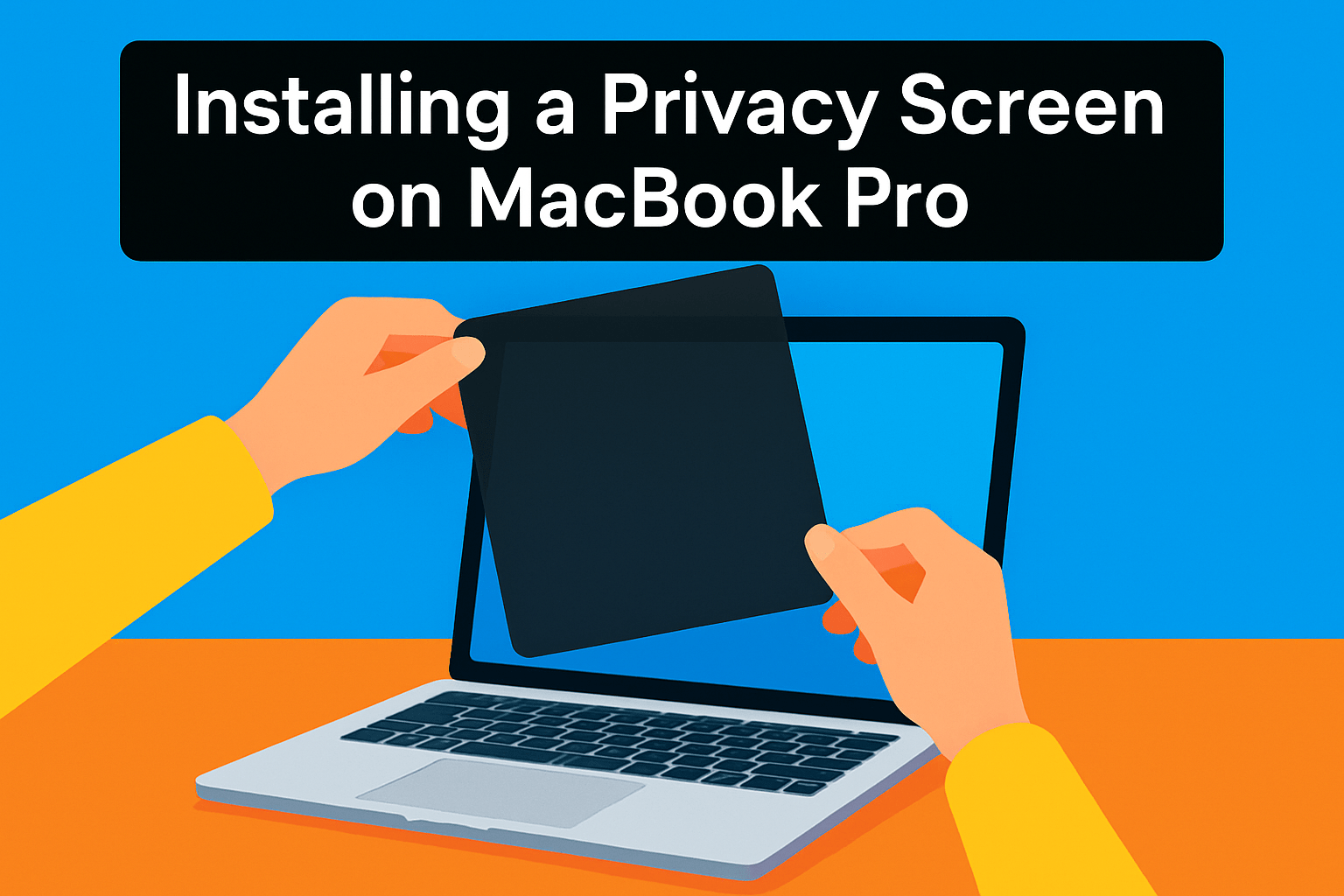
How you install a privacy screen depends on the type you pick. As a photographer who often edits on the go, I favor solutions that are quick and reversible. Magnetic filters snap on cleanly, while adhesive frames stick for a longer-term fit.
For magnetic screens, start with a spotless display and a soft microfiber. Use a strip of masking tape as a temporary hinge along the top edge to align the filter perfectly before letting the magnets snap it into place. The best part is that most magnetic options are thin enough to let the lid close and keep sleep mode working, but double-check that your MacBook has a metal bezel—some models don’t support magnetic attachment.
Adhesive or frame-based filters need a little more patience. Clean the screen and bezel, peel a bit of the adhesive liner, and align from one edge to the other. Smooth with a credit card wrapped in microfiber to push out bubbles, but be aware adhesives can leave residue and sometimes interfere with closing the lid—these are often better suited for external monitors or tablets.
Work in a dust-free area and use good light to spot specks before you press anything down. A burst of canned air removes stubborn particles, and if a tiny bubble appears you can coax it out with gentle pressure; many small bubbles settle over 24–48 hours. Avoid touching the adhesive surfaces with oily fingers.
Magnets and magnetic strips can collect dust over time. Keep a small brush or microfiber cloth handy and clean the magnetic edges periodically. When you remove the filter, store it in a soft pouch to protect the finish and prevent lost parts.
Finally, expect a slight drop in perceived brightness and a change in glare. After installing, recalibrate your brightness and take a quick look at an image file to ensure color and detail meet your editing standards. A careful install preserves both privacy and the visual fidelity you rely on.
Maintaining a Privacy Screen
I treat my MacBook like a camera: clean, protected, and ready to move. For everyday dust and fingerprints, a small lint-free microfiber cloth and a rocket blower are your best friends. Wipe gently in straight strokes, and blow away any particles before contact so you don’t grind grit into the surface.
When smudges refuse to budge, lightly dampen the cloth with distilled water — never spray liquid directly onto the filter. If you have a glossy screen, a screen-safe cleaner is okay; for matte/anti-glare finishes avoid alcohol-based solutions that can dull the coating. Test any cleaner on an edge first if you’re unsure.
Magnetic strips are convenient but they do a curious thing: attract dust. Use a soft brush or a quick blast of canned air on the magnets, and then wipe the filter itself. Handle the privacy screen by its edges to minimize fingerprints and oils; this simple habit extends the life of any oleophobic or smudge-resistant coating.
If you remove the filter between shoots, slide it into a soft pouch or the protective panel it came with. Keep it in a padded pocket of your camera or laptop bag rather than loose with lenses or chargers. Avoid stacking heavy items on top of it — pressure can warp thin filters and create permanent creases.
Small air bubbles usually smooth out with time. For stubborn ones, coax them gently toward the edge with a soft card wrapped in microfiber. Deep scratches and gouges aren’t worth patching; replacement is the safest option to preserve image clarity.
Adhesive residue can be lifted with a tiny amount of isopropyl alcohol on a cloth, but always test a corner first. Finally, inspect your screen periodically: check magnet alignment, confirm the filter sits flush, and avoid prolonged exposure to extreme heat or direct sun to prevent delamination. A little attention goes a long way — treat the filter like a lens element and it will reward you with longer life and clearer, distraction-free viewing.
What People Ask Most
What is the best privacy screen for MacBook Pro?
There is no single best option; the right choice depends on priorities like ease of removal, anti-glare properties, and durability. Consider whether you prefer magnetic attachment for quick on/off use or a removable panel that works with cases and storage.
How do I install a privacy screen on a MacBook Pro?
Start by cleaning the display with a soft microfiber cloth and work in a dust-free area. Align the filter with the top edge and either let magnets snap it into place or press an adhesive/frame around the bezel, then smooth any bubbles gently.
Are magnetic privacy screens compatible with MacBook Pro models?
Many magnetic screens are compatible with MacBook Pro models that have a metal bezel. Some older or non-standard models may not support magnetic attachment, so check fit and bezel type before buying.
Do privacy screens affect display clarity or brightness on a MacBook Pro?
Privacy filters can slightly reduce perceived brightness and may alter clarity depending on the finish and filter type. Anti-glare coatings can improve visibility in bright settings but may also change how the display looks.
Can I use a privacy filter on a MacBook Pro with Retina display?
In most cases you can, but compatibility depends on the exact model and the filter’s dimensions and attachment method. Verify fit and manufacturer guidance to ensure proper coverage without interfering with sleep or hinge function.
How do privacy screens work on MacBook Pro screens?
Privacy filters narrow the viewing angle so the screen is visible straight-on but dark from the sides, often using a micro-louver or similar optical layer. They attach either magnetically or with adhesive/frame systems depending on the design.
Are privacy screens reusable and easy to remove from a MacBook Pro?
Magnetic privacy screens are typically easy to remove and reuse without leaving residue. Adhesive or frame-based filters can be harder to remove and may leave residue, so handle them carefully if you plan to relocate or remove them often.
Conclusion for MacBook Pro Privacy Screens
Choosing the right MacBook Pro privacy screen comes down to balancing magnetic versus removable designs, anti‑glare benefits against any brightness loss, and the durability and convenience features that matter most to your workflow.
Use the comparison, installation, and maintenance sections to match a product’s trade‑offs to your daily needs and to ensure a smooth fit and longer lifespan for whatever screen you pick.
If you want to sharpen your setup and workflow, explore more articles on the site to learn practical tips and approaches that build your confidence with accessories and care routines.
Have a question or want to share which filter worked best for you? Leave a comment below — we usually reply within a few hours and welcome your experiences and follow‑ups.



0 Comments