
When was the last time you cleaned your Mac screen without worrying about ghost smudges or ruining its delicate coating? If the answer isn’t yesterday, you’re not alone—this guide helps you choose safe, effective cleaners that actually protect Apple displays. I’ll break down the pros, cons, and real-world performance so you can pick the safest, most effective option.
Apple’s Retina and nano-texture screens use delicate, multilayer coatings that can be damaged by harsh chemicals, abrasive fibers, or excess moisture. Even well-intentioned sprays and cloths can dull anti-reflective finishes or leave permanent streaks, so understanding both product and technique is essential.
We tested and compared five popular approaches: a dedicated polishing cloth for daily touch-ups, a travel-friendly spray-and-cloth kit for frequent users, pre-moistened anti-static disinfecting wipes for germ-conscious setups, a long-running Apple-approved display solution for legacy fans, and single-use lens wipes favored by photographers. Each entry is assessed for safety on Retina and nano-texture coatings, streak resistance, ease of use, and who it suits best.
No matter whether you’re a meticulous photographer, a commuter who uses a laptop on the go, or someone who simply hates fingerprints, this roundup will point you to the best cleaner for Mac screen for your needs. Read on to protect your investment and keep your display crystal clear without risking damage.
1. Apple Polishing Cloth Overview

Apple Polishing Cloth
Premium lint-free microfiber for streak-free shine; removes smudges and fingerprints without liquids or residues.
Check PriceAs a photographer I handle delicate glass and high-end displays every day, so I appreciate how the Apple Polishing Cloth treats Retina and nano-texture screens. Users praise its simple effectiveness for daily cleaning, and it really delivers a streak-free finish. It removes everyday smudges without aggressive rubbing.
What stands out is that it’s specifically designed safe for Apple’s delicate screen coatings. You don’t need liquids, which reduces the risk of seepage or damage to edges and coatings. For anyone cautious about using sprays or alcohol, a ready-to-use cloth is reassuring.
The cloth is thick, soft, and durable, and it holds up to repeated washings without shedding. That durability matters: loose fibers can scratch or leave lint on a finely tuned display. The fabric feels premium, and it won’t fall apart after a few washes like bargain microfiber can.
It isn’t perfect for every job though. It’s considered expensive for a cloth, which is worth noting if you prefer cheap disposables. It’s also less effective on stubborn fingerprints and dried-on grime, so heavy-duty residue may require a gentler liquid approach or a dedicated cleaner.
In short, the Apple Polishing Cloth is an excellent daily-maintenance tool for photographers and Mac owners who want the safest, simplest option for Apple’s latest screens. If you expect to tackle heavy buildup often, plan to supplement it. For everyday use, it’s mostly ideal.
- No streaks or residue
- Safe for Apple’s delicate coatings
- Thick, soft, durable
- Ready to use—no liquids required
- Considered expensive for a cloth
- Less effective on stubborn/dried-on grime
2. WHOOSH! Screen Cleaner Kit Overview

WHOOSH Pro 16.9 fl oz Screen Cleaner with Microfiber Cloth
Streak-free, non-toxic spray plus soft cloth cleans and protects screens, leaving a smudge-free, antibacterial finish.
Check PriceAs a photographer, I’m often wiping down screens between shoots and on flights, and the WHOOSH! Screen Cleaner Kit is the kit I reach for when I need fast, reliable results. It’s frequently cited as a go-to cleaner in Apple Stores and is clearly favored by tech enthusiasts, which tells you it’s trusted in real-world, high-use scenarios.
The formula is non-toxic and low-odor, so it won’t overwhelm you in a studio or a cramped cabin. It delivers quick, streak-free cleaning and polishing, which is exactly what you want when reviewing images on a Mac screen and need to judge clarity and contrast without distraction.
What sets this kit apart for frequent users is the practicality: it includes two bottles (travel + home) and two double-sided microfiber cloths. The included cloths are large, soft, and do not shed fibers, so you’re not introducing dust or lint back onto your display while buffing away fingerprints.
That said, the travel-sized bottle can run out quickly if you’re cleaning screens multiple times a day, and the kit performs best when you use the included cloths—results may vary with other cloths. Overall, if you’re a power user who wants a professional-grade, travel-friendly solution that’s easy to use and trusted by pros, this WHOOSH! kit is a very solid choice.
- Quick, streak-free cleaning and polishing.
- Non-toxic, low-odor formula.
- Kit includes two bottles (travel + home) and two double-sided microfiber cloths.
- Included cloths are large, soft, and do not shed fibers.
- Travel-sized bottle can run out quickly.
- Works best with the included cloths; results may vary with others.
3. Weiman Anti-Static Electronic Cleaning Wipes Overview

Weiman Disinfecting Electronic Cleaning Wipes, 30 Count
Pre-moistened disinfecting wipes kill germs, safely clean electronic surfaces and high-touch areas without streaks or residue.
Check PriceAs a photographer who lives out of a camera bag and a MacBook, I appreciate a cleaning option that’s quick, effective, and low-fuss. The Weiman Anti-Static Electronic Cleaning Wipes are praised by cleaning experts for disinfecting and cleaning without harsh chemicals, which makes them a reliable grab-and-go choice for studio and office use.
These wipes kill 99.9% of germs while removing fingerprints and smudges, so they handle both hygiene and appearance in one swipe. They’re pre-moistened and ready to use, which saves time when you’re juggling gear and deadlines.
Formulation-wise, they’re non-abrasive and safe for delicate screens and leave no streaks or excess moisture — important when you’re dealing with Retina and other sensitive coatings. They’re also versatile, working on screens, keyboards, and other electronics, so you can clean a camera monitor, laptop, and accessory surfaces with the same pack.
Practical caveats matter in real shoots: the container is bulkier and less convenient for travel, so they’re better suited to a studio or office kit than a slim travel pouch. Also, wipes can dry out if the container isn’t sealed tightly, so keep the lid closed between uses to avoid wasted sheets.
If you want disposable, germ-killing wipes that are safe for delicate displays and useful across multiple devices, Weiman’s wipes are a very good match for home or office photographers who prioritize cleanliness and convenience.
- Kills 99.9% of germs
- Non-abrasive; safe for delicate screens
- Pre-moistened and ready to use
- Versatile—screens, keyboards, other electronics
- Bulkier container—less travel-friendly
- Wipes can dry out if not sealed tightly
4. iKlear Apple Display Cleaning Kit Overview

iKlear 8 oz Spray Bottle
Gentle, alcohol-free cleaning spray removes fingerprints and dust from delicate glass, displays, and optics without damaging coatings.
Check PriceiKlear Apple Display Cleaning Kit is a legacy option many longtime Mac users still trust. It was formerly sold and recommended in Apple Stores, giving it an Apple-approved history that stands out. For photographers who care about accurate image viewing, that pedigree matters.
When used properly, iKlear produces a streak-free, polished finish that helps your photos pop on Retina and other Apple displays. The formula is non-abrasive and explicitly safe for Apple screens, so you won’t be worrying about damaging delicate coatings. Kits usually include quality microfiber cloths, which makes the system convenient out of the box.
There are a couple of practical caveats to keep in mind. The newer formula can require more effort and may leave smears for some users, so expect to do a little extra buffing compared with some modern sprays. Also be cautious with the spray bottles, as they can dispense excess liquid if not used carefully — spray the cloth, not the screen. Overall, iKlear is a strong choice if you value an Apple-vetted solution and don’t mind a bit of elbow grease, especially for older Macs.
- Previously sold and recommended in Apple Stores (Apple-approved history).
- Produces a streak-free, polished finish when used properly.
- Formulated to be non-abrasive and safe for Retina and other Apple displays.
- Kits usually include quality microfiber cloths.
- Newer formula can require more effort and may leave smears for some users.
- Spray bottles can dispense excess liquid if not used carefully.
5. Zeiss Lens Cleaning Wipes Overview

ZEISS Pre-Moistened Lens Cleaning Wipes, 600 Count
Individually wrapped, lint-free wipes provide streak-free cleaning, safe on coatings and perfect for glasses, cameras, binoculars.
Check PriceAs a photographer, I keep Zeiss Lens Cleaning Wipes in my bag for quick, on-the-go touchups. They’re single-use, portable wipes ideal for travel and bags, so I can clean a lens or screen between shots without hauling a kit.
The formula leaves no streaks or residue on glossy displays, which is crucial when I need a clear view for framing. Because they’re formulated for camera lenses and high-end optics—gentle on coatings, I trust them on my glasses and delicate electronics as well.
These wipes are genuinely handy across devices: glasses, camera lenses, electronics, so one pack covers multiple needs on a shoot or commute. They’re especially useful for light dust and fingerprints when I need a fast, reliable clean rather than a deep scrub.
Keep in mind they’re disposable, so they create more waste (not eco-friendly), and they’re not the best choice for heavy grime or dried-on residue. For stubborn dirt I reach for a more thorough cleaning method, but for everyday lens and screen maintenance these wipes are a solid, convenient option.
If you travel a lot or work in situations where speed matters, Zeiss wipes are a practical compromise: gentle on coatings, effective for quick cleaning, and compact enough to carry everywhere.
- Single-use, portable wipes ideal for travel and bags.
- Leave no streaks or residue on glossy displays.
- Formulated for camera lenses and high-end optics—gentle on coatings.
- Useful across devices: glasses, camera lenses, electronics.
- Disposable wipes create more waste (not eco-friendly).
- Best for light dust and fingerprints; less effective on heavy grime.
Clean Your Mac Screen Safely
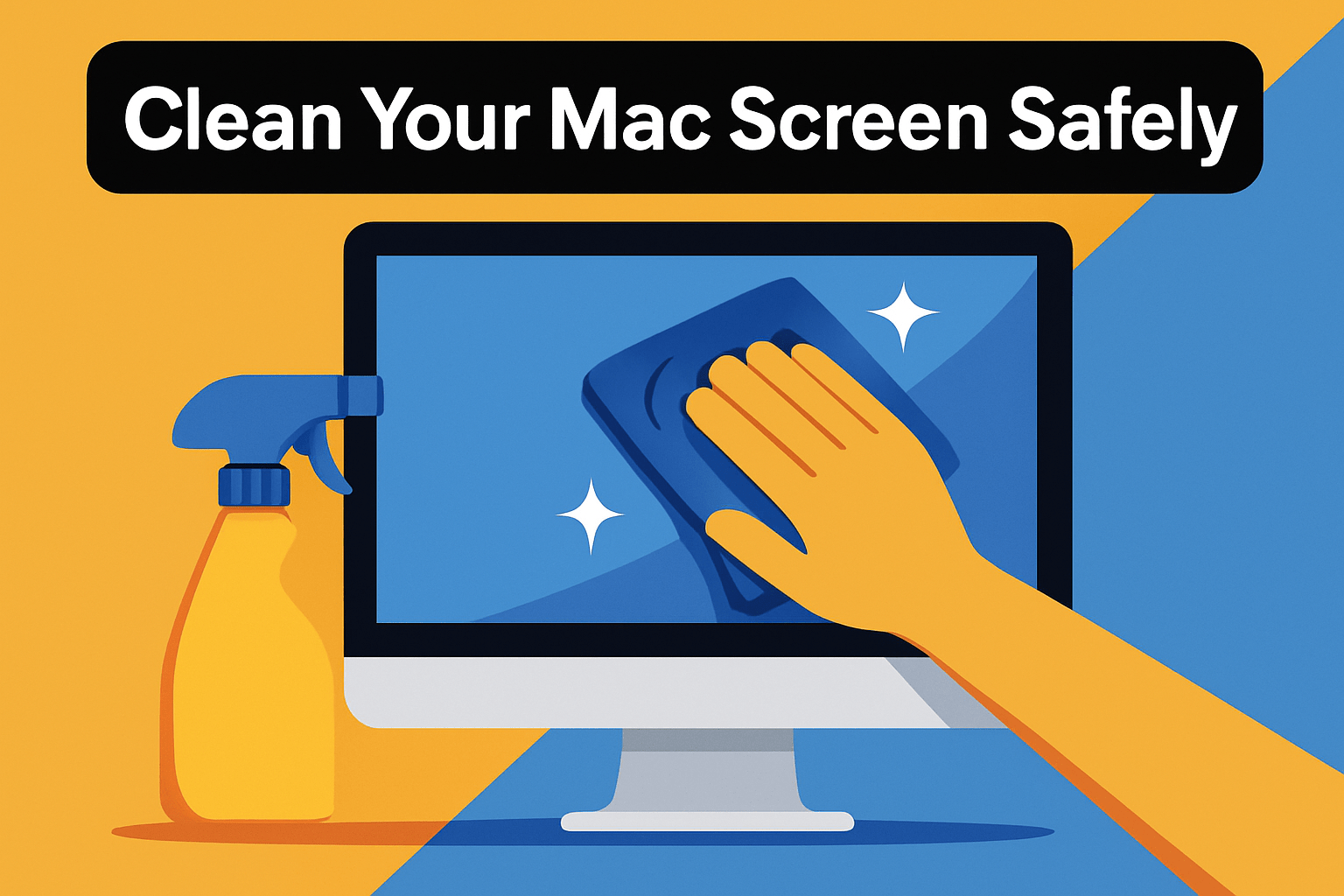
Before you touch a cloth to the display, shut your Mac down and unplug it. A powered-off screen shows smudges clearly and keeps juice away from any stray moisture. I also rest the laptop on a soft surface and support the back of the display with one hand so the panel doesn’t flex while I clean.
Use a clean, lint-free microfiber cloth—think of it like a lens cloth for your camera. Only a soft cloth will move oils without scratching the delicate Retina or nano-texture coatings. Keep an extra cloth handy so you never reuse one that’s picked up grit or debris.
If the screen is only dusty or has fingerprints, dampen the cloth lightly with plain distilled water; the fabric should be damp, never dripping. For tougher, oily grime I reach for 70% isopropyl alcohol, applied sparingly to the cloth and never directly onto the glass, following Apple’s guidance. A little goes a long way—excess liquid is the real hazard here.
Wipe with gentle, even strokes—either small circles or slow left-to-right passes work well. I use very light pressure, like polishing a lens, and stop if I feel resistance. If there’s any loose dust, a quick burst of canned air beforehand will prevent those particles from scratching the surface during wiping.
Finish by buffing with a dry microfiber cloth to remove streaks and restore contrast. Tilt the screen under a light to spot any remaining smears so you can touch them up without overworking the coating. Avoid paper towels, tissues, household sprays, or abrasive pads; they’re too rough or chemically unsafe for Apple displays.
Treat your Mac screen the same way you treat a camera lens: clean often, clean gently, and always use the right tools. That approach keeps images crisp and saves you the time and heartache of dealing with scratches or coating damage later on.
Common Mac Screen Cleaning Mistakes
As a photographer I treat every surface like an optical element. The biggest mistake I see is reaching for household glass cleaners or solvents—ammonia, bleach, vinegar, acetone and hydrogen peroxide all strip oleophobic and anti-reflective coatings. What starts as a quick shine can leave a patchy, dulled finish that shows up in photos and video, and it’s often irreversible.
Spraying liquids directly onto the display is another common slip. Liquids can wick into the bezel or keyboard seams and short components or lift delicate coating layers. Instead, always apply cleaner to a cloth first so you control the amount and avoid seepage.
People also underestimate mechanical damage. Paper towels, tissues, and abrasive sponges create microscopic scratches that scatter light and reduce contrast. Even vigorous rubbing with a “soft” cloth can abrade coatings; gentle, low-pressure wiping is usually all you need to remove fingerprints.
Heat and harsh soaps are sneaky offenders too. Hot water or soapy solutions can soften adhesives and leave residues that streak when dry. Repeated heavy pressure—especially on thinner laptop screens—can cause pressure marks or delamination, so support the screen with a hand behind it when you clean and keep your strokes light.
Finally, ignoring instructions or overusing alcohol is a mistake. Isopropyl alcohol can be useful in small amounts for stubborn grime, but excessive or frequent use degrades coatings over time. For safe cleaning, remove dust first with compressed air or a very soft brush, use a clean microfiber lightly dampened with distilled water or a recommended cleaner on the cloth, and finish with a dry buff—your screen will thank you with clearer images and longer-lasting coatings.
What People Ask Most
What is the best cleaner for a MacBook screen?
Use a gentle, non-abrasive cleaner or plain distilled water applied with a soft microfiber cloth for the best results. Avoid harsh chemicals and anything that could strip the screen’s coatings.
Can I use screen cleaner spray on my Mac screen?
Only if you apply the spray to the cloth first rather than spraying the screen directly. Choose a cleaner formulated for electronic displays and wipe gently to avoid damage.
Is it safe to use isopropyl alcohol on a Mac screen?
Isopropyl alcohol can be used sparingly on a cloth for stubborn grime, but do not apply it directly to the screen. Follow manufacturer guidance and use minimal liquid to protect delicate coatings.
Can I use vinegar to clean my Mac screen?
Avoid using vinegar because it can harm screen coatings and leave residues. Stick to plain water or cleaners designed for electronic displays.
How do I properly clean and remove fingerprints from a Mac screen?
Power off the device and use a clean, soft microfiber cloth lightly dampened with plain water, wiping gently without pressure. For tougher marks, use an approved cleaner on the cloth and finish by buffing with a dry microfiber.
What should you not use to clean a MacBook screen?
Do not use harsh chemicals like ammonia, bleach, acetone, or vinegar, and avoid abrasive materials such as paper towels or scouring pads. Also avoid spraying liquid directly on the screen or applying excessive pressure.
Is a microfiber cloth enough to clean a Mac screen?
A clean, lint-free microfiber cloth is usually sufficient for routine maintenance and light smudges. For stubborn grime, dampen the cloth slightly or use a recommended electronic screen cleaner.
Best Mac Screen Cleaner Conclusion
Whether you prefer a soft polishing cloth for daily upkeep, a travel-friendly spray-and-cloth kit, disinfecting wipes for shared devices, a legacy Apple-vetted cleaner, or single-use lens wipes for on-the-go touch-ups, each option has a clear use case that keeps delicate Apple coatings safe when used correctly.
Protecting Retina and nano-texture finishes comes down to simple habits: power off and unplug, use a lint-free microfiber, dampen the cloth rather than soaking it, avoid harsh chemicals and spraying liquids directly on the screen, and wipe gently.
Match the product to your routine and environment—daily maintenance, frequent travel, germ control, or a tried-and-true solution—and you’ll get the best results with the least risk to coatings and finishes.
If you want to refine your cleaning technique and care routine, explore more guides and tips on our site to build confidence and keep your gear looking its best.
Have a question or experience to share about a cleaner you’ve tried? Leave a comment below and we usually reply within a few hours.




0 Comments