
How to take creepy photos that actually give people goosebumps? This guide will show simple steps to plan, shoot, and edit spooky images from start to finish.
You will learn camera settings, lighting tricks, and long-exposure methods that build mood and mystery. Expect hands-on tips for ISO, aperture, shutter speed, white balance, and useful in-camera effects.
We cover shadows, smoke, fog, and atmospheric locations like cemeteries and ruins. You will also get Photoshop layering tips, shot recipes, a gear checklist, lighting diagrams, and before/after examples.
Safety and respect are part of every tip, with legal and model-consent reminders so you shoot responsibly. Read on for clear settings, simple shot recipes, and pro tricks to make creepy photos with confidence.
Shoot in atmospheric locations: cemeteries, graveyards, ruins
Start by choosing a place that already feels haunted. The setting does half the storytelling for you, and it shapes every decision you make afterward.
Look for textures and history. Cracked masonry, moss, leaning tombstones, peeling wallpaper, or twisted trees all whisper stories without words.
Scout these spaces in daylight so you can note hazards and paths. Mark where you will place lights, models, and your tripod, then return at the right time for mood.
Blue hour is a gift for eerie color. Foggy mornings and overcast afternoons flatten contrast and let you build shape with your own light.
In cemeteries and graveyards, move with respect. Avoid active services, never touch or move memorials, and follow local rules or permits.
Try the “Mossy Tombstone Portrait” idea at dawn. Use an 85mm at f/2.8, ISO 400, and a subtle gelled backlight hidden behind a stone to carve shape around the subject.
Choose lenses that serve the story. Wide angles exaggerate looming architecture, while a short tele compresses rows of markers into a claustrophobic wall.
Place branches, fences, or broken glass in the foreground to suggest a hidden observer. When you hint rather than show, viewers lean in and imagine the danger.
Weather changes everything. A light drizzle deepens stone color, fog wraps silhouettes, and wind turns long grass into whispers in the frame.
Props should be simple and safe. Worn coats, a tin toy, or a crumpled letter say more than a full costume trunk, and they won’t slow you down in tight spaces.
Try the “Ruin Entry” shot. Go low with a wide lens, tilt slightly for unease, and use a strong directional backlight to silhouette a figure at the top of a broken stair.
For seasonal ideas and timing, browse guides on spooky Halloween photos. Fresh prompts often spark location choices you might miss.
Bring safety first gear. A headlamp, gloves, grippy shoes, water, and a fully charged phone are as important as your camera when you work in ruins.
Pack smart to stay mobile. A solid tripod, a 24–70mm zoom, a fast 50mm or 85mm, a small LED panel, a speedlight with gels, extra batteries, and cards will cover most creepy portrait ideas.
If you plan a bigger setup, add a fog machine, clamps, gaffer tape, sandbags, and an extension cord or small battery pack. Keep it simple so you can move quickly and quietly.
A quick gear tip for beginners: a crop-sensor body with a fast 35mm, a compact tripod, and one dimmable LED panel is a strong starter kit. For intermediates, a full-frame body, a 16–35mm for ruins, a 50mm f/1.8, two speedlights, and a set of gels will lift your control.
Before you press the shutter, picture your final frame and the story it tells. How someone stands by a gate or how a path bends can hold more dread than any prop.
Experiment with your camera’s settings to create sinister effects
Manual control is your best friend when you are learning how to take creepy photos. Shoot RAW and learn the exposure triangle so your choices are repeatable and intentional.
ISO is a mood dial. Push it high for grit and a dirty texture, or keep it low and extend your shutter for cleaner, controlled shadows.
Aperture shapes the depth of the nightmare. Wide apertures like f/1.4–f/2.8 isolate eyes and smear the background into suggestion, while f/5.6–f/11 keeps cracked walls and carvings sharp for ominous context.
Shutter speed decides motion behavior. Fast speeds like 1/250s freeze a sudden turn of the head, but slower speeds around 1/8–2s make hands blur in a way that feels wrong in a good way.
For ghosts in-camera, try very long exposures that stretch to seconds or minutes. You will find a full walk-through recipe in the long exposure section below.
White balance is a subtle horror tool. Set 3,000–4,000K for cold tones, mix tungsten lights with green gels for sickly color, or even set a wrong WB on purpose to make skin feel otherworldly.
Explore in-camera features. Multiple exposures can double a face on a wall, the interval timer helps with self-portraits, and a flat picture profile gives you room to grade in post.
Control your flash rather than letting TTL make safe choices. Use manual power, try second-curtain sync to leave trails, or fire a bare flash straight on for harsh, clinical dread.
The red-eye trick can be effective when used sparingly. Shoot with direct flash close to the lens axis and have your subject look toward the light to trigger a subtle red shine, and be sure your model is comfortable with the effect.
A moody night portrait recipe: RAW, 50mm f/1.8 set at f/2.0, 1/80s, ISO 1600, tungsten white balance around 3000K, and a slight -0.3 EV to deepen the blacks. Add a small LED low and to the side for texture.
An abandoned corridor setup: RAW, 24mm at f/8, 10 seconds, ISO 200, tripod locked, and a gelled backlight hidden at the far end to pull the eye down the hall. Your subject can be a silhouette or absent for pure mood.
For a slightly blurred ghost, use 35mm at f/4, 1 second, ISO 200. Ask your subject to hold still for half the exposure and then slowly move out to leave a whisper of form.
Bracket exposures in dim places and watch your histogram so you do not blow highlights. Underexpose a touch, often starting at -0.7 EV, to protect mood and detail in bright fog or lamps.
Use manual focus or focus peaking in low light. Take a test shot on a static object at the focus distance, then switch to manual so your camera does not hunt at the critical moment.
A remote release or a two-second self-timer will prevent the small shake that can ruin a delicate long exposure. The small habits make the biggest difference when the light is low.
Keep a cheat sheet in your pocket. Night portraits can run at f/1.8–f/2.8, 1/60–1/125s, ISO 800–3200; long exposure ghosting starts around f/5.6–f/11 with bulb or 1–30s, ISO 100–400; silhouettes work when you expose for the background with a low ISO.
Try “Underlit Child Portrait” with a torch under the chin, 50mm f/1.8, 1/100s, ISO 800, and -0.7 EV. Or “Tombstone Stare” with 85mm f/2.8, 1/160s, ISO 400, and a tungsten gel rim light from behind.
“Ghostly Corridor” pairs 24mm at f/8 with a 10-second exposure and a gelled LED pass along one wall to paint detail. Keep your stride slow and smooth to avoid blotchy patches of light.
Study cinema to train your eye. Horror films offer a masterclass in terror through lighting and color that you can translate into stills with a few simple tools.
Directing people makes everything more convincing. Ask for a long, unfocused stare past the camera, minimal head movement, a still body, and slow micro-movements in the hands or chest for a living statue feeling.
If you wonder how to take creepy photos without overcomplicating gear, remember this rule: control one variable at a time. Lock exposure, then play with motion, and only later add color shifts or flash.
Shadows, shadows, and more shadows
Shadows let the mind fill the gaps, and the mind is better at fear than any prop. Hiding a detail is usually more unsettling than showing it.
Underlighting is a classic for a reason. A small lamp or flashlight placed low adds steep shadows to cheeks and eye sockets that instantly twist a face.
Side-lighting and rim light are your texture tools. Place a narrow beam behind or to the side to outline hair and shoulders while leaving the face half in darkness.
Hard light makes sharp, graphic shapes that read as danger. Soft light can feel close and airless when you lower the power and close the walls around a subject.
Collect tools that shape darkness. Black foam boards can soak up stray light, barn doors and grids keep beams narrow, and gobos create patterns like window blinds or leaves.
Shoot through curtains, lace, or frosted glass to fragment shadows. These layers turn a simple portrait into a scene that feels spied upon.
Compose with negative space and off-center subjects so the frame feels unsettled. A slight Dutch angle can add tilt to a room that looks safe at first glance.
Pay attention to edges. Avoid cutting through limbs or placing two different light colors on one arm unless you mean it; stray highlights will pull the eye away from your story.
Try a window-blind effect by firing a bare speedlight through a striped gobo at 45 degrees. Shoot at 85mm, f/2.8, 1/125s, ISO 400, and position your model so the eyes land between two bright bars.
For an outdoor silhouette in fog, place a strong LED behind the subject and expose for the background. A wide-angle lens near the ground turns even a short figure into a looming shape.
Study a good horror lighting tutorial and make a simple lighting diagram before you leave home. A sketch with a key light, a rim light, and your camera spot can save you time in the cold.
Quick safety reminder: hard sources can be intense. Ask models to close their eyes between takes, and never point powerful beams into anyone’s face at close range.
Two practice ideas: “Shadowed Staircase Watcher” places a subject halfway up the steps, one bare bulb high and behind, 35mm at f/4, 1/15s, ISO 800 for slight blur. “Peeking Through Lace” sets a curtain three inches from the lens, 50mm at f/2, 1/125s, ISO 400 to pattern the face.
If you are mapping out how to take creepy photos for a small room, start with one light and a black card. Build the darkness first, then carefully leak in highlights where you want the viewer to look.
Use long exposure photography for smooth smoke or ghost effects
Long exposure is the backbone of in-camera ghosts. It introduces time as a tool and paints movement into the frame without Photoshop.
Bring a sturdy tripod, a remote release or intervalometer, and a headlamp with a red mode. Add ND filters if you want ghost trails in daylight without blowing highlights.
The easiest ghost is a single long exposure where the subject moves partway through. They stand still to imprint once, then fade as they leave.
Many newer cameras also offer multiple exposure stacking. Try two or three frames of a person at different spots in a hallway so they appear in several places at once.
Light painting builds shapes into darkness with careful passes. Use a dim LED with gels and move slowly to reveal only the edges you want the viewer to notice.
Flash bursts during a long exposure can freeze a face mid-gesture, then leave a trail as the body drifts. Second-curtain sync is ideal because the sharp moment lands at the end of the movement.
Smoke and fog come alive when lit from the side or back. A small incense stick can give you wisps indoors, while a portable fog machine spreads a low cloud outdoors.
ND filters let you blur clouds, water, or even crowds for a deserted, dreamlike world. That empty feeling amplifies the loneliness at the center of a horror frame.
The “Ghost Walk-Through” recipe is reliable. Use bulb mode for 8–12 seconds at ISO 100 and f/8, have the subject hold still for 4–6 seconds, then walk away for the remainder so their form thins into air.
For a light-painted headshot, try 2–5 seconds at 50mm f/2.8, ISO 200. Ask the model to stay perfectly still and swipe a dim gelled light gently across the face and shoulders.
Two more long exposure ghost photos tips: “Whispering Trees” at 16–24mm, f/8, 15 seconds, ISO 100, with a soft pass of light from the side to wake the branches; “Empty Street Echo” at 35mm, f/5.6, 6 seconds, ISO 200, where a figure pauses under a lamp and then fades out.
Plan movements and exit routes before the shutter opens. Mark positions with tape, rehearse counts, and keep paths clear so no one trips in the dark.
If you are asking how to make ghost photos without extra gear, borrow time. Even a one-second exposure with a small head movement can add a tremble that feels wrong in just the right way.
Create ghosts in post-production with Photoshop layers
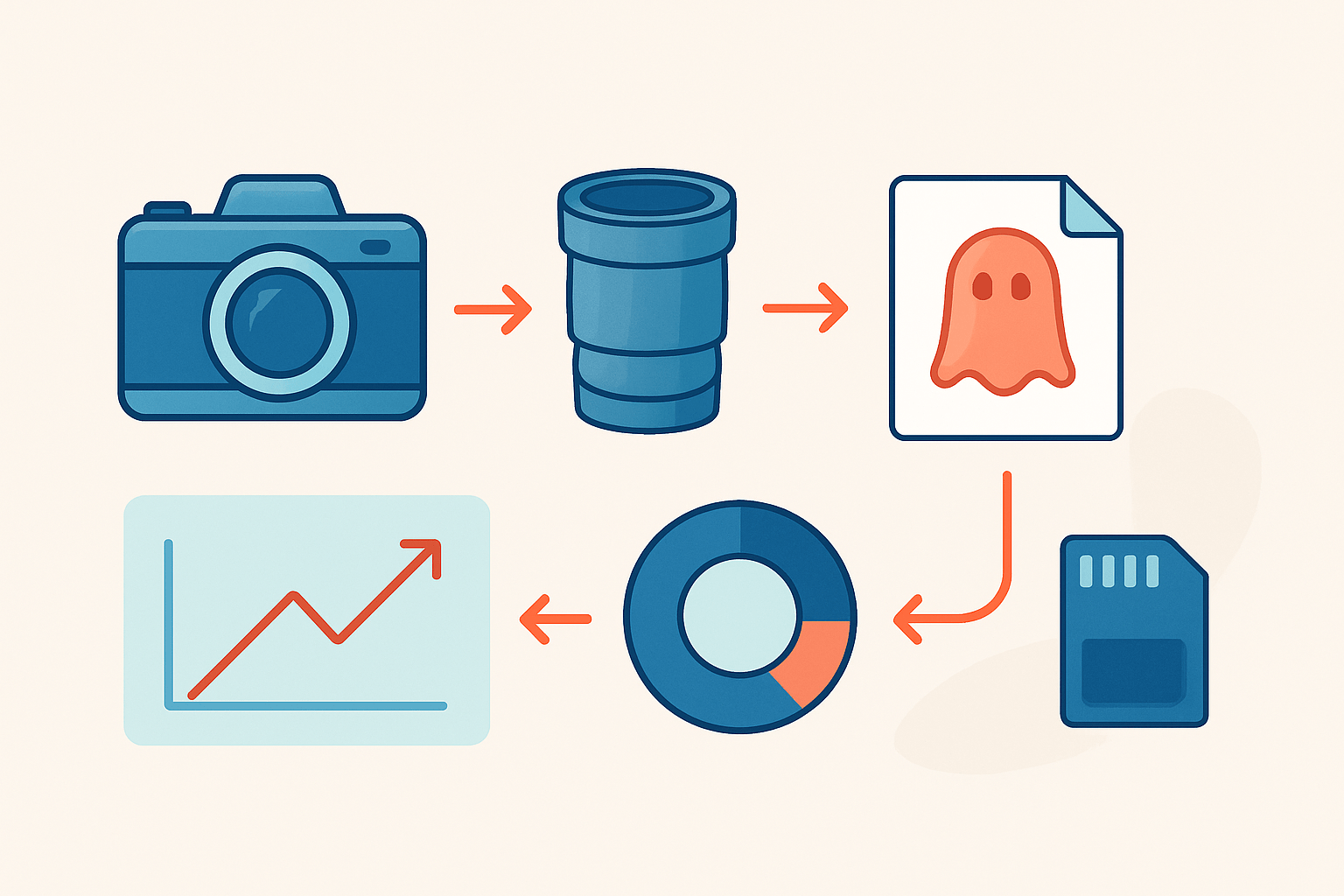
Post-production is where you sculpt emotion. Work in a simple order: fix the RAW exposure and color, composite and mask the ghost, and then shape the final grade and texture.
To create a transparent figure, stack the ghost layer above the background and lower the opacity. Use a soft brush on a layer mask to fade edges and let the world show through.
For a creepier dissolve, reveal only parts of the body. Fade a figure from the feet up, or make the chest less solid while keeping the eyes strong so the stare pins you.
Blend modes are worth a test. Screen brightens and helps ethereal overlays, Lighten merges the brightest details, and Overlay adds pop if the scene feels flat.
Add motion blur or a small Gaussian blur to the ghost layer to mimic a moving subject. A directional blur that matches the path of movement often looks the most real.
Match the ghost to the background grain. If you shot at high ISO, add film grain to the ghost layer so it does not look pasted on.
Match light direction with dodge and burn. Lift highlights where light would hit and darken the far side so the ghost obeys the same rules as the room.
Displacement maps can bend edges along walls or fabric so a ghost wraps around a corner. A tiny radius lens blur softens the merge and hides cut lines.
Build atmospherics gently. A hint of fog overlay at the floor, dust specks catching a beam, and a soft vignette can carry the eye to the subject without shouting.
Here is a quick recipe: open the RAW and set exposure and WB, duplicate the base, place the ghost image above, drop opacity to 25–60 percent, add 10–30 pixels of motion blur, mask the edges to keep anchor points like feet or hands, split-tone with cool shadows and neutral highlights, add grain, and export.
You do not need only one tool. Lightroom and Photoshop together are perfect, but Affinity Photo and some mobile apps can handle simple composites if you plan your layers.
Keep releases and rights in order. If you use stock fog overlays or textures, save the licenses, and always secure model releases when you transform people into ghosts.
Common mistakes are easy to avoid. Keep light direction consistent across layers, avoid stacking too many overlays, and do not lean on red-eye unless it is your motif for a series.
Respect the spaces you depict, both in real life and in the edit. Do not add damage to a historic site in post to make a shot more dramatic; tell the truth and build mood with light.
Try “Twice-Seen Self” with two frames from a tripod, one on each side of a doorway. Stack them, set the top to Lighten, opacity around 45 percent, and use a mask to blend until your two selves share the same haunted room.
When you show your work, include before and after frames and a simple lighting diagram. Seeing the path from a flat RAW to a finished image teaches as much as any words.
If you are still mapping how to take creepy photos from plan to post, trust that small, repeatable steps win. Location builds your stage, camera settings shape the performance, shadows and time add magic, and layers in post finish the illusion.
What People Ask Most
What is the easiest way to learn how to take creepy photos?
Start by studying spooky images you like and practice copying their mood with simple lighting and angles. Try one technique at a time so you learn what makes a photo feel creepy.
Can I use my phone to take creepy photos?
Yes, most phones can capture creepy photos if you control light and composition. Use low light, shadows, and off-center subjects to build tension.
What lighting works best for creepy photos?
Low, directional light and deep shadows usually make photos feel unsettling. Avoid bright, even lighting that removes mystery.
How do I use composition to make photos creepy?
Use odd framing, lots of negative space, and tilted angles to create unease. Placing the subject off-center or partially out of frame adds mystery.
Are props and costumes important for creepy photos?
Props and costumes help tell a spooky story and add visual interest, but simple items like old fabrics or masks can be enough. Subtle, consistent details work better than over-the-top setups.
Is editing necessary to make photos creepier?
Basic editing like lowering exposure, adding contrast, or shifting color tones can boost the creepy mood. You don’t need heavy edits—small changes often make the biggest difference.
What mistakes should beginners avoid when trying to take creepy photos?
Avoid overcrowding the scene, using flat lighting, or relying only on jump-scare props. Focus on mood, silence, and suggestion instead of obvious shocks.
Final Thoughts on Creepy Photography
You started by asking how to make photos that unsettle and tell stories; this guide walked you from planning and camera settings to lighting, in-camera tricks and Photoshop, so you can build mood, motion and mystery. Keep the checklist number 270 in mind as a shorthand for the gear and recipes you’ll return to. Those practical steps turn nervous ideas into convincing images.
One realistic caution: always get permission, respect sensitive sites like graveyards, and prioritize safety when using fog, fire or night locations — good pictures aren’t worth harm or legal trouble. The workflow and settings are aimed at beginners and intermediate shooters, portrait photographers and anyone who wants to add narrative chill to their work. Keep ethics and practicality front and center.
From that opening question about how to take creepy photos, you now have a clear, step-by-step path: plan mood and location, shape light and shadow, experiment with long exposures and motion, then finish in layers in post. Expect to experiment and fail at times; that’s where your style will emerge. You’re ready to explore and refine a darker, more cinematic voice with kindness and care.





0 Comments