
Which otoscope would you trust to make a split-second diagnosis in a crowded ER or to capture a teaching-quality image in a lecture hall? One small tool can shape clinical decisions, patient confidence, and medicolegal documentation. Picking the right pro-grade otoscope demands more than brand recognition; it requires matching features to daily workflow.
In this review we compare five professional otoscopes that dominate clinic and telehealth workflows: Welch Allyn Digital MacroView, WiscMed Wispr, Firefly DE550, JedMed Horus+, and Remmie 4. Each represents a different approach — from hospital-grade wired systems to portable, AI-assisted, and wireless options. We assess how they perform under pressure, not just on paper.
This guide is written for ENT specialists, audiologists, emergency physicians, and pediatricians. It is also aimed at clinicians in teaching hospitals and providers building telemedicine services. If you manage a busy clinic or teach trainees, these are the practical trade-offs you’ll face.
Throughout the article we focus on the real-world trade-offs that matter most: image quality, portability, connectivity, workflow fit, and total cost of ownership. We explore how each device balances diagnostic fidelity against convenience and budget constraints. Expect practical, clinic-ready advice to help you match the right otoscope to your caseload and workflow.
1. Welch Allyn Digital MacroView Otoscope
Welch Allyn MacroView Otoscope with Throat Illuminator 23820
Professional-grade diagnostic otoscope providing bright throat illumination, superior optics, ergonomic handle, and reliable visualization for precise ear and throat examinations.
Check PriceAs a photographer who obsesses over resolution and lighting, the Welch Allyn Digital MacroView feels familiar: it’s built to capture clinical detail with exceptional clarity. The unit is widely used in clinics and delivers high‑resolution imaging of the ear canal and tympanic membrane, making it excellent for documentation and teaching.
The MacroView’s traditional form factor will comfort experienced clinicians used to standard otoscope ergonomics, and compatibility with Welch Allyn handles and specula keeps it simple to integrate into an existing workflow. The build is robust and durable, designed to withstand heavy daily use in busy clinics and teaching hospitals.
Where it departs from more portable options is workflow: the MacroView requires an external computer for viewing images, which means a bulkier, cabled setup and reduced mobility during rapid exams. For practices that need on‑the‑spot, bedside imaging or outreach, that tethered workflow can be limiting.
Practically speaking, the MacroView is ideal if your priorities are image fidelity, documentation, and integration with practice equipment — think ENT specialists, audiologists, and academic settings. If you need fast, mobile exams or frequent field use, the requirement for an external monitor and the potential for tunneled views with a standard speculum (especially when earwax is present) are important trade‑offs.
- Exceptional image quality of ear canal and tympanic membrane
- Traditional form factor familiar to experienced users
- Compatible with Welch Allyn handles and specula
- Robust, durable build for busy clinics
- Requires external computer for viewing images; limits portability
- Standard speculum can cause tunneled view; earwax may obstruct visualization
2. WiscMed Wispr Digital Otoscope

ScopeAround Digital Otoscope 1.85in IPS 720p
Compact digital ear camera with 1.85-inch IPS display, 720p clarity, intuitive controls, and real-time imaging for fast, accurate ear inspections.
Check PriceAs a photographer who relies on instant visual feedback, the WiscMed Wispr feels refreshingly familiar: a self-contained digital otoscope with a built‑in display so you don’t need to tether to a computer or external monitor. The battery‑powered portability makes it ideal for rapid exams in busy clinics, urgent care, or when moving between rooms.
Image-wise it delivers high‑resolution stills and video capture, which is invaluable for documentation and teaching. Its ergonomic design also helps during longer sessions, reducing hand fatigue when you’re capturing multiple exams back to back.
Clinically, emergency physicians and pediatricians appreciate the immediate feedback the Wispr provides — you can show parents the view in real time and save media for records or teaching. The self‑contained workflow is a clear advantage in urgent care and outpatient settings where speed and portability matter.
That said, be mindful of two practical limits. The proximal camera placement can produce tunneled images, and earwax may obscure the view, so it’s not flawless for every patient. Also, the device uses a touch panel rather than a true touchscreen, which some users find less intuitive until they adapt.
- Built-in display removes need for external monitor/computer
- Battery-powered and portable for clinic or hospital use
- High-resolution image and video capture for documentation and teaching
- Ergonomic design comfortable for prolonged use
- Proximal camera placement can produce tunneled images; earwax can obscure view
- Touch panel (not touchscreen) less intuitive
3. Firefly DE550 Wireless Digital Video Otoscope

Firefly DE550 Wireless Digital Video Otoscope
Wireless high-definition video inspection tool offering seamless streaming, rechargeable battery, precision optics, and portable design for quick ear examinations.
Check PriceAs a photographer, I judge tools by how reliably they capture detail and tell a story — the Firefly DE550 Wireless Digital Video Otoscope does this well for the ear. Its high-quality, real-time video gives you crisp, teachable frames of the tympanic membrane that are excellent for patient education and documentation.
The wireless operation is liberating; you can move between exam rooms without tangles or re-setup, which keeps your workflow fluid and your attention on composition and lighting. It’s no surprise audiologists and ENT professionals favor it for flexibility and streamlined clinics.
For audiology practices, NOAH compatibility is a practical boon — images and videos slot right into existing practice management systems, saving time and reducing double-entry. The unit’s versatile connectivity to external monitors or computers also makes it a strong choice for teaching and telemedicine, where showing a clear image to colleagues or students matters.
Be pragmatic about power and ergonomics: battery dependency means you’ll need a charging routine or backups in a busy clinic, otherwise downtime can interrupt patient flow. Also note the proximal camera placement can sometimes produce tunneled images, especially when earwax is present, so technique and occasional irrigation or suction remain important.
Initial wireless pairing and software setup can take a bit of patience, and it’s positioned at a premium price, so it’s best for practices that value advanced documentation and integration over the lowest upfront cost. Overall, if your practice needs wireless freedom and NOAH integration with strong video quality, the DE550 is mostly a smart, professional choice.
- Wireless operation enables untethered use across exam rooms
- High-quality, real-time video for diagnosis and patient education
- NOAH compatibility for audiology practice management
- Versatile connectivity to external monitors or computers
- Battery dependency requires regular charging
- Proximal camera can cause tunneled images, especially with earwax
4. JedMed Horus+ HD Video Otoscope

Bebird Earsight Plus R37R Wireless Ear Cleaning Camera Kit
Smart wireless ear-cleaning camera kit with live app streaming, ultra-bright LEDs, multiple cleaning attachments, and gentle visualization for safer maintenance.
Check PriceAs a photographer who relies on crisp detail, the JedMed Horus+ immediately reads like a tool built for image fidelity rather than compromise. Its high-definition video delivers sharp, detailed images that are ideal for documentation and teaching, so you capture subtle tympanic membrane findings with confidence.
The unit’s hospital-grade construction means it stands up to heavy clinical use and frequent handling without feeling delicate. That durability makes it a natural fit for ENT departments and teaching hospitals where devices get constant turnover.
Connectivity is flexible: you can route video to external monitors and computers for live teaching, recording, or integration into workflows. That external display model supports larger viewing and easier group instruction, which I often prefer when sharing images with trainees.
Ergonomics matter during long sessions, and the Horus+ offers an ergonomic design with intuitive controls for extended use. The controls are straightforward enough that once you’re familiar, the device becomes an extension of your hand during examinations.
Do note the trade-offs: it requires an external display, which reduces portability compared with self-contained units. There’s also a learning curve for software and hardware setup, and the system’s aim at hospitals means it carries a premium price and more bulk than mobile alternatives.
- Hospital-grade construction for heavy clinical use
- High-definition video delivers sharp, detailed images for documentation and teaching
- Flexible connectivity to external monitors and computers
- Ergonomic design with intuitive controls for extended use
- Requires external display; reduces portability
- High cost; aimed at hospitals and large clinics
5. Remmie 4 AI-Powered Otoscope

Remmie 4 Digital Ear Camera Otoscope
Handheld digital ear camera delivering sharp imaging, app compatibility, soft LED illumination, ergonomic grip, and easy rechargeable use for home ear care.
Check PriceAs a photographer I read any imaging tool in terms of light, framing, and consistency, and the Remmie 4 reads well. It’s an FDA-registered, AI-powered otoscope designed for professional and telehealth use, with AI guidance that helps you capture optimal images and reduce variability between users. That guidance is especially helpful when you need repeatable, teachable images for records or remote consultation.
The Remmie 4 is telemedicine-ready, offering real-time streaming and remote consultations via plug-and-play USB/USB‑C connectivity. In practice that means you can connect to a laptop, tablet, or smartphone quickly and begin sharing a live view — useful for remote triage or documenting cases. Its patient-friendly design and safe ergonomic tip make it comfortable for all ages, so it’s practical in pediatrics as well as adult clinics.
There are trade-offs to consider from an imaging standpoint. The Remmie captures HD720p video, which is perfectly usable for many telehealth workflows, but it won’t offer the same cropping or detail retention as 1080p+ competitors. Also, the fixed wired USB cable limits maneuverability compared with wireless models, so it feels more tethered during hands-on exams.
Overall, this device is best for connected practices that prioritize telemedicine, consistency across operators, and ease of setup. If you need the absolute highest resolution for detailed teaching slides or untethered mobility in busy clinics, you may notice the limits; otherwise, Remmie 4 is a strong, modern choice for remote diagnostics and patient-friendly exams.
- AI guidance for consistent images
- Real-time streaming for telemedicine
- USB/USB‑C plug-and-play compatibility
- Patient-friendly ergonomic tip
- Fixed wired USB cable limits maneuverability
- HD720p resolution lower than 1080p+ competitors
Key Features for Professional Otoscopes
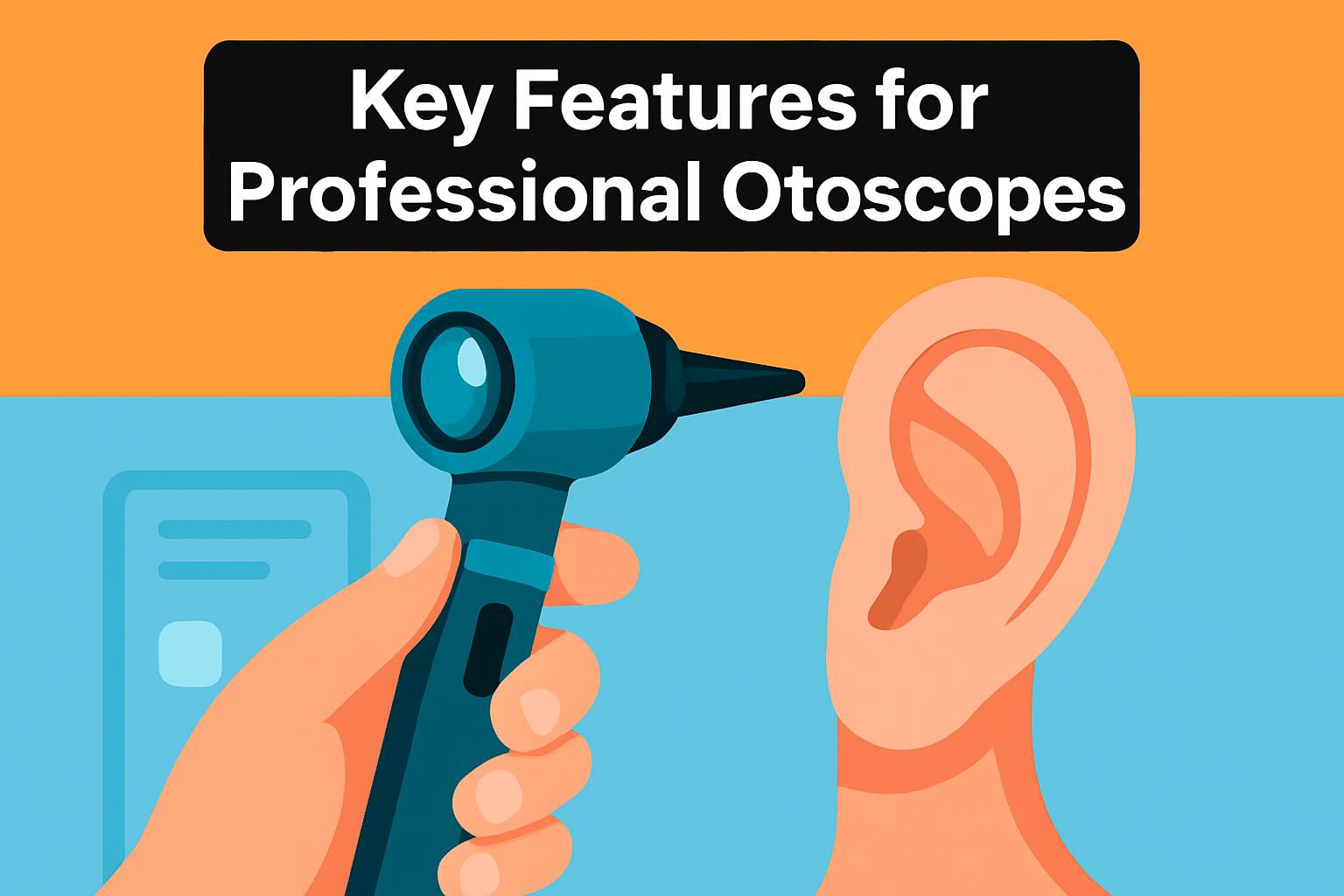
Think of an otoscope like a macro lens for the ear: optics, lighting and framing determine whether you see detail or guess at it. Prioritize glass and sensor quality over raw digital zoom; most clinical scopes sit around 3x–5x optical magnification while some digital systems push to ~10x, but digital zoom loses fine detail fast.
A wide field of view is worth more than extreme magnification for routine exams. Narrow, tunneled views force constant repositioning and make documentation awkward. Look for designs and specula that keep the lens farther from the canal or offer interchangeable lengths to reduce obstruction from cerumen.
Lighting is where photography instincts pay off. Bright, adjustable LEDs with high CRI render true tissue color and subtle redness, while dimming and angle control let you avoid glare and reflections on the tympanic membrane. Consistent white balance and exposure control make paired images meaningful for follow-up and teaching.
If you need functional assessment, pneumatic otoscopy is non-negotiable. A sealed system with an insufflation port lets you capture tympanic mobility — effectively adding motion to a still-image exam. That dynamic information often clinches diagnoses that a static photo cannot.
Digital capture and connectivity shape workflow. For teaching and telemedicine, prioritize 1080p+ capture and reliable streaming over novelty features. Consider USB/USB‑C, Wi‑Fi or practice-software compatibility so images move smoothly into your EMR or NOAH system without extra steps.
Ergonomics and durability matter for long clinics. Choose devices with comfortable grips, hospital-grade housings, and easily replaceable specula. Sealed, cleanable designs and dependable battery/charging options cut downtime and keep exams moving.
Finally, test the device under realistic conditions. Use it on a few cooperative and challenging ears, with pediatric and adult specula, and evaluate how quickly you can capture a sharp, well‑lit, wide image. Pick the combination of optics, light and workflow that lets you reliably reproduce the view you need.
Battery and Power Options for Professional Otoscopes
Think of an otoscope battery the way a photographer treats camera power: it can make or break a session. One dead battery mid‑clinic stops exams, documentation, and patient teaching. Treat power prep much like packing spare batteries before a long shoot.
Professional otoscopes run on alkaline disposables or rechargeable chemistries such as NiCd, NiMH, and increasingly Li‑ion. Lithium‑ion gives the best energy density, lighter weight, and no memory effect, so it lasts longer between charges. Alkalines are convenient for quick swaps but cost more over time and produce more waste.
Pay attention to power compatibility. Many systems use standardized handles — for example, Welch Allyn’s 3.5V style — and some accept either alkalines or rechargeables. Keeping an extra charged handle on the shelf is about as useful as a second battery grip in the camera bag; it keeps the clinic moving.
LED illumination is efficient and delivers steady brightness, which helps with diagnostics and accurate color rendering of the tympanic membrane. Still, dialing up maximum brightness will shorten run time. In most busy clinics a mid‑level output balances visibility and battery life nicely.
Look for practical charging features: quick‑charge options, clear battery indicators, and docks with auto shut‑off to prevent overcharging. USB‑C charging and desktop bases make turnaround fast and convenient, and power banks can extend reach for house calls. Wired USB units that draw power from a host device remove battery worry but limit maneuverability.
Reliability comes down to redundancy and monitoring. Keep a spare charged handle or a small stock of disposable cells in each exam room. Battery monitoring, low‑battery alerts, and labeled charging stations prevent surprise downtime during a packed clinic.
Finally, protect battery health: avoid mixing old and new cells and don’t leave Li‑ion packs fully discharged for long periods. Use manufacturer chargers when possible and rotate spares regularly. A simple nightly charging routine and one backup per room will save time, stress, and missed photos of important findings.
What People Ask Most
What is the best otoscope for professional use?
There is no single best model for every practice; the right choice depends on your primary use case and workflow. Some devices prioritize documentation and teaching, others emphasize portability or telemedicine features, so match the device to your setting.
How do I choose a professional otoscope?
Match the otoscope to your clinical setting and workflow, prioritizing image quality, portability, and compatibility with existing equipment and software. Also consider battery and charging logistics and the balance between cost and long‑term durability.
What features should a professional otoscope have?
A professional otoscope should offer clear optics, a wide field of view, bright accurate illumination, digital capture and reliable connectivity, and ergonomic durable construction. Ease of cleaning and compatibility with common specula and accessories are also important.
Are video otoscopes better than traditional otoscopes for professionals?
Video otoscopes offer advantages for documentation, teaching, and telemedicine through image and video capture and display options. However, they can be less portable, require external displays or apps, and may be affected by camera placement and earwax.
What otoscope is best for pediatric examinations in a clinical setting?
Choose a device that prioritizes patient comfort and offers appropriate pediatric specula and ergonomic tips for small ears. Models with built‑in displays or patient‑friendly tips can be especially useful in pediatric settings.
Can a smartphone otoscope be used by healthcare professionals?
Some otoscopes connect to smartphones or computers and work via an app, enabling image capture and remote sharing. Dependence on external devices and software may not suit every clinical workflow, so consider compatibility and reliability.
How accurate are professional otoscopes for diagnosing ear infections?
High‑quality imaging and the ability to perform pneumatic otoscopy can improve diagnostic confidence for ear conditions. Accuracy can still be limited by factors such as earwax obstruction or tunneled views that reduce visualization.
Conclusion for the Best Professional Otoscope
Choosing a professional otoscope comes down to balancing image and documentation needs against portability, connectivity, workflow impact, and cost to find the best fit for your daily practice.
Match the device to your clinical setting and primary use—whether teaching and hospital documentation, urgent care and pediatrics, audiology workflows, or telemedicine—so the features you prioritize actually support patient care and productivity.
Practical considerations like battery and charging logistics, the need for external displays or software, ease of cleaning, and durable ergonomics often matter more in daily use than a single specification on paper.
If you want to improve your examination technique and device-selection skills, read more articles on our site for practical guidance, comparisons, and tips that apply to real clinical workflows.
Please share your questions or experiences in the comments below; we usually reply within a few hours and welcome the discussion.



0 Comments