
What camera will make your car look like it belongs in a blockbuster while you film at highway speeds? In this guide we present the five best cameras for car videography in 2026, chosen for real-world performance, stabilization potential, and cinematic results.
You’ll get a concise breakdown of each option and why it earns a spot on this shortlist. We’ll also walk through stabilization tactics for DIY mounts and practical gimbal tips to keep shots steady on the move. A compact FAQ will answer mounting, lens, and setting questions that come up during real shoots.
Whether you’re rigging a chase car, mounting inside a cockpit, or capturing slick B-roll, the right camera changes everything. We focus on usability, image quality, low-light performance, and stabilization potential—factors that matter at speed and in tight interiors. The aim is practical recommendations you can deploy on weekend shoots or commercial jobs.
Read on for straightforward comparisons, field-tested tips, and setup ideas that actually work on the road and in the car. We’ll keep the jargon light and the advice focused on results you can shoot and edit quickly.
Expect honest trade-offs between portability, raw image depth, and on-car stability, so you can choose a camera that fits your workflow. By the end you’ll know which option matches your driving style, budget, and cinematic ambition.
1. Sony A7 IV for Car Videography
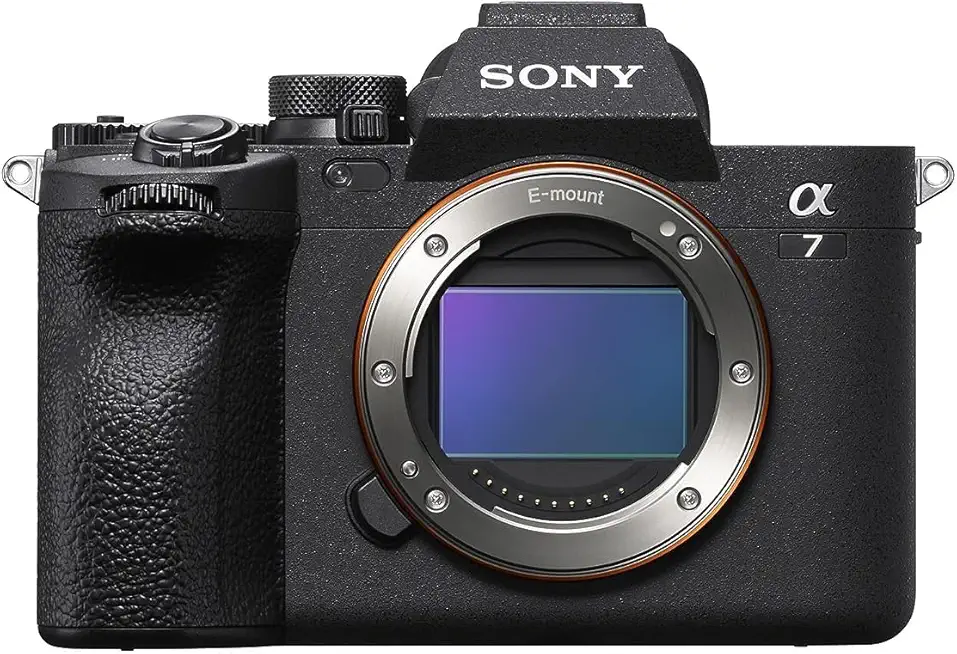
Sony Alpha 7 IV
Full-frame mirrorless powerhouse delivering exceptional image quality, advanced autofocus, and versatile 4K video for hybrid photographers and content creators.
Check PriceThe Sony A7 IV is a versatile mirrorless workhorse for car videography thanks to its 33-megapixel full-frame sensor and modern video chops. It shoots 4K at 60fps (with a slight 1.5x crop), supports improved 10-bit color, and inherits an advanced AF system from the A1 — that combo gives you both detail and color fidelity for moving-car shots.
In practice the A7 IV delivers excellent image quality and vibrant color science across varied lighting, which matters when you’re switching between sun, shade, and tunnel. Autofocus performs exceptionally well with moving subjects, so you’ll spend less time babysitting focus and more time composing dynamic chase or mounting shots.
Practical features matter on a rigged car: the flip-out touchscreen and improved viewfinder make monitoring angles and confirming framing easy when the camera is mounted, and the robust build survives the bumps of mobile work. I also appreciate that there’s no recording time limit, plus a dedicated photo/video selector and custom memory settings for quick on-the-fly changes during a shoot.
Be aware of the trade-offs. The 1.5x crop at 4K60 can limit wide-angle capture when you’re close to the subject, so plan your mounts or framing accordingly. There’s also a steeper learning curve with the menus and deep customizations, so budget time to set and memorize your preferred configurations before a shoot.
- Reliable, quick autofocus tracking
- Superior image quality with strong dynamic range
- Robust, customizable controls for on-the-fly adjustments
- No recording time limit
- 1.5x crop at 4K60 limits wide-angle shots without additional lenses
- Steeper learning curve with menus and customizations
2. Canon EOS R6 for Car Videography
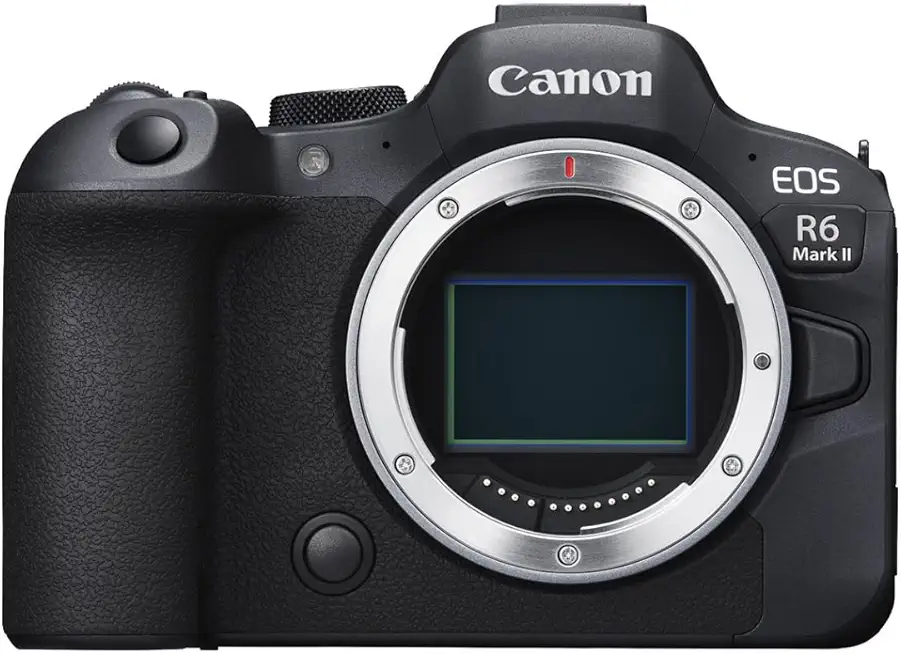
Canon EOS R6 Mark II (Body Only)
High-speed full-frame body engineered for low-light performance, blazing autofocus, and stabilized shooting—ideal for action and wedding photographers.
Check PriceIf you want a reliable, easy-to-use mirrorless for car videography, the Canon EOS R6 is a sweet spot between enthusiast and semi-pro gear. It brings Dual Pixel CMOS AF II, which makes tracking moving vehicles feel seamless and reduces the fiddly adjustments you’d otherwise need while on the road.
Body and controls are straightforward, so you can set it up quickly in a car or on a rig without hunting through menus. The R6 handles low light well, so interior shots at dusk and exterior passes after sunset stay usable without chasing noise in post.
Technically you get 4K recording with a slight 1.07x crop and a solid build with dual SD card slots for extra storage security. Do note the practical limits: clips stop at 30 minutes and the dual slots don’t offer simultaneous backup, so plan your workflow and swapping strategy accordingly when shooting long runs.
For enthusiasts and semi-pro videographers who prioritize autofocus and ease of operation, the R6 is an excellent choice—fast AF, dependable low-light performance, and ergonomic handling make it a camera you can mount, handhold, or pass between shooters without much fuss. If you need uninterrupted multi-hour takes or automatic card mirroring, be aware of those constraints before you buy.
- Fast, accurate autofocus for moving vehicles
- Excellent image quality in challenging light
- Ergonomic design suitable for handheld or mounted use
- 4K recording with a slight 1.07x crop
- 30-minute recording cutoff can interrupt longer takes
- Lack of simultaneous dual-card backup may risk data loss
3. Panasonic Lumix S1 for Car Videography

Panasonic LUMIX S1II (DC-S1M2)
Rugged full-frame hybrid with deep dynamic range, professional video tools, and robust image stabilization for demanding shoots.
Check PriceThe Panasonic Lumix S1 is a serious tool for car videography, built with professional features aimed at cinematic results. It shoots 4K at 60fps (with a 1.5x crop) and even supports 6K RAW recording, so you get plenty of latitude for grading and reframing. The Super 35 sensor with dual native ISO gives you real flexibility in mixed lighting.
In practice the S1 delivers rich color depth and detailed images that look cinematic straight out of the camera. Reviewers praise its dynamic range and low-light capability, which makes dusk drives and interior cabin shots much more usable without cranking ISO. The built-in ND filters are a practical touch for bright daylight work, letting you keep shallow depth of field while driving.
Audio and rigging needs are covered too, thanks to professional audio inputs that simplify recording clean sound from mics inside the car. That said, the body is noticeably larger and heavier, so it can be clumsy for quick in-car mounts or handheld, nimble setups. If you plan lots of mobile, cramped shots, that size becomes a trade-off.
Overall, the S1 is best for commercial and professional videographers who prioritize cinematic image quality and robust video features over ultimate portability. If you mainly shoot lengthy, high-quality driving sequences and can accommodate the heavier rig, this camera rewards you with beautiful footage and useful pro-level controls.
- 4K60 and 6K RAW support
- Superb cinematic image quality
- Dual native ISO — excellent low-light
- Built-in ND filters & pro audio inputs
- Autofocus not as reliable as Sony/Canon
- Large, heavy body limits mobility
4. Viofo A329S Dash Cam for Car Videography

VIOFO A329S Dual Dash Cam (Front & Rear)
Dual-channel recorder capturing crisp front and rear 4K/2K footage, GPS logging, parking mode, and reliable night-time clarity.
Check PriceAs someone who shoots cars for a living, I appreciate gear that balances resolution, coverage, and ease of use. The Viofo A329S delivers a sharp front-facing 4K/60fps feed that really pays off when you need to capture fine details like license plates or wheel motion at speed.
The system is a multi-camera kit with front, rear, and cabin cameras, which makes it practical for both cinematic b-roll and documentary-style in-car coverage. The wide fields of view — listed between 140–210 degrees depending on the camera — let you capture expansive road scenes without stitching or fuss.
Day and night clarity is solid, especially from the front 4K unit, so you’ll get usable footage across lighting conditions. Viofo also bundles features useful for everyday drivers: parking and crash detection to preserve important clips, app control for quick adjustments, and an included microSD so you can start recording out of the box.
Installation is straightforward for the most part thanks to the user-friendly app, but be realistic about the wiring. Several users note that routing and hardwiring the kit can become fiddly, especially in modern cars with tight trim. Expect a short learning curve on the install, but once mounted the system behaves like a compact, high-resolution dash solution.
If you want a compact dash system that prioritizes front-facing detail while offering full coverage inside and behind the car, the Viofo A329S is a very good choice. It’s especially attractive for drivers who need dependable, high-resolution evidence footage and broad situational awareness.
- Front 4K/60fps — fine detail at speed
- 140–210° wide FOV — excellent coverage
- Front/rear/cabin multi-camera kit
- Parking/crash detection + includes microSD
- Wiring can be complex
- Occasional app connectivity issues
5. Vantrue N4 Dash Cam for Car Videography

VANTRUE N4 3-Channel Dash Cam (Front/Inside/Rear)
Three-channel system records front, cabin and rear simultaneously with parking mode, loop recording, and clear low-light performance for drivers.
Check PriceThe Vantrue N4 is a three-camera dash system built for thorough car coverage. The front camera records up to 2560×2160 while the rear and cabin cameras shoot at 1080p. That combination gives you a detailed forward-facing view and solid full-HD coverage of the interior and rear.
As a photographer, I appreciate the infrared lighting for cabin work. It keeps interior faces and details visible at night without harsh cabin lighting. The unit’s picture-in-picture mode is handy for monitoring and framing multiple angles in a single feed.
Image quality is generally good for the class, and the cabin night performance stands out. Users report reliable recordings across day and night, which makes this a practical choice for ride-share drivers, content creators who film inside the car, or anyone wanting continuous multi-angle documentation.
Installation is straightforward for the main unit, but be prepared for some wiring work if you add the backup camera. A few owners mention difficulty routing and connecting the rear camera, so plan extra time or professional help if you’re not comfortable with vehicle wiring.
For the money, the N4 delivers features that photo and video people will actually use: three feeds, IR cabin illumination, and practical safety features like parking/collision detection. The one caveat is that running all three cameras at once may impact overall video quality, so test your setup and adjust settings to match your priorities.
- Front cam up to 2560×2160
- Rear and cabin record at 1080p
- IR lighting yields clear cabin footage at night
- Picture-in-picture and three-feed display; strong value
- Backup camera wiring can be tricky to install
- Video quality may drop when all three cameras record simultaneously
Stabilize Your DIY Car Camera Mount
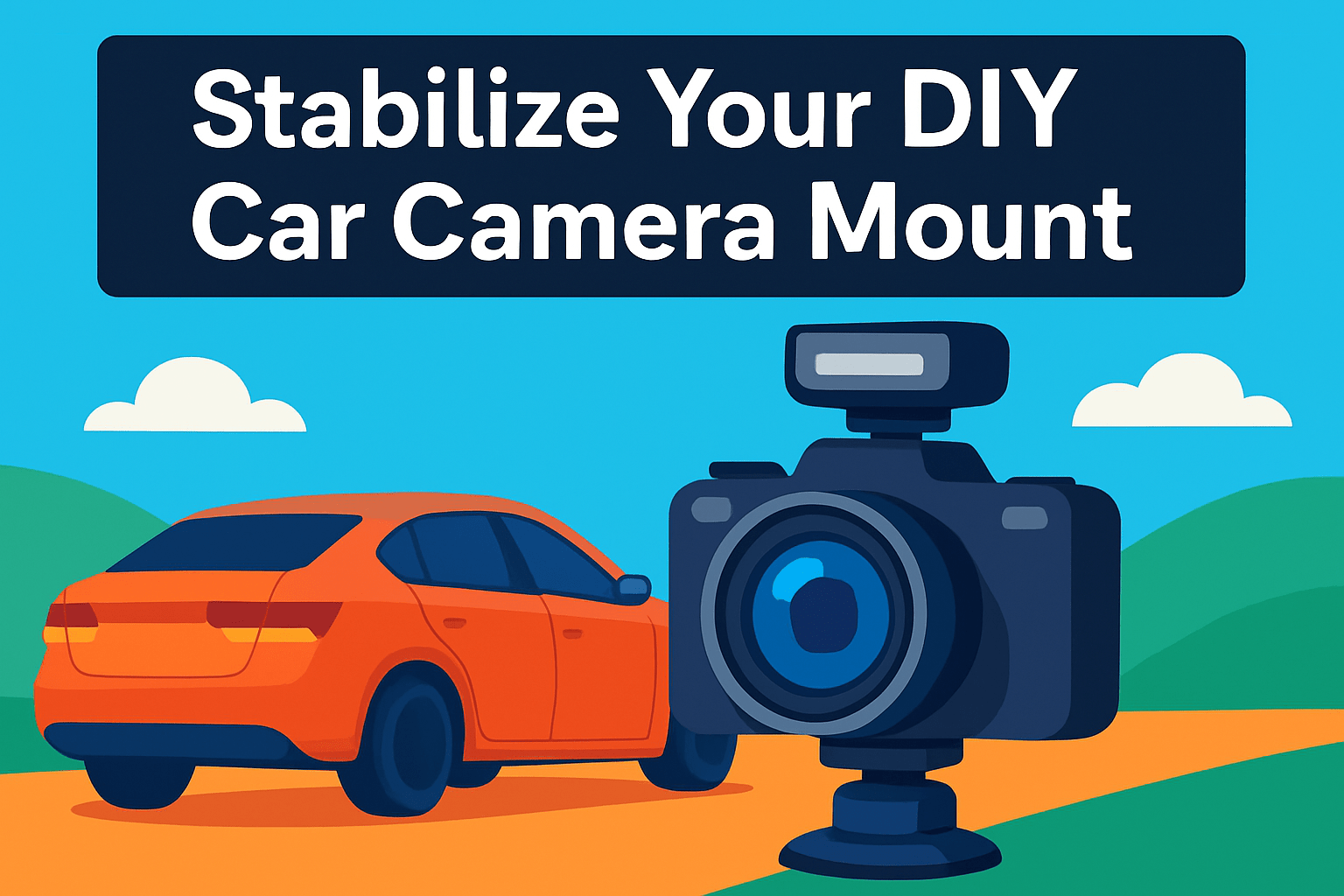
Vibration is the enemy of car cinematography. Small flexes at mount points turn into nasty jitter at 60 km/h, so treat your rig like a short, rigid bridge. Mechanical triangulation works wonders: add two supports or straps from the mount to strong anchor points at roughly 45° to cut down on flex and break up vibration paths.
Top wobble is often overlooked. Clamp a cross‑brace above the mount and secure it with suction cups and grip heads to stop the head from rocking. Use multiple suction cups spaced apart and tie those into your triangulation rods or straps for redundancy. Clean the contact surfaces first so the cups hold under load.
Tighten fasteners snugly, but don’t crush the material. Over‑torquing can deform components and introduce new vibrations. Add soft padding—pipe insulation foam is cheap and effective—between metal and paint to dampen high frequency buzz. Dropping a small weight near the mount base also helps absorb shock from bumps.
When you’re shooting handheld inside the car, your body becomes part of the stabilization system. Grip the rig firmly and bend your knees to decouple your legs from spine and shoulders. That simple stance reduces the amount of road shock transmitted into the camera and lets your arms do fine corrections without fighting big jolts.
Finally, don’t trust a single fix. Run a short test at the speeds and road surfaces you’ll be using. Listen for creaks, re‑tighten anything that moves, and keep a safety tether on every external mount. Little adjustments between takes will save you hours in post and keep your footage usable straight out of the camera.
Gimbal Tips for Car Videography
When you put a gimbal on a car shoot, think in terms of intention, not tricks. Center a clear focal point — a wheel, badge, or driver’s face — before you start rolling. That single anchor makes the gimbal’s lock-on tracking far more reliable and keeps your composition readable even with quick movement.
Choose the right mode for the move. Pan-follow (or follow) keeps horizons level and is perfect for smooth chase or side-on passes. Switch to FPV when you want expressive tilt, roll, or dramatic barrel-like moves. Know your mode and stick with it for a given shot to avoid jarring transitions.
Slow inputs make a huge difference. Set joystick speeds down to roughly 15–25% and move deliberately. Tiny changes in pan or tilt translate to cinematic motion on-screen, whereas aggressive thumb work looks amateurish. Practice the moves a few times with the driver before committing to a take.
Handheld technique still matters. Use the “ninja walk” when moving with a gimbal: short, soft steps and bent knees reduce vibration transfer. Two-handle grips become invaluable for low or inverted angles — they give you leverage and fine control when you’re reaching under or around the car.
Plan your choreography. Mix push-ins, orbits, and pull-backs across multiple takes to give your editor options. Engage automatic tracking when it’s available for consistent framing during motion, but always confirm the lock-on before you roll.
Finally, don’t expect perfection on the first pass. Record multiple takes and treat in-camera stabilization as your primary tool with post stabilization as a safety net. That redundancy, plus clear communication with your driver and crew, is what turns usable footage into cinematic car sequences.
What People Ask Most
What camera features are most important for car videography?
Prioritize reliable autofocus, strong stabilization, and good low-light performance. A durable body, clear monitoring screen, and flexible recording options also make shooting in and on cars easier.
Which cameras perform best for mounting on a moving car?
Cameras that are compact, well-built, and compatible with secure mounts usually perform best. Easy-to-reach controls and dependable autofocus help when the camera is exposed to motion and vibration.
Are action cameras or mirrorless/DSLRs better for car cinematography?
Action cameras are compact and simple to mount, while mirrorless and DSLR systems offer larger sensors and more lens choices for a cinematic look. Choose based on the desired image style and the constraints of your mounting setup.
What camera settings produce smooth cinematic footage while driving?
Use settings that maintain consistent exposure and smooth motion, relying on stabilization and reliable focus methods. Keep adjustments minimal during takes and capture at a quality level that allows gentle correction in post.
How can I stabilize and reduce shake when filming from a car?
Use multiple supports like suction cups and triangulated braces, add padding at contact points, and tighten fasteners without over-stressing materials. Combine mechanical mounting with a gimbal or two-hand grips to further isolate motion.
What lenses are ideal for capturing interior and exterior car shots?
Wide lenses work well for interior and tight cockpit views, while medium telephoto lenses are useful for chase and detail shots. Pick lenses with consistent aperture and good sharpness across the frame for reliable results.
How do I set up a camera for capturing through-windshield and chase shots?
Mount the camera securely with padding to avoid rattles and adjust angle to minimize reflections, using polarizing filters or careful positioning when needed. Verify framing, cable routing, and stability at speed before recording full takes.
Conclusion for Car Videography Cameras
Whether you’re aiming for cinematic chase shots or reliable multi-angle coverage, this roundup brings together five strong options—from professional mirrorless bodies to compact multi-camera dash kits—plus practical stabilization and gimbal techniques to help you get cleaner, more cinematic car footage.
The real value here is blending gear choices with hands-on mounting and movement tips so you can pick tools that match your shooting style, budget, and the shots you want to achieve.
If you want to keep improving your craft, explore more articles on the site for deeper gear comparisons, setup ideas, and workflow tips to refine your car videography skills.
Have a setup you’re curious about or a tip that worked for you? Leave a comment below and share your experience—we usually reply within a few hours to help troubleshoot or offer suggestions.
Try a few rigs and movements, learn from each take, and adapt the techniques here to your vehicle and shooting conditions; the best results come from practice and small, consistent improvements.





0 Comments