
Ever replayed dash cam footage and wished the critical moment had been clearer—or captured at all?
A reliable front camera can turn that regret into solid evidence, saving you time with insurers and police.
But crowded shelves and exaggerated specs make the choice feel like guessing for many drivers.
This guide compares five front-facing car cameras and provides practical buying and installation advice for everyday drivers and fleet operators.
If you’re hunting for the best front camera for car, you’ll get clear, no-nonsense recommendations for real driving conditions.
We cut through marketing hype to show what matters behind the glass so you can choose a camera that performs where it counts.
You’ll find concise product overviews and balanced pros and cons to match features with your priorities and explain trade-offs in plain language.
Installation advice covers common mounting approaches and wiring tips so you get a tidy, reliable setup without guesswork.
Real-world notes on daytime, night, and parked performance translate specs into usable footage for the moments that matter.
Practical pointers on low-light performance help you judge night-clarity claims without lab tests and expose common trade-offs in performance and cost.
A compact FAQ answers legal, power, and usability questions most buyers face before they buy.
Read on to find the front camera that fits your driving style, budget, and need for clear, usable evidence—so you can drive with greater peace of mind.
1. Viofo A329S/A329T Dual-Channel Dash Cam

VIOFO A329S 4K60 Front and Rear Dash Cam, 4K+2K
Crystal-clear 4K60 front and 2K rear recording, advanced parking mode, reliable G-sensor, and seamless loop recording for complete vehicle protection.
Check PriceAs a photographer, sharpness and dynamic range are the two things I watch first, and the Viofo A329S/A329T delivers both. It records 4K front at 60fps on a Sony STARVIS 2 sensor (IMX678), with 2K rear coverage, so moving subjects and license plates stay readable even at night or in changing light.
The camera’s HDR and excellent dynamic range make it particularly good where bright headlights and deep shadows coexist. In real-world use reviewers report extremely sharp footage and superb night performance, which is exactly what you want for evidence-grade clips.
Storage is built for serious users. It supports 512GB microSD cards and SSD storage up to 4TB, so archival footage and long parking-mode recordings are practical. The unit also provides reliable crash and parking detection with precise GPS tagging, so recorded incidents are timestamped and located correctly.
Expect a bit more effort at install. Setup requires hardwiring, which is complex and time-consuming, but the outcome is a neat, cable-free installation that looks factory-fit. The companion app is intuitive for video management and doesn’t force you to create an account, which is a nice privacy-friendly touch.
If you want premium dual-channel footage, confident night capture, and long-term storage options, this is an excellent choice. If you only need a basic dash cam or want plug-and-play simplicity, it might be more than you need.
- 4K front at 60fps with Sony STARVIS 2 (IMX678)
- Excellent HDR and night clarity; captures license plates
- Supports 512GB microSD and SSD up to 4TB
- Reliable crash/parking detection with precise GPS tagging; intuitive app
- Hardwired installation is complex and time-consuming
- Higher price; may be overkill for basic needs
2. Vantrue N4 Triple-Channel Dash Cam

VANTRUE N4 3-Channel Dash Cam, 4K front, 1440P interior and rear
Three-channel coverage captures high-resolution front, interior, and rear footage, night vision, motion detection, and easy installation for full-trip peace of mind.
Check PriceAs a photographer who cares about clarity and context, the Vantrue N4 immediately stands out for offering true triple-channel coverage without breaking the bank. The front sensor captures 2560×2160 video, which gives punchy daylight detail and broad scene context; note it drops to 2560×1440 when all three cameras are active, so plan storage and settings accordingly.
The rear and cabin cameras record at 1080p, and the cabin camera includes IR lighting for reliable night recording of passengers. Picture-in-picture on the built-in screen is genuinely useful for quick checks of what each lens saw, especially after an incident when you want front and cabin perspective at once.
In real-world use the N4 delivers solid image quality for both front and cabin footage, making it a practical choice for rideshare drivers, families, or anyone who needs simultaneous front/rear/cabin coverage. The included collision and motion detection help automate event capture, but triple-channel recording demands more storage and can affect overall quality if you use high-bitrate or long-duration files.
Installation is approachable for most users thanks to the easy suction mount, which makes positioning straightforward and reversible. However, wiring the backup camera can be tricky for non-experts, and extensive parking-mode use or low-bitrate settings may cause battery drain; factor that into your power/parking setup and memory card choices.
Overall, the Vantrue N4 is a feature-rich, value-focused option if you need comprehensive coverage with convenient PIP playback and night-capable cabin monitoring. It’s a good fit when multi-angle evidence and passenger visibility matter more than getting the absolute highest single-channel front resolution.
- High-res front 2560×2160
- PIP display for multi-angle review
- Cabin IR lighting for night recording
- Wide field of view with minimal distortion
- Backup camera wiring can be difficult
- Parking/low-bitrate use may drain battery
3. Thinkware U1000 Front and Rear Dash Cam

THINKWARE U1000 Dash Cam Mount
Secure, low-profile mounting solution with vibration resistance and precise alignment, engineered for discreet, dependable dash cam positioning.
Check PriceAs a photographer who shoots moving subjects, I appreciate how the Thinkware U1000 treats the road like a scene worth framing. The front sensor records UHD 4K at 30fps, giving crisp detail and excellent plate legibility, while the rear captures 2K with HDR to keep shadows and highlights balanced.
HDR works well here — it tames bright headlights and preserves license‑plate detail in shadowed areas, so your footage is useful as evidence and pleasing to review. Users report sharp, rich video both day and night, which matches what I look for in tonal range and detail retention when lighting is tricky.
Featurewise it’s tailored for safety-conscious drivers: GPS, Wi‑Fi, lane‑departure and other driver‑assistance alerts are built in, and the parking mode with impact detection plus cloud upload gives peace of mind when you’re away from the car. Fleets will value the advanced alerts and GPS tracking for incident logs and driver coaching.
Installation is generally straightforward, so you won’t need a professional unless you want a fully hidden hardwire. One caveat—cloud features require the app and some users find that integration cumbersome, so if you’re allergic to app workflows it could be annoying.
- Clear UHD 4K front video at 30fps with effective HDR
- Advanced driver‑assistance alerts (lane‑departure, etc.)
- Robust parking mode with impact detection and cloud upload
- GPS tracking for location and incident data
- Cloud/app integration can be cumbersome
- Rear limited to 2K versus front 4K
4. Rove R2-4K Dual Dash Cam

ROVE R2-4K Dual Front and Rear Dash Cam 4K with 128GB card
Dual 4K front and rear recording, includes expansive 128GB storage, GPS logging, and user-friendly Wi-Fi for fast file access.
Check PriceAs a photographer I judge dash cams by sharpness, color fidelity and how much context they record. The Rove R2-4K Dual Dash Cam delivers 4K front and rear recording and a wide field of view to capture road context. That combination gives you high-resolution frames with room to show surrounding vehicles and signage.
It’s designed to be very user-friendly, with simple mounting and operation that make first-time setup quick. Reviewers consistently report it is reliable and easy to set up, so you won’t spend hours fiddling with menus or cable runs. For everyday drivers this means dependable protection without a steep learning curve.
In practical use the footage captures fine detail with good sharpness and color accuracy, which is exactly what you want for incident evidence like license plates or paint marks. Color rendition is trustworthy enough that daytime and mixed-light scenes look natural. Importantly, no notable footage flaws are reported across lighting conditions, so it behaves well from dawn to night.
The wide-angle coverage helps preserve scene context while keeping critical details readable. That balance is valuable when you need to assess fault in an accident or identify road signs. Distortion is controlled enough that the images remain useful rather than just dramatic.
Overall this unit is ideal for everyday drivers who want a straightforward dual-channel 4K solution focused on image quality and reliability. It prioritizes core functions over fancy extras, which keeps it simple and focused. If you want SSD archival options or advanced fleet features, this might not meet those specialized needs.
- 4K front and rear clarity
- Wide-angle captures road context
- Simple mounting and setup
- Reliable recording with good color accuracy
- Fewer advanced features than higher-end models
- No large onboard storage options like SSD support
5. Z-Edge Z3 Pro Budget Dual Dash Cam

Z-Edge Z3D 4K Front and Rear Dash Cam, WiFi GPS
Ultra HD front and rear video, built-in GPS mapping, Wi-Fi transfers, and intelligent collision detection to safeguard every drive.
Check PriceAs a photographer who often relies on clear, usable footage, the Z-Edge Z3 Pro surprised me with punchy results for the price. It records 2560×1440 at 30fps for both front and rear, and WDR helps balance tricky lighting so highlights and shadows retain detail.
Low-light performance here is better than you’d expect: reviewers praise its night video, and WDR plus sensible processing keeps license-plate-level detail readable in many conditions. The unit also includes a G-sensor and parking mode, so important incidents are locked and saved automatically for later review.
Installation is straightforward thanks to the suction-mount design, and the companion app (Android and iOS compatible) makes pulling clips off the camera painless. That said, some users report the event detection is a touch too sensitive and the initial setup can be confusing compared with higher-end models.
If you want solid dual-camera coverage and good night capability without spending a lot, this is a sensible pick — especially for beginners or anyone on a budget. It’s a practical, camera-first option: you get usable, well-exposed footage that will serve well as incident evidence, provided you’re prepared to tweak sensitivity settings during setup.
- 2560×1440 at 30fps front/rear
- WDR and surprisingly good night vision
- G-sensor and parking mode for locked footage
- Easy suction-mount and Android/iOS app
- Event detection can be overly sensitive
- Initial setup can be confusing
Dash Cam Installation Guide
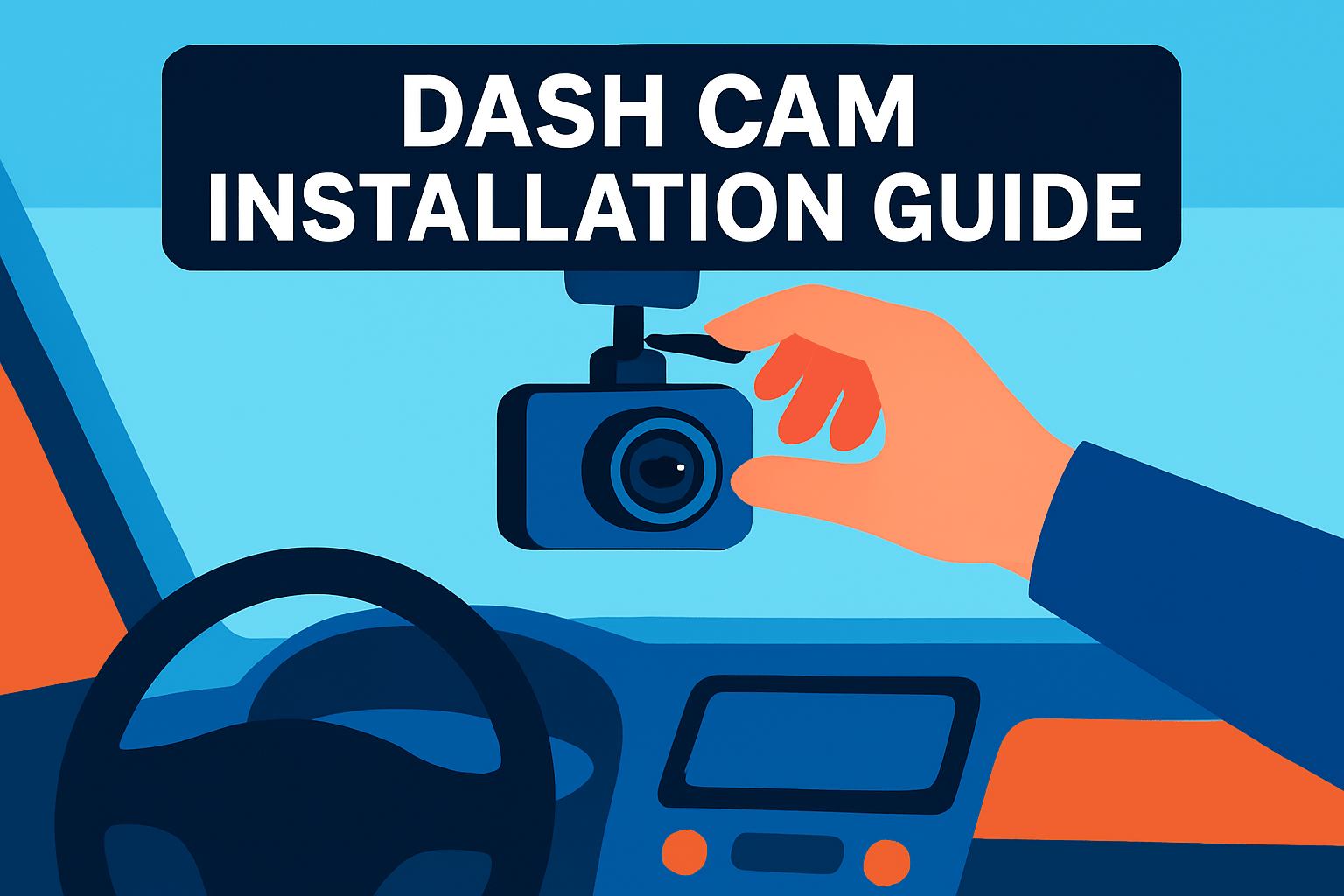
Think of installing a dash cam like composing a photograph: you want the road framed, license plates readable, and as little sky or dashboard glare as possible. Mount the camera low behind the rear‑view mirror so it’s unobtrusive but still has a clear, unobstructed view. Aim the lens slightly down to capture the road and bumper line; too much sky will wash out exposure and hide plate detail.
Choose the mount that suits your car. Surface or suction mounts are quick and reversible, while flush mounts give a cleaner look but require a drilled hole. If you prefer a factory finish, tuck the camera into the headliner or use a hardwire kit and run the cable behind the A‑pillar trim so nothing dangles into view.
Powering the unit matters. Tap the switched ACC fuse so the camera powers with the ignition, and ground to a solid chassis point. If you want 24/7 parking mode, use a dedicated hardwire kit with a low‑voltage cutoff or a beefier battery pack to avoid draining your car battery.
Run cables with care. Use trim tools to ease wiring behind panels and avoid routing near airbags or sensor zones. Secure loose runs with cable ties and clips; a rattling wire will drive you nuts and can eventually fray. Never pinch wires when reassembling panels.
Safety first: disconnect the battery for any fusebox or hardwiring work if you’re uncomfortable with electrical systems. When in doubt, pay a pro — a tidy, professional install is worth the extra cost for long‑term reliability.
Finish with real‑world testing. Format and insert a fresh microSD, power up, and record a short drive. Check angle, horizon level, exposure to headlights, and night clarity. Make small adjustments until you consistently capture readable plates and a stable horizon — that’s the true mark of a good install.
Choosing for Low-Light Performance
Low-light performance is where a front camera either proves itself or reveals its limits. As a photographer, I look past marketing specs and concentrate on what actually shows up on the footage after sundown: readable plates, controlled highlights, and manageable noise. A camera that shines in daylight can still fail at night if its sensor and optics aren’t up to the task.
Start with the sensor. Sony STARVIS and STARVIS 2 chips are the gold standard for dash cams because they boost sensitivity and preserve detail in dim scenes. Bigger pixels on a sensor collect more light, which translates to cleaner images and better license-plate legibility when illumination is low.
Resolution matters, but not as much as you might think. A 4K front cam can capture sharp daytime detail, yet a mediocre sensor will produce noisy, unreadable night footage. In practical terms, prioritize sensor technology and low-light performance over headline megapixels if night recording is your priority.
Look for night-specific tech too: HDR or wide dynamic range helps tame oncoming headlights and bright streetlamps so shadow detail isn’t crushed. Built-in IR or enhanced night-vision modes are useful in near-total darkness, and any form of image stabilization or vibration reduction will minimize motion blur from bumps and potholes.
Optics play a role as well. A larger aperture (a lower f-number) gathers more light, improving exposure in dark scenes. That said, wider apertures can slightly narrow depth of field, so expect a balance between brightness and overall field coverage.
Lastly, judge cameras by real-world night footage. Watch samples recorded in urban, highway, and rural settings to assess noise, highlight clipping, and whether license plates remain readable at typical encounter distances. Ignore flashy extras that don’t improve night imaging; instead favor models with proven sensors, adjustable exposure controls, and solid night-test results.
What People Ask Most
What is the best front camera for a car?
There is no single best camera for everyone; the right choice depends on your priorities like video clarity, night performance, features, and budget. Pick a model that balances those needs and fits your intended use.
How do I choose the best front car camera?
Consider image quality in both day and night, mounting style, storage and power options, and ease of use. Match features to how you drive and whether you need parking monitoring or cloud connectivity.
What features should I look for in a front dash cam?
Look for clear video capture, good low-light performance, reliable event or parking detection, and convenient connectivity or app access. Ease of installation and dependable power options are also important.
Can front dash cams record clearly at night?
Many modern dash cams can record usable night footage when they have good low-light sensor technology and image processing. Real-world testing in similar night conditions will give the best indication of performance.
How do I install a front dash camera in my car?
Choose an unobstructed mounting location on the windshield, secure the camera, route the cables discreetly, and connect power either to a switched circuit or via a plug-in adapter. Power the system and adjust the field of view before completing reassembly.
Do front cameras need to be hardwired to the car battery?
No, hardwiring is not always required; many cameras work with a cigarette-lighter power adapter for simple installation. Hardwiring can provide a cleaner setup and enable parking features, but it is optional depending on your needs.
Are front dash cameras legal to use while driving?
Dash cams are generally legal in many areas, but regulations vary regarding windshield placement and audio recording. Check local laws to ensure your installation and use comply with applicable rules.
Conclusion for Best Front Car Cameras
This roundup distills the strengths and trade-offs of five front-facing car cameras alongside practical installation steps and low-light selection guidance to make choosing and fitting a unit less intimidating.
Key takeaways: balance resolution and features against installation complexity and storage needs, and prioritize sensor sensitivity and HDR when night clarity is a top concern.
Follow basic installation principles—choose an unobstructed mount, secure a switched power source, route cables neatly out of sight, and thoroughly test and adjust the field of view after power-up.
For low-light performance lean on sensor quality, dynamic range, aperture and any night-vision enhancements, and give more weight to real-world night tests than spec sheets alone.
If you want to sharpen your skills and make better buying or installation choices, read more articles on our site for step-by-step tips and deeper explanations.
Have questions or need a recommendation? Leave a comment below and we usually reply within a few hours.




0 Comments