
Ready to stop shaky footage and finally unlock the Canon R5’s full cinematic potential? Which gimbal will let you balance heavy cine lenses while staying light enough for travel and run‑and‑gun shoots? This guide points Canon R5 users to the five best gimbals for varied needs, from heavy cinema rigs to compact vlogging kits.
We evaluated contenders across real‑world priorities: payload capacity, stabilization quality, battery life, ergonomics, vertical‑mode support, focus and control features, and price versus use case. Those criteria reflect the tradeoffs that matter when pairing a powerful body like the R5 with lenses, mounts, and accessories. Our focus was practical performance rather than marketing claims.
Our recommendations are grounded in aggregated user feedback and expert reviews current to 2026, plus hands‑on impressions from working shooters. We weighed how models perform under heavy loads, during long days, and in portrait shooting scenarios. This approach keeps the shortlist honest and useful for both professionals and content creators.
Whether you’re filming weddings, indie films, run‑and‑gun vlogs, or commercial spots, the right gimbal will change your workflow. The picks ahead highlight different strengths — heavy‑lift reliability, ergonomic comfort, battery endurance, and compact portability. Read on to find which five gimbals best match your Canon R5 setup and shooting style.
1. DJI RS 4 Pro Gimbal
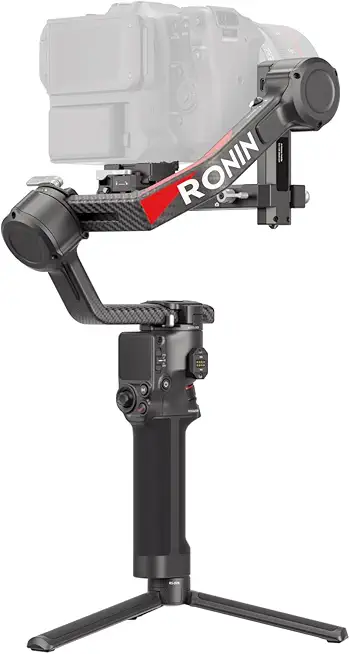
DJI RS 4 Pro Gimbal
Professional handheld stabilizer delivering cinema-grade smoothness, precision control, and powerful payload support for demanding filmmakers.
Check PriceThe DJI RS 4 Pro is my go‑to when I need rock‑solid stabilization for a Canon R5 rig with big cine lenses or accessories. Its max payload of ~4.5 kg means I can mount the R5 with heavy glass and support gear without watching the motors struggle.
Balancing is fast and intuitive thanks to Teflon‑coated rails and auto‑locking arms, so I spend less time fiddling and more time shooting. The gimbal’s motors are stout — it handles fast lens moves and even inverted setups with zero jitter in real shoots.
Battery life is impressive for long days: expect roughly 12–18 hours depending on configuration, which covers weddings and corporate events without constant swaps. The RS 4 Pro also flips into native vertical mode quickly, which saves time when switching between social and cinematic formats.
Where it really shines for narrative or commercial work is LiDAR Focus Pro. Precise remote focus pulls become reliable even at long focal lengths, and the app lets you fine‑tune motor parameters on the fly to match your rig and shooting style.
This is a professional tool: filmmakers favor it for heavy cinema rigs, events, and projects where reliability under load matters most. If you travel ultra‑light or are brand new to gimbals, the size and learning curve might be drawbacks. But for heavy setups with the Canon R5, it’s one of the best stabilizers you can buy.
- Handles ≈4.5 kg payload
- Fast balancing with Teflon rails & auto‑lock arms
- Long battery life (≈12–18 hrs)
- Native vertical mode + LiDAR Focus Pro
- Heavier and bulkier to carry
- Steeper learning curve for beginners
2. Zhiyun Crane 4 Gimbal

ZHIYUN Crane 4 Gimbal
Versatile stabilizer with responsive motors, advanced follow modes, and easy balancing for dynamic shooting and vlog-friendly performance.
Check PriceThe Zhiyun Crane 4 is a premium, hard‑working gimbal with powerful motors rated for rigs up to ~4 kg, so it comfortably handles a Canon R5 with most pro lenses without the motors sweating. Its ergonomic design — including a wrist rest and sling grip — makes long handheld days noticeably easier on the shoulders and wrists.
What sets the Crane 4 apart in run‑and‑gun work is the integrated fill light, which gives you a little on‑camera illumination when you don’t have a dedicated light op. Balance LED indicators speed setup, so you spend less time fiddling and more time shooting.
In real shoots I’ve found it to be versatile: capable enough for professional assignments yet compact enough to travel with compared to full cinema rigs. Users consistently praise the ergonomic handles for reducing fatigue and the built‑in light for quick interviews and low‑light touchups, while many comment that its stabilization feels near‑professional for the price — notably below the top‑tier DJI models.
If you’re a wedding or event shooter who needs solid payload capacity plus ergonomic handling, the Crane 4 is an excellent match. It’s also a smart pick for hybrid shooters who value an on‑gimbal fill light for spontaneous close interviews or run‑and‑gun B‑roll.
The tradeoffs are minor but real: it’s slightly heavier than mid‑range gimbals, so if airline travel and minimal packing are your priority you might notice the bulk. Also, the built‑in fill light’s battery life and maximum brightness may be limiting for some pro-level lighting needs.
- Supports up to ~4 kg payload
- Ergonomic wrist rest and sling grip
- Built‑in fill light for quick low‑light fixes
- Balance LED indicators speed setup
- Slightly heavier than mid‑range gimbals
- Fill light battery life/brightness limited for some pros
3. DJI RS 4 Standard Version Gimbal

DJI RS 4 Combo Gimbal
Complete kit includes accessories for fast setup, extended runtime, and effortless cinematic movement across diverse shooting scenarios.
Check PriceAs a working photographer who shoots hybrid photo/video, I reach for the DJI RS 4 Standard when I want pro-level stabilization without the bulk of a full cinema rig. It reliably supports the Canon R5 with typical lens setups in the ~3.5–4 kg range, so you can mount medium telephotos or zooms without worrying about motor strain.
Setup is quick thanks to fast balancing on Teflon‑coated rails and straightforward auto‑locking arms, which gets you shooting faster on busy jobs. Battery life sits around ~12 hours in normal use, so a full day of weddings or events is realistic with a spare cell or two. It also offers native vertical (portrait) mode for social or editorial workflows.
Where this gimbal shines is in real‑world, run‑and‑gun situations: it delivers smooth footage during fast moves and is easier to carry and operate than heavier pro rigs. You won’t get the extra advanced focus tools here, but for most shooters who focus manually or use camera AF, the stabilization and handling are everything you need.
Consider the RS 4 Standard if you prioritize reliability, fast balancing, and long battery life without the added complexity or weight of top‑tier focus systems. If you regularly use very heavy cine lenses or need remote LiDAR focus control, this model may feel limiting; otherwise it’s an excellent, practical choice for hybrid shooters.
- Reliable stabilization for R5 (~3.5–4 kg)
- Fast balancing with Teflon rails
- Good battery life (~12 hrs)
- Native vertical (portrait) mode
- No LiDAR Focus Pro / advanced focus control
- Lower payload than pro rigs — limits very heavy cine lenses
4. Zhiyun Cinepeer Crane 4E Gimbal

ZHIYUN CINEPEER Crane 4E Gimbal
Hybrid stabilizer optimized for creative workflows, offering quiet motors, precision framing, and intuitive control features.
Check PriceThe Zhiyun Cinepeer Crane 4E is a budget‑minded, pared‑down Crane 4 that keeps core stabilization. It has a max payload of ~3.3 kg, borderline for the Canon R5 with heavier lenses. Best for lighter primes or compact zooms.
Zhiyun removed motor balance LEDs and a built‑in fill light to hit a lower price point. You still get a quick‑release plate for native vertical shooting and a small included mini tripod. The mini tripod is handy for quick static shots.
Battery life is about 12 hours and it supports USB‑C fast charging for quick top‑ups. That endurance is generous for social creators and day‑long shoots. USB‑C fast charge helps quick turnarounds between setups and events.
User feedback calls it a solid, easy‑to‑use entry‑level gimbal for moderate‑weight DSLR and mirrorless setups. Operators who push past ~3.3 kg report occasional motor strain and concerns about motor longevity. Nevertheless, it’s popular with creators for portrait and landscape work due to its simplicity.
As a working photographer I see it as a great secondary gimbal or a main tool if you keep glass light. For heavier lenses you should use lens supports and precise balancing to avoid motor strain. If you need integrated lights or balance LEDs, those are the trade‑offs for the lower price.
In short, the Cinepeer Crane 4E gives honest stabilization, quick portrait switching, and day‑long runtimes at an affordable price. It’s a budget option that covers run‑and‑gun, vlogging, and social content without premium frills. If your R5 kit stays under ~3.3 kg, this gimbal is mostly a very good fit.
- Reliable stabilization for medium payloads (~3.3 kg)
- Quick‑release plate for native vertical shooting
- Includes mini tripod for quick static shots
- Long battery life (~12 hrs) with USB‑C fast charging
- Struggles above ~3.3 kg; motor longevity can be affected
- No balance LEDs or built‑in lighting
5. FeiyuTech Scorp 2 Gimbal

FeiyuTech SCORP 2 Gimbal
Lightweight, ergonomic stabilizer with smart tracking, long battery life, and smooth pans for content creators on the move.
Check PriceThe FeiyuTech Scorp 2 is a budget, compact gimbal aimed at mirrorless shooters who prioritize travel and run‑and‑gun work. It supports a max payload of ~2.5 kg, so it can handle an R5 with light primes or small zooms but is a tight fit with pro lenses and accessories.
Its headline features are AI‑powered subject tracking and Bluetooth smartphone control for automated and remote moves. Users consistently praise the intelligent tracking and the app‑based panning/tilting control for quick, repeatable shots.
In practice the Scorp 2 delivers good stabilization for lightweight mirrorless setups, producing smooth footage for vlogs, social clips, and travel videos. The compact, lightweight chassis makes it easy to carry all day and to pull out for spontaneous shoots.
Battery life and overall ease of use rate positively in user feedback, so you won’t be swapping batteries constantly on a daytime run. The intuitive app control makes creative moves, like automated subject follows and timed pans, accessible even to solo shooters.
Where the Scorp 2 shows its limits is payload and sustained motor performance—motors can struggle with heavier lenses or larger rigging, which reduces long‑term durability on heavy loads. That means if your Canon R5 setup regularly includes heavier zooms or accessories, this gimbal isn’t the best match.
As a working photographer I’d recommend the Scorp 2 for vloggers and travel shooters who keep their R5 kit light—think small primes or compact zooms—and who want smart automation without a heavy price tag. If you need to carry larger glass or demand rock‑solid performance under heavy loads, consider a higher‑capacity gimbal instead.
- AI subject tracking for automated shots
- Bluetooth smartphone app control
- Compact, lightweight — great for travel/vlogging
- Solid stabilization for sub‑2.5 kg rigs
- Payload ceiling (~2.5 kg) limits heavier R5 setups
- Remote features can feel gimmicky; pans need practice
Balancing a Gimbal for Canon R5
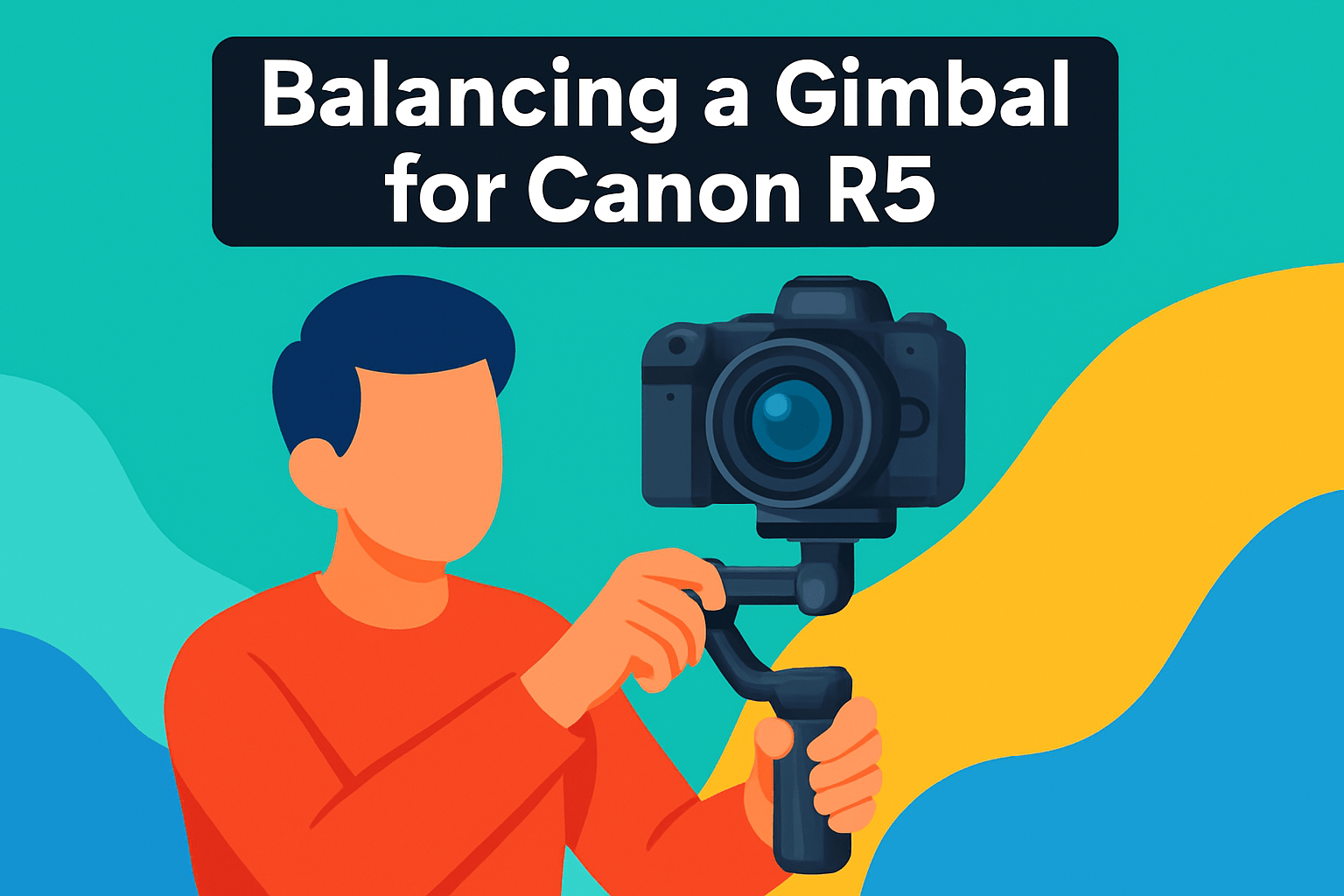
Balancing your Canon R5 isn’t a ritual — it’s the single best investment you can make for smoother footage and happier gimbal motors. Start with the camera fully rigged: battery, card, lens, filters and any microphone or monitor you plan to use. Mount the quick‑release plate securely, lock it into the gimbal and treat the camera as a single, final weight when you make adjustments.
Begin by freeing the tilt arm and sliding the camera forward or back until it holds roughly at a 45° angle without drifting; that tells you the tilt axis is in the ballpark. Next unlock the roll arm and slide left or right until the body sits level. Finally check the pan axis so the unit swings freely and settles without rotating the head. With the gimbal powered off the camera should stay put in any orientation — that’s the goal.
Once the basic balance is close, make fine micro‑adjustments to remove any residual tilt or roll. If you’re using a zoom such as a 24–70mm, balance at a mid‑zoom (around 50mm) so you can zoom in and out without constant rebalancing. Heavy lenses benefit from a lens support or bracket; reducing lens sag pays dividends in motor longevity and battery life.
Power the gimbal on only after physical balancing and run the built‑in autotune or calibration routine. This aligns motor parameters to your specific load and helps eliminate small wobbles. Secure cables with Velcro and keep accessories compact — even small shifts change balance and can introduce hunting or jitter.
Balancing gets faster with practice; expect 30–40 minutes the first few times and just a couple of minutes once you know your setup. Take the extra time — perfectly balanced gear makes a noticeable difference in shot smoothness and gives you one less thing to worry about when you’re focused on the shoot.
Vertical Shooting Tips for Canon R5
Switching your R5 to vertical is more than a 90° twist — it changes the camera’s center of gravity, so treat it like a fresh balance. I always either engage the gimbal’s native Portrait Mode or physically rotate the mount 90°, then rebalance all three axes. Don’t skip this: a well‑balanced vertical setup saves motors and delivers smooth movement.
If you’re using a zoom like a 24–70mm, balance at the mid‑zoom point (around 50mm). That lets you zoom in or out without having to rebalance between focal lengths. For heavier lenses, fit a lens support or bracket before you rotate; it prevents sag and removes strain from the motors when the camera is upright.
Small things matter. Secure any tether, mic, or HDMI cable with Velcro or ties so they don’t pull or snag and upset balance. Check for eyepiece, battery grip, or accessory interference that can rub against the gimbal frame once rotated — reposition the plate or move accessories to clear the mount.
After physical balancing always run the gimbal’s autotune/auto‑calibration and then fine‑tune motor speed and torque. In portrait orientation gravity behaves differently, so I often bump torque up a touch for heavy setups and reduce follow speed for crisp vertical pans. Listen for motor strain; if it whines, rebalance or add support.
Compose with the R5’s tall sensor in mind. Vertical framing gives you extra headroom for subjects and a stronger sense of scale, so think about movement through the frame and where you want negative space. Finally, practice — set up a quick test: hold positions, tilt, and pan slowly to spot any drift or wobble. A couple of minutes of testing per setup keeps your footage clean and your gimbal happy.
What People Ask Most
What is the best gimbal for the Canon R5?
The best gimbal depends on your rig and shooting needs. Heavy cinema setups benefit from a top‑tier heavy‑lift gimbal, while travel or vlogging favors more compact models. Choose based on payload, stabilization performance, and ergonomics.
Which gimbal can support the Canon R5 with a 24-70mm lens?
Many mid‑to‑high‑capacity gimbals can handle the R5 paired with a standard zoom like a 24–70mm. Confirm the gimbal’s payload rating and balance the camera at a mid‑zoom setting to minimize rebalancing. If you add heavier accessories, opt for a higher‑capacity model.
Is the DJI RS 3 compatible with the Canon R5?
Compatibility depends on the gimbal model, firmware, and available camera control cables. Check the manufacturer’s compatibility list and ensure you have the correct cable and firmware updates for camera control features. If uncertain, test mounting and control before important shoots.
How do you balance a Canon R5 on a gimbal?
Mount the fully rigged camera and then balance the tilt, roll, and pan axes in that sequence, making small adjustments until the camera holds position. Fine‑tune balance and run the gimbal’s auto‑calibration after physical balancing. Use lens supports for heavier lenses to reduce motor strain.
Can I use autofocus and camera control on a gimbal with the Canon R5?
Many gimbals offer autofocus and camera control via cables, built‑in focus systems, or companion apps, but features vary by model. Verify that your gimbal explicitly supports the R5 and the control functions you need. Remote focus options may require additional hardware or setup.
What payload capacity do I need in a gimbal for the Canon R5?
Choose a gimbal whose rated payload exceeds the combined weight of the R5 plus lens, battery, and accessories. Allow margin for heavier lenses or added gear, and consider using lens supports for long lenses. A higher‑capacity gimbal reduces motor strain and improves reliability.
Which handheld gimbal offers the most stable footage for the Canon R5?
Higher‑torque, heavy‑lift gimbals are generally the most stable for larger R5 rigs, while premium mid‑range models deliver excellent stability for lighter setups. Match the gimbal’s capabilities to your rig and shooting style for optimal results. Proper balancing and tuning also play a key role in achieving stable footage.
Conclusion for Best Gimbal for Canon R5
Ultimately, the best gimbal is the one that matches your Canon R5 setup and shooting style: the RS 4 Pro for heavy cinema rigs, the Zhiyun Crane 4 for ergonomic mid‑heavy and low‑light work, the DJI RS 4 for reliable mid‑range use, the Crane 4E for budget‑minded mid‑weight needs, and the FeiyuTech Scorp 2 for lightweight vlogging and travel.
Whatever you choose, account for the camera plus batteries and accessories, and invest time in proper physical balancing and portrait‑mode setup to protect motors and get the smoothest footage.
Refer back to the balancing and vertical shooting tips above and practice them until setup becomes quick and consistent for your workflow.
If you want to build your skills and confidence with gimbals and the R5, read more articles on our site for practical tips, comparisons and workflow ideas.
Have questions or want to share your setup? Leave a comment below — we usually reply within a few hours.



0 Comments