
Want to turn your photos and digital art into gallery-ready prints without visiting a pro lab?
This guide compares five top printers for photos and art and helps you choose the best printer for photos and art for your workflow.
We set out to find printers that balance image quality with everyday practicality.
That means looking beyond lab charts and focusing on how machines perform on typical shoot-to-print jobs.
Picks were chosen using hands-on testing, user feedback, and practical considerations photographers and artists face daily.
We weighed media handling, color fidelity, build quality, and long-term running costs to make relevant recommendations.
Whether you print limited-run fine art, client photos, or high-volume proofs, the right printer changes results and workflow.
This introduction will orient you to the key trade-offs so you can match a machine to your needs and budget.
The upcoming reviews focus on real use rather than marketing claims, highlighting strengths and common frustrations you’ll actually encounter.
Think of this as a curator’s shortlist built to get your prints looking as good as your screen intends.
Along the way we’ll explain who each printer suits and the practical trade-offs that will affect your studio workflow.
By the end you’ll be ready to choose a machine that balances archival stability, color fidelity, media flexibility, and long-term value.
1. Canon imagePROGRAF PRO-310 Photo Printer Overview
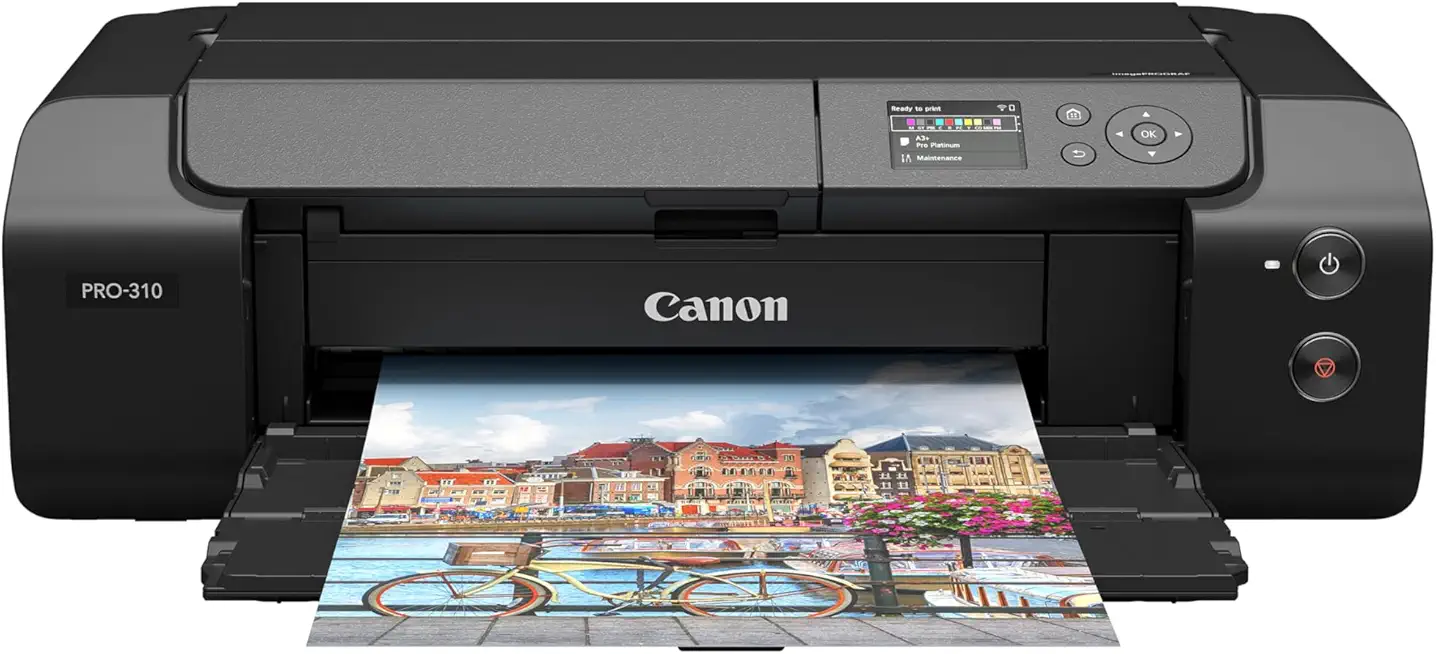
Canon imagePROGRAF PRO-310 13-inch Photo Printer
Deliver archival-quality color and razor-sharp detail for home studios with compact tabletop design and advanced pigment inks.
Check PriceThe Canon imagePROGRAF PRO-310 is a pigment-based printer designed to deliver exhibition-quality prints from a home studio. It handles glossy, semi-gloss, luster, matte, and fine-art papers, with borderless printing available on matte and fine-art stocks. This versatility makes it easy to match paper finish to the mood of an image.
In real use it’s praised for rich, deep blacks and spectacular color accuracy. The printer uses 10 Lucia Pro II pigment inks, including a Chroma Optimizer that improves scratch resistance and creates a more uniform gloss across prints. Those inks give you prints built to last, ideal for archival work or gallery sales.
Performance-wise it’s relatively quick for a pigment printer, though not as fast as dye-based alternatives. Also, pigment prints aren’t instantly dry, so you should allow time before framing or stacking. If speed is critical, take note; if longevity and color fidelity matter more, this unit excels.
Media handling is a strong suit. The PRO-310 supports up to A3+ and can even do banner printing nearly 1 meter long, which is great for panoramas or elongated art pieces. That, combined with excellent black density, makes it a go-to for professional photographers and serious hobbyists who prioritize quality over throughput.
If you want museum-grade pigment prints from a compact, pro-level printer and don’t mind cartridge costs or slightly slower output, the PRO-310 is a very strong choice. It’s especially suitable when archival permanence and color fidelity are the top priorities.
- Outstanding print quality: deep blacks, vibrant colors
- Versatile media handling incl. fine-art and borderless
- Supports up to A3+ and ~1 meter banner printing
- 10 Lucia Pro II inks with Chroma Optimizer
- Higher running costs (10 pigment cartridges)
- Slower than dye-based photo printers
2. Epson EcoTank ET-8550 Photo Printer Overview
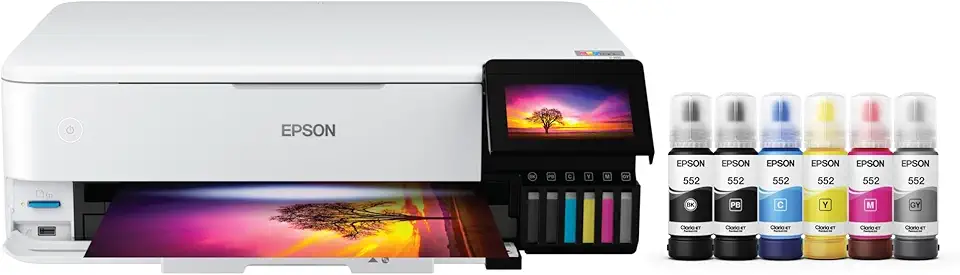
Epson EcoTank Photo ET-8550 Wide-Format All-in-One Printer
Massive ink reservoir for low-cost continuous printing, vibrant borderless images, and built-in scanning and copying for busy creative workflows.
Check PriceAs a photographer who prints regularly, the Epson EcoTank ET-8550 sits in a sweet spot between quality and economy. It’s a six-ink dye-based printer with refillable EcoTank ink tanks, so the running costs are dramatically lower than cartridge systems.
In practice that means large-capacity tanks let you print thousands of photos before needing refills. The result is a very low cost per print, which is ideal when you’re producing multiple proofs, client galleries, or small art runs.
Image quality is impressive for a dye-based system. The ET-8550 delivers vibrant colors and fine detail on both glossy and matte media, and it supports paper up to A3+. It even handles heavy, thick fine-art stocks well through the rear/manual feeders, so you can use textured or heavyweight paper without fuss.
Speed and usability are also strong points. It’s relatively fast compared with many photo printers and includes a large touchscreen interface that makes day-to-day operation simpler. For enthusiasts and semi-professionals who need a multipurpose printer that won’t bankrupt them on ink, this is a practical choice.
There are trade-offs to consider. The initial purchase price is higher than some consumer models, so you pay up front for savings later. Also, like many inkjet machines, it can require occasional printhead cleaning to keep output at its best.
- Low cost per print from large-capacity tanks
- Excellent quality on glossy and matte media
- Good handling of heavy/thick fine-art stocks
- Relatively fast with a large touchscreen interface
- Higher initial purchase price
- Occasional need for printhead cleaning
3. Epson SureColor P700 Photo Printer Overview

Epson SureColor P700 13-inch Printer
Studio-grade pigment ink system produces museum-quality color, deep blacks, and smooth gradients with compact desktop footprint.
Check PriceAs a photographer who prints my own work, the Epson SureColor P700 feels like a true bridge between studio and fine art lab. Its pigment inks deliver exceptional color vibrancy and sharpness, so images pop with depth and nuance straight off the platen.
The P700 handles heavy fine-art stocks up to 1.5 mm thick and even accepts roll media, which makes it flexible for everything from small gallery prints to longer art pieces. That versatile paper handling is one of the reasons I trust it for textured, archival papers that need precise ink placement.
Color accuracy is excellent, though I recommend calibrating the workflow — the printer may require profiling for absolute fidelity on critical work. Expect to factor in ink cost per page; pigment printing is not cheap and some ink is used during priming and setup.
On the practical side, the P700 is relatively compact and includes a useful touchscreen that simplifies on-printer controls and paper feeding. Compared with some other pigment machines, it manages ink more economically and can reduce waste, which helps when you’re not printing constantly.
In short, the P700 is a smart choice for photographers and artists who want gallery-quality pigment prints and need support for thick media and roll options. If you print occasionally and want superb detail and a wide gamut, it’s a great fit — but budget for cartridges and initial setup ink use.
- Impeccable print quality with wide color gamut
- Supports up to 1.5 mm thick media and roll paper
- Less ink waste and somewhat more economical ink usage
- Compact form factor with a good touchscreen
- High initial cost and expensive cartridges
- Ink loss during setup reduces cartridge efficiency
4. Canon imagePROGRAF PRO-1100 Photo Printer Overview

Canon imagePROGRAF PRO-1100 17-inch Photo Printer
Create gallery-ready large-format prints with expanded color gamut, precise tonal control, and professional pigment inks for exhibition-quality photography and fine art.
Check PriceThe Canon imagePROGRAF PRO-1100 is a high-end pigment printer built around enhanced Lucia PRO II inks and Chroma Optimizer, aimed squarely at gallery-quality output. It handles prints up to 17 inches wide, so it suits photographers who need large, archival pieces without moving to true wide-format equipment.
In practice the PRO-1100 delivers very deep black densities and an expanded color gamut that make shadow detail and nuanced tones sing. The pigment inks are scratch- and fade-resistant, so prints hold up well in exhibition and archival settings.
Media handling is noticeably improved over smaller printers, and the unit includes expanded banner printing capability and borderless options on fine-art media. That flexibility lets you produce long banners or edge-to-edge fine-art pieces on heavier stocks for gallery presentation.
As a working pro I appreciate how reliable and professional the machine feels; it’s been praised for professionalism and reliability despite price and footprint. That said, its larger footprint makes it less portable than desktop photo printers, and the operating costs can add up because of ink expenses.
If your workflow centers on producing archival, large-format prints for sale or exhibition, the PRO-1100 is mostly a smart investment — the output quality and durability justify the cost for many pros. If you primarily print small, casual runs or need a compact solution, the size and high ink costs may steer you elsewhere.
- Exceptional black density and expanded color gamut
- Reliable with strong media handling and large print size support (up to 17 inches wide)
- Scratch- and fade-resistant pigment inks for long-lasting art prints
- Banner printing and borderless options on fine-art media
- Larger footprint and less portability
- High ink costs that impact running expenses for high-volume users
5. Epson SureColor P9570 Photo Printer Overview

Epson SureColor P900 17-inch Printer
Premium fine-art output with ultra-high resolution, deep blacks, subtle tonality, and reliable media handling for demanding photographers and artists.
Check PriceAs a pro shooter who prints for galleries, the Epson SureColor P9570 is built for one thing: very large, color-critical output. It’s a professional 44-inch pigment photo printer that uses UltraChrome PRO12 pigment inks and a precision print head to deliver outstanding color accuracy and fine detail.
The large-format capability means you can confidently produce museum-scale fine art and photographic prints up to 44 inches wide. Workflow features like an automatic media cutter and an intuitive touchscreen make long print runs and finishing easier in a studio environment.
In practice the P9570 shines on color-critical work — the 12-color UltraChrome PRO ink set gives you a broad gamut and subtle gradations that matter for fine art reproduction. The precision head and studio-focused design produce excellent detail and color reproduction that hold up under close inspection.
There are caveats: users have reported paper-feeding issues with some third-party/non-Epson media, so factor media compatibility into your paper choices and testing. Also, this printer is aimed squarely at professionals; purchase and operating costs are very high compared with desktop models.
If you’re a fine art printmaker or pro photographer who needs gallery-sized, archival-looking pigment prints and you have the budget and space, the P9570 is mostly an excellent choice. If you print infrequently, on a tight budget, or only need small-format work, it’s likely overkill.
- 12-color UltraChrome PRO pigment ink set
- Prints up to 44 inches wide
- Automatic rotary cutter and intuitive touchscreen
- Excellent detail and color reproduction
- Paper feeding problems reported with some non-Epson media
- Very high purchase and operating costs; aimed at professionals
Color Calibration for Accurate Prints
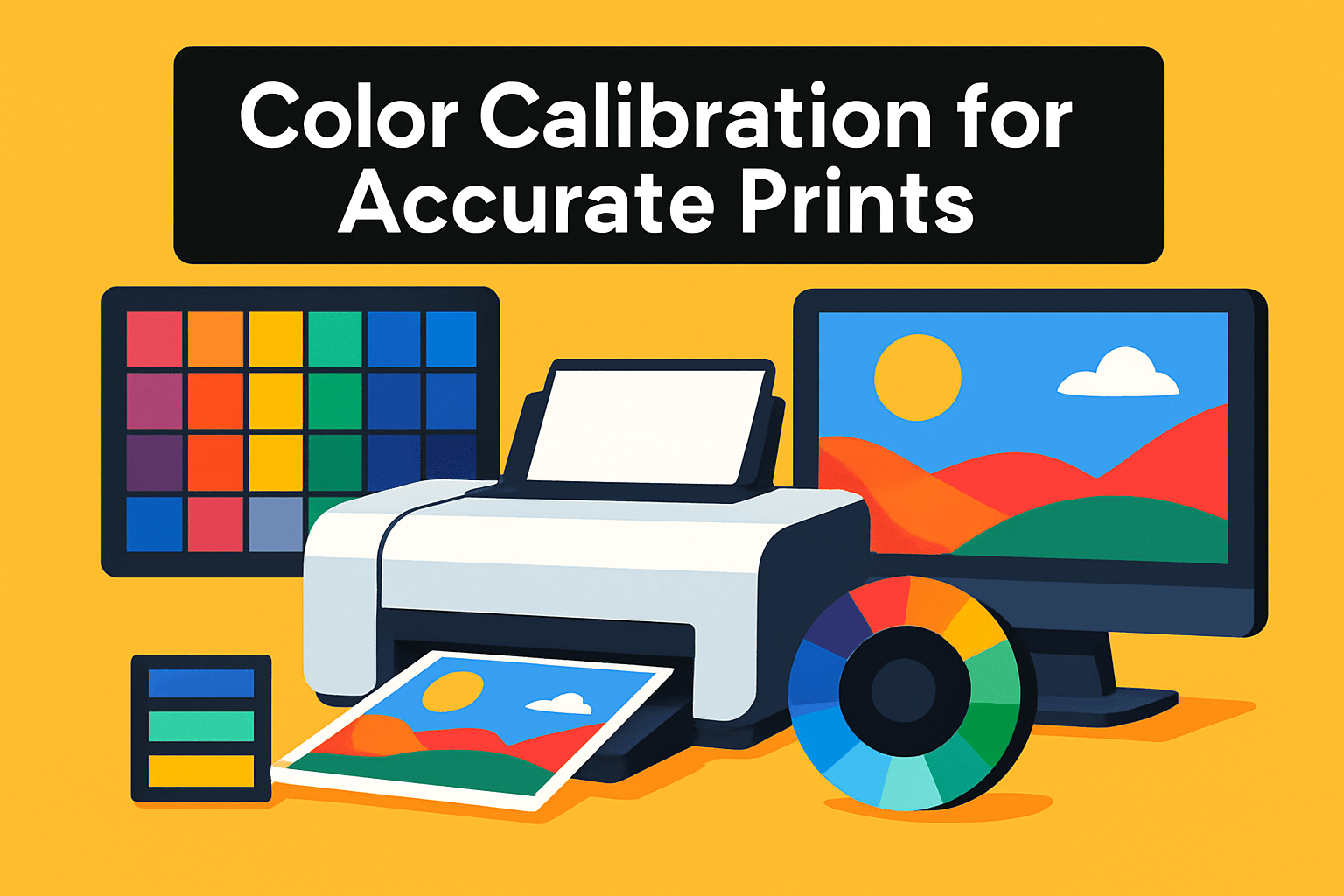
Nothing is more frustrating than a print that looks great on screen and wrong on paper. Monitors emit light; prints reflect it. That difference is why calibration isn’t optional if you want predictable, gallery-ready results.
Start with your monitor. Use a colorimeter and calibration software to set gamma to 2.2, color temperature to about 6500 K, and brightness near 120 cd/m². Those settings give a neutral starting point and keep shadows and highlights printable. Calibrating the screen first prevents you from chasing problems that only exist in your display.
Next, profile the printer. A spectrophotometer (or high-quality colorimeter) and profiling software create ICC profiles tailored to each ink/paper/printer combo. Make small test strips, let them dry fully, and compare them under consistent, neutral lighting—ideally a 5000 K viewing source or daylight-balanced lamp. That comparison is where theory meets reality: colors, black density, and paper texture all reveal themselves once ink settles into the paper.
Soft proofing in Photoshop or Lightroom is a huge time-saver. Toggle the printer profile, inspect gamut warnings, and choose a rendering intent that preserves the look you want. If a color clips, tweak saturation or contrast, or switch to a paper/profile that better handles that image. Always print a small proof before committing to a large run; it’s cheaper and faster than reprinting full-size pieces.
Recalibrate regularly—at minimum monthly for active workflows, and any time you change inks, print heads, or paper stocks. Use your printer’s automatic calibration tools when available; they won’t replace a proper profile but will keep feed and alignment consistent. With a steady calibration routine you’ll waste less ink and paper, hit color targets faster, and deliver prints that match your vision every time.
Paper Selection for Photos and Art
Paper choice does more than hold ink; it shapes how your image reads on the wall. From texture to weight, the stock you pick controls mood, detail and longevity. Think of paper as part of the artwork, not an afterthought.
Glossy papers deliver punchy colors and razor-sharp detail. They make saturated landscapes and high-contrast images sing, but they also reflect light and show fingerprints easily, so plan display and handling accordingly.
Matte stocks give a subdued, elegant look that suits black-and-white or painterly imagery. Semi-gloss finishes like luster or pearl strike a great middle ground, offering color depth without the mirror shine. Pearl, with its subtle shimmer, often reads as a more luxurious option for gallery prints and portraiture.
Textured fine-art papers, such as linen or rag, add a tactile dimension that changes the narrative of an image. Texture softens micro-contrast and invites close inspection, which works beautifully with landscapes, alternative-process looks, and limited-edition prints.
Weight matters. Heavier papers (around 260–300 gsm and up) feel substantial and resist cockling when wet ink is applied. Coatings also alter color rendition: glossy coatings lock ink near the surface for vividness, while matte coatings absorb more and can mute saturation slightly.
Match paper to the display context. Use matte or textured stocks when glass and gallery lighting could create distracting reflections. Choose glossy or pearl when you want maximum impact in open, well-lit spaces where glare is less of a problem.
Always buy sample packs and make small test prints before committing to a full run. Test the same image across the finishes you like, check how detail and shadow hold up, and make notes for future orders. Handle sheets by the edges and store them flat to avoid damage.
In the end, the right paper is the one that tells the story you intended. Invest time in sampling and you’ll find combinations that elevate your work from good to unforgettable.
What People Ask Most
What is the best type of printer for printing photos and art?
It depends on your priorities: pigment-based printers are typically chosen for longevity and archival stability, while dye-based systems often deliver vibrant colors and faster output. Choose the type that matches your needs for durability, finish, and workflow.
Which printer is best for high-quality photo and art prints?
The best choice depends on your goals and budget; look for printers known for accurate color reproduction and good handling of fine-art media. Consider media support, ink technology, and reputation for consistent, rich results.
Should I choose an inkjet or dye-sublimation printer for photos and art?
Inkjet printers offer flexibility for a wide range of papers and fine-art stocks and are commonly used for gallery prints. Dye-sublimation can be a strong option for fast, consistent photo output on specific media types but is less versatile for heavy fine-art papers.
What printer features matter most for professional photo and art printing?
Key features include accurate color management, reliable media handling for thick or textured stocks, and support for profiling and calibration tools. A robust ink set and consistent print quality also contribute to predictable, professional results.
What paper and ink combinations give the best results for photos and art?
Match paper finish to the image and display environment, choosing glossy for vibrant color or matte/textured for a subdued, artistic look. Use inks and ICC profiles that are tuned to the specific paper to achieve accurate and consistent prints.
How do I choose a printer for fine art reproductions and archival prints?
Prioritize printers that use stable inks and support heavy, fine-art papers, along with good media handling and color fidelity. Also consider long-term durability needs, available color management tools, and overall cost of ownership.
Can a home photo printer produce gallery-quality art prints?
Yes, many home and small-studio printers can produce gallery-worthy prints when paired with appropriate papers, careful color calibration, and quality inks. Consistent results require attention to profile management and handling practices.
Conclusion for Best Photo and Art Printers
These five printers represent a range of workflows, from desktop pigment models built for exhibition prints to versatile, low-cost tank systems and full-scale large-format devices for gallery work.
The Canon imagePROGRAF PRO‑310 is best for photographers and serious hobbyists who prioritize archival pigment prints and color fidelity over speed.
The Epson EcoTank ET‑8550 suits enthusiasts and semi‑professionals who want excellent photo results with lower running costs and flexible media handling.
For fine-art workflows the Epson SureColor P700, Canon imagePROGRAF PRO‑1100, and Epson SureColor P9570 scale from high‑quality desktop pigment output to large‑format, color‑critical gallery production depending on your size and volume needs.
Remember that consistent color calibration and thoughtful paper choice are as important as the printer itself for achieving accurate, long‑lasting prints that match your vision.
If you’d like to refine your printing skills, explore more of our site for practical tips and comparisons, and please leave a comment below with questions or experiences—we usually reply within a few hours.




0 Comments