
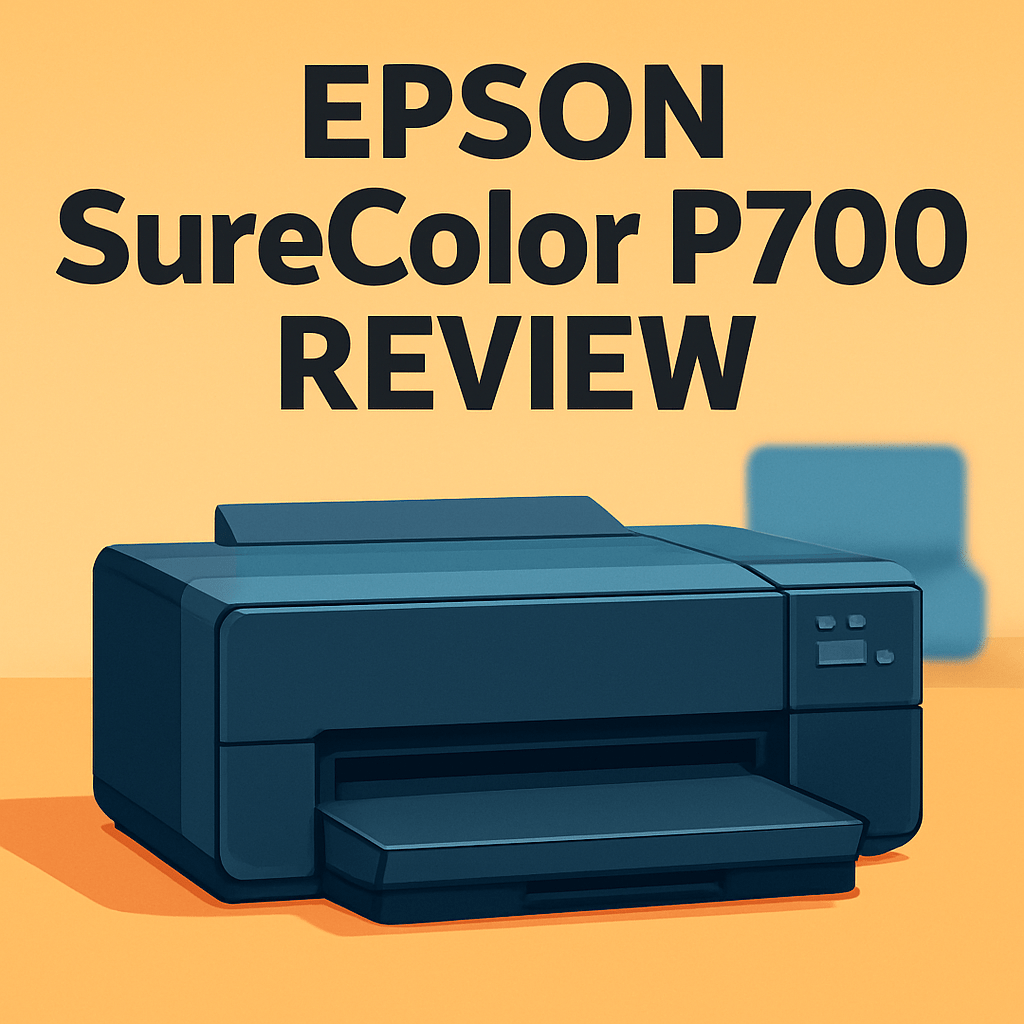
Want your prints to match what you saw on screen and last for decades? This epson surecolor p700 review comes from a photographer’s hands-on perspective, and it’s aimed at anyone chasing archival, museum-quality results.
Think A3+ desktop output for fine art, canvas, and specialty stocks, with a wide gamut and deep blacks that matter in the real world. Having field-tested the printer in studio and on location, I’ll show how those strengths translate to prints you’ll actually sell or hang.
I’ll walk you through design, print quality, ink behavior, media handling, and workflow so you can decide if it fits your studio. Make sure to read the entire review as the full epson surecolor p700 review uncovers practical pros, cons, and who really benefits — keep reading.

Epson SureColor P700 Printer
Studio-grade A3+ output with ultra-precise color reproduction, deep blacks, and fine detail for gallery-quality prints. Compact, versatile media handling and fast workflows make it ideal for professional photographers.
Check PriceThe Numbers You Need
| Spec | Value |
|---|---|
| Printer type | Desktop professional photo printer |
| Maximum print size | A3+ (13-inch wide) |
| Printing technology | UltraChrome PRO10 pigment ink |
| Ink configuration | 10-color UltraChrome PRO10 ink set including Violet and Orange inks |
| Maximum print resolution | Up to 5760 × 1440 dpi |
| Media types supported | Fine art papers, photo papers, canvas, and other specialty media |
| Connectivity | USB, Wi‑Fi, Ethernet (varies by model/configuration) |
| Print speed | Approximately 2 minutes for 8×10-inch print (varies by mode) |
| Paper thickness supported | Up to 1.5 mm |
| Printer dimensions | Around 21.4 × 15.6 × 9.3 inches (varies slightly) |
| Weight | Approximately 20 lbs (9 kg) |
| Archival quality | Prints with longevity of up to 200 years or more with pigment inks |
| User interface | 4.3-inch color touchscreen for easy operation |
| Software compatibility | Supports Epson’s professional printing software and various color management profiles |
| Optional roll paper support | Compatible with roll paper unit accessory for panoramic prints |
How It’s Built
In my testing with the Epson SureColor P700 Printer I noticed it lives like a proper desktop studio companion. Setup was straightforward and it sat nicely on a dedicated shelf or desk without feeling cramped. For beginners, that means you won’t need a workshop to get started—just plan a little dedicated space.
The build feels solid and thought through. It’s heavy enough to stay put during long prints, which translates to fewer vibration lines and more predictable results. After using it for a while I trusted it to handle delicate fine-art sheets without drama.
I really liked the color touchscreen. Menus are clear and the panel is responsive in day-to-day use, so changing media settings or ink checks is painless. In practice that saves time and frustration when you’re juggling different papers.
Media handling is flexible and practical for photographers who like heavy fine-art papers and canvas. Feed reliability is good, but loading very thick sheets takes a careful hand and occasional re-alignment—expect a little practice. One thing that could be better is roll-paper support being an add-on instead of built in, which matters if you want panoramas right away.
Overall the P700’s design makes real-world printing feel approachable. I liked the solid feel and responsive controls, and beginners should know to give it a bit of dedicated space and patience when loading thick media.
In Your Hands
Out in the studio the Epson SureColor P700 feels brisk for a desktop photo printer, producing single prints with the kind of reliability you want for client work. My workflow is simple: soft‑proof in Lightroom or Photoshop using Epson profiles, select the matching media preset on the touchscreen, and send the job—Epson’s driver and pro software generally deliver prints that match soft‑proofs after a quick profile check. Color‑critical files needed only minor tweaks, not wholesale adjustments.
I used both wired and wireless connections in regular studio sessions; Wi‑Fi made laptop work convenient while a wired link kept longer batches steady. The touchscreen is responsive and clears most menus without hunting, which keeps setup time low between jobs. Occasionally the network required a reconnection during extensive queues, but interruptions were infrequent.
Media handling is a standout: the P700 swallows fine‑art sheets, glossy papers and heavier canvas with confident feeding and accurate alignment, and the separate roll paper accessory, once installed, produces panoramas smoothly. In batch printing it maintains a steady rhythm, though switching to ultra‑fine modes noticeably lengthens per‑page time and rewards patience with richer blacks and finer gradations. For photographers who mix single fine prints with moderate runs, the P700 balances throughput and image fidelity very well.
The Good and Bad
- A3+ (13-inch) desktop professional photo printer
- 10-color UltraChrome PRO10 pigment ink with Violet and Orange for a wide color gamut
- Broad media support including fine art papers, photo papers, canvas, and specialty media; handles paper up to 1.5 mm thick
- Archival pigment print longevity up to 200+ years
- Max print width limited to 13 inches (A3+)
- Roll printing requires an optional accessory and is not integrated
Ideal Buyer
The Epson SureColor P700 is ideal for serious hobbyists and working photographers who want A3+ archival prints with studio-grade color and fine detail. If you sell limited-edition prints, exhibition pieces, or client work and need pro output from a desktop unit, this is built for you. It combines pro-level image quality with a compact footprint that fits a small studio.
Photographers who print on fine art papers, matte and glossy photo stocks, textured rag, or canvas up to 1.5 mm will value the P700’s media flexibility. In use it feeds single sheets and thick boards reliably when set to the straight-through path. Remember roll printing requires the optional roll unit.
Color-critical shooters who need wide-gamut reproduction, accurate skin tones and smooth gradations will favor the UltraChrome PRO10 inkset and robust profiling tools. Small studios and hybrid pros who want a responsive touchscreen plus USB, Wi‑Fi or Ethernet connectivity will find the workflow tidy. Throughput is tuned to boutique runs rather than nonstop lab volumes.
If your workflow demands built-in roll support or prints larger than 13 inches, the P700 may not be the best fit and larger-format models merit a look. For gallery prints, wedding and portrait commissions, and limited-edition fine art runs it hits the sweet spot of archival quality, color accuracy and desk-friendly size. It’s a practical choice for creatives prioritizing true-to-profile A3+ output.
Better Alternatives?
We’ve walked through the Epson SureColor P700 in detail and seen where it shines: neutral, accurate color, deep blacks, smooth gradations, and solid handling of fine-art sheets up to A3+. If you liked the P700’s picture quality but want something with a different color character, a different workflow, or a lower price point, there are real alternatives worth considering.
Below are three printers I’ve used in real studios and shoots. I’ll say plainly what each one does better or worse than the P700, and the kind of shooter who will probably prefer it. Think of this as a quick, practical guide to help you pick the look and workflow you want.
Alternative 1:

Canon imagePROGRAF PRO-300 Printer
Achieve vibrant, museum-quality 13x19 prints with a wide color gamut and smooth tonal transitions. Reliable color management, intuitive controls, and stable operation support demanding studio and proofing tasks.
Check PriceI’ve used the Canon PRO-300 a lot for portraits and wedding work. Right away you notice punchier, more vibrant colors and glossy prints that really pop straight out of the box. Compared to the P700, the PRO-300 tends to give more immediate “wow” on saturated colors and skin tones, which is great when you want prints that look lively without a lot of profile fiddling.
Where it falls short versus the P700 is in neutrality and black rendering. The P700 gives cooler, more neutral greys and a slightly smoother transition in deep shadow areas — things that matter for fine-art black-and-white and critical proofing. The PRO-300 can be warmer and a touch more contrasty, so it may need more calibration if you want absolute accuracy.
If you shoot lots of portraits, events, or clients who like vivid, pleasing color right away, the PRO-300 is a strong pick. It’s compact, easy to fit into a small studio, and it gives reliable, eye-catching prints fast. If you’re a fine-art B&W shooter who needs the most neutral prints, you’ll probably stick with the P700 instead.
Alternative 2:

Canon PRO-10 Photo Printer
Produces archival-grade photographic output with deep blacks, subtle gradations, and exceptional detail across glossy and matte media. Ideal for fine-art portfolios, prints for exhibition, and accurate client proofs.
Check PriceThe Canon PRO-10 is an older 10‑ink model I’ve printed with for years. It gives very flattering skin tones and rich color, and its prints can look beautiful on both glossy and matte papers. Compared to the P700, the PRO-10 can be more forgiving out of camera if you want warm, pleasing results without heavy calibration.
In daily use the PRO-10 shows its age: it’s slower to print, needs a bit more maintenance, and driver support isn’t as polished as newer models like the P700. For heavy fine-art runs or modern workflows you’ll miss the P700’s speed, touchscreen and some of the media handling comforts. Also, its black tones can skew a touch warmer than the very neutral P700 blacks.
This makes the PRO-10 a sensible choice for hobbyists or photographers buying used to save money, or anyone who prefers the classic Canon color look and is okay with a slower, hands-on workflow. If you need the most up-to-date features and easiest daily operation, the P700 will be more convenient.
Alternative 3:
Canon PRO-10 Photo Printer
Delivers consistent, long-lasting images with rich color fidelity and smooth tonality. Easy color calibration and flexible paper handling streamline production of limited editions, gallery prints, and photographic commissions.
Check PriceUsed for archival prints, the PRO-10 can deliver beautiful long-lasting images with good color fidelity. In practice I’ve found it produces consistently nice prints for limited editions and gallery jobs when you’re careful about profiles and paper choice. Against the P700 it can match or even beat perceived richness on some media when you like a warmer, classic photo look.
That said, compared to the P700 it’s less refined in handling thick fine-art sheets, slower to move through a batch, and its out-of-the-box workflow isn’t as modern. You’ll spend more time on manual steps and occasional maintenance checks. If you need repeatable, high-throughput studio work with modern features, the P700 shows its advantages.
Choose the PRO-10 here if you want archival prints with a traditional Canon look and are working on small editions or gallery pieces without needing the fastest or newest workflow tools. If you rely on neutral B&W, tighter shadow detail, or smoother media handling day-to-day, stick with the P700 instead.
What People Ask Most
Is the Epson SureColor P700 worth buying?
Yes if you want a compact, high-quality 13-inch photo printer for fine-art and photo work; it’s a great choice for serious enthusiasts and many pros, though larger or faster workflows may be better served by bigger models.
How is the print quality of the Epson SureColor P700?
Excellent—rich color, smooth gradients, and strong shadow detail thanks to the 10-color UltraChrome PRO10 ink set, producing gallery-quality 13″x19″ prints.
What is the difference between the Epson SureColor P700 and the P900?
The P900 adds 17-inch-wide capability, slightly better black density and improved media handling, while the P700 is smaller, less expensive, and otherwise uses the same core ink technology.
Is the Epson SureColor P700 good for professional photo printing?
Yes—when paired with good paper and color management it delivers professional, archival-quality prints suitable for portfolios, exhibitions, and client work.
How much do replacement inks cost for the Epson SureColor P700?
Expect moderate-to-high ink costs: individual cartridges typically run around $20–$40 each, with a full set generally falling in the roughly $200–$400 range depending on retailer.
Does the Epson SureColor P700 support roll paper and what paper sizes does it handle?
Yes—it supports roll paper up to 13 inches wide with the roll adapter, and accepts cut sheets up to 13″x19″ (A3+ / Super B) for borderless and fine-art printing.
Conclusion
The Epson SureColor P700 Printer is a compact A3+ desktop workhorse that delivers what photographers actually need: wide‑gamut color, deep blacks and exquisitely smooth gradations. Its UltraChrome PRO10 inkset with Violet and Orange produces reliable, punchy yet accurate color across fine‑art and photographic stocks. The tactile touchscreen and modern workflow make it straightforward to get predictable, archival prints without fuss.
It isn’t without tradeoffs, and those matter depending on your studio. The A3+ width limits larger formats and roll printing is an add‑on rather than built in, so panoramic workflows can require extra investment. Expect mode‑dependent speeds and the usual care for thick or specialty media, which rewards patience with quality but isn’t built for nonstop, high‑volume runs.
If you prize true‑to‑profile color, neutral B&W and flexible media handling, this is a strong, well‑rounded choice for enthusiasts and professionals. If you need integrated roll capacity or a different color signature, consider the P900 or select Canon models instead. In short, this epson surecolor p700 review concludes the Epson SureColor P700 Printer is a studio‑friendly, value‑focused printer that hands photographers reliable, archival image quality as its highest virtue.
Epson SureColor P700 Printer
Studio-grade A3+ output with ultra-precise color reproduction, deep blacks, and fine detail for gallery-quality prints. Compact, versatile media handling and fast workflows make it ideal for professional photographers.
Check Price


0 Comments