
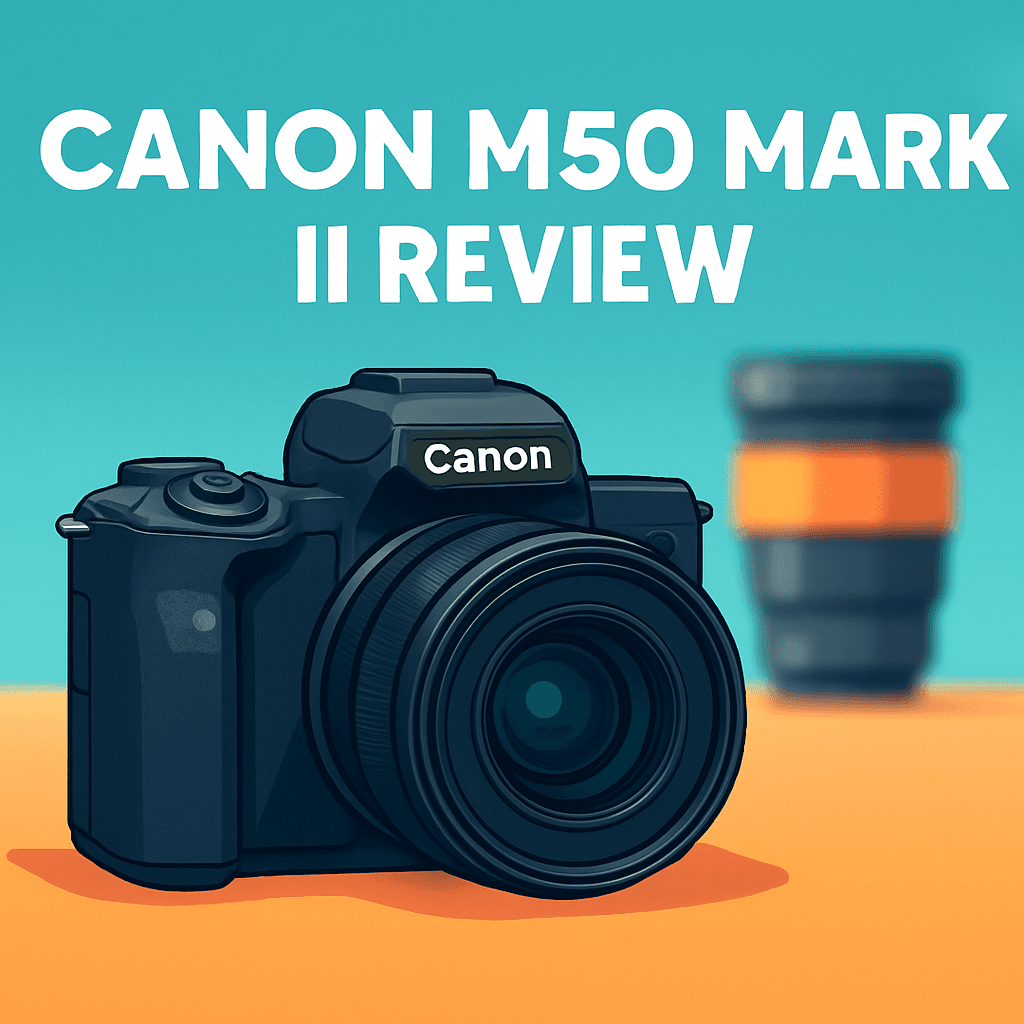
Want a small camera that actually improves your photos and vlogs without a steep learning curve?
I ran the Canon EOS M50 Mark II Camera through real shoots and compared it to a couple of rivals to see how it performs in the field.
This hands-on, photographer-first review focuses on real-world shooting — stills, everyday video, handling, and EF‑M lens trade-offs. Want to know how it handles stills, vlogs, battery life and lens choices? Keep reading.

Canon EOS M50 Mark II Camera
Compact mirrorless designed for creators, delivering sharp APS-C image quality, responsive Dual Pixel autofocus, vari-angle touchscreen, and easy wireless connectivity — ideal for vlogging, travel, and social media storytelling.
Check PriceThe Numbers You Need
| Spec | Value |
|---|---|
| Sensor | 24.2 MP APS-C |
| Lens mount | EF-M |
| Autofocus | Dual Pixel CMOS AF |
| Continuous shooting | Up to 10 fps |
| Video recording | 4K at 30 fps; 1080p at 60 fps |
| Image stabilization | None (no in-body IS) |
| ISO range | 100–25600 |
| Shutter speed | 1/4000s to 30s |
| Viewfinder | Optional |
| LCD screen | Vari-angle 3.0″ touchscreen |
| Weather sealing | No |
| Weight | Approximately 387 g |
| Battery life | Approximately 305 shots |
| Connectivity | Wi‑Fi, Bluetooth |
How It’s Built
In my testing the Canon EOS M50 Mark II felt like a tiny workhorse — light enough to carry all day and comfortable to shoot with for casual outings. The grip isn’t massive, but it’s enough to steady the camera for most walks and family shoots. That portability made me actually take it places I’d leave bigger gear at home.
The vari-angle touchscreen is the feature I really liked. Flipping it out for low shots, overhead framing, or selfie-style vlogs was effortless, and the viewfinder is handy when the sun is blasting. For vloggers, note the record button sits a bit close to the thumb; I learned to tweak my grip so I don’t accidentally hit the screen when I flip it around.
Handle-wise the body is thoughtfully laid out and Canon’s menu is easy for beginners to pick up. In my testing new users could find settings quickly and change modes without digging into a manual. That makes learning photography feel less intimidating and more fun.
One thing that could be better is stabilization and long-term toughness. The camera has no in-body stabilization and there’s no weather protection, so I relied on stabilized lenses, a tripod, or a gimbal when shooting handheld or in sketchy weather. For real-world use that means planning gear or being extra careful outdoors.
Overall the build feels like what you’d expect from an entry-level mirrorless — solid for daily use but not indestructible. After using it for a while I’d recommend a good strap and a simple rain cover if you plan to travel or shoot outside regularly. Beginners will appreciate the friendly layout and light carry weight while being mindful of those practical limits.
In Your Hands
The Canon EOS M50 Mark II’s Dual Pixel AF is a standout for portraits and everyday subjects, locking onto faces and eyes with reassuring stickiness. It handles casual action and street moments well, though sustained burst shooting and long tracking sequences reveal the system’s practical limits. In short, it’s dependable for most real-world stills but not a sports specialist.
Responsiveness is pleasantly snappy—wake, compose, and shoot feel fluid with responsive touch controls that make focus and menu navigation straightforward. A few buttons are compact and the record-button placement can feel awkward when vlogging, but the vari-angle screen earns its keep for creative framing. Overall handling favors quick, intuitive shooting over complex customization.
Battery life is modest in everyday use, enough for half-day outings with moderate shooting habits but worth planning a backup for long days or heavy video. Wi‑Fi and Bluetooth add real convenience for quick transfers and remote control, though initial pairing can be fiddly. Once connected, wireless workflows speed up sharing and tether-free shooting.
In low light the AF start to lose confidence and keeper rates decline, so lens choice and exposure discipline matter more than on brighter shoots. High-ISO performance is usable but shows more grain and color shift in challenging conditions, making fast glass and steady technique important. For night or dim interiors, expect to lean on stabilized lenses or support.
Because there’s no in-body stabilization, a stabilized lens or gimbal becomes a practical accessory for smooth handheld stills and video. The EF‑M lens lineup covers everyday needs but is less deep for highly specialized genres, so plan lens strategy carefully as you grow. For photographers who prioritize portability and Canon’s easy handling, the M50 Mark II performs as a capable, honest tool with clear trade-offs to manage.
The Good and Bad
- 24.2 MP APS-C sensor for detailed stills
- Dual Pixel CMOS AF for intuitive, sticky face/eye detection
- Vari-angle touchscreen enhances versatility for stills and video
- Compact, lightweight kit that’s easy to carry
- No in-body image stabilization
- EF-M lens ecosystem is limited versus RF or Sony E and is less future-proof
Ideal Buyer
As a first mirrorless body the Canon EOS M50 Mark II Camera is disarmingly easy to use and flattering out of camera. Beginners will appreciate Canon’s approachable menus, reliable Dual Pixel AF for faces and the familiar color science.
Its lightweight, compact chassis and vari-angle touchscreen make it a natural travel and family camera. You can sling it all day and flip the screen for kids, parties, and vlog-style selfies. The modest battery means packing a spare on longer days.
Hybrid creators who focus on HD vlogs, talking-heads, and social clips will find the handling and audio options serviceable. Expect to lean on lens stabilization or a gimbal for smooth walk-and-talk footage. Existing EF-M shooters who want a straightforward upgrade will appreciate system continuity.
This isn’t the camera for video-first pros chasing the best 4K AF, in-body stabilization, or a future-proof lens line. Photographers who need an expansive native lens ecosystem or marathon battery life should look elsewhere. The M50 Mark II shines when portability and simplicity beat cutting-edge specs.
If you prioritize portability, pleasant color and straightforward controls, it’s a smart buy. If future-proofing and top-tier video features matter, step up to newer RF or Sony E bodies.
Better Alternatives?
We’ve already dug into what the Canon EOS M50 Mark II Camera does well and where it starts to show its age. If you liked its size and Canon colors but want something that handles video better, has a broader lens choice, or gives you more speed, there are a few cameras I’ve used that make real differences in everyday shooting.
Below are three solid alternatives — I’ve shot with all of them and I’ll point out what each one gives you over the M50 Mark II and what you’ll be trading away. That way you can pick the one that fits how you actually work, not just what’s on paper.
Alternative 1:

Sony ZV-E10 Camera
Lightweight interchangeable-lens vlogging rig with advanced Real-time Eye AF, crisp 4K capture, optimized microphone and audio inputs, plus a fully articulating screen for confident on-camera presentation and quick-start filming.
Check PriceThe Sony ZV-E10 beats the Canon EOS M50 Mark II Camera most where video and lens choice matter. In real shoots I found Sony’s subject and eye tracking to be faster and more reliable when people move around, and the E-mount gives you tons of native lenses to choose from — useful when you want a small fast prime or a stabilized zoom for run-and-gun work. It’s lighter than many bodies, so it’s nice for handheld vlogging days.
Where it falls short versus the Canon EOS M50 Mark II Camera is in its color out of camera and menu friendliness. Canon’s JPEG skin tones are still more pleasing without much editing, and the ZV-E10’s menus and many settings take longer to learn. Also, like the M50 II, it lacks in-body stabilization, so you’ll still lean on stabilized lenses or a gimbal for smooth walking shots.
If you’re mainly a video creator or vlogger who wants good on-camera autofocus and a massive lens lineup, the ZV-E10 is a great pick. If you value Canon’s straight-out-of-camera color and a simpler control layout, you might prefer sticking with the M50 Mark II instead.
Alternative 2:

Canon EOS R10 Camera
Enthusiast-focused APS-C shooter boasting high-speed continuous bursts, dual-pixel autofocus with subject tracking, versatile 4K video, and intuitive controls—perfect for action, wildlife, and everyday hybrid photography.
Check PriceThe Canon EOS R10 Camera is a clear step up from the Canon EOS M50 Mark II Camera in speed and autofocus. In the field I noticed faster continuous shooting and more confident tracking of moving subjects, which matters for sports, kids and wildlife. The R10 lives on the RF mount, so you get a growing and modern lens lineup that feels much more future-proof than EF-M.
On the flip side, the R10 is larger and more expensive than the Canon EOS M50 Mark II Camera, and it still doesn’t give you in-body stabilization. That means better handling and faster performance, but you’ll pay more and still need stabilized lenses or support for steady handheld video. Battery life and overall portability also feel a bit less pocketable than the M50 II.
Choose the R10 if you’re an enthusiast who wants to shoot action and plan to grow into a broader lens system. If you mostly need a tiny, very simple camera for casual video and family photos, the M50 Mark II or a lighter option might fit you better.
Alternative 3:
Canon EOS R10 Camera
Compact, responsive tool for hybrid creators featuring fast autofocus, crisp stills, cinematic 4K recording, customizable controls, and seamless Wi-Fi/Bluetooth sharing—designed to keep up with fast-paced shooting and storytelling.
Check PriceAs a hybrid tool, the Canon EOS R10 Camera improves on the Canon EOS M50 Mark II Camera by giving you a snappier experience for both stills and video. I used the R10 on short documentary shoots and liked that autofocus stayed put during handheld run-and-gun work, and the menus let you tailor buttons so switching from photo to video feels smooth. The colors are recognizably Canon, but processed with a bit more headroom for editing.
What you lose versus the Canon EOS M50 Mark II Camera is some simplicity and the tiniest form factor — the R10 has more controls and a steeper learning curve for beginners. It still does not include in-body stabilization, so hybrid shooters who want perfectly steady handheld footage will need stabilized lenses or a gimbal. Also, the price is higher than the M50 II, so it’s a bigger step up financially.
If you make both photos and videos and want a camera that handles story work and quick edits, the R10 is a smart upgrade from the M50 Mark II. If you prefer the simplest possible setup or need IBIS built into the body, look elsewhere or plan for supporting gear.
What People Ask Most
Is the Canon M50 Mark II worth buying?
Yes, it’s a great budget-friendly APS-C mirrorless for beginners and vloggers thanks to easy handling and good autofocus, but if you need clean 4K, long battery life, or professional video features, look at higher-end models.
What’s the difference between the Canon M50 and the M50 Mark II?
The Mark II adds improved live-view/streaming features, better subject/eye detection, vertical video support and minor usability tweaks, while sensor and overall image quality remain largely the same.
Is the Canon M50 Mark II good for vlogging?
Yes—its fully articulating screen, Dual Pixel AF in 1080p, and webcam support make it vlog-friendly, though battery life and 4K limitations are downsides to consider.
Does the Canon M50 Mark II have 4K video and is the 4K quality usable?
It records 4K but with a significant crop and reduced autofocus performance, so 4K is usable for casual clips but not ideal for professional work.
How good is the autofocus on the Canon M50 Mark II?
Autofocus is fast and reliable in photo mode and 1080p video thanks to Dual Pixel AF with strong face/eye detection, but 4K uses slower contrast-based AF.
Does the Canon M50 Mark II have a microphone jack?
Yes, it has a 3.5mm mic input for external microphones, though it lacks a headphone jack for audio monitoring.
Conclusion
The Canon EOS M50 Mark II Camera is a compact, approachable APS‑C mirrorless that gets the essentials right: dependable stills autofocus, pleasing Canon color straight out of the camera, a vari‑angle touchscreen and simple sharing tools that make it a true grab‑and‑go body. It isn’t without compromises, and the lack of in‑body stabilization, weather sealing and a limited EF‑M lens roadmap impose real limits on growth. Those who push heavy video or specialist genres will feel those boundaries quickly.
For beginners, travelers and casual creators who prioritize portability, image quality and an easy learning curve, the M50 Mark II is a practical, confidence‑building choice. When paired with stabilized glass or a gimbal and a modest workflow, it punches well above its class for everyday stills and HD content. Canon’s user interface and connectivity options also speed the path from capture to share.
If your work demands cutting‑edge video AF, in‑body stabilization or the broadest future‑proof lens ecosystem, consider alternatives such as the Sony ZV‑E10, Canon R10 or Fujifilm X‑S10. Otherwise, the M50 Mark II remains a smart, affordable entry into mirrorless photography — strong on usability and color, sensible on value, but limited if you want to scale up.
Canon EOS M50 Mark II Camera
Compact mirrorless designed for creators, delivering sharp APS-C image quality, responsive Dual Pixel autofocus, vari-angle touchscreen, and easy wireless connectivity — ideal for vlogging, travel, and social media storytelling.
Check Price



0 Comments