
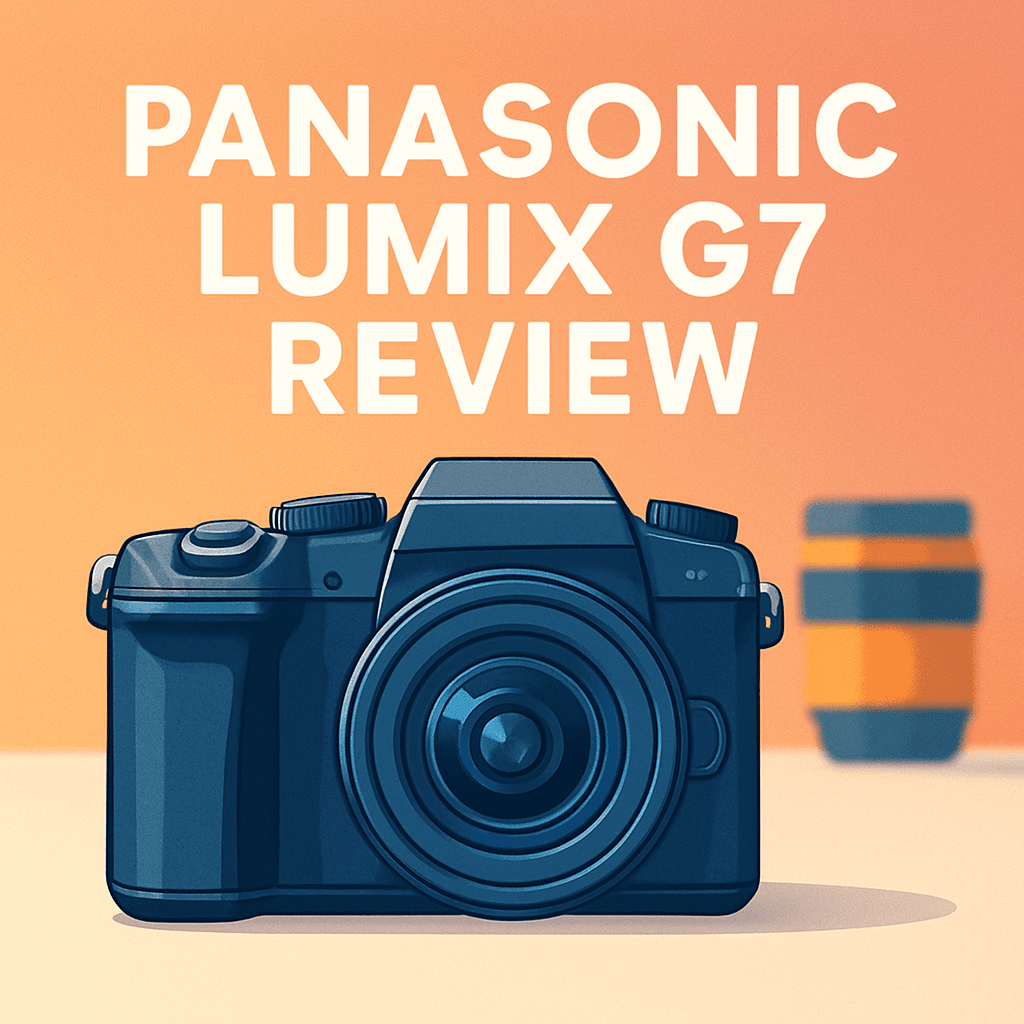
Want a lightweight camera that can handle both sharp stills and 4K video without weighing you down? The Panasonic Lumix G7 Camera promises that hybrid sweet spot in a compact Micro Four Thirds body, and I took one into the field to see how it performs in real shoots.
This review will focus on the real‑world payoffs: handheld usability, 4K capture, and the system flexibility you get with Micro Four Thirds lenses. There are tradeoffs to be aware of too—no in‑body stabilization, a modest raw buffer, and an unsealed body—so expectations matter.
If you’re a creator who values portability, intuitive handling, and strong video options without a pro price tag, this review will help you decide. Make sure to read the entire review as we break down image quality, autofocus behavior, battery life, and who should buy the G7—keep reading.

Panasonic Lumix G7 Camera
Lightweight mirrorless that captures stunning 4K video and sharp stills with responsive autofocus, a fully articulating touchscreen, and creative photo modes—perfect for vloggers and enthusiastic photographers seeking versatility on the go.
Check PriceThe Numbers You Need
| Spec | Value |
|---|---|
| Sensor | 16 MP Micro Four Thirds |
| ISO range | 200–25600, expandable to 100–25600 |
| Video resolution | 4K UHD 3840 x 2160 at 30p/24p |
| Continuous shooting speed | 8 fps |
| Autofocus system | Contrast-detect AF with Depth From Defocus (DFD) technology, 49 focus points |
| Viewfinder | OLED electronic viewfinder, 2.36 million dots |
| Screen | 3-inch fully articulating touchscreen LCD, 1.04 million dots |
| Lens mount | Micro Four Thirds |
| Image stabilization | No in-body stabilization; relies on lens stabilization |
| Shutter speed range | 1/4000 to 60 seconds |
| Burst mode buffer | Raw burst of approximately 20 shots |
| Weight | Approx. 410 grams (body only) |
| Storage media | SD/SDHC/SDXC (UHS-I) |
| Connectivity | Built-in Wi-Fi and NFC |
| Battery life | Approx. 350 shots per charge (CIPA standard) |
How It’s Built
In my testing the Panasonic Lumix G7 Camera felt like a friendly companion in hand. The body is light and compact, so it never wears me out on long walks, and the grip keeps the camera steady when I need it. For beginners that means you can carry a whole kit without feeling overloaded.
I really liked the flip-out touchscreen paired with the bright electronic viewfinder — they make framing from weird angles and quick vlogging shots simple. I found the touchscreen responsive and the EVF reliable even in bright sun, which is a real confidence booster when you’re learning. That combo makes switching between eye-level shooting and selfie-style framing painless.
What could be better is the construction. After using it for a while I noticed the body leans more plastic and it isn’t sealed against bad weather, so I treat it more like a careful travel partner than a storm-ready tool. Also there’s no in-body stabilization, so you’ll want lenses with stabilization or a tripod for steady low-light shots.
Practical stuff is easy: bring spare batteries and extra memory cards, and use the camera’s wireless features to offload photos when you’re on the move. In short, it’s approachable for newcomers, but plan your lenses and accessories to get the most out of it.
In Your Hands
The Panasonic Lumix G7’s contrast‑detect DFD autofocus is tidy for single‑shot work, delivering reliable locks for portraits and still subjects with minimal fuss. Continuous tracking performs well with predictable movement but can hesitate or hunt in cluttered scenes or with abrupt direction changes. In dim light it remains usable but slower than phase‑detect systems, so pairing with fast, stabilized glass helps.
For burst needs the G7 lets you capture quick sequences that nail fleeting moments, yet raw shooting will fill the buffer after a short run and slow the cadence. That behavior makes the camera great for street, family, and occasional action bursts, but less suited to sustained sports sequences. Shooting mixed or JPEG formats eases buffer pressure for longer runs.
Shutter and exposure handling cover everyday scenarios from freezing motion to basic long‑exposure creativity, though extremely bright, wide‑open shooting sometimes calls for neutral density or stopping down. Low‑light long exposures are best tackled with support and disciplined technique rather than relying on high ISO.
Battery life is solid for a day of varied shooting, but bringing a spare is smart for heavy 4K use or all‑day assignments. UHS‑I card support delivers acceptable buffer clearing and file offload speeds, though large video and raw files benefit from an organized workflow and patient transfers.
Built‑in Wi‑Fi and NFC make remote control and quick sharing straightforward, and the app works well for run‑and‑gun setups. Expect occasional pairing hiccups in busy networks, but overall connectivity is a handy productivity boost in the field.
The Good and Bad
- 4K UHD at 30p/24p in a compact body
- Fully articulating 3-inch touchscreen
- 2.36M‑dot OLED EVF
- Micro Four Thirds mount flexibility
- No in‑body image stabilization
- Not weather‑sealed; more plastic build
Ideal Buyer
The Panasonic Lumix G7 Camera is a compact hybrid for stills shooters and filmmakers who want 4K capture and a flexible, articulating screen. Its lightweight Micro Four Thirds chassis makes it easy to carry all day. The 2.36M‑dot EVF and responsive controls reward weekend projects and run‑and‑gun shoots.
It’s an ideal match for photographers who own OIS lenses or plan to use a tripod, gimbal, or monopod to tame camera motion. If you rely on lens‑based stabilization and like interchangeable‑lens versatility, the G7 gives great bang‑for‑the‑buck handling and system choice. The 8 fps burst and decent ergonomics suit short action runs and travel work.
Buyers who can live with a modest raw buffer, UHS‑I card speeds and roughly 350 shots per battery charge will find the camera sensible and efficient. Likewise, creators who don’t need on‑camera headphone monitoring can still produce polished video with external recorders or thoughtful audio setups. Its strengths are 4K, operability and an affordable Micro Four Thirds path.
Avoid the G7 if you frequently shoot handheld in dim light without OIS glass or need robust weather sealing for rough conditions. Also look elsewhere for long continuous bursts, pro‑level audio monitoring, or built‑in IBIS. In short, the G7 is a clever, budget‑minded 4K workhorse for shooters who accept its tradeoffs.
Better Alternatives?
We’ve gone through the G7’s strengths and limits — its great 4K, swivel screen, and lightweight Micro Four Thirds body, plus the tradeoffs like no in-body stabilization and an unsealed shell. If you like the G7’s handling and image look but want something that fixes those pain points, there are a few clear paths to consider.
Below are cameras I’ve used in the field that change the G7 equation in real shooting ways. I’ll point out what each one does better or worse than the G7, and what kind of shooter will get the most from it.
Alternative 1:

Panasonic Lumix G85 Camera
Rugged, weather-sealed body with advanced stabilization delivers steady handheld shooting and smooth 4K video; ergonomic controls, reliable autofocus, and long battery life make it a dependable tool for outdoor and hybrid shooters.
Check PriceI’ve used the G85 alongside the G7 on hikes, street walks, and run‑and‑gun video days. The biggest real-world win over the G7 is the built‑in 5‑axis IBIS. That means I could handhold stills at much slower shutter speeds with good results and walk-and-shoot 4K footage that looked much steadier without a gimbal. If you hate relying on OIS lenses or carrying a stabilizer, the G85 makes a big difference.
At the same time, the G85 feels tougher in bad weather — the sealed body and better grip let you keep shooting in drizzle and dusty conditions where I wouldn’t risk the G7. Autofocus and color are close to the G7, so you don’t lose the look you liked. The tradeoffs are size, weight, and cost: the G85 is a bit heavier and pricier, so it’s less ideal if you want the absolute lightest kit.
Who should pick it? Outdoor shooters, run‑and‑gun videographers, and hybrid users who want steadier handheld shooting without swapping to a gimbal or only using OIS lenses. If you often shoot in rough weather or want that extra steadiness, the G85 is worth the extra weight and money. If you care most about a tiny body or the lowest price, the G7 still makes sense.
Alternative 2:

OM System E-M10 Mark IV Camera
Stylish, compact travel camera offering intuitive controls, a bright tilting touchscreen, and crisp image quality ideal for beginners; quick connectivity and creative filters let you share beautiful photos and short videos instantly.
Check PriceI’ve taken the E‑M10 Mark IV on short trips and city shoots where size and ease mattered most. Compared with the G7, it’s smaller and feels more like a true travel camera — lighter to carry all day and friendlier for quick snaps. The tilting screen and simple menus make it easy to shoot and share without fuss, which is great for casual shooters and beginners.
In the field the E‑M10 IV’s stabilization (sensor shift) helps a lot for handheld stills, so you’ll get sharper low‑light shots than the G7 when you can’t use a tripod. But video features are where the G7 still often wins; Panasonic’s menus and video tools feel more tuned to creators, and the G7’s handling for longer video runs is a bit more straightforward. The E‑M10 IV also has a smaller grip and fewer direct controls, so it’s not as comfortable on long shoots.
Who should pick it? Travel photographers, beginners, and people who want a compact, easy camera that still takes great pictures. If you prefer quick setup, light weight, and nice in‑camera creativity over the extra video controls and handling of the G7, the E‑M10 Mark IV is a smart choice.
Alternative 3:
OM System E-M10 Mark IV Camera
Pocketable system for everyday shooting: fast autofocus, user-friendly menus, built-in Wi-Fi/Bluetooth, and a wide lens ecosystem encourage experimentation—capture vibrant landscapes, portraits, and social-ready clips with minimal fuss.
Check PriceUsing the E‑M10 IV as a daily carry camera shows why its pocketable nature matters. Compared to the G7, it gets you shooting more often simply because it’s so light and unobtrusive. Its fast autofocus in good light and the wide Micro Four Thirds lens options make it a flexible little system for street, portraits, and travel snapshots.
Where it falls short versus the G7 is in pro‑style video control and some handling for longer shoots. The G7’s flip screen, larger body, and video‑centric layout make it easier to use when you’re doing longer clips or need a more robust setup on the camera itself. The E‑M10 IV wins for quick everyday use and social sharing, but for heavy video work the G7 still has the edge.
Who should pick it? Everyday shooters who want a light, reliable camera to toss in a bag or large pocket and use anytime. If your days are mostly photos and short clips for social media, or you want a small system that encourages trying different lenses, this little Olympus/OM is a great match. If you need more serious video controls or prefer a bigger grip for long days, stick with the G7 or look to the G85 instead.
What People Ask Most
Is the Panasonic Lumix G7 a good camera for beginners?
Yes — it’s affordable, lightweight and easy to learn with helpful controls and automatic modes that make it a solid starter mirrorless camera.
Does the Lumix G7 shoot 4K video?
Yes, it records 4K UHD (up to 30p) and includes Panasonic’s useful 4K Photo mode for extracting stills from video.
Is the Panasonic G7 good for vlogging and YouTube?
Yes — the flip-out screen and 4K are great for vlogging, but it lacks in-body stabilization so use a stabilized lens or gimbal for smooth handheld shots.
How is the image quality of the Panasonic Lumix G7?
The image quality is very good for a Micro Four Thirds sensor in good light, with pleasing color and detail, though high ISO noise is more noticeable than on larger-sensor cameras.
Does the Panasonic Lumix G7 have a microphone input?
Yes, it has a 3.5mm external microphone jack for better audio recording.
Is the autofocus on the Lumix G7 reliable for stills and video?
Its contrast-detect AF works well for stills and slow subjects but can hunt on fast action and isn’t as smooth or fast as newer hybrid AF systems for video.
Conclusion
The Panasonic Lumix G7 is a lean, purpose-driven mirrorless that gives hybrid shooters what matters most: reliable 4K capture, a fully articulating touchscreen for flexible framing, a crisp EVF, and a responsive contrast‑based AF system in a light Micro Four Thirds package. It’s designed around usability and practical value rather than chasing every spec race.
That focus creates clear strengths and compromises. Handling and video-oriented controls are excellent for the price, but there’s no in‑body stabilization, the body feels more plastic and isn’t weather‑sealed, it leans on lens stabilization or support gear, it has modest burst/media endurance, and it lacks on‑camera headphone monitoring.
In everyday use the G7 truly shines when paired with stabilized glass or a gimbal; it’s a compact, affordable way to capture sharp stills and very usable 4K without hauling a heavy kit. It’s not the best choice for sustained action, handheld low‑light work, or shooting in poor weather unless you compensate with lenses and support.
Bottom line: pick the G7 if you want a nimble, budget‑friendly hybrid body and can live with its tradeoffs. If built‑in stabilization, weather sealing, or higher resolution are priorities, look instead at the G85, OM‑D E‑M10 IV, or E‑M5 III.
Panasonic Lumix G7 Camera
Lightweight mirrorless that captures stunning 4K video and sharp stills with responsive autofocus, a fully articulating touchscreen, and creative photo modes—perfect for vloggers and enthusiastic photographers seeking versatility on the go.
Check Price



0 Comments