
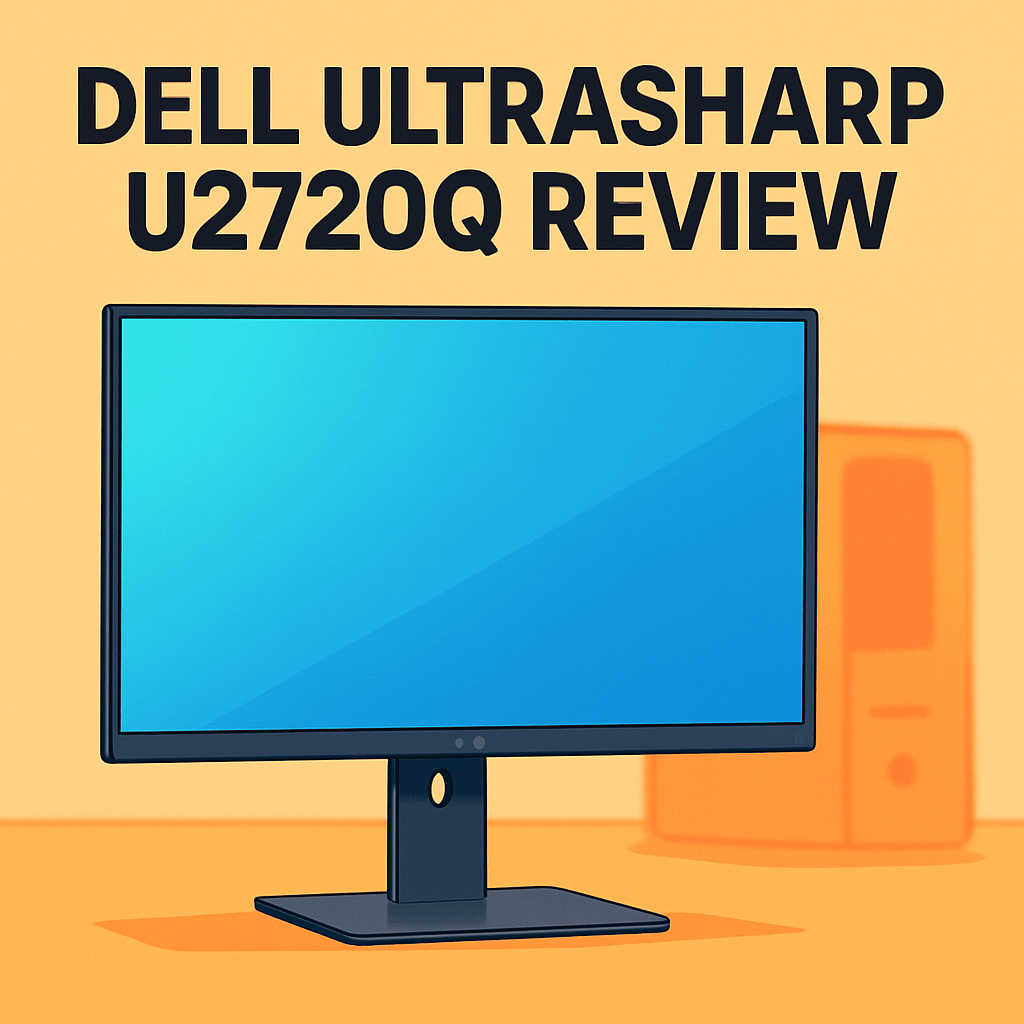
Looking for a 27-inch 4K screen that actually makes your retouching and layout work faster and more reliable?
The Dell UltraSharp U2720Q Monitor is aimed squarely at photographers and designers who want accurate color and a clean USB‑C single-cable workflow, and I’ve used it on shoots and in the studio to see how it holds up.
You’ll get a sharp 4K workspace, dependable out‑of‑box color, and an ergonomic stand that keeps long sessions comfortable—real wins for daily editing, proofing, and light grading.
It’s not pitched as a gaming or HDR‑mastering hero, though, so expect practicality over spectacle; Make sure to read the entire review as I dig into image quality, workflow convenience, and where this monitor truly shines—keep reading.

Dell UltraSharp U2720Q Monitor
Crisp 4K IPS panel with exceptional color fidelity and factory calibration, wide color gamut, USB-C connectivity for video and power delivery, adjustable stand and thin bezels—perfect for precise photo and video editing.
Check PriceThe Numbers You Need
| Spec | Value |
|---|---|
| Screen Size | 27 inches |
| Resolution | 3840 × 2160 (4K UHD) |
| Panel Type | IPS |
| Color Gamut | 99% sRGB, 95% DCI-P3 |
| Color Accuracy | ΔE < 2 factory calibrated |
| Brightness | 350 cd/m² (typical) |
| Contrast Ratio | 1300:1 (typical) |
| Refresh Rate | 60 Hz |
| Response Time | 5 ms (GtG) |
| Connectivity | USB-C with Power Delivery (up to 90W) |
| Additional Ports | HDMI 2.0, DisplayPort 1.4, USB 3.0 hub |
| HDR Support | HDR10 |
| Viewing Angles | 178° horizontal / 178° vertical |
| Stand Adjustments | Height, tilt, swivel, pivot |
| Anti-Glare | Yes, matte finish |
How It’s Built
In my testing the Dell UltraSharp U2720Q feels like it belongs on a pro desk. The stand is solid and keeps the screen steady during long editing sessions. The overall look is clean and unobtrusive, so your work, not the monitor, takes center stage.
I found the adjustment range really useful for real workflows. Tilt, height, swivel and a true rotate-to-portrait option make switching between landscape timelines and portrait culls effortless. That pivot was one thing I really liked — it genuinely speeds up retouching and vertical layouts.
The panel’s matte finish keeps reflections under control in a bright room. Colors stay consistent even when a client leans in, which makes quick proofs less stressful. One thing that could be better is the cable management — a more integrated cover would help hide a tidy setup.
After using it for a while the single-cable workflow proved handy for daily shoots and tethering. I used the monitor’s built-in USB hub for card readers, tablets, and my calibration device, which cleaned up my desk instantly. For beginners, that means fewer cables and an easier, less fussy editing setup.
In Your Hands
In daily use the Dell UltraSharp U2720Q delivers the high-resolution workspace photographers expect, keeping Lightroom and Photoshop fluid during retouching. It’s tuned for productivity rather than gaming, so animation and scrolling are pleasant but not aimed at high-frame-rate play.
Motion handling is more than adequate for creative tasks; panning, brush strokes and timeline scrubbing stay clean and predictable. If you’re chasing esports-level motion clarity, this isn’t the monitor to prioritize.
The panel is bright and contrasty enough for typical studio lighting, making it easy to judge midtones and shadow detail. HDR content looks richer than SDR on quick checks, but the display is better as a preview tool than a mastering reference.
Color-managed workflows benefit from wide-gamut support and reliable out-of-box tuning — set OS and application profiles and results are predictably trustworthy for web and wide-gamut deliverables. At native resolution text and fine retouching detail are crisp; be mindful of OS scaling to keep UI elements comfortable.
Wide viewing angles prevent distracting color shifts during client proofing, and rotating the panel makes portrait culling and long-format layouts genuinely useful. The matte finish reduces reflections and eye fatigue, and a quick calibration to your room’s lighting completes a predictable editing setup.
The Good and Bad
- 27-inch 4K IPS panel for sharp detail and ample workspace
- Factory-calibrated with ΔE < 2; 99% sRGB, 95% DCI-P3 for strong out-of-box accuracy
- USB-C with up to 90W PD enables true single-cable docking for many laptops
- Full ergonomic adjustments: height, tilt, swivel, pivot
- 60 Hz and 5 ms response not ideal for high-frame-rate gaming
- 350 cd/m² brightness and 1300:1 contrast limit HDR impact; not for HDR mastering
Ideal Buyer
Photographers, retouchers, and visual designers who need crisp 4K detail and trustworthy color will find a lot to like in the Dell UltraSharp U2720Q. Its 27‑inch 3840×2160 panel and single‑cable USB‑C workflow make it a practical centerpiece for a modern laptop-based studio. It balances desktop real estate with high pixel density.
The factory calibration (ΔE < 2) and wide gamut coverage—99% sRGB and about 95% DCI‑P3—mean you can get straight into proofing, color correction, and layout work without an immediate calibration hoop to jump through. It’s especially good for web delivery, client-facing retouching, and light video grading where absolute HDR mastery isn’t required. It removes a lot of early setup friction for freelance pros and studio teams.
Ergonomic adjustability, matte anti‑glare coating, and a built‑in USB 3.0 hub keep long editing days comfortable and clutter-free. Pivot, height, tilt and swivel help with portrait culling, vertical proofs, and collaborative review at the desk. The USB‑C power delivery up to 90W keeps most laptops topped up while you edit.
This isn’t for esports players chasing 144 Hz or for colorists who need true HDR mastering with very high peak brightness and contrast. If your workflow needs those specialist traits, look toward reference HDR panels or high-refresh gaming displays instead.
Better Alternatives?
We’ve already dug into what makes the Dell UltraSharp U2720Q a solid 27-inch 4K choice for photographers: accurate out-of-box color, a useful USB-C single-cable workflow, and a roomy, clear editing canvas. If you liked what you read but want something slightly different—more punch, studio-grade calibration features, or a curved field-of-view—there are a few monitors that deserve a look.
Below I’ll walk through three alternatives I’ve used in real editing setups. I’ll say where each one is better or worse than the Dell in everyday photo work, and which kind of shooter would prefer it.
Alternative 1:

LG 27UP850K Monitor
27-inch UHD display offering vibrant HDR10 visuals, accurate colors, and wide viewing angles. Includes USB-C power and data, ergonomic adjustments, and user-friendly controls tailored for content creators and multitaskers.
Check PriceI’ve used the LG 27UP850K for client previews and casual retouching. Compared to the Dell U2720Q, the LG tends to show a bit more pop out of the box—colors feel lively and the HDR preview looks punchier in a normal studio. That makes it great when you want edits that “wow” clients on-screen without extra tweaks.
Where it falls short versus the Dell is in consistent, critical proofing. The Dell’s factory calibration and uniformity gave me more confidence when matching final exports and proofs. Also, the LG’s USB-C power is fine for smaller laptops, but if you run a power-hungry workstation laptop the Dell’s stronger USB-C power delivery is handier during long tethered shoots.
Pick the LG if you’re a photographer who prefers vivid-looking previews and a friendly price, or if you need a solid all-rounder for client demos and everyday editing. If your work demands the strictest color matching for print runs or commercial retouching, you’ll likely stick with the Dell instead.
Alternative 2:

ASUS ProArt PA279CV Monitor
Studio-grade 4K panel calibrated for critical color work, covering broad color spaces with Calman validation. USB-C docking with power delivery, flexible ergonomics, and factory-tuned profiles for photographers and designers.
Check PriceThe ASUS ProArt PA279CV is one I reach for when color accuracy is the top priority. Out of the box it gives a very reliable baseline for skin tones and print work; in real edits I spent less time chasing color shifts. Compared to the Dell, the ASUS feels more “studio-first” — it’s tuned for predictable color rather than punchy previews.
On the flip side, the Dell’s USB-C charging and overall dock-like feel make laptop setups simpler for me during tethered shoots. The ASUS still handles tethering fine, but you might need to pay attention to power and cable choices if you want single-cable convenience equal to the Dell. For everyday HDR previews they feel similar—neither replaces a true high-end HDR reference monitor.
If you’re a retoucher, commercial photographer, or studio pro who needs consistent color across shoots and devices, the ProArt is a great pick. If you value the Dell’s single-cable laptop charging and slightly more neutral out-of-box look for varied client work, stick with the U2720Q instead.
Alternative 3:
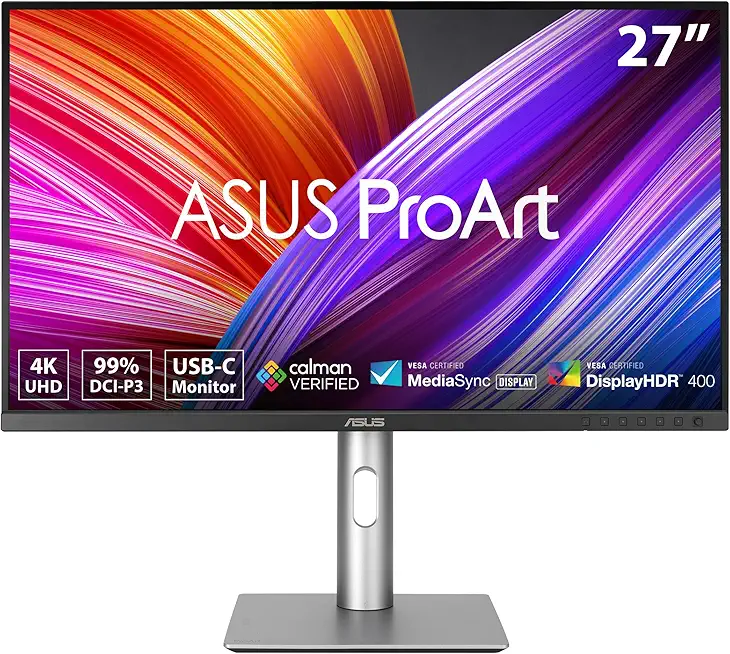
ASUS ProArt PA279CRV Monitor
Curved 4K creator display that immerses with uniform color accuracy across the panel. Comprehensive ports, USB-C convenience, adjustable stand and production-ready presets make fine editing effortless.
Check PriceI’ve used the ASUS ProArt PA279CRV for long editing days where I sit close to the screen. The curve makes the image feel more immersive and can actually help your eyes track across wide edits and retouching lanes. Compared to the Dell U2720Q, the PA279CRV gives a more enveloping view which I liked for detailed dodge-and-burn work and long sessions.
That said, the curve isn’t everyone’s friend. For collaborative proofing or layout work where straight lines and exact geometry matter, I found the flat Dell a bit more predictable—clients standing to the side will also see fewer visual changes. The PA279CRV’s strengths are personal comfort and immersion, while the Dell stays more neutral for multi-person checks and layout accuracy.
Choose the curved ASUS if you’re a solo retoucher or photographer who spends hours at the screen and wants a more immersive feel that helps focus on detail. If you work with clients at your desk, do a lot of layout work, or need the most neutral flat canvas for proofs, the Dell U2720Q will likely be the safer bet.
What People Ask Most
Is the Dell UltraSharp U2720Q worth buying?
Yes — it’s a very solid 27″ 4K monitor for photographers and creative pros who want sharp detail, good color, and USB-C convenience without paying pro-tier prices.
How is the color accuracy of the Dell U2720Q out of the box?
Color accuracy is very good out of the box thanks to factory calibration, but you’ll get the best results with a quick hardware calibration to your workflow.
Is the Dell U2720Q good for photo and video editing?
Yes — the 4K resolution and wide color support make it excellent for photo editing and capable for video work, though HDR grading is limited by the panel’s HDR performance.
Does the Dell U2720Q support USB-C power delivery and data?
Yes — it supports USB-C with DisplayPort Alt Mode for video, data transfer, and laptop power delivery (up to around 90W), so one cable can handle most workflows.
Is the Dell U2720Q a true 4K HDR monitor?
It is a true 4K (3840×2160) display and supports HDR10, but it’s not a high-end HDR monitor due to limited peak brightness and no local dimming.
What ports and connectivity does the Dell U2720Q have?
It includes USB-C (with PD and DP Alt Mode), DisplayPort, HDMI, and a USB hub with downstream ports for peripherals.
Conclusion
The Dell UltraSharp U2720Q Monitor is a practical, color-forward workstation display built for photographers and designers who want predictable results and a tidy desk setup. Its calibrated panel and wide-gamut rendering deliver consistently accurate edits straight out of the box. Ergonomics and an anti‑glare finish make long sessions easy to live with.
It isn’t a specialist for high‑end HDR mastering or competitive gaming, so don’t buy it expecting deep contrast or lightning‑fast refresh. HDR serves well as a preview tool rather than a final grading stage, and motion handling is tuned for creative work rather than esports. Those trade‑offs keep the U2720Q honest and focused.
For most studios the U2720Q represents a smart balance of color fidelity, workspace clarity, and single‑cable convenience that speeds real workflows. If you need extra calibration utilities or designer‑centric extras, consider ASUS ProArt or BenQ; if you want raw value, LG is the more budget‑minded pick.
My final take: for photographers and content creators who prioritize accurate color and day‑in, day‑out reliability, the Dell UltraSharp U2720Q is a dependable choice. It earns a recommendation as a primary editing monitor when you need consistent results without an extravagant budget for specialty HDR. Calibrate it, tune brightness to your room, and it will be a quietly effective center of your workflow.
Dell UltraSharp U2720Q Monitor
Crisp 4K IPS panel with exceptional color fidelity and factory calibration, wide color gamut, USB-C connectivity for video and power delivery, adjustable stand and thin bezels—perfect for precise photo and video editing.
Check Price




0 Comments