
Looking for a security camera that plays nice with your Apple home while keeping your footage private and easy to access?
This roundup evaluates five HomeKit-compatible cameras chosen for real-world performance, integration depth, privacy and storage options, and which kinds of users they best serve.
We judged each camera on image quality, low-light performance, outdoor durability, and how native the HomeKit support feels. You’ll see how well they handle live view, motion detection, and whether advanced features live in the Home app or a separate manufacturer app. We also ran multi-day reliability checks and stress-tested mobile notifications.
Privacy and storage matter now more than ever, so we call out cameras that favor local recording, straightforward iCloud-based options, or hybrid approaches that mix local and cloud features. Subscription tradeoffs can affect the overall value, so we explain what to expect without getting lost in jargon. When relevant we flag models that lean on a second app for advanced AI or network storage.
Whether you want premium image quality, a rugged outdoor model, local-first storage, or a simple plug-and-play HomeKit experience, this guide narrows the field. Expect practical, real-world notes and clear recommendations to match the camera to your Apple household. No hype—just honest pros, tradeoffs, and the use cases we think matter most.
1. Aqara G5 Pro Highlights

Aqara G5 Pro Camera Hub 4MP HomeKit
High-resolution smart camera and hub with seamless smart-home integration, real-time alerts, and secure local storage for complete in-home monitoring.
Check PriceThe Aqara G5 Pro delivers genuinely impressive image quality—1520p video from a large sensor with an f/1.0 aperture—so color and clarity hold up even at night. As a photographer, that fast aperture means cleaner low‑light detail and better subject separation than most HomeKit cameras, which is a real advantage for outdoor scenes after dusk.
This camera is built for outdoor use with an IP65 rating, yet it’s equally at home indoors thanks to flexible connectivity options: Wi‑Fi, PoE, and USB‑C. PoE in particular gives you a rock‑solid feed and power over a single cable, which I prefer when routing cabling for a reliable, always‑on view.
Where the G5 Pro really stands out for Apple users is its full HomeKit Secure Video support—recordings go to iCloud+ and are scrubbable in the Home app—plus it acts as a smart hub for HomeKit, Thread, Zigbee, and Matter devices. That hub capability simplifies a smart home setup and future‑proofs your investment if you run a mixed device ecosystem.
Do note some tradeoffs: advanced AI (face, package, vehicle) and certain automations are handled in the Aqara app rather than natively in the Home app, and getting NAS or AI features configured can be more involved. Still, live‑view is fast and the Wi‑Fi feed is reliable, making this a strong pick for Apple households wanting a premium, outdoor‑capable HomeKit camera.
- 1520p video with f/1.0 aperture
- IP65 weather resistance
- Full HomeKit Secure Video (iCloud+; scrubbable in Home app)
- Wi‑Fi, PoE, USB‑C + acts as HomeKit/Thread/Zigbee/Matter hub
- Advanced AI/automation require the Aqara app
- Setup for NAS/AI features can be more involved
2. Logitech Circle View Highlights

Logitech Circle View Wired 1080p 180° HomeKit
Wired indoor camera delivering crisp 1080p footage, wide 180-degree view, and easy voice-assistant control for peace of mind.
Check PriceAs a photographer I care about optics first, and the Circle View delivers. It uses high‑quality glass optics with good low‑light performance, so colors stay natural and detail holds up when evening falls.
The wide 180° field of view for large coverage means you can cover an entire living room or entry with a single camera. That expansive perspective reduces blind spots and the need for multiple units in smaller homes.
Privacy is baked into the design. It offers strong HomeKit encryption and privacy; no third‑party cloud required for HSV, and a simple hinge plus privacy button gives you quick physical control when you want it.
Setup is refreshingly simple for Apple households. The easy, Apple‑native setup workflow gets you recording into HomeKit Secure Video fast, and in my experience it’s reliably stable with minimal downtime.
There are limits to be aware of. It’s not fully weatherproof—best placed under an eave for outdoor use—so plan sheltered placements if you want it outside. Also, there’s no SD card slot; recordings go through HSV only, so local microSD backup isn’t an option.
Overall, the Circle View is an excellent choice for anyone who wants clean images, strong privacy, and a truly native HomeKit experience. I’d recommend it for indoor use or covered porches where you want peace of mind and great low‑light performance.
- Strong HomeKit encryption and privacy; no third‑party cloud required for HSV.
- High‑quality glass optics with good low‑light performance.
- Easy, Apple‑native setup workflow.
- Wide 180° field of view for large coverage.
- Not fully weatherproof—best placed under an eave for outdoor use.
- No SD card slot; recordings go through HSV only.
3. Aqara Camera Hub G3 Highlights

Aqara G3 2K Indoor Camera Hub Pan-Tilt HomeKit
Smooth pan-tilt monitoring with crystal 2K clarity, motion tracking, two-way audio, and integrated smart-home automation.
Check PriceAs a photographer who values useful features over marketing, the Aqara Camera Hub G3 makes a strong case for mixed-use homes. It pairs genuinely useful imaging specs with smart‑home utility in one compact package.
The camera uses a 3MP sensor and records at 2304×1296 for sharp local footage, which gives you richer detail than typical 1080p feeds. Keep in mind HomeKit Secure Video is limited to 1080p despite the higher native resolution, so the best detail stays local unless you view outside HomeKit.
Local recording is a key benefit thanks to the SD card slot, letting you do continuous or event‑based capture without monthly fees. The playful motorized design that reveals the SD slot also makes it simple to swap cards when needed.
It doubles as more than a camera by acting as a built‑in ZigBee 3.0 hub, so it can control other Aqara devices and reduce the number of separate hubs in your home. USB‑C power is convenient and modern, and the unit can even function as a webcam when connected to a computer — handy for hybrid workflows.
In real use it’s a solid pick for smart‑home enthusiasts who want local storage and integrated hub functionality. It may not be for those who demand full 3MP HomeKit Secure Video or who dislike the quirky, toy‑like appearance.
- SD card slot for local continuous or event‑based recording
- Built‑in ZigBee 3.0 hub to control Aqara devices
- USB‑C power; can function as a webcam
- 3MP sensor records at 2304×1296 for sharp local footage
- HomeKit Secure Video limited to 1080p despite higher native resolution
- Some advanced functions (e.g., gesture control) require the Aqara app
4. Eufy Indoor Cam 2K (C120) Highlights

eufy Security Indoor Cam C120 3MP 2K
Compact indoor camera offering sharp 2K video, intelligent motion detection, local storage, and privacy-focused encryption.
Check PriceAs a photographer who often shoots in dim interiors, I appreciate the Eufy Indoor Cam 2K (C120) for what it delivers at a budget price. It’s an honest, no-frills indoor camera that prioritizes sharp local footage and dependable night performance over fancy cloud features.
Image-wise the cam records in 2K, which gives noticeably crisper live view and local recordings compared with typical 1080p models. Keep in mind HomeKit Secure Video is limited to 1080p, so the higher native resolution is most useful for local playback or within the Eufy app.
Night performance is a standout. Eufy equips this model with an array of 8 IR LEDs, producing excellent night vision that reveals fine detail in low light. The flip side is those bright IRs can draw attention in a dark room and may feel a bit intrusive if you sleep nearby.
On integration and features there are trade-offs. The camera offers reliable streaming and quick connections, but it’s a partial HomeKit citizen: an Eufy app/account is required and some features — notably microSD recording and two‑way talk — only function in the Eufy app. That means if you want the best local-storage or talk experience you’ll likely juggle two apps.
Physically it’s compact with a ball-joint mount for flexible placement, and a handy motion indicator light that flashes red on detection. For budget-focused buyers who value night vision and local recording, this is one of the strongest values; for Apple purists seeking a seamless, app-free HomeKit experience it may frustrate.
- Affordable with reliable streaming and quick connections
- Excellent night vision from an array of 8 IR LEDs
- 2K resolution for sharper local recordings and live view (HSV limited to 1080p)
- Compact form with ball‑joint mount for flexible placement
- Partial HomeKit support; Eufy app/account required and some features (microSD recording, two‑way talk) only work in the Eufy app
- Bright IR LEDs can be distracting in dark rooms
5. Ecobee SmartCamera Highlights

ecobee SmartCamera 1080p 180° HomeKit
Smart security camera with 1080p clarity, expansive 180-degree field of view, occupancy detection, and seamless thermostat integration.
Check PriceAs a photographer who values color fidelity and simplicity, the Ecobee SmartCamera stands out for its extremely easy HomeKit setup and long‑term reliability. It’s the kind of camera you install once and rarely touch again.
Visually, it has a premium, unobtrusive design that won’t draw attention in a living room or hallway. The wide mounting adjustment (90° up/down, 45° left/right) makes it simple to get the framing right without fiddly mounts.
Image quality is pleasantly natural; the camera delivers warm, natural 1080p image quality with pleasing color that renders skin tones and indoor lighting well. A wide 170° field of view reduces blind spots, so you cover more of a room with a single device.
Integration is seamless if you’re already in the Ecobee ecosystem — the camera talks nicely with other Ecobee devices and fits into an Apple-centric smart home with minimal fuss. In practice it behaves like a true “set it and forget it” camera for less technical users.
There are tradeoffs to consider. The Ecobee SmartCamera has no local storage; recordings rely on HSV/iCloud, so you’ll need iCloud+ for long‑term clips. It’s also a bit larger than some compact cams, which can limit placement in tight spots.
Overall, if you want straightforward HomeKit reliability, natural 1080p footage, and a discreet, easy-to-position design, this camera is a strong choice. If you need local recording or advanced AI detections, look elsewhere.
- Extremely easy HomeKit setup and long‑term reliability.
- Premium, unobtrusive design with wide mounting adjustment (90° up/down, 45° left/right).
- Wide 170° field of view reduces blind spots.
- Warm, natural 1080p image quality with pleasing color.
- No local storage; recordings rely on HSV/iCloud.
- Lacks advanced AI detections (face/package/vehicle).
How HomeKit Secure Video Works
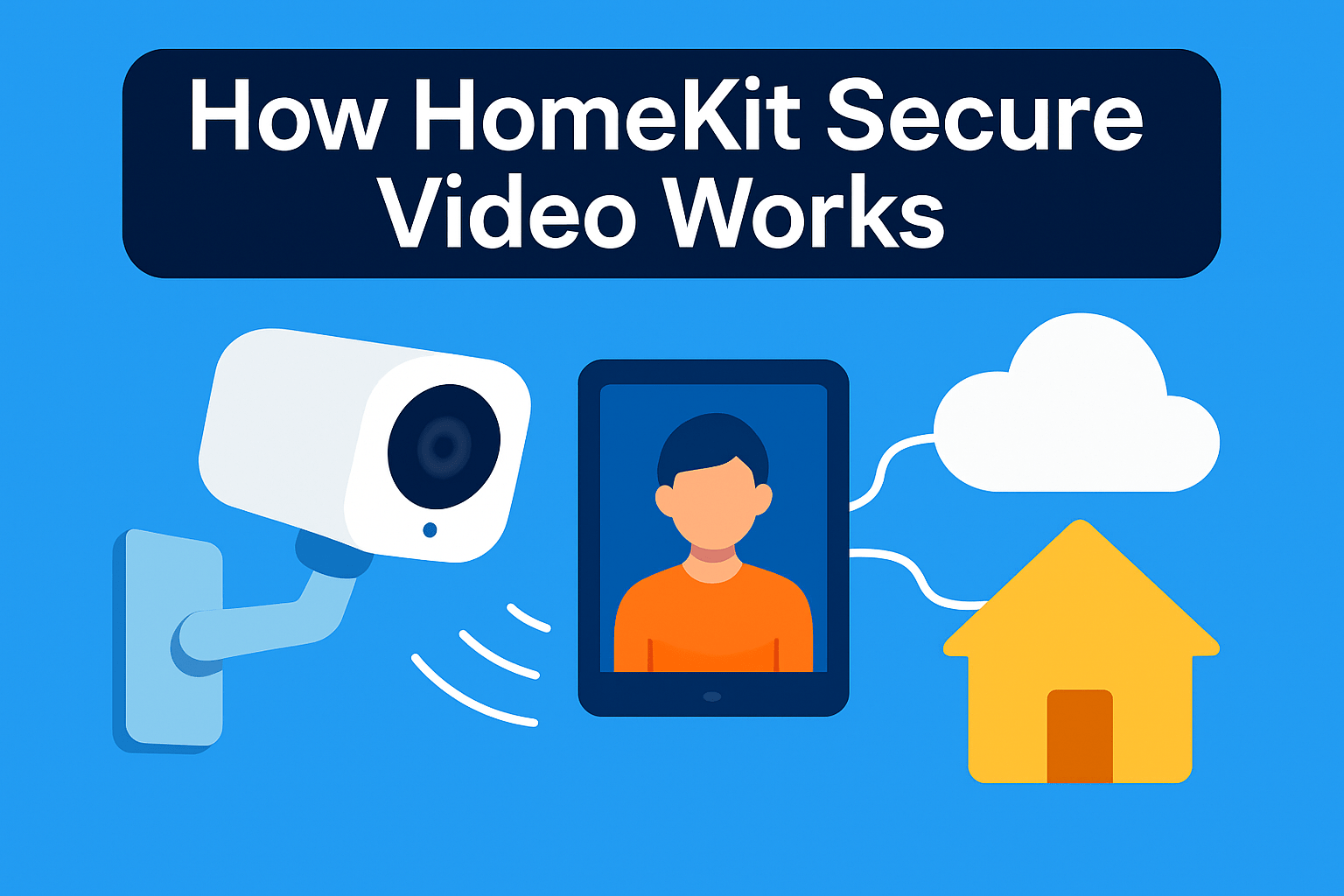
HomeKit Secure Video (HSV) is built around privacy-first recording. Video is end-to-end encrypted so only you and people you explicitly share with can view clips. Apple and third parties have no access to those recordings.
Motion events are not sent to the cloud for analysis. Instead your home hub — an Apple TV or HomePod — performs on‑device intelligence. That hub identifies people, pets, packages, and vehicles before anything is uploaded, which cuts false alerts and keeps sensitive data local.
When HSV decides to record, clips are encrypted and stored in iCloud. You can access them across your Apple devices through the Home app. These are event-based clips, not continuous streams, so HSV focuses on meaningful moments rather than 24/7 video.
For practical shooting and security work, that event-first approach is a blessing and a limitation. It conserves bandwidth and makes reviewing footage faster. But if you rely on uninterrupted continuous footage for long-form evidence or timelapses, HSV’s event model may miss stretches between triggers.
Make sure the hub you choose stays powered and online. Because analysis happens locally, any hub downtime can prevent intelligent detection and recording. In short, reliable home-hub hardware is as important as the camera itself for consistent HSV behavior.
Finally, think about workflow. I like how HSV lets me quickly scrub to the moments that matter without sifting through hours of footage. The encryption means I can share a clip with confidence, and the local analysis reduces pointless alerts so I spend more time on the frames that tell the story.
Subscription Options for HomeKit Recordings
Think of iCloud+ like the memory card for your HomeKit cameras, but with rules. The base iCloud+ tier covers one HomeKit Secure Video camera, the mid tier covers up to five, and the top tier opens up unlimited cameras. Pick a tier that fits your present setup and two or three extra cameras for future changes.
One of the nicest quirks Apple offers is that HSV clips don’t count against your iCloud storage quota. That sounds like “free” video, but don’t be fooled — you still need enough iCloud space for backups, photos, and device data. If your photo library is large, you’ll want a higher iCloud tier anyway.
If you already subscribe to Apple One, check which iCloud+ tier is bundled. Camera support follows the iCloud+ level you get through Apple One, so you may already have enough slots without an extra subscription. It’s an easy way to consolidate costs if you use Apple Music, TV+, or Arcade.
Family Sharing is practical for real homes. It lets multiple household members view and manage cameras and recordings without sharing a single Apple ID. For most families this removes friction — guests, babysitters, or relatives can access clips without you sending exports.
From a photographer’s perspective, plan your coverage first, then choose the tier. A single front-door camera often fits fine on the base plan. If you want full perimeter coverage plus a few indoors, the five-camera tier is a sensible sweet spot.
If you expect to scale beyond five cameras, pick the unlimited tier up front. It’s simpler than juggling which cameras to keep active. Alternatively, choose cameras that offer local recording (SD or NAS) if you want to avoid upgrading your iCloud plan.
Remember that HomeKit Secure Video requires a home hub for on-device processing, so factor that into setup timing and reliability. In practice, that means your recordings are private and managed locally before they land in iCloud.
Finally, reassess your needs periodically. Camera counts change as you add devices or move them between properties. A little planning saves money and keeps your footage where you can actually use it.
What People Ask Most
Which HomeKit camera has the best image and night performance?
Image and low-light performance vary by model and sensor design, so look for cameras noted for strong nighttime clarity in real-world reviews. Consider cameras praised for larger sensors and bright optics when night performance is a priority.
Do I need iCloud+ to use HomeKit Secure Video?
HomeKit Secure Video uses iCloud+ for encrypted storage and access to recorded clips, so an iCloud+ plan is required to enable those features. The level of camera support depends on the iCloud+ tier you subscribe to.
Which HomeKit cameras support local storage or SD cards?
Some HomeKit cameras offer local storage options such as SD cards or network storage, while others rely solely on HomeKit Secure Video. Check the camera’s specifications to confirm whether local recording is supported and how it is accessed.
Do HomeKit cameras offer face, package, or vehicle detection?
Certain cameras and hubs can perform on-device detection for people, packages, pets, or vehicles, but availability depends on the camera and its software. Some advanced detections may require the manufacturer’s app or specific hub functionality.
Which HomeKit camera is best suited for outdoor use?
For outdoor placement choose a camera designed for weather resistance and durable construction to handle the elements. If a camera is not fully weatherproof, plan to install it under shelter or opt for a model explicitly marketed for outdoor use.
How does HomeKit Secure Video protect my privacy?
HomeKit Secure Video uses end-to-end encryption and processes motion events through a local home hub for on-device analysis, limiting external access. Recorded clips are stored encrypted and are only accessible to authorized users via iCloud+.
Do I need the manufacturer’s app to access all camera features with HomeKit?
Some manufacturers reserve advanced features or local storage management for their own apps, so you may need the manufacturer’s app to use certain capabilities. Basic HomeKit integration typically works through the Home app, but feature sets can differ by device.
Conclusion for Best HomeKit Cameras
Choosing the right HomeKit camera ultimately comes down to your priorities — whether you value image quality, outdoor durability, local storage, seamless HomeKit simplicity, or a budget-friendly option.
Consider real‑world performance and how deeply each model integrates with the Home app versus the manufacturer’s app, since workflow and day‑to‑day reliability matter more than specs on paper.
If you want to refine your setup and capture skills, read more articles on our site to pick up practical tips, comparisons, and setup ideas that help you get the most from your camera investment.
Have a question or want to share your experience with one of these cameras? Leave a comment below — we usually reply within a few hours.



0 Comments