
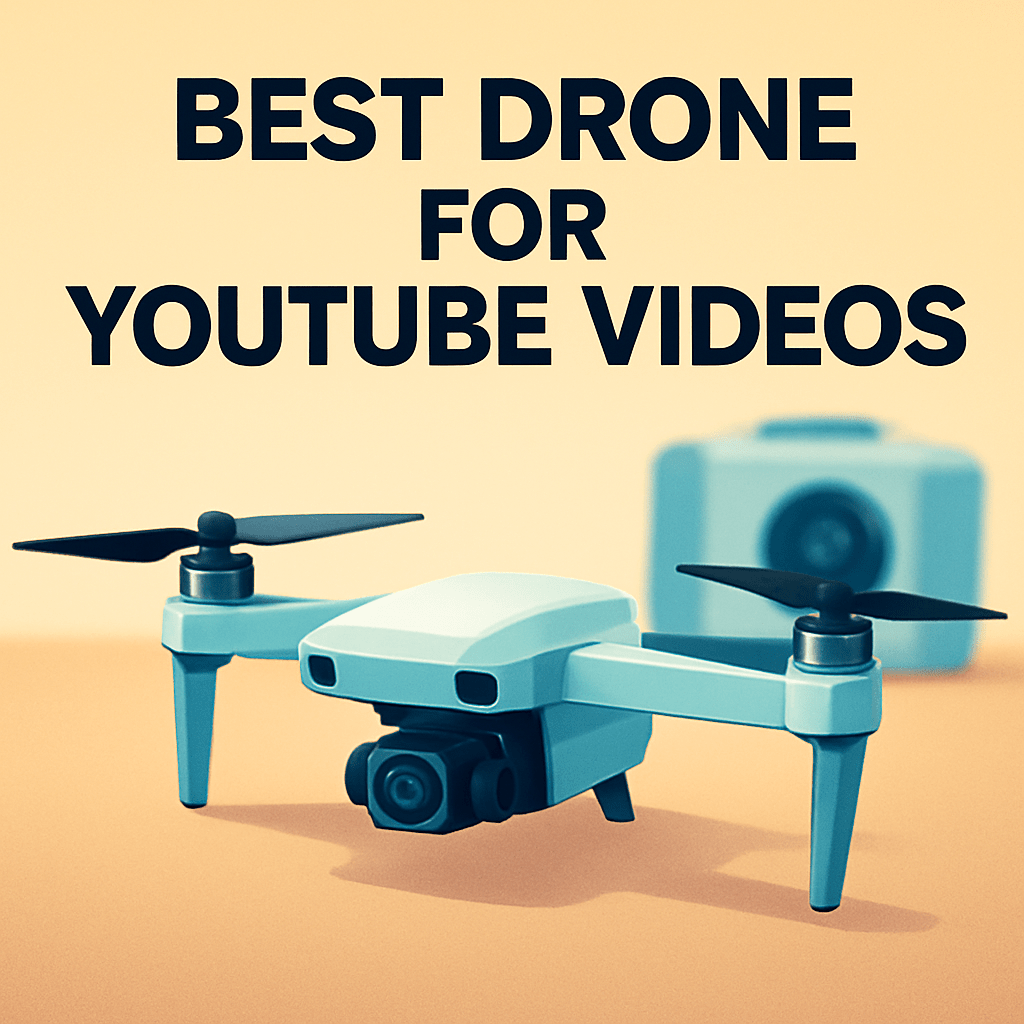
Which drone will instantly level up your YouTube channel this year, giving you cinematic shots without adding complexity?
This 2026 guide cuts through the hype to spotlight the five best drones for YouTube videos, based on real-world testing, creator feedback, and clear pros and cons.
Whether you’re a beginner learning to fly, a travel vlogger chasing sunsets, or a cinematic creator building a portfolio, this guide is for you.
We examine how ease of use, portability, and footage quality impact real shoots.
Expect honest takeaways from hands-on use, real user impressions, and practical trade-offs — not just spec sheets.
We focus on what matters on set: steady motion, reliable flight, and footage that works in editing.
We’ll walk you through scenarios so you can match a drone to your style, budget, and travel needs.
And we’ll flag common pitfalls that can derail a shoot so you don’t waste time or money.
If you’re ready to upgrade your aerial storytelling, keep reading — we break down the top five picks and what they do best.
By the end you’ll know which drone fits your channel and how to get cinematic shots without guessing.
We’ll also highlight how local rules affect your shoot and keep safety front and center.
No technical jargon, just clear advice you can act on.
1. DJI Mini 4 Pro for YouTube
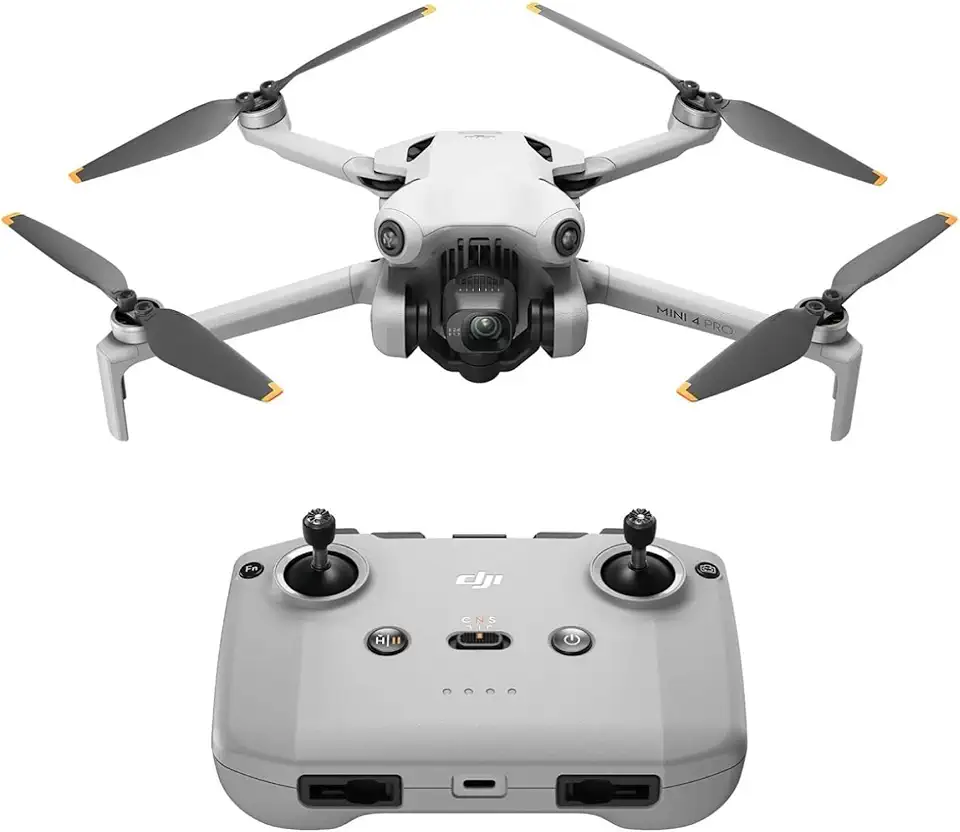
DJI Mini 4 Pro with DJI RC-N2
Ultra-light, pocket-sized drone delivering pro-level photos, intelligent flight modes, and responsive controller for confident captures anywhere.
Check PriceAs a photographer who shoots a lot of travel and short-form video, the DJI Mini 4 Pro feels like a smart balance of portability and image quality. It records 4K/60fps with HDR, which gives crisp, vivid footage for YouTube and smooth slow-motion when you need it.
The Mini 4 Pro’s compact, lightweight design makes it ideal for solo travel vloggers and casual creators who don’t want a bulky kit. The Fly More Combo improves battery life noticeably, so you can extend shooting days without swapping to a larger drone.
One feature I lean on for mobile-first content is the vertical shooting mode optimized for Shorts and Reels — it saves time in post and frames perfectly for vertical platforms. Obstacle sensing in all directions gives real confidence when flying alone or in busy locations.
Flight stability is impressive in moderate wind, and the drone’s quiet operation is a real plus for urban and nature shots where noise can be distracting. The camera performs excellently in good lighting, delivering vivid colors and sharp details that look great straight out of the card.
For beginners this is an easy drone to learn on; the controls and safety features reduce stress while you focus on composition and movement. Be mindful that low-light performance is weaker than larger-sensor models, and extended 4K/60fps recording can cause slight heating that limits continuous shooting time.
- Lightweight and travel-friendly
- High-quality 4K HDR video
- All-direction obstacle avoidance
- Vertical video mode for Shorts/Reels
- Weaker low-light performance
- 4K/60fps may cause slight heating
2. Autel EVO Nano+ for YouTube

DJI Mini 4K
Compact aerial camera delivering ultra-high-definition video, stabilized gimbal, easy controls, and long battery life for smooth cinematic footage.
Check PriceThe Autel EVO Nano+ is a compact workhorse for YouTubers who care about still-image detail and low-light performance. Its 50MP photo resolution and RYYB sensor give you extra latitude in dusk, shady woods, and golden-hour shoots where small drones often struggle.
Video-wise it records up to 4K/30fps, which is perfectly fine for most travel vlogs and lifestyle content. If your channel rarely needs high-speed slow motion, the footage will look clean and natural, especially with the onboard image enhancement tools that boost clarity straight out of the drone.
Weighing under 250 grams is a real advantage for creators who travel a lot or want to avoid heavier regulation in many regions. That lightweight design makes the EVO Nano+ easy to pack and quick to deploy when a spontaneous shot appears.
Obstacle avoidance works in three directions and is dependable for most casual and travel scenarios. It’s not as comprehensive as omnidirectional systems, so you’ll want to fly with a bit more situational awareness around complex environments like dense trees or tight urban canyons.
As a photographer, I appreciate the balance here: superb stills, sensible video specs, and strong low-light behavior thanks to the RYYB sensor. For YouTubers focused on nature, lifestyle, and travel content who prioritize portability and image detail over slow-motion capabilities, this drone is a very practical choice.
- 50MP photo detail
- RYYB sensor — better low-light/dusk performance
- Weighs under 250 g — travel-friendly, fewer restrictions
- Built-in image enhancement tools
- Video limited to 4K/30fps
- Obstacle avoidance covers fewer directions
3. DJI Air 3 for YouTube

DJI Air 3 with DJI RC-N2
Dual-camera aerial powerhouse combining long-range flight, intelligent tracking, and responsive controller for professional-quality photos and videos.
Check PriceAs a photographer who shoots a lot of moving subjects, the DJI Air 3 stands out as a very capable tool for YouTube creators who want cinematic footage without hauling a full cinema rig. Its dual-camera system — a wide-angle plus a 3x telephoto lens — lets you switch quickly between expansive establishing shots and tight, story-driven close-ups without changing gear.
The video specs are especially useful: 4K up to 100fps gives you beautiful, high-resolution slow motion for dramatic reveals and action sequences. That high-frame-rate capability paired with the telephoto lens is perfect for sports, wildlife, and dramatic travel sequences where you need to compress time or emphasize motion.
Flight endurance is another major plus — up to 46 minutes lets you keep shooting through long golden-hour passes or capture multiple setups without constant battery swaps. Combine that with omnidirectional obstacle sensing and you’ve got a platform that inspires confidence in tighter or more complex shooting environments, so you can focus on composition instead of near-misses.
In short, the Air 3 is a solid step up for prosumers and semi-pro creators aiming for cinematic travel films, adventure vlogs, and action sports coverage. If you prioritize creative framing options, smooth slow motion, and long flights, it’s an excellent choice — just be mindful of size and budget if you travel ultra-light or are on a tight spend.
- Versatile dual-camera setup expands creative options
- Smooth, high-frame-rate slow-motion capability (4K up to 100fps)
- Solid omnidirectional obstacle avoidance
- Long flight duration (up to 46 minutes)
- Larger and heavier than mini drones (less travel-friendly)
- Higher price for intermediate users
4. DJI Mini 5 Pro for YouTube

DJI Mini 5 Pro Fly More Combo with DJI RC 2
Complete kit with extra batteries and accessories, enabling extended flights, advanced safety features, and superior imaging in a compact, travel-ready package.
Check PriceThe DJI Mini 5 Pro is a photographer’s dream packed into a near‑toy form factor, thanks to its 1‑inch sensor that delivers noticeably better image quality and low‑light performance than typical mini drones. You get 4K up to 120fps and HD up to 240fps, which opens creative doors for slow‑motion cinematic cuts and crisp high‑fps b‑roll without lugging heavier gear.
A key practical win is the rotating camera that switches effortlessly between horizontal and vertical framing — ideal if your channel mixes traditional YouTube edits with Shorts or Reels. Add D‑Log M for flat footage and you’ve got real latitude for color grading, so your footage can match a cinematic look in post rather than looking “camera‑phone flat.”
Flight features are equally compelling: omnidirectional obstacle sensing with LiDAR front sensing gives confidence flying in tighter spaces, and improved flight speeds, wind resistance, and battery life mean you’ll capture more useful footage per session. Built‑in 42GB storage is a thoughtful touch for when a memory card isn’t immediately at hand — useful on travel shoots or quick outings.
For YouTubers who prioritize image quality, vertical content readiness, and reliable flight aids while keeping weight and portability front of mind, the Mini 5 Pro is a strong choice. Be aware, though, that its weight sits near the sub‑250 g borderline, which could affect local registration rules, and it comes at a higher price than some other mini options.
- 1‑inch sensor — superior image quality
- 4K120 / HD240 — versatile slow‑motion
- Rotating camera — seamless vertical/horizontal
- LiDAR front + omnidirectional sensing — confident flying
- Weight near sub‑250 g borderline — possible regs
- Higher cost versus other mini drones
5. DJI Mavic 4 Pro for YouTube

DJI Mavic 4 Pro with DJI RC 2, Hasselblad 100MP 4/3 CMOS
Flagship imaging drone with ultra-high-resolution medium-format sensor, exceptional dynamic range, precision optics, and professional flight stability for unmatched aerial photography.
Check PriceAs a working photographer, the DJI Mavic 4 Pro reads like a professional cinema tool built for creators who demand image quality and flexibility. Its triple-camera setup, led by a 25MP Micro Four Thirds wide-angle sensor, delivers large-sensor performance that holds up in challenging light and produces files with excellent dynamic range.
For YouTube filmmakers, the ability to shoot 6K at 60fps is a game changer — more latitude for reframing, stabilization, and high-resolution exports. The adjustable aperture from f/2 to f/11 gives real creative control, letting you close down for crisp sun stars or open up for low-light sensitivity without relying solely on ISO.
Where this drone really shines is workflow: built-in storage up to 512GB and support for uncompressed video make heavy post-production work much more practical on location. Quick switching between focal lengths means you can swap from wide establishing shots to tighter mid or telephoto framing without changing craft gear mid-shoot.
Flight performance is stable and long-range, and the advanced subject tracking plus collision avoidance lets you focus on composition rather than babysitting the drone. That said, it’s a bulkier, less travel-friendly item — this is a professional kit piece rather than a grab-and-go companion.
If you’re producing cinematic YouTube content, commercial work, or high-end travel films and you need top-tier image fidelity and post flexibility, the Mavic 4 Pro is an excellent choice. If you prioritize ultra-light travel or tight budgets, this may be more drone than you need.
- Professional-grade 6K video at 60fps
- 25MP Micro Four Thirds wide-angle + triple-camera versatility
- Adjustable aperture (f/2–f/11) for creative control
- Up to 512GB built-in storage for uncompressed workflows
- Larger and heavier; less convenient for casual travel
- Expensive and more complex; aimed at advanced users
Cinematic Drone Filming Tips for YouTube
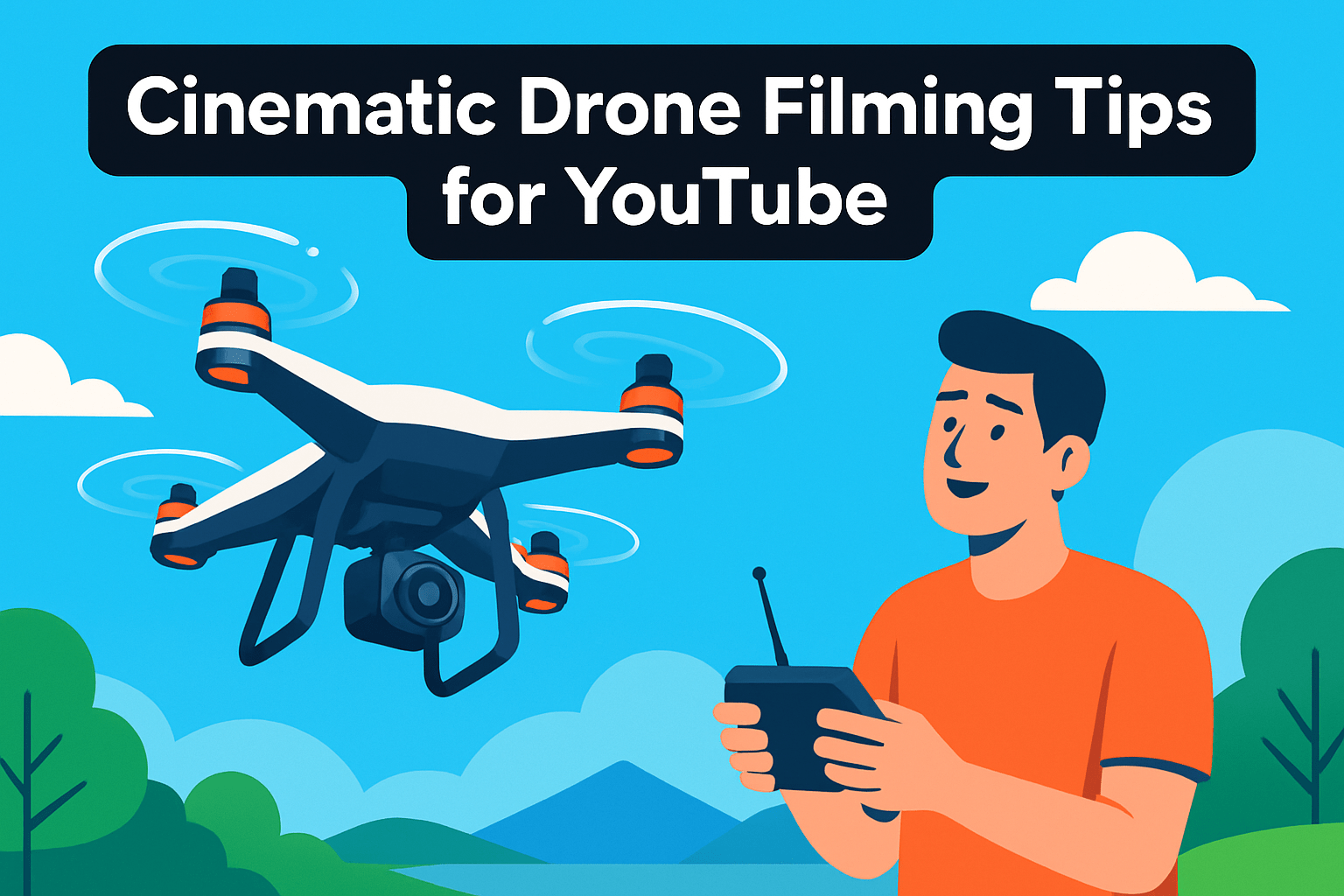
Think like a filmmaker, not just a pilot. Visualize the shot before you take off and build your flight plan around a single emotional moment—whether that’s a reveal, a chase, or a lonely horizon. Having a clear idea reduces wasted battery time and gives your footage direction.
Move slow and deliberate. Smooth, gradual acceleration and deceleration hide the drone’s motors and feel cinematic, so fly straight slowly forward or sideways rather than whipping the craft around. Gentle orbits are excellent for drama; they keep the subject centered while revealing context.
Lean on classic moves. Tilt reveals, tracking shots, crane lifts and pull-away dronies are cinematic staples for a reason—they tell a story. Parallax moves, where foreground and background travel at different speeds, add depth and make even simple scenes feel dynamic.
Control the image in-camera. Switch to manual white balance and keep ISO as low as possible. Shoot at 24 fps for a film-like cadence and use a shutter speed roughly double your frame rate (about 1/50 at 24 fps) to preserve natural motion blur.
Shoot flat when you can. A log or flat profile gives you much more latitude in grading and helps your footage sit consistently with other clips. Don’t rely on auto modes; they can shift exposure mid-shot and ruin a take.
Time your flights for golden or blue hour. The soft directional light at those times creates pleasing highlights and shadows and simplifies grading. Harsh midday sun is fine for contrasts, but it’s harder to get that cinematic feel.
Use flight aids wisely. Intelligent modes like spotlight and ActiveTrack can assist smooth orbits and follows, but always keep the pilot’s judgment in the loop. Keep gimbal movements slow and avoid sudden stops that read as amateurish on screen.
Finally, practice deliberately. Rehearse moves on the ground, check wind and battery life, and repeat your take until the motion matches the emotion you want to convey. The more you fly with intention, the more cinematic your channel will look.
Drone Legal and Licensing Considerations
Flying great-looking footage is only half the job; staying on the right side of the law keeps your channel safe. Before you take off, check whether your drone needs registration — many countries draw the line around 250 g, so that tiny, sub-250 g craft often dodge extra paperwork. Even with a registered drone, you’ll usually need to stay within visual line of sight and beneath common altitude limits (about 120 m / 400 ft in many places).
Restricted airspace is real and enforced. Airports, stadiums, and certain urban or protected natural areas commonly ban flights, and local authorities may require permits for shooting in parks or over events. Use official NOTAM services and flight‑planning apps (Airmap, DJI Fly, or your national aviation app) to check temporary restrictions before each shoot.
If you plan to monetize your footage, treat it like a business. Commercial operations typically require pilot certification — for example, the U.S. Part 107 certificate — and some countries insist on additional permits. Insurance isn’t always legally mandatory, but for paid work it’s practically essential to cover liability and protect expensive gear.
Respect people and wildlife. Don’t film private property or identifiable people without consent, and avoid disturbing animals or sensitive environments. Noise and nuisance complaints can trigger enforcement actions that hurt your ability to fly in that area again.
Carry the right paperwork and follow a preflight routine. Keep registration documents, proof of insurance, and any pilot certificates on hand. Run a checklist before every flight: firmware up to date, batteries healthy, geofencing status checked, and a clear emergency plan if the drone malfunctions.
Finally, when traveling with a drone, research destination rules well in advance. Laws vary dramatically, and what’s fine at home may be prohibited abroad. A little preparation saves fines, confiscations, and the disappointment of missing a perfect shot.
What People Ask Most
What is the best drone for YouTube videos?
There is no single best drone; the right choice depends on your content style, skill level, and budget. Consider tradeoffs between portability, image quality, and ease of use when deciding.
Which drone has the best camera for YouTube videos?
Drones with larger sensors and higher-quality optics generally produce the best image quality, especially in challenging light. Keep in mind that better cameras often mean larger, heavier, and more expensive systems.
What drone features should I look for when filming YouTube videos?
Look for strong image quality, stable flight performance, reliable obstacle sensing, and modes for tracking or cinematic movement. Vertical shooting options and onboard image profiles or enhancements are also useful for social platforms.
Which drones are best for beginner YouTubers?
Beginners should prioritize ease of use, lightweight design, and safety features like obstacle avoidance and automated flight modes. Portability and a gentle learning curve make it easier to focus on composition and storytelling.
How do I choose a drone for cinematic YouTube footage?
Prioritize sensor size, dynamic range, and flexible camera options that support flat color profiles for grading. Smooth flight behavior, intelligent tracking, and the ability to switch focal lengths or orientations will expand creative possibilities.
What settings should I use on a drone to record YouTube videos?
Use manual exposure and set white balance manually to maintain consistent color. Shoot in a film-like frame rate and use a shutter roughly double the frame rate, keep ISO low, and consider flat color profiles for better grading.
Are certain drones better for vlogging and travel YouTube channels?
Yes, compact and lightweight drones with good photo performance and easy vertical or rotating camera options are well suited to vlogging and travel. Durability, portability, and quick setup matter more for solo creators on the move.
Conclusion for Best Drone for YouTube Videos
This 2026 roundup gives YouTube creators a clear starting point for choosing a drone that fits their shooting style, travel needs, and creative ambitions.
For quick reference: the Mini 4 Pro is a great match for beginners and solo travel vloggers, the EVO Nano+ suits lightweight, detail-focused vloggers, the Air 3 is aimed at cinematic and action creators, the Mini 5 Pro packs advanced features into a tiny frame, and the Mavic 4 Pro targets professional cinema work.
Use those fits as a guideline, then weigh your content type, budget, and local regulations before deciding so your kit supports the stories you want to tell.
If you want to keep improving your footage and workflow, explore more articles on the site to learn practical tips and build skills at your own pace.
Have a question or want to share your experience with one of these drones? Leave a comment below and we usually reply within a few hours.


0 Comments