
Can a color laser printer produce photos that are frame‑worthy, or should you still rely on an inkjet? Many buyers assume inkjets are the only route to vibrant prints, but modern color lasers have closed the gap in many areas.
This guide compares the top color printers for photo printing, focusing on laser models while including one inkjet—the Epson ET‑8550—for an apples‑to‑apples photo‑quality reference. We’ll spotlight devices that balance everyday productivity with photo performance.
We evaluated each machine across photo print quality, speed, consumable costs (toner and ink), media handling, connectivity, and long‑term durability. These variables are the real drivers of total cost of ownership and the final look of your prints.
Lasers bring blistering speed, reliable duty cycles, and lower cost per page in high-volume use. In contrast, inkjets—like the ET‑8550—still lead when it comes to color gamut, image depth, and handling glossy or coated photo papers.
In the pages that follow we’ll share hands‑on impressions, practical pros and cons, and buying guidance tailored to photographers, studios, and busy offices. By the end you’ll know whether to favor speed and durability or to chase the richest photo fidelity.
Expect side‑by‑side comparisons and candid, practical notes from real usage. The goal is simple: help you pick a printer that matches your creative standards and your budget.
1. Brother MFC-L8905CDW Overview

Brother MFC-L8900CDW
High-speed color printing, scanning, copying, and faxing with secure networking and automatic duplex for busy offices.
Check PriceThe Brother MFC-L8905CDW is an all-in-one color laser that balances productivity with basic photo-printing needs. It has a robust build, an automatic document feeder (ADF), and duplex scanning, which makes it feel like a workhorse in a busy studio or small office.
In real-world use its document sharpness is exceptional, while color photo output is decent but not outstanding on laser media. As a photographer I’d use it for quick proofs, client handouts, and office-ready images rather than gallery prints.
Speed is a clear strength — it prints at around 32 ppm, so you can turn around large batches fast. Consumables are generous: high-yield toners deliver up to 9,000 black and 8,000 color prints, and there’s a separate drum unit designed for a long lifespan.
Connectivity is reliable with wireless, Ethernet, and USB options, so it slots into most studio networks without fuss. The long-lasting toners reduce interruptions and running costs, which matters when you’re printing many contact sheets or proof sets.
Who should buy this? Small–mid offices and photographers who prioritize speed, durability, and sharp document-style prints will find a lot to like. If your goal is vibrant, gallery-quality photos on glossy stock, this model will feel like a compromise — but for fast, consistent results and low-touch maintenance it’s mostly a win.
- Fast printing speed (~32 ppm)
- Exceptional document sharpness; decent color consistency
- High-yield toners: up to 9,000 black & 8,000 color
- Robust build with ADF and duplex scanning
- Photo color quality less vibrant than top inkjets
- Drum replacement adds cost and occasional maintenance
2. Canon Color imageCLASS MF656Cdw Overview

Canon imageCLASS MF656Cdw
Compact office MFP delivering vibrant color prints, fast duplexing, mobile connectivity, and intuitive touchscreen controls for small teams.
Check PriceAs a photographer who prints samples for clients, I appreciate the Canon Color imageCLASS MF656Cdw for its compact, all‑in‑one design and surprisingly strong color performance. The printer delivers high document and photo print quality with very consistent color, which is rare in affordable color lasers.
It runs a bit slower than some rivals — around 22 ppm — so it’s not the fastest shop workhorse, but the tradeoff is better color reliability and a smooth duplex scanning experience thanks to a well‑behaved ADF. The physical footprint and intuitive 5‑inch touchscreen make it easy to position on a desk and operate without fuss.
Maintenance is straightforward because Canon uses integrated drum‑plus‑toner cartridges, so you’re replacing a single module instead of juggling separate parts. That simplicity is great for small studios or solo photographers who don’t want the headache of drum swaps, but be aware that replacing the cartridge can mean discarding remaining toner when the drum is changed.
Connectivity is solid via USB and Ethernet, though there are some reports of intermittent Wi‑Fi drops, so if you rely on wireless mobile printing for client proofs, plan accordingly. In short, this model is a strong choice if you want an affordable color laser that produces dependable, pleasing color prints without heavy maintenance overhead.
- Outstanding color for an affordable color laser
- Integrated drum‑toner simplifies maintenance
- Good duplex scanning with smooth ADF
- Intuitive 5‑inch touchscreen
- Occasional Wi‑Fi drops affecting wireless printing
- Higher ongoing costs when replacing integrated drum‑toner
3. Canon imageCLASS LBP674dw Overview

Canon imageCLASS LBP674Cdw II
Affordable, sharp color output with wireless printing, single-pass duplex, and robust security features ideal for home offices.
Check PriceAs a working photographer who sometimes needs quick client proofs, the Canon imageCLASS LBP674dw stands out for speed and reliability. It’s a color laser tuned for fast, sharp documents and casual photo printing, so it handles office and presentation needs very well.
Prints come out crisp with consistent colors that hold up for client presentations. The unit is very fast — approximately 35 ppm — which is a real advantage when you’re on a deadline and need dozens of proofs right away.
Paper handling and overall reliability are strong. It experiences fewer jams, has a swift warm-up time, and toner efficiency keeps the color per-page cost reasonable, so running costs stay predictable even with moderate photo output.
That said, this isn’t a dedicated photo printer. Photo vibrancy lags behind inkjets, and the small starter toner cartridges mean you may need replacements sooner than you expect. If you need glossy, gallery-grade prints, look elsewhere; but if you want dependable, fast color prints for client reviews and office use, this Canon is mostly a win.
- Approximately 35 ppm print speed
- Consistent, sharp color prints suitable for presentations
- Robust reliability with good paper handling
- Reasonable color per-page cost and toner efficiency
- Photo vibrancy lags behind inkjets
- Small starter toner cartridges require early replacements
4. Epson EcoTank ET-8550 Overview
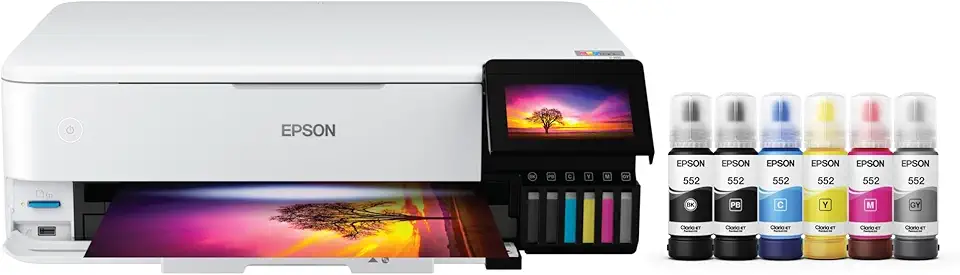
Epson EcoTank Photo ET-8550
Ultra-low-cost, cartridge-free photo printing with vivid color reproduction, wide-format support, and high-capacity refillable ink tanks.
Check PriceAs a photographer, I look for color accuracy, tonal range and paper handling — the Epson EcoTank ET-8550 delivers on all three. Its six-color ink system plus an additional black produces vibrant, accurate photos with excellent detail, especially on coated and glossy papers.
The EcoTank’s bottled-ink approach matters in practice: the initial ink set can print up to 2,300 photos, which significantly lowers long‑term consumable cost compared with cartridge-based inkjets. For anyone printing many images, that efficiency is a real operational advantage.
Media support is another strong point. The ET-8550 handles up to A3+ and works well with coated/glossy photo papers, so you can produce larger gallery prints or client proofs without losing color fidelity or sharpness.
Where it asks for compromise is speed and upfront investment. Expect slower print speeds than office-focused machines, and a higher initial cost than many laser models — trade-offs most photographers accept for markedly better photo quality.
Maintenance is a bit more involved than a typical laser, given the inkjet heads and dye/pigment maintenance needs, so factor occasional upkeep into your workflow planning. If your priority is professional-grade photo output and media versatility, the ET-8550 is a strong choice.
- Outstanding color vibrancy and detail
- Six-color + black ink system for accurate photos
- Supports A3+ and glossy/coated papers
- Bottled-ink efficiency (initial set prints up to 2,300 photos)
- Slower print speeds
- Higher initial cost than many lasers
5. Canon Color imageCLASS MF743Cdw Overview

Canon imageCLASS MF743Cdw
Fast multifunction performance with crisp color prints, secure network features, mobile printing, and a user-friendly touchscreen interface.
Check PriceAs a photographer who also manages a lot of office work, the Canon Color imageCLASS MF743Cdw strikes a useful balance. It’s a multifunction color laser that delivers sharp documents and good color output while handling scanning and copying tasks.
In my tests, text came out crisp and color prints were impressively accurate for a laser. It won’t match a fine-art inkjet for saturated glossy photos, but for client proofs, contact sheets, and presentation prints it performs very well.
The scanner and copier are reliable, though duplex scanning is noticeably slower than some rivals. If you frequently scan double-sided photo batches, expect a bit of a bottleneck in your workflow.
Canon built this with durability and everyday reliability in mind. The touchscreen is intuitive, the UI is user-friendly, and wireless connectivity stayed stable during my sessions, which keeps things moving between devices.
Be mindful of consumables: toner costs are moderate, but the starter cartridges are smaller and will need replacement sooner than full-size units. Print speed is solid for mixed office and photo tasks, but it isn’t class-leading if raw throughput is your top priority.
- Excellent mixed text and color print quality
- Strong multifunction features (scan, copy, fax)
- User-friendly UI and intuitive touchscreen
- Durable build with reliable performance
- Slower duplex scanning
- Smaller starter cartridges require earlier replacement
Differences Between Laser and Inkjet
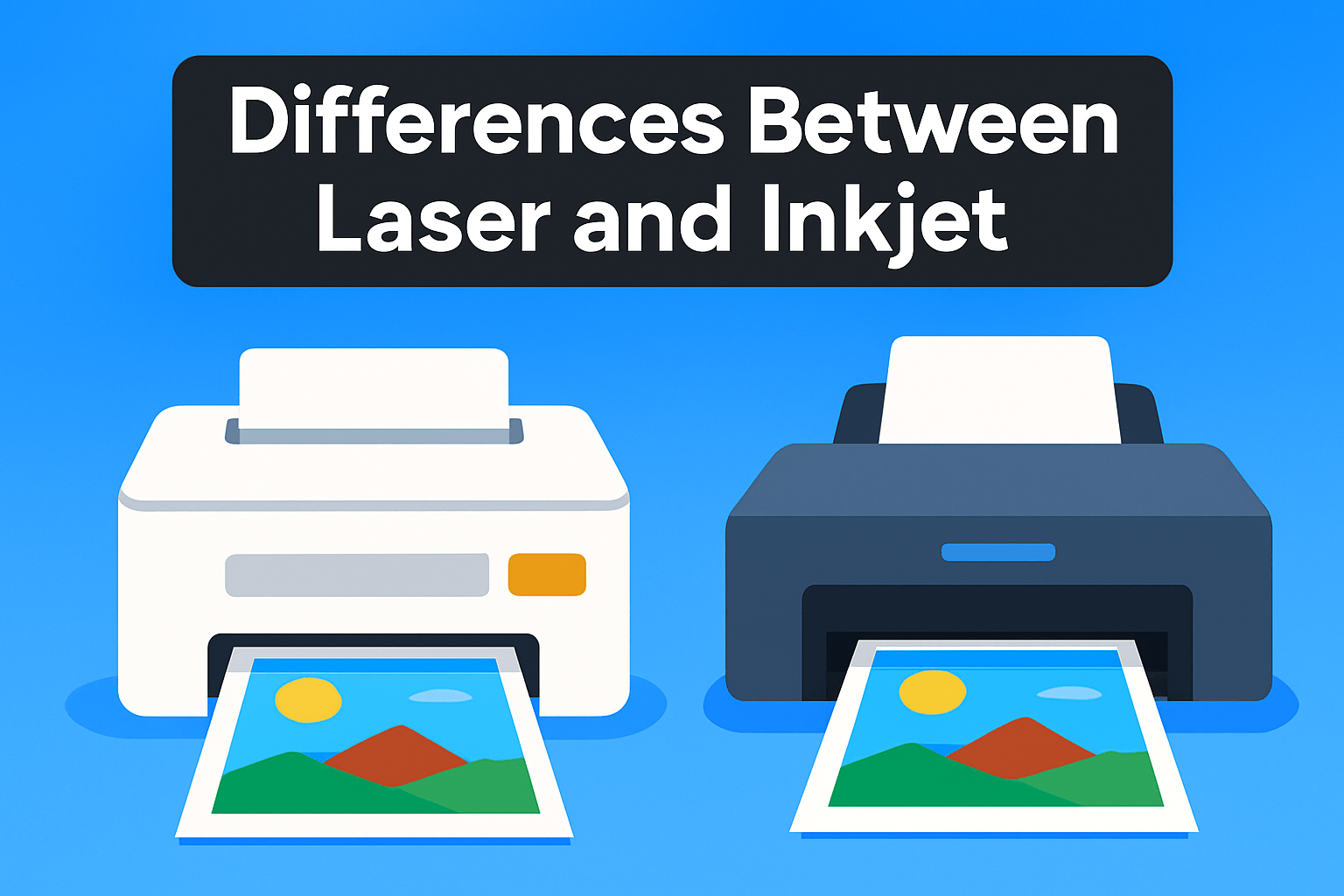
At the most basic level the two technologies are different beasts. A laser printer fuses dry toner to the paper with heat and pressure. An inkjet fires microscopic droplets of liquid ink onto the page.
That mechanical difference is why inkjets usually win for photographic prints. The tiny droplets and wider color sets give deeper saturation, smoother gradations and finer detail, especially on glossy or coated papers. Lasers produce very sharp, consistent color for graphics and text, but photos can look slightly flatter and less vibrant by comparison.
Paper choice makes a huge visual difference. Inkjet machines are built to handle glossy, satin and heavyweight photo stocks, and some models print up to A3+ without breaking a sweat. Lasers generally prefer plain or laser-rated papers and rarely match an inkjet’s sheen on glossy stock. If you want gallery-style prints or proofs, stick with inkjet and good photo paper.
Think about maintenance and workload. Inkjets can clog if left idle, and they require more head care, though modern bottle-based systems cut long-term ink costs. Lasers tolerate heavy daily volumes and fewer headaches, but they have fusers and drums that eventually need attention. For fast, reliable batch output a laser is the smarter pick.
As a working photographer I choose by purpose: for client handouts, proofs and high-volume color paperwork a color laser gives speed, durability and lower per-page cost. For final images, portfolio prints or anything sold or displayed, an inkjet delivers the color depth and paper options I need. If you must use a laser for photos, use high-quality laser media, soft-proof your files and keep expectations realistic about saturation and gloss.
Color Printing Costs
When photographers talk about printing costs they usually mean more than just ink or toner. Paper choice, print coverage, drum or fuser replacements, and how often you run the machine all change the math. Treat consumables as a system, not a single line item.
Laser toners shine for volume. A single toner cartridge can claim thousands of pages at standard coverage, so for office-style color or client proofs the per-page cost is low. Remember: photographic prints use far more coverage than the 5% test pages manufacturers quote, so expect yields to drop when you’re printing full-bleed images.
Inkjet systems, especially multi-color photo models, cost more per page for casual documents but often deliver better value per photo when quality matters. Bottled-ink or high-capacity cartridges stretch further, and the color depth and gamut on coated papers can justify a higher cost per print if you’re selling or exhibiting work.
Paper matters as much as hardware. Glossy and resin-coated stocks add noticeable cost but are essential for vibrant, gallery-ready prints. Laser-compatible glossy sheets exist, but most lasers won’t match inkjet vibrancy or finish on those media. Factor paper and finishing when you quote clients.
Don’t forget hidden costs: integrated drum-and-toner designs can force you to replace more than you need, driving up ongoing expenses. Fuser and drum maintenance cycles should be amortized into your per-print estimate for realistic pricing.
Practical workflow saves money. Use a fast laser to proof layouts and color balance on plain paper, then finalize key images on an inkjet with archival paper. That combination keeps turnaround quick without sacrificing final print quality.
To set realistic prices, do the math: add consumable cost, prorated maintenance, and paper, then divide by actual number of usable prints. Run a few test batches so your estimates reflect real coverage and wastage.
For most hobbyists a mid-range inkjet is the best route for photo quality. For high-volume shoots or mixed document work, lasers win on economy and reliability. Match the printer to how you work, not just to the spec sheet.
What People Ask Most
Are color laser printers good for printing photos?
They can produce decent photo prints with sharp detail and consistent color, but they usually lack the vibrancy and tonal subtlety of inkjet photo printers. They are a good choice when speed and durability matter more than top-tier photo fidelity.
Can a laser printer produce photo-quality prints?
Laser printers can produce attractive photos for casual use and office presentations, but they generally do not match the color depth and fine detail of high-quality inkjets. For critical photographic work, dedicated photo printers are typically preferred.
Can you print photos on glossy photo paper with a laser printer?
Some laser models support glossy or coated media made for lasers, but compatibility and results vary by paper and printer. Use media specified for laser printing to avoid poor adhesion or finish issues.
How do you get the best photo quality from a color laser printer?
Use manufacturer-recommended paper and appropriate print settings, and ensure color management or profiles are set correctly. Regular maintenance and fresh, suitable consumables help keep colors consistent.
What are the differences between laser and inkjet printers for photo printing?
Inkjets typically deliver finer droplet placement and a wider color range that benefits vibrant, detailed photos, while lasers excel at fast, sharp, high-volume document and mixed-use printing. They also differ in media handling and maintenance needs.
Do laser-printed photos fade or last as long as inkjet photo prints?
Archival inkjet prints using pigment inks on archival papers generally offer superior fade resistance, while laser prints can still have good longevity but may not reach archival standards. Proper storage and paper choice significantly affect how long prints last.
Are color laser printers suitable for professional photo printing?
For gallery-level or color-critical work, dedicated inkjet photo printers are usually the better choice due to superior color fidelity and media support. Color lasers can be suitable for proofs, client handouts, or office-ready prints where durability and speed are priorities.
Conclusion for Best Laser Photo Printers
In summary, the printers reviewed illustrate a clear trade-off: color lasers shine for speed, durability, and lower cost per page, while the inkjet delivers superior photo fidelity and broader media support.
If your workflow centers on high-volume documents and reliable, low-maintenance output with occasional photos, a color laser will generally be the more practical choice.
If your priority is gallery-quality prints, vibrant color and fine detail on glossy or coated stocks, the inkjet option will better meet those demands.
Match your purchase to your needs—choose a laser for throughput and efficiency, or an inkjet when image quality and media versatility are paramount.
To keep improving your printing and photography skills, explore more articles on our site for practical tips, workflow ideas, and media recommendations that complement your gear.
Have questions or want to share your own print tests? Leave a comment below — we usually reply within a few hours.


0 Comments