
Ever wondered why you look washed out or shadowed on Zoom despite using a decent webcam? The truth is simple: lighting often separates amateur video from a polished, professional presence.
Proper lighting sharpens facial features, reduces image noise, and keeps your expressions readable on camera. It also affects how confident and credible you appear during meetings.
This guide breaks down five desk-light approaches — from budget-friendly LED panels to compact rechargeables and broad-coverage task lamps. We’ll explain which style best serves freelancers, frequent travelers, color-critical creators, compact-desk users, and those with sprawling workspaces.
You’ll learn which traits matter most — brightness range, color temperature flexibility, color accuracy, adjustability, and power options. Finding the right balance ensures you look natural, avoid glare on glasses, and minimize distracting shadows.
Beyond specs, placement and soft diffusion make the biggest visual difference in practice. Small shifts in angle or distance can transform a flat image into one with flattering depth and dimension.
We tested lights in everyday home-office scenarios and noted how each affects skin tone, reflections, and background separation. The goal is practical advice you can use today, not just glossy marketing claims.
Whether you lead client calls, teach remote classes, or host recurring team meetings, the right desk light elevates your on-camera presence. Read on to find the light that fits your desk size, power needs, and meeting habits.
1. NEEWER BP66 LED Video Panel Desk Light

Neewer Basics BP66 LED Bi-Color Video Panel Kit with Desktop Tripod & Filters
Compact bi-color panel with tripod and filters for versatile, studio-quality illumination; adjustable output and color temperature for video, photography, and streaming.
Check PriceAs a photographer who spends hours in front of the camera, the NEEWER BP66 LED Video Panel is the kind of practical desk light I’d recommend for Zoom setups. It packs 66 LEDs and can reach up to 750 lx at 0.5 m, giving you more than enough punch for most home-office desks without being harsh.
The BP66’s dual-color mode (3200K and 5600K) with 10 dimming levels makes it easy to match room ambience or skin tones quickly. In practice that means soft, even lighting that minimizes facial shadows and keeps color reproduction true on camera — essential for looking natural on video calls.
I like that it’s USB powered, so you won’t deal with flicker or dying batteries mid-meeting; you can run it from a laptop or a wall adapter for continuous use. The adjustable height and angle let you fine-tune placement to reduce glare on glasses and position the key light slightly above eye level for flattering results.
This is a budget-friendly, reliable option: versatile enough for varied rooms thanks to adjustable warmth and brightness, yet straightforward to use. If you need high-end build or extreme output for very large, brightly lit rooms, it may fall short, but for most remote workers it’s a solid, inexpensive upgrade to on-camera lighting.
- Adjustable warmth & brightness (3200K/5600K, 10 levels)
- USB powered — no battery worries
- Adjustable height and angle for precise placement
- Soft, even light that minimizes glare on glasses
- Not intense enough for very large, bright rooms
- Basic build quality compared with premium models
2. Logitech Litra Beam

Logitech Litra Beam LED Streaming Key Light with Desktop Mount
Powerful, slim key light delivering even, adjustable beam for flattering on-camera illumination; easy desktop mounting and simple controls.
Check PriceAs a photographer, I appreciate the Logitech Litra Beam for its bright, uniform coverage that instantly cleans up on-camera skin tones and minimizes distracting shadows. The wide beam spread gives even illumination across your face, so you look professional without juggling multiple light sources.
The lamp offers vertical or horizontal mounting, which is handy for tight desks. Vertical mounting saves surface space and keeps your setup neat while still delivering high brightness.
Mechanically, it’s flexible. Tilt and rotation adjustments let you shape the light to avoid glare on glasses and to add subtle modeling to the face. That control helps retain natural dimension so you don’t end up looking flat on video.
Control options are modern: software lets you set power, brightness, and color temperature right from your computer. That’s convenient during calls because you can fine-tune exposure without touching the lamp.
One trade-off is power. It requires constant plug-in power, which means a stable, uninterrupted light but limited portability. If you move locations often or need battery operation, this unit is less ideal.
Another small ergonomic quirk is the back-mounted control buttons, which are hard to operate by feel. In practice I rely on the software controls and mounting choices to keep the lamp out of the way.
Overall, the Litra Beam is best for professionals who want bright, continuous lighting on a fixed desk with limited space. It’s a solid choice when image quality and steadiness matter more than mobility.
- Bright, even output for professional calls
- Multiple mounting configurations; vertical saves desk space
- Software control for power, brightness, and color temp
- Wired power provides stable, continuous operation
- Rear buttons are hard to use without looking
- No battery — limits portability and placement
3. Rotolight Video Conferencing Kit (NEO 2)

Rotolight NEO 2 Bi-Color LED Ring Light Kit
Versatile ring-style LED offering continuous color control and high CRI output for portrait, beauty, and live-stream lighting with minimal setup.
Check PriceAs a working photographer I appreciate what the Rotolight Video Conferencing Kit (NEO 2) brings to a Zoom setup: a very high CRI (96) that preserves accurate skin tones and subtle color detail on camera. The kit’s adjustable color temperature range (3150K–6300K) lets you balance tungsten warmth or daylight coolness depending on your environment.
The package includes a desktop light stand, a ball head mount and filters/diffusers, so you can shape and soften the light right out of the box. Setup is straightforward, making this a friendly option for ring‑light newcomers who want a professional look without fuss.
In practice the NEO 2 delivers soft, natural-looking illumination that reduces facial shadows and gives a flattering, true-to-life appearance on camera. That high color accuracy is exactly what I recommend when skin tones need to read correctly for client calls or interviews.
The unit is compact, lightweight and stable on a desk, so it won’t dominate your workspace while still providing a reliable key light. Controls are simple and easy to use, allowing quick on-the-fly adjustments during meetings.
The trade-offs are practical: it requires six AA batteries (no built-in rechargeable pack), and users report battery life and the ongoing cost of disposables as downsides. There are also no app or Bluetooth control features if you prefer remote or software control.
All told, the Rotolight NEO 2 is a strong choice for frequent conference-call users who want professional, color‑accurate lighting and don’t mind managing battery changes. If you prioritize natural skin tones and a compact desktop setup, this kit performs very well.
- High CRI (96) for accurate skin tones
- Adjustable 3150K–6300K color temperature
- Compact, lightweight, and stable desk setup
- Includes stand, ball head, filters/diffusers
- Requires six AA batteries (no rechargeable)
- No app or Bluetooth control
4. Lume Cube VC-Lite Video Conferencing Kit

Lume Cube Video Conference Lighting Kit with Computer Mount
Compact, adjustable lighting solution clips to computers for shadow-free, natural tone illumination during calls and remote presentations.
Check PriceAs a photographer who shoots people, the Lume Cube VC-Lite Video Conferencing Kit feels like a clever, compact solution for on-the-go conferencing. It’s a small LED panel with a wide brightness and color temperature range, so you can dial in flattering light that reduces facial shadows and keeps skin tones natural for camera work.
What sets it apart is the mounting versatility. The kit includes options like a suction cup, letting you place the light on laptop lids, windows, or smooth furniture surfaces for a quick, eye-level fill. That flexibility makes it ideal for mobile setups, hotel rooms, or cramped desks where a traditional lamp won’t fit.
Power options are practical: a rechargeable built-in battery plus USB-C power means you won’t lose light mid-meeting, and you can run it continuously during long calls. Its compactness and light weight make repositioning fast and easy, so you can experiment with angles until the catchlights and shadows look natural.
If you primarily use Zoom at home in a small to medium space or travel frequently, this is mostly a win—portable, dependable, and easy to place exactly where you need fill light. However, if you need to light a larger room or fully illuminate multiple people, you may find it a bit underpowered; some users wished for a larger panel for big rooms.
- Multiple mounting options for flexible placement
- Rechargeable battery plus USB-C for continuous use
- Smooth, customizable brightness and color temperature
- Lightweight and easy to reposition
- May be insufficient for large or very brightly lit rooms
- Suction-cup mounting needs smooth surfaces
5. BenQ e-Reading LED Desk Lamp

BenQ e-Reading Desk Lamp
Ergonomic desk lamp with wide, glare-free illumination, multiple brightness levels, and eye-care technology for comfortable, focused reading and work.
Check PriceAs a photographer, I appreciate a lamp that lights a subject evenly without fiddly adjustments — the BenQ e-Reading LED Desk Lamp does that with a tall, adjustable swing arm that reaches up to 30″. Its design allows you to sweep illumination across a wide desk area so full‑size monitors and multi-task setups are evenly lit rather than showing hotspotty patches.
Control is tactile and precise: a knob gives you 22 brightness levels and 13 color temperature settings, so you can quickly tune warmth and intensity for different skin tones, backgrounds, or time of day. That many steps means subtle tweaks are possible during a live call without looking overly warm or blown out on camera.
The lamp’s flicker‑free LED is a practical perk for long back‑to‑back meetings — it reduces eye fatigue during extended sessions. An ambient light sensor adds convenience by automatically adjusting output to match changing room light, so your face stays consistently exposed without manual intervention.
Build-wise, the heavy, stable base and wide coverage make the BenQ well suited to desktop photography-style setups; you can pivot and position the arm without worrying about tipping. In practice it delivers broad, even light that flatters faces and fills work surfaces, which is exactly what you want for professional-looking Zoom calls.
Keep in mind the trade-offs: it’s a large, somewhat bulky fixture, so it requires a roomy desk and thoughtful placement. If your workspace is cramped or you need ultra-portable gear, this lamp may feel too substantial.
Ideal users are those with spacious desks who want broad, customizable, fatigue‑reducing lighting for serious Zoom and computer work.
- Wide coverage for full-size monitors
- 22 brightness levels
- 13 color temperature settings
- Flicker-free LEDs reduce eye strain
- Large size and weight not ideal for small desks
- Requires careful placement due to bulk
Zoom Lighting Setup Tips
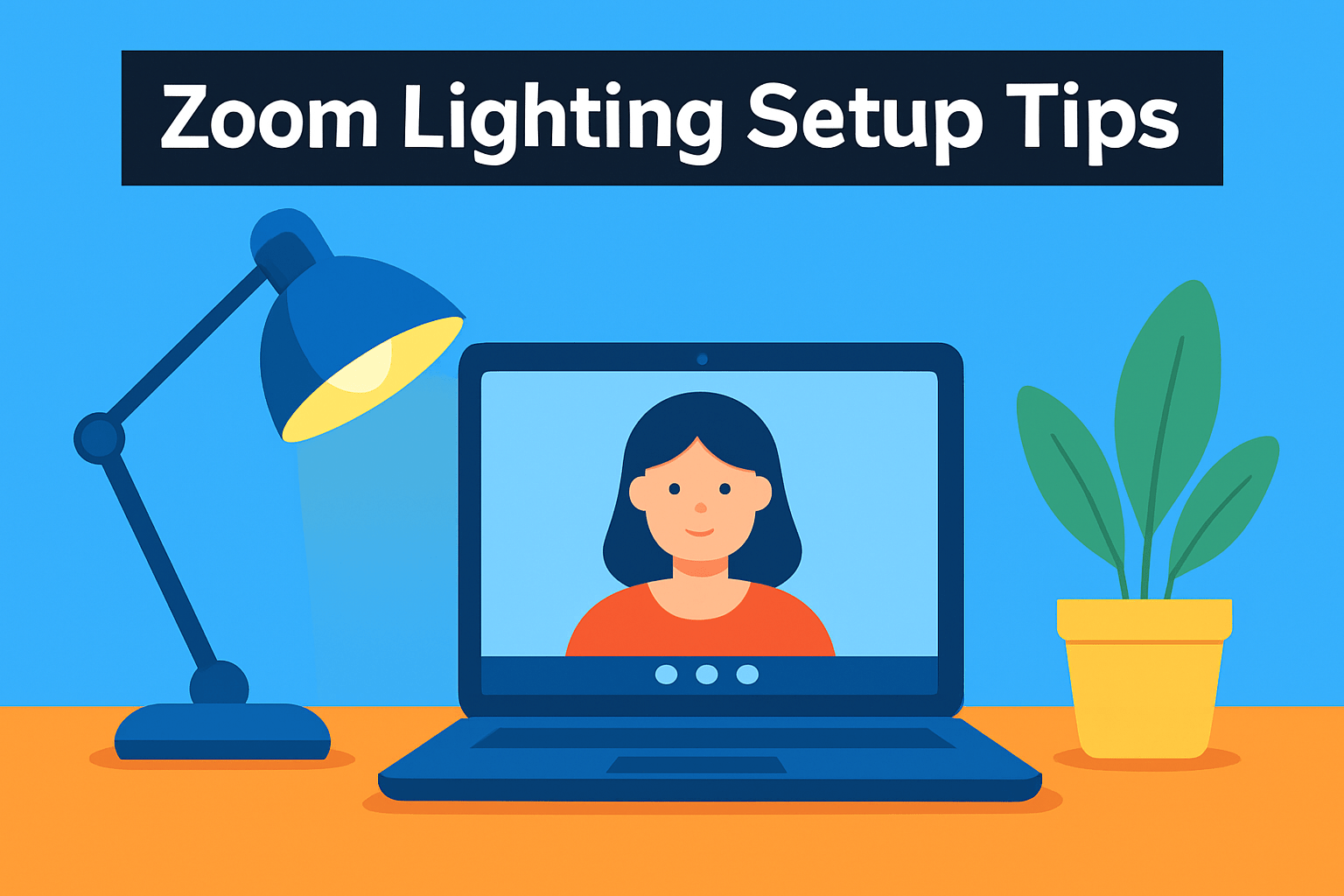
Think of your desk light as the main actor on stage: place it in front of you and a little above eye level so your face is evenly lit and shadows fall naturally. Keep it slightly off-center rather than dead-on to reduce flatness and catch a flattering shadow under the cheekbones and chin. Avoid any bright light behind you—backlighting will turn you into a silhouette and make your camera hunt for exposure.
Soft light is your friend. Hard, direct bulbs create harsh shadows and glare, especially on glasses or shiny skin. Soften the beam by bouncing it off a nearby wall, using a sheer curtain over a window, or diffusing with a small softbox, ring, or even a white sheet when you need a quick fix.
When possible, face a window for natural light but filter direct sun with blinds or curtains; direct sunlight is too contrasty for video. If the window shifts during the meeting, dial down your desk lamp or raise the color temperature to match the change. Small adjustments can make you look consistently professional across different times of day.
A two- or three-point approach gives depth without complexity: a brighter key light at about a 45° angle and a softer fill on the opposite side will lift shadows and keep skin tones honest. Add a subtle background or hair light (200–400 lumens) to separate you from the backdrop and avoid a flat, one-dimensional image. Keep the background tidy and dimmer than your face so attention stays on you.
If you wear glasses, move lights slightly off-axis and raise them a bit higher to cut reflections. Always test on camera before an important call and nudge the lamp a few inches until the skin tones and highlights look natural. A little time spent dialing in placement and diffusion pays off more than buying a brighter light without control.
Brightness and Color Temperature Options
Think of brightness and color temperature as the camera’s wardrobe—small changes make you look rested, alert, or washed out. For video calls you want control, not guessing; lights that let you dial both intensity and warmth give you the best chance of looking natural across different rooms and times of day.
Color temperature matters more than most people expect. Aim for daylight tones (roughly 5000–6500 K) when you want a crisp, professional look that reads well on camera. Warmer settings (around 3200–4000 K) are flattering in the evening or if your skin looks too pale under cool light; the highest-quality fixtures offer a continuous range so you can fine-tune rather than toggle between two extremes.
Brightness is about balance: bright enough to expose your face cleanly but not so strong that highlights clip or your webcam auto-darkens the background. Start at mid power, preview your image, and nudge the light up or down until you have even illumination with soft shadows. Smooth, stepless dimming is preferable to coarse steps because it lets you match changing window light throughout the day.
Use two sources if possible—a key light and a softer fill—to model the face and reduce flatness. Keep the fill at a lower level than the key and add a subtle background rim or practical lamp (200–400 lumens) to separate you from the backdrop. Matching color temperatures across lights prevents odd skin tones; if you must mix warm and cool, use gels or the lights’ color controls to bring them closer.
CRI matters: higher CRI (90+) delivers truer skin tones and more believable colors on camera. Lock or set your camera/Zoom white balance to the dominant light color after adjusting the lamps, then make small tweaks in the app or on the fixture until your skin looks natural in the preview.
Finally, prioritize fixtures with smooth color and brightness control, reliable power (USB/plug-in), and minimal flicker. Spend a few minutes experimenting before your call—once you find the right temp and brightness, save the settings and you’ll always step into flattering, professional light.
What People Ask Most
What is the best type of lighting for Zoom meetings?
Soft, diffused front-facing light that evenly illuminates the face is generally best for video calls. Lights with adjustable brightness and color temperature work well to match different rooms and times of day.
How should you light your face for video calls?
Place your main light in front of you and slightly above eye level to minimize shadows and evenly light your features. Use diffusion or soft sources to avoid harsh highlights and consider a softer fill light for balanced dimension.
Is a ring light good for Zoom meetings?
Ring lights provide even, flattering front illumination and are easy to use for single-source setups. They can cause reflections in glasses and sometimes flatten depth, so slight off-center placement or a secondary fill can help.
What color temperature works best for video conferencing?
Daylight or natural white in the mid range is ideal for a professional, alert appearance. Having adjustable color temperature lets you match the lamp to ambient light for consistent skin tones on camera.
How bright should a desk light be for Zoom calls?
Your desk light should be bright enough to make your face clearly visible without creating glare or overexposure. Adjustable brightness is helpful to balance the light with room lighting and screen reflections.
Where should I place a desk lamp for Zoom meetings?
Position the lamp in front of you and slightly above eye level, aiming to fill your face evenly and avoid backlighting. If you wear glasses, move the light slightly off center to reduce reflections.
Do LED desk lamps improve video quality on Zoom?
LED desk lamps can improve on-camera appearance by providing consistent, flicker-free illumination and accurate color rendering. Choosing lamps with adjustable settings helps achieve more natural skin tones and reduced shadows.
Conclusion for Best Zoom Desk Lights
Good lighting makes a noticeable difference in how professional and clear you appear on video, and the right desk lamp can solve common issues like harsh shadows, poor color, or insufficient coverage.
Options span budget-friendly small panels to brighter fixed fixtures, high-CRI kits for accurate skin tones, portable rechargeable lights, and wide-coverage desk lamps to suit different setups.
Pick a lamp by considering your desk size, preferred power source (USB, plug-in, or battery), how often you move or travel, and the level of color temperature and CRI control you need.
Match features to your meeting habits—prioritize stable, flicker-free power and adjustable warmth for daily calls, or choose portability and versatile mounting for mobile or multi-location work.
If you want to improve your on-camera lighting and skills, read more articles on our site to find practical tips and setup ideas tailored to your workspace.
Have questions or want personalized advice? Leave a comment below and we’ll usually reply within a few hours.



0 Comments