
Tired of muffled dialogue and noisy room tone ruining your DSLR footage?
How do you find the best lavalier mic for DSLR shoots without wading through confusing specs and marketing hype? This guide distills five top lavalier systems that consistently delivered clean, usable audio in real shoots and in user feedback.
We evaluated wired and wireless options for a range of scenarios — interviews, run‑and‑gun shooting, wedding coverage, and studio work. You’ll get hands‑on placement advice, tips for concealing cables, and the must‑have accessories that actually make a difference on set. Every pick is presented with straightforward pros and cons so you can match gear to your workflow quickly.
Reliability was king: we prioritized stable transmission, solid build quality, long battery life, and clear speech capture over shiny bells and whistles. We also considered how easy each system is to set up, how forgiving it is for non‑audio techs, and how it performs in noisy environments. The result is a practical shortlist that helps you spend less time tinkering and more time shooting.
Whether you mostly shoot talking heads, documentary interviews, or fast‑moving events, this introduction points you to the right kinds of lavalier solutions. Read on for concise testing notes, real‑world pros and cons, and actionable tips that will raise the audio quality of your DSLR videos. By the end you should know which mic style fits your needs and how to attach and manage it like a pro.

Rode Wireless PRO Microphone System with Timecode, 2 Lavalier Mics and Smart Charge Case
1. Sennheiser EW 512P G4 Wireless System

Sennheiser EW 512P G4 Portable Lavalier Wireless Set
Professional wireless lavalier kit delivering reliable transmission, clear vocal capture, and rugged portability for ENG, theatre, and live production.
Check PriceWhen I’m shooting interviews or run-and-gun documentaries with a DSLR, the Sennheiser EW 512P G4 is the kit I reach for when reliability matters. It’s a professional-grade wireless system that ships with the Sennheiser MKE 2 Gold omnidirectional lavalier, a bodypack transmitter, and a camera-mount receiver—so you get broadcast-quality capsules and a full transmit/receive chain out of the box.
In the field this rig stands out for its rugged metal construction and dependable wireless transmission. I’ve used it outdoors and on location where broad frequency tuning and minimal interference are essential, and it holds lock much better than consumer kits. Battery life and the physical build also survive long days without complaint.
Setup is straightforward for the essentials: the quick IR sync between transmitter and receiver speeds pairing and gets you recording fast. The omnidirectional MKE 2 Gold captures natural, full-bodied voice with excellent clarity, which is why sound from this system feels so clean in interviews and documentary work.
A few usability notes: the menu system can be a little unintuitive at first, so plan a short learning session before an important shoot. Also, it’s not the smallest or lightest wireless kit—if you need ultra-compact gear for run-and-gun vlogging, that’s something to consider.
All told, if you’re a professional videographer or journalist who values rock-solid transmission, broadcast-grade audio, and durable hardware, the EW 512P G4 is a very solid choice.
- Exceptional audio clarity with omnidirectional pattern
- Robust wireless transmission with minimal interference
- Rugged metal construction
- Simple IR synchronization
- Menu system can be unintuitive initially
- Relatively bulky compared to simpler wireless kits
2. SYNCO G2 Pro Wireless Lavalier

SYNCO G2(A2) PRO Dual-Channel Wireless Lavalier System
Compact dual-channel wireless system offering interference-free audio, long-range stability, and simple pairing for interviews, vlogging, and run-and-gun shoots.
Check PriceI rely on the SYNCO G2 Pro a lot when I need a wireless lav that simply works on set. It’s compact and durable, and the omnidirectional capsules capture natural-sounding dialogue without fuss.
The system’s standout practical feature is the portable charging case that extends operation time up to 24 hours. That alone makes it great for long shoots or back-to-back interviews where swapping batteries would slow you down.
Range matters when subjects move away from the camera, and the G2 Pro delivers with transmission up to 656 feet. In practice I’ve found the connection stable over long distances, which frees you to frame shots without chasing signal drops.
On the usability side the TFT display and intuitive interface with gain control are a photographer’s dream. You can set levels quickly and the real-time audio monitoring jack (3.5mm) lets you confirm what you’re recording without guessing.
It’s also rugged enough for outdoor work and studio use alike. Users praise the reliable wireless link and clean sound—so it’s a solid choice if you need dependable audio with a DSLR setup.
Keep in mind two trade-offs: it’s slightly heavier than ultra-compact kits, so if absolute pocketability is your priority there are lighter options. And in very crowded RF environments you might encounter occasional wireless dropouts, though those are rare.
- Transmission range up to 656 feet
- Charging case extends battery life up to 24 hours
- Intuitive TFT screen and gain controls
- Real-time monitoring via 3.5mm jack
- Slightly heavier than ultra-compact kits
- Occasional wireless dropouts in crowded RF environments (rare)
3. DJI Mic 2 Wireless Lavalier System

DJI Mic 2 (2TX/1RX) with Charging Case
Two-transmitter wireless mic set with crisp omnidirectional capsules, instant pairing, and portable charging case for all-day content creation.
Check PriceAs a photographer who often shoots run-and-gun interviews and YouTube pieces with a DSLR, the DJI Mic 2 feels like a thoughtful upgrade to the wireless kit. Its noise-canceling tech and internal 32-bit float recorder are real-world game changers — the noise cancellation keeps wind and street noise in check, while the float recorder protects your takes from clipping and gain mistakes.
The receiver’s larger touchscreen and physical control wheel make on-set adjustments quick and tactile, which I appreciate when time is limited. Strong magnets on the transmitters mean they snap to clothing or stands without fuss, cutting down on accidental drops during swaps or quick moves.
Connectivity is practical for DSLR workflows: the system includes Lightning and USB-C adaptors for wide device compatibility, so routing audio to phones, tablets, or cameras is straightforward. Users praise the clean, high-fidelity sound and a charging case plus touchscreen controls that streamline workflow — useful if you’re juggling multiple shoots or streaming duties.
There are a couple of caveats. The receiver is slightly larger than some ultra-compact systems, so it’s not the smallest kit to mount on a small camera rig. Also expect a short learning curve to take full advantage of the advanced features; once you do, though, it rewards you with reliable, distortion-free audio and flexible connectivity.
- Exceptional noise cancellation and clean audio capture
- Internal 32-bit float recording prevents distortion
- Intuitive touchscreen
- Wide device compatibility via Lightning and USB-C adaptors
- Receiver is slightly larger than simpler systems
- Some learning curve with advanced features
4. Deity V.Lav Wired Lavalier Mic

Deity V-Mic D4 Mini On-Camera Microphone
Ultra-compact shotgun mic delivering punchy directional sound, low self-noise, and rugged build for run-and-gun filmmaking and vlogging.
Check PriceThe Deity V.Lav is an affordable wired lavalier with a pre-polarized condenser capsule and an omnidirectional pickup. It ships with a five-meter cable, uses two LR41 batteries that last about 800 hours, and includes a foam windscreen.
In practical shoots it delivers very clean audio without the risk of wireless interference. That makes it dependable for static interviews and other controlled environments where latency and dropouts are unacceptable.
Users report solid audio quality at a very low price point and praise the exceptional battery life. The wired design does limit mobility, so it’s best suited to solo speakers, sit-down interviews, and low-noise settings.
As a photographer who often records talking-heads and short-form interviews for DSLR video, I value its simplicity and consistent performance. If you need a no-fuss lav that just works on set and won’t add wireless complications, the V.Lav is a smart, budget-friendly choice; avoid it if your subjects must move freely or you’re capturing multiple people in noisy spaces.
- Very clean wired audio
- Five-meter cable for on-set flexibility
- LR41 batteries last about 800 hours
- Pre-polarized condenser capsule
- Wired connection restricts movement
- Not ideal for noisy or multi-speaker environments
5. Rode Wireless Pro Lavalier System
Rode Wireless PRO Microphone System with Timecode, 2 Lavalier Mics and Smart Charge Case
Professional-grade wireless package with integrated timecode, dual lavalier support, and intelligent charging for synchronized, broadcast-ready audio workflows.
Check PriceAs a working photographer who frequently records interviews and behind-the-scenes audio, the Rode Wireless Pro is the kind of kit I reach for when I need broadcast-quality sound without hauling a rack of gear. It’s a premium wireless system that ships with two Rode Lavalier II mics and multiple connection cables, so you can outfit a two-person interview straight away.
What makes it genuinely useful on fast shoots is the flexibility: the transmitters offer 32-bit float recording and you can record on the transmitter, on the receiver, or feed directly into a camera or field recorder. That multipoint recording approach often saves me time in post because I can choose the cleanest source or match tracks when something goes wrong live.
In practice the wireless links are very reliable, and users consistently report superb audio clarity — which matches my experience in controlled and live situations. Magnetic transmitter clips make attachment fast and secure, cutting down on wardrobe fuss between takes.
If you’re doing high-level podcasting, filmmaking, or live events where audio reliability and quality matter, this system is well suited to that workflow. Keep in mind it’s designed for professionals who want versatility and redundancy rather than a throw-it-in-a-bag, no-learning-curve kit.
The notable downsides are cost and complexity: it’s more expensive and fuller-featured than entry-level solutions, and getting the most from its features requires some technical knowledge. If you value top-tier sound and recording flexibility and are comfortable learning the system, it’s an excellent choice.
- Multiple recording options (transmitter and receiver recordings)
- 32-bit float technology — distortion-free
- Magnetic transmitter clips for secure attachment
- Includes two Rode Lavalier II mics and multiple connection cables
- More expensive and complex than entry-level solutions
- Setup and full feature use require technical knowledge
Attaching Lavalier Mics To Clothing
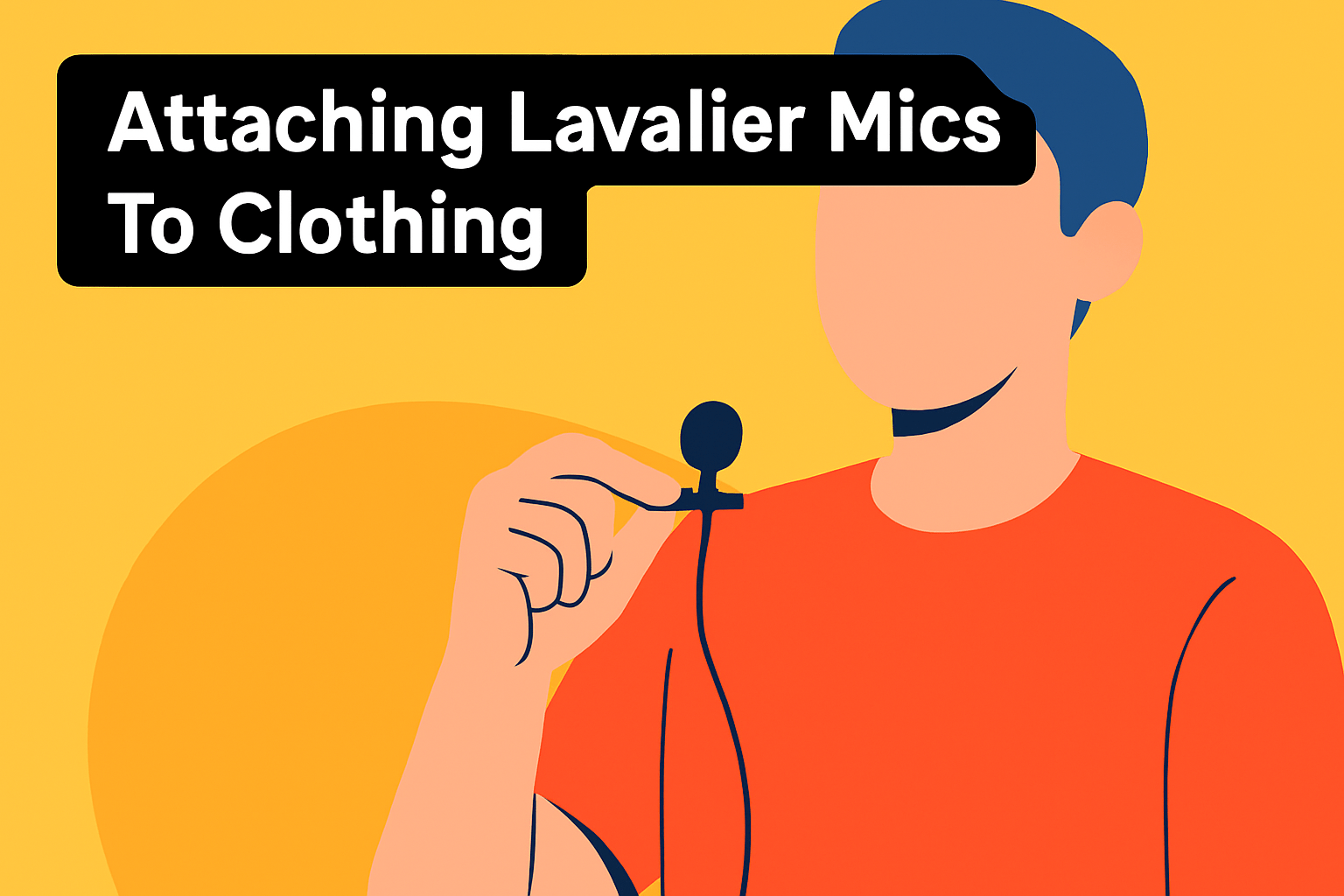
Place the lavalier about a handspan (6–8 inches) below the chin on the chest; that sweet spot captures clear, natural voice without sounding too boomy or distant. Clip it to a lapel, shirt placket, or collar where there’s a defined edge, and for dresses or tops without edges use a seam or the collar to get the same stability.
Hiding the cable makes your shots look professional. Run the wire down the inside of a jacket or shirt when possible, or tuck it along seams and secure it with Transpore medical tape or gaffer tape on thin tops to avoid visible lines.
If the subject is wearing a tight shirt, route the cable down the back rather than across the front to keep things discreet. For extra security make a small broadcast loop behind the mic to give slack and reduce tension on the capsule.
Strain relief is underrated: create a secondary loop below the mic and tape it to the fabric so any tugs pull on the tape instead of the mic. For chest hair or stubble, an undershirt acts as a barrier and keeps rustle to a minimum.
Ties and scarves are actually helpful hiding spots—clip the mic to the fabric and run the cable behind it so it’s both hidden and stable. With low-cut tops you can position the capsule so it peeks out of the neckline or use skin-safe tape to anchor it to the bra, keeping it close to the throat.
On form-fitting or athletic wear, the shoulder strap, neckline, or even a headband can be used to secure the mic; tape it down for discreet, stable placement. Carry a few different clips—standard, vampire or viper clips—and a selection of tapes so you can adapt quickly to any wardrobe.
Always check that the mic isn’t covered by fabric, hair, or jewelry, and run a quick movement and speaking test. Have the subject walk, gesture and laugh while you listen through headphones to catch rustle or rubbing before you roll camera.
Essential Accessories For Lavalier Mics
I treat lav accessories like an insurance policy: the mic can be great, but the right kit makes it sound great on set. Start with a handful of mic clips—standard spring clips for lapels, vampire/viper clips for fabrics without edges, and a few InvisiLav-style mounts if you need to fully conceal the capsule while damping vibrations. I always make a small broadcast loop behind the clip to give strain relief; it stops the cable from tugging and cuts clothing rustle.
Tape choices matter more than you think. I carry Transpore (medical) tape for skin-safe holds and gaffer tape for heavy-duty cable runs inside jackets or along seams. Double-sided tape is handy for sticking mics to smooth surfaces and Draper’s or low-residue tape keeps things tidy on delicate garments.
Cable management prevents failures. Silicone cable savers and Velcro straps stop wear at connectors, while a small cable weight (MicDrop style) helps pull slack through clothing and keeps the mic steady. Pack a few spare cables and adaptors—phone, camera and recorder cables all differ and you don’t want to be scrambling for the right connector.
For outdoor work, don’t skimp on wind protection. Foam windscreens are great for light breeze, and furry “dead cat” covers are essential in stronger wind or when the mic might get handling noise. Also bring a small pouch with spare LR41s or transmitter batteries and a compact charging solution or case to avoid downtime on multi-subject shoots.
Finally, keep a tidy kit: a small pouch for clips, tapes, windscreens and a protective case for the mic itself. My last pro tip: build a habit of quick pre-roll checks—move, gesture and speak at mic distance so you can address rubbing, placement or cable tension before the camera rolls.
What People Ask Most
What is the best lavalier microphone for DSLR?
There’s no single best option; the right choice depends on your mobility needs, recording workflow, and budget. Consider whether you need wired reliability or wireless freedom and pick a mic that matches your shooting environment and accessories.
How do I connect a lavalier mic to a DSLR camera?
Wired mics plug into the camera’s mic input while wireless systems use a receiver that connects to the camera. Use compatible cables or adapters and always monitor levels with a test recording before the shoot.
Can I use a lavalier microphone with my DSLR without an external recorder?
Yes, you can if the microphone or wireless system connects directly to the camera or offers onboard recording. Some systems can capture audio on transmitters or receivers so you don’t need a separate recorder, but always verify your workflow beforehand.
Do lavalier microphones work with DSLR cameras for professional-quality audio?
Yes, lavaliers can deliver professional results when you choose a suitable mic, place it correctly, and control background noise. Using proper accessories and monitoring your recordings helps ensure consistent, high-quality audio.
Wired vs wireless lavalier mics for DSLR: which is better?
It depends on your priorities: wired mics offer simplicity and reliability while wireless systems provide mobility and freedom of movement. Choose based on whether you need unrestricted movement or maximum stability in signal and setup.
What should I look for when choosing a lavalier mic for DSLR video?
Look at pickup pattern, connection compatibility, build quality, and whether the system includes practical accessories like clips and wind protection. Also consider battery or recording options and how the mic fits into your overall workflow.
How do I position a lavalier mic on subjects for DSLR interviews?
Place the mic on the chest about a handspan below the chin and clip it to a stable part of clothing to avoid rustle. Conceal the cable, use tape or strain relief to prevent movement noise, and test while the subject moves to ensure consistent sound.
Conclusion For Best Lavalier Mics For DSLR
Ultimately, choose the lavalier setup that matches your mobility needs, recording workflow, and shooting environment.
Consider budget and the learning curve when balancing features, complexity, and the convenience of on‑device recording options.
Wired mics bring simplicity and reliability, while wireless systems offer freedom and advanced capture options—pick what fits your workflow and interference tolerance.
Placement and cable management often matter more than brand—proper clipping, strain relief, and discreet routing cut noise and improve clarity.
Use windscreens, secure mounts, and run sound checks with the subject moving to verify placement and reduce handling or wardrobe rustle.
If you want to build confidence and technique, read more articles on the site to expand your practical skills and troubleshooting approaches.
Have a question or want personalized advice for a specific shoot? Leave a comment below and we usually reply within a few hours.



0 Comments