

What if one small gear change could make your voice cut through the noise and keep listeners hooked?
This complete guide compares five top microphones for content creators and explains the buying factors that actually matter, plus easy tips to improve your recordings fast.
Whether you record at a desk or on the move, you’ll find the right mic for your workflow.
Picking a microphone can feel like decoding marketing copy and specs.
We focus on the elements that change how you sound in real recordings.
You’ll learn how to balance features, cost, and ease of use to pick a mic you’ll actually enjoy using.
Whether you’re a podcaster, streamer, vlogger, journalist, or solo creator, this guide is for you.
It suits beginners who want plug-and-play simplicity, and experienced creators who need a smarter upgrade.
We tested how mics behave in real rooms and on the road so you can match a mic to your environment.
Beyond specs, you’ll get simple, actionable fixes that raise the production value of every take.
Read on to explore the five contenders and the real-world trade-offs between portability, sound, and budget.
By the end you’ll know which mic fits your voice, your space, and the kind of content you make.
1. Shure MV7+ Microphone

Shure MV7+
Hybrid XLR/USB studio mic offering broadcast-quality vocal capture, intuitive touch controls, and adaptive noise rejection for podcasts and streams.
Check PriceAs a photographer who also records interviews and behind-the-scenes commentary, I appreciate the Shure MV7+ for its balance of professional sound and straightforward operation. It’s a hybrid USB-C and XLR mic, so you can plug straight into a laptop or slot into a studio chain without swapping gear.
Sonically it captures deep, layered, nuanced sound at 32-bit 48kHz, which gives recordings a rich presence that translates well across podcasts, streams, and voiceovers. The built-in digital pop filter and noise reduction help keep plosives and room hiss under control, even in untreated spaces like bedrooms.
Practical controls matter on set, and the MV7+ delivers with a customizable LED color-changing touch panel for mute/unmute that’s tactile and immediate. The Shure Motiv Mix app adds another layer — you can tweak vocal tone and add reverb in real time, which is great when you need quick adjustments on location.
User experience backs this up: people report clear vocal capture in untreated environments and say the MV7+ competes with pricier professional mics while remaining easy to use. The trade-off is size; some find it bulkier and heavier than compact USB alternatives, so consider that if you shoot mobile vlogs or travel a lot.
If your work mixes studio sessions with mobile setups—streaming, podcasting, radio presenting, or music—you’ll likely find the MV7+ a compelling upgrade without the complexity of a full broadcast rig. It leans pro-grade while keeping the workflow simple.
- Superb audio quality with minimal background noise
- Dual USB/XLR connectivity for diverse scenarios
- Easy, tactile controls for quick muting/unmuting
- Responsive app for real-time vocal customization
- Heavier and larger than some USB mics (less portable)
- Higher cost than basic beginner mics
2. DJI Mic 2 Microphone

DJI Mic 2 1 TX + 1 RX Wireless Microphone
Compact wireless lavalier kit delivering pristine audio, dependable range, dual-transmitter versatility, and long battery life for run-and-gun recording.
Check PriceAs a photographer who often shoots run-and-gun interviews and behind-the-scenes footage, I appreciate the DJI Mic 2 for its mobility and reliability. It’s a wireless lavalier system with strong AI noise cancellation that really helps isolate voices in busy outdoor environments and crowded shoots.
Sound quality is excellent for a mobile setup — it records in 24-bit, and you can opt to capture 32-bit float audio if you want maximum headroom and dynamic range. Each transmitter also offers onboard recording with 8GB of storage, which acts as a fail-safe if the wireless link drops or you want a backup track.
The system pairs well with the devices I use: smartphones, cameras, and DJI action cams, and there’s a handy Bluetooth audio bypass option for quick monitoring or streaming. The transmitters are compact and lightweight, and the kit’s sleek, durable design plus improved battery life make it a real workhorse for vloggers, journalists, and mobile creators.
Practically speaking, the up-to-250m wireless range and an OLED touchscreen receiver give you flexibility on set, though the touchscreen and advanced settings have a bit of a learning curve for newcomers. Once you’ve dialed it in, the combination of long range, onboard recording, and noise-cancelling AI makes it a top choice for creators who prioritize mobility and clean voice capture.
- AI noise cancellation isolates voice well
- 24-bit sound, option for 32-bit float
- Onboard recording — 8GB per transmitter
- Up to 250m range; compact, durable design
- Touchscreen and advanced settings have a learning curve
- 32-bit float files need post-processing to maximize benefits
3. Saramonic Blink 500 B2+ Wireless Microphone Kit

Saramonic BLINK500B2+ Wireless Lavalier Microphone
Pocket-sized plug-and-play lavalier system with clear voice pickup, seamless pairing, and extended runtime for on-the-go creators.
Check PriceThe Saramonic Blink 500 B2+ Wireless Microphone Kit is a compact, grab-and-go set aimed squarely at vloggers and portable creators. It includes two transmitters and a single receiver that connects to cameras and smartphones, which makes it handy for run-and-gun shoots and interviews.
Audio is the real win here — clean, natural sound with active noise cancellation that pushes the results close to professional standards. There’s also an aux output for simultaneous audio capture on multiple devices, so you can record to camera and a phone or recorder at the same time for redundancy.
Build quality is practical rather than fancy. The kit uses a plastic housing but users report it survives accidental drops, which is reassuring if you travel or shoot outdoors a lot. It’s lightweight and easy to use straight out of the box, so you can get reliable audio without a complex setup.
Who should pick this? If you’re a content creator on a budget who needs versatile connectivity and dependable voice clarity, this kit is a strong match. If you prioritize premium materials or deep onboard controls, note that some users find the plastic feel less premium and the system lacks advanced onboard settings.
- Excellent audio quality for the price
- Durable enough to survive rough handling
- Versatile aux output for dual recordings
- Lightweight and easy to use
- Plastic build feels cheaper
- Missing advanced onboard controls
4. Rode NT-USB+ Microphone

Rode NT-USB+ USB Condenser Microphone
Studio-grade USB condenser delivering crisp, detailed vocals, plug-and-play convenience, and zero-latency monitoring for streaming and voiceover work.
Check PriceAs a working photographer who also records voiceovers and behind-the-scenes commentary, I appreciate a mic that delivers clarity without a lot of fiddling — the Rode NT-USB+ does exactly that. It’s a USB microphone with onboard Aphex audio processing and a powerful preamp, so vocals come through with extra presence and a low noise floor that captures more detail than typical entry-level mics.
The build feels substantial thanks to its solid metal construction, and setup is refreshingly simple: plug-and-play USB means you can be recording in minutes on a laptop or desktop. Rode also bundles a suite of apps that let you shape tone and add production value without needing extra hardware or deep post-processing skills.
In practical terms, the NT-USB+ is a great upgrade for streamers, podcasters, and creators moving beyond starter gear. Compared to cheaper USB mics I’ve used, the improvement in vocal clarity and richness is noticeable, and the built-in processing helps cut down editing time — useful when you’re batching content or delivering quick client edits.
It isn’t perfect for every situation: the mic is slightly bulkier than some USB alternatives and there’s no built-in mute button, so it’s less ideal if you frequently need to toggle on/off during live streams or mobile shoots. Still, if your priority is recorded-quality voice with minimal setup and reliable, consistent performance, this mic is a strong, practical choice.
- Clear, crisp, rich sound suitable for streaming, podcasting, and voiceover
- Solid metal construction for durability
- User-friendly USB connection
- Built-in processing reduces need for post recording edits
- Slightly bulkier than some USB alternatives (affects portability)
- Lacks built-in mute button
5. Audio-Technica AT2040USB Microphone

Audio-Technica AT2040USB USB Dynamic Microphone
Broadcast-quality USB dynamic offering warm, focused voice reproduction, excellent off-axis rejection, and rugged construction for podcasting and live shows.
Check PriceAs a photographer who also records interviews and voiceovers, I value microphones that are simple, tough, and reliable. The Audio‑Technica AT2040USB is a dynamic microphone with a cardioid pattern and a robust build, offering USB connectivity for straightforward plug‑and‑play use.
In practice it rejects ambient noise well, so your voice sits forward and clear even in untreated rooms. That clear voice reproduction stands out over background noise, which is exactly what you want for podcasting or streaming where room treatment is limited.
Setup is painless—beginners consistently find it easy to use with minimal technical knowledge. Its solid, rugged construction means it handles regular on‑desk use and travel without fuss, making it a dependable starter mic that improves recording quality significantly.
There are trade‑offs to keep in mind. It’s less suitable for music or high‑fidelity vocal recording compared to condenser mics, so if you need detailed studio nuance this isn’t the ideal choice. Also, the fixed cardioid pattern reduces versatility in multi‑person setups, so it’s best for single‑voice recording scenarios.
Overall, if you’re a podcaster, streamer, or solo creator who wants a no‑nonsense mic that cuts background noise and delivers consistent, rugged performance, the AT2040USB is a very practical and budget‑friendly option.
- Clear voice reproduction with effective ambient noise rejection
- Easy plug-and-play USB operation
- Solid, rugged build for consistent use
- Great value for a budget microphone
- Less suitable for music or high-fidelity vocal recording compared to condenser mics
- Fixed cardioid pattern reduces versatility in multi-person setups
Key Factors When Choosing a Microphone
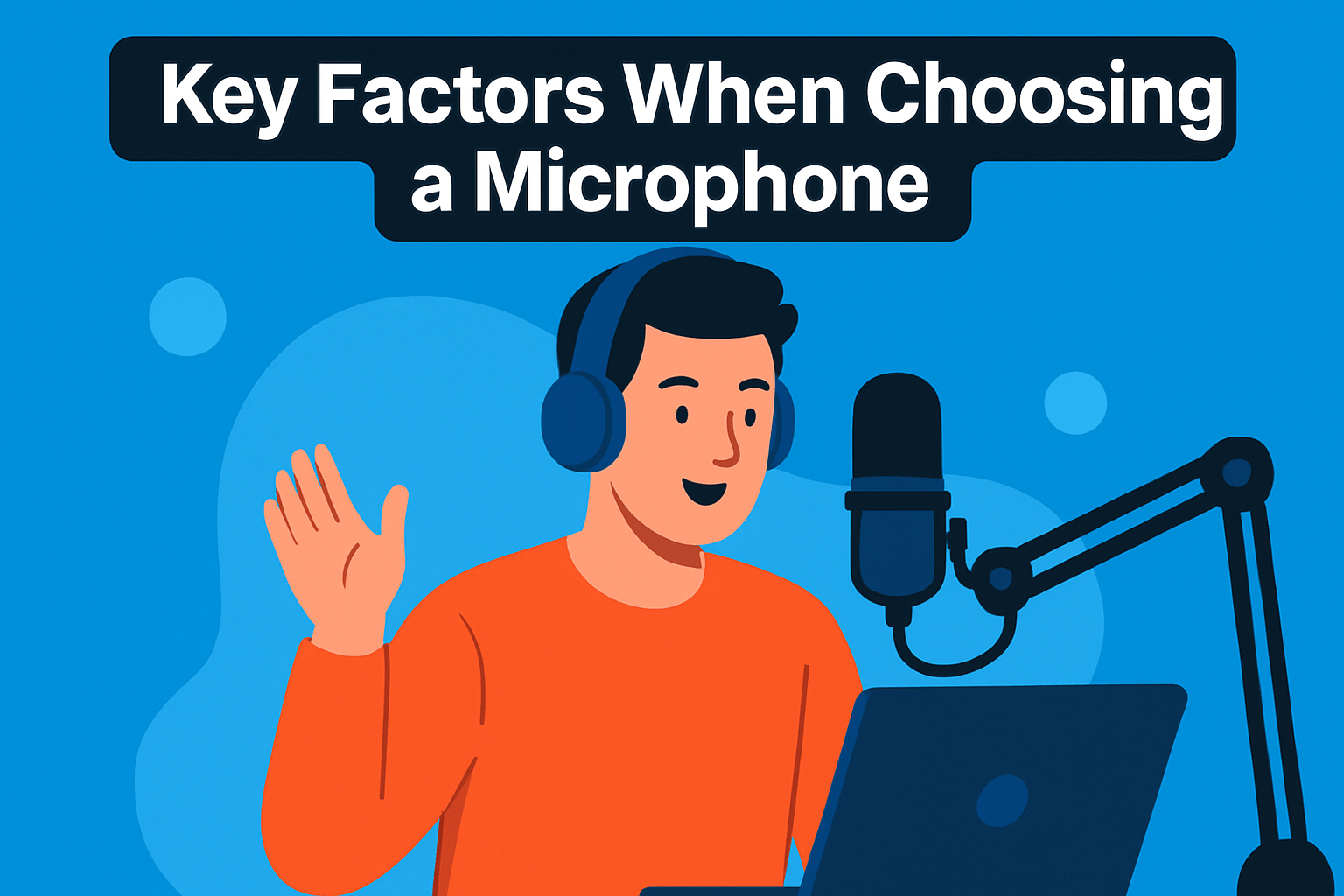
Choosing a microphone is a lot like picking a lens for a shoot: it must suit the subject, the space, and how you move. Think about where you’ll record most often. A mic that sounds glorious in a treated studio can be wrong for a noisy bedroom or a busy street.
Microphone type matters. Dynamic mics are forgiving in untreated rooms and when you record close; they tame background noise and suit podcasting and streaming. Condensers capture detail and air, but they shine in quieter, controlled environments like a small treated booth.
Connection type defines your workflow. USB mics are plug-and-play and excellent for solo creators who want simplicity. XLR opens the door to better preamps, mixers and multi-mic setups, but it requires an audio interface and a bit more investment.
Polar pattern affects isolation and room sound. Cardioids focus on the voice and reject sides and rear, making them ideal for single hosts. Omnidirectional and figure-8 patterns are useful for round-table discussions or interviews, so match the pattern to how many people you’ll record and where they’ll sit.
Portability and mobility are practical concerns. If you vlog, report, or run-and-gun content, lavaliers or compact wireless kits with onboard recording make life easier. Battery life, range, and reliable pairing are worth prioritizing over a few grams of weight savings.
Pay attention to built-in features and compatibility. A mic with a reliable mute, onboard DSP, pop filter or app control can save hours of editing. Also check smartphone and OS compatibility if you’ll record to a phone or tablet.
Finally, budget with an upgrade path in mind. Buy what addresses your immediate needs—room type, mobility, and platform—but favor flexible options like hybrid USB/XLR or systems that let you grow into more complex setups. Always record test clips and listen on headphones; real-world testing beats spec sheets every time.
Tips to Improve Microphone Audio Quality
Good audio starts with placement. I aim for about 6–8 inches from the mouth, slightly off-axis to tame plosives while keeping warmth and presence. For lavaliers clip them on the chest near the collarbone, not the lapel edge, and watch for rustling against clothing.
Room choice matters as much as the mic. Soft furnishings, carpets, and curtains absorb reflections and make voices sound intimate. If you can’t treat the room, record in a smaller closet or tuck blankets behind you to reduce reverb.
Use the right accessories. A pop filter or foam windshield will remove hard “P” and “B” sounds, and a shock mount or boom arm keeps desk thumps and vibrations out of the recording. Outdoors, a furry windjammer is worth its weight in gold for clean dialogue.
Gain is where many recordings fail. Set input so peaks don’t clip but your quieter moments are captured clearly; aim for healthy peaks around -12 to -6 dB in your recorder. If you’re using onboard DSP or 32-bit float, still monitor levels—don’t rely on magic to fix a muffled take.
Monitor while you record. Headphones let you hear room noise, electrical hum, or mic rustle that you can’t always feel. Do a short test and listen back at normal listening volume before committing to a long take.
Reduce ambient distractions proactively. Turn off fans, silence phones, and schedule recordings when the household or street noise is lowest. Small changes like closing a window or moving a noisy appliance can transform a mediocre take into a usable one.
Finally, trust your ears and iterate. Move the mic a few inches, recheck the gain, swap a windshield, and test again. These quick adjustments are what separate good-sounding content from stuff you’ll want to re-record.
What People Ask Most
What is the best microphone for content creators?
The best microphone depends on your specific needs like recording environment, mobility, and budget. Choose a mic that matches your typical setup and the level of sound quality you want to achieve.
Are USB microphones good for content creators?
USB microphones are a convenient choice for solo creators and beginners because they offer simple plug-and-play operation with many devices. For more complex or expandable setups, other connections may provide additional flexibility.
Condenser vs dynamic microphones — which is better for content creation?
Condenser microphones are more sensitive and excel in quiet, treated spaces where detail matters, while dynamic microphones pick up less background noise and work well in untreated or noisy environments. Pick the type that suits your recording conditions and the sound character you prefer.
What microphone is best for streaming and podcasting?
Many streamers and podcasters prefer microphones that reject ambient noise and offer clear vocal presence, especially for untreated rooms. Consider whether you value plug-and-play convenience or the flexibility of a more professional connection when deciding.
How do I choose the right microphone for my content?
Consider factors like microphone type, connection, polar pattern, device compatibility, and where you typically record. Match those factors to your workflow, mobility needs, and the amount of background noise in your environment.
How do I set up a microphone for recording content?
Place the microphone close to the sound source but slightly off-center to reduce plosives, and use pop filters or windshields as needed. Stabilize the mic with a mount or boom, monitor with headphones, and run test recordings to fine-tune placement and input levels.
Conclusion for Best Mics for Content Creators
This guide distilled five top microphones, their ideal uses, and the trade-offs between portability, noise rejection, and upgrade paths to help you choose with confidence.
The best pick depends on where and how you record—prioritize dynamic mics for untreated rooms, condensers for controlled studios, and wireless options when mobility matters.
Pair your chosen microphone with thoughtful placement, basic room treatment, and simple accessories like pop filters and shock mounts to get noticeably better results fast.
Adjust gain carefully and monitor with headphones, since small setup tweaks often yield bigger improvements than extensive post‑editing.
If you want to keep improving your audio and production skills, explore more articles on our site for practical tips and step‑by‑step guidance.
Have questions or need help picking gear for your setup? Leave a comment below and we usually reply within a few hours.


0 Comments