

Ever wondered why some faces pop on Zoom while others look flat, shadowed, or washed out? It’s rarely the webcam—it’s the light and the color temperature falling across your face. A few simple adjustments can smooth skin tones, brighten eyes, and instantly lend a more natural, professional presence on camera.
Ring lights are a favorite for remote work because they throw even, flattering illumination that reduces harsh shadows and highlights details without glare. They make it easier for viewers to read expressions and for webcams to render accurate tones. Many models are compact and versatile enough to sit on a desk or travel with you between workspaces.
This guide rounds up five ring-light options that real users praise for performance, convenience, and consistent results. We’ve captured honest feedback about ease of use, control, and portability so you can match a light to your routine without guesswork. You’ll also find straightforward positioning and color-temperature tips that actually translate to better video.
Whether you’re heading into client meetings, teaching a class, or streaming a live session, the right ring light can transform how you come across. Read on for practical, no-nonsense guidance that helps you look like your best self on every Zoom call.
1. Neewer RL-18 LED Ring Light

Neewer RL-18 18-inch Ring Light 58W 5600K CRI95 240LED Phone Holder
High-output daylight illumination with exceptional color accuracy, adjustable brightness, and phone mount—perfect for professional portraits, livestreams, and beauty tutorials.
Check PriceAs a photographer who shoots a lot of remote interviews, the Neewer RL-18 immediately stands out for its brightness and exceptionally even light distribution. Its high CRI (95) preserves natural skin tones and vibrant colors, so you look professional and true-to-life on Zoom without heavy post-processing.
The 18-inch size gives generous coverage for shoulders-up framing or to include a bit of your workspace, which is ideal for most laptop webcams. It ships with a stable tripod and phone holder that are easy to set up on a desk and hold up during long calls.
Controls are simple and practical—touch controls plus a wireless remote let you adjust brightness and color temperature (3200K–5600K) without interrupting your meeting. That flexibility helps you match ambient light and reduce shadows or blemishes quickly during a call.
If you want a straightforward, reliable lighting upgrade for daily video calls, this ring light is mostly an excellent choice—especially if you care about accurate skin tones and even coverage. Just be mindful of desk footprint; if your workspace is very small you should check the tripod size before buying.
- Exceptional brightness and even light
- Touch controls + wireless remote for adjustments
- Stable tripod and phone holder for desk setup
- High CRI (95) for natural skin tones
- Remote occasionally unresponsive or limited in range
- Tripod can be bulky for very small desks
2. Lume Cube 18-Inch Cordless Ring Light

Lume Cube 18-inch LED Ring Light with 6.5ft Tripod Phone Holder Camera Mount Case
Portable lighting kit with tall tripod, versatile mounting options, and protective case—delivers consistent soft illumination for on-location shoots and vlogging.
Check PriceThe Lume Cube 18-inch cordless ring light is a photographer’s dream when you need studio-quality lighting away from the studio. It delivers high brightness and a wide color temperature range (3200K–5600K), which makes matching ambient light or dialing in a clean, professional look very straightforward.
What stands out is the cordless design — it’s genuinely portable and flexible. Batteries give up to 1.5 hours runtime at full brightness, so you can move between rooms or shoot on location without being tethered to an outlet.
The LED readout is a small detail that matters in practice: you can see and reproduce exact settings quickly, which is great for consistency across calls or shoots. It also ships with a carry case, stand, and versatile mounts, so packing and switching setups is painless for travel or hybrid workspaces.
Be honest: this light can feel like overkill for casual Zoom chats. Many users find it perfect for anyone creating video content or running frequent, high-quality virtual sessions, but it’s more than most people need for a weekly meeting.
As a working photographer, I’d pick this if you value portability without sacrificing output — especially for product demos, long-form webinars, or client calls where color accuracy matters. If your desk is tiny or you never push full brightness, consider whether the size and battery trade-offs fit your setup.
- Exceptional brightness and wide color temperature range (3200K–5600K)
- Cordless design offers flexibility and portability
- LED readout makes settings easy to monitor and adjust
- Includes carry case and versatile mounts
- Battery life limited at full brightness (≈1.5 hours)
- Large and heavy; cumbersome for small desks
3. Rotolight NEO 2 Conferencing Kit

Rotolight NEO 2 Bi-Color LED Ring Light Kit
Bi-color lighting with smooth dimming and accurate tones, perfect for hybrid photo-video production, interviews, and creative content.
Check PriceThe Rotolight NEO 2 Conferencing Kit is a photographer’s-friendly option built around color accuracy and portability. With a high CRI of 96 it renders skin tones very naturally, which is the quickest way to look professional on Zoom without heavy post-processing.
Its color-temperature range of 3150K–6300K gives you real flexibility to match warm home lamps or cooler daylight coming through a window. The kit ships with a desktop stand, ball head, and four filters/diffusers so you can fine-tune the softness and direction of light for flattering, even coverage.
Setup is straightforward and the controls are intuitive, so you can make quick adjustments between calls. It’s stable on a desk and compact enough for travel, making it a solid pick if you move between home office and off-site work.
Bear in mind it’s not as bright as larger 18-inch ring lights, so in very dark rooms you may need supplemental lighting. Also, the unit runs on six disposable AA batteries, which can be inconvenient and less eco-friendly than rechargeable or mains-powered options.
In short, choose the Rotolight NEO 2 if accurate color and portability matter most to you, and if your workspace has at least some ambient light. If you routinely work in very low-light environments or want mains power and app control, you might prefer a larger or differently powered light.
- High CRI (96) — natural skin tones
- Wide color range (3150K–6300K)
- Includes stand, ball head, and four filters
- Stable, portable, quick setup
- Uses six disposable AA batteries
- Not as bright as larger ring lights
4. Elgato Wi-Fi Ring Light

Elgato Key Light Neo
Professional-grade desktop illumination with precise color control and compact design; ideal for streamers, podcasters, and remote creatives.
Check PriceAs a photographer, the first thing I notice about the Elgato Wi‑Fi Ring Light is its even, high brightness. On Zoom calls it gives faces a natural, professional look with minimal hotspots, which means fewer retakes and less fiddling with angles.
The Wi‑Fi connectivity and app control are genuinely useful during long meetings. I can tweak brightness or turn the light down without leaving the call, though the app can be a little slow to respond or tricky to set up for some users.
Assembly is straightforward and the stand feels stable on most desks, so you won’t be worrying about wobble mid‑call. The center phone mount is a photographer’s small luxury — it lets you use a phone as a secondary camera or record directly without awkward rigging.
Do keep in mind the unit is very bright. In smaller rooms that can be overwhelming unless you dial it back, so I always test on camera and place it slightly higher than eye level to avoid washing out skin tones.
If you want clean, even frontal lighting and the convenience of remote control, this Elgato is a strong pick. If you’re in a tiny workspace or don’t want to fuss with an app setup, you may find it less ideal.
- High brightness and even distribution
- WiFi connectivity and app control
- Easy to set up with a stable stand
- Center phone mount for secondary camera use
- Too bright for small rooms
- App occasionally slow or difficult to set up
5. Xinbaohong Clip-On Ring Light

XINBAOHONG Clip-on Rechargeable 40-LED Selfie Ring Light
Clip-on rechargeable light providing flattering, adjustable illumination for selfies and video calls—compact, easy to use, battery-powered convenience.
Check PriceThe Xinbaohong Clip-On Ring Light is a tiny workhorse for anyone who needs better lighting on the go. Its compact and portable design makes it easy to carry and pop on a phone or tablet, so you can quickly upgrade your Zoom look without hauling a tripod or big lamp.
Brightness is sufficient for most video calls, especially if you already have decent ambient light in the room. It won’t match the output of an 18-inch studio ring, so in very dark rooms you’ll notice the limits; in those cases you’ll want a larger light or an additional fill source.
I appreciate the clip-on mounting for versatile placement — you can attach it to a phone, tablet, or small tripod and get the camera roughly centered in the halo for even illumination. That makes framing and eye-line placement straightforward, which is exactly what you want for natural-looking Zoom calls.
One important trade-off is the fixed color temperature: some users like its simplicity, while others miss the ability to tweak warmth to match ambient light and skin tones. If you prefer a set-and-forget solution, the fixed setting keeps things simple; if you frequently work under mixed lighting you may feel constrained.
Controls are simple and intuitive, which is great for beginners or anyone who doesn’t want to fiddle during a meeting. For travel, quick video messages, and casual remote work it’s a solid, practical choice — just be mindful that it performs best with some room lighting and won’t replace larger, more flexible fixtures.
- Compact and portable
- Clip-on mounting for versatile placement
- Sufficient brightness for most video calls
- Simple controls; easy for beginners
- Fixed color temperature limits flexibility
- Not as bright as larger ring lights
Positioning Lights for Zoom Calls
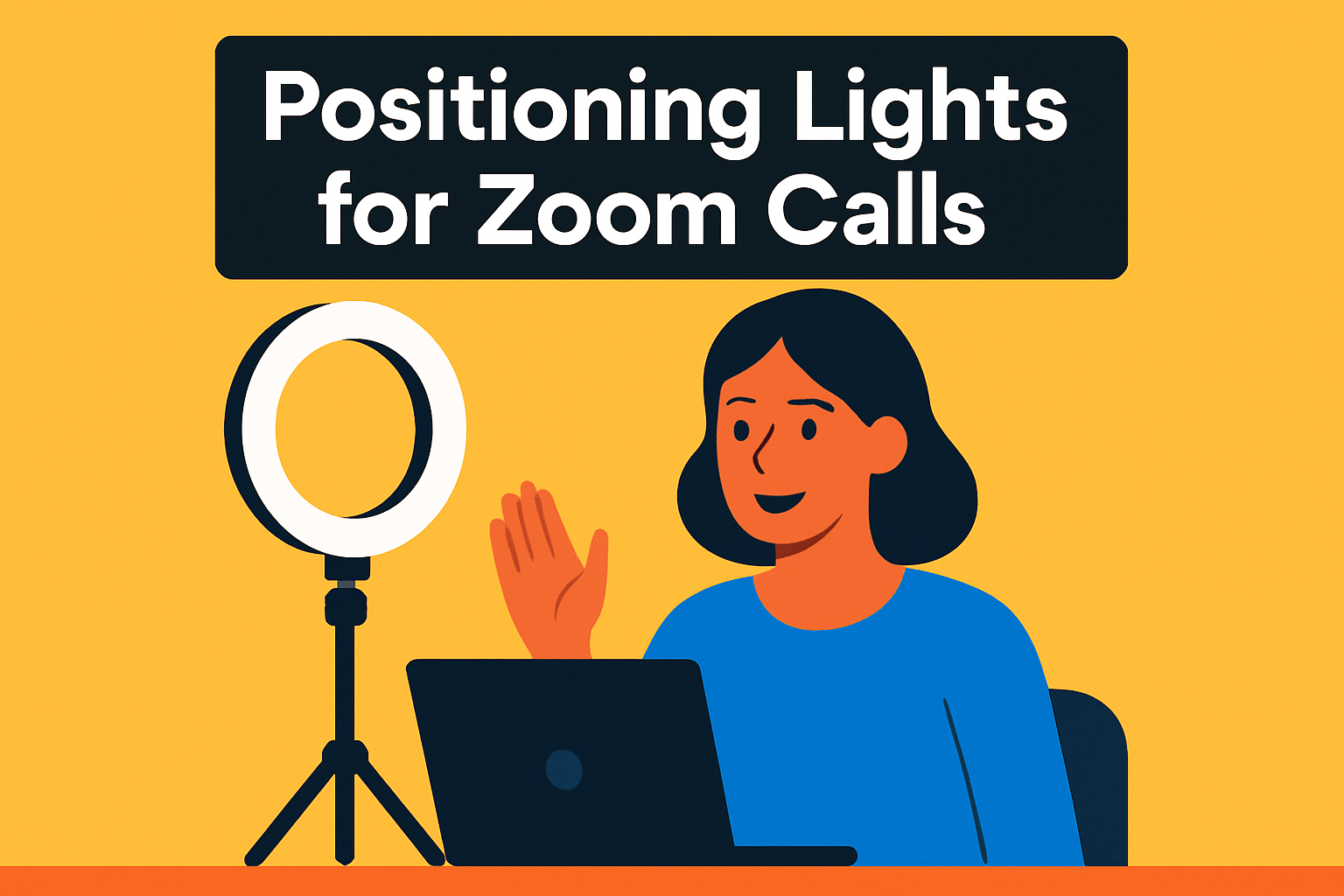
As a photographer I always tell clients that positioning matters as much as the fixture itself. Small moves change how your face reads on camera.
Place your main light directly in front, at or just above eye level. That evens skin tones and creates a pleasing catchlight in your eyes.
Avoid strong backlighting and overhead lamps. Backlight causes silhouettes; overhead lights create deep shadows under the eyes and nose.
For some shape, move your key light about 45 degrees to one side. Then soften the shadow with a low-powered fill light or a reflector on the opposite side.
With ring lights, center the camera in the ring or mount it just above the rim. Keep the ring at or slightly above eye level so shadows fall naturally and not upward under the chin.
Aim to have the light centered on your face—too high and your forehead will be washed out; too low and the chin gets lit unnaturally. If the light feels harsh, dim it or move it further back; diffusion also softens blemishes and hotspots.
Two-point lighting (key and fill) is a practical, compact setup that adds depth without complexity. If possible add a low-power hair or backlight behind you to separate you from the background.
If you wear glasses, raise the key slightly and angle it downward to steer reflections away from the lenses. Sometimes a small angle shift is all you need to keep eye contact clear.
Always test on your webcam and at the sitting distance you’ll use during the call. Make small, one-variable changes and check the result—brightness, angle, and color temperature all interact.
Remember: a softer, balanced setup looks more professional than a single blinding light. Take a minute before the call to tweak and your Zoom presence will improve dramatically.
Optimize Color Temperature for Natural Skin
Color temperature is one of the fastest ways to make skin look natural on camera. Aim for a daylight range between 4500K and 5600K — that sweet spot sits comfortably between warm indoor bulbs and crisp daylight.
Within that band, 4500K–5000K reads slightly warm and inviting. Push toward 5000K–5600K when you want a cleaner, more professional look on video.
Avoid the extremes. Anything below 4000K will read yellow‑orange and look too warm, while temperatures above 6500K shift blue‑white and can wash skin tones out.
Let the room guide you. If your ambient light is warm (lamps, tungsten), nudge the ring cooler into the 5000K–5600K range so your face doesn’t look overly orange. If the room feels cool (window light or cool LEDs), warm the ring slightly toward 4500K–5000K to keep skin tones pleasant.
Use the ring light’s adjustable color‑temperature feature and start near 5000K. I recommend small steps — a few hundred Kelvin at a time — until faces look natural on the preview. Big jumps will hide subtle but important differences.
Always check how the feed actually looks on camera, not just with your eye in the room. If tones still seem off, review your webcam or conferencing app white‑balance and color settings and make tiny refinements until you get a natural result.
In practice, a little tweak goes a long way: start at 5000K, adjust for the room, test on camera, and aim for skin that looks neither too orange nor too blue. That simple workflow will give you consistent, natural-looking skin tones on every call.
What People Ask Most
What size ring light is best for Zoom calls?
Larger ring lights provide broader coverage for shoulder-up framing, while compact or clip-on models are more portable and suit close-up setups. Choose based on how much of your workspace you want lit and how often you move the light.
How do I position a ring light for Zoom meetings?
Place the main light in front of you at or slightly above eye level with the camera centered in or just above the ring. Angle the light slightly for dimension and add a softer fill on the opposite side to balance shadows.
What color temperature is best for Zoom video calls?
A neutral daylight balance generally looks natural and professional on camera. Adjust warmer or cooler to match your ambient lighting and test on video to fine-tune skin tones.
How bright should a ring light be for Zoom calls?
The light should illuminate your face evenly without washing out features, and being able to dim the light helps adapt to different room sizes. Start with a moderate setting and increase or decrease until skin tones look natural on camera.
Can I use a ring light with my laptop webcam?
Yes, most ring lights work well with laptop webcams when positioned so the camera sits in or just above the ring. Secure the mount and test the view to ensure the light evenly lights your face without glare on your screen.
Do ring lights reduce shadows on Zoom calls?
Properly placed and diffused ring lights minimize harsh shadows and create a flattering, even look. For more dimensional lighting, add a secondary light or reflector to soften remaining shadows.
Are dimmable or RGB ring lights better for video conferencing?
Dimmable lights are typically more useful for conferencing because they allow easy control of brightness to suit the room. RGB lights can add creative color effects but are usually unnecessary for professional calls.
Conclusion for Best Ring Lights for Zoom
Good lighting is the quickest way to look natural and professional on video calls, so choose the size and features that match your workspace and shooting style.
Adjustable color temperature and a high-CRI light will help skin tones read accurately on camera, but always test and tweak settings on your webcam before important calls.
Remember that larger lights deliver more even coverage and brightness, while smaller or clip-on options prioritize portability and convenience.
Cordless and app-enabled models add flexibility, though battery life and wireless controls can be trade-offs compared with simple, reliable on-device controls.
Position your main light at or slightly above eye level, center the camera with the ring when possible, and consider a softer fill or two-point setup to minimize harsh shadows.
If you want to keep improving your on-camera presence, explore more articles on the site for practical tips and gear guidance.
Please leave a comment with your questions or experiences below — we usually reply within a few hours.



0 Comments