
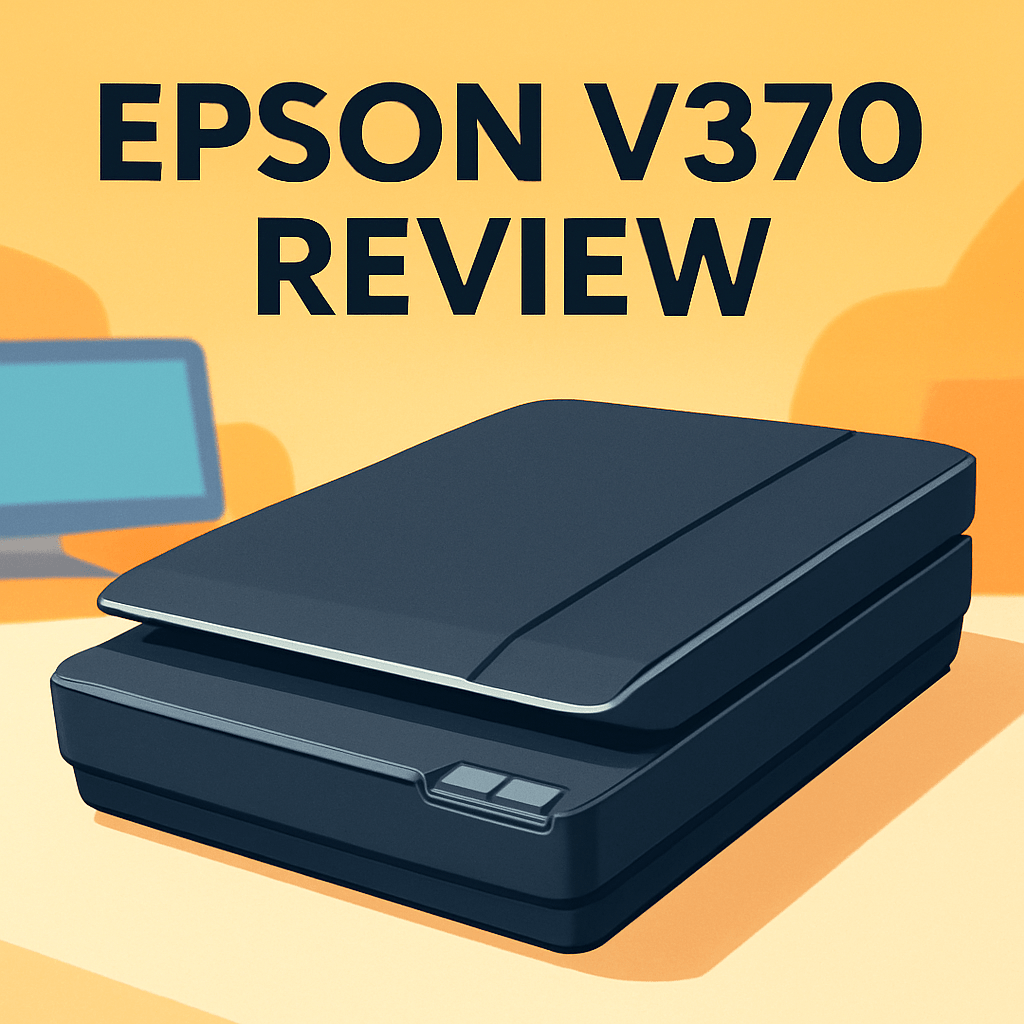
Want to convert a shoebox of prints and a handful of 35mm negatives into usable digital files without an overly complex setup?
The Epson Perfection V370 Scanner promises that kind of convenience for photographers and home archivists, and I took one into real archiving sessions to see how it behaves in the field.
I’ll look at image quality, film handling, software workflow, and day-to-day usability from a photographer’s perspective, focusing on real-world payoffs rather than specs.
It’s pitched as a versatile flatbed — prints, documents, and 35mm film with a film holder, basic dust/scratch removal, and PDF/OCR tools — ideal for casual archiving; pros with heavy film work may want more.
I’ll compare it to popular rivals and share practical tips to help you decide if it fits your workflow — Make sure to read the entire review as I reveal where it shines and where it doesn’t, so you can keep reading.
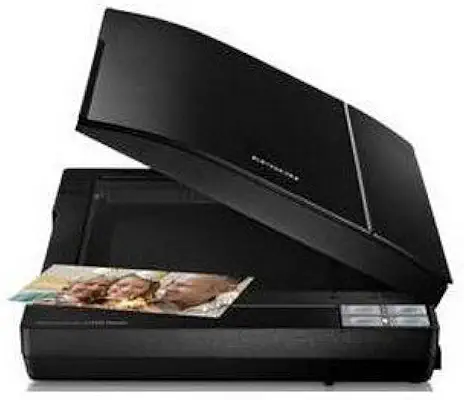
Epson Perfection V370 Scanner
High-resolution flatbed ideal for digitizing photos and film, delivers vivid color, sharp detail, and convenient software-driven restoration. Compact, fast scanning makes it perfect for home studios and archival projects.
Check PriceThe Numbers You Need
| Spec | Value |
|---|---|
| Scanner type | Flatbed |
| Optical resolution | 4800 x 9600 dpi |
| Digital resolution | 48-bit color depth |
| Scan area | Up to 8.5 x 11.7 inches (letter size) |
| Media compatibility | Prints, 35mm film negatives, slides |
| Film holder | Included (for 35mm film strips and slides) |
| Scanning speed | Approx. 10 seconds for a 4 x 6 photo |
| Image correction | Built-in Digital ICE for dust and scratch removal |
| Color depth | 48-bit input, 24-bit output |
| Connectivity | USB 2.0 |
| Software included | Epson Scan with color restoration, scan to PDF, and OCR features |
| Maximum density | 3.8 Dmax for film scanning |
| Dimensions | Approx. 14.9 x 11.7 x 2.7 inches |
| Weight | Approximately 5.5 lbs |
| Power | External AC adapter |
How It’s Built
In my testing the Epson Perfection V370’s flatbed layout is straightforward and very space-friendly. It slid onto a small desk and disappeared under a shelf when not in use. That means it’s easy to keep close to your workflow at home without dedicating a whole corner.
I liked that Epson includes a film holder right in the box—loading negatives and slides felt familiar and not scary. In my hands the trays held strips flat enough for good results, but they do take a little patience to align perfectly. For beginners: take your time and check each frame before you hit scan.
The chassis feels light but solid; nothing tinny, just simple plastic that handles daily use. The glass platen is easy to wipe clean, and I wiped fingerprints away between runs with a microfiber cloth. One thing that could be better is the lid pressure — it won’t clamp down on thick albums, so you’ll need to flatten bulky originals by hand.
On the connectivity side it’s a basic USB setup with an external power brick, and in my testing connections stayed reliable during long sessions. The downside is the power cable and brick eat desk real estate unless you organize them. Tip: tape the cable down and keep a blower or cloth nearby to cut your cleanup time.
In Your Hands
In everyday use the Epson Perfection V370 feels brisk for flat prints and noticeably more deliberate with film—expect the preview, careful film loading, and the occasional re-crop to take extra moments. That cadence makes it ideal for focused archiving sessions rather than rapid, high-volume batch work, and it rewards patience with predictable, repeatable results.
The scanner delivers pleasing detail for a flatbed and gives you headroom when you push color and exposure in post, so I typically choose higher resolution settings for film and a more modest approach for album prints to keep file sizes manageable. Its generous color input preserves gradients well, although very dense slides can still challenge shadow separation and contrast control.
Built-in dust and scratch removal meaningfully reduces time spent cloning out defects on most frames, but stubborn spots sometimes demand manual cleanup. Epson’s color restoration is a useful first pass for faded family photos, and I often follow with subtle manual tweaks to nail skin tones and neutral grays.
For documents the unit slips neatly into a searchable PDF workflow; OCR handles mixed layouts reliably when originals are clean and straight. The USB connection and external power proved stable across long sessions, so interruptions are rare even when you’re working through a stack of prints and strips of negatives.
Save time with a short pre-scan ritual—blower, lint-free cloth, and careful film handling—and adopt a few presets (album prints, color slides, B&W negatives) plus a consistent file-naming scheme to keep mixed jobs flowing smoothly. That small discipline turns the V370 into a practical daily tool for home archivists and casual photographers alike.
The Good and Bad
- Versatile flatbed for prints, documents, 35mm negatives, and slides
- Included 35mm film holder
- 4800 x 9600 dpi optical resolution for detailed scans
- Built-in dust and scratch removal with color restoration tools
- Letter-size scan area limits large originals
- USB 2.0 connectivity only
Ideal Buyer
If you want one affordable device to handle prints, paperwork and the occasional 35mm strip, the Epson Perfection V370 is tailored to that need. It gives you flatbed convenience plus a simple film holder so you can move between photos, documents and slides without swapping gear. For budget-conscious buyers this balance of features, size and price makes sense.
Home archivists and family historians will like the V370’s letter‑size platen and built‑in scan‑to‑PDF/OCR tools. It turns shoebox prints and receipts into searchable, organized files with minimal fuss. Light weight and predictable performance make it easy to set up a workflow and chip away at an archive over weekends.
Hobbyist photographers who value convenience and good‑enough film scans will find it a smart compromise. The scanner produces pleasing color and detail for web use and small prints, but it isn’t a substitute for a high‑end film scanner when shadow headroom or micro‑detail matter. If you regularly scan dense slides or need absolute film fidelity, step up to a V600 or a dedicated film scanner for best results.
Better Alternatives?
We’ve already gone through the Epson V370 and what it can do for everyday print and 35mm work. It’s a solid, all-around flatbed that fits well in a home studio for mixed jobs — photos, documents, and occasional film scans.
If you find yourself wanting cleaner film scans, more dynamic range, or a workflow built for larger batches of slides, there are a few sensible steps up or sideways. Below are scanners I’ve used that trade the V370’s convenience for better film handling, cleaner out-of-the-box scans, or faster throughput depending on what you need.
Alternative 1:

Epson Perfection V600 Scanner
Professional-grade transparency scanning with outstanding tonal range, precise detail, and advanced dust/scratch correction. Supports multiple film formats, producing high-quality digital negatives ready for retouching and large-format printing.
Check PriceHaving used the V600 after a long run with the V370, the most obvious win is cleaner film scans. The V600’s Digital ICE-like infrared cleanup really cuts the time I spend cloning out dust and hair. For slides and negatives that are a bit stubborn or very dusty, you get much better results straight from the scanner than from the V370.
The V600 also feels more film-focused in daily use. It handles 35mm strips more consistently and will take medium-format film if you move up, so your shadow detail and highlight headroom look richer compared with the V370’s flatter tones. The trade-off is size, cost, and a little more setup time — it’s heavier and pricier, and I’ll only reach for it if I know I’ll be doing lots of film work.
Who should pick the V600? If you’re a photographer who scans film regularly and wants less cleanup time and better tonal range, choose this. If you mostly scan family prints or only do occasional negatives, the V370’s convenience still makes more sense.
Alternative 2:

Canon CanoScan 9000F Mark II Scanner
Versatile photo and negative capture featuring excellent color fidelity, multi-sample noise reduction, and intuitive editing software. Fast, accurate scans make preserving slides and prints effortless for both hobbyists and pros.
Check PriceThe Canon 9000F Mark II felt like a step up from the V370 in color and clean scans when I used it. Its film handling and dust-removal do a better job on troublesome slides, and the colors often needed less tweaking in post than scans from the V370. If you want truer color straight away, this one delivers.
On the down side, the Canon still won’t match a dedicated film scanner for absolute sharpness and fine grain detail. I also found its software and drivers a bit finicky on newer machines, so you may need a little patience getting it running. Compared with the V370, it’s a better pick for film-first workflows but not a magic fix for every tough negative.
Buy the 9000F Mark II if you’re a hobbyist with a lot of slides or 35mm negatives who wants cleaner color and less manual cleanup than the V370. If your work mixes lots of prints and documents with only occasional film, the V370’s simplicity can still be the better daily tool.
Alternative 3:
Canon CanoScan 9000F Mark II Scanner
Efficient batch scanning with robust image correction tools, enhanced dust removal and high optical clarity for faithful reproductions. Great for archiving large collections and generating ready-to-edit files quickly.
Check PriceUsed in heavy archiving sessions, the 9000F Mark II shows its strength in batch jobs — previews, stacking frames, and moving through many slides feels faster and more reliable than doing the same on the V370. The out-of-box corrections tend to be stronger, which speeds up getting usable scans when you have a big pile to go through.
That said, the scanner’s workflow still isn’t as simple as the V370 for mixed jobs (documents and prints), and its software can be a hassle on newer systems. Also, if your priority is absolute image sharpness or scanning medium format, the 9000F Mark II won’t beat a dedicated film scanner or some higher-end flatbeds.
If you’re archiving a large personal or small organizational collection of 35mm slides and need a reliable, reasonably fast scanner that reduces retouch time, this Canon is a good choice. If you need a single, small, easy-to-use scanner for a mix of prints, papers, and occasional film, stick with the V370.
What People Ask Most
Is the Epson V370 a good scanner?
Yes — it’s a solid, budget-friendly flatbed for hobbyists and casual archivists, giving good results for prints and basic film scanning without the cost of a pro-level scanner.
What is the image quality and maximum resolution of the Epson Perfection V370?
It delivers good consumer-grade image quality with an optical resolution around 4800 dpi, enough for high-quality prints and decent detail from 35mm film scans.
Can the Epson V370 scan 35mm negatives, slides, and film strips?
Yes, it includes a built-in transparency unit and film holders that let you scan 35mm negatives, mounted slides, and strips of film.
How does the Epson V370 compare to the Epson V600 (or other photo scanners)?
The V600 is a step up for serious film shooters with stronger film scanning features and better film-specific image quality, while the V370 is cheaper and fine for casual use.
Does the Epson V370 include dust and scratch removal (ICE) and film holders?
It comes with film holders, but it lacks the full hardware Digital ICE of higher models and relies more on software-based dust and scratch correction.
Is the Epson V370 easy to set up and use with Windows and Mac?
Yes — setup is straightforward with included drivers and scanning software for both Windows and macOS, though newer OS updates may require driver downloads from Epson.
Conclusion
The Epson Perfection V370 Scanner earns its keep as a true all‑rounder for photographers and home archivists who want one device to handle prints, documents and 35mm film without fuss. Its image pipeline and cleanup tools produce usable, pleasing scans straight out of the box, and the compact, light chassis makes it easy to slot into a small studio or home office. For routine archiving, mixed media jobs, and searchable PDFs, it delivers excellent everyday value.
That said, it isn’t a specialist. The platen size and older connectivity choices limit workflow flexibility for large or high‑volume jobs, and the film cleanup and ultimate tonal range leave room for improvement compared with higher‑end or dedicated film scanners. Expect more manual handling and occasional retouching if you push it toward professional film work.
Bottom line: pick the Epson Perfection V370 Scanner if you want a budget‑minded, versatile scanner that handles mixed jobs with minimal drama. If you’re a heavy film shooter chasing maximum shadow detail and the cleanest, most faithful slide scans, consider stepping up to the likes of the V600, Canon’s proven flatbeds, or a dedicated film scanner instead.
Epson Perfection V370 Scanner
High-resolution flatbed ideal for digitizing photos and film, delivers vivid color, sharp detail, and convenient software-driven restoration. Compact, fast scanning makes it perfect for home studios and archival projects.
Check Price


0 Comments