
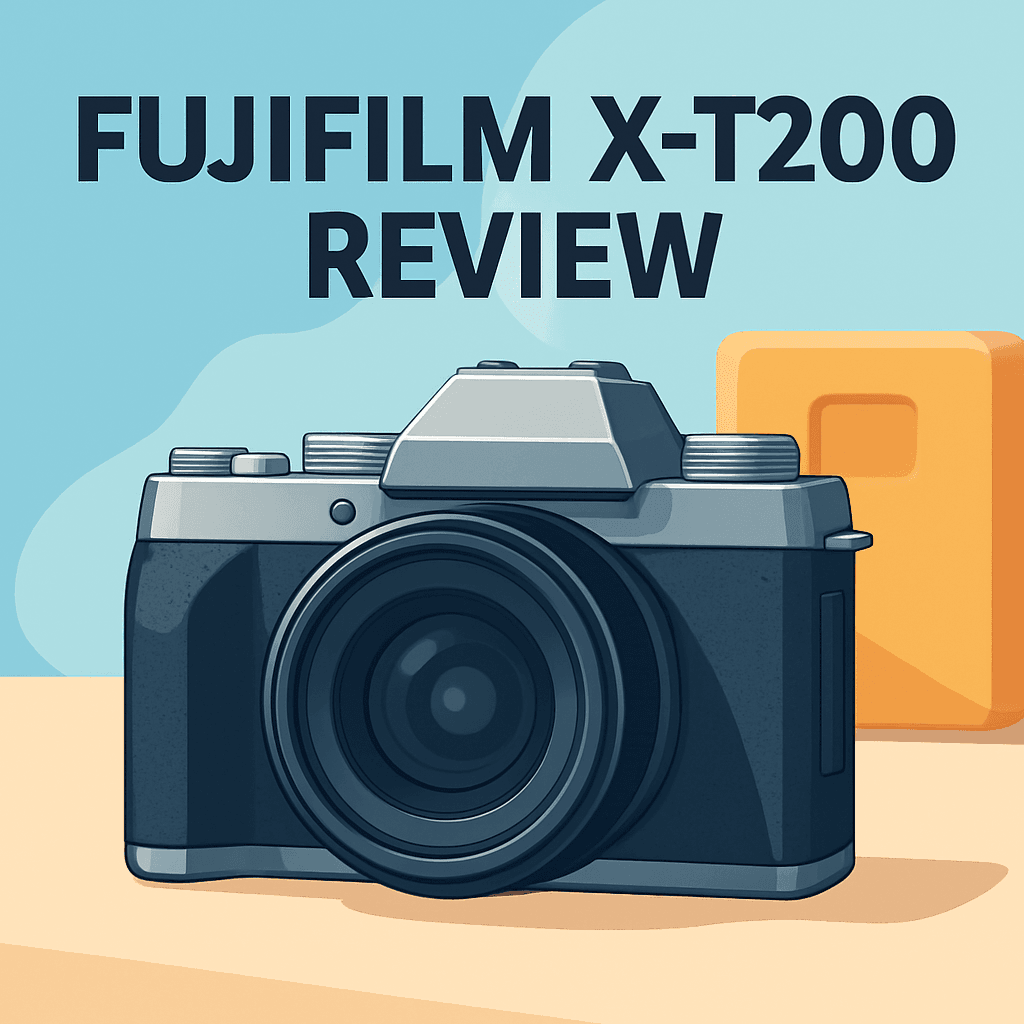
Want to step up from your phone and actually improve your image quality? In this fujifilm x-t200 review, I’ll test whether Fujifilm’s creator-focused features make that leap simple and satisfying.
The Fujifilm X-T200 Camera has a big vari-angle screen, creator-friendly ports, and a lightweight body. It’s great for beginners, hybrid creators, and travel shooters.
I took one into real shoots — stills, handheld low-light, and vlogging — and compared it against similar APS-C bodies. Those hands-on runs shaped what you’ll read below.
I’ll walk through how it performs in real-world shooting. Make sure to read the entire review as I dig into practical wins and trade-offs — keep reading.

Fujifilm X-T200 Camera
A stylish retro-styled mirrorless that delivers rich color, intuitive touchscreen controls, and versatile tilt screen for creative framing. Lightweight yet capable for photography and casual filmmaking on the go.
Check PriceThe Numbers You Need
| Spec | Value |
|---|---|
| Sensor | APS-C |
| Resolution | 24.2 MP |
| Lens Mount | Fuji X |
| Autofocus | Hybrid AF with Phase Detection |
| Continuous Shooting | 8fps |
| ISO Range | 100-51200 |
| Stabilization | IBIS Not Available |
| Video Resolution | 4K at 30fps |
| Screen | 3.5″ Vari-angle Touchscreen |
| Viewfinder | Electronic |
| File Formats | RAW, JPEG |
| Memory Cards | SD/SDHC/SDXC |
| Ports | USB-C, HDMI, Headphone Jack |
| Weight | Approximately 370g |
| Battery Life | Approximately 400 shots |
How It’s Built
In my testing the Fujifilm X-T200 feels shockingly light in hand, which makes it a joy to carry all day. At roughly the size you expect from an entry-level mirrorless, it balances nicely with small X-mount primes and compact zooms. Heftier lenses do tip the balance forward, but that’s true of most small bodies.
The body finish gave me confidence without feeling heavy-duty. The grip has a soft texture that keeps the camera from slipping, even when I’m shooting handheld for long stretches. After using it for a while I felt the materials would hold up to regular travel and street use.
The 3.5″ vari-angle touchscreen is the star for me and I really liked how big and usable it is for vlogging and awkward low or high angle shots. Touch response is quick and the menus felt straightforward to swipe through on the fly. For beginners this makes framing and setting changes much faster than button-only models.
The electronic viewfinder is clear and easy to peer through in bright sun. It refreshes smoothly enough that composing moving subjects feels natural. I still reached for the EVF in high-contrast scenes where the LCD was hard to see.
Controls follow a simple layout but new Fujifilm users will need a short learning curve to make the dials feel intuitive. I set up a couple custom Fn buttons for Film Simulation and eye AF and that saved a lot of menu diving. Small tweaks like that made day-to-day shooting faster.
Ports are sensibly placed and usable on a tripod or gimbal, though headphone cables can stick out a bit when you’re rigged up. The SD slot was usually reachable with my tripod plate, but some plates will block access. Battery life held up for a mixed stills-and-video day, but the lack of in-body stabilization is the one drawback I noticed—use stabilized lenses or a gimbal for steady low-light handheld work.
In Your Hands
The Fujifilm X-T200 Camera’s hybrid AF is quick to lock and stays surprisingly steady for portraits and street work, tracking faces with a natural, non-hunting feel. In casual action—kids chasing or pets bounding—the system keeps up well for grab-and-go moments, though low-contrast or strongly backlit scenes occasionally invite a second focus attempt. Overall it felt reliable for the everyday shooter rather than high-speed sports specialists.
Burst shooting is useful for fleeting expressions and playful pets, delivering a practical stream of frames that let you pick the keeper without fuss. The camera wakes and responds promptly, with minimal lag between modes, so switching from stills to video rarely interrupts the creative flow; it feels snappy in real-world use rather than languid.
Battery life matched my expectations for a small mirrorless: a full morning or most of a travel day of mixed stills and short clips was realistic, but long hybrid shoots with lots of 4K clips require a spare cell. The lightweight body means you’re less likely to baby the camera, which helps when you want to shoot long and roam light.
That large vari-angle screen transforms framing for vlogs and low/high-angle stills and the touchscreen menus are intuitive on the move. Plugging in a mic and monitoring with headphones works well in practice, though cable routing can be fussy on gimbals, and without in-body stabilization I reached for OIS lenses, a monopod, or a gimbal when slowing shutter speeds or smooth walking shots mattered.
The Good and Bad
- 24.2MP APS-C sensor for solid detail and flexibility
- 3.5″ fully articulating touchscreen aids vlogging and creative angles
- Microphone input and headphone jack for creator-friendly audio monitoring
- Lightweight body (approximately 370g) for travel and all-day carry
- No in-body image stabilization (IBIS)
- 4K tops out at 30 fps
Ideal Buyer
If you’re stepping up from a phone or an entry-level compact, the Fujifilm X-T200 Camera is a friendly, confidence-building tool. Its learning curve rewards photographers who want to grow without getting bogged down in menus. The lightweight body and tactile controls make it an easy companion for weekend classes and travel practice.
Hybrid creators and vloggers will love the 3.5‑inch fully articulating touchscreen and the dedicated mic and headphone jacks. Self-shooting, framing, and on‑camera monitoring are straightforward, and USB‑C/HDMI make simple offload and external monitoring possible. It’s tuned for quick setups and polished social clips.
Travel and everyday shooters who prize low weight and flexible framing will appreciate how little the X‑T200 gets in the way of a day out shooting. Fuji’s Film Simulation profiles deliver attractive out‑of‑camera JPEGs for fast delivery. Battery life is decent for mixed days, though heavy hybrid users should plan for a spare cell.
This camera isn’t the right pick for people who rely on in‑body image stabilization or need 4K at 60 fps for slow‑motion work. If steady handheld low‑light video or high‑frame‑rate capture is essential, look for a body with IBIS or a camera that natively records higher‑frame 4K.
Better Alternatives?
Now that we’ve finished the fujifilm x-t200 review and walked through how it handles stills, video, and real-world shooting, it’s worth looking at other cameras that might suit different needs. The X-T200 is great for creators who want a big vari-angle screen and easy controls, but other bodies trade some of those strengths for better autofocus, lens choices, or streaming features.
Below are three practical alternatives I’ve used in the field. I’ll point out what each one does better and worse than the X-T200, and which type of buyer will likely prefer them, so you can match the camera to how you shoot.
Alternative 1:

Canon EOS M50 Mark II Camera
Designed for aspiring creators, it offers reliable autofocus, seamless vertical video capture, and simple livestreaming via USB. Compact body with user-friendly menus makes sharing polished photos and videos easy.
Check PriceI used the Canon EOS M50 Mark II a lot for quick run-and-gun work. Compared to the X-T200, the M50 II feels snappier for live view and portrait work because Canon’s Dual Pixel AF locks on faces and eyes very well in everyday light. If you want easy webcam support and quick vertical video for social apps, the M50 II makes those tasks simpler straight out of the camera.
Where it falls short against the X-T200 is the screen and 4K. The flip screen is smaller and the 4K mode is cropped and loses some autofocus capability, so for clean 4K handheld shooting the X-T200 often gives a more straightforward result. The Canon can also feel limited if you want a bigger native lens line-up; the EF-M choices are smaller unless you use an adapter.
Pick the M50 Mark II if you stream, vlog, or need easy USB webcam support and face/eye detection for portraits. If you care more about a large fully articulating screen for framing yourself or want more native lens options without adapters, the X-T200 will usually be the better fit.
Alternative 2:
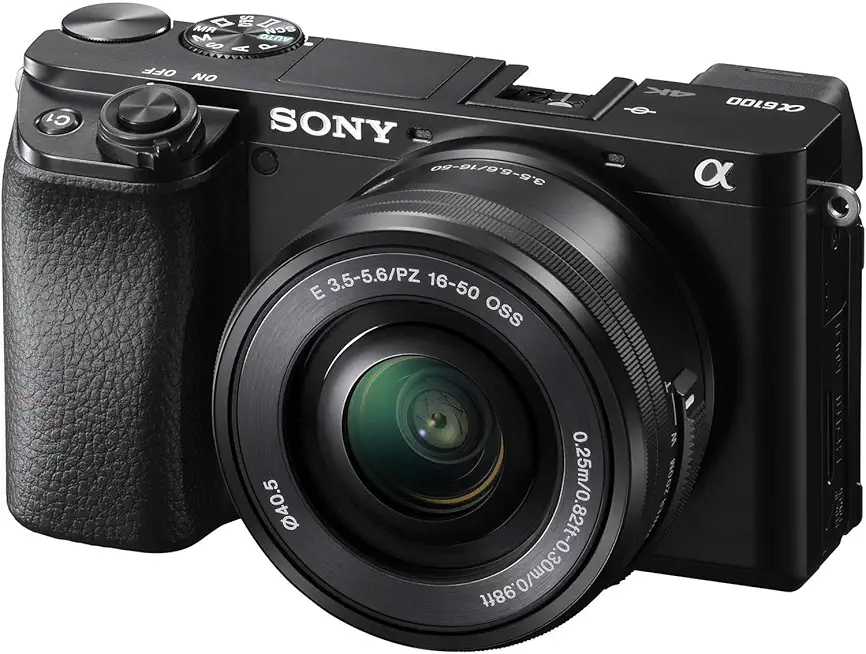
Sony Alpha A6100 Camera
Engineered for speed, this compact system delivers lightning-fast autofocus with eye and subject tracking, crisp high-resolution stills, and clean 4K video—ideal for fast-action shooting and confident content creation.
Check PriceThe Sony a6100 is a different kind of tool. In the field I found its real-time tracking and Eye AF far outperformed the X-T200 when subjects were moving — kids, pets, and street scenes are easier to shoot without missed focus. Its 4K stays uncropped and the AF keeps working well in video, so handheld action clips tend to look more reliable straight from the camera.
On the downside, Sony’s screen only tilts instead of fully articulating, so for front-facing vlogs or low/high-angle framing the X-T200’s big 3.5″ vari-angle display is more convenient. The Sony menu system and battery life can also be a bit less friendly for users who like simple touch-first controls, so expect a small learning curve and to carry spares on long shoots.
Choose the a6100 if your work is focused on action, fast-moving subjects, or you want the widest range of affordable E-mount lenses. If you need easy selfie framing, a big touch screen, or prefer Fujifilm’s color and menus, the X-T200 may serve you better.
Alternative 3:
Sony Alpha A6100 Camera
An agile, pocketable shooter offering impressive image quality, dependable low-light performance, and responsive handling. Perfect for travel, vlogging, and everyday photography when portability and speed matter most.
Check PriceThinking of the a6100 as a travel tool, it’s noticeably pocketable and quick to use. In low light and fast scenes it often holds focus where the X-T200 might hunt a bit more, and the overall handling feels tighter for shooting on the move. If you like a small camera that you can stash in a jacket and still get sharp, usable images without fuss, the a6100 fits that bill.
That said, the smaller body and lack of a fully articulating screen mean you lose some of the X-T200’s creator convenience for self-filming and touch control. Also, while Sony’s lens ecosystem is broad, some lenses can make the small body front-heavy and less balanced than the X-T200 with Fuji primes.
Go for this Sony if you’re a traveler or street shooter who wants fast AF and a light kit, and you don’t need a big selfie screen. Stay with the X-T200 if you prioritize a large flip-out touchscreen, easy menu/touch operation, and Fujifilm’s color looks when shooting for social or vlogs.
What People Ask Most
Is the Fujifilm X-T200 worth buying?
Yes — it’s a stylish, budget-friendly mirrorless with great Fuji color and an easy touchscreen, but it’s not as fast or feature-rich as newer APS-C models.
How does the Fujifilm X-T200 compare to the Fujifilm X-T30?
The X-T30 is a noticeably better performer with faster AF and more advanced video and controls, while the X-T200 is cheaper and more beginner-friendly with a bigger, simpler touchscreen.
Is the Fujifilm X-T200 good for beginners?
Yes — it’s very approachable with helpful automatic modes and touch controls, making it easy to learn photography basics and get great JPEGs straight away.
Does the Fujifilm X-T200 record 4K video?
Yes, it records 4K, but the implementation is limited (cropped and less robust), so many users prefer shooting 1080p for everyday video.
Does the Fujifilm X-T200 have an electronic viewfinder?
Yes — it includes a built-in electronic viewfinder, though it’s smaller and lower-resolution than those on higher-end Fujifilm bodies.
What is the battery life of the Fujifilm X-T200?
Battery life is modest — expect roughly a few hundred shots per charge depending on use, so bring a spare battery for longer shoots.
Conclusion
The Fujifilm X-T200 Camera is a creator-focused mirrorless that gets the important bits right. Its oversized vari-angle touchscreen and real-world audio ports make vlogging and hybrid shoots straightforward and enjoyable. Combined with Fujifilm’s pleasing color, the body is light and easy to carry for long days.
No camera is perfect, and the X-T200’s lack of in-body stabilization and 4K capped at 30p are the clearest trade-offs. Those limits matter most for handheld low-light video or slow‑motion work, so stabilized lenses, a gimbal, or a monopod are practical workarounds. For most everyday creators these compromises feel sensible given the price and usability.
If you’re a beginner stepping up from a phone, a travel shooter, or a hybrid creator who values simplicity, color, and a big selfie screen, this is a smart, approachable tool. It’s especially strong for quick social workflows where delightful out‑of‑camera JPEGs and easy framing beat feature overload.
But if you need best-in-class AF tracking, higher-frame-rate 4K, or heavy professional video ergonomics, look elsewhere. For its intended audience the Fujifilm X-T200 Camera offers a balanced, well‑judged mix of features and usability that I’d recommend without hesitation.
Fujifilm X-T200 Camera
A stylish retro-styled mirrorless that delivers rich color, intuitive touchscreen controls, and versatile tilt screen for creative framing. Lightweight yet capable for photography and casual filmmaking on the go.
Check Price

0 Comments