
How to use a flash to make your photos pop?
This easy guide shows simple steps and quick settings that work. You will get fast results on your first shoot.
We cover a beginner primer, camera settings, TTL vs manual, bouncing and diffusing, and off‑camera basics. You also get a 7‑step checklist, four scene presets, gear tips, and clear diagrams.
Read on to learn practical, tested techniques you can try right away. By the end you will know how to use a flash for flattering, professional light.
Flash Photography for Beginners
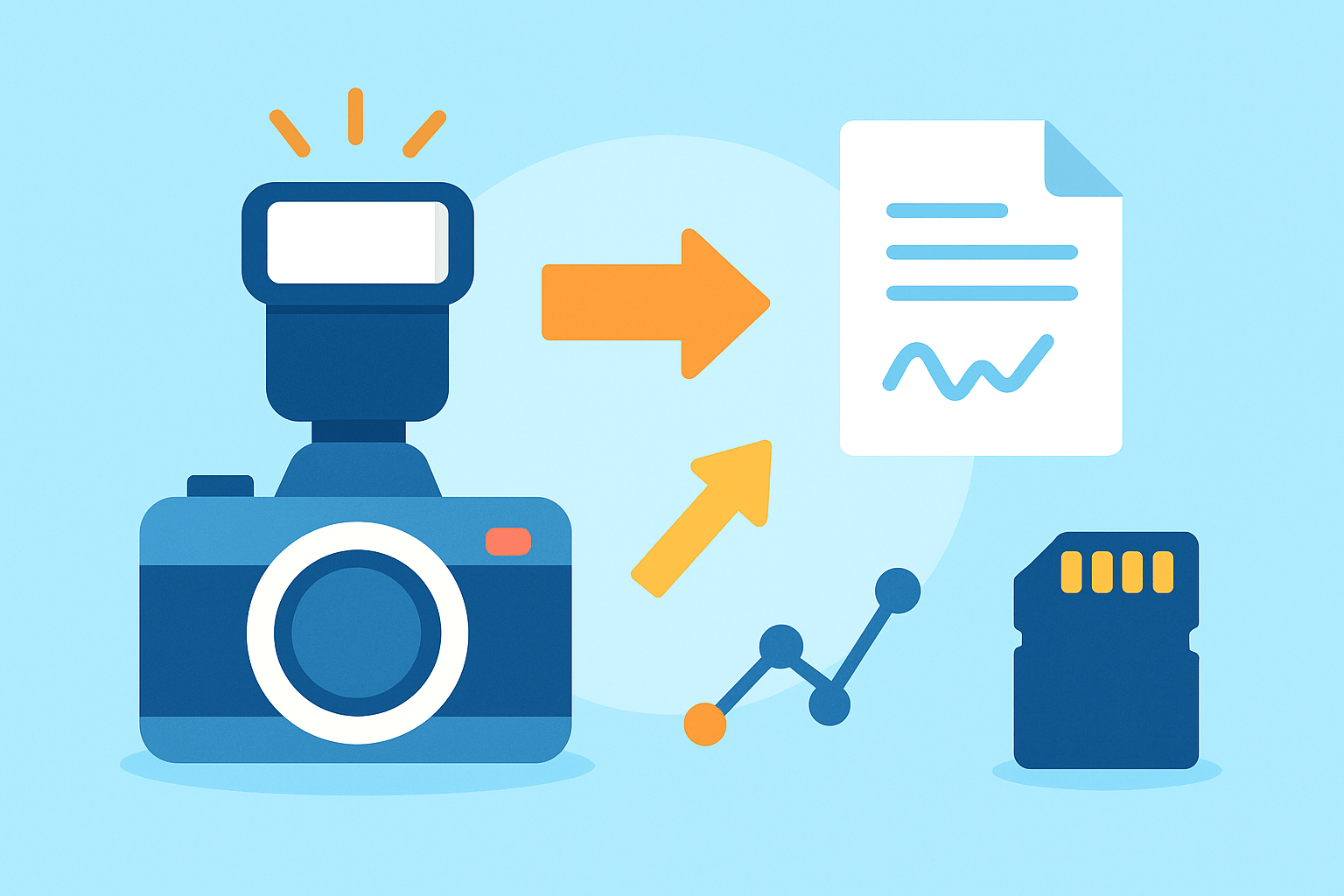
If you just picked up a camera and wonder how to use a flash, this simple walkthrough will get you your first good shot today. Follow these steps, look at the results, and tweak one thing at a time.
Know your tools first. A built‑in pop‑up flash is handy and small, but it gives harsh light and little control. A shoe‑mounted speedlight slides into the hot shoe, tilts and swivels, and offers more power and bounce options; portable strobes add big power and modifiers, but need stands and triggers.
Start with your flash in TTL and your camera in Av or P so the camera helps you. Keep your ISO reasonable and your shutter near sync speed, then build confidence shot by shot.
Step 1, mount and power: slide the flash into the hot shoe until it clicks, lock it, turn it on, and check that both the shoe and the flash foot contacts are clean. A gentle wipe fixes most sync hiccups.
Step 2, basic camera setup: choose Av (or P) with TTL for the first tests. Use ISO 100–400 outdoors and ISO 200–800 indoors, and set your shutter near 1/125–1/200 if your camera allows it.
Step 3, set the flash head: point it directly at the subject for a simple test, then try a bounce off a white ceiling, or clip on a small diffuser. Indoors, start with TTL and a ceiling bounce for softer light.
Step 4, take a test shot and judge the face and catchlights in the eyes. If the face is too bright or too dark, nudge Flash Exposure Compensation up or down, or switch the flash to manual power for repeatable results.
Step 5, try slow sync or rear curtain when you want motion trails from ambient light while the subject stays sharp. Use High‑Speed Sync in bright daylight if you want to shoot wide open without hitting your shutter sync limit.
Step 6, move to manual flash when you need consistent light, like a portrait series or multi‑flash setups. Manual power makes each frame match the last one when your distance stays the same.
Step 7, practice safe and steady shooting: charge or swap batteries before a big session, secure stands if you use them, and watch for heat warnings during long bursts. A quick pause saves your flash tube.
Indoor portrait bounce starting point: TTL, ISO 400, f/4, 1/125, bounce the head toward a white ceiling. Add +0 to −0.3 FEC if the face needs a touch more or less light.
Outdoor daylight fill starting point: TTL or HSS, ISO 100–200, f/2.8–f/5.6, 1/200–1/800 as needed. Dial −0.7 FEC for subtle fill that lifts shadows without looking flashy.
Low‑light event starting point: slow sync, ISO 800, f/2.8, 1/30–1/60, and bounce if possible. This keeps the background alive while the flash freezes faces.
Hard shadows from direct pop‑up flash are a common beginner mistake. Bounce or add a small diffuser to soften edges and make skin look smoother.
Seeing red‑eye in your photos means the flash is too close to the lens axis. Raise the flash, move it off‑camera, or use a bounce to shift the light angle.
Black bands across your frame mean your shutter was faster than sync speed. Keep it at or below the sync limit or turn on HSS to avoid that striping and keep learning how to use a flash with confidence.
If you want a short refresher on fundamentals, this guide to flash basics pairs nicely with the steps above. Read it, then come back and shoot a quick series to lock the steps into memory.
Camera Settings for Flash
Flash changes how the exposure triangle behaves, and understanding that unlocks control. Aperture and flash power mainly decide how bright your subject looks, while shutter speed mostly controls the ambient background, unless you turn on HSS.
Your camera has a maximum sync speed, often 1/200–1/250, and going faster without HSS can cause black banding. Stay at or under that speed when using normal flash pulses, and your whole frame will expose evenly.
High‑Speed Sync lets you shoot faster than sync in bright light or wide apertures. It spreads the flash output into a rapid series of pulses, but that reduces range and eats batteries faster.
Slow sync lets you drag the shutter longer so the flash freezes your subject while the background brightens. Rear curtain sync fires the flash at the end of the exposure, which makes motion trails look natural behind moving subjects.
Aperture does double duty with flash by changing both light on your subject and depth of field. Stopping down darkens the flash exposure and deepens focus, while opening up brightens the subject and softens backgrounds.
ISO raises both ambient light and the effective flash brightness, so treat it like a global gain. Stay within your camera’s clean range to avoid noisy shadows and muddy colors.
For camera modes, Av + TTL is fast and forgiving when light and distances change. M on the camera with M on the flash gives full control for studio scenes or repeatable portraits, while Program is fine for quick snaps but can be unpredictable in mixed light.
A smart workflow is to meter ambient first with no flash, then set shutter, aperture, and ISO for the background you want. After that, add flash to lift the subject until the balance feels right.
An easy alternative is to stay in Av with TTL, take a test shot, and adjust FEC until the foreground and background look natural. You can keep a mental note of how many clicks you need in common rooms and save time later.
Use your histogram and highlight alert to keep faces from clipping. If you see blinkies on cheeks or foreheads, lower flash power or FEC and retest.
Set white balance thoughtfully, or add a gel to the flash so it matches the ambient color. A CTO gel helps when you shoot in warm tungsten rooms, keeping skin tones even from face to background.
Make a habit of one quick test shot at the start of each location. Check focus, catchlights, exposure balance, and adjust only one thing at a time.
Flash jargon made simple helps you move faster. TTL means the camera meters through the lens and sets flash power automatically; GN is the guide number that describes flash strength and helps estimate distance or aperture.
HSS stands for High‑Speed Sync and lets you shoot faster than sync with a trade‑off in range. FEC is Flash Exposure Compensation and changes only the flash output, not the ambient exposure.
Rear curtain refers to the flash firing at the end of the exposure for natural motion trails. Try it with dancing or moving hands to add life to event photos.
Indoor bounce portrait: Camera: Av f/4, ISO 400, 1/125; Speedlight TTL bounce; +0 or -0.3 FEC. Why: soft skin tones and a background that is bright enough to feel real.
Outdoor fill in bright sun: Camera: Av f/4, ISO 100, 1/200 (or HSS if faster than sync); Speedlight TTL or HSS, -0.7 FEC. Why: light shadow lift without a flashy look.
Event run‑and‑gun: Camera: M with TTL backup, ISO 800–1600, 1/125, f/3.5; bounce where possible. Why: consistent shutter for sharp people and flexible flash output as you move.
Rim‑lit portrait with off‑camera key: Flash on rim at 1/4 power, camera M set so ambient is slightly underexposed. Why: the rim defines shape while the key controls the mood cleanly.
If you want a quick second opinion on settings flow, skim these beginner flash tips and keep shooting. You will see how small changes in shutter or FEC shift the look right away.
Understanding Flash Modes: Manual vs. TTL/ETTL
TTL or ETTL reads the scene through the lens, fires a pre‑flash, and sets the main flash power for you. Manual flash skips the meter and lets you choose a power level like 1/1, 1/4, or 1/128 for total consistency.
Use TTL at events, fast‑moving weddings, or street portraits where distance changes constantly. Use Manual for portraits, studio work, and multi‑light setups where you want repeatable frames and controlled ratios.
Manual exposure with flash can be simple if you remember the guide number idea. A rough rule at ISO 100 is distance ≈ GN / f‑stop, so a GN 60 flash at f/8 reaches about 7.5 meters; double the ISO and you roughly gain a stop of reach.
Flash Exposure Compensation changes only the flash brightness when you are in TTL, and it does not affect the background. Camera exposure compensation shifts the ambient and may influence TTL decisions depending on your brand and settings.
In practice, skin tones often look best with small negative FEC in bright rooms and a small positive FEC in deep shadow. Highly reflective scenes may trick TTL, so be ready to correct by a stop.
Creative power choices make a big difference in feel. Low power gives shorter flash duration that freezes action and creates a gentle fill, while higher power can build strong separation for a crisp rim or a bright background detail.
When TTL seems inconsistent, take a clean test shot and note the exposure that you like. Then switch to manual and set the equivalent power so the look stays locked as you work and refine how to use a flash under pressure.
Building simple ratios is easy once you pick a key light power. Set your fill one stop lower for a 2:1 ratio, or match powers for flat, bright light when you need a safe, friendly look.
Bouncing and Diffusing Flash
You shape light to control shadow edges, shine on skin, and catchlights in the eyes. Soft light comes from a large source relative to the subject, while small sources give crisp, hard shadow lines.
Ceiling bounce is the fastest way to get softer light indoors. Tilt and swivel the head toward a white, reasonably low ceiling and watch for even tones without hot spots or color shifts.
When the ceiling is too high or dark, bounce into a nearby wall or at a diagonal behind you. The angle changes catchlight placement and can slim faces by pushing shadows gently to one side.
Pull the little bounce card out of the flash head if you have one. It sends a sparkle into the eyes while the main light still comes from the ceiling.
Clip‑on domes and small pop‑up softboxes are portable and help when ceilings or walls are not usable. Umbrellas and small speedlight softboxes make bigger sources and smoother skin, though they are slower to set up.
Grids and snoots narrow the beam and control spill so you can highlight hair, hands, or background patches. Use them when you want drama and precise edges.
Always watch color in your bounce surfaces because colored walls will tint your light. Add a matching gel to the flash or choose a neutral surface; if none exist, go off‑camera with a proper modifier and flag the light from bouncing where you do not want it.
Do bounce off low, white surfaces for soft light, and avoid very high or colored ceilings. In those cases, switch to a large diffuser or move the light off‑camera to keep tones clean.
Off-Camera Flash Basics
Moving the flash off the camera changes everything by adding direction, shape, and separation. Faces look more dimensional, backgrounds gain depth, and you control shadow placement like a painter.
There are several ways to trigger off‑camera flashes. A hot shoe cable is simple and reliable but short; optical slaves are cheap yet need line of sight and can be confused by TTL pre‑flashes; radio triggers are best for range, reliability, and group control.
Modern radio systems from brands like Godox, PocketWizard, and manufacturer TTL lines offer remote power control and HSS. Pick a transmitter that talks to your flash brand so you can adjust power from the camera.
Start with a one‑light portrait by placing the key at 45 degrees to camera‑left and slightly above eye level, and use a reflector on the opposite side as fill. For a rim light, put a low‑power flash behind the subject to graze the hair and shoulders for clean separation.
With two lights, run a key and a fill or background light and set a simple ratio. A 2:1 ratio means the key is one stop brighter than the fill; a 1:1 ratio is even and safe for group shots.
The inverse square law sounds scary, but it is just a distance rule. Move the light closer and your subject gets much brighter while the background gets darker fast; roughly doubling the distance cuts the illumination to about a quarter and flattens contrast.
Secure stands with sandbags outdoors and keep legs spread wide on uneven ground. Do a quick sync test before big moments, label your groups, and carry spare batteries for both flashes and triggers.
If you need kit ideas, start with a solid budget speedlight that supports TTL and manual, a mid‑range model with radio built in, a reliable radio transmitter, and simple modifiers like a mini softbox, a bounce card, and a small umbrella. This small set covers portraits, events, and creative background work.
For more step‑by‑step exercises, browse these flash tutorials and practice with a friend. Once you know how to use a flash off‑camera, you can place light exactly where your story needs it.
What People Ask Most
How to use a flash on my camera?
Turn on the flash or attach the external unit, take a test shot, and adjust flash power or exposure compensation until the subject looks right.
When should I use a flash?
Use a flash in low light, to fill in harsh shadows, or when you need to freeze motion in dim conditions.
How to avoid harsh shadows when using a flash?
Bounce the flash off a ceiling or wall or use a diffuser to spread and soften the light.
Can I use a flash outdoors during the day?
Yes, use fill flash to brighten faces and reduce strong shadows in bright sunlight for more balanced photos.
What common mistakes should beginners avoid when using a flash?
Avoid pointing the flash straight at subjects, using too much power, or standing too close, which can cause flat or blown-out images.
How to make flash photos look more natural?
Lower flash power, combine flash with ambient light, and soften the light by bouncing or diffusing it.
How to use a flash for portraits?
Place the flash off-camera or bounce it and add a reflector to fill shadows for flattering, dimensional light.
Final Thoughts on Flash Photography
If you remember one shorthand for setting up lights, think 270 as a mental anchor for balanced starts; this guide aimed to answer the opening question of how to use a flash with step-by-step checks and real scenario settings. Across the sections you got clear, usable choices—when to trust TTL, when to go manual, and simple camera setups that tame both subject exposure and background mood. Those basics are what turn a confusing tool into a creative ally.
Be realistic: flashes won’t magically fix every scene, and you’ll want to watch for sync-speed limits that can leave dark bands in fast action. The article showed practical fixes—bounce, diffusion, gels, and off-camera placement—so you can troubleshoot on the fly. This approach helps beginners, hobbyists and event photographers get predictable, flattering results faster.
Think of the checklist, scenario starters and diagrams as training wheels you’ll remove as you gain instinct and touch. You’ve been given a compact path from pop-up panic to confident light shaping, and the next shoots will prove it.



0 Comments