
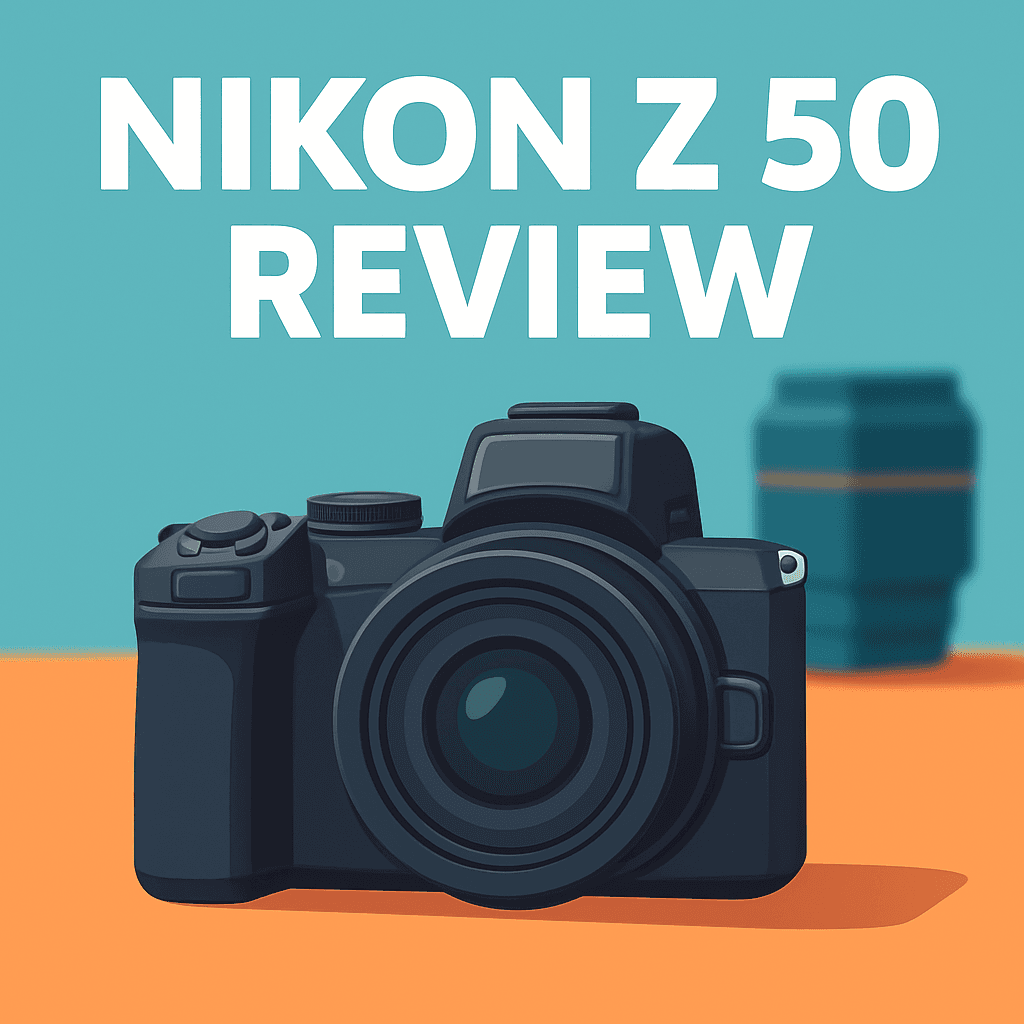
Want better photos and video without lugging a bulky camera?
This nikon z 50 review looks at the Nikon Z50 Camera from a photographer’s, real-world perspective.
I’ll evaluate design and handling, autofocus reliability, image quality, and hybrid stills/video usability after field-testing the Z50 on trips and family shoots. It’s aimed at travelers, vloggers, and everyday shooters who want easy portability.
There are tradeoffs to watch — no in-body stabilization, a single SD slot, and limited weather sealing. We’ll focus on real-world payoffs over raw specs, so if you want a compact Nikon that actually covers hybrid shooting, this hands-on nikon z 50 review will give practical answers and recommendations — keep reading.

Nikon Z50 Camera
Compact mirrorless APS-C camera delivering sharp 20MP images, crisp 4K video, responsive autofocus, and ergonomic handling—perfect for travel, vlogging, and enthusiast photographers seeking portability without compromise.
Check PriceThe Numbers You Need
| Spec | Value |
|---|---|
| Sensor | 20.9 MP APS-C (DX) |
| Image Processor | EXPEED 6 |
| ISO Range | 100–51,200 (expandable to 204,800) |
| Autofocus | Hybrid AF with Eye-Detection |
| Continuous Shooting | 11 FPS |
| Video | 4K UHD up to 30p; 1080p up to 120p |
| Body Only Weight | 450 g |
| Lens Mount | Nikon Z (Nikkor Z DX and FX lenses compatible; FTZ adapter for F-mount) |
| Display | 3.2" tilting touchscreen LCD |
| Viewfinder | 2.36M-dot OLED EVF |
| Stabilization | In-camera (digital); lens-based only |
| Memory Card | Single SD (UHS-I) |
| Battery Life | Approx. 300 shots per charge |
| Connectivity | Wi‑Fi, Bluetooth, HDMI micro (Type D), USB-C |
| Flip Screen | Tilting (selfie/vlogging support) |
How It’s Built
In my testing the Nikon Z50 feels like a real everyday camera — light and easy to carry but solid enough to inspire confidence. The tilting 3.2″ touchscreen flips down for selfies and vlogging and was responsive when I tapped to focus or navigate menus. The EVF is clear and pleasant to use in bright light, with a smooth refresh that kept framing feeling natural while I moved around.
What I liked most was the comfortable balance and the small footprint — it disappears into a day bag and still gives a proper grip for most people. One thing that could be better is the lack of weather sealing, so I was careful around rain and dusty trails and would recommend a rain cover for serious outdoor use. Also note there’s no built-in flash, so you’ll want an external unit or to work with available light for fill.
Controls are straightforward; the grip depth suits my average hands and the main dials are where you expect them to be. In my testing the buttons have good tactile feedback and the touchscreen makes quick changes painless, and I found assigning AF, ISO, or drive modes to custom buttons speeds up shooting for beginners.
The single SD slot (UHS-I) means the buffer clears slower during long bursts, so plan shots accordingly if you shoot a lot of continuous action. Ports for USB‑C, HDMI micro, and Wi‑Fi/Bluetooth made tethering and quick transfers easy in practice. With no in‑body stabilization I relied on VR lenses or a small gimbal for steady handheld video, and with a stabilized lens the Z50 feels surprisingly stable for run-and-gun work.
In Your Hands
The Z50’s burst capability feels lively and eager, letting you chase split-second expressions and fleeting action, though long bursts are limited by the single card slot and card speed. Start-up and shutter response are snappy, and the semi‑silent shutter gives reassuring feedback when timing matters.
On a typical day of urban wandering, family snapshots, and some video work, a single battery will carry you through casual use, but long shoots or heavy movie capture call for a spare. Turn off wireless, stow the LCD when idle, and top up with USB‑C from a power bank to stretch uptime.
4K footage is sharp enough for run-and-gun work, and high-frame-rate Full HD is handy for short slow‑motion cuts. With no in-body stabilization, handheld work benefits from lens VR or a gimbal, and the tilt screen simplifies self-shooting—just watch for mic or tripod interference with the flip-down action.
Wi‑Fi and Bluetooth pairing is straightforward for quick phone imports, though for bulk transfers I rely on USB‑C and the micro HDMI port for on-set monitoring. Small Z DX lenses keep the kit discreet for travel and street work, while the FTZ adapter lets you borrow legacy glass for different looks—overall it’s a nimble, responsive hybrid companion.
The Good and Bad
- Compact 450 g body; easy everyday carry
- 11 FPS burst for capturing fleeting moments
- 4K/30p plus 1080/120p slow motion
- Hybrid AF with Eye‑Detection for people shots
- No in‑body stabilization; relies on lens VR and digital stabilization
- Single SD card slot (UHS‑I); slower buffer clearing than UHS‑II bodies
Ideal Buyer
The Nikon Z50 Camera is tailor-made for photographers who prize compact size and straightforward controls. It makes travel, family shoots and street photography easy to carry and quick to operate. The small grip, light weight and responsive EVF/LCD keep you shooting all day without fuss.
Hybrid creators who want solid 4K/30p and 1080/120p will find the Z50 a compelling, affordable option. The tilt/flip screen eases vlogging and selfies without a big rig. For stabilized handheld work you’ll lean on lens VR or a gimbal rather than in-body systems.
Existing Nikon users eyeing the Z-mount ecosystem can adopt the Z50 as a lightweight entry point. The FTZ adapter keeps beloved F-mount glass usable with autofocus and sensible balance on the small body.
Beginners and enthusiastic hobbyists benefit from reliable Eye-Detection AF and user-friendly menus that speed learning. The Z50 rewards portrait work and everyday shooting without the complexity or price of pro rigs.
Skip it if your workflows demand dual-card redundancy, weather sealing for rough conditions, or in-body stabilization for handheld video. In those cases a different class of body is a smarter match.
Better Alternatives?
In this nikon z 50 review we dug into what makes that little Nikon tick — the handling, the autofocus, and how it performs with the main kit lens in real shooting. We talked about its strengths: light weight, reliable eye AF, and solid 4K for casual video. We also covered the tradeoffs you feel in the field: no IBIS, a single UHS‑I slot, and modest battery life.
If those tradeoffs matter to you, there are a few other cameras I’ve used that solve some of those problems in different ways. Below are three real-world alternatives, with what each does better and worse than the Z50 and which shooter would prefer them.
Alternative 1:
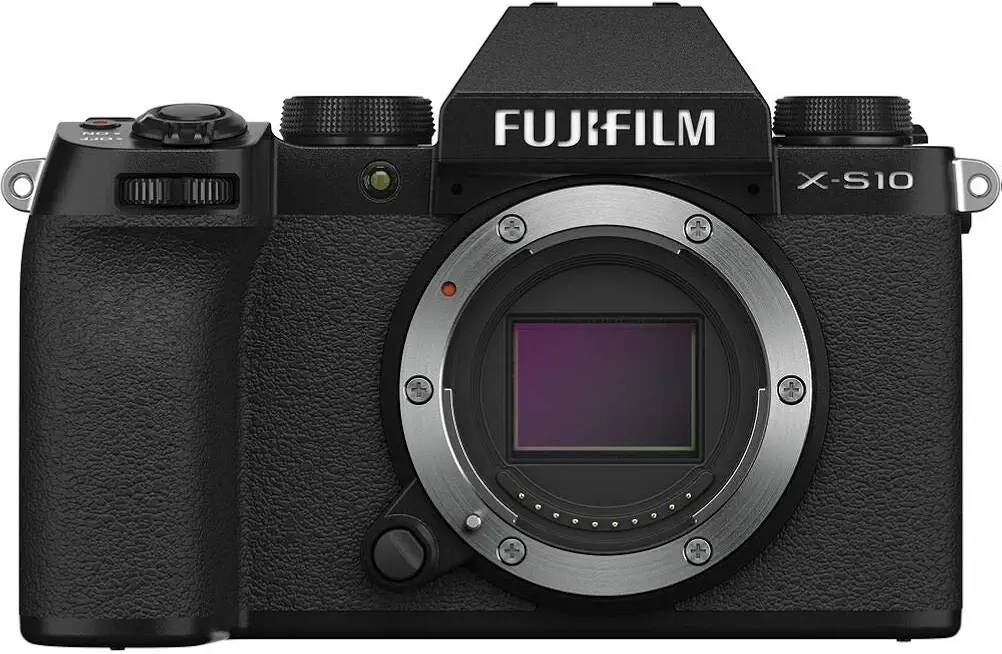
Fujifilm X-S10 Camera
Versatile, handheld-friendly body with built-in five-axis stabilization, tactile controls, and beloved film-simulation colors for striking JPEGs; artful image rendering and a flip touchscreen make hybrid photo-and-video work effortless.
Check PriceI’ve used the Fujifilm X-S10 on trips and family shoots and its built-in five-axis IBIS is the first big difference you’ll notice against the Z50. With the X-S10 I could handhold non-stabilized primes at slower shutter speeds and get usable sharp shots and much steadier handheld video without a gimbal. If you hate relying on lens VR or want better low‑light handheld shots, the X-S10 delivers where the Z50 struggles.
What the X-S10 trades away for that steady handling is slightly more weight and a body that feels a touch busier. Fuji’s film-simulation colors give punchy JPEGs straight from camera — great if you like minimal editing — but the autofocus, while good for most shooting, didn’t feel quite as snappy on fast unpredictable action compared to the Z50 in some of my tests. Also, the X-mount lens world is excellent, but if you already have Nikon lenses the Z50’s mount or FTZ adapter may be more convenient.
Buyers who will prefer the X-S10 are shooters who want better handheld stability and richer out‑of‑camera colors: travel photographers, run-and-gun vloggers who don’t want a gimbal, and anyone who shoots a lot in low light without bulky tripods. If you prize the lightness and simpler workflow of the Z50 more than IBIS, stick with Nikon; if steadiness and JPEG flavor matter, the Fuji is a strong alternative.
Alternative 2:

Sony Alpha a6400 Camera
Lightning-fast autofocus with real-time eye tracking and subject recognition, up to 11 fps continuous shooting, crisp 4K capture, and a compact, durable design ideal for run-and-gun creators and street photographers.
Check PriceThe Sony a6400’s headline advantage over the Z50 is autofocus — in real shoots I trusted Sony’s real-time eye AF and tracking to lock and hold on fast, unpredictable subjects more often than the Z50. For street work, kids playing, or fast-moving events, that extra confidence in AF meant I missed fewer moments. The burst speed and buffer felt solid in my use too, which helps for sequences.
Where the a6400 doesn’t beat the Z50 is in stabilization and handling comforts. Like the Z50 it has no IBIS, so you’ll still rely on lens stabilization or a support for steady video. I also found Sony’s menus and button layout less friendly to pick up quickly than Nikon’s simpler control feel. The a6400’s lens ecosystem, however, is huge — you’ll find many fast primes and specialty glass to match any shooting style.
If you’re a photographer who values rock-solid AF and a massive lens selection — think wildlife, sports, or fast-paced street photography — the a6400 is a great pick. If you lean more toward stable handheld video or love Nikon ergonomics and lens continuity, the Z50 will still make more sense.
Alternative 3:
Sony Alpha a6400 Camera
Excellent low-light sensitivity and snappy startup let you capture fleeting moments; customizable controls, flip screen, and broad lens selection provide flexibility for vloggers, travel shooters, and event photographers.
Check PriceOn nights out and dim venues I found the a6400’s low-light autofocus and quick startup a real benefit over the Z50. It wakes fast, finds eyes in dark scenes, and gets shots that would’ve required a slower shutter or flash on the Z50. The flip-up screen is handy for selfies and simple vlogging setups, though it behaves differently than Nikon’s tilt-down design depending on your tripod or mic setup.
That said, the a6400 still shares a key weakness with the Z50: no in‑body stabilization. For long handheld runs or when using older primes, you’ll feel the lack of IBIS the same way you do on the Z50. I also noticed the small grip can get tiring on longer shoots compared with the deeper grip options on other bodies. On the plus side, Sony’s customizable buttons let you tune controls to your workflow once you spend a little time with the menus.
This iteration of the a6400 fits shooters who need reliable low-light AF, fast reaction times, and a wide choice of lenses — travel and event shooters, vloggers who want a compact package, and photographers who prioritize subject detection over built-in stabilization. If you need IBIS or the Nikon handling, the Z50 or a Fuji with stabilization may suit you better.
What People Ask Most
Is the Nikon Z50 a good camera?
Yes — it’s a well-built, compact APS-C mirrorless that delivers excellent stills, fast autofocus, and comfortable handling for enthusiasts and content creators.
Is the Nikon Z50 worth buying?
Yes if you want a portable, affordable entry into Nikon’s Z system with strong image quality and easy operation; skip it if you need in-body stabilization or high-frame-rate 4K video.
What are the pros and cons of the Nikon Z50?
Pros: great image quality, compact body, reliable AF and good ergonomics; Cons: limited native APS-C lens selection, no IBIS, and average battery life.
How is the image quality of the Nikon Z50?
Very good — the 20.9MP APS-C sensor produces clean files, good dynamic range, and solid high-ISO performance for its class.
Is the Nikon Z50 good for vlogging and video?
Yes for casual vlogging — it offers 4K/30p, a flip-down screen and strong AF, but lacks 4K/60p and IBIS so you may need a gimbal for smooth handheld footage.
Nikon Z50 vs Sony a6400 — which is better?
Both are strong choices: pick the Z50 for ergonomics, color and Nikon lens roadmap, or the a6400 for broader lens options, slightly better battery life and more flexible video recording.
Conclusion
After real-world use, the Nikon Z50 Camera stands out as a compact, photographer-friendly hybrid that favors portability and practical features over pro-grade robustness. It’s an excellent day-to-day tool for travelers and families who want reliable autofocus and clean 4K video without lugging heavy gear. If you value nimble handling and quick setup, this is a camera that rarely gets in the way.
It brings purposeful strengths: snappy burst capability, dependable eye-detection AF, a versatile Z‑mount lens path, and a tilt touchscreen that makes framing simple for selfies and vlogging. Connectivity works the way you need it, so sharing and tethering are straightforward. In short, it punches above its weight for everyday shooting.
Be clear about the compromises though: there’s no in-body stabilization, only a single card slot, and battery life is modest for long shoots. Weather sealing and a built-in flash are also absent, so you’ll plan differently for demanding outdoor or low-light assignments. Those limitations define its sweet spot.
Buy this camera if you prioritize light carry, hybrid stills/video use, and the freedom to adapt lenses. Skip it if you need rugged build, dual-card redundancy, or top-tier action tracking for professional sports or wildlife. Pair it with stabilized lenses or an adapter for legacy glass and you’ll unlock the most value.
Nikon Z50 Camera
Compact mirrorless APS-C camera delivering sharp 20MP images, crisp 4K video, responsive autofocus, and ergonomic handling—perfect for travel, vlogging, and enthusiast photographers seeking portability without compromise.
Check Price


0 Comments