
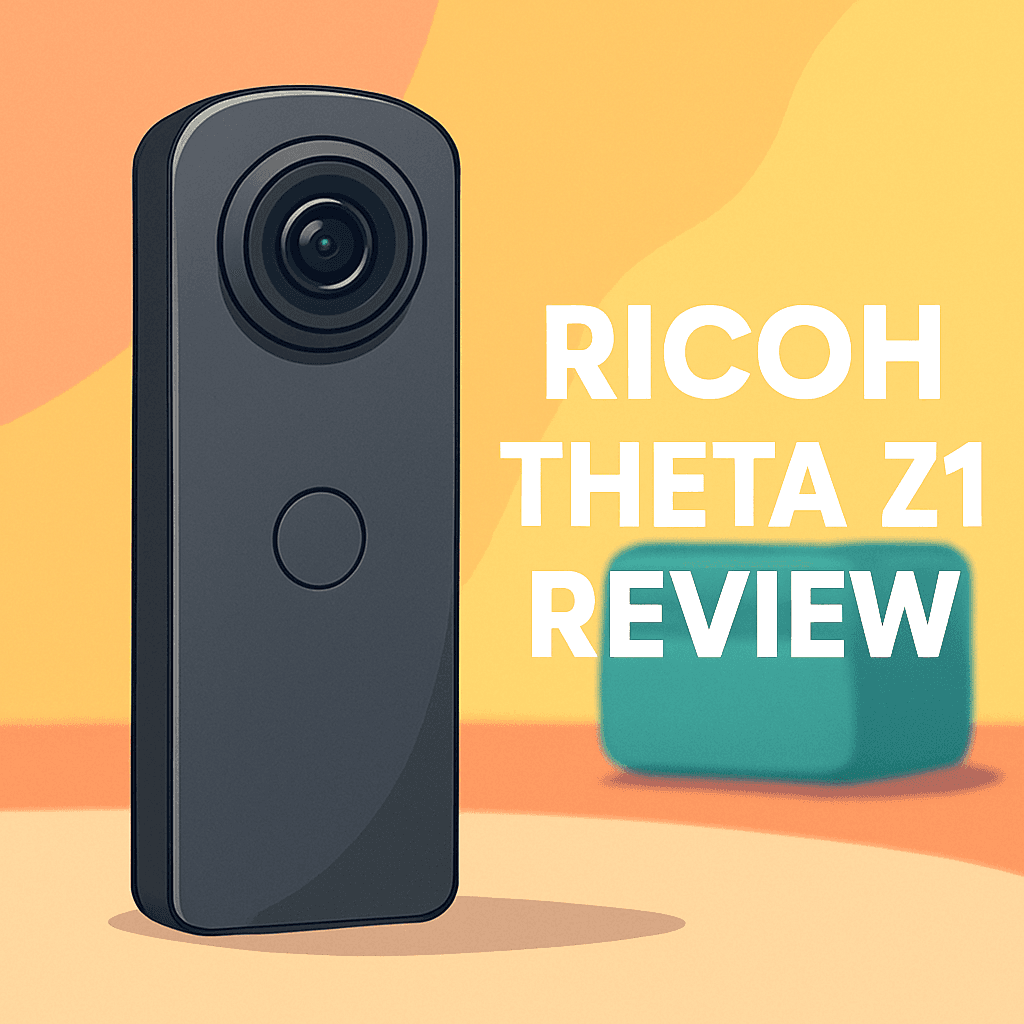
Want 360 stills that finally feel like proper photographs rather than gimmicks? If you’re hunting for image quality and control, this review’s for you.
I’ve shot commercial interiors and virtual tours for years, so I was keen to test a camera aimed at serious stills. I took the Ricoh THETA Z1 360 Camera into real jobs to see how it handled tricky light and tight spaces.
This review is for photographers making virtual tours, architectural and interior shooters, travel creatives, and anyone who needs RAW spherical files and HDR/bracketing. If your deliverables demand clean, editable 360 stills, you’ll want to keep reading.
We’ll focus on real-world payoffs: cleaner low-light captures, manual exposure control, and a RAW workflow that makes grading easier. Video is included, but stills are the camera’s real strength.
I’ll walk through image quality, control, stitching, low-light behavior, and workflow so you can decide if it fits your kit. Make sure to read the entire review as I compare it in the field and reveal when it truly shines — keep reading.

Ricoh THETA Z1 360 Camera
Compact premium 360 shooter featuring dual large sensors for exceptional low-light performance, true RAW capture, and seamless in-camera stitching—perfect for professional virtual tours, immersive photography, and high-detail panoramic stills.
Check PriceThe Numbers You Need
| Spec | Value |
|---|---|
| Sensor | Dual 1-inch CMOS |
| Photo resolution | 23 MP (approx. effective pixels) |
| Lens | F2.1, 14mm equivalent, fixed, 360° coverage |
| Image format | JPEG; RAW (DNG) |
| Video resolution | 4K UHD at 30 fps |
| Video format | MP4 (H.264) |
| Storage | MicroSD card slot (UHS-I compatible) |
| Connectivity | Wi-Fi and Bluetooth |
| Battery | Rechargeable lithium-ion; approx. 320 shots per charge |
| Dimensions | Approx. 132 × 48 × 29 mm |
| Weight | Approx. 182 grams |
| ISO range | 100–12800 |
| Exposure modes | Shutter priority, Aperture priority, Manual exposure |
| Image stabilization | Electronic stabilization (video) |
| Additional features | HDR imaging, bracketing, live streaming support |
How It’s Built
In my testing the Ricoh THETA Z1 360 Camera feels like something you actually want to carry. It’s compact and balanced so you can hold it one-handed or sit it on a small stand without fuss. That pocketable, tripod-friendly shape makes it easy to drop into a bag between tour stops.
Storage and connectivity are straightforward in practice. The microSD slot means quick card swaps on location, and wireless control via Wi‑Fi and Bluetooth lets you trigger shots from your phone. Pairing can be a little finicky at first, but once it’s connected the app responds reliably.
Battery life is solid for a day of stills, but expect to work a bit harder if you’re mixing in lots of video. In my real shoots I carried a spare power option for long sessions and kept an eye on heat during back-to-back captures. In warm rooms the camera can warm up and slow down, so I’d pause between heavy runs.
What I liked most was the thoughtful balance and build that makes grabbing clean, steady 360 stills easy. What could be better is more consistent wireless pairing and cooler long-run performance. For beginners it’s forgiving and simple to mount, swap cards, and get good photos fast once you learn the quirks.
In Your Hands
The Ricoh THETA Z1 360 Camera is a photo-first tool, producing high-resolution spherical stills with RAW DNG capture that reward careful exposure and grading. Aperture, shutter, and manual controls make interiors and mixed-light scenes predictable, reducing surprise recoveries in post. The result is more consistent tonality and material detail right out of the camera.
Built-in HDR and bracketing are essential for window-heavy interiors—use a tripod when possible, or quick HDR modes for handheld stops. The DNG files retain latitude for highlight recovery and natural color, so stitched panoramas grade cleanly with modest adjustments.
Video serves as supporting footage: UHD capture with electronic stabilization handles tripod pans and casual walking shots, though aggressive motion can reveal its limits. For walk-and-talk sequences I favor short takes and slower pans to avoid artifacting, and I treat video as complementary to the stills rather than the primary deliverable. Live streaming through the companion app is straightforward for basic 360 broadcasts, but reliability hinges on a stable connection and power.
The camera favors a photo-centric workflow: ingest DNGs via a card reader, stitch with the native or a professional stitcher, then fine-tune color and perspective before export. For fast turnarounds the in-camera JPEGs and mobile app produce usable stitched outputs, while large RAW transfers are best handled wired. Wireless remote shooting speeds multi-stop sessions, though pushing big DNGs over Wi‑Fi is impractical for bulk transfers.
For a virtual-tour stop I capture bracketed exposures on a tripod, lock exposure with aperture or manual control, stitch and clean the nadir, then export equirectangulars for the tour platform. That disciplined routine turns the Z1’s RAW latitude into consistent, professional tour panoramas with dependable color and shadow handling. In short, the Z1 rewards careful capture and a steady workflow with predictable, high-quality results.
The Good and Bad
- Dual 1-inch CMOS sensors prioritizing still-image quality
- RAW (DNG) capture and 23 MP stills
- Photographic controls: shutter priority, aperture priority, manual
- HDR imaging and bracketing for high dynamic range scenes
- 4K/30p video resolution is lower than some competitors offering higher-res 360 video
- Electronic-only stabilization and limited video editing ecosystem for advanced motion handling
Ideal Buyer
If you’re a photographer or tour creator who puts still-image quality first, the Ricoh THETA Z1 is built for you. Its dual 1‑inch sensors, DNG RAW capture, and full manual exposure controls give you the latitude to nail difficult lighting and pull clean detail from shadowed corners. Built‑in HDR and reliable bracketing make high‑contrast interiors manageable and speed a professional workflow.
Real‑estate and interior shooters will appreciate how the Z1’s single-file spherical DNGs render textures, tones and window views with less noise in dim rooms. Tour creators and small-business owners can capture consistent frames for virtual tours, local listings and 3D panoramas without wrestling tiny-sensor compromises. The pocketable, tripod‑friendly form and microSD flexibility keep a shoot moving all day.
If you value a photo‑first pipeline — careful DNG edits, exposure control and precise stitching — the Z1 delivers predictable, high-quality results for client deliverables. Its 4K/30p video and electronic stabilization are useful as supporting footage, timelapses and social clips but not a substitute for higher‑res, action‑centric systems. For run‑and‑gun action, aggressive motion or vlog-style pans, seek a camera with stronger stabilization and higher video resolution.
Better Alternatives?
We’ve gone through the Ricoh THETA Z1 and its strengths as a photo-first 360 camera — great RAW stills, simple DNG workflow, useful manual controls and solid low-light performance for interiors and tours. That setup suits photographers who need clean, editable spherical images more than high-end 360 video.
If what you need is different — more video resolution, stronger stabilization, ruggedness, or an enterprise-level 8K option — there are solid alternatives that trade some of the Z1’s photo strengths for other real-world benefits. Below are three I’ve used in the field, with what they do better, where they fall short compared to the Ricoh THETA Z1 360 Camera, and who would pick each one.
Alternative 1:

Insta360 ONE RS Action Camera
Modular action system with interchangeable lens options, rock-solid stabilization, and rugged waterproof design; captures smooth high-resolution footage and offers intelligent AI editing tools for adventurous creators and dynamic sports storytelling.
Check PriceIn my hands the Insta360 ONE RS stands out for motion work. Compared to the Ricoh THETA Z1 360 Camera it gives smoother, more usable handheld video, and the app’s AI tools make reframing and quick edits much faster. If I’m shooting movement-heavy scenes — action sports, walk-throughs where I’m moving a lot, or social clips that need fast turnaround — Insta360’s stabilization and workflow save time and usually look better straight out of the camera.
Where it’s worse than the Z1 is pure still-image quality and the raw-photo workflow. The Z1’s DNG files feel cleaner to push in Lightroom, especially in low light and interior work. With the ONE RS I often end up with more in-camera processing and less latitude when I push exposures. Battery life and modular complexity can also be a hassle on long photo-focused shoots compared to the simple, predictable Z1.
Pick the Insta360 ONE RS if you’re a hybrid shooter who wants great 360 video and fast editing tools, or if you shoot a lot of movement and social content. If your priority is top-tier spherical RAW stills for virtual tours or architectural work, the Z1 still wins, but for adventure and quick-turn video, the ONE RS is the better fit.
Alternative 2:

KanDao QooCam 8K Enterprise 360 Camera
Enterprise-grade 8K 360 solution delivering ultra-high-resolution spherical imagery, HDR fidelity, and low-light sensitivity; supports live streaming, robust metadata, and professional workflow integration for inspections, VR production, and immersive documentation.
Check PriceThe KanDao QooCam 8K Enterprise is a different animal — it’s built for very high-resolution output. In practice that means when I need huge crops, very detailed VR shots, or footage for 8K workflows, this camera delivers more pixels than the Ricoh THETA Z1 360 Camera. The extra resolution really helps when you want to extract tight reframe shots from a 360 video or produce immersive VR content that will be displayed large.
On the flip side, the 8K workflow brings big files, longer stitching and export times, and more chance of overheating during long sessions. For routine stills work and quick delivery, the Z1’s lighter RAW files and simpler workflow are easier to live with. In dim interiors the Z1’s 1-inch sensors still feel more forgiving for single-frame photography; the QooCam’s strength is resolution and scan-like detail rather than the same RAW flexibility.
Choose the QooCam 8K Enterprise if you’re doing VR production, inspections, or any project where maximum resolution and metadata/live-stream features matter and you can handle heavier files and longer post. If you prioritize quick, clean RAW stills for tours or architecture, the Z1 remains the more practical tool.
Alternative 3:
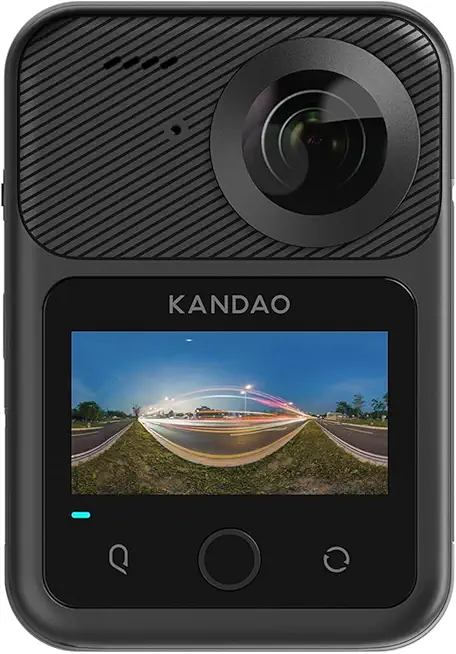
KanDao QooCam 3 Ultra 360 Camera
Next-generation 360 camera producing stunning 8K immersive video and high-resolution stills, with advanced stabilization, improved sensor sensitivity, and a streamlined mobile app—designed for creators, virtual tours, and cinematic VR.
Check PriceThe KanDao QooCam 3 Ultra sits between the Z1 and the Enterprise model for me. It delivers game-changing 8K video and better stabilization than the Z1, so for cinematic moves and high-res clips it’s noticeably cleaner and easier to use handheld. The mobile app and processing tools have improved a lot, which makes getting good-looking footage faster than older enterprise workflows.
Compared to the Ricoh THETA Z1 360 Camera, the QooCam 3 Ultra leans more toward video-first users. It won’t replace the Z1 if your workflow relies on single-file DNGs and a photo-centric approach. Also, while stills are very good, the Z1’s low-light color and RAW latitude often give it an edge for careful interior photography. The QooCam 3 can demand more time in post and sometimes more patience with battery and heat on long shoots.
If you’re a creator who wants cinematic 360 video and high-res stills in the same kit, or you need a more modern app-driven workflow for quick cinematic deliveries, the QooCam 3 Ultra is a solid choice. If your day job is virtual tours, architecture, or any work that needs the cleanest RAW stills with minimal fuss, the Ricoh THETA Z1 360 Camera will likely suit you better.
What People Ask Most
Is the Ricoh Theta Z1 worth the price?
Yes if you need the best still-image quality and RAW support in a compact 360 camera; casual users who prioritize price or video features may prefer cheaper alternatives.
How good is the image quality of the Ricoh Theta Z1?
Very good for a consumer 360 camera—its larger 1-inch sensors deliver richer color, better dynamic range, and less noise than most rivals in daylight.
Does the Ricoh Theta Z1 support RAW (DNG) capture?
Yes, it records RAW DNG files that give you much more flexibility for editing and exposure recovery.
How does the Ricoh Theta Z1 compare to the Insta360 One X2/GoPro Max?
The Z1 favors still-image quality and low-light performance with RAW support, while the One X2 and Max focus more on advanced video features, stabilization, and action-friendly tools.
Is the Ricoh Theta Z1 good for low-light and night 360 photography?
It’s better than most 360 cameras thanks to its larger sensors, but you’ll often need a tripod and longer exposures for the cleanest night shots.
Can the Ricoh Theta Z1 be used for professional real estate and virtual tours?
Yes—its high-resolution panoramas and RAW workflow make it well suited for real estate and virtual tours, though consistent lighting and a tripod/HDR shooting will give the best results.
Conclusion
As a photographer I find the Ricoh THETA Z1 360 Camera to be a decidedly photo-first tool that earns its place on a serious kit list for anyone shooting interiors, real‑estate or client-facing virtual tours. Its RAW workflow, photographic controls and sensor strategy consistently deliver cleaner, more editable spherical stills than most pocket 360s and speed up color grading. Video and stabilization are competent for support footage but never the camera’s headline strength.
Strengths are obvious in interiors, virtual tours and low-light stills where latitude and bracketing give you files you can push without collapse and retain natural tones. Weaknesses show up when you ask it to be a hybrid video powerhouse — higher-res codecs, aggressive stabilization, and fast social pipelines are better elsewhere. For image-focused creators the trade-offs feel sensible, deliberate and worth the investment.
If your priority is clean, professional-grade spherical stills and a predictable RAW-driven workflow, the Z1 is an easy recommendation for photographers and tour creators. If you need top-tier 360 video resolution or the slickest stabilized, app-driven social workflow, look to the alternatives instead and reserve the Z1 as a stills-centric companion. In short: buy the Z1 for photography first, buy something else if video is the real headline.
Ricoh THETA Z1 360 Camera
Compact premium 360 shooter featuring dual large sensors for exceptional low-light performance, true RAW capture, and seamless in-camera stitching—perfect for professional virtual tours, immersive photography, and high-detail panoramic stills.
Check Price

0 Comments