
What is open gate in camera? Could this capture option give you extra pixels and more room to reframe in post?
Open gate means recording the entire sensor area — full width and full height — instead of cropping to a video aspect ratio. It creates a full-resolution master you can reframe, stabilize, or use for multiple deliverables.
This article explains how open gate works, compares it to traditional video modes, and outlines the real benefits and trade-offs. You’ll also find which cameras support it and practical on-set and storage tips.
Whether you’re a hobbyist or a pro, you’ll learn when open gate helps and when it’s better to stick with cropped modes. Read on for clear steps, examples, and quick decision checks.
What Is Open Gate Shooting?
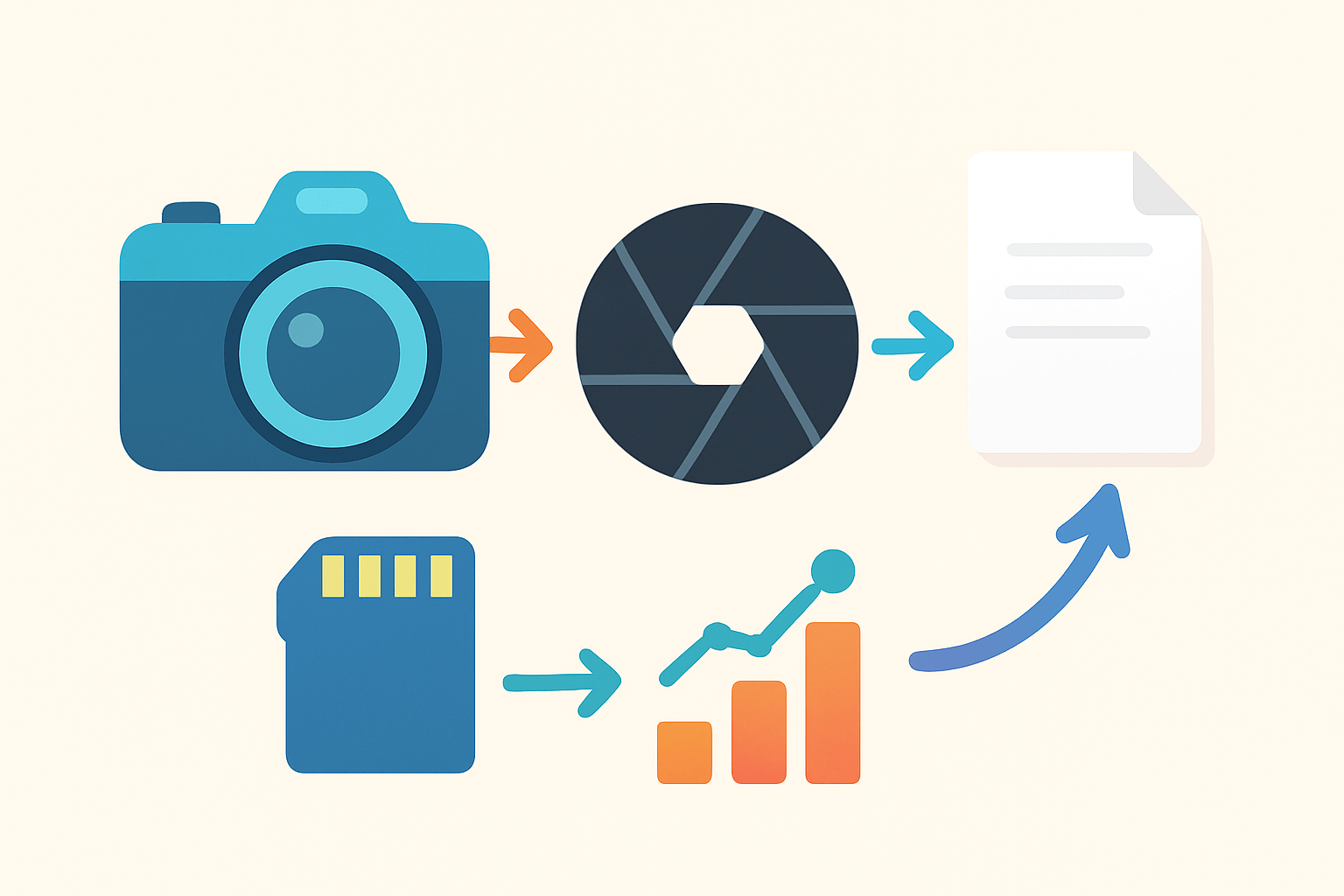
Open gate means you record using the entire imaging sensor, both full width and full height, instead of a cropped window that matches a fixed video aspect like 16:9. You are capturing everything the sensor can see, then deciding later how to crop and deliver. If you have been wondering what is open gate in camera terms, that is the simple, practical answer.
The word “gate” comes from film cameras, where a physical film gate framed the strip of film passing behind the lens. In digital cameras the “gate” is virtual, defined by how the sensor is read. When you shoot open gate, you open that virtual gate to the sensor’s complete area.
A helpful analogy is the difference between taking a wide photo and cropping later. Open gate is like keeping the full photo file for maximum flexibility. You do not commit to a tight box in-camera, so you can reframe in post.
Do not confuse open gate with “full frame” as a sensor size. Full frame describes the physical sensor dimensions, while open gate is a capture choice on any sensor size, including Super35 and Micro Four Thirds. It is also different from “windowing,” which reads only a smaller rectangle of the sensor to gain speed or match a specific format.
Some cameras label open gate as “full sensor” or “full-format readout,” but the idea stays the same. You get more pixels and more vertical and horizontal room. Your final output can be 2.39:1, 16:9, square, or vertical, all from one master.
Imagine a simple diagram with the sensor as a tall rectangle. Now overlay a 16:9 box and a 2.39:1 box inside it. Open gate captures everything, not just those boxes, which makes delivery choices easy later.
If you need a quick line to share with clients, say this: open gate means recording the entire sensor so you can crop to any aspect ratio later. For a deeper dive into open gate shooting, crews often compare it to shooting a large canvas and painting the edges in post.
How Open Gate Works
Under the hood, the camera reads the full pixel array rather than selecting a smaller window during capture. The processor moves more rows and columns of data off the sensor for every frame. That data can be recorded as RAW or as compressed video, depending on your camera and codec choice.
Because you are reading the full array, you usually end up with more total pixels than typical 4K or UHD modes. That higher pixel count can be downsampled to your delivery format for smoother detail and better aliasing control. It also gives you extra margin for stabilization and reframing without softening the image.
There are trade-offs. Larger frames produce larger files and longer write times, which can reduce maximum frame rates. The sensor and processor work harder, so heat and battery drain can rise, and some cameras limit record duration to protect the hardware.
After capture, debayering converts the sensor’s color filter data into full color pixels. If you record RAW, you choose this step later in software; if you record compressed, the camera bakes a debayer and subsampling choice into the file. Downscaling from an open-gate master often improves texture, but if your codec is thin, you may only increase file size without visible benefit.
Think of the image chain as a path: sensor capture, debayer, transform or downscale, and encode to your editing codec. When you keep the whole sensor, you choose how to crop and scale in post. An annotated workflow graphic that shows sensor capture to RAW to proxy to deliverable crop is perfect for explaining this to clients.
Monitoring is important, because you see more than you plan to deliver. Use safe-frame overlays and a LUT that matches your intended output so your operator composes with confidence. Rolling shutter can be more noticeable at full readout speeds, while global shutter cameras handle motion better across the entire frame.
In practice, you might shoot 6K or 8K open gate and deliver 4K. The downsampled image looks crisp, and you can punch in a bit without harm. If you only deliver HD, open gate gives you a huge stabilization buffer and strong noise performance after scaling.
Open Gate vs. Traditional Video Modes
Traditional modes use a windowed or native aspect area of the sensor, like 3840×2160 for 16:9 or a wide 2.39:1 crop. Some cameras switch to sensor-specific formats, such as Super35 windows on a full-frame sensor, to match lens coverage. These modes commit to a frame shape and resolution at capture, which can be simpler on set.
The benefit of open gate is flexibility in post. You can reframe, stabilize, and make multiple versions from one master. The cost is bigger files, more processing, and sometimes lower maximum frame rates or shorter record times.
Windowed modes deliver predictability and longer records for events and live work. They are friendlier to limited storage and fast turnarounds. They also make on-set framing straightforward because what you see is exactly what you get.
Open gate changes how you compose. Many DPs frame with headroom and show directors safe-frame overlays for the planned delivery. The operator protects booms and rigs at the edges, knowing they can crop out mistakes later without reshoots.
Use open gate when you need VFX, stabilization, or multi-aspect delivery from one capture. Choose a regular video mode when you need extreme slow motion, long roll times, or must work with tight budgets and limited media. A quick test is simple: if you need heavy reframing or future-proofing, go open gate; if video has to run forever and stay cool, go windowed.
For a gentle primer on the trade-offs in plain language, many beginners like this overview of open gate video recording. It reinforces the idea that both modes are tools, not a hierarchy. Pick the one that fits the shoot, the workflow, and the delivery.
Here are fast scenarios to keep in mind. A wedding team that must post horizontal YouTube edits and vertical Reels from one day benefits from open gate. A sports crew streaming continuous 120 fps with limited cards is safer with a native 16:9 window.
The Advantages of Open Gate
Open gate shines in post-production. You can reframe, make gentle digital pans, and stabilize while keeping real detail because you started with more pixels. One capture can deliver cinema wides, broadcast 16:9, and vertical social cuts with consistent color and grain.
For VFX, the extra sensor area provides cleaner plates and stronger edges for roto work. Tracking gets easier with more visible markers and context. You can hide a boom or a wire within the extra headroom and crop it out later.
Image quality also benefits when you downsample a large open-gate master. Fine textures render with fewer aliasing artifacts, and the result often looks sharper without appearing over-sharpened. It is like printing a high-resolution photo at a smaller size to make it look crisp.
Creative flexibility is powerful on fast shoots. If your operator missed the perfect crop by a few degrees, you can recover in the edit. Directors can even cut alternate aspect ratios for different platforms without reshoots.
There is a bonus of future-proofing as well. Archiving a high-resolution open-gate master lets you revisit the project for new formats later. That master outlives today’s platform needs and protects your work.
There are caveats to keep you honest. Files are larger, ingest is slower, battery life can drop, and you may not reach the same high frame rates. Plan media capacity, verify card speeds, and test thermals before the real day.
A helpful before-and-after visual is to show one open-gate clip cropped to 16:9 and then cropped to vertical. The vertical cut keeps the subject centered without reshoots or awkward zooms. This makes it clear for clients asking what is open gate in camera workflows and why it matters.
Many creators ask, “But do you really need it?” The answer depends on your deliverables, schedule, and storage. It is a tool to use when the benefits outweigh the costs on that specific job.
Here is a quick real-world example. On a travel shoot, a street performer stepped forward mid-take and filled the frame more than planned. Because we recorded open gate, we reframed in editing, stabilized the bump, and delivered both a wide 16:9 cut and a clean vertical teaser without returning to the location.
Which Cameras Support Open Gate Recording?
High-end cinema bodies like ARRI, RED, and Sony Venice offer full-sensor readouts with options for RAW and high-bit-depth codecs. Mid-level cameras such as Blackmagic, Canon C-series, and Panasonic cinema lines also provide modes that read the full sensor height. Many modern mirrorless models now offer full-height or full-width reads that achieve a similar result, even if they use different labels.
Manufacturers call it different names. You might see Open Gate, Full Sensor, Full-Format, or 3:2 video. The key is the same: the recording uses the sensor’s complete native shape rather than a fixed 16:9 or 2.39 window.
To enable it on popular cameras, look in the record format or sensor scan mode menu. On an ARRI camera, choose the 3:2 or Open Gate sensor mode, then select your ARRIRAW or ProRes flavor and confirm card speed. On a RED, pick the full sensor size in the resolution menu, select R3D compression, and check your media limits for sustained write speeds.
On a Sony Venice or a supported mirrorless model, select the full-height readout option, then pick your codec and frame rate. Some modes need specific media like CFexpress Type B or high-speed SD; others require external recorders for RAW. Always verify firmware notes, because open-gate support can arrive or expand with updates.
Plan for the workflow before you roll. Estimate storage by multiplying data rate by record time, then double it to cover backups. Use checksum verification on ingest, keep at least two copies, and create edit-friendly proxies so your timeline stays responsive.
On set, display safe-frame overlays for each deliverable, including vertical and widescreen. Note takes that need heavy reframing in clip metadata so editors know why headroom exists. Keep a consistent LUT on monitors to avoid framing by guesswork across units.
For VFX plates, grab clean backgrounds, add clear tracking markers, and capture lens metadata if your camera supports it. Shoot a gray card and a color chart, plus quick calibration passes if time allows. These small steps make the extra sensor area truly count in post.
In editing, cut with proxies and stabilize at the source resolution before you scale. Keep your color pipeline flat until final grade, and export masters from the high-quality renders. Protect the original open-gate files as an archive; future versions will thank you.
If you are still asking what is open gate in camera workflows and whether it fits your job, use this simple rule. If you need heavy reframing, multiple aspect deliveries, or robust VFX, choose open gate. If you need extreme slow motion, long roll times, or very small file sizes, a traditional windowed mode is usually the smarter choice.
What People Ask Most
What is open gate in camera?
Open gate in camera means the camera records using the full sensor area instead of a cropped portion. This gives you more image to work with for framing and post work.
How does open gate in camera affect framing?
It captures extra image area so you can reframe or stabilize in post without losing quality. You also get more room for headroom and action at the edges.
When should I use open gate in camera?
Use it when you need flexibility for visual effects, reframing, or different aspect ratios later. It’s handy on shoots where composition may change in post.
Does open gate in camera change image quality?
Open gate itself doesn’t lower quality and can give more usable pixels for editing. However, it may reveal unwanted items at the frame edge if you don’t check composition.
Can open gate in camera lead to common mistakes?
Yes, shooters sometimes forget to protect for the full sensor and expose gear or crew at the edges. Always compose with the entire sensor area in mind when using open gate.
Is open gate in camera the same as shooting full sensor mode?
Generally yes, both mean recording the full sensor area rather than a cropped region. Camera menus may use different terms but the idea is the same.
Will open gate in camera help with visual effects and post production?
Yes, the extra image area makes tracking, stabilization, and reframing much easier for VFX and editors. It gives more flexibility without reshooting.
Final Thoughts on Open Gate Shooting
If your opening question was “can one capture serve many deliverables?” the short answer is yes: open gate acts like 270 — it gives you extra image area to reframe, stabilize, and future-proof footage for multiple aspect ratios. That extra canvas is the core benefit: by recording the full sensor you create a single, high-resolution master that editors and VFX artists can reshape, although you’ll need to plan for larger files and heavier processing on set and in post.
Beyond simple reframing, open gate delivers cleaner plates for compositing, better perceived sharpness when downsampled, and room to rescue small framing mistakes without reshoots. It’s most useful for narrative projects, VFX-heavy shoots, and archive-minded productions that need flexibility; if you need extreme slow motion, very long records, or have tight storage limits, a cropped mode will often be more practical.
This piece walked you through what open gate is, how full-pixel readout affects resolution and workflow, when to choose it, and which cameras and caveats to watch for so you can decide on set. A quick test often reveals how that extra frame provides creative breathing room as formats continue to change.



0 Comments