
Which paper will make your Epson prints look like they came straight from a pro photo lab? In this ultimate guide to the best photo paper for Epson, we distill five standout Epson‑compatible choices across finishes and budgets and explain what each one brings to your workflow.
We examine print appearance, finish texture, color fidelity, ink handling and overall value using both lab‑style checks and real‑world user feedback. Rather than bury you in numbers, we’ll translate key specs into practical outcomes — how blacks render, how highlights hold detail, and how prints behave once they leave the printer.
Color management is central, so the guide walks through practical ICC‑profile use, soft‑proofing tips, and when to trust vendor profiles versus making minor tweaks. You’ll also get workflow notes that reduce wasted paper, speed drying, and deliver consistent results whether you’re using dye or pigment inks on an Epson machine.
Whether you’re a weekend hobbyist printing family albums, a portrait photographer preparing client proofs, or a fine‑art printer chasing archival depth, this compact guide cuts through the noise. Flip ahead for hands‑on observations, clear pros and cons, and straightforward guidance so you can choose the best photo paper for Epson without costly trial‑and‑error.
1. Epson Premium Glossy Photo Paper
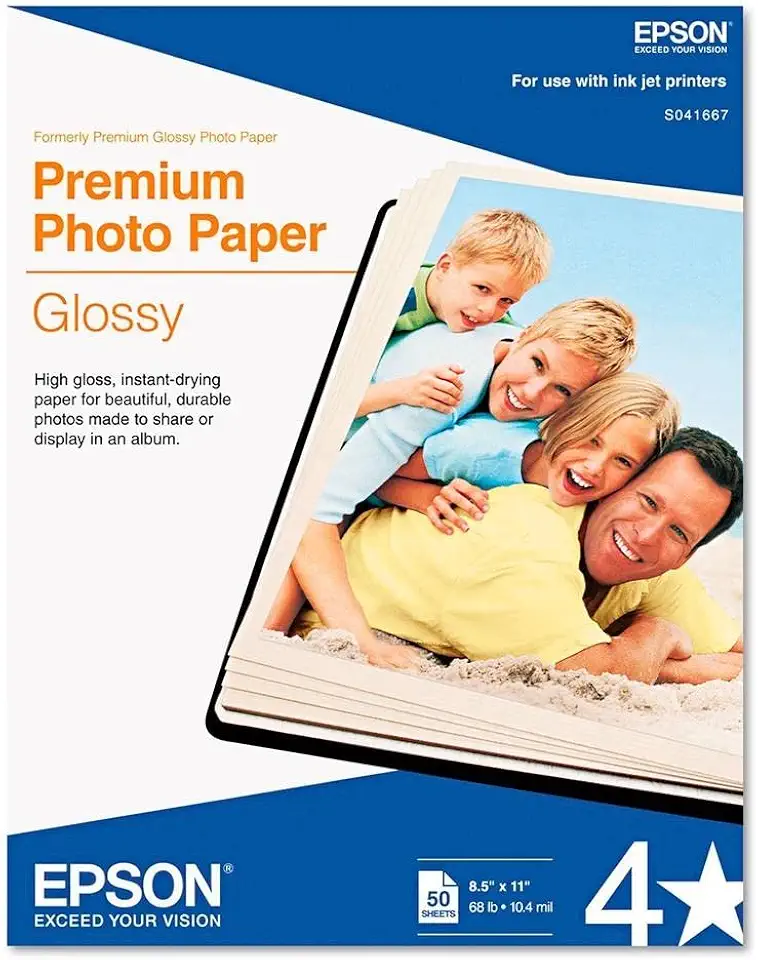
Epson Premium Photo Paper Glossy 8.5x11 50 sheets S041667
Lustrous 8.5x11 sheets deliver vivid color and high-gloss finish for stunning borderless prints and long-lasting photo quality
Check PriceThe Epson Premium Photo Paper Glossy is a 265gsm high‑gloss sheet that immediately feels substantial in the hand. It’s available in cut sheet and roll sizes, so you can feed it through desktop printers or larger roll‑capable machines depending on your workflow.
In practice this paper delivers vibrant, punchy color and a true glossy shine that makes prints pop—ideal for landscapes, portraits, or any image that benefits from saturated tones. It handles fine detail very well and produces sharp images without the need for extensive color calibration, which saves time in a busy studio.
Drying time is fast, so turnaround is quick and you can handle prints sooner than with heavier matte stock. That said, there’s a slight risk of smudging if you grab a print too quickly after it comes out; giving it a minute or two eliminates most issues.
Loading and feeding are straightforward—users consistently report it’s easy to load and broadly compatible with a wide range of Epson printers, especially dye‑based inkjet models. Because of its weight and premium finish, it’s best suited to photographers and serious hobbyists who want gallery‑style glossy output rather than casual, high‑volume snapshot printing.
- Superb glossy finish with vibrant colors
- Sharp, accurate detail reproduction
- Fast ink drying time
- Easy to load and broadly compatible with Epson printers
- Can smudge if handled too quickly
- Heavier weight not ideal for casual everyday printing
2. Epson Value Glossy Photo Paper

Epson Value Photo Paper Glossy 4x6 100 sheets S400034
Economical 4x6 glossy sheets produce bright, sharp snapshots with quick-dry coating—perfect for albums and everyday photo printing
Check PriceAs a working photographer I reach for Epson Value Glossy Photo Paper when I need economical, everyday prints that still look good. It’s a 183gsm gloss‑coated paper with a bright white surface and a lightly textured finish, so prints feel nicer than bargain office photo paper without a heavy premium price.
It’s designed for rear‑feeding inkjet printers and feeds easily, which makes it ideal for bulk jobs and quick snapshots. Image detail holds up well for the price, and skin tones render pleasingly—useful for event or family shoots where you’re producing many copies.
Where it struggles is in demanding, high‑contrast work. You’ll see less shadow detail in deep blacks, and monochrome prints can show a slight greenish tint unless you apply soft toning or use a custom profile to compensate.
That trade‑off makes it a smart choice for beginners, students, or budget‑conscious users who need volume and decent quality rather than gallery perfection. If you’re printing proofs, client contact sheets, or everyday family photos, this paper gives good value and predictable results.
In short: Epson Value Glossy is a cost‑effective, easy‑feeding glossy suited to everyday use, but not the best pick for high‑contrast or portfolio work without profile adjustments. If you want affordable snaps with nice gloss and good skin tones, it’s worth keeping in your paper drawer.
- Cost‑effective for volume printing
- Good detail for the price with a nice gloss surface
- Compatible with various Epson printers and easy to feed
- Attractive bright white finish
- Not suitable for high‑contrast or professional portfolio prints due to shadow muddiness
- Slight greenish cast on monochrome prints
3. Epson Legacy Textured Photo Paper
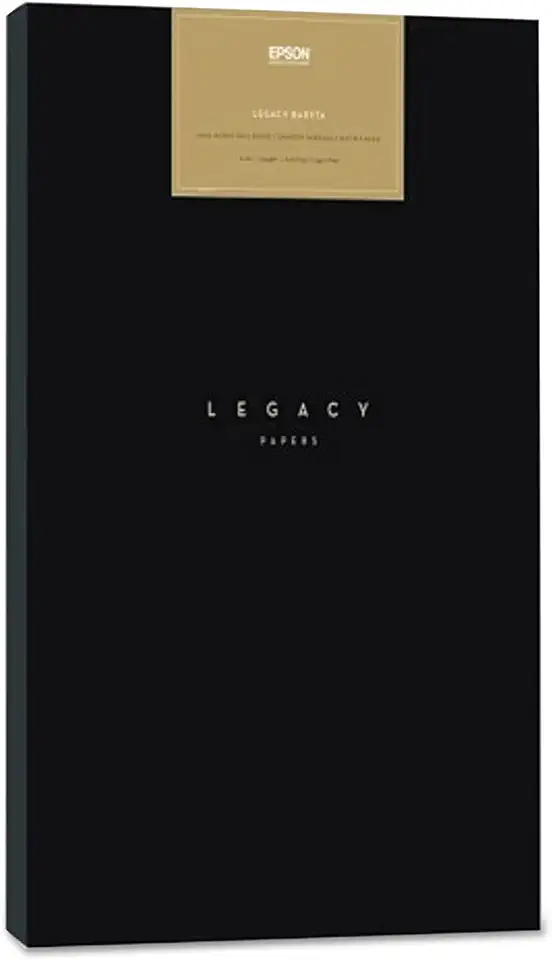
Epson Legacy Fibre Semi-Smooth Satin Photo Paper 17x22 19 mil 25 sheets
Thick 19-mil satin sheets mimic traditional fiber paper, offering subtle texture and deep tonal range ideal for fine art reproductions
Check PriceAs a fine‑art shooter, I’ve turned to Epson Legacy Textured Photo Paper whenever I want prints that feel like originals. It’s a 310gsm, 100% cotton, mold‑made paper with a heavily textured matte surface that truly resembles watercolor paper; that tactile quality lifts a print off the wall in a way glossy stock never does.
Color saturation on this sheet is impressive — deep, rich blacks and vivid detail hold up especially well in both B&W and color work. The paper has no optical brighteners, so prints look natural and archival, which is why it’s a favorite for gallery pieces and limited editions.
Do note the practical side: it’s designed for pigment‑based Epson printers (think SureColor P5000, Stylus Pro) and the heavy texture plus 310gsm weight means slower drying times and a need for careful feeding and handling. If you run a fast production workflow or casual snapshots, this might feel slow and a bit overbuilt.
Where it shines is on museum‑quality prints and archival projects — large sheet and roll sizes are available, so you can produce gallery prints without piecing. If you want prints that communicate craft and permanence, this paper is an excellent choice; if you need speed and economy, look elsewhere.
- 310gsm, heavily textured, authentic watercolor feel
- Excellent color saturation and deep, rich blacks
- Archival 100% cotton base with no optical brighteners
- Available in large sheets and rolls for pro workflows
- Heavier texture requires careful printer handling and longer drying
- Higher price and not ideal for quick, casual printing
4. Canon Pro Premium Matte for Epson

Canon PM-101 Pro Premium Matte Photo Paper 8.5x11 50 sheets
Smooth matte 8.5x11 sheets resist glare, deliver museum-quality color reproduction and archival durability for professional portfolios
Check PriceThe Canon Pro Premium Matte Photo Paper is a Canon‑branded smooth matte that many Epson users praise for its tactile hand feel and non‑reflective surface. It’s available up to 17×22 inches, which covers common fine‑art and portrait print sizes without forcing a custom cut.
In real use it avoids glare while producing rich blacks and surprisingly deep colors for a matte stock. I’ve found it particularly strong for black‑and‑white portraits and color photos where a glare‑free, gallery‑friendly look matters.
Color and tonal response tend to be reliable straight out of an Epson when you use available ICC profiles. There may be a little nudging in your workflow—soft proof and pick the correct profile—but results are consistent and predictable for most images.
Where this paper shines is the balance of quality and cost. It feels premium in the hand and reads like a higher‑end matte, yet it’s more affordable than equivalent Epson matte offerings. That makes it a great choice if you want museum‑style prints without the top‑tier price.
If you print lots of textured fine‑art work, note this stock is smoother than some heavily textured fine‑art papers. That means you get cleaner detail and smoother skin tones, but you lose the tactile tooth that some collectors seek.
Overall, Canon Pro Premium Matte is a solid, practical choice for photographers wanting gallery‑ready matte prints on Epson equipment without breaking the bank. It’s especially suited to portrait and fine‑art photographers who prefer a smooth, non‑reflective finish.
- Smooth, non‑reflective matte surface
- Deep blacks and rich colors
- Good ICC profiles for Epson compatibility
- More affordable than equivalent Epson matte papers
- Not Epson brand—may need profile adjustments
- Smoother, less textured than heavy fine‑art papers
5. Red River Paper UltraPro Gloss 2.0
Archival-grade photo paper engineered for balanced color, crisp detail, and consistent ink absorption—perfect for galleries, prints, and long-lasting keepsakes
Check PriceRed River Paper UltraPro Gloss 2.0 is a resin‑coated, photo‑base glossy paper with a brilliant white finish designed to mimic traditional photo lab paper. It’s engineered for both pigment and dye ink compatibility, so you get lab‑like results regardless of your Epson ink type.
In real shooting conditions it produces professional‑grade prints that truly rival OEM papers. The color gamut is broad and the tonal gradients are smooth, so vibrant colors and deep blacks render with punch and subtlety.
Feeding is fuss‑free on Epson printers; the stock tends to run smoothly through trays and the sheets dry at a reasonable pace. The paper has a slightly thicker feel, which immediately improves perceived print quality when you hand prints to clients or show them in a portfolio.
If you’re a pro or a serious hobbyist chasing lab‑quality glossy prints from your Epson, this is a great match. Be mindful that the resin coating reduces flexibility, so take care with feeding to avoid curling and know it’s a bit heavier than everyday office photo stock—perfect for finished prints, less ideal for casual snapshots.
- Brilliant white surface produces vivid colors and sharp details
- Excellent ink absorption and quick drying time
- Compatible with both pigment and dye‑based Epson inks
- Feeds smoothly in Epson printers with little curling
- Resin coating reduces flexibility and can curl if not fed well
- Slightly heavier than standard papers, less suited for casual use
Choosing the Right Paper Finish
The paper finish is one of the quickest ways to change the mood of a photo without touching exposure or color. Sheen alters perceived contrast, sharpness, and saturation, and the room where the print will live makes a huge difference to which finish will look best. Think of finish as part of the image, not just a printing afterthought.
Glossy gives the biggest visual punch. Colors pop, blacks deepen, and fine detail appears razor‑sharp, which makes glossy my go‑to for vibrant landscapes and studio portraits intended for non‑directional light. Be honest about reflections though—glossy shows glare and fingerprints, so frame under glass or reserve it for album pages and portfolios you handle carefully.
Semigloss or satin sits sweetly between extremes and is my safe bet when I don’t know the final display conditions. It keeps a lot of that gloss vibrancy while cutting down on reflections and smudges, which makes it ideal for gallery walls, frames without anti‑glare glass, and mixed lighting situations. If you want versatility with little compromise, start here.
Matte is the quiet, tactile option for fine art and black‑and‑white work. It removes glare and adds depth through texture, which flatters portraits, B&W prints, and any image where subtle tonality matters more than saturated color. Expect slightly softer perceived contrast and slower drying times on heavier textured stocks, but the archival, museum feel is often worth it.
Metallic and luster finishes add a pearlescent sheen that can create stunning depth and contrast for images with specular highlights or metallic elements. They expand perceived gamut and make colors feel more dimensional without the full mirror effect of gloss. Use them for fashion, product, and dramatic landscape shots when you want an extra “wow” factor.
In practice, match finish to subject, lighting, and handling—gloss for punch, satin for balance, matte for subtlety, metallic for drama. Make a small test print before committing to large runs, mind how paper weight and texture affect printer feeding, and soft‑proof with the proper ICC profile to avoid surprises. If you’re unsure, start with satin; it solves more problems than it creates.
Using ICC Profiles for Accurate Color
If you care about color—really care—ICC profiles are the single best shortcut between a good print and a predictable one. Each paper reacts differently to your inks: coatings, brightness, and texture all change how colors sit on the surface. Using the exact ICC profile for the paper (and the printer/ink combination) compensates for those differences so what you see on screen is what you get on paper.
Download profiles from Epson or the paper manufacturer for the specific paper and finish you’re using; don’t assume a “gloss” or “matte” profile will work across brands. In Lightroom or Photoshop you select that profile in the Print dialog, and in most cases you should disable the printer’s color management so only the ICC profile is doing the work. Some Epson machines auto‑detect media, but I still pick the profile manually for critical work.
Soft proofing is a tiny time investment that pays dividends. Toggle soft proof, choose the paper profile, and check rendering intent—perceptual usually preserves overall look for photos, while relative colorimetric can keep saturated colors from shifting. Turn on black point compensation to protect shadow detail when moving between profile gamuts.
For third‑party papers (Canon Pro, Red River, etc.) grab the vendor profile or make your own if you’re chasing absolute matches. A simple test strip and a few quick prints will tell you whether to tweak exposure or saturation before committing to large prints. If you print a lot, consider having a custom profile made; it’s the fastest way to eliminate guesswork.
Finally, keep profiles and firmware up to date. Small revisions to drivers or inks can change output subtly, and refreshed profiles keep your workflow consistent. In short: use the right profile, soft proof, disable duplicate color management, and run a quick test print—your colors, time, and paper stock will thank you.
What People Ask Most
What is the best paper for printing photos on an Epson printer?
There is no single best paper because the ideal choice depends on the image, desired finish, and how you’ll display the print. Match the paper finish and weight to your subject and handling needs.
Which Epson photo paper produces the best color and detail?
Papers designed for photo printing generally deliver the most vibrant color and fine detail. For critical work, use papers with available ICC profiles and perform test prints to verify results.
Is glossy or matte photo paper better for Epson inkjet printers?
Glossy paper offers higher sheen and perceived color saturation while matte reduces reflections and adds texture. Choose glossy for vivid, punchy images and matte for glare‑free, subtler presentation.
What weight or thickness of photo paper should I use for Epson printers?
Select a weight that balances durability and your printer’s paper handling; heavier papers feel more premium but may require careful feeding. Check your printer’s specifications and test to ensure reliable handling.
Can I use third‑party photo paper with my Epson printer?
Yes, many third‑party papers work well with Epson printers, though results can vary by paper and ink combination. Use vendor‑provided profiles and run tests to confirm color and finish.
How do I choose the best inkjet photo paper for Epson printers?
Consider the subject, viewing conditions, and desired finish, then select papers that match those needs and have compatible profiles. Perform soft proofing and test prints to fine‑tune color and tonality.
Does Epson recommend specific photo papers for professional prints?
Epson provides recommended papers and profiles for many printers and paper lines to help achieve consistent results. For professional work, follow those recommendations and validate them with test prints.
Conclusion for Best Epson Photo Paper
These five Epson‑compatible paper options give a straightforward spectrum from budget-friendly glossy to premium glossy, textured fine‑art matte, a popular Canon matte alternative, and a highly rated third‑party glossy—each suited to different print goals.
The main lesson is to match paper finish to the image and viewing conditions: glossy for punch and sheen, matte for texture and glare‑free viewing, and semigloss/satin for balanced results.
Consistent color depends on using the correct ICC profile, soft proofing, and keeping your monitor and printer calibrated to reduce surprises.
Try a few papers with your usual workflow and profiles; short testing runs will save ink, time, and frustration while helping you find the look you prefer.
If you want to continue improving your printing and shooting skills, explore more articles on the site to pick up practical tips and workflow refinements.
Have questions or want to share your experiences with these papers? Leave a comment below and we usually reply within a few hours.




0 Comments