
What does it take to turn a digital masterpiece into a gallery-ready print? Many photographers wrestle with color shifts and muddy shadows when they move from screen to paper. From glossy highlights to subtle shadow detail, small choices in gear and workflow change everything.
In this guide we compare five top color printers for photo printing based on expert reviews, user feedback, and real-world use. We tested performance across print quality, media handling, and day-to-day running costs to separate marketing claims from real results. We also note long-term costs like ink and maintenance so you can budget realistically.
You’ll get side-by-side takes on core features, real-world performance, pros and cons, and what each printer actually costs to run. We’ll also explain which printers fit which studio or home workflows, and why calibration and paper choice matter more than you might think. Expect impartial takes and practical tips you can use the same day.
Whether you’re a hobbyist printing family portraits or a pro prepping gallery prints, this guide aims to keep your prints true to your vision without wasting time or money. By the end you’ll know which color printer for photos matches your priorities—and how to get consistent, archival-looking results from it.
1. Canon ImagePrograf Pro-310
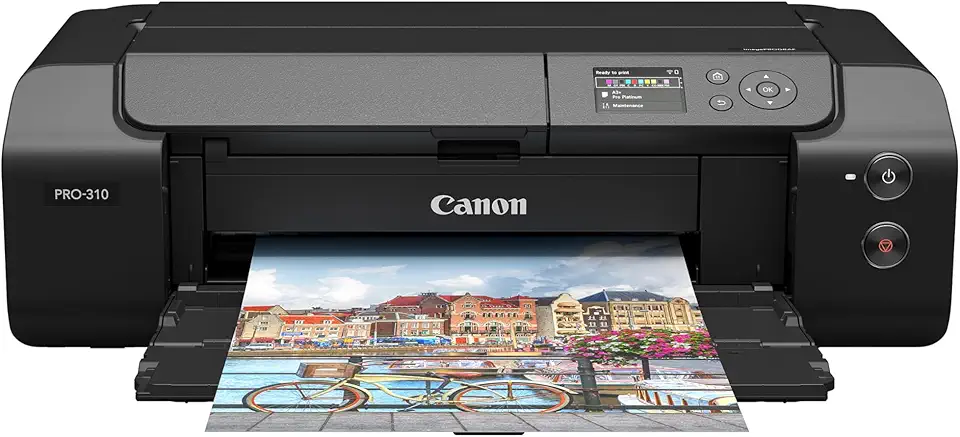
Canon imagePROGRAF PRO-310 13-inch Professional Inkjet Photo Printer
Studio-quality, gallery-ready prints with exceptional color accuracy and fine detail, perfect for professionals seeking compact wide-gamut output.
Check PriceAs a working photographer, the Canon ImagePrograf Pro-310 feels like a studio tool shrunk to fit a serious home setup. It uses 10 Lucia Pro II pigment-based inks with Chroma Optimizer, and handles A3+ sizes for exhibition-ready, borderless prints on matte, fine-art, glossy, semi-gloss, and luster papers.
The output is what sells it: spectacular color accuracy and deep black tones that hold up in gallery lighting. Professionals praise its tonal depth and color fidelity — prints look archival and punchy in ways dye-based machines often can’t match.
Expect pigment-printer behavior: decent speeds for a pigment-based device, but slower than dye-based alternatives, and prints need a little handling time before they’re fully stable. Running costs are higher because you’re managing 10 cartridges, yet most users find the quality justifies the expense for client work and fine-art editions.
If you’re a photographer focused on gallery, client, or portfolio work and you want archival longevity, this is a strong choice. Its wide media compatibility and A3+ capability make it versatile for fine art and photographic prints, and the Chroma Optimizer helps even gloss and black densities across different paper types.
- 10 Lucia Pro II inks + Chroma Optimizer
- Outstanding color accuracy and deep blacks
- A3+ borderless prints on many media types
- Gallery/exhibition-ready print quality
- Higher ink cost (10 cartridges)
- Prints not instantly dry; handling time required
2. Epson EcoTank ET-8550

Epson EcoTank Photo ET-8550 Wide-format All-in-One Supertank Printer
Low-cost per print, refillable ink system delivering vibrant wide-format photos, scanning and copying in a space-saving all-in-one design.
Check PriceAs a photographer who prints a lot of glossy landscapes and portraits, the Epson EcoTank ET-8550 has been a revelation for hobbyists and enthusiasts. It uses 6 individual dye-based inks (plus black) with 180 nozzles per color, which delivers the kind of color vibrancy and fine detail that makes prints pop on glossy stock.
The printer handles A3+ sizes, so you can produce large-format prints for portfolios or small exhibitions without stepping up to pro-level expense. Its EcoTank refillable ink tanks noticeably lower the running cost over time, making it a sensible choice if you print regularly but don’t want constant cartridge purchases.
Workflow is smooth thanks to a large tilting touchscreen and Wi‑Fi connectivity; printing directly from a smartphone via the manufacturer apps is straightforward for client previews or quick tests. The unit also supports thicker matte and fine-art media, so you can switch finishes depending on the shoot.
Be mindful that the ET-8550 isn’t a no-maintenance workhorse. Some users report that setup and cleaning protocols need attention to keep the heads performing, so expect periodic cleaning cycles. Also, while it’s great for serious hobbyist volumes, it’s not intended for very high-volume commercial throughput—speed drops with very large workloads.
Overall, if you want large, vivid prints without the ongoing cost burden of cartridge systems and you’re willing to perform routine maintenance, the ET-8550 is a strong, practical choice for enthusiast photographers.
- Excellent color quality and photo detail
- Low cost per print thanks to EcoTank tanks
- User-friendly tilting touchscreen and wireless printing
- Supports thick matte and fine-art media
- Requires regular cleaning cycles
- Not ideal for very high-volume commercial use
3. Canon Pixma G620

Canon PIXMA G620 MegaTank Photo All-in-One Printer
High-capacity refillable tanks for thousands of pages, dependable photo printing, scanning and copying with low running costs.
Check PriceAs a photographer who prints at home, the Canon Pixma G620 stands out for delivering genuinely pleasing photo results without breaking the bank. It uses 6 dye-based inks, which give high-quality color and monochrome prints that pop on glossy and fine-art papers alike.
The cartridge-free refill design is a big practical win — ink costs are very low and replacement is straightforward, so long print runs or frequent family photo projects won’t give you sticker shock. Running costs matter when you print regularly, and this model keeps those predictable and affordable.
Media handling is where the G620 shines for hobbyists: it offers a rear-mounted upright feeder and a horizontal manual feeder that handles thick fine-art sheets, and it even supports panoramic prints up to nearly 1 meter. That versatility lets you experiment with long panoramic landscapes or heavyweight textured paper without needing a specialty printer.
It isn’t the fastest printer out there, so expect moderate speeds, but in my experience the trade-off is worth it for the consistent, reliable output for typical home and small-studio use. The 3-inch color LCD helps navigate menus and status, though it’s not a touchscreen — functional, just not touchscreen-slick.
In short, the Pixma G620 is an excellent choice if you’re an amateur or enthusiast who wants solid photo quality, flexible media handling, and very low ongoing costs. If you need blistering speed or a touchscreen interface, look elsewhere; otherwise this is a sensible, photo-focused workhorse.
- Excellent color and mono print quality
- Very low ink running costs (refillable system)
- Good media handling, including panoramic ability
- Reliable and easy to use for home photo printing
- Slower print speed compared to some dye-based competitors
- Color LCD is not touchscreen
4. Canon Pixma Pro-200

Canon PIXMA PRO-200 Professional Inkjet Photo Printer
Vibrant, gallery-quality color prints with smooth tonal transitions and vivid skin tones for professional photo exhibitions.
Check PriceAs a working photographer, the Canon PIXMA Pro-200 quickly became a go-to when I need vibrant, gallery-ready prints without the fuss of a large studio printer. Its dye-based 8-ink system delivers rich, punchy color and remarkably smooth gradations, which is exactly what I look for in portfolio and client work.
The printer handles a wide range of Canon fine art and photo papers and supports sizes up to 13″×19″, so I can produce exhibition prints and oversized client proofs from one compact device. That media flexibility, combined with accurate color out of the box, means fewer test prints and a faster path to final output.
One of the things that stands out in real-world use is how user-friendly the Pro-200 is. Setup and day-to-day printing are simple, and the relatively fast print speed for a dye-based system keeps my workflow moving — especially useful when I’m preparing batches of client images or prints for shows.
Because it’s compact and easy to manage, the Pro-200 fits nicely in a home studio or small workspace without sacrificing professional-level quality. If you’re a professional or enthusiastic hobbyist who wants excellent color, smooth tonality, and the ability to print up to 13″×19″ without a bulky footprint, this is a very strong choice.
Keep in mind the trade-offs: dye inks can be consumed fairly quickly if you print heavily, and this unit isn’t intended for high-volume office use. For most photographers prioritizing color quality and a convenient footprint, though, it’s hard to beat.
- Vibrant, professional-quality prints (dye-based 8-ink)
- Supports Canon fine art/photo papers up to 13″×19″
- Good print speed for a dye-based printer
- Compact, user-friendly, and reliable
- High ink consumption with heavy use
- Not suited for high-volume office printing
5. Canon ImagePrograf Pro-1100

Canon imagePROGRAF PRO-1100 17-inch Professional Inkjet Photo Printer
Large-format precision printing for museum-quality photos up to 17 inches, delivering archival longevity and remarkable color fidelity.
Check PriceAs a photographer who prints for exhibitions, the Canon ImagePrograf PRO-1100 quickly becomes a workhorse. It uses a 12-color Lucia Pro II pigment ink set with Chroma Optimizer, which delivers deep blacks and exceptionally accurate colors for both glossy and fine-art papers. The pigment-based inks mean archival strength, so prints resist fading and scratching over time.
The PRO-1100 handles up to 17‑inch wide media, so you can produce gallery-size pieces without stepping up to a larger production printer. It also includes built-in color calibration and media-handling automation, which takes a lot of the guesswork out of matching your monitor to the final print. That automation is a real time-saver for studio workflows where consistency matters.
Be aware this printer has a larger footprint and a more involved setup than compact photo printers. It’s aimed at serious enthusiasts and professionals, not casual users. Ink and consumable costs are higher, but in my experience the print sharpness, depth, and archival quality justify the expense when you’re selling or exhibiting work.
Users often call it “best in class” among pigment printers in its range, and for good reason: the combination of color fidelity, black density, and longevity is hard to beat at this level. If you need museum-quality prints and are ready to dedicate studio space to a reliable pigment printer, the PRO-1100 is an excellent choice. If you want something small and cheap to occasionally print family photos, this isn’t it.
- 12-color Lucia Pro II pigment inks — deep blacks and superb color
- Supports up to 17″ wide; great for gallery/fine-art prints
- Built-in color calibration and media automation
- Archival longevity and scratch resistance
- High ink and consumable costs
- Large footprint and complex setup—not for casual users
Color Calibration for Accurate Photo Prints
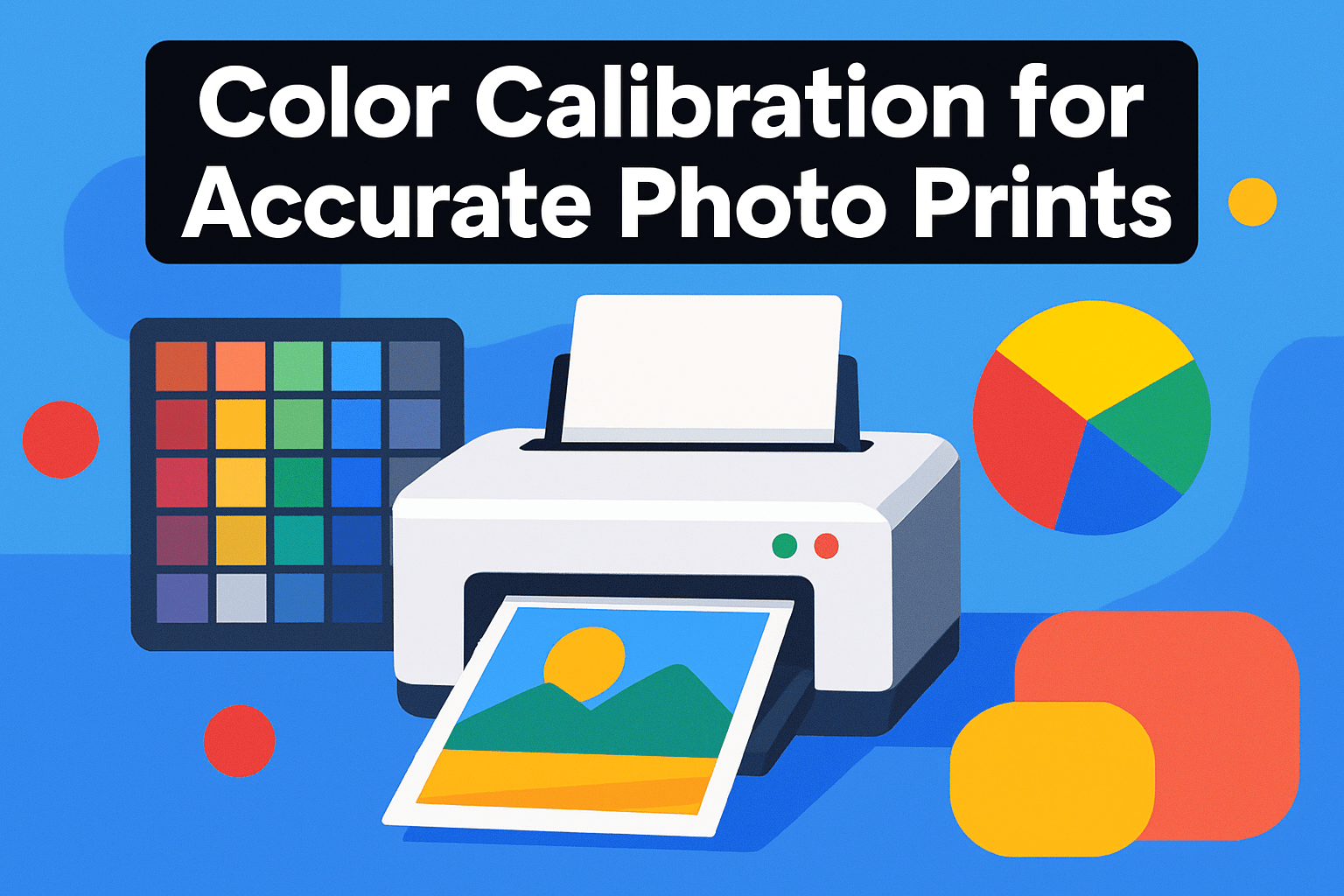
Getting prints to match what you see on screen is one of the most satisfying parts of photography — and one of the most frustrating when it goes wrong. Printers, inks, papers and even the room’s light change how colors appear, so calibration is the bridge between screen and paper.
Start with your monitor. A simple colorimeter and calibration software will set a reliable white point, gamma and brightness for editing. Keep in mind that most monitors can show a wider color range and more open shadows than printers, so don’t expect an exact one-to-one without adjustments.
Printer calibration comes next. You can tweak drivers and print test sheets by eye, but for repeatable accuracy use a device that measures printed patches — a spectrophotometer or a colorimeter made for printers — to build a custom ICC profile. That profile tells your computer how the printer-paper-ink combination actually behaves.
The practical workflow is iterative: print a target, measure it, update the profile, then reprint. Repeat until hue shifts, oversaturation and banding are minimized. This process sounds tedious, but doing it once for each paper type you use gives huge dividends when you need consistent gallery-ready prints.
Work inside a color-managed pipeline. Use Lightroom or Photoshop’s soft-proofing, choose the correct ICC paper profile, and test rendering intents (perceptual vs relative) to see which preserves tones best. Embed the profile when you export so prints from labs or other machines behave predictably.
Re-calibrate whenever you change papers, ink batches, or your lighting conditions. Keep a reference set of small prints and a notebook with settings and dates. That small habit will save you hours and ensure your prints carry the color and emotion you intended.
Choosing the Right Photo Paper
Paper is where a print finally becomes a photograph, so choose it with intent. Finish, base and texture all change how color, contrast and detail read on paper. A glossy sheet gives punchy color and razor detail, but it also throws reflections and shows fingerprints; matte calms highlights and feels more tactile, though it softens micro-contrast.
Satin or luster is my go-to when I want rich colors without the mirror-like glare — it holds detail well and is forgiving with mixed lighting. For portraits I often pick a subtle luster to preserve skin tones; for landscapes I’ll use glossy or luster to enhance saturation and perceived sharpness. Metallic papers add a pearlescent depth that makes water, metal and high-contrast black-and-white images pop.
Understand the paper base too. Resin-coated papers maintain a sealed surface that boosts gloss and makes prints more resistant to moisture. Fiber-based or 100% cotton papers give that museum-grade look and feel, with superior blacks and longevity, but they’re more delicate and demand careful handling.
Practical tests beat guesswork. Order sample packs, print the same image on a few stocks, and compare under the light you’ll display the print in. Use the ICC profile for each paper and let prints dry fully before judging color and gloss; drying can shift density and saturation.
Handling matters: don’t touch image surfaces, use cotton gloves for fine prints, and store prints flat or in archival sleeves. If longevity is a priority, choose fiber-based stock and check manufacturer archival ratings.
Match paper to purpose. Wedding albums and gallery prints benefit from fine-art fiber or luster; casual family photos and large volumes suit glossy or resin-coated stocks. Ultimately, the right paper supports the emotion of the image — test, trust your eyes, and keep notes so future prints reproduce the same look.
What People Ask Most
What is the best printer for printing high-quality photos?
There is no single best printer; the right choice depends on desired print size, media type, and longevity. Professionals often prefer models with pigment inks and broad media support, while hobbyists may prioritize refillable ink systems for lower running costs.
Are inkjet printers better than laser printers for photo printing?
Inkjet printers are generally preferred for photos because they reproduce continuous tones and subtle gradations more smoothly. Laser printers excel at text and graphics but are typically less suitable for high-quality photographic prints.
What type of printer is best for photo printing?
Dedicated inkjet photo printers—dye-based for vivid color or pigment-based for archival stability—are commonly used for photography. Choose based on whether you prioritize vibrancy, longevity, or compatibility with fine-art media.
Do I need a dedicated photo printer to print photos at home?
No, casual prints can be handled by many multifunction printers, but results vary. For consistent high-quality output and reliable handling of thicker fine-art papers, a dedicated photo printer is recommended.
How do I choose the best photo printer for color accuracy?
Look for printers that support color management workflows, ICC profiles, and calibration tools to ensure predictable results. Also consider the ink set and paper compatibility, since those affect how colors render on different media.
Which printers produce professional gallery-quality photos?
Printers designed for photographers that support wide media sizes, fine-art papers, and advanced color management are typically used for gallery-quality prints. These models often emphasize archival inks and precise calibration for consistent, long-lasting output.
What features should I look for in a color photo printer?
Consider ink type, supported media sizes and finishes, color-management capabilities, and ongoing running costs when evaluating printers. Ease of use and connectivity options can also help streamline your printing workflow.
Conclusion for Best Color Printer for Photos
This roundup compared five well-regarded photo printers across real-world performance, costs, and recommended use cases to help you match a printer to your needs and budget.
When choosing, weigh ink type (pigment vs dye), media compatibility and sizes, running costs or refill systems, and whether the printer suits a studio or home workflow.
Remember that accurate color and archival results depend as much on consistent calibration and the right paper choice as they do on the printer itself.
If you want to sharpen your printing technique and color-management skills, explore more articles on our site for practical tips and deeper guidance.
Have questions or want help choosing a model for your workflow? Leave a comment below — we usually reply within a few hours.




0 Comments