
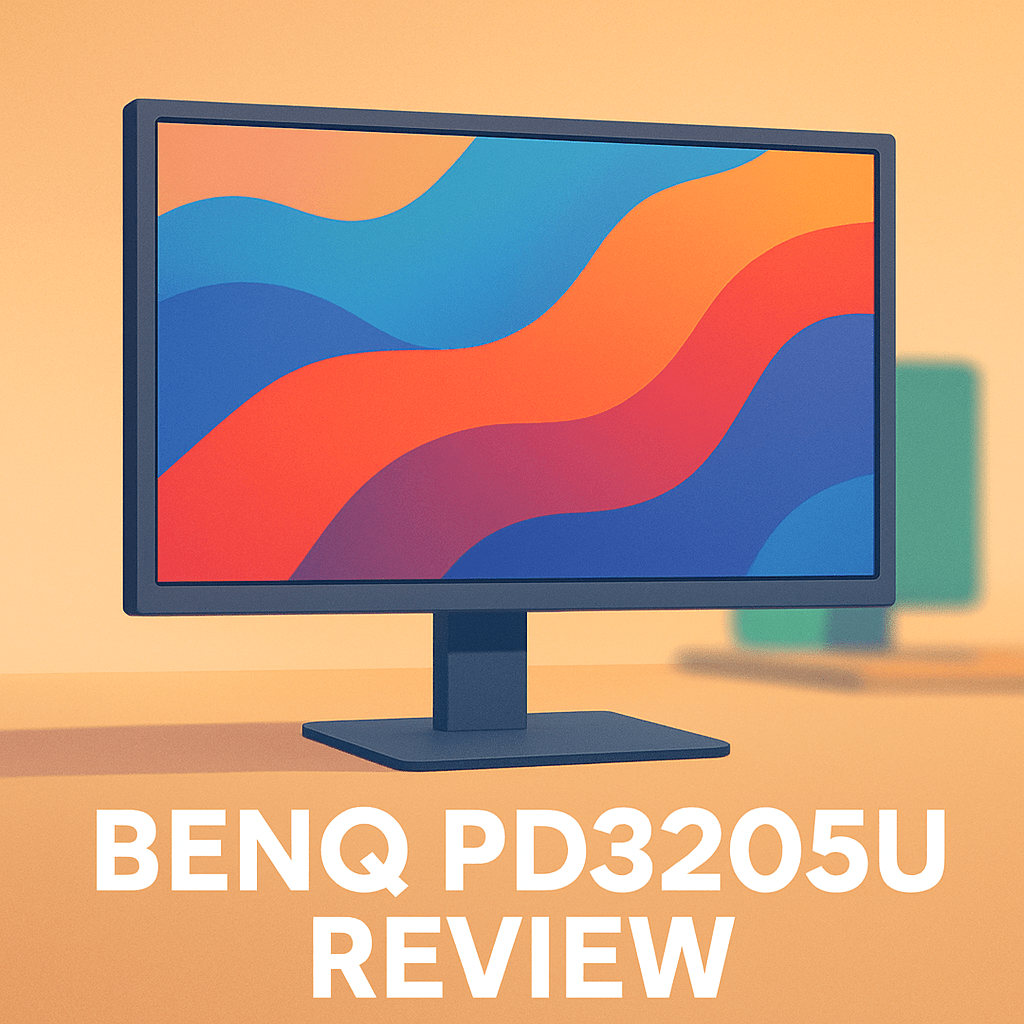
Want a monitor that actually makes your color-critical work faster and less guesswork? The BenQ PD3205U Monitor aims to be that 32-inch canvas for photographers, designers, and video editors who need dependable color and modern desk conveniences.
It’s built around factory-accurate color, ergonomic flexibility, and single-cable/KVM simplicity — real wins for retouching, grading, and multi-computer setups. Having field-tested it across studio and on-location shoots, I’ll show how those promises translate to day-to-day work.
You’ll get hands-on impressions of build and ergonomics, real-world color accuracy, connectivity and KVM workflow, plus who this monitor truly suits. Make sure to read the entire review as I break down where it shines and where it won’t — keep reading.

BenQ PD3205U Monitor
Studio-grade 32-inch 4K display delivering pinpoint color accuracy and factory calibration, wide viewing angles, versatile connectivity and ergonomic controls—optimized for designers, photographers, and professionals who demand faithful reproduction and detail.
Check PriceThe Numbers You Need
| Spec | Value |
|---|---|
| Panel size | 32-inch |
| Resolution | 4K UHD (3840×2160) |
| Panel type | IPS |
| Color gamut | 95% DCI-P3 (Adobe RGB also supported) |
| Color depth | 10-bit (8-bit + FRC) |
| Color accuracy | Delta E ≤ 2 (factory calibrated) |
| Calibration report | Included |
| Brightness | 350 cd/m² |
| Contrast | 1000:1 |
| Viewing angles | 178°/178° |
| Response time | 5ms (GTG) |
| Refresh rate | 60Hz |
| Inputs | DisplayPort, HDMI, USB-C, USB-A |
| KVM switch | Yes |
| Ergonomics | Height, tilt, swivel, pivot (landscape/portrait) adjustable |
How It’s Built
In my testing the BenQ PD3205U Monitor feels big in the best way — a true 32-inch canvas that makes retouching and layout work feel comfortable from an arm’s-length view. Colors and details sit at a scale where you don’t have to squint, and it’s easy to find a sweet spot for both fine retouching and stepping back to check composition. For beginners, that means less zooming and a more natural workflow right out of the box.
The stand offers full height, tilt, swivel, and a clean pivot into portrait, and I liked how smoothly it moves when I tweak my setup. After using it for a while I noticed a slight wobble when I pivoted into portrait and some cable strain unless I gave the cords a little slack. Practically, it’s rock-solid for daily repositioning but you should plan cable routing if you’ll flip it often.
Build quality impressed me — solid materials, tidy seams, and a no-fuss finish that doesn’t scream cheap. I found the on-screen menu intuitive for switching color spaces and presets, which is great when you need to jump between web, print, and video work. That ease of use is especially helpful if you’re still learning color workflows.
The wide viewing angles really deliver; colors hold up well when clients lean in from the side during reviews. The semi-matte surface cuts down on reflections under typical studio lights, though very bright windows still call for blinds or simple bias lighting. For collaborative checks, you won’t be chasing color shifts around the desk.
One thing I really liked was the included calibration report tucked in the documentation sleeve — it’s clean and presentable for client-facing work. One thing that could be better is the slight pivot wobble and cable strain, which is easy to manage but worth knowing ahead of time. Overall, setup felt straightforward and beginner-friendly, with practical touches that matter in day-to-day studio life.
In Your Hands
The BenQ PD3205U Monitor’s high-res large panel renders images and text sharply, making retouching and fine type work feel effortless. A moderate OS scaling kept interface elements readable without sacrificing workspace. On both Mac and PC the balance between pixel density and usable area felt right for photo and layout tasks.
In controlled studio light the display produces nuanced highlights and shadow detail, though blacks remain typical for an IPS-type screen rather than inky OLED depths. In sunlit rooms I used blinds or subtle bias lighting to preserve perceived contrast and keep reflections in check. Off-axis viewing during client critiques maintained consistent color and brightness, which helped during side-by-side comparisons.
Motion is handled cleanly for video editing and playback, but this is not a high-refresh gaming display. BenQ’s AqColor tuning showed up in everyday use: color modes felt consistent and repeatable across switches, so proofing workflows stayed trustworthy without constant recalibration. Switching gamut modes in the OSD was intuitive and dependable during color-critical passes.
Panel uniformity on my sample was strong with only a faint warm tint near one corner that never impacted final prints. The full ergonomics—height, tilt and pivot—kept long sessions comfortable, and the monitor stayed cool and silent through extended editing days. Overall, it’s a practical, fatigue-friendly workhorse for studio use.
The Good and Bad
- 32-inch 4K IPS panel: ample screen real estate and high pixel density for photo and design detail work
- 95% DCI-P3 coverage with Adobe RGB support for broad creative workflows
- Factory calibration with Delta E ≤ 2 and included calibration report for quick, trustworthy setup
- USB-C and integrated KVM for simplified single-cable and multi-computer workflows
- 350 cd/m² brightness — may fall short in very bright environments
- 60Hz refresh rate and 5ms (GTG) response — not suited for high-frame-rate gaming
Ideal Buyer
The BenQ PD3205U Monitor is built for creatives who put color accuracy at the top of their checklist. Out-of-box factory calibration (Delta E ≤2), 95% DCI‑P3 coverage and 10‑bit color handling mean photographers, designers and color‑grading editors get trustworthy previews without a long setup. If you rely on repeatable, wide‑gamut results for print, web or video deliverables, this screen is engineered for that day‑to‑day reliability.
Workflow-minded users will appreciate the single‑cable USB‑C convenience and built‑in KVM for juggling a laptop and desktop without extra hubs. The full ergonomics — height, tilt, swivel and portrait pivot — make long retouching sessions and client reviews comfortable and precise. Freelance studios that need solid color accuracy and a tidy desk will find the PD3205U simplifies daily work.
This isn’t the best pick if your work demands deep blacks, mastering‑grade HDR or you’re chasing high refresh rates for gaming. For HDR mastering or cine finishing, a mini‑LED reference monitor with local dimming will serve you better. But for most photographers, designers and editors who need honest color, the PD3205U hits a practical sweet spot.
Better Alternatives?
We’ve gone through the BenQ PD3205U and what it brings to a photo or design desk: accurate out‑of‑box color, a roomy 32‑inch canvas, and handy USB‑C/KVM features. That monitor is a solid, no‑nonsense choice for people who need repeatable color and a calm, predictable image for retouching and client work.
If you’re still weighing options, here are a few monitors I’ve used in real shoots and studio days that cover different tradeoffs — more contrast and ports, a punchier look, or a budget-friendly 4K canvas. Each one plays differently with real photos, tethered shoots and long editing sessions, so I’ll say what they do better or worse than the BenQ and who I’d recommend them to.
Alternative 1:

Dell UltraSharp U3223QE Monitor
Premium 32-inch 4K workstation screen with built-in device switching, robust USB-C power delivery, precise factory-calibrated color and an adjustable stand—engineered to streamline multitasking for creative and corporate users.
Check PriceI use the Dell U3223QE a lot when I need deeper blacks and more “pop” in shadowed images during client reviews. Compared to the BenQ PD3205U, the Dell’s image looks punchier in mixed content — darker scenes in a photo edit or a quick color check for video feel more three‑dimensional. In real shooting, that helps when you’re judging shadow detail or showing work to clients in a bright room.
Where it loses to the BenQ is in the workflow‑level choices BenQ makes for creative work. The PD3205U is tuned for designer and photographer needs out of the box with a calmer, more neutral look; the Dell can feel a touch more contrasty and sometimes needs a quick calibration pass for print‑matching. On the plus side, Dell’s hub and KVM are very handy for tethered shoots with a laptop plus a retouch station — fewer cables and faster switching during shoots.
Who should pick this: photographers and studio owners who want stronger contrast for client previews and a full I/O hub for multi‑computer setups. If you do a lot of tethered shoots and client reviews in varying light, or you want a screen that reads darker images with a bit more punch, the Dell is a solid choice over the BenQ.
Alternative 2:

LG 32UP83AK Monitor
High-resolution 32-inch 4K display offering wide color gamut, HDR support and USB-C connectivity for single-cable workflows; slim bezel design and ergonomic adjustments make it ideal for creators and hybrid workspaces.
Check PriceThe LG 32UP83AK gives photos more visual “snap” right away — colors often feel livelier straight from the box than the BenQ. In real editing sessions that can be both good and tricky: on-screen previews and social media crops look great fast, but you’ll want to calibrate before sending files to print. For quick client passes or content creation, that vivid look is useful.
Compared to the PD3205U, the LG trades a bit of the BenQ’s measured neutrality for a more eye-catching look and a sleeker design. It also supports a tidy single‑cable USB‑C workflow which I liked when I was moving between a laptop and desktop on the same desk. The downside: the LG isn’t as focused on studio-style presets and included calibration documentation, so if you need strict color traceability the BenQ wins for predictability.
Who should pick this: creators who want a bright, attractive canvas for web work, content, and hybrid office use — especially if you like one‑cable setups and a slimmer monitor look. If your day is split between quick edits, streaming, and client reviews rather than final print mastering, the LG makes life easier than the PD3205U in many setups.
Alternative 3:

LG 32UN650 Monitor
Immersive 32-inch 4K IPS panel delivering vivid HDR imagery, broad color coverage and low input lag; a reliable, affordable option for photo editing, streaming and comfortable all-day productivity.
Check PriceThe LG 32UN650 is the budget‑friendly 32‑inch 4K I reach for when I need lots of screen space without breaking the bank. In practice it gives good color and enough detail for photo retouching and client work, but its blacks and shadow handling aren’t as nuanced as the BenQ’s calibrated output. For everyday editing and streaming work it’s comfortable; for tight print matching you’ll want to calibrate and check proofs.
Compared to the PD3205U, the LG feels less refined out of the box and lacks some of the PD’s studio-centric features and documentation. Where it wins is price and simplicity — it’s lighter on ports and pro features, but it’s easy to set up and solid for long editing sessions. For photographers who don’t need KVM or who shoot mostly for web and social, the LG gets the job done.
Who should pick this: hobbyist photographers, bloggers, and anyone who needs a large 4K screen for editing without professional studio bells and whistles. If your work rarely goes to press or you’re on a tighter budget, the 32UN650 is a practical alternative to the BenQ PD3205U.
What People Ask Most
BenQ PD3205U review: is it worth buying for photo and video editing?
Yes — as a 32-inch 4K display it gives plenty of workspace and generally good color for photo and video editing, though pros should plan to hardware-calibrate for absolute accuracy.
How accurate is the color coverage and factory calibration on the BenQ PD3205U?
Factory calibration is solid and aimed at common color spaces used by photographers, but expect to fine-tune with a colorimeter for print- or client-critical work.
Does the BenQ PD3205U support HDR and how good is its HDR performance?
It supports HDR10, but like many professional 32″ monitors the HDR effect is modest due to limited peak brightness and contrast compared with high-end HDR TVs.
What ports and connectivity options does the BenQ PD3205U offer (USB-C, DisplayPort, HDMI, etc.)?
The monitor includes modern connectivity such as USB-C (display and data), DisplayPort and HDMI plus a USB hub, so it easily connects to laptops and peripherals.
How does the BenQ PD3205U compare to the BenQ PD3220U or other 32-inch 4K monitors?
It matches most rivals in resolution and panel quality but is positioned as a value-focused pro monitor; choose the PD3220U or other higher-end models if you need Thunderbolt, extra color features, or wider HDR capability.
Does the BenQ PD3205U include professional features like a KVM switch, hardware calibration, or a shading hood?
Yes — BenQ typically ships this line with a built-in KVM and support for hardware calibration, and a shading hood is commonly available either included or as an optional accessory.
Conclusion
The BenQ PD3205U Monitor is a purpose-built creative display that, in my experience, delivers the kind of dependable, repeatable color and workflow convenience studios actually use. Its real strengths are trustworthy factory-calibrated color with a clear report, wide-gamut support, and ergonomics plus single-cable/KVM conveniences that speed day-to-day work. The tradeoffs are predictable for this class of panel: blacks and contrast aren’t the deepest and it isn’t aimed at high-frame-rate gaming.
If you’re a photographer, designer, or video editor who prioritizes accurate previews and a tidy single-cable desk setup, this monitor is an excellent, practical choice that won’t overpromise. If your work demands mastering-level HDR or the deepest possible contrast, you’ll be better served by a more specialized, higher-end alternative. For most creative pros who value consistency, ergonomics, and simple multi-computer workflows, the PD3205U earns a strong recommendation.
Final advice: treat the included calibration report as a trustworthy starting point but confirm settings with your own calibrator for your target deliverables. Take time to dial in ergonomics and KVM routing to make the most of the convenience features. Bought and configured thoughtfully, the PD3205U is a reliable, value-focused centerpiece for serious creative work.
BenQ PD3205U Monitor
Studio-grade 32-inch 4K display delivering pinpoint color accuracy and factory calibration, wide viewing angles, versatile connectivity and ergonomic controls—optimized for designers, photographers, and professionals who demand faithful reproduction and detail.
Check Price

0 Comments