
Ready to make your livestream look cinematic instead of webcam-casual?
Mirrorless cameras have quietly become the creator’s secret weapon, delivering sharper images, better low-light performance, and more creative control. This guide cuts through the noise to show what really matters for live streaming in 2026.
We compare five standout mirrorless options and judge them on real-world streaming needs. Instead of jargon and spec sheets, you’ll get straightforward pros and cons that reflect actual use, plus practical setup basics, lighting tips, and common FAQs to get you on air faster.
Expect clear takeaways about autofocus reliability, stabilization, sensor behavior in low light, and how audio and power choices affect long sessions. Read on to find the camera that best matches your workflow, then test a shortlist in your own streaming space and tweak lighting and power before your next long broadcast.
1. Sony A6100 for Streaming

Sony Alpha A6100
Compact APS-C mirrorless delivering fast autofocus, sharp image quality, and versatile 4K video in a lightweight, travel-friendly package.
Check PriceThe Sony A6100 is a compact mirrorless option built around a 24.2MP APS-C CMOS sensor and capable of 4K video at 30p and 1080p at 120fps, which gives you both crisp live output and slow-motion options for clips. As a photographer who streams, that native sensor resolution and these frame rates make it easy to get clean, detailed video without overcomplicating settings.
Autofocus is a standout — the camera uses Real-time Eye AF that reviewers praise for keeping subjects crisply in frame during live streams. That reliability means you can move naturally on camera and still stay sharply focused, a huge advantage for solo creators who can’t constantly adjust focus.
Clean HDMI output is supported, so you can feed a professional-quality live signal to your capture card without on-screen overlays. That simplifies streaming workflows and avoids software workarounds to remove camera UI elements in OBS or similar apps.
The body is tilting touchscreen and noticeably compact and lightweight, which helps for travel setups and tight desktop rigs. The tilting screen in particular is useful for solo streamers to monitor framing and confirm autofocus while on air.
There are trade-offs: the A6100 lacks in-body image stabilization, so a tripod or stabilizer is recommended if you’re not static. The plastic build is also noted by reviewers, which doesn’t affect image quality but can feel less premium in the hand.
In short, the A6100 is a strong, practical choice for streamers who prioritize fast autofocus, clean HDMI, and portability over in-body stabilization or premium materials. For most indoor streaming setups it performs very well if you plan to mount it securely.
- Reliable, fast autofocus
- Clean HDMI output
- Compact and portable
- Good low-light performance for indoor streaming
- No in-body image stabilization
- Plastic body feels less premium
2. Sony ZV-E10 II for Streaming

Sony ZV-E10 II with lens
Creator-focused vlogging kit with flip screen, clear onboard audio, and included lens for effortless streaming and social videos.
Check PriceThe Sony ZV-E10 II is a genuinely streamer-friendly camera built around a 26MP APS-C sensor that balances image quality with manageable file sizes. Its 4K recording at up to 60fps gives you smooth motion, which is great for gaming, DIY demos, or energetic hosts who move a lot on camera.
What makes it a real creator tool is the 10-bit 4:2:2 internal recording and clean HDMI output. That combo means you can capture higher-color-fidelity footage for local editing or feed a clean signal into OBS or a capture card for professional-looking streams.
Autofocus is a standout — Sony’s real-time Eye AF keeps you sharply focused even when you pace or gesture. The built-in directional microphone is handy for quick setups and test streams, though most pros still reach for an external mic for broadcast-quality audio.
Practical caveats: there’s no in-body image stabilization, so you’ll want a solid tripod or stable mount for long sessions. Also, touchscreen controls are limited compared with other cameras, which can be mildly frustrating when you want fast on-camera tweaks during a live show.
- Excellent autofocus with real-time Eye AF
- Clean HDMI output
- Built-in directional microphone
- 4K up to 60fps for smooth streaming
- No in-body image stabilization
- Limited touchscreen controls
3. Canon EOS R50 V for Streaming
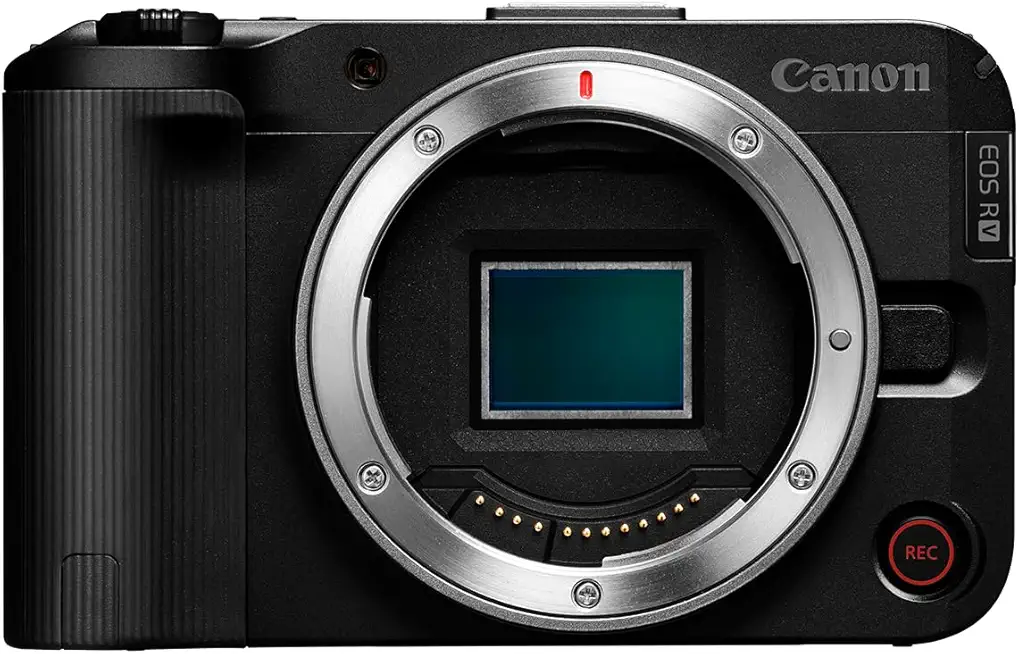
Canon EOS R50 V Body Only
Lightweight, high-performance mirrorless body offering intuitive controls, fast subject tracking, and stunning JPEG color straight from camera.
Check PriceThe Canon EOS R50 V is a compact, creator-focused APS-C shooter that feels built for solo streamers and vloggers. It records 4K video up to 60fps and uses Dual Pixel CMOS AF II with eye and subject detection, so you’ll stay sharply in focus without fuss while you move around the frame.
Controls are tuned for video: dual record buttons and compact, video-focused layout make it easy to start and stop recording from different positions. Dual tripod threads let you mount it vertically or horizontally depending on your streaming format, which is a small detail that actually improves workflow.
For creators who want color flexibility the R50 V offers C-Log 3 support, giving you room for advanced color grading in post. That’s a real plus if you plan to elevate the look of your stream beyond straight-out-of-camera footage.
There are trade-offs to keep in mind. The camera relies on digital stabilization rather than in-body image stabilization, so while it helps reduce shake it can soften details during motion. Also, as an APS-C Canon model aimed at beginners and smartphone upgraders, its native lens ecosystem is smaller than some longer-established systems — something to consider if you plan to build a larger rig over time.
- Smooth, reliable autofocus
- Compact, video-focused controls
- Supports C-Log 3 for grading
- Dual recording buttons for ergonomic use
- No in-body image stabilization (digital only)
- Smaller lens ecosystem vs larger Canon and Sony systems
4. Panasonic Lumix S5 II for Streaming

Panasonic Lumix S5 II DC-S5M2 Body
Full-frame hybrid body engineered for filmmakers and photographers, with excellent low-light performance and dependable in-body stabilization.
Check PriceThe Panasonic Lumix S5 II is a great choice if you want a full-frame look for your streams without lugging a huge rig. Its full-frame sensor gives you strong dynamic range and detailed images, so skin tones and highlights retain natural detail even under mixed lighting.
For video, it offers 6K 30p open gate capture and 10-bit 4:2:2 internal recording, which is a real step up for anyone wanting clean, color-rich feeds for live production or repurposed clips. Those codecs and bit depth make grading or matching footage in post much easier than typical consumer cams.
IBIS is effective on the S5 II, so handheld streams look steady and you can move slightly without the picture turning jittery. The compact DSLR-style body is ergonomic, so it’s comfortable to operate for longer live shows or when changing settings quickly.
You do need to be aware of the 1.5x crop at 4K/60p though; that can limit your wide-angle framing if you like tight indoor setups. Autofocus has improved but can sometimes lag behind Sony’s real-time systems, so if absolute, instant subject tracking is your top priority, note that limitation.
Overall, as a photographer who streams, I appreciate the balance here: image quality, solid stabilization, and pro-level recording options. If you want cinematic, low-light performance and stable handheld shots without complex rigs, the S5 II is mostly a very sensible pick.
- Full-frame low-light performance
- 6K 30p open gate video
- 10-bit 4:2:2 internal recording
- Effective in-body image stabilization (IBIS)
- 1.5x crop at 4K/60p
- Autofocus can lag behind Sony’s real-time systems
5. Fujifilm X-S20 for Streaming
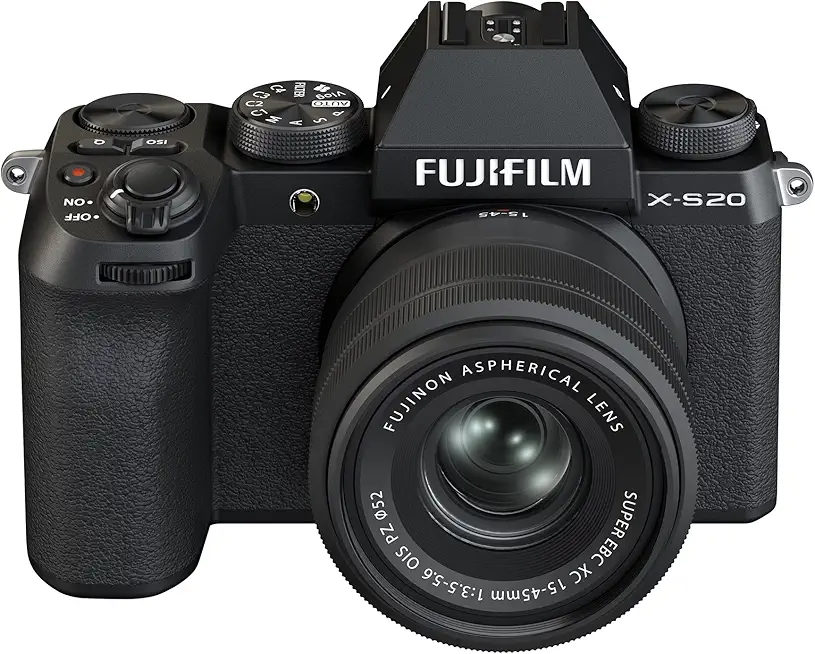
Fujifilm X-S20 with XC15-45mm lens
Versatile APS-C kit combining rich film simulations and a compact zoom for creative travel photography and hybrid video capture.
Check PriceThe Fujifilm X-S20 is a photographer-friendly option for streamers who want strong video quality and creative control in a compact body. It pairs a 26.1MP APS-C sensor with 6.2K video at 30fps and Fujifilm’s film simulation modes, so your live feed already looks rich and distinct without heavy color grading.
What sets it apart for handheld streaming is the 5-axis in-body image stabilization (IBIS) and a dedicated vlog mode with a responsive touchscreen. In real use that means steadier framing when you’re moving around and an easy one-touch setup for creators who don’t want to fuss with menus mid-stream.
Review notes point to a well-balanced camera: video output is sharp and color-rich, the body is comfortable for long sessions, and the creative controls are satisfying. Keep in mind autofocus has improved but isn’t always the fastest available, and battery life may force you to use an external power source or swap batteries for long broadcasts.
Overall, the X-S20 is a strong pick if you prioritize image quality, stabilization, and color character in a portable package. It’s especially good for solo creators and vloggers who want dependable handheld performance and easy-to-achieve looks straight out of camera.
- 5-axis IBIS for excellent handheld stabilization
- 6.2K video at 30fps
- Dedicated vlog mode & touchscreen
- Fujifilm film simulations for distinctive color
- Autofocus can lag behind the fastest systems
- Battery life may require external power or swaps
Setting Up a Mirrorless Camera for Streaming
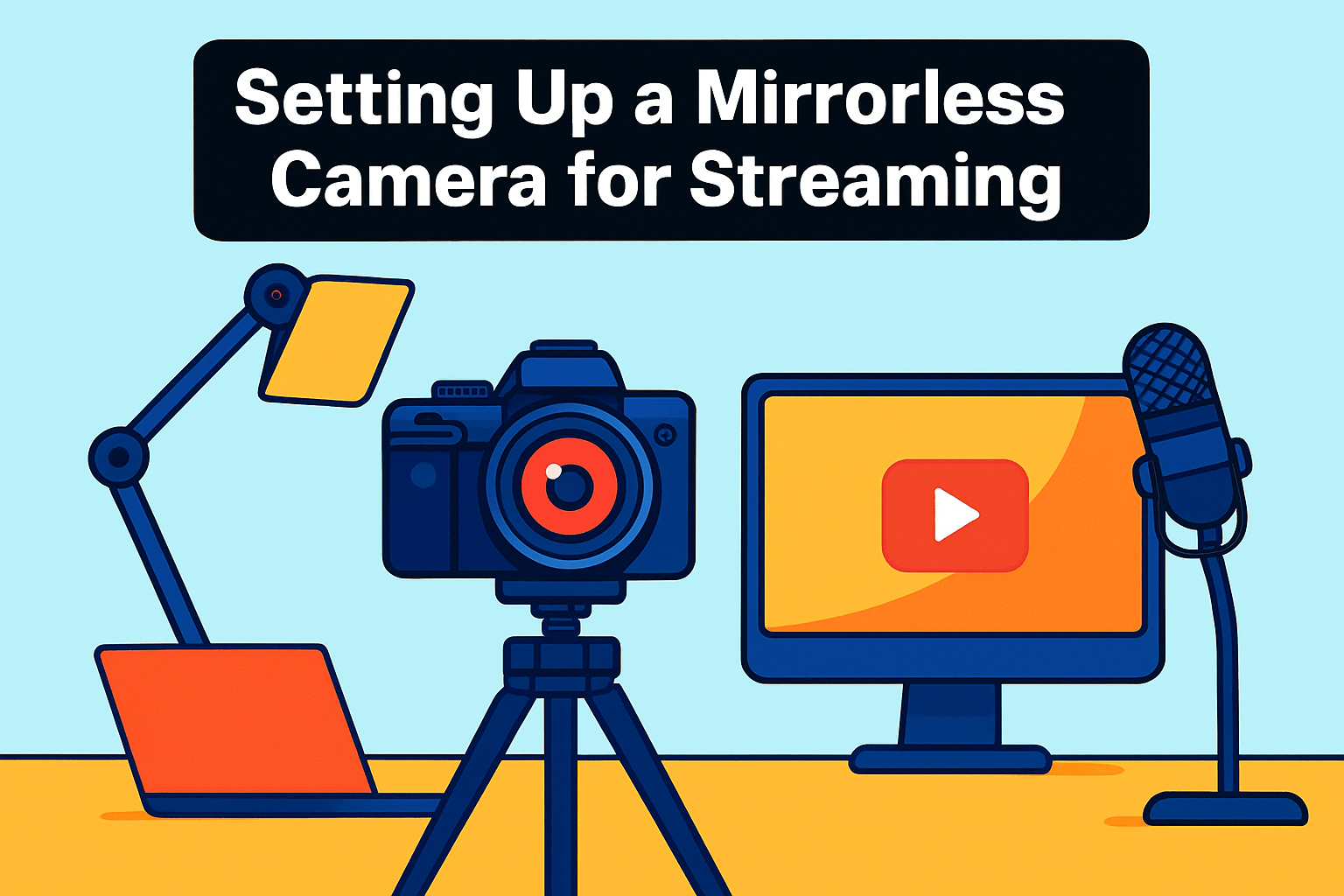
Start by confirming your camera can deliver a clean HDMI feed. That means turning off all overlays and on‑screen info so the capture card receives nothing but a pure image. A clean HDMI is the foundation of a professional-looking stream; don’t skip this step or you’ll end up with distracting menus and status text in your broadcast.
To get that HDMI into your computer, use a reliable capture device — something like an Elgato Cam Link 4K is a common choice. Pair the capture card with streaming software such as OBS Studio or Riverside to manage scenes, overlays, and audio. These tools give you control over resolution, bitrate, and how your camera sits in the overall layout of the stream.
Power is a boring detail that will ruin a live session if ignored. If your camera doesn’t support continuous USB power, invest in a dummy battery and AC adapter so you won’t be swapping batteries mid‑stream. This also keeps the camera from overheating as often since you won’t be constantly stopping and starting.
Think about the lens and framing before you go live. A wider angle will capture more of your setup and is useful if you show multiple elements or want a more relaxed, environmental look. If you need a tight headshot, switch to a longer focal length, but remember that framing and distance affect how much viewers feel connected to you.
For practical settings, choose 1080p and decide between 30fps or 60fps based on your content; I prefer 60fps for smoother motion in gaming or action, while 30fps is perfectly fine for sit‑down chats. Do a quick test stream to confirm everything — framing, exposure, and latency — before going live. That final check is the easiest way to avoid surprises once your audience joins.
Lighting Tips for Professional Streams
Good lighting makes the difference between a polished stream and one that looks amateur, and it doesn’t have to be complicated. Start with a three‑point setup: a key light as your main source, a gentler fill to soften shadows, and a back or hair light to separate you from the background.
Place the key light about 45 degrees off axis and slightly above eye level so it sculpts your face naturally. Use a large, diffused source — a softbox or big LED panel — to avoid hard shadows and harsh highlights on camera.
Keep the fill light at lower intensity and closer to the camera side to lift shadows without flattening your features. If you’re on a tight budget a white reflector or a dimmable LED works fine and keeps the look pleasing and natural.
The backlight is small but powerful for depth; place it behind you aimed at your shoulders or hair to create separation. Even a tiny RGB LED with a gel can add a professional rim and stop you from blending into the background.
Watch color temperature closely — don’t mix daylight and tungsten unless you want uneven skin tones. Pick a consistent Kelvin setting (5600K for daylight, 3200K for warm light) and lock your camera white balance to avoid annoying shifts mid‑stream.
Remember how distance affects softness: the closer the light, the softer and more flattering it becomes, thanks to the inverse square law. That means moving a panel a foot closer can improve the look more than cranking up output ever will.
Ring lights are great for quick setups and strong catchlights, but they flatten facial contours, so combine them with a subtle side key for dimension. And don’t forget the background — low‑powered LEDs or gels can create separation and reinforce your brand colors without distracting viewers.
Finally, keep lighting consistent and dimmable so your camera doesn’t hunt for exposure and your viewers aren’t shocked by sudden shifts. Check for blown highlights in your preview, keep ISO low, and tweak brightness rather than letting the camera compensate mid‑stream.
What People Ask Most
What is the best mirrorless camera for live streaming?
There is no single best camera for everyone; the right choice depends on priorities like autofocus reliability, stabilization, sensor size, and portability. Pick a model that matches your workflow and power/audio needs for long sessions.
Can mirrorless cameras be used for streaming on Twitch and YouTube?
Yes, mirrorless cameras can be used for streaming to those platforms when connected to a computer or streaming device. You typically need a way to bring the camera’s video into your streaming software and should verify the camera supports a clean feed.
Which mirrorless cameras offer clean HDMI output for streaming?
Many modern mirrorless cameras offer clean HDMI output, but it varies by model and firmware. Check the camera’s specifications or manual to confirm clean output and how to disable on-screen overlays.
How do I connect a mirrorless camera to my computer for streaming?
Common methods include using a capture device to ingest the camera’s HDMI signal or using a native USB webcam mode if the camera supports it. Then use streaming software on your computer to manage the feed and audio.
What features should I look for in a mirrorless camera for streaming?
Look for clean HDMI output, reliable autofocus, good low-light performance, and audio options or an easy path to an external microphone. Stabilization can be helpful if you plan handheld shots, and power options matter for long sessions.
Do mirrorless cameras overheat during long streaming sessions?
Some models can get warm and may impose recording or streaming limits under heavy use. Test your setup beforehand, use continuous power, and ensure good ventilation to minimize interruptions.
Are mirrorless cameras better than webcams for streaming?
Mirrorless cameras generally offer superior image quality, sensor control, and creative flexibility, while webcams are simpler and more plug-and-play. Choose based on whether you prioritize image quality or convenience and ease of setup.
Conclusion for Best Mirrorless Camera for Streaming
This roundup boils down the practical tradeoffs you’ll weigh for streaming: fast, reliable autofocus and clean HDMI for hands-free framing, IBIS and full-frame sensors for low-light and steady handheld shots, and 10‑bit/internal recording and creator-focused features for flexible workflows—all balanced against size and portability.
Which camera is right comes down to your priorities: pick Sony-style autofocus and streaming simplicity for live-focused work, Panasonic or Fujifilm for stabilization and image quality, or Canon for an easy entry path with creator conveniences.
Before committing, test your chosen body in real streaming conditions and verify continuous power, audio routing, and capture-card compatibility so long sessions don’t introduce surprises.
If you want to deepen your setup and shooting skills, read more on the site to explore lighting, capture settings, and workflow tips tailored to different streaming styles.
Have questions or experiences to share about any of these cameras or your streaming setup? Leave a comment below and we usually reply within a few hours.


0 Comments