
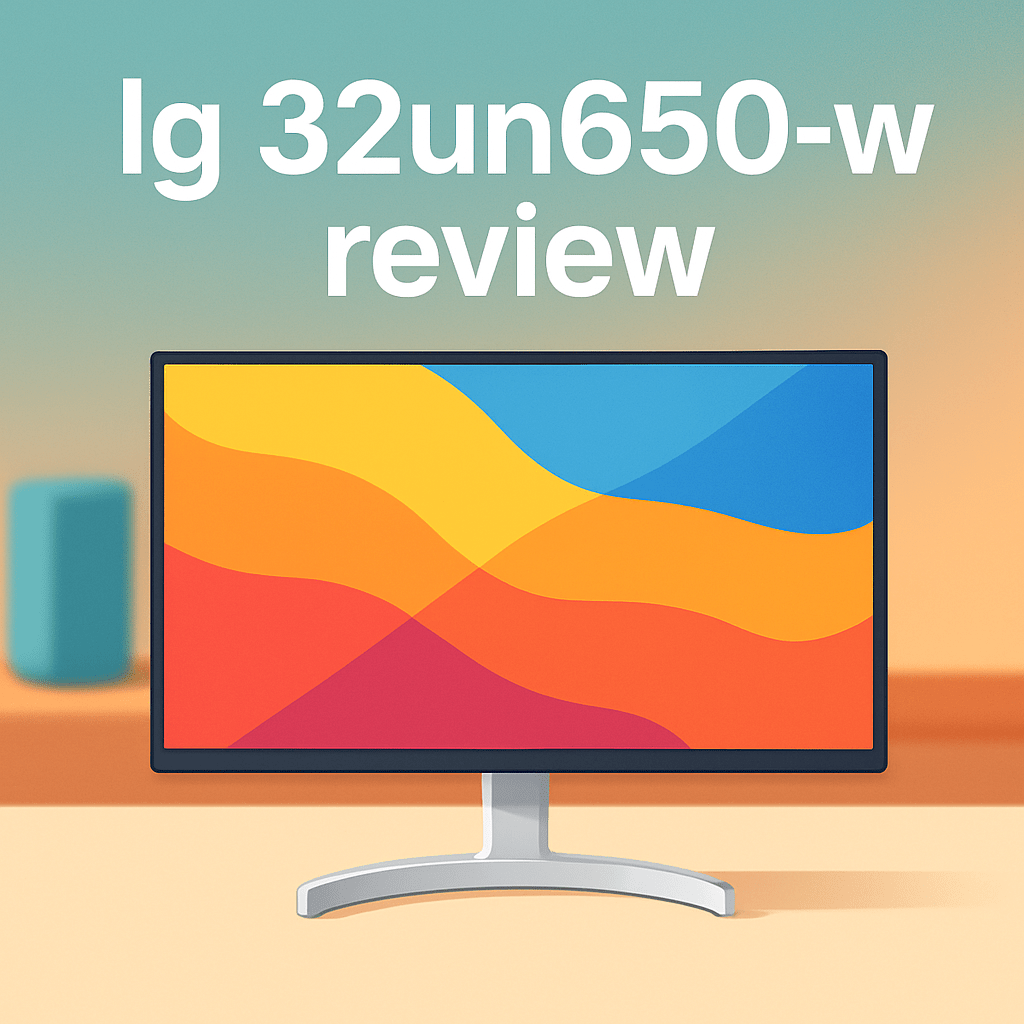
Looking for a 32-inch 4K display that actually helps your edits, not just fills desk space?
Having pushed plenty of monitors through real shoots, I was keen to try the LG 32UN650 Monitor in the studio.
This review comes from a photographer’s perspective — image editing, web delivery, and light video work. I’ll focus on whether the large canvas, near-ready color, and flexible ergonomics translate into faster, more reliable results.
We’ll cover real-world tasks like retouching, soft-proofing for sRGB delivery, simple 4K timeline checks, connectivity, and long-session comfort. Make sure to read the entire review as I break down what it does well — and where it doesn’t.

LG 32UN650 Monitor
Stunning 4K 32-inch IPS display delivers rich colors and HDR highlights with wide viewing angles. Robust connectivity, ergonomic adjustments, and smooth performance make it a great choice for multimedia and creative work.
Check PriceThe Numbers You Need
| Spec | Value |
|---|---|
| Display size | 32-inch |
| Resolution | 3840 x 2160 (4K UHD) |
| Panel type | IPS |
| Color gamut | ~95% sRGB |
| HDR support | HDR10 |
| Brightness | 350 cd/m² (typical) |
| Contrast ratio | 1000:1 (native) |
| Refresh rate | 60 Hz |
| Response time | 5 ms (GtG) |
| Viewing angles | 178° horizontal / 178° vertical |
| Connectivity | 2× HDMI 2.0, 1× DisplayPort 1.4, 1× USB-C (DisplayPort Alt Mode) |
| USB hub | USB 3.0 with 2 downstream ports |
| Factory calibrated | Yes, with color calibration report |
| Stand adjustability | Height, tilt, pivot, swivel |
| VESA mount compatibility | 100 x 100 mm |
How It’s Built
In my testing the LG 32UN650 Monitor feels like a grown-up screen — big but manageable. The 32-inch IPS panel gives you plenty of room for photo editing, and the build is solid enough that it never felt flimsy while I was moving it around. For beginners this means it won’t wobble during a careful retouch or slow down your workflow with annoying creaks.
The stand is a real highlight I liked: height, tilt, swivel and pivot work smoothly and stay put during long editing sessions. After using it for a while I appreciated being able to shift to portrait for tight retouching or lower the screen for comfortable viewing without it drifting. That kind of flexibility makes long days at the desk a lot less fatiguing.
What could be better is the desk footprint and control placement. On a small desk the base takes up a fair bit of space, which can crowd a second monitor unless you go with a VESA arm. The on-screen controls are tucked under/back of the panel and take a bit of reaching until you get used to them.
One practical tip from my use: if your desk is tight, add a VESA arm and you’ll free up room and get cleaner cable routing. Overall the build and ergonomics make this an easy monitor to live with for everyday photo work.
In Your Hands
Seen through the lens of a working photographer, the LG 32UN650’s 32-inch 4K canvas gives you the kind of fine-detail and desktop real estate that makes pixel-level retouching and dense photo grids genuinely usable. Text and UI elements sit clearly at sensible scaling levels, so Lightroom and Photoshop feel spacious without forcing constant zooming or squinting.
The IPS pedigree shows in day-to-day collaboration and position shifts: colors and contrast remain stable as you and a client move around the desk. Uniformity is good for most edits, with only the most scrutinous shadow work revealing subtle panel variance at extreme angles—nothing that derails ordinary studio tasks.
HDR is present as a convenience rather than a revelation; it will give highlights extra snap for previews but won’t replace a dedicated HDR mastering display. For quick checks and social/video previews the effect is useful, but I wouldn’t rely on it for grading where high peak brightness and deep contrast are critical.
Over long editing sessions the monitor stays steady and comfortable, with usable brightness and controls that let you dial in a pleasant working level without eye fatigue. Timeline scrubbing and light video work feel responsive enough for cutting and QC, and the included factory calibration report lets you jump into color work quickly before any fine-tuning in your usual workflow.
The Good and Bad
- 32-inch 4K UHD resolution for generous workspace and sharp detail
- Factory calibrated with included color calibration report
- Full ergonomic stand: height, tilt, pivot, swivel
- USB-C (DP Alt Mode) plus DP 1.4 and dual HDMI 2.0 for flexible input options
- sRGB-focused gamut (~95% sRGB) rather than a wide-gamut solution
- 350 cd/m² typical brightness and 1000:1 contrast limit HDR impact
Ideal Buyer
The LG 32UN650 is for photographers and creative pros who deliver mainly to sRGB and the web and want a roomy 32‑inch 4K canvas. It’s ideal if you value a fast, usable setup thanks to factory calibration and straightforward connectivity. The full ergonomic stand and VESA options make it easy to fit varied studio desks.
Wedding shooters, portrait retouchers and social‑media creators will like the combination of pixel real estate and predictable color without wrestling with complex color‑management tools. Light video editors who do timeline work and client reviews will appreciate 4K scrubbing at 60 Hz for fine‑frame checks. The USB‑C DisplayPort Alt Mode and USB 3.0 hub keep laptops and peripherals tidy.
If your work demands wide‑gamut coverage, hardware calibration or true HDR mastering, this monitor isn’t the best choice. Fine art printers, prepress houses and HDR colorists should look to pro‑level screens with higher brightness, deeper gamut and calibration workflows. Gamers chasing high refresh rates will also find the 60 Hz panel limiting.
Choose the LG 32UN650 if you want a practical, value‑oriented 32‑inch 4K IPS that just works for sRGB‑focused photography. Upgrade to a BenQ, Dell UltraSharp or an ASUS ProArt if you need larger gamut, docking conveniences or professional HDR performance. For most web‑focused creators it’s a sensible, studio‑friendly pick.
Better Alternatives?
We’ve already dug into the LG 32UN650-W — what it does well for photo work, where it falls short for strict color work, and how it behaves in real editing sessions. That gives you a clear idea of the monitor’s strengths: big 4K canvas, useful ergonomics, and a sensible sRGB fit for web-focused photographers.
If you still need something different — whether that means cleaner out-of-box color, a nicer stand, or a more consistent image across the whole screen — there are a few solid alternatives worth considering. Below I’ll walk through three practical options I’ve used in real shoots and edits, and how they compare to the LG in everyday photo and video work.
Alternative 1:

BenQ PD3205U Monitor
Professional-grade color accuracy and 4K clarity tailored for designers and content creators. Extensive ports, factory calibration, and eye-care features streamline workflows while preserving precise detail across photography and design projects.
Check PriceThe BenQ PD3205U is the one I reach for when color needs to be as honest as possible right out of the box. In real editing sessions it felt a touch cleaner than the LG — skin tones and subtle color shifts looked easier to trust without lots of initial tweaks. For tethered shoots and detailed retouching the image felt slightly more even across the panel, which saves time when you need consistent previews for clients.
What it trades off versus the LG is simplicity and price. The BenQ is a bit more costly and comes with more color tools and menu options, which is great if you want to manage profiles and hardware-calibrate, but it’s more to learn if you just want a straightforward screen. HDR still isn’t a game-changer here compared with proper HDR reference displays — so don’t expect miracles in highlight roll-off compared to the LG.
If you’re a photographer or designer who wants cleaner, truer color straight away and you’re willing to spend a bit more for that comfort, the BenQ is a strong pick. It’s especially good for creators who switch between print and web previews and want fewer surprises when they hand files off to clients or printers.
Alternative 2:

Dell U3219Q Monitor
Ultra-high-definition panel with narrow bezels provides crisp text and lifelike imagery. USB-C convenience, adjustable stand and enterprise-ready features support demanding productivity, video editing, and detailed visual work.
Check PriceThe Dell U3219Q is the refined worker’s monitor — in my experience it feels more solid on the desk and its screen uniformity is reassuring for long edit days. Compared with the LG, the Dell gave me a slightly more neutral starting point for color and a stand that made positioning for color-critical work easier. For multi-window workflows and culling shoots, the extra polish in ergonomics and bezel width made the day more comfortable.
Where it’s not quite better than the LG is in value — it costs more for improvements that are mainly about build and daily comfort, not a dramatic jump in color gamut or HDR. You also won’t suddenly get true HDR mastering with the Dell; it’s more about steady performance than flashy highlights. For photographers who expected the LG’s simple setup and USB‑C convenience, Dell adds finesse but not a massive change in image character.
Choose the Dell if you do long editing sessions, bounce between desktop and laptop, and want a dependable, well-made screen that makes workflow smoother. It’s ideal for photographers who value comfort, consistent previews, and tidy cable setups more than extreme color specs.
Alternative 3:
Dell U3219Q Monitor
Reliable 4K workspace solution offering consistent color uniformity, low-blue-light comfort, and versatile connectivity. Built for multitasking—smooth window management, solid ergonomics, and dependable performance for long office days.
Check PriceLooking at the Dell U3219Q again from a slightly different angle: it’s the dependable all-rounder for photographers who need quiet, repeatable results. In studio shoots where I tether a camera and hand the client a live view, the Dell’s stable brightness and comfortable viewing made it easier for everyone to judge the shot. The LG is fine here, but the Dell felt less likely to shift visually as the day warmed up.
The downside versus the LG is that the Dell doesn’t give you a bigger color leap — it’s more about trustworthiness and comfort. If you want wider color for print work or true HDR playback, you’ll need to look higher up the range. For everyday photo and light video work, though, the Dell’s low-blue-light and uniform image kept my eyes fresher and edits more consistent over long sessions.
Pick this Dell version if you want a safe, steady screen that just works across different tasks: tethered shoots, Lightroom culling, photo retouching, and client reviews. It’s for the photographer who wants reliability and comfort first, and very good (but not extreme) color second.
What People Ask Most
Is the LG 32UN650-W a good monitor?
Yes — it’s a solid 32-inch 4K VA monitor that offers strong value for photographers and content creators who want a large, sharp screen without spending premium money.
Is the LG 32UN650-W worth buying?
Worth buying if you want an affordable 4K monitor with good color for sRGB work and a useful adjustable stand; skip it if you need perfect wide‑gamut coverage or top-tier HDR performance.
How is the color accuracy and image quality on the LG 32UN650-W?
Color is generally accurate for sRGB and improves further with simple calibration, and the VA panel gives good contrast, though it’s not as uniformly bright or color‑perfect as higher-end IPS models.
Is the LG 32UN650-W good for gaming and does it support FreeSync?
It’s fine for casual gaming and supports FreeSync, but it’s limited by a 60Hz refresh and slower pixel response so it’s not ideal for competitive fast‑paced play.
Does the LG 32UN650-W have HDR and is the HDR performance any good?
It supports HDR10, but HDR impact is modest because the panel lacks high peak brightness and local dimming, so HDR content looks muted compared with premium HDR monitors.
What ports, connectivity, and ergonomic features does the LG 32UN650-W have?
It offers DisplayPort, two HDMI inputs and a headphone jack, plus a height‑adjustable, tilt/pivot/swivel stand and VESA mount for flexible setup.
Conclusion
The LG 32UN650 Monitor delivers a spacious 32‑inch 4K IPS canvas that makes retouching and multi‑window work feel natural, with enough room for detailed edits. Its factory‑calibrated, sRGB‑focused tuning gets most web and social workflows off to a fast, reliable start without hours of setup. Ergonomics and modern I/O including USB‑C and DisplayPort make it easy to slot into a studio or laptop‑centric desk and keep cables straightforward.
It has clear limits for photographers who need wider gamuts or reference‑grade HDR performance in their pipelines. If your work lives in P3 or requires true HDR mastering, this is a compromise rather than a solution and you’ll want a different tool. Also expect standard refresh and response behavior rather than anything tuned for gaming or high‑frame workflows.
Bottom line: the LG 32UN650 Monitor offers rare, practical value for creators who deliver to sRGB and want a large, comfortable 4K workspace without high‑end complexity or expense. It’s an easy recommend for photo editors and content producers who prioritize accurate web delivery and ergonomic flexibility. If you need deeper color tools, tighter uniformity, or real HDR power, look to higher‑tier BenQ, Dell, or ASUS professional options instead; they cost more but solve those specific needs.
LG 32UN650 Monitor
Stunning 4K 32-inch IPS display delivers rich colors and HDR highlights with wide viewing angles. Robust connectivity, ergonomic adjustments, and smooth performance make it a great choice for multimedia and creative work.
Check Price

0 Comments