
What’s a digital camera? This guide gives a clear, simple answer and shows why it matters for your photos.
We will explain what a digital camera is, how it turns light into files, the main camera types, and what really affects image quality. You will also get a short checklist to help you choose the right system.
Smartphones are digital cameras too, but this article focuses on dedicated cameras and how lenses, sensors, and controls make them different. Expect easy diagrams, real photo examples, and practical tips like testing a camera in store or renting one first.
Read on to learn the basics fast and feel confident testing or buying your next camera. Whether you want travel shots, portraits, or video, this guide will point you in the right direction.
What is a Digital Camera?
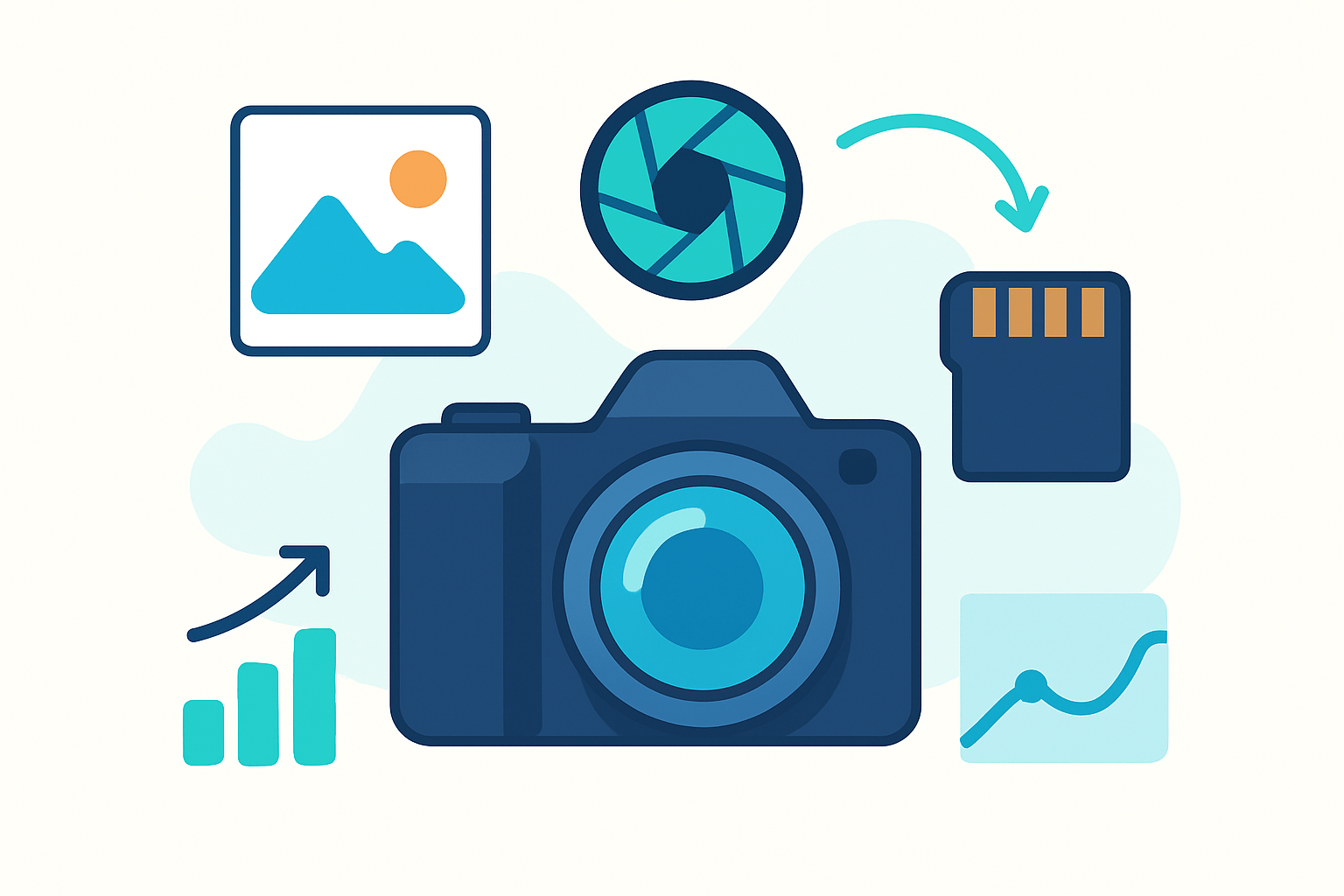
Quick answer: A digital camera captures light through a lens, converts it into electronic data with an image sensor, and saves the result as photo or video files on a memory card. That is the simple digital camera definition most people need. It explains the core of how your photos become files you can view, edit, and share.
If you are asking what’s a digital camera in plain words, think of it as a small computer with a lens on the front. It takes the place of film by using a sensor that records light as numbers instead of chemicals. Those numbers can be seen instantly, adjusted later, and copied without loss.
Compared with film cameras, you get instant review on the screen, reusable storage, and easy editing on a computer or phone. You also avoid buying and developing rolls of film. This speed and flexibility changed how we shoot, learn, and share photography.
Most digital cameras include a lens, an image sensor, an image processor, a viewfinder or LCD screen, a memory card slot, and a rechargeable battery. These parts work together to focus light, measure it, process it, and store it. For a deeper look at the terminology, you can check a trusted digital camera definition that aligns with this overview.
Smartphones are also digital cameras because they use sensors and processors to create image files. This guide focuses on dedicated cameras because they offer larger sensors, better controls, and interchangeable lenses that expand your creative options. Your phone is great, but a dedicated camera lets you grow further.
Imagine a labeled photo of a camera showing the lens up front, the sensor sitting inside, and the LCD at the back. That diagram helps match the idea to the device in your hands. Keep that mental picture as we walk through how the parts actually make a photo.
By the end of this section you should be able to answer what is a digital camera without hesitating. Next, let’s follow the path from light entering the lens to a finished file saved on your card. Understanding that chain makes every setting on the camera less mysterious.
How Does a Digital Camera Work?
At a high level, light passes through the lens and lands on the sensor, which turns it into electrical signals. The processor converts those signals into a picture you can view and save. For a broader context before we zoom in, see this concise basic overview of camera operation.
Think about your eye for a moment. The lens is the cornea and the sensor is the retina, while the image processor is like your brain interpreting the scene. This simple analogy maps nicely to what happens inside every camera.
The lens focuses incoming light and controls how sharp and large the image is. The aperture is an opening inside the lens, measured as an f-stop number like f/2.8 or f/8. A lower f-number means a wider opening that lets in more light and gives a blurrier background.
The shutter speed controls how long the sensor is exposed to light. A fast shutter, like 1/500 second, freezes motion, while a slower shutter, like 1/30, can blur moving subjects or your hands. Together, aperture and shutter decide how much light reaches the sensor and for how long.
ISO tells the camera how strongly to amplify the signal coming from the sensor. Low ISO, like 100, is clean with little noise, and high ISO, like 3200, is brighter but grainier. ISO is the third side of the exposure triangle, balancing light with aperture and shutter.
The sensor is a grid of pixels that convert incoming photons into electrons. Each pixel is a tiny bucket collecting light during the exposure. Bigger buckets collect more light and usually look cleaner in the dark.
After the exposure, the analog signal is converted to digital numbers by an analog-to-digital converter. This step turns the measured light into precise values. Those values become the building blocks of your image.
The image processor takes the raw numbers and develops them into a picture. It performs demosaicing to rebuild color, reduces noise, and adjusts contrast and color balance. Think of it as the camera’s brain deciding how the photo should look by default.
You can save the photo as RAW or JPEG. RAW keeps the sensor data with minimal processing and more room to edit later, while JPEG is a processed, smaller file ready to share immediately. Beginners often start with JPEG and later switch to RAW as they edit more.
Here is a quick exposure example that ties it together. On a bright sunny day you might shoot at f/8, 1/500 second, ISO 100, while indoors you might need f/2.8, 1/60 second, ISO 800. You change these settings to keep the photo bright enough without adding blur or too much noise.
Try using Aperture Priority mode to feel the changes without getting overwhelmed. Set the aperture you want and let the camera pick the shutter speed, then nudge ISO as needed. This small experiment makes what’s a digital camera feel intuitive rather than technical.
Types of Digital Cameras
Compact cameras, often called point‑and‑shoot, are small with fixed lenses and simple controls. They typically use smaller sensors like 1/2.3 inch or 1 inch and prioritize convenience over advanced features. They suit travelers and families who want better zoom than a phone while staying pocketable.
DSLRs use a mirror and optical viewfinder, with larger bodies and interchangeable lenses. Most have APS‑C or full‑frame sensors, long battery life, and robust controls, but they can be heavy. They appeal to enthusiasts and pros who value an optical view and deep lens choices.
Mirrorless cameras skip the mirror and use electronic viewfinders or the rear screen. They offer interchangeable lenses, fast autofocus, and compact bodies with APS‑C, full‑frame, or Micro Four Thirds sensors. They are the modern all‑rounder for beginners through professionals.
Bridge cameras look like small DSLRs but have fixed superzoom lenses. Sensors are usually 1/2.3 inch or 1 inch, with wide zoom ranges and manual controls but weaker low‑light performance. They are good for budget shooters who want big zoom in one package.
Action cameras are tiny, rugged, and wide‑angle, made to mount on helmets, bikes, and boards. They use small sensors and fixed lenses but record crisp video and survive water and shocks. They are ideal for sports, vlogging on the go, and point‑of‑view shots.
Medium format cameras have very large sensors, commonly around 44 by 33 millimeters or bigger. They deliver exceptional detail, color depth, and dynamic range, but they are costly and slower. They suit studio, landscape, and commercial photographers chasing maximum quality.
If you want a quick tour before choosing a type, skim this friendly guide to the main types of cameras. It shows examples and explains strengths in simple terms. Seeing side‑by‑side photos can help your decision click.
Smartphones remain a strong alternative for casual shooting because they are always with you. Computational tricks make phone photos look great in good light, but small sensors still limit them in the dark. If you print large or want creamy blur, a dedicated camera still wins.
Before you buy, try one in a store or rent for a weekend. Holding the camera and scrolling the menus tells you more than any spec sheet. That hands‑on time often reveals the best match for your style.
Image Quality Factors
Sensor size matters more than megapixels, especially in low light. Larger sensors gather more light and deliver cleaner images with better dynamic range and smoother tones. Full‑frame sensors are bigger than APS‑C and Micro Four Thirds, which is why they blur backgrounds more easily.
Crop factor explains how a smaller sensor narrows your field of view. An APS‑C camera often has a 1.5× crop, so a 50 mm lens looks like a 75 mm equivalent view. This can help with telephoto reach but makes wide angles harder.
Megapixels describe how many pixels make up the image, but more is not always better. Extra pixels help for large prints and cropping, yet they can also increase noise if the sensor does not grow. The myth that more megapixels equals better photos is only true when other factors are equal.
Lens quality changes everything you see before the sensor even starts. Sharp glass with a wide aperture, like f/1.8 or f/2.8, lets in more light and keeps ISO lower. A great lens often beats a higher megapixel count on a mediocre lens.
ISO and noise are linked because raising ISO amplifies both the signal and the grain. Larger sensors handle higher ISO better since each pixel collects more light. If your night photos look gritty, try using a faster lens or a camera with a bigger sensor.
Dynamic range is the ability to hold details in bright highlights and deep shadows at the same time. Shooting in RAW preserves more of that range so you can recover skies and shadow detail later. JPEG bakes in choices and throws away some data to keep the file small.
Image stabilization helps you shoot at slower shutter speeds without blur from hand shake. In‑lens stabilization moves optical elements, while in‑body stabilization moves the sensor itself. Both help in low light and with telephoto lenses, and they make video smoother.
Autofocus systems vary widely in speed, coverage, and tracking smarts. More focus points and better subject detection help with sports, wildlife, and video. If you shoot action, prioritize autofocus performance over small spec differences elsewhere.
Processing and file types influence your final look. RAW gives you control and headroom but needs editing, while JPEG is fast and shareable with less flexibility. If you plan to learn editing, shoot RAW or RAW+JPEG and grow into it.
For a simple rule of thumb, buy sensor and lens quality first, then think about megapixels. Use stabilization when you can, keep ISO as low as practical, and choose RAW when you expect to edit. These habits do more for your photos than chasing every new spec.
Choosing the Right Digital Camera
Start by defining your primary use, because purpose shapes every choice. Travel and family photos favor small size and ease, while portraits, sports, and wildlife each demand specific strengths. Video and vlogging add their own needs, like stabilization and good audio support.
Consider total system cost, not just the body. Lenses, memory cards, batteries, and bags add up, and some systems grow cheaper or richer over time. Think about weight too, because a light kit you carry beats a heavy kit you leave at home.
Match features to the job you care about most. Fast autofocus and high frames per second help with sports, while a larger sensor and fast lens help for events and portraits. Rugged bodies and weather sealing matter outdoors, and strong video specs help creators.
Make smart buying moves to avoid regret. Handle the camera, explore menus, and test the viewfinder to judge comfort and speed. Download sample RAW files and browse real‑world galleries to see how the files grade, then compare last‑year or used bodies for value.
If you are new, pick a compact or an entry‑level mirrorless with a versatile zoom to learn the craft. If you want room to grow, choose a mirrorless or DSLR in a system with lenses that fit your goals. If you shoot paid studio or landscape work, look at full‑frame or even medium format for resolution and range.
Do not forget the basics that make daily shooting smoother. Buy reliable memory cards with enough speed and capacity, carry a spare battery, and add a small tripod for low light or video. Keep a cleaning kit and a padded bag in your routine, and consider insurance or a warranty for peace of mind.
Before you commit, rent the camera you think you want for a weekend or borrow a friend’s kit. A few hours of real use will confirm your choice better than any spec sheet. That final step turns research into confidence and keeps your focus where it belongs, on making images.
What People Ask Most
What’s a digital camera and how does it work?
A digital camera captures light with a sensor and saves the picture as a digital file you can view and edit on a computer or phone.
What’s a digital camera good for compared to a smartphone camera?
It usually gives better image quality and more control for photos like portraits and low-light scenes.
What’s a digital camera useful for if I’m just starting photography?
It helps you practice composition and exposure while letting you review and improve images right away.
What’s a digital camera’s biggest benefit for everyday use?
You get clear, editable photos that are easy to share, store, and print without needing film.
What’s a common mistake beginners make with a digital camera?
Relying only on automatic modes can limit results, so try simple manual settings to learn faster.
What’s a digital camera best for when traveling?
It captures high-quality memories in many lighting conditions and stores lots of photos without extra supplies.
What’s the difference between a digital camera and a film camera?
Digital records images electronically and lets you view and edit instantly, while film records images chemically and requires developing.
Final Thoughts on Digital Cameras
You came asking “what’s a digital camera?” and this guide answered it plainly: it captures light through a lens, turns photons into electronic signals, and saves images you can review instantly. Even a spec like 270 won’t tell the whole story — the real gain from this piece is turning confusing specs into clear, practical choices so you can judge gear by what actually improves your photos.
We walked through how the parts work together, the common camera types, what truly shapes image quality, and how to pick a system that fits your life. Be realistic: great gear helps, but it won’t replace practice, and the cost of lenses and accessories can add up faster than the camera body. This overview is best for beginners, shoppers, and curious hobbyists who want a sensible path forward.
Remember that opening question — now you can read a spec sheet without panic and test cameras with purpose. Keep experimenting with settings and handling, and you’ll see steady improvement in your photos and confidence behind the lens.





0 Comments