
Which camera will truly reproduce an artist’s vision — not just capture an image? Is it megapixels, color fidelity, or a work-friendly workflow? This guide cuts through the options to find the best camera for art photography and the studio practices that make images sing.
Think of it as a focused, photographer-tested handbook. It highlights five top camera choices selected for image quality, color accuracy, and handling. You’ll also find practical studio advice that keeps workflow fast and consistent.
Expect concise breakdowns of key specs and real-world pros and cons. No dense spec sheets — just what matters when you reproduce art: color, detail, and dynamic range. Plus, clear pointers on lighting and a color workflow so your prints match what you see on screen.
Whether you shoot gallery prints, archival reproductions, or commissioned pieces, this guide helps you match gear to goals. Ready to choose the best camera for art photography and refine your studio approach? Let’s get started.
You’ll also get down-to-earth lighting tips and a color-managed workflow that keeps your captures true from camera to print. We cover white balance, consistent exposure strategies, and how to verify color so your reproductions match the original work. No fluff — just practical steps you can apply in studio or on location.
1. Fujifilm GFX 100S for Art Photography

Fujifilm GFX 100S Body
Compact medium-format powerhouse delivering 102MP image quality, fast autofocus, and in-body stabilization for studio and landscape photographers.
Check PriceThe Fujifilm GFX 100S is a medium‑format workhorse tailor‑made for art reproduction where every detail and color nuance matters. Its 102MP CMOS sensor and X‑Processor 4 deliver extraordinary detail, wide dynamic range, and the color fidelity you need when reproducing paintings or fine art for large prints.
Pixel Shift up to 400MP is a standout tool for studio work — when lighting and subject are controlled this feature can capture astounding levels of texture and subtle gradation. The body is weather‑sealed and compact for a medium‑format system, so you can move between studio and location without hauling a full studio rig.
IBIS (in‑body stabilization) makes handheld shooting practical for smaller works or setup scouting, reducing reliance on a tripod for every frame. Autofocus performs exceptionally well in bright light, which suits well‑lit studio setups where speed and accuracy matter most.
On the flip side, plan your workflow: large RAW files demand serious computing power and storage — the camera’s results are not for casual, under‑powered laptops. Video capabilities are useful — 12‑bit ProRes RAW 4K/30p gives high‑quality footage for documentation and behind‑the‑scenes work — but note the frame rate is limited to 30 fps if you need higher frame rates for slow motion.
- 102MP resolution with Pixel Shift up to 400MP
- Exceptional image quality: rich color accuracy and dynamic range
- IBIS for practical handheld shooting
- 12‑bit ProRes RAW 4K/30p video
- 100MP RAW files require significant computer resources
- Video frame rate capped at 30 fps
2. Fujifilm GFX 50S II for Art Photography
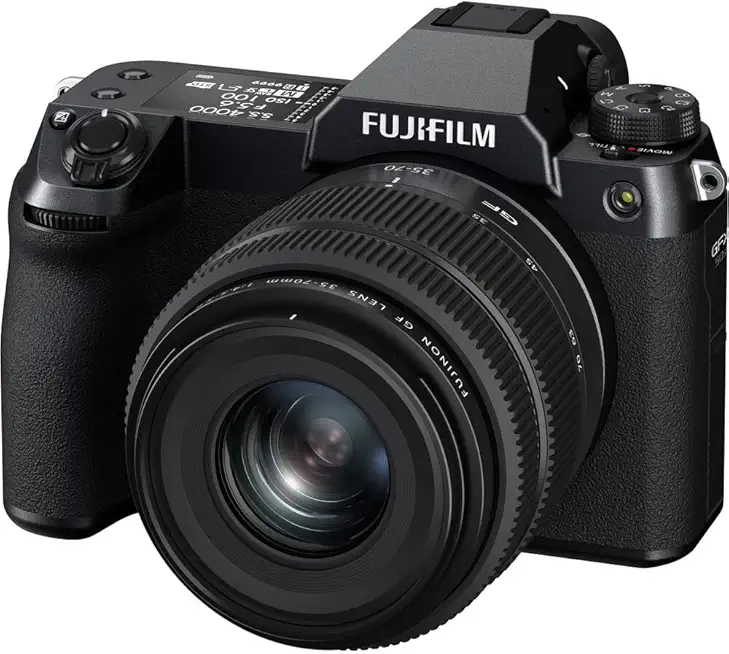
Fujifilm GFX50S II with GF 35-70mm kit
High-resolution medium-format camera with 51MP sensor and versatile 35–70mm lens, ideal for detailed portraits and landscapes.
Check PriceThe Fujifilm GFX 50S II is a compelling entry into medium format for artists who want splendid image quality without the top‑tier price. It uses a 51.4MP CMOS sensor driven by the X‑Processor 4, which gives you the resolution needed for detailed art reproduction and large prints.
Physically, it’s positioned as a value model. The body is weather‑resistant and feels suited to both studio and on‑location work while remaining noticeably lightweight and portable.
What truly helps hand‑held work is the 6.5 stops of stabilization. That stabilization translates into confident slow‑shutter shooting for texture-rich captures, letting you preserve detail without always resorting to a tripod.
Keep in mind the GFX 50S II isn’t built for speed. Continuous shooting tops out at 3 fps, which is fine for deliberate, composed art photography but not meant for fast action or sports.
For creative looks, Fujifilm’s in‑camera film simulations are a real plus. They let you preview artistic color and tonality straight out of camera, which speeds up workflow when you’re testing lighting and mood.
Video capabilities are limited, so this camera is decidedly still‑photo focused; it records Full HD at 30 fps only. Also, autofocus is a bit slower compared with higher‑end medium format models, though that’s rarely a deal‑breaker for controlled art shoots.
All told, the GFX 50S II is mostly a photographer’s tool: high resolution, stabilized, portable, and artistically flexible, especially if you prioritize stills and color character over video or high frame rates.
- More affordable entry into medium format
- Lightweight and portable for on-location shoots
- In-camera film simulations for artistic looks
- Strong slow-shutter capability thanks to stabilization
- Limited video: Full HD at 30 fps only
- Autofocus a bit slower compared to higher-end medium format models
3. Hasselblad X2D 100C for Art Photography

Hasselblad X2D 100C 100MP
Ultra-high-resolution 100MP mirrorless delivering exceptional color depth, dynamic range, and precision for commercial and fine-art photography.
Check PriceThe Hasselblad X2D 100C is built around a 100MP CMOS sensor, and right away you feel its purpose: pure, high‑resolution stills for art reproduction. With 14‑bit color depth it captures subtle tonal gradations and color nuances that are crucial when reproducing paintings or delicate prints. As a photographer, that level of data gives you real latitude in post for printers and galleries.
Physically it’s surprisingly compact for a medium‑format body and feels sturdier than its size suggests, so you can confidently take it on location. The 5‑axis image stabilization is a valuable bonus — it lets you steady shots when you can’t mount a tripod, opening up handheld possibilities in tight spaces. That compact, robust package makes it practical for both studio and controlled location work.
One of the nicest workflow touches is the built‑in 1TB SSD; you can shoot long sessions of 100MP RAW files without constantly swapping cards. That on‑board storage speeds transfers and reduces downtime between shoots. Be aware, though, those large files demand a powerful workstation and disciplined file management for editing and archiving.
There are practical limitations: autofocus is relatively slow, so this camera isn’t ideal for anything fast‑paced or unpredictable. It also lacks video support — Hasselblad designed it as a stills‑first tool. If your primary work is fine art reproduction, portraiture, or large‑format prints, those tradeoffs are acceptable.
In short, the X2D 100C is a photographer’s instrument for high‑end art photography: exceptional detail and color fidelity, solid build, and smart storage. If you prioritize ultimate image quality and color accuracy over AF speed or video, this is a strong choice.
- 100MP CMOS — exceptional detail
- 14‑bit color depth — rich tonal/color accuracy
- Built‑in 1TB SSD — ample on‑board storage
- 5‑axis image stabilization — better handheld shooting
- Slow autofocus — not for fast‑paced shoots
- No video support — stills only
4. Pentax 645Z for Art Photography

Pentax 645Z Body
Rugged medium-format body with 51MP sensor, outstanding build quality, and reliable performance for demanding outdoor and studio shoots.
Check PriceThe Pentax 645Z is a genuinely pragmatic medium‑format tool built around a 51.4MP CMOS sensor that delivers the kind of resolution and tonal richness art photographers crave. Its sensor gives you the headroom for large prints and tight detail reproduction without pushing you into the more expensive tiers.
Physically it feels like a proper DSLR — a tactile experience with an optical viewfinder and a rugged, weather‑sealed body that survives studio dust and on‑location humidity alike. That DSLR ergonomics plus dual card slots make it easy to run long sessions and protect your files during critical shoots.
What I appreciate most as a working photographer is the value proposition: among medium‑format options the 645Z stands out for giving large‑format image quality without the top‑end price. The build and handling encourage deliberate shooting, which is ideal for artwork reproduction where control and consistency matter.
There are trade‑offs to accept. The body is heavy and the system can be relatively slow, with outdated autofocus and menu operation compared to modern mirrorless bodies. Also note the ecosystem — medium‑format lens selection is more limited than some rivals, so check that the available lenses match your workflow.
If you prioritize image quality, rugged handling, and a DSLR-style workflow, the Pentax 645Z is a solid, mostly sensible choice. If you need speed, the latest autofocus, or an extensive native lens lineup, you might find its compromises frustrating.
- 51.4MP CMOS sensor
- Strong value for money
- Tactile DSLR experience with optical viewfinder
- Weather‑sealed body and dual card slots
- Heavy and relatively slow
- Outdated autofocus/menus; limited lens selection
5. Leica S3 for Art Photography

Leica SL3-S
Full-frame mirrorless engineered for speed and durability, offering excellent low-light performance and professional video capabilities.
Check PriceThe Leica S3 is a purpose‑built tool for photographers who demand reliability and image quality in professional settings. Its 64MP CMOS sensor delivers high resolution that gives you plenty of latitude for large prints and careful cropping without losing fine detail.
Built as a robust, weather‑sealed professional body, the S3 is designed to keep shooting through demanding conditions and long assignments. That craftsmanship translates to confidence on set — the camera feels solid and dependable when deadlines matter.
In real‑world art photography the Leica shines for color fidelity and dynamic range, producing nuanced tones and rich detail that preserve the subtlety of artwork. Its versatile feature set addresses many pro needs, making it easy to focus on lighting and composition rather than fighting the gear.
That said, the Leica S3 is larger and heavier, so if you travel light or shoot long handheld sessions it may feel cumbersome. It’s also very expensive, and these large, detailed files demand a robust post‑processing workflow and capable hardware to manage them efficiently.
For studio-based fine art reproduction or commercial work where image fidelity and reliability are top priorities, the S3 is an excellent choice. If portability and budget are higher priorities, however, consider whether the tradeoffs fit your workflow before committing.
- 64MP CMOS sensor
- Exceptional craftsmanship and reliability
- Versatile professional feature set
- Excellent detail, dynamic range, and color fidelity
- Larger and heavier — less portable
- Very expensive; heavy post‑processing needs
Lighting Considerations for Art Photography
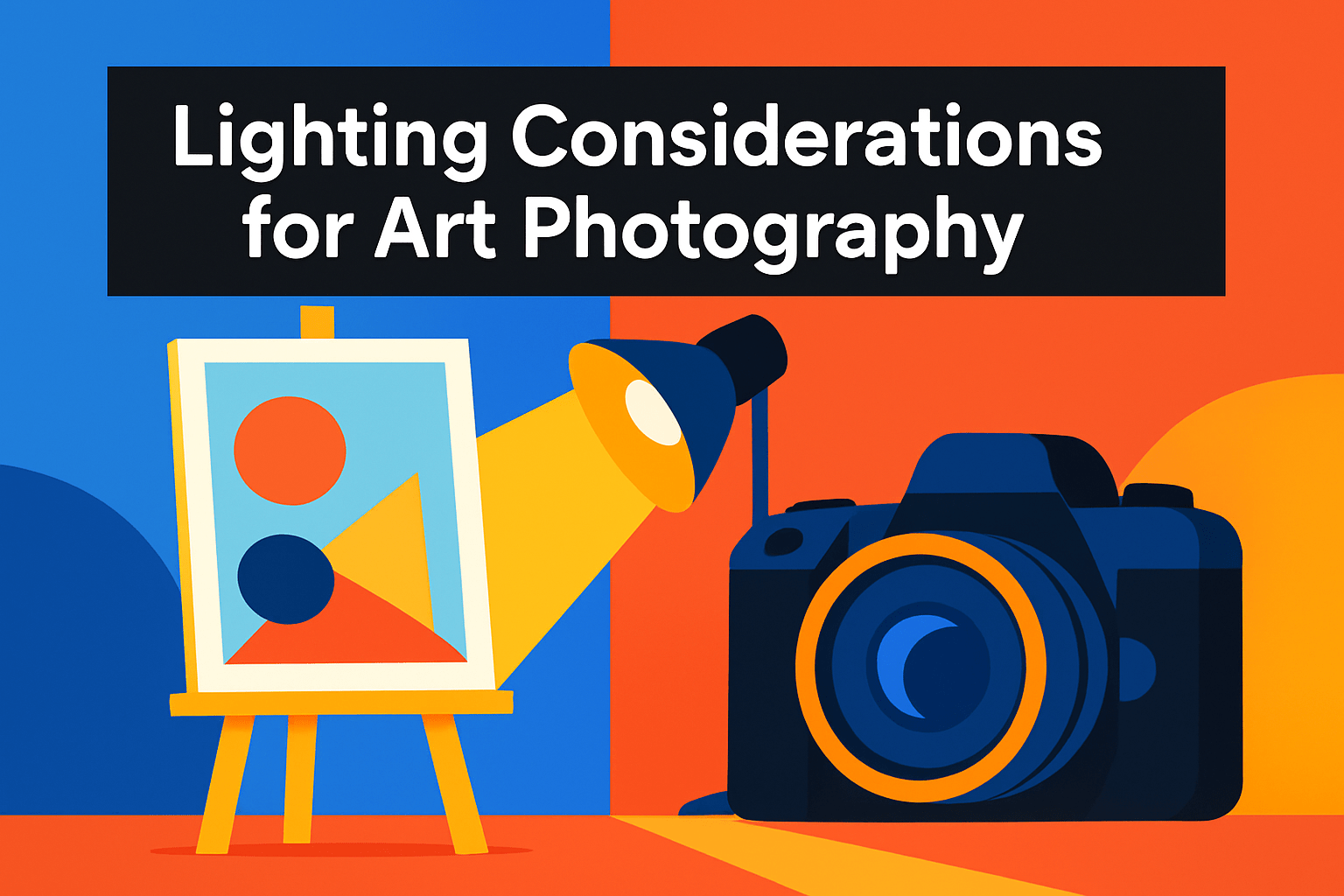
Lighting is where a good photograph of art becomes great. I always start by insisting on control and consistency: studio lights let you shape shadows, highlights, texture and color so the image matches the artwork, not the weather.
For most pieces I use a simple three‑point approach. A key light at roughly 45° and a little above the midline provides the main modeling and reveals surface texture, a lower‑power fill on the opposite side softens harsh shadows while keeping depth, and a subtle backlight or rim light separates the work from the background and adds dimensionality.
Modifiers are your friends. Large softboxes or diffusers create even, flattering light with minimal hotspots, while reflectors or white cards give gentle fill without introducing a second hard source. Use grids or flags to control spill when you need to keep light off the frame or background.
For color and practical comfort, I prefer LEDs: they’re cool, stable and offer adjustable color temperature. Whatever lights you use, set manual white balance and keep your power levels locked—tiny shifts in temp or intensity will wreck a color‑critical capture.
Reflections are the bane of photographing glossy surfaces. Avoid direct flash and harsh angles, or use a polarizer on your lens and polarizing gels on lights (cross‑polarization) to minimize glare. If reflections persist, change the angle slightly or increase the distance between light and subject and use larger diffusers.
Finally, treat the setup with precision. Use a neutral, non‑reflective background and mount the artwork square to the camera plane—level it with a spirit level and shoot on a tripod with a longer focal length to minimize perspective distortion. Consistent, measured lighting and careful alignment will get your reproductions both truthful and beautiful.
Color Accuracy for Artwork Reproduction
Color accuracy is the single biggest thing that separates a good reproduction from one that misrepresents the artist’s intent. Start in the studio by choosing a light source with a high CRI (90+), or use natural daylight when it’s consistent. LEDs with adjustable color temperature are my go‑to because they stay cool and repeatable; set them and don’t touch them once you’ve framed the shot.
Shoot RAW and lock your white balance manually with a neutral gray card. Include a color checker or a grayscale card in your first test shot and make it part of your tethered workflow. That single reference frame saves hours in post because it provides a reliable baseline for both white balance and color profiling.
Work in wide‑gamut color spaces when editing — Adobe RGB or ProPhoto RGB — so you retain the subtle shifts and saturation artists care about. But don’t forget print reality: soft‑proof your files in Photoshop or Lightroom using the target printer profile and make small adjustments for gamut mapping. A file that looks perfect on an uncalibrated monitor can print completely differently.
Calibration is a full chain job. Calibrate your monitor regularly with a hardware calibrator, and use ICC profiles for your printer and paper. Run a few test strips at final print size; view them under neutral, 5000K viewing light to judge color and contrast. Those proof prints are worth the time.
Finally, maintain consistency. Keep aperture, shutter, and lighting constant between test shots and final exposures. Avoid auto white balance or changing light angles mid‑session. When every link in the chain — camera, lighting, monitor, editing, and printer — is tuned, you’ll reproduce colors that truly reflect the artwork’s mood and detail.
What People Ask Most
What camera features should I look for in a camera for art photography?
Look for reliable image quality, accurate color reproduction, and a stable platform for precise composition. Usable controls, good low‑light performance, and support for RAW capture help maintain flexibility in post‑processing.
Is a full‑frame camera better for art and fine art photography?
Full‑frame can offer certain aesthetic and tonal advantages, but smaller formats can also deliver professional results when paired with quality lenses and careful technique. Choose based on your image quality needs, handling preferences, and workflow.
Do I need a high‑megapixel camera for art photography prints?
Higher resolution can be beneficial for very large prints or extreme cropping, but it is not the only factor that determines print quality. Lens quality, lighting, and careful post‑processing are equally important for excellent reproduction.
Are mirrorless cameras suitable for art photography?
Mirrorless cameras are well suited thanks to features like accurate live view, silent operation, and modern autofocus aids. Many photographers use mirrorless systems effectively for studio and fine art work.
What lenses are best for art and fine art photography?
High‑quality prime lenses, macro lenses, and perspective‑correcting options are commonly preferred for their sharpness and control. Select focal lengths and lens designs that minimize distortion and render details consistently across the frame.
How do camera sensors affect image quality for art photography?
Sensors influence dynamic range, color rendition, and noise characteristics, all of which affect final image fidelity. Still, proper lighting, exposure, and post‑processing choices strongly shape the perceived quality of the image.
How do I choose the right camera for fine art photography projects?
Define your output requirements such as print size and color accuracy, then evaluate cameras that meet those needs while fitting your budget and workflow. Whenever possible, test a system in the conditions you typically work in to ensure it suits your process.
Conclusion for Best Camera for Art Photography
This quick guide zipped through five strong camera options and practical studio approaches so you can weigh image quality, workflow demands, and shooting conditions for art photography.
Key takeaways: higher resolution and professional builds deliver exceptional detail and color but often increase file handling and reduce portability, while more affordable or compact choices can simplify on-location work with sensible trade-offs.
Equally important are consistent studio lighting, careful color workflow, and calibrated tools — those choices often matter as much as the camera when reproducing artwork accurately.
Use these comparisons to match a camera to your print size, post‑processing capacity, and shooting style rather than chasing specs alone, and consider streamlining your workflow around the cameras and lighting you actually use.
If you want to deepen your skills and tackle specific setups, read more articles on the site for practical tips and step‑by‑step guidance.
Have questions or experiences to share? Leave a comment below and we usually reply within a few hours.



0 Comments